Spring AI 集成阿里云百炼平台
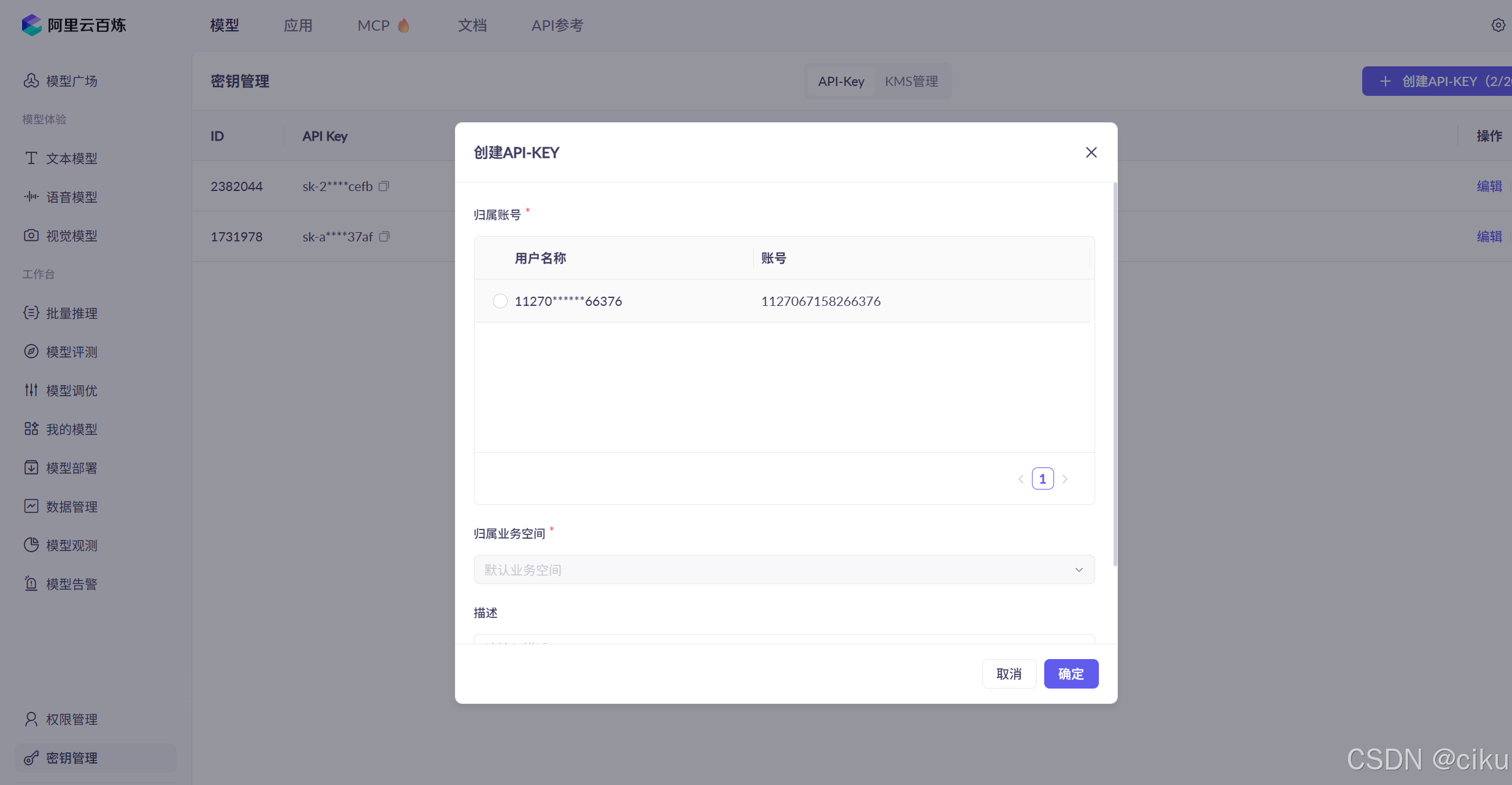
创建API key
在阿里云百炼平台创建API key设置系统变量。阿里云百炼 api key 创建
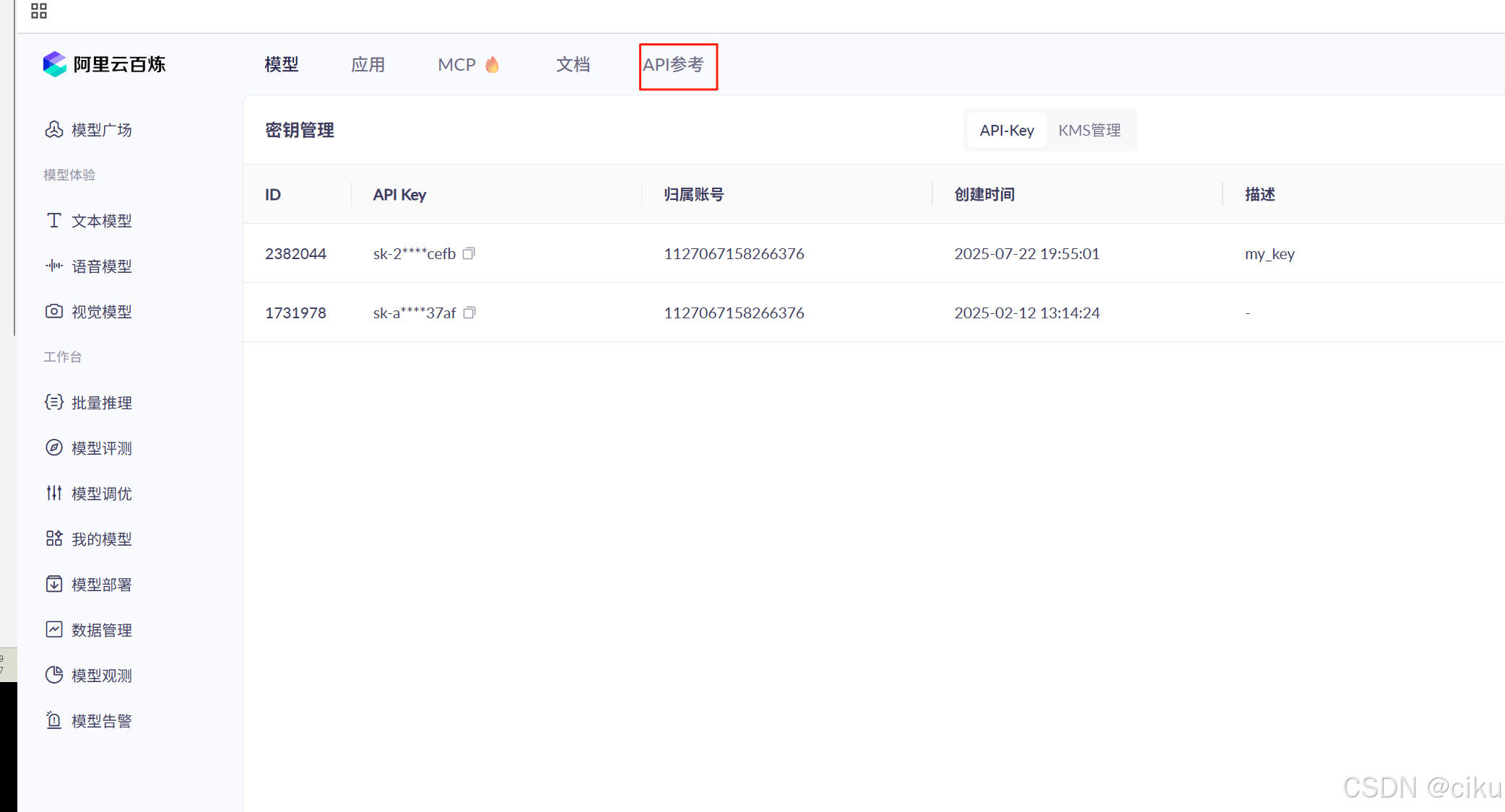
API 参考
官方API地址:https://bailian.console.aliyun.com
(1)在阿里云百炼控制台,选择API参考菜单。
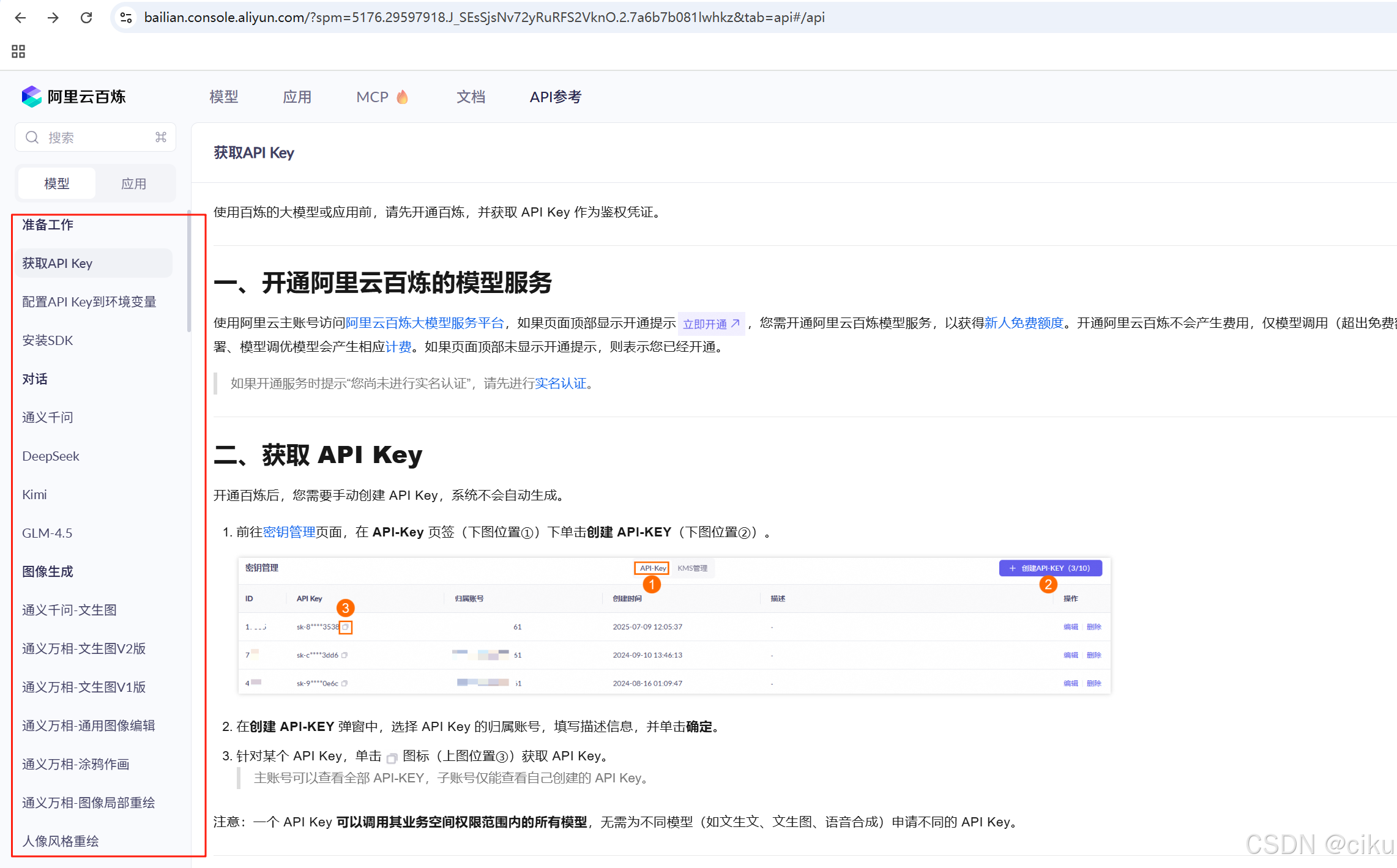
API文档从如何获取API key、配置环境变量、安装SDK、对话、通义千问、以及万象文生文、文生图及多模态都进行详细的说明和指导。
下面开始正式的代码部分,通过测试类简要说明对话、多模态应用的集成
1.引入依赖
<dependencies>
     <dependency>
            <groupId>org.springframework.boot</groupId>
            <artifactId>spring-boot-starter-web</artifactId>
        </dependency>
        <dependency>
            <groupId>org.springframework.boot</groupId>
            <artifactId>spring-boot-starter-test</artifactId>
            <scope>test</scope>
        </dependency>
		<dependency>
			<groupId>org.springframework.boot</groupId>
			<artifactId>spring-boot-starter</artifactId>
			<exclusions>
				<exclusion>
					<groupId>org.slf4j</groupId>
					<artifactId>slf4j-simple</artifactId>
				</exclusion>
			</exclusions>
		</dependency>
		<!--阿里百炼-->
		<dependency>
			<groupId>com.alibaba.cloud.ai</groupId>
			<artifactId>spring-ai-alibaba-starter-dashscope</artifactId>
		</dependency>
		<dependency>
			<groupId>com.alibaba</groupId>
			<artifactId>dashscope-sdk-java</artifactId>
			<version>2.21.1</version>
		</dependency>
		<!-- https://mvnrepository.com/artifact/org.springframework.ai/spring-ai-ollama -->
		<dependency>
			<groupId>org.springframework.ai</groupId>
			<artifactId>spring-ai-ollama</artifactId>
			<version>0.8.0</version>
		</dependency>
		<dependency>
			<groupId>org.springframework.ai</groupId>
			<artifactId>spring-ai-ollama-spring-boot-starter</artifactId>
			<version>0.8.0</version>
		</dependency>

	</dependencies>
    <dependencyManagement>
        <dependencies>
            <dependency>
                <groupId>com.alibaba.cloud.ai</groupId>
                <artifactId>spring-ai-alibaba-bom</artifactId>
                <version>1.0.0.2</version>
                <type>pom</type>
                <scope>import</scope>
            </dependency>
        </dependencies>
    </dependencyManagement>
		<repositories>
			<repository>
				<id>spring-milestones</id>
				<url>https://repo.spring.io/milestone</url>
				<snapshots><enabled>false</enabled></snapshots>
			</repository>
			<repository>
				<id>spring-snapshots</id>
				<url>https://repo.spring.io/snapshot</url>
				<snapshots>
					<enabled>true</enabled>
				</snapshots>
			</repository>
		</repositories>
2.修改配置文件
spring:
  application:
   name: quick-start
  ai:
    dashscope:
      api-key: ${DASHSCOPE_API_KEY}
      base-url: https://dashscope.aliyuncs.com/compatible-mode/v1
      chat:
        options:
#          model: wanx-v1  #wanx-v1
#          multi-model: true   #多模态模型
          model: qwen-turbo
      image:  #配置图像大模型
        base-url: https://dashscope.aliyun.com/api/v1/services/aigc/text2image/image-synthesis
        options:
          model: wanx2.1-t2i-turbo
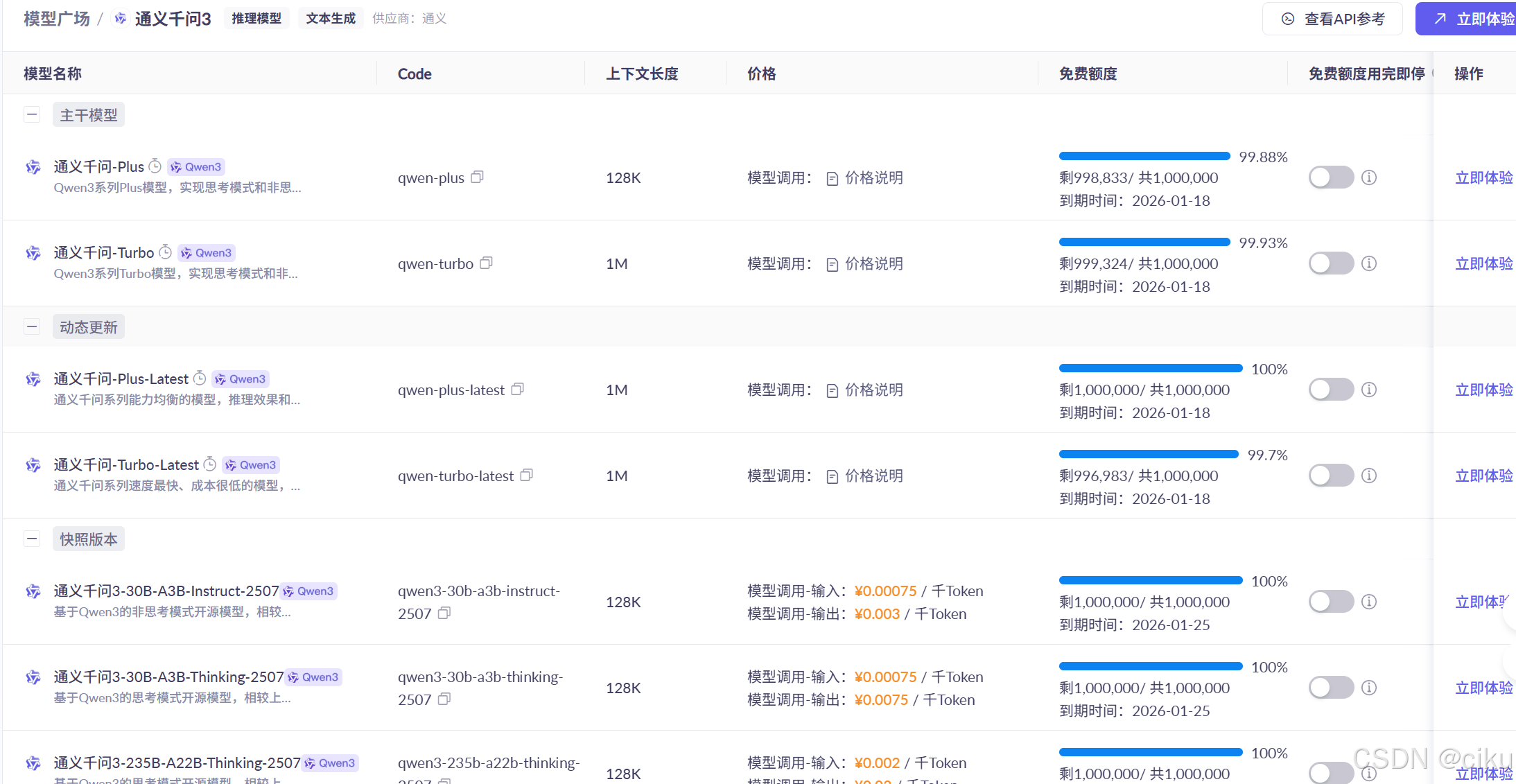
这里的ai.chat.model 可以在阿里云百炼平台,选择你想要的模型进行配置。如下图:
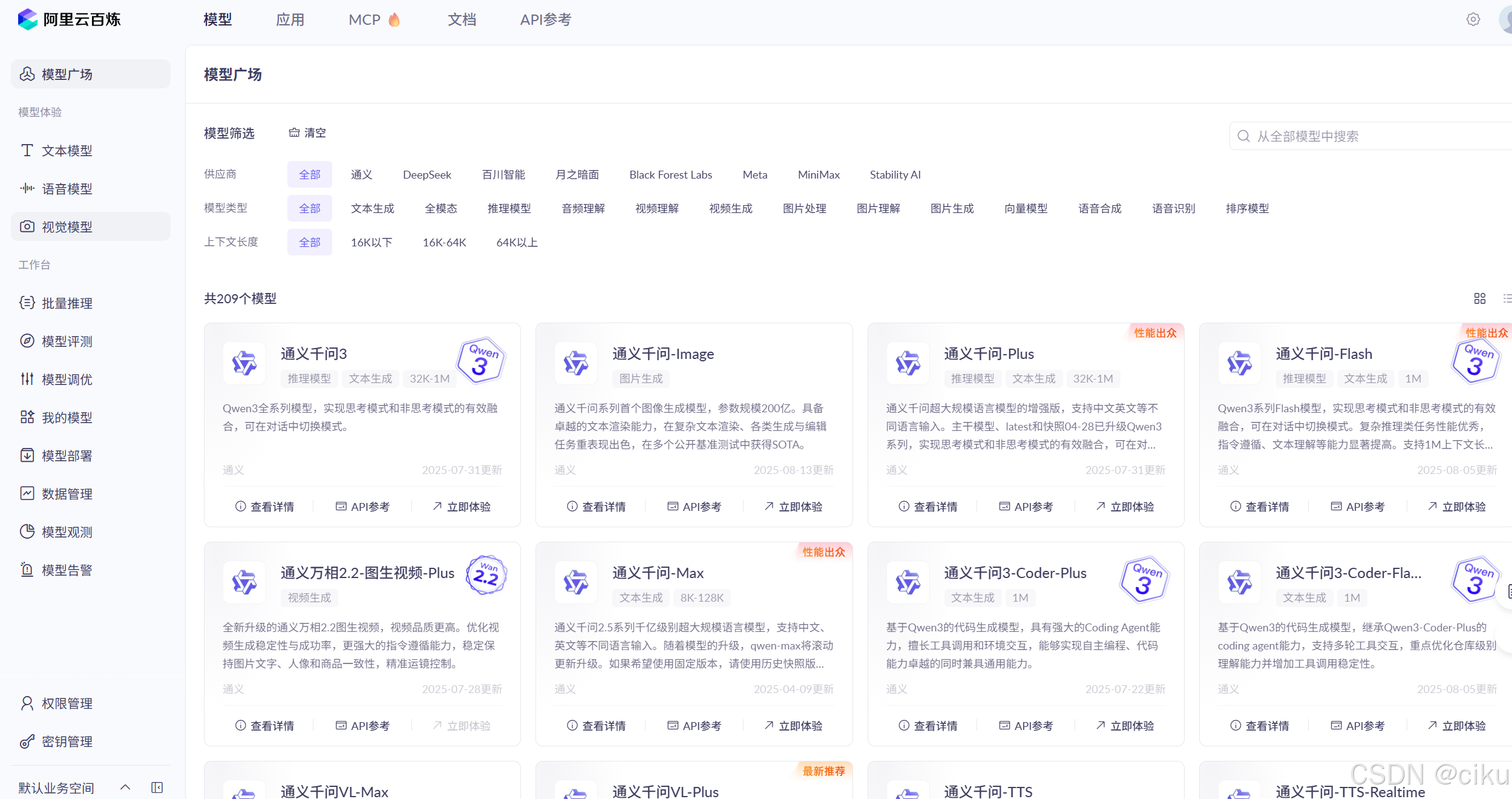
点击每个大模型下面的查看详情,可以查询当前token额度和计费标准。
3.文生文
@SpringBootTest
public class TestAlibaba {
    @Autowired
    private DashScopeChatModel dashScopeChatModel;
    @Test
    public void testQianwen(){
        String call = dashScopeChatModel.call("你是谁?");
        System.out.println(call);

    }
    @Test
    public void testQianWenStream(){
        Flux<String> stream = dashScopeChatModel.stream("你好?");
         stream.toIterable().forEach(System.out::print);
    }
    }
4.文生图
    @Test
    public void testImages(){
       String prompt = "生成一只橘猫,一只奶牛猫,玩闹的图片";
        ImageSynthesisParam param =
                ImageSynthesisParam.builder()
                        .apiKey(System.getenv("DASHSCOPE_API_KEY"))
                        .model(ImageSynthesis.Models.WANX_V1)  //设置大模型为wanx_v1
                        .prompt(prompt)
                        .style("<watercolor>")
                        .n(1) //设置生成图片的数量
                        .size("1024*1024")   //设置图片的尺寸
                        .build();

        ImageSynthesis imageSynthesis = new ImageSynthesis();
        ImageSynthesisResult result = null;
        try {
            System.out.println("---sync call, please wait a moment----");
            result = imageSynthesis.call(param);
        } catch (ApiException | NoApiKeyException e){
            throw new RuntimeException(e.getMessage());
        }
        System.out.println(JsonUtils.toJson(result));
        System.out.println(result.getOutput().getResults().get(0).get("url"));
    }
返回数据:
{"request_id":"44f028f5-b43c-9ce7-b105-fa052c854dbf","output":{"task_id":"3bbe5e22-fa38-4ef5-ae45-ddc6cc11378f","task_status":"SUCCEEDED","results":[{"url":"https://dashscope-result-bj.oss-cn-beijing.aliyuncs.com/1d/b0/20250817/f52ecab8/52bd6da2-b099-4c1a-b6f8-f92579b1fb65-1.png?Expires=1755509978&OSSAccessKeyId=LTAI5tQZd8AEcZX6KZV4G8qL&Signature=fP7de7tkr%2BkG0ouFe7mL7wUijvU%3D"}],"task_metrics":{"TOTAL":1,"SUCCEEDED":1,"FAILED":0}},"usage":{"image_count":1}}results里面的url是生成图片的地址。
生成图片:

5.文生语音
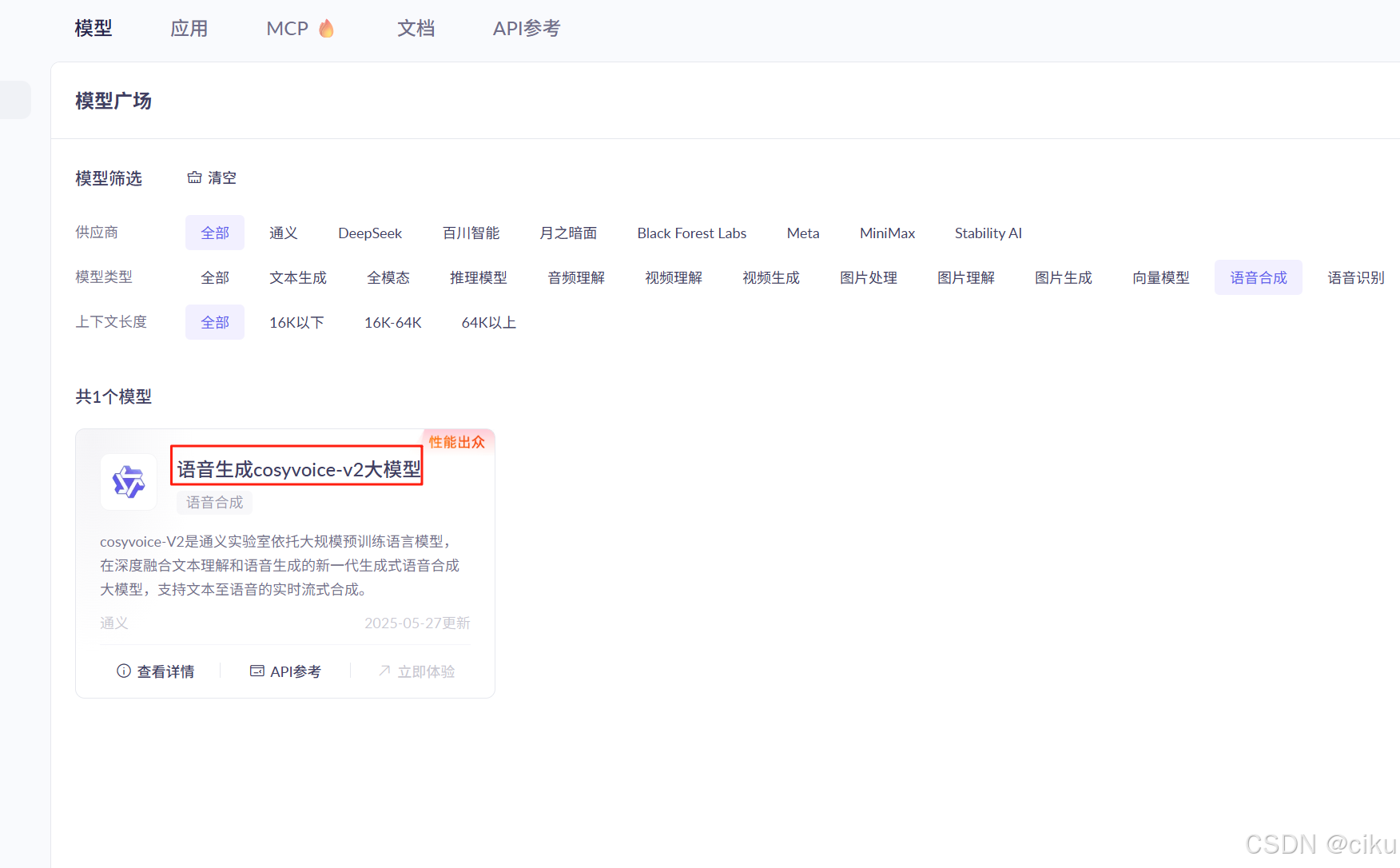
文生语音在百炼平台中选择语音合成,目前只有一个cosyvoice-v2大模型
音频格式支持pmc、wav、MP3、ogg_opus
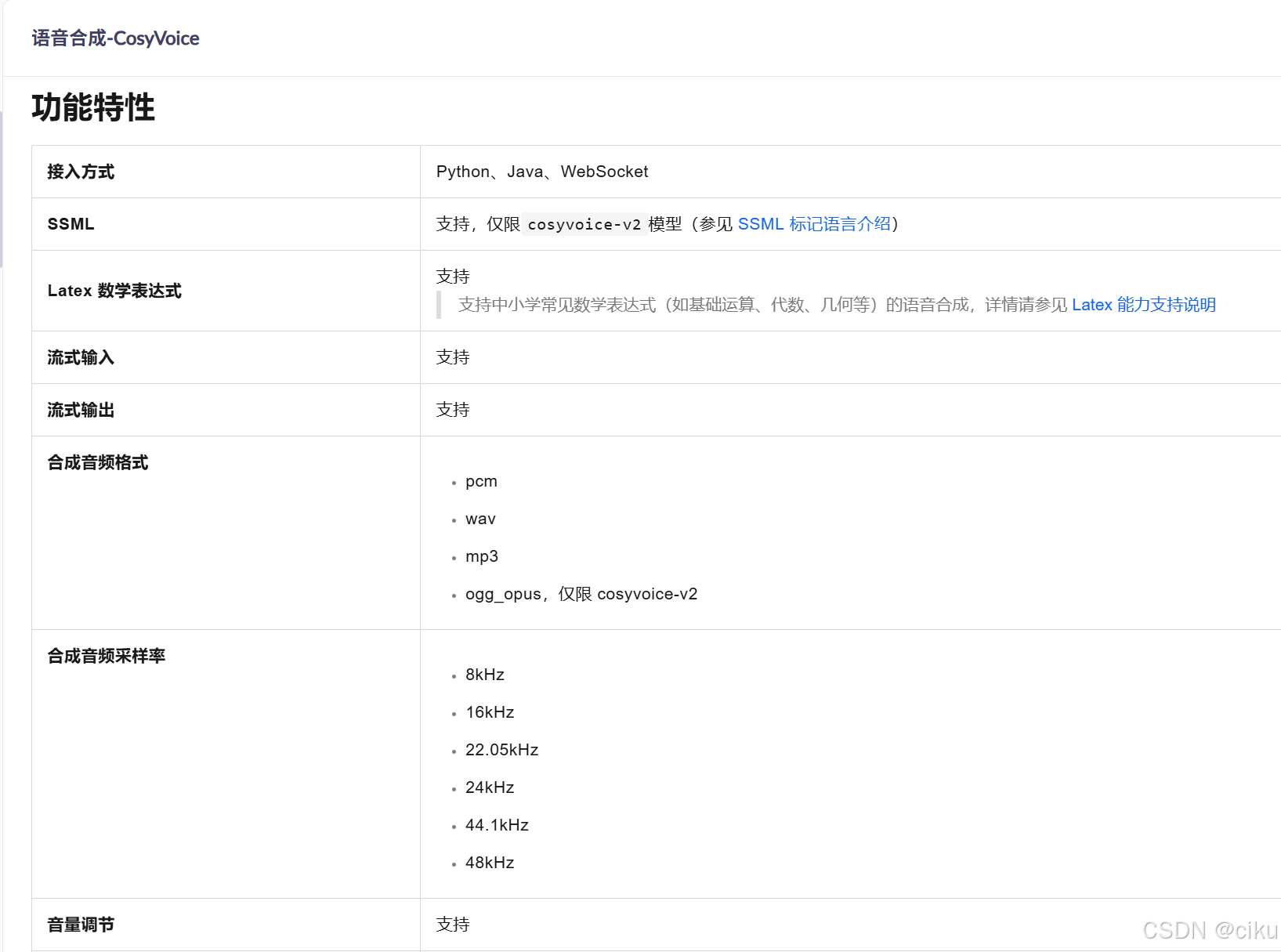
常用参数:
voice:可设置音色列表的音色,使用voice参数值
音色列表:
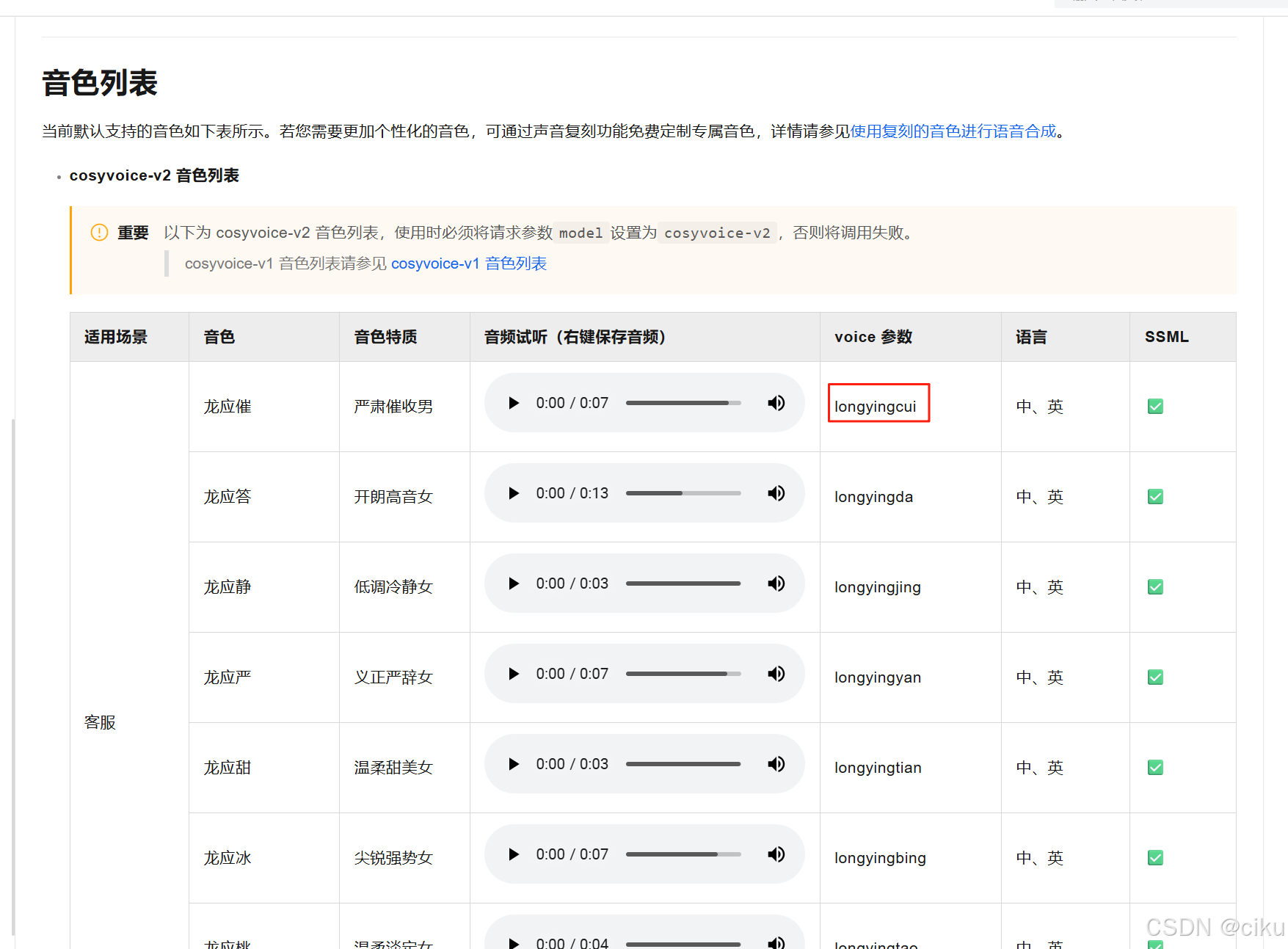
只是截取部分音色列表,更多请参考官网。
volume:设置音量,取值范围0~100
speechRate:设置语速。范围0.5到2,表示倍速,1为正常语速。
    @Test
    public void testTextToAudio(@Autowired  DashScopeSpeechSynthesisModel speechSynthesisModel){
        DashScopeSpeechSynthesisOptions build = DashScopeSpeechSynthesisOptions.builder()
                .model("cosyvoice-v2")  //设置大模型
                .voice("longyingbing")  //设置音色
                .build();
        SpeechSynthesisResponse response = speechSynthesisModel.call(new SpeechSynthesisPrompt("大家好我是旺仔小乔", build));
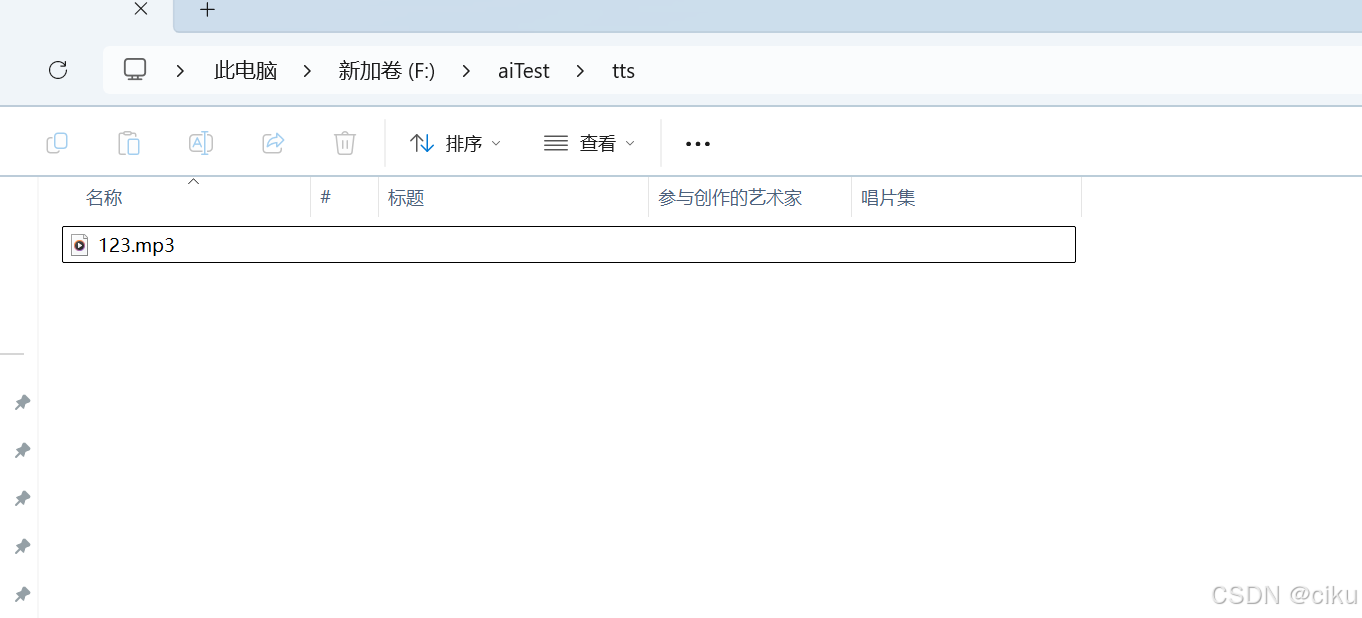
        File file = new File("F:\\aiTest\\tts" + "\\123.mp3");
        try(FileOutputStream fileOutputStream = new FileOutputStream(file)){
            ByteBuffer audio = response.getResult().getOutput().getAudio();
            fileOutputStream.write(audio.array());
        }catch (Exception e){
            e.printStackTrace();
        }
    }
测试结果:
在指定位置生成音频文件,指定文本和音色转换为音频。
6.文生视频
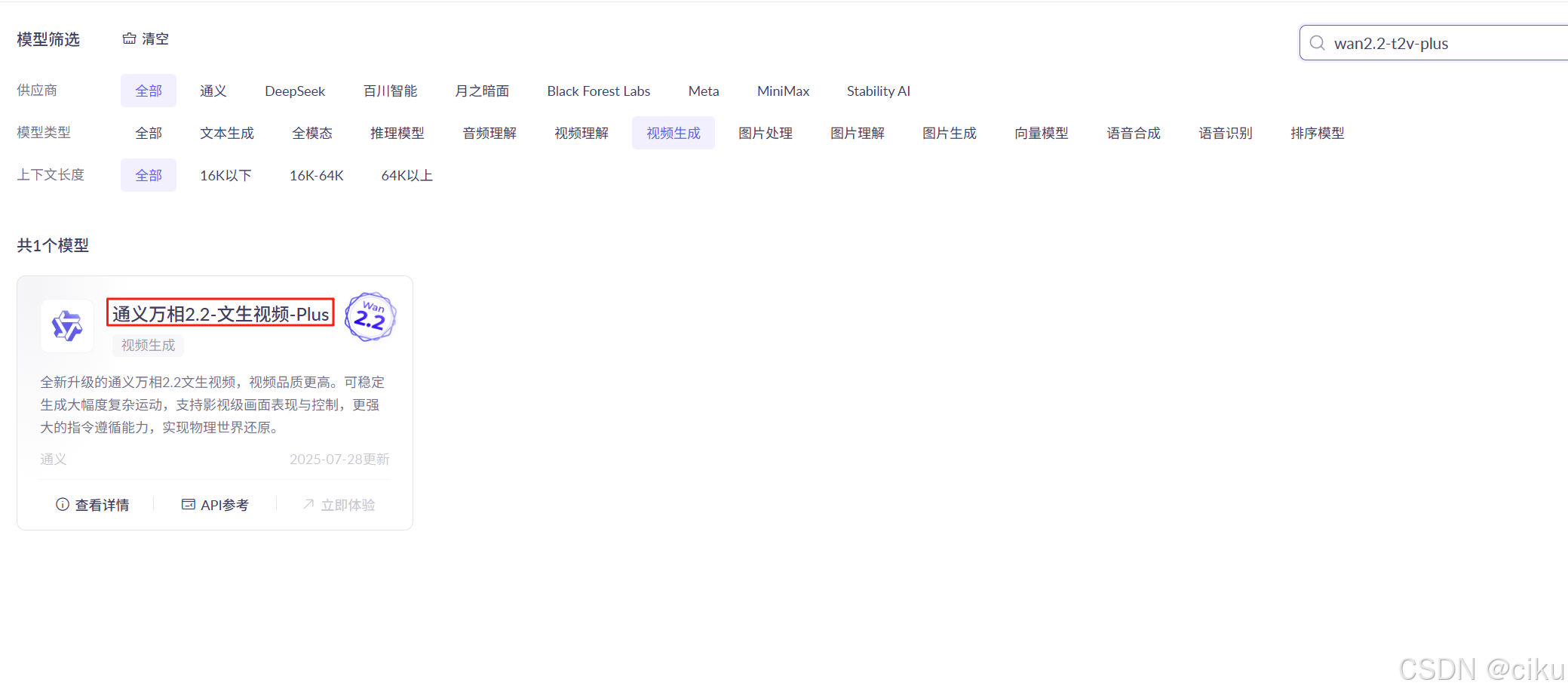
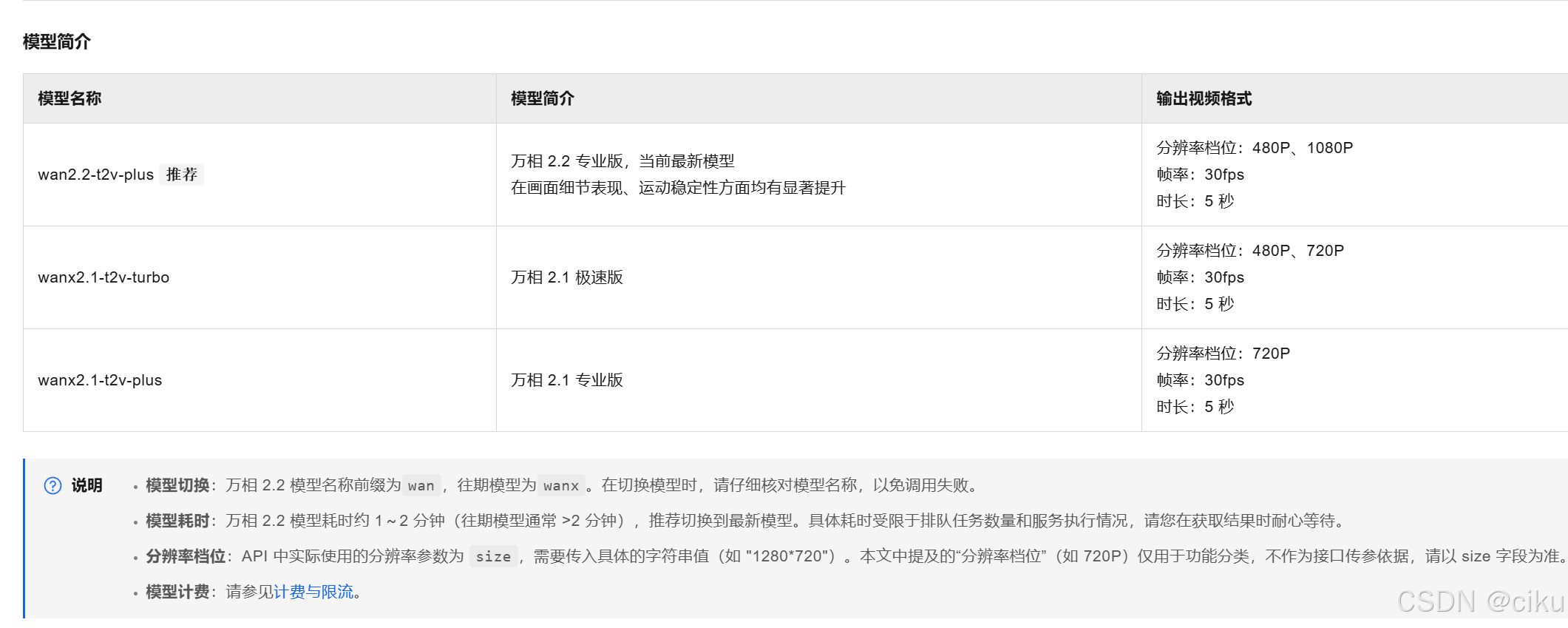
常用参数设置:
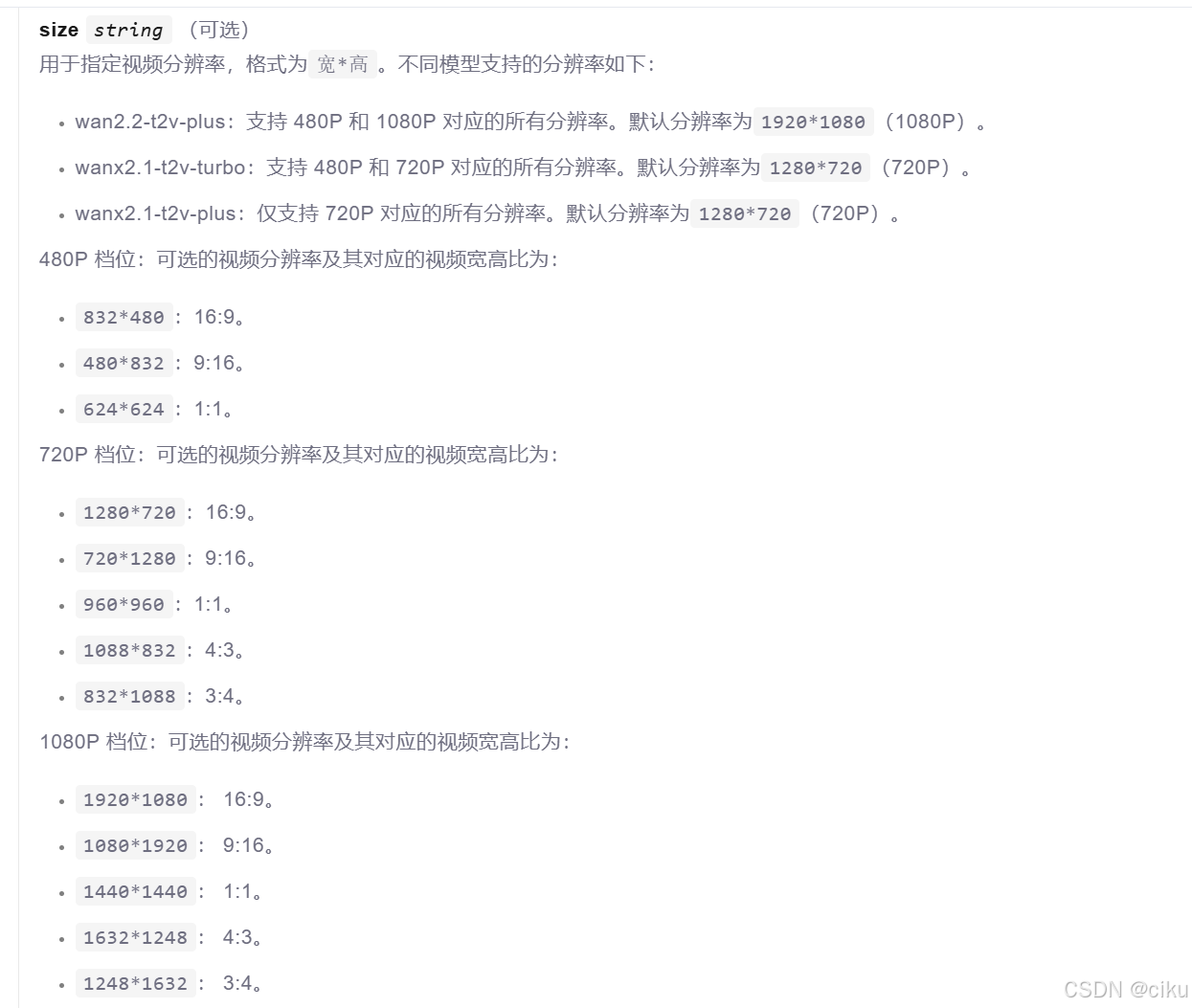
size:用于设置分辨率,可选参数如下:
duration:生成视频的时长,单位秒
watermark :是否显示水印,参数true|false。设置true表示生成的视频显示AI生成的水印
   @Test
    public void text2Video() throws ApiException, NoApiKeyException, InputRequiredException{
        VideoSynthesis videoSynthesis = new VideoSynthesis();
        VideoSynthesisParam param =
                VideoSynthesisParam.builder()
                        .model("wan2.2-t2v-plus")
                        .prompt("海边夕阳西下,海浪翻涌")
                        .size("1920*1080")
                        .apiKey(System.getenv("DASHSCOPE_API_KEY"))
                        .build();
        System.out.println("please wait...");
        VideoSynthesisResult result = videoSynthesis.call(param);
        System.out.println(JsonUtils.toJson(result));
        System.out.println(result.getOutput().getVideoUrl());
        }
生成视频格式MP4如下:
ai生成视频
7.图像理解
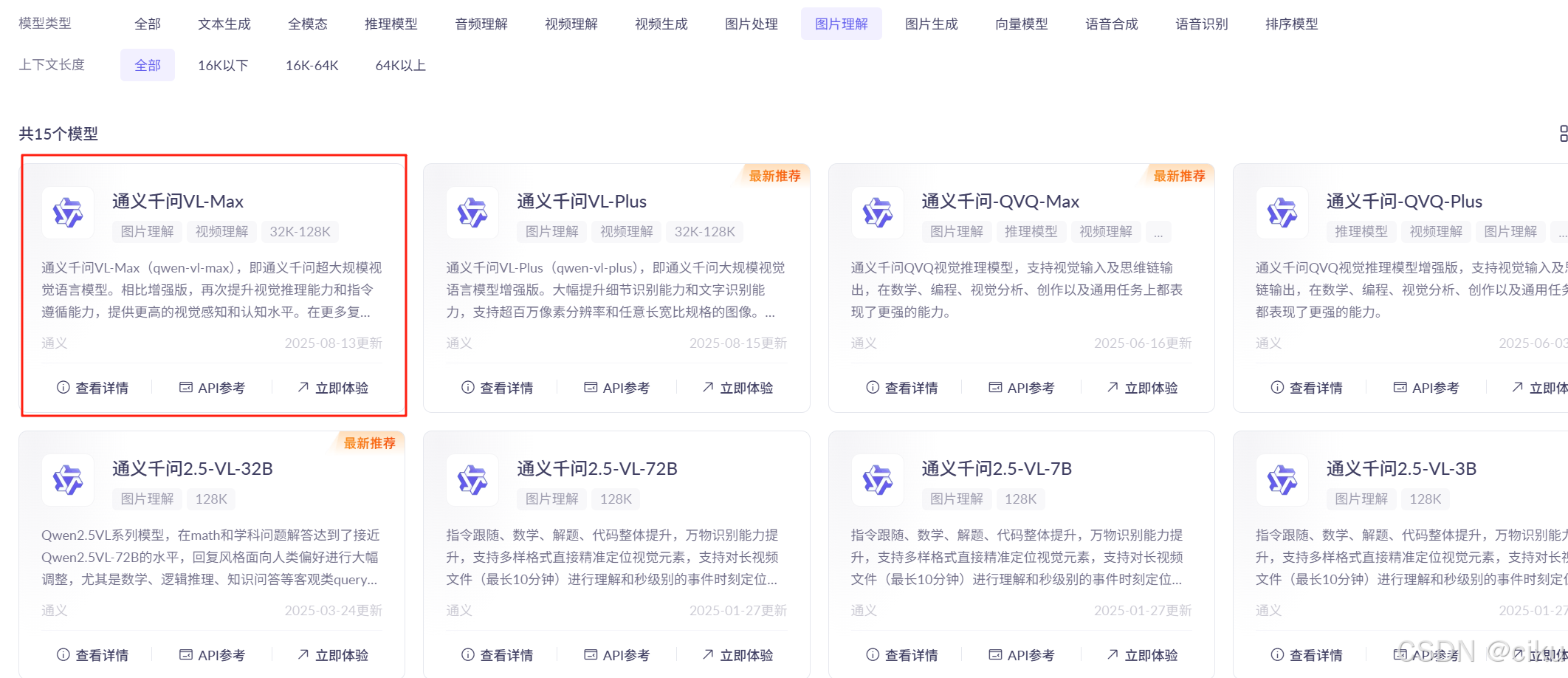
此处选用通义千问VL-Max,代码如下:
需要设置图片地址,设置媒体类型为IMAGE_JPEG
   @Test
    public void testMutimode(){
        try {
            UrlResource urlResource = new UrlResource("file:////F:/aiTest/test.jpg");
            Media media = new Media(MimeTypeUtils.IMAGE_JPEG, urlResource);
            DashScopeChatOptions options = DashScopeChatOptions.builder()
            .withMultiModel(true) //是否是多模态
            .withModel("qwen-vl-max-latest").build();
            Prompt prompt = Prompt.builder().chatOptions(options)
                    .messages(UserMessage.builder().media(media)
                            .text("识别图片").build())
                    .build();
            ChatResponse response = dashScopeChatModel.call(prompt);
            System.out.println(response.getResult().getOutput().getText());

        } catch (MalformedURLException e) {
            throw new RuntimeException(e);
        }
test.jpg
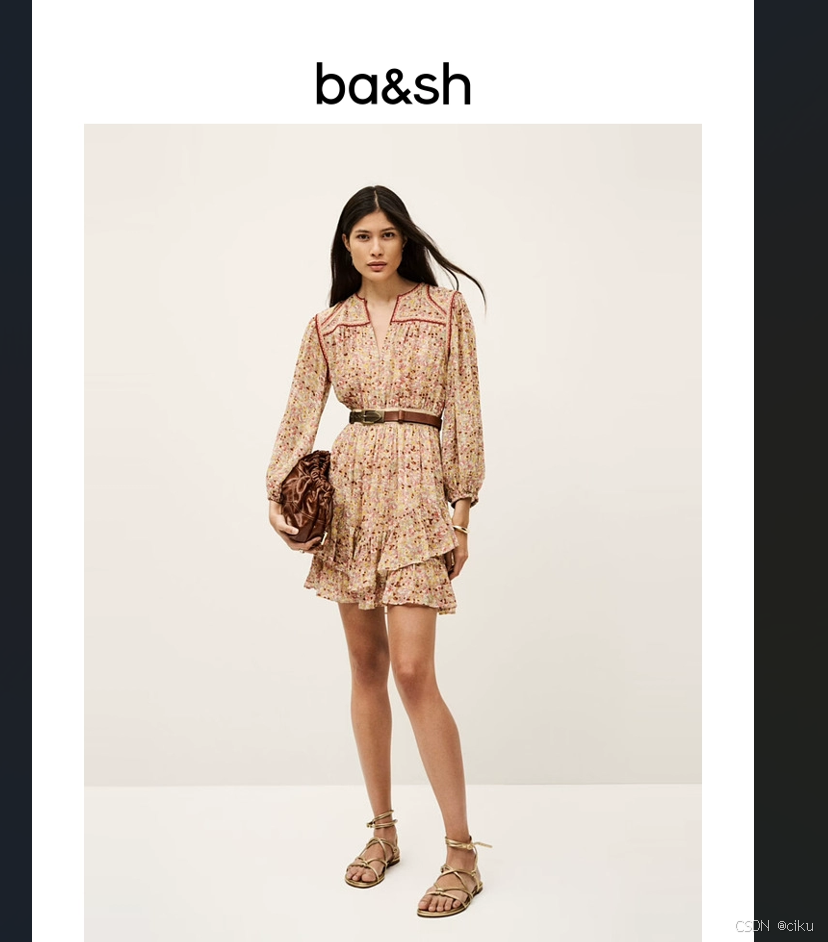
输出内容:
这是一张时尚品牌 ba&sh 的宣传图,画面中的人物是一位女性模特。以下是详细的识别与描述:
人物性别
- 女性:从面部特征、发型、服装风格及整体气质判断,该人物为女性。
地域特征(推测)
- 亚洲裔或具有东亚混血特征 :
- 面部轮廓柔和,五官立体但不过于突出,肤色偏白皙。
- 黑色长发自然披肩,发质顺滑,具有典型的东亚人种特征。
- 眼睛形状偏杏仁形,鼻梁适中,嘴唇较薄,符合许多亚洲女性的外貌特征。
- 虽然无法明确其具体国籍,但从外貌上看,她可能具有中国、韩国或东南亚等东亚地区的血统,也可能是混血背景。
服装特点
连衣裙
- 款式:短款碎花连衣裙,长度在大腿中部,属于夏季轻盈款式。
- 图案:浅米色底色上点缀着小碎花图案,花朵以红色、粉色和绿色为主,呈现出田园风格。
- 设计细节 :
- 领口为立领设计,带有红色镶边,增添复古感。
- 长袖设计,袖口略微收紧,有轻微的泡泡袖效果,增加柔美感。
- 腰部系有一条棕色皮质腰带,强调腰线,提升比例。
- 下摆为双层荷叶边设计,层次丰富,增强飘逸感。
配饰
- 手包:左手持有一个深棕色丝绒质感的手拿包,表面有褶皱设计,类似"抽绳"式造型,富有文艺气息。
- 鞋子:脚穿一双浅金色罗马凉鞋,采用细带缠绕脚踝的设计,简约而优雅,适合春夏季节。
- 首饰:右手腕佩戴一条金色手镯,较为纤细,不抢眼但提升精致度。
整体风格总结
- 风格定位:法式浪漫、田园复古、轻熟女性风。
- 色彩搭配:以柔和的米色、粉色、棕色为主调,温暖而不失优雅。
- 适用场景:适合春夏季的日常出行、约会、郊游或轻松聚会等场合。
品牌标识
- 图片上方印有品牌名称 "ba&sh",字体简洁现代,表明这是该品牌的官方宣传照。
总结
这位女性模特具有典型的东亚或亚裔混血外貌特征,身着一件充满法式风情的碎花连衣裙,搭配简约精致的配饰,展现出温柔、知性且略带复古的时尚气质。整体造型体现了 ba&sh 品牌所倡导的"轻松优雅"的生活美学。
以上就是本文的所有内容,阿里云百炼平台还有很多有趣的大模型等待你的发现,比如涂鸦作画、虚拟模特、创意海报生成、ai试衣、图生舞蹈视频、图生表情表视频等。