1 前言
Android 中,GLSurfaceView 封装了 EGL 环境,使得我们省去了复杂的 EGL 环境搭建。如果我们不用 GLSurfaceView,该如何渲染 OpenGL ES 图像?在回答此问题前,我们先了解下 EGL。
EGL 是 Khronos Group 定义的平台无关接口,作为 OpenGL ES 和本地窗口系统之间的桥梁,主要功能如下。
- 管理图形上下文
- 创建和管理渲染表面 (surface)
- 同步渲染与平台显示系统
EGL 提供了两种渲染方式,分别是离屏渲染和窗口渲染,分别对应 eglCreatePbufferSurface 和 eglCreateWindowSurface。对于离屏渲染方案,详见 → EGL+FBO离屏渲染。eglCreateWindowSurface 函数的源码如下。
cpp
public static EGLSurface eglCreateWindowSurface(EGLDisplay dpy,
    EGLConfig config, Object win, int[] attrib_list, int offset){
    Surface sur = null;
    if (win instanceof SurfaceView) {
        SurfaceView surfaceView = (SurfaceView)win;
        sur = surfaceView.getHolder().getSurface();
    } else if (win instanceof SurfaceHolder) {
        SurfaceHolder holder = (SurfaceHolder)win;
        sur = holder.getSurface();
    } else if (win instanceof Surface) {
        sur = (Surface) win;
    }

    EGLSurface surface;
    if (sur != null) {
        surface = _eglCreateWindowSurface(dpy, config, sur, attrib_list, offset);
    } else if (win instanceof SurfaceTexture) {
        surface = _eglCreateWindowSurfaceTexture(dpy, config,
                win, attrib_list, offset);
    } else {
        throw new java.lang.UnsupportedOperationException(
            "eglCreateWindowSurface() can only be called with an instance of " +
            "Surface, SurfaceView, SurfaceTexture or SurfaceHolder at the moment, " +
            "this will be fixed later.");
    }

    return surface;
} 主要留意 win 参数,可以看到它可以是 SurfaceView、SurfaceHolder、Surface,本质都是为了获取 Surface。因此我们提供了以下两种渲染图像的方案。
- 继承 SurfaceView 方案:自定义一个 View 继承 SurfaceView,并实现 SurfaceHolder.Callback 接口,在 surfaceCreated 方法中将 this 或 getHolder() 传给 eglCreateWindowSurface 函数。
- 继承 TextureView 方案:自定义一个 View 继承 TextureView,并实现 TextureView.SurfaceTextureListener 接口,在 onSurfaceTextureAvailable 方法中会提供 SurfaceTexture,我们可以创建一个 Surface,并将 SurfaceTexture 传给 Surface,然后将创建的 Surface 传给 eglCreateWindowSurface 函数。
本文完整代码详见 → 不用GLSurfaceView,如何渲染图像。
2 继承 SurfaceView 方案
自定义一个 View 继承 SurfaceView,并实现 SurfaceHolder.Callback 接口,在 surfaceCreated 方法中将 this 或 getHolder() 传给 eglCreateWindowSurface 函数。
由于 GLSurfaceView 继承 SurfaceView,所以该方案很容易想到,只需要将 GLSurfaceView 的核心代码扣出来就行。
MainActivity.java
java
package com.zhyan8.egldemo;

import android.os.Bundle;

import androidx.appcompat.app.AppCompatActivity;

public class MainActivity extends AppCompatActivity {
    private EGLSurfaceView mEglSurfaceView;

    protected void onCreate(Bundle savedInstanceState) {
        super.onCreate(savedInstanceState);
        mEglSurfaceView = new EGLSurfaceView(this);
        setContentView(mEglSurfaceView);
        mEglSurfaceView.setRenderer(new MyRenderer(this));
    }

    @Override
    protected void onResume() {
        super.onResume();
        mEglSurfaceView.requestRender();
        //mEglSurfaceView.startRender();
    }

    @Override
    protected void onPause() {
        super.onPause();
        mEglSurfaceView.stopRender();
    }
} EGLSurfaceView.java
java
package com.zhyan8.egldemo;

import android.content.Context;
import android.opengl.EGL14;
import android.opengl.EGLConfig;
import android.opengl.EGLContext;
import android.opengl.EGLDisplay;
import android.opengl.EGLExt;
import android.opengl.EGLSurface;
import android.util.Log;
import android.view.Choreographer;
import android.view.SurfaceHolder;
import android.view.SurfaceView;

import androidx.annotation.NonNull;

/**
 * @author little fat sheep
 * 承载EGL环境的View, 类比GLSurfaceView
 */
public class EGLSurfaceView extends SurfaceView implements SurfaceHolder.Callback {
    private static final String TAG = "EGLSurfaceView";

    protected EGLDisplay mEGLDisplay;
    protected EGLConfig mEGLConfig;
    protected EGLContext mEGLContext;
    protected EGLSurface mEGLSurface;
    protected Context mContext;
    protected Renderer mRenderer;
    protected boolean mFirstCreateSurface = true;
    private Choreographer mChoreographer = Choreographer.getInstance();

    public EGLSurfaceView(Context context) {
        super(context);
        mContext = context;
        getHolder().addCallback(this);
    }

    // 设置渲染器
    public void setRenderer(Renderer renderer) {
        mRenderer = renderer;
    }

    // 开始持续渲染
    public void startRender() {
        Log.i(TAG, "startRender");
        mChoreographer.removeFrameCallback(mFrameCallback);
        mChoreographer.postFrameCallback(mFrameCallback);
    }

    // 暂停持续渲染
    public void stopRender() {
        Log.i(TAG, "stopRender");
        mChoreographer.removeFrameCallback(mFrameCallback);
    }

    // 请求渲染一帧
    public void requestRender() {
        mFrameCallback.doFrame(System.nanoTime());
    }

    @Override
    protected void onAttachedToWindow() {
        super.onAttachedToWindow();
        createDisplay();
        createConfig();
        createContext();
    }

    @Override
    public void surfaceCreated(@NonNull SurfaceHolder holder) { // 每次activity resume都会调用一次
        Log.i(TAG, "surfaceCreated, surface=" + holder.getSurface());
        createSurface();
        makeCurrent();
        if (mFirstCreateSurface) {
            mRenderer.onSurfaceCreated();
            mFirstCreateSurface = false;
        }
    }

    @Override
    public void surfaceChanged(@NonNull SurfaceHolder holder, int format, int width, int height) {
        Log.i(TAG, "surfaceChanged, width=" + width + ", height=" + height);
        mRenderer.onSurfaceChanged(width, height);
    }

    @Override
    public void surfaceDestroyed(@NonNull SurfaceHolder holder) { // 每次activity pause都会调用一次
        Log.i(TAG, "surfaceDestroyed");
        if (mEGLDisplay != null && mEGLDisplay != EGL14.EGL_NO_DISPLAY) {
            // 与显示设备解绑
            EGL14.eglMakeCurrent(mEGLDisplay, EGL14.EGL_NO_SURFACE, EGL14.EGL_NO_SURFACE, EGL14.EGL_NO_CONTEXT);
            // 销毁 EGLSurface
            if (mEGLSurface != null && mEGLSurface != EGL14.EGL_NO_SURFACE) {
                EGL14.eglDestroySurface(mEGLDisplay, mEGLSurface);
                checkoutConfig("eglDestroySurface");
                mEGLSurface = null;
            }
        }
    }

    @Override
    public void onDetachedFromWindow() {
        super.onDetachedFromWindow();
        Log.i(TAG, "onDetachedFromWindow");
        stopRender();
        getHolder().removeCallback(this);
        if (mEGLDisplay != null && mEGLDisplay != EGL14.EGL_NO_DISPLAY) {
            // 与显示设备解绑
            EGL14.eglMakeCurrent(mEGLDisplay, EGL14.EGL_NO_SURFACE, EGL14.EGL_NO_SURFACE, EGL14.EGL_NO_CONTEXT);
            // 销毁 EGLSurface
            if (mEGLSurface != null && mEGLSurface != EGL14.EGL_NO_SURFACE) {
                EGL14.eglDestroySurface(mEGLDisplay, mEGLSurface);
                checkoutConfig("eglDestroySurface");
                mEGLSurface = null;
            }
            // 销毁 EGLContext
            if (mEGLContext != null && mEGLContext != EGL14.EGL_NO_CONTEXT) {
                EGL14.eglDestroyContext(mEGLDisplay, mEGLContext);
                checkoutConfig("eglDestroyContext");
                mEGLContext = null;
            }
            // 销毁 EGLDisplay (显示设备)
            EGL14.eglTerminate(mEGLDisplay);
            checkoutConfig("eglTerminate");
            mEGLDisplay = null;
        }
    }

    // 1.创建EGLDisplay
    private void createDisplay() {
        mEGLDisplay = EGL14.eglGetDisplay(EGL14.EGL_DEFAULT_DISPLAY);
        int[] versions = new int[2];
        EGL14.eglInitialize(mEGLDisplay, versions,0, versions, 1);
        checkoutConfig("eglInitialize");
    }

    // 2.创建EGLConfig
    private void createConfig() {
        if (mEGLDisplay != null && mEGLDisplay != EGL14.EGL_NO_DISPLAY) {
            EGLConfig[] configs = new EGLConfig[1];
            int[] configNum = new int[1];
            EGL14.eglChooseConfig(mEGLDisplay, mEGLConfigAttrs, 0, configs, 0,1,  configNum, 0);
            if (configNum[0] > 0) {
                mEGLConfig = configs[0];
            }
            checkoutConfig("eglChooseConfig");
        }
    }

    // 3.创建EGLContext
    private void createContext() {
        if (mEGLConfig != null) {
            mEGLContext = EGL14.eglCreateContext(mEGLDisplay, mEGLConfig, EGL14.EGL_NO_CONTEXT, mEGLContextAttrs, 0);
            checkoutConfig("eglCreateContext");
        }
    }

    // 4.创建EGLSurface
    private void createSurface() {
        if (mEGLContext != null && mEGLContext != EGL14.EGL_NO_CONTEXT) {
            int[] eglSurfaceAttrs = { EGL14.EGL_NONE };
            //mEGLSurface = EGL14.eglCreateWindowSurface(mEGLDisplay, mEGLConfig, getHolder(), eglSurfaceAttrs, 0);
            mEGLSurface = EGL14.eglCreateWindowSurface(mEGLDisplay, mEGLConfig, this, eglSurfaceAttrs, 0);
            checkoutConfig("eglCreateWindowSurface");
        }
    }

    // 5.绑定EGLSurface和EGLContext到显示设备(EGLDisplay)
    private void makeCurrent() {
        if (mEGLSurface != null && mEGLSurface != EGL14.EGL_NO_SURFACE) {
            EGL14.eglMakeCurrent(mEGLDisplay, mEGLSurface, mEGLSurface, mEGLContext);
            checkoutConfig("eglMakeCurrent");
        }
    }

    private void checkoutConfig(String tag) {
        int error = EGL14.eglGetError();
        if (error != EGL14.EGL_SUCCESS) {
            Log.e(TAG, tag + " error=0x" + Integer.toHexString(error));
        }
    }

    // EGLConfig参数
    private int[] mEGLConfigAttrs = {
            EGL14.EGL_RED_SIZE, 8,
            EGL14.EGL_GREEN_SIZE, 8,
            EGL14.EGL_BLUE_SIZE, 8,
            EGL14.EGL_ALPHA_SIZE, 8,
            EGL14.EGL_DEPTH_SIZE, 8,
            //EGL14.EGL_RENDERABLE_TYPE, EGL14.EGL_OPENGL_ES2_BIT,
            EGL14.EGL_RENDERABLE_TYPE, EGLExt.EGL_OPENGL_ES3_BIT_KHR,
            EGL14.EGL_NONE
    };

    // EGLContext参数
    private int[] mEGLContextAttrs = {
            EGL14.EGL_CONTEXT_CLIENT_VERSION, 3,
            EGL14.EGL_NONE
    };

    Choreographer.FrameCallback mFrameCallback = new Choreographer.FrameCallback() {
        @Override
        public void doFrame(long frameTimeNanos) {
            mChoreographer.postFrameCallback(mFrameCallback);
            if (mEGLSurface != null) {
                mRenderer.onDrawFrame();
                EGL14.eglSwapBuffers(mEGLDisplay, mEGLSurface);
                checkoutConfig("eglSwapBuffers");
            }
        }
    };

    /**
     * @author little fat sheep
     * 渲染器接口, 类比GLSurfaceView.Renderer
     */
    interface Renderer {
        void onSurfaceCreated();
        void onSurfaceChanged(int width, int height);
        void onDrawFrame();
    }
} MyRenderer.java
java
package com.zhyan8.egldemo;

import android.content.Context;
import android.opengl.GLES30;

import java.nio.FloatBuffer;

public class MyRenderer implements EGLSurfaceView.Renderer {
    private FloatBuffer vertexBuffer;
    private FloatBuffer textureBuffer;
    private MyGLUtils mGLUtils;
    private int mTextureId;

    public MyRenderer(Context context) {
        mGLUtils = new MyGLUtils(context);
        getFloatBuffer();
    }

    @Override
    public void onSurfaceCreated() {
        //设置背景颜色
        GLES30.glClearColor(0.1f, 0.2f, 0.3f, 0.4f);
        //编译着色器
        final int vertexShaderId = mGLUtils.compileShader(GLES30.GL_VERTEX_SHADER, R.raw.vertex_shader);
        final int fragmentShaderId = mGLUtils.compileShader(GLES30.GL_FRAGMENT_SHADER, R.raw.fragment_shader);
        //链接程序片段
        int programId = mGLUtils.linkProgram(vertexShaderId, fragmentShaderId);
        GLES30.glUseProgram(programId);
        mTextureId = mGLUtils.loadTexture(R.raw.girl);
    }

    @Override
    public void onSurfaceChanged(int width, int height) {
        //设置视图窗口
        GLES30.glViewport(0, 0, width, height);
    }

    @Override
    public void onDrawFrame() {
        //将颜色缓冲区设置为预设的颜色
        GLES30.glClear(GLES30.GL_COLOR_BUFFER_BIT);
        //启用顶点的数组句柄
        GLES30.glEnableVertexAttribArray(0);
        GLES30.glEnableVertexAttribArray(1);
        //准备顶点坐标和纹理坐标
        GLES30.glVertexAttribPointer(0, 3, GLES30.GL_FLOAT, false, 0, vertexBuffer);
        GLES30.glVertexAttribPointer(1, 2, GLES30.GL_FLOAT, false, 0, textureBuffer);
        //激活纹理
        GLES30.glActiveTexture(GLES30.GL_TEXTURE);
        //绑定纹理
        GLES30.glBindTexture(GLES30.GL_TEXTURE_2D, mTextureId);
        //绘制贴图
        GLES30.glDrawArrays(GLES30.GL_TRIANGLE_FAN, 0, 4);
        //禁止顶点数组句柄
        GLES30.glDisableVertexAttribArray(0);
        GLES30.glDisableVertexAttribArray(1);
    }

    private void getFloatBuffer() {
        float[] vertex = new float[] {
                1f, 1f, 0f,     //V0
                -1f, 1f, 0f,    //V1
                -1f, -1f, 0f,   //V2
                1f, -1f, 0f     //V3
        };
        float[] texture = {
                1f, 0f,     //V0
                0f, 0f,     //V1
                0f, 1.0f,   //V2
                1f, 1.0f    //V3
        };
        vertexBuffer = mGLUtils.getFloatBuffer(vertex);
        textureBuffer = mGLUtils.getFloatBuffer(texture);
    }
} MyGLUtils.java
java
package com.zhyan8.egldemo;

import android.content.Context;
import android.graphics.Bitmap;
import android.graphics.BitmapFactory;
import android.opengl.GLES30;
import android.opengl.GLUtils;
import java.io.BufferedReader;
import java.io.InputStream;
import java.io.InputStreamReader;
import java.nio.ByteBuffer;
import java.nio.ByteOrder;
import java.nio.FloatBuffer;

public class MyGLUtils {
    private Context mContext;
    private Bitmap mBitmap;

    public MyGLUtils(Context context) {
        mContext = context;
    }

    public FloatBuffer getFloatBuffer(float[] floatArr) {
        FloatBuffer fb = ByteBuffer.allocateDirect(floatArr.length * Float.BYTES)
                .order(ByteOrder.nativeOrder())
                .asFloatBuffer();
        fb.put(floatArr);
        fb.position(0);
        return fb;
    }

    //通过代码片段编译着色器
    public int compileShader(int type, String shaderCode){
        int shader = GLES30.glCreateShader(type);
        GLES30.glShaderSource(shader, shaderCode);
        GLES30.glCompileShader(shader);
        return shader;
    }

    //通过外部资源编译着色器
    public int compileShader(int type, int shaderId){
        String shaderCode = readShaderFromResource(shaderId);
        return compileShader(type, shaderCode);
    }

    //链接到着色器
    public int linkProgram(int vertexShaderId, int fragmentShaderId) {
        final int programId = GLES30.glCreateProgram();
        //将顶点着色器加入到程序
        GLES30.glAttachShader(programId, vertexShaderId);
        //将片元着色器加入到程序
        GLES30.glAttachShader(programId, fragmentShaderId);
        //链接着色器程序
        GLES30.glLinkProgram(programId);
        return programId;
    }

    //从shader文件读出字符串
    private String readShaderFromResource(int shaderId) {
        InputStream is = mContext.getResources().openRawResource(shaderId);
        BufferedReader br = new BufferedReader(new InputStreamReader(is));
        String line;
        StringBuilder sb = new StringBuilder();
        try {
            while ((line = br.readLine()) != null) {
                sb.append(line);
                sb.append("\n");
            }
            br.close();
        } catch (Exception e) {
            e.printStackTrace();
        }
        return sb.toString();
    }

    //加载纹理贴图
    public int loadTexture(int resourceId) {
        BitmapFactory.Options options = new BitmapFactory.Options();
        options.inScaled = false;
        mBitmap = BitmapFactory.decodeResource(mContext.getResources(), resourceId, options);
        final int[] textureIds = new int[1];
        // 生成纹理id
        GLES30.glGenTextures(1, textureIds, 0);
        // 绑定纹理到OpenGL
        GLES30.glBindTexture(GLES30.GL_TEXTURE_2D, textureIds[0]);
        GLES30.glTexParameteri(GLES30.GL_TEXTURE_2D, GLES30.GL_TEXTURE_MIN_FILTER, GLES30.GL_LINEAR_MIPMAP_LINEAR);
        GLES30.glTexParameteri(GLES30.GL_TEXTURE_2D, GLES30.GL_TEXTURE_MAG_FILTER, GLES30.GL_LINEAR);
        // 加载bitmap到纹理中
        GLUtils.texImage2D(GLES30.GL_TEXTURE_2D, 0, mBitmap, 0);
        // 生成MIP贴图
        GLES30.glGenerateMipmap(GLES30.GL_TEXTURE_2D);
        // 取消绑定纹理
        GLES30.glBindTexture(GLES30.GL_TEXTURE_2D, 0);
        return textureIds[0];
    }
} vertex_shader.glsl
cpp
attribute vec4 a_position;
attribute vec2 a_texCoord;
varying vec2 v_texCoord;
void main() {
     gl_Position = a_position;
     v_texCoord = a_texCoord;
} fragment_shader.glsl
cpp
precision mediump float;
uniform sampler2D u_texture;
varying vec2 v_texCoord;
void main() {
     gl_FragColor = texture2D(u_texture, v_texCoord);
} 运行效果如下。
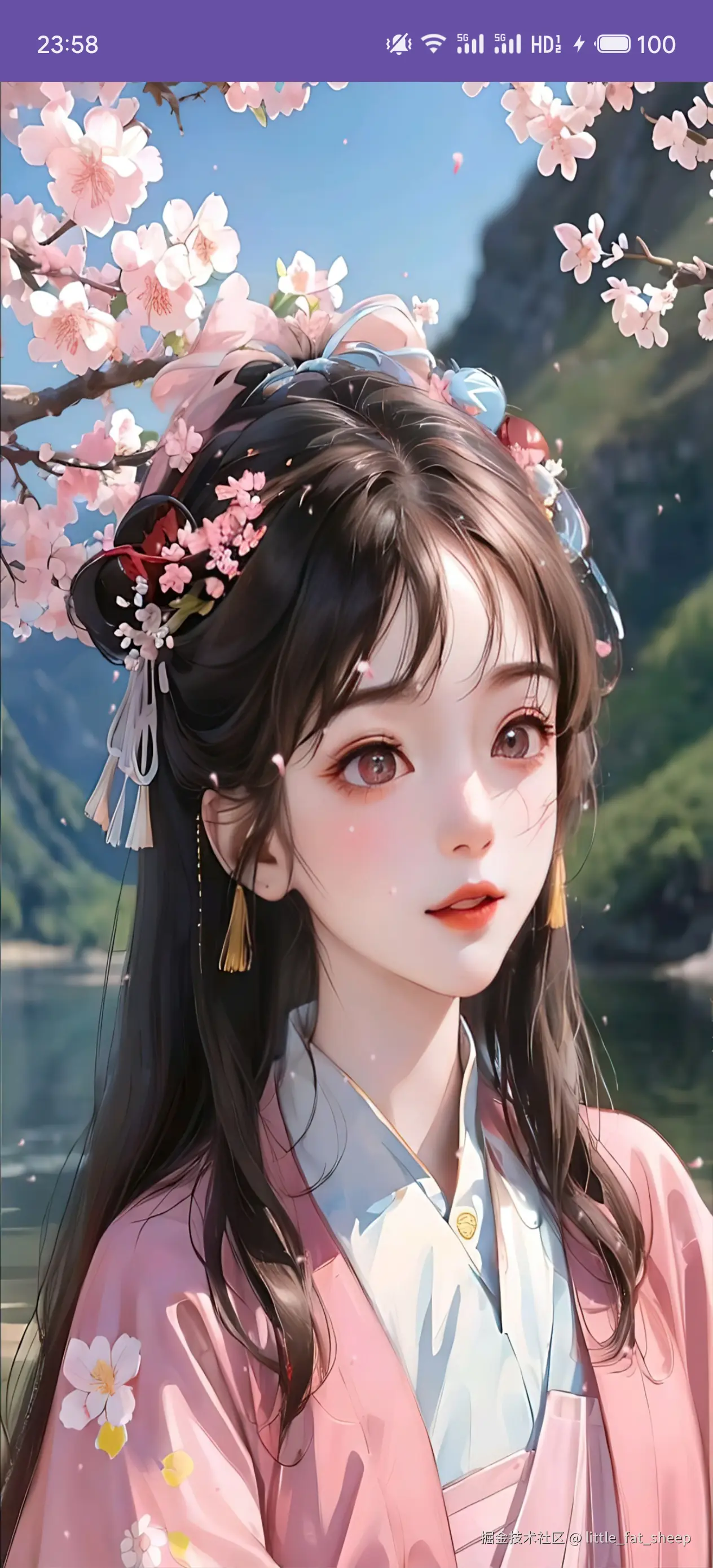
3 继承 TextureView 方案
自定义一个 View 继承 TextureView,并实现 TextureView.SurfaceTextureListener 接口,在 onSurfaceTextureAvailable 方法中会提供 SurfaceTexture,我们可以创建一个 Surface,并将 SurfaceTexture 传给 Surface,然后将创建的 Surface 传给 eglCreateWindowSurface 函数。
前段时间在看 Rive 的源码,详见 → rive-android源码分析,了解到 Rive 底层是通过 OpenGL ES 渲染图像,并且也没有使用 GLSurfaceView,由此借鉴而来。该方案主要参考 Rive 中 RiveTextureView 的实现,eglCreateWindowSurface 参考 thread_state_egl.cpp。
与第二节相比,只有 EGLSurfaceView 类有差异,因此本节仅展示 EGLSurfaceView 的代码。
EGLSurfaceView.java
java
package com.zhyan8.egldemo;

import android.content.Context;
import android.graphics.SurfaceTexture;
import android.opengl.EGL14;
import android.opengl.EGLConfig;
import android.opengl.EGLContext;
import android.opengl.EGLDisplay;
import android.opengl.EGLExt;
import android.opengl.EGLSurface;
import android.util.Log;
import android.view.Choreographer;
import android.view.Surface;
import android.view.TextureView;

import androidx.annotation.NonNull;

/**
 * @author little fat sheep
 * 承载EGL环境的View, 类比GLSurfaceView
 */
public class EGLSurfaceView extends TextureView implements TextureView.SurfaceTextureListener {
    private static final String TAG = "EGLSurfaceView";

    protected EGLDisplay mEGLDisplay;
    protected EGLConfig mEGLConfig;
    protected EGLContext mEGLContext;
    protected EGLSurface mEGLSurface;
    protected Context mContext;
    protected Surface mSurface;
    protected Renderer mRenderer;
    private Choreographer mChoreographer = Choreographer.getInstance();

    public EGLSurfaceView(Context context) {
        super(context);
        mContext = context;
        setSurfaceTextureListener(this);
    }

    // 设置渲染器
    public void setRenderer(Renderer renderer) {
        mRenderer = renderer;
    }

    // 开始持续渲染
    public void startRender() {
        Log.i(TAG, "startRender");
        mChoreographer.removeFrameCallback(mFrameCallback);
        mChoreographer.postFrameCallback(mFrameCallback);
    }

    // 暂停持续渲染
    public void stopRender() {
        Log.i(TAG, "stopRender");
        mChoreographer.removeFrameCallback(mFrameCallback);
    }

    // 请求渲染一帧
    public void requestRender() {
        mFrameCallback.doFrame(System.nanoTime());
    }

    @Override
    protected void onAttachedToWindow() {
        super.onAttachedToWindow();
        Log.i(TAG, "onAttachedToWindow");
        createDisplay();
        createConfig();
        createContext();
    }

    @Override
    public void onSurfaceTextureAvailable(@NonNull SurfaceTexture surface, int width, int height) {
        Log.i(TAG, "onSurfaceTextureAvailable");
        mSurface = new Surface(surface);
        createSurface();
        makeCurrent();
        mRenderer.onSurfaceCreated();
        mRenderer.onSurfaceChanged(width, height);
    }

    @Override
    public void onSurfaceTextureSizeChanged(@NonNull SurfaceTexture surface, int width, int height) {
        Log.i(TAG, "onSurfaceTextureSizeChanged, width=" + width + ", height=" + height);
        mRenderer.onSurfaceChanged(width, height);
    }

    @Override
    public boolean onSurfaceTextureDestroyed(@NonNull SurfaceTexture surface) {
        Log.i(TAG, "onSurfaceTextureDestroyed");
        return false;
    }

    @Override
    public void onSurfaceTextureUpdated(@NonNull SurfaceTexture surface) {
    }

    @Override
    protected void onDetachedFromWindow() {
        super.onDetachedFromWindow();
        Log.i(TAG, "onDetachedFromWindow");
        stopRender();
        setSurfaceTextureListener(null);
        mSurface.release();
        if (mEGLDisplay != null && mEGLDisplay != EGL14.EGL_NO_DISPLAY) {
            // 与显示设备解绑
            EGL14.eglMakeCurrent(mEGLDisplay, EGL14.EGL_NO_SURFACE, EGL14.EGL_NO_SURFACE, EGL14.EGL_NO_CONTEXT);
            // 销毁 EGLSurface
            if (mEGLSurface != null && mEGLSurface != EGL14.EGL_NO_SURFACE) {
                EGL14.eglDestroySurface(mEGLDisplay, mEGLSurface);
                checkoutConfig("eglDestroySurface");
                mEGLSurface = null;
            }
            // 销毁 EGLContext
            if (mEGLContext != null && mEGLContext != EGL14.EGL_NO_CONTEXT) {
                EGL14.eglDestroyContext(mEGLDisplay, mEGLContext);
                checkoutConfig("eglDestroyContext");
                mEGLContext = null;
            }
            // 销毁 EGLDisplay (显示设备)
            EGL14.eglTerminate(mEGLDisplay);
            checkoutConfig("eglTerminate");
            mEGLDisplay = null;
        }
    }

    // 1.创建EGLDisplay
    private void createDisplay() {
        mEGLDisplay = EGL14.eglGetDisplay(EGL14.EGL_DEFAULT_DISPLAY);
        int[] versions = new int[2];
        EGL14.eglInitialize(mEGLDisplay, versions,0, versions, 1);
        checkoutConfig("eglInitialize");
    }

    // 2.创建EGLConfig
    private void createConfig() {
        if (mEGLDisplay != null && mEGLDisplay != EGL14.EGL_NO_DISPLAY) {
            EGLConfig[] configs = new EGLConfig[1];
            int[] configNum = new int[1];
            EGL14.eglChooseConfig(mEGLDisplay, mEGLConfigAttrs, 0, configs, 0,1,  configNum, 0);
            if (configNum[0] > 0) {
                mEGLConfig = configs[0];
            }
            checkoutConfig("eglChooseConfig");
        }
    }

    // 3.创建EGLContext
    private void createContext() {
        if (mEGLConfig != null) {
            mEGLContext = EGL14.eglCreateContext(mEGLDisplay, mEGLConfig, EGL14.EGL_NO_CONTEXT, mEGLContextAttrs, 0);
            checkoutConfig("eglCreateContext");
        }
    }

    // 4.创建EGLSurface
    private void createSurface() {
        if (mEGLContext != null && mEGLContext != EGL14.EGL_NO_CONTEXT) {
            int[] eglSurfaceAttrs = { EGL14.EGL_NONE };
            mEGLSurface = EGL14.eglCreateWindowSurface(mEGLDisplay, mEGLConfig, mSurface, eglSurfaceAttrs, 0);
            checkoutConfig("eglCreateWindowSurface");
        }
    }

    // 5.绑定EGLSurface和EGLContext到显示设备(EGLDisplay)
    private void makeCurrent() {
        if (mEGLSurface != null && mEGLSurface != EGL14.EGL_NO_SURFACE) {
            EGL14.eglMakeCurrent(mEGLDisplay, mEGLSurface, mEGLSurface, mEGLContext);
            checkoutConfig("eglMakeCurrent");
        }
    }

    private void checkoutConfig(String tag) {
        int error = EGL14.eglGetError();
        if (error != EGL14.EGL_SUCCESS) {
            Log.e(TAG, tag + " error=0x" + Integer.toHexString(error));
        }
    }

    // EGLConfig参数
    private int[] mEGLConfigAttrs = {
            EGL14.EGL_RED_SIZE, 8,
            EGL14.EGL_GREEN_SIZE, 8,
            EGL14.EGL_BLUE_SIZE, 8,
            EGL14.EGL_ALPHA_SIZE, 8,
            EGL14.EGL_DEPTH_SIZE, 8,
            //EGL14.EGL_RENDERABLE_TYPE, EGL14.EGL_OPENGL_ES2_BIT,
            EGL14.EGL_RENDERABLE_TYPE, EGLExt.EGL_OPENGL_ES3_BIT_KHR,
            EGL14.EGL_NONE
    };

    // EGLContext参数
    private int[] mEGLContextAttrs = {
            EGL14.EGL_CONTEXT_CLIENT_VERSION, 3,
            EGL14.EGL_NONE
    };

    Choreographer.FrameCallback mFrameCallback = new Choreographer.FrameCallback() {
        @Override
        public void doFrame(long frameTimeNanos) {
            mChoreographer.postFrameCallback(mFrameCallback);
            if (mEGLSurface != null) {
                mRenderer.onDrawFrame();
                EGL14.eglSwapBuffers(mEGLDisplay, mEGLSurface);
                checkoutConfig("eglSwapBuffers");
            }
        }
    };

    /**
     * @author little fat sheep
     * 渲染器接口, 类比GLSurfaceView.Renderer
     */
    interface Renderer {
        void onSurfaceCreated();
        void onSurfaceChanged(int width, int height);
        void onDrawFrame();
    }
} 运行效果如下。

声明:本文转自【OpenGL ES】不用GLSurfaceView,如何渲染图像。