Udemy - 100 Days of Code: The Complete Python Pro Bootcamp
Day 24 - Intermediate - Files, Directories and Paths
目录
-
-
-
- [182. Add a High Score to the Snake Game](#182. Add a High Score to the Snake Game)
- [183. Open, Read and Write Files](#183. Open, Read and Write Files)
- [184. Read and Write the High Score to a File](#184. Read and Write the High Score to a File)
- [185. Relative and Absolute File Paths](#185. Relative and Absolute File Paths)
- [186. Mail Merge Project](#186. Mail Merge Project)
-
-
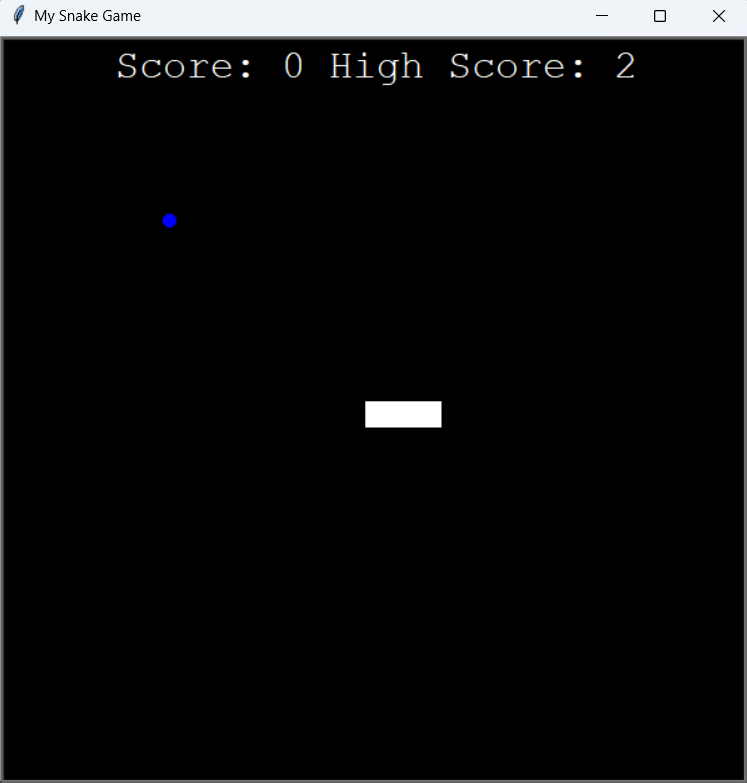
182. Add a High Score to the Snake Game
python
class Scoreboard(Turtle):
    def __init__(self):
        super().__init__()
        self.score = 0
        self.high_score = 0
        self.color("white")
        self.hideturtle()
        self.penup()
        self.goto(0, 260)
        self.update_scoreboard()

    def update_scoreboard(self):
        self.clear()
        self.write(f"Score: {self.score} High Score: {self.high_score}", align=ALIGNMENT, font=FONT)

    def increase_score(self):
        self.score += 1
        self.update_scoreboard()

    def reset(self):
        if self.score > self.high_score:
            self.high_score = self.score
        self.score = 0
        self.update_scoreboard()


class Snake:
    ...
    def reset(self):
        for seg in self.segments:
            seg.goto(1000, 1000)
        self.segments.clear()
        self.create_snake()
        self.head = self.segments[0]


# Detect collision with wall
if (snake.head.xcor() > 280 or snake.head.xcor() < -280 or
    snake.head.ycor() > 280 or snake.head.ycor() < -280):
    scoreboard.reset()
    snake.reset()

# Detect collision with tail
for segment in snake.segments[1:]:
    if snake.head.distance(segment) < 10:
        scoreboard.reset()
        snake.reset()
183. Open, Read and Write Files
Open
open(file, mode='rt', buffering=-1, encoding=None, errors=None, newline=None, closefd=True, opener=None)
参数说明
file:文件路径或文件描述符
mode:打开模式
"r"读取模式(默认),"w"覆盖模式,"a"追加模式,"x"独占创建"t"文本模式(默认),"b"二进制模式"+"可读可写
buffering:缓冲策略
0无缓冲(仅二进制模式)1行缓冲(仅文本模式)>1指定缓冲区大小(字节)-1系统默认缓冲策略
encoding:编码格式(仅文本模式)(如 utf-8,gbk,ascii)
errors: 编码报错方式(仅文本模式)(如 "strict" 直接报错, "ignore" 忽略错误字符, "replace" 替换成 �)
newline:换行符设置(仅文本模式)(None,"","\n","\r","\r\n")
closefd:关闭文件时是否同时关闭底层文件描述符
opener:自定义打开器函数
Read
- 读取文件:
read(size=-1) - 按行读取:
readline(size=-1) - 读取行列表:
readlines(hint=-1)
Write
- 写入文件:
write(string) - 写入行列表:
writelines(lines)
python
# Read Files
file = open("file.txt")
print(file.read())
file.close()

with open("file.txt") as file:
    print(file.read())

with open("file.txt") as file:
    print(file.readline())

with open("file.txt") as file:
    print(file.readlines())

with open("file.txt") as file:
    for line in file:
        print(line)


# Write Files
with open("file.txt", "a") as file:
    file.write("append")

with open("file.txt", "w") as file:
    file.write("line 1\nline 2\nline 3\n")

with open("file.txt", "w") as file:
    file.writelines(["line 1\n", "line 2\n", "line 3\n"])


# Create Files
file = open("file.txt", "x")
file = open("file.txt", "a")
file = open("file.txt", "w")
184. Read and Write the High Score to a File
python
class Scoreboard(Turtle):
    def __init__(self):
        super().__init__()
        self.score = 0
        try:
            with open("data.txt") as file:
                self.high_score = int(file.read())
        except FileNotFoundError:
            self.high_score = 0
        self.color("white")
        self.hideturtle()
        self.penup()
        self.goto(0, 260)
        self.update_scoreboard()

    def update_scoreboard(self):
        self.clear()
        self.write(f"Score: {self.score} High Score: {self.high_score}", align=ALIGNMENT, font=FONT)

    def increase_score(self):
        self.score += 1
        self.update_scoreboard()

    def reset(self):
        if self.score > self.high_score:
            self.high_score = self.score
            with open("data.txt", "w") as file:
                file.write(f"{self.high_score}")
        self.score = 0
        self.update_scoreboard()
185. Relative and Absolute File Paths
Root
└── Work
    ├── app.log
    └── Project
        ├── main.py
        ├── file.txt
        └── assets
            └── img.png
Absolute File Path 绝对文件路径
Root Directory 根目录:/Work/Project/file.txt
Relative File Path 相对文件路径
Parent Directory 上级目录:../app.log
Same Directory 同级目录:./file.txt
Subdirectory 下级目录:assets/img.png
186. Mail Merge Project
python
"""
Dear [name],

You are invited to my birthday this Saturday.

Hope you can make it!

Angela
"""

PLACEHOLDER = "[name]"

with open("./Input/Names/invited_names.txt") as names_file:
    names = names_file.readlines()

with open("./Input/Letters/starting_letter.txt") as letter_file:
    letter_contents = letter_file.read()
    for name in names:
        stripped_name = name.strip()
        new_letter = letter_contents.replace(PLACEHOLDER, stripped_name)
        with open(f"./Output/ReadyToSend/letter_for_{stripped_name}.txt", "w") as completed_letter:
            completed_letter.write(new_letter)