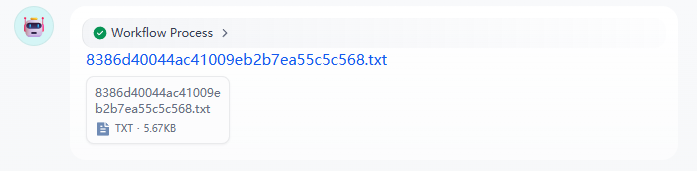
关于dify中http节点下载文件时,文件名不为原始文件名问题解决

我在使用http节点下载文件时,文件名默认为UUID,于是我设置了请求头

复制代码
Content-Disposition: attachment; filename*=UTF-8''{file_name}

但是发现还是没有变化

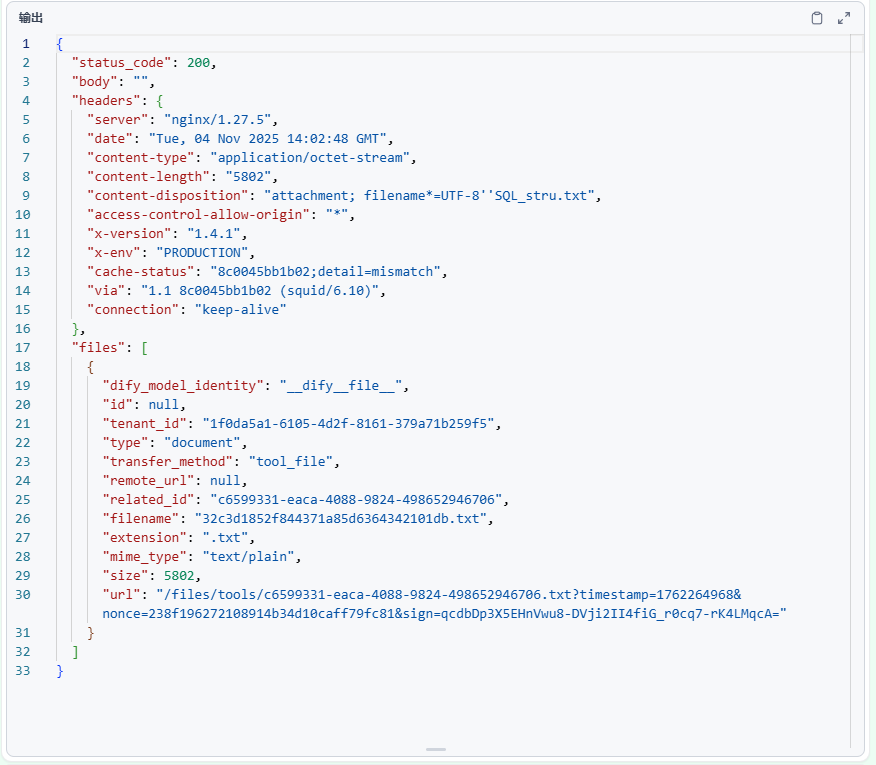
而且我发现设置的Content-Disposition完全没有起作用,并且返回的结果本身就是原始文件名,但是并没有启用,最后files中的filename返回的还是uuid。

我在github上发现有人有相同的问题,并且已经解决

When retrieving files using the HTTP component, the file name is incorrect, including custom plugins. Including the latest version 1.7.2 · Issue #24074 · langgenius/dify

简单来说就是需要去修改后端代码,如果是docker部署就需要去docker中修改,

修改的文件为 api/core/workflow/nodes/http_request/node.py,190行左右,修改为

python 复制代码
content_disposition_filename = None
if parsed_content_disposition:
    content_disposition_filename = parsed_content_disposition.get_filename()

filename = content_disposition_filename or url.split("?")[0].split("/")[-1] or ""
# ... rest of your logic

tool_file = tool_file_manager.create_file_by_raw(
    user_id=self.user_id,
    tenant_id=self.tenant_id,
    conversation_id=None,
    file_binary=content,
    mimetype=mime_type,
    filename=filename,  # <-- pass the filename here
)

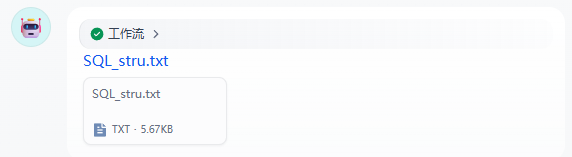
随后就可以输出原始文件名的文件了
相关推荐
永霖光电_UVLED1 天前
CEA-Leti 和 CEA-List 已宣布与 Powerchip 半导体制造公司 (PSMC) 合作
人工智能·生成对抗网络·汽车·制造·激光
ai产品老杨1 天前
异构计算时代的安防底座:基于 x86/ARM 双架构与多芯片适配的 AI 视频云平台架构解析
arm开发·人工智能·架构
JustNow_Man1 天前
【opencode】使用方法
linux·服务器·网络·人工智能·python
lvyuanj1 天前
Java AI开发实战:Spring AI完全指南
java·人工智能·spring
l1t1 天前
DeepSeek总结的如何构建 AI 仪表盘
人工智能·信息可视化
AI医影跨模态组学1 天前
Radiother Oncol 山东第一医科大学:基于多组学模型预测非小细胞肺癌患者放化疗后预后的多中心研究
人工智能·机器学习·论文·医学·医学影像
whhzhai1 天前
AI Agent - 智能旅行助手和深度研究助手实践
人工智能·agent
AI自动化工坊1 天前
Meta Muse Spark技术深度解析:原生多模态推理架构实践指南
大数据·人工智能·架构·spark
动物园猫1 天前
电缆损坏目标检测数据集分享(YOLO系列)| 电缆断裂 雷击损伤 断股 烧蚀痕迹 输电线路巡检 目标检测标注
人工智能·yolo·目标检测
贵州晓智信息科技1 天前
NumPy 从数组操作理解深度学习的计算本质
人工智能·深度学习·numpy