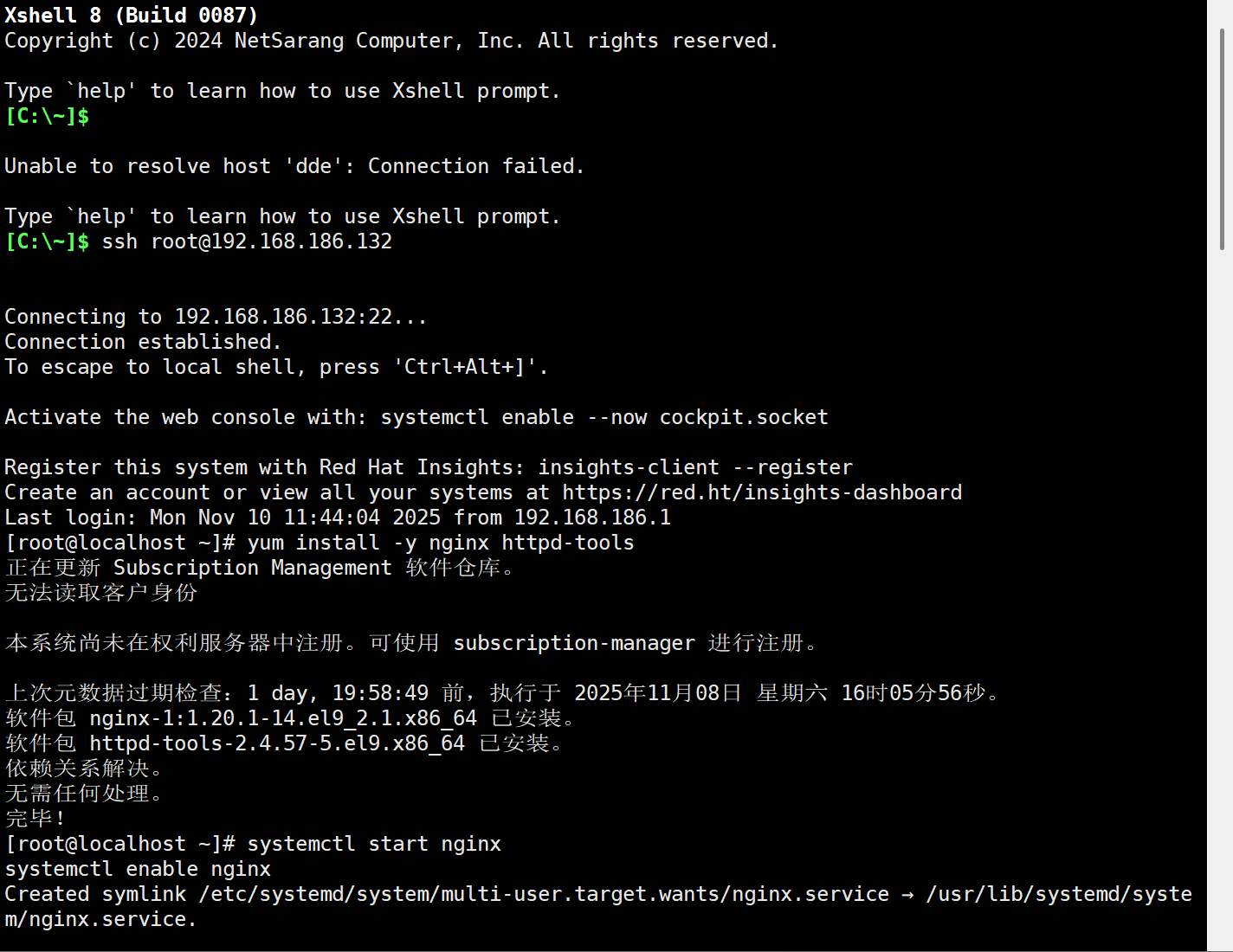
1. 安装依赖工具
# 安装Nginx
yum install -y nginx httpd-tools
systemctl start nginx
systemctl enable nginx

# 关闭防火墙(测试环境,生产环境需配置规则)
systemctl stop firewalld
systemctl disable firewalld
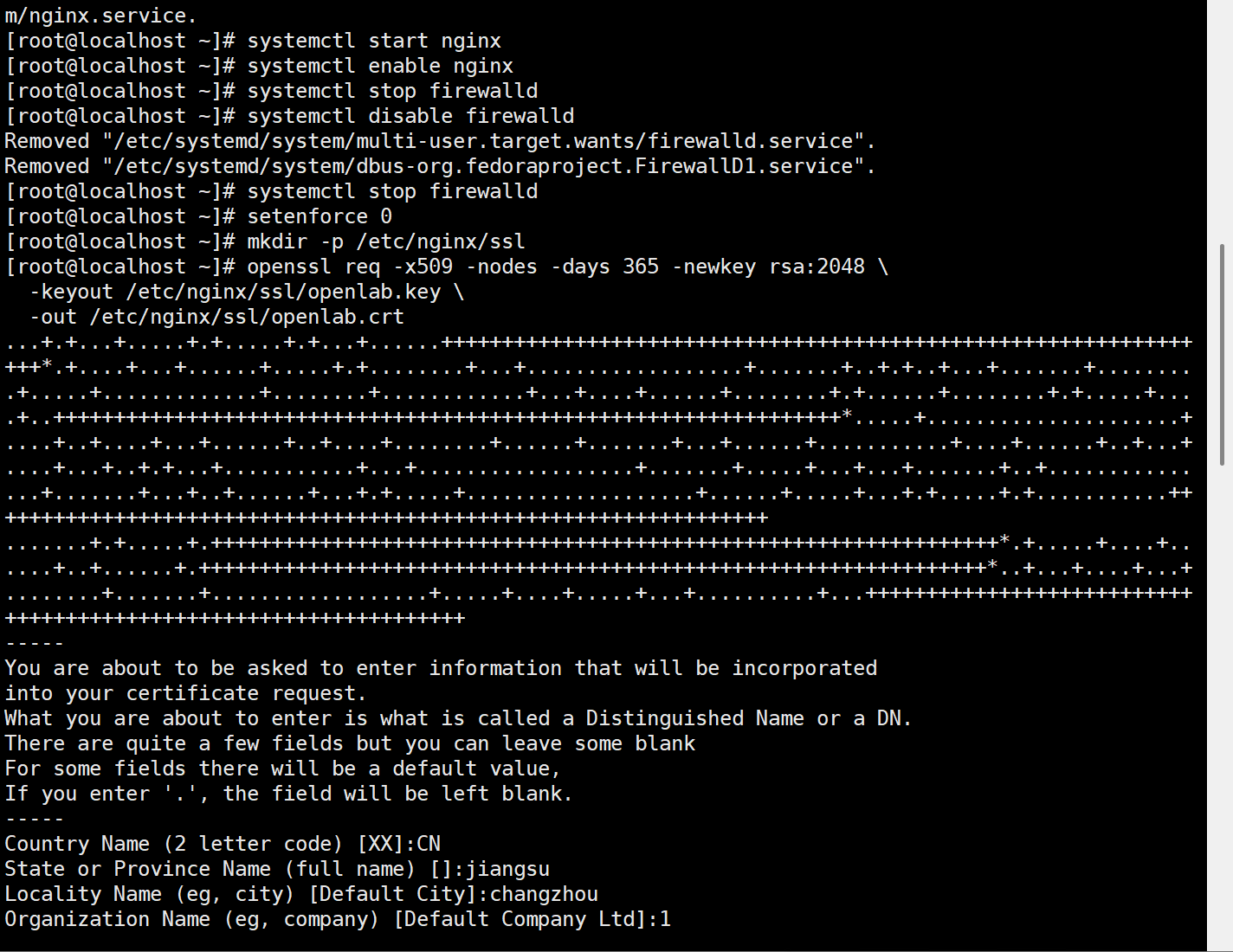
2. 生成 SSL 证书(用于 HTTPS)
bash
# 创建证书目录
mkdir -p /etc/nginx/ssl

# 生成自签名证书(按提示输入信息,Common Name填www.openlab.com)
openssl req -x509 -nodes -days 365 -newkey rsa:2048 \
  -keyout /etc/nginx/ssl/openlab.key \
  -out /etc/nginx/ssl/openlab.crt
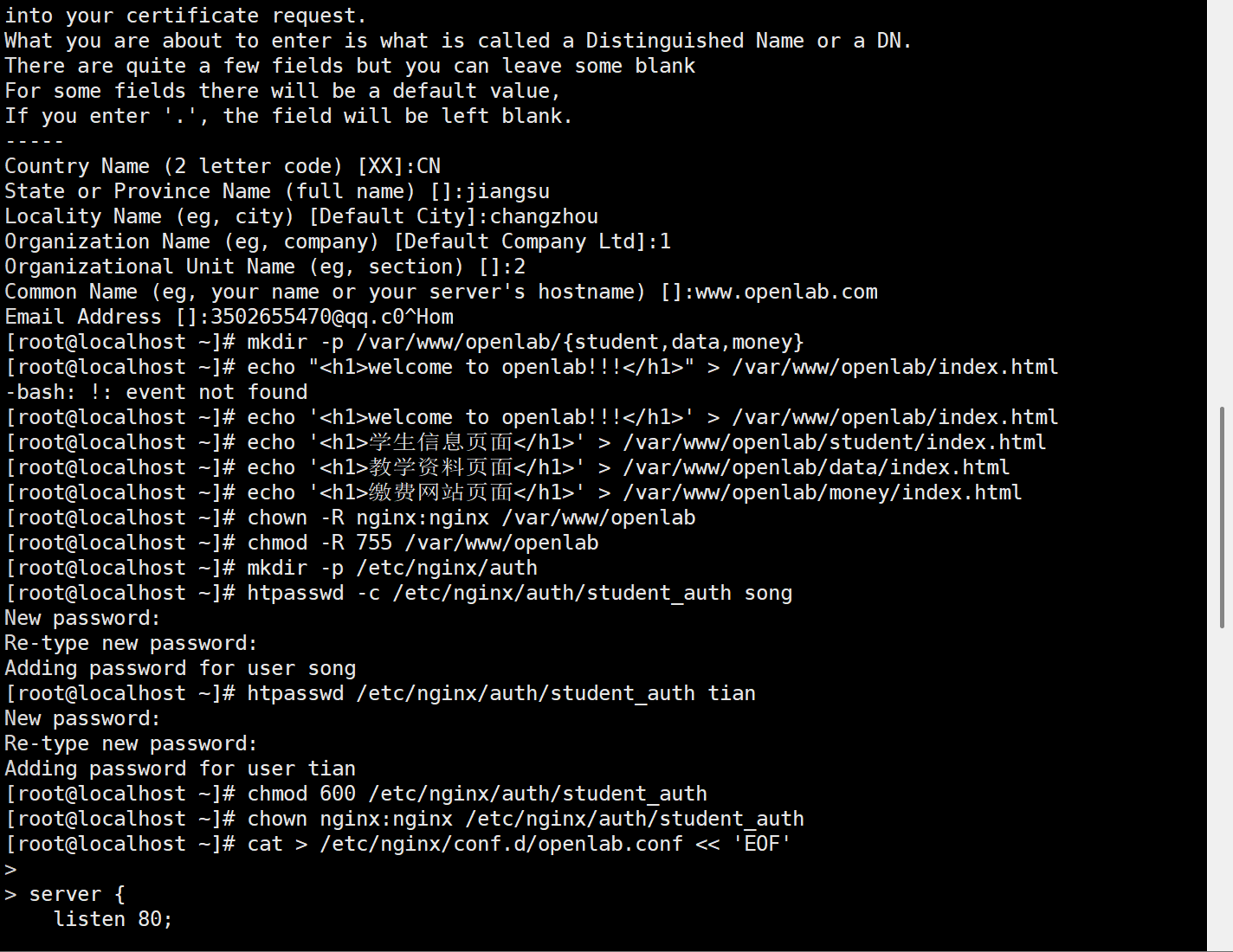
3. 创建网站目录及页面文件
bash
# 创建目录结构
mkdir -p /var/www/openlab/{student,data,money}

# 编写根页面内容(www.openlab.com)
echo "<h1>welcome to openlab!!!</h1>" > /var/www/openlab/index.html

# 编写学生信息页面(/student)
echo "<h1>学生信息页面</h1>" > /var/www/openlab/student/index.html

# 编写教学资料页面(/data)
echo "<h1>教学资料页面</h1>" > /var/www/openlab/data/index.html

# 编写缴费网站页面(/money)
echo "<h1>缴费网站页面</h1>" > /var/www/openlab/money/index.html

# 设置目录权限
chown -R nginx:nginx /var/www/openlab
chmod -R 755 /var/www/openlab
4. 创建用户认证(限制 student 访问)
bash
# 创建认证文件目录
mkdir -p /etc/nginx/auth

# 添加用户song和tian(执行后输入密码,例如123456)
htpasswd -c /etc/nginx/auth/student_auth song  # 首次创建用-c
htpasswd /etc/nginx/auth/student_auth tian     # 后续用户无需-c

# 设置认证文件权限
chmod 600 /etc/nginx/auth/student_auth
chown nginx:nginx /etc/nginx/auth/student_auth
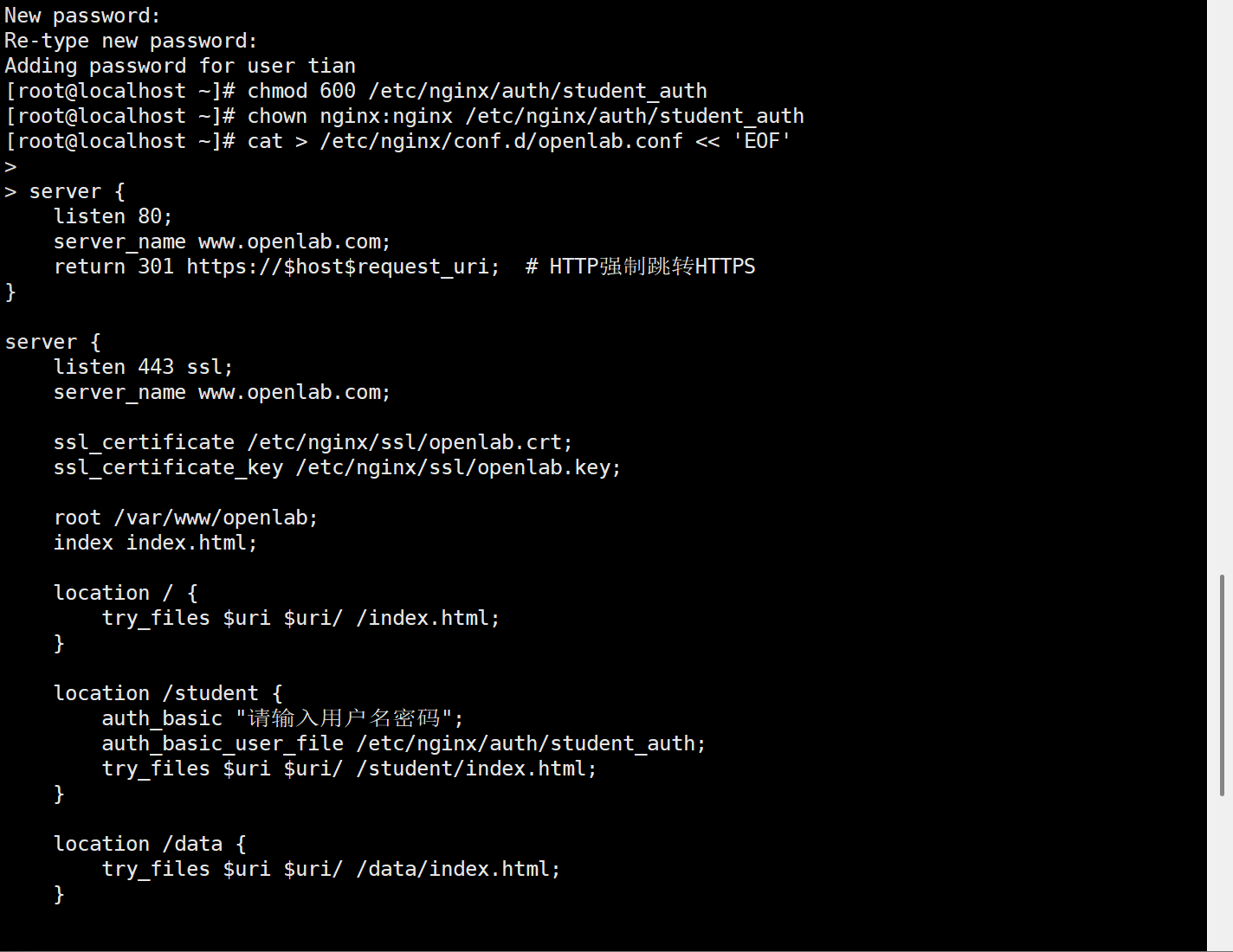
5. 配置 Nginx 虚拟主机
bash
# 创建配置文件
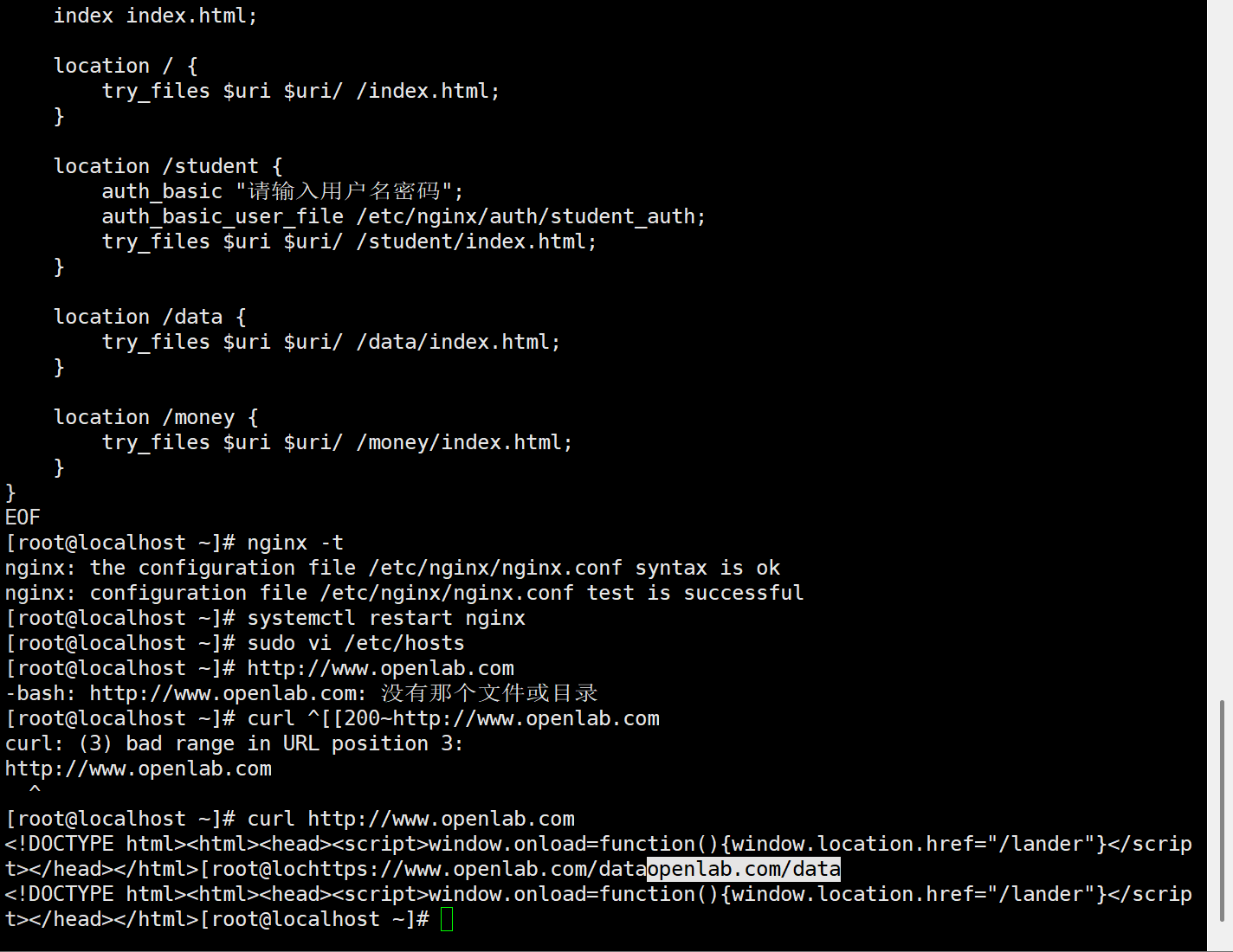
cat > /etc/nginx/conf.d/openlab.conf << 'EOF'
server {
    listen 80;
    server_name www.openlab.com;
    return 301 https://$host$request_uri;  # HTTP强制跳转HTTPS
}

server {
    listen 443 ssl;
    server_name www.openlab.com;

    ssl_certificate /etc/nginx/ssl/openlab.crt;
    ssl_certificate_key /etc/nginx/ssl/openlab.key;

    root /var/www/openlab;
    index index.html;

    location / {
        try_files $uri $uri/ /index.html;
    }

    location /student {
        auth_basic "请输入用户名密码";
        auth_basic_user_file /etc/nginx/auth/student_auth;
        try_files $uri $uri/ /student/index.html;
    }

    location /data {
        try_files $uri $uri/ /data/index.html;
    }

    location /money {
        try_files $uri $uri/ /money/index.html;
    }
}
EOF
6. 验证配置并生效
bash
# 检查Nginx配置是否正确
nginx -t

# 重启Nginx使配置生效
systemctl restart nginx
7. 本地 hosts 解析(客户端操作)
在测试的电脑上修改 hosts 文件(需管理员权限):
-
Windows :编辑
C:\Windows\System32\drivers\etc\hosts,添加:plaintext
服务器IP www.openlab.com
- Linux/macOS :编辑
/etc/hosts,添加同上内容。
测试验证
- 访问
http://www.openlab.com→ 自动跳转至https://www.openlab.com,显示welcome to openlab!!!。 - 访问
https://www.openlab.com/data和https://www.openlab.com/money→ 直接显示对应页面。 - 访问
https://www.openlab.com/student→ 弹出登录框,输入song或tian及密码可访问,其他用户被拒绝。