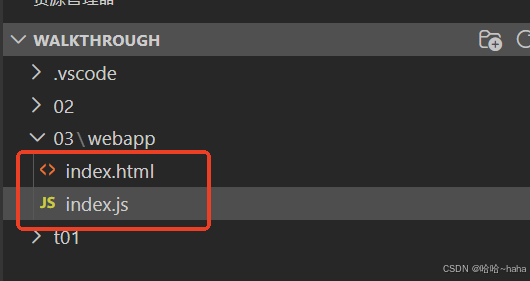
1.新建文件夹03,03下新建一个文件夹webapp,分别新加两个文件03\webapp\index.html和03\webapp\index.js如下
index.html
html
<!DOCTYPE html>
<html>
<head>
	<meta charset="utf-8">
	<title>SAPUI5 Walkthrough</title>
	<script
		id="sap-ui-bootstrap"
		src="https://sapui5.hana.ondemand.com/resources/sap-ui-core.js"
		data-sap-ui-async="true"
		data-sap-ui-resourceroots='{
			"sap.ui5.walkthrough": "./"
		}'
		data-sap-ui-oninit="module:sap/ui5/walkthrough/index">
	</script>
</head>

<body>
	<div class="sapUiBody" id="content"> <!--//sapUiBody ui5框架标准特定类名-->
</body>
</html>
index.js
javascript
sap.ui.define(["sap/m/Text", "sap/m/SliderTooltipBase"], function (Text) {
  //加载UI5 text 库文件
  "use strict"; //代码在严格模式下运行

  var text = new Text({
    text: "Hello World3",
  });

  text.placeAt("content");
});
运行结果:
