一、基本概念
Dialog(对话框):弹出窗口,用于临时获取用户输入或显示额外信息。
**Fragment(片段):**一种轻量级的 UI 片段(如对话框、工具栏)容器,将UI 定义和逻辑分离到独立文件中,实现复用和模块化。
二、练习
新建文件夹16,复制UI5_Walkthrough_Step 15: Nested Views嵌套视图 练习中15文件夹下内容
2.1 HelloPanel.view.xml
新增按钮helloDialogButton,press属性绑定函数onOpenDialog
XML
<mvc:View
    controllerName="sap.ui5.walkthrough.controller.HelloPanel"
	xmlns="sap.m"
	xmlns:mvc="sap.ui.core.mvc" >
                  <Panel
                     headerText="{i18n>panelTitle1}">
                     <content>
                        <Button
                        id="helloDialogButton"
                        text="{i18n>openDialogButtonText}"
                        press="onOpenDialog"
                        class="sapUiSmallMarginEnd"/>
                        <Button
                        text="{i18n>ButtonText}"
                        press="onPress"
                        class="myCustomButton"/>
                        <Input
                        id="input2"
                        value="{/recipient/name}"
                        valueLiveUpdate="true"
                        width="60%"/>
                        <Text
                        text="{i18n>textDesc} {/recipient/name}"
                        class="sapUiSmallMargin myCustomText"/>
                     </content>
                  </Panel>
</mvc:View>
2.2 HelloPanel.controller.js
2.1 中新增按钮绑定的onOpenDialog函数,需要在HelloPanel.controller.js中实现,如下新增onOpenDialog函数,使用this.loadFragment函数加载一个自定义的Fragment,Fragment文件路径sap.ui5.walkthrough.view.为命名空间,HelloDialog代表HelloDialog.fragment.xml文件
javascript
sap.ui.define(
  ["sap/ui/core/mvc/Controller", "sap/m/MessageToast"],
  function (Controller, MessageToast) {
    "use strict";
    return Controller.extend("sap.ui5.walkthrough.controller.HelloPanel", {
      onPress: function () {
        var sRecipient = this.getView()
          .getModel()
          .getProperty("/recipient/name");
        var oBundle = this.getView().getModel("i18n").getResourceBundle();
        var sMsg = oBundle.getText("Msg", [sRecipient]);
        MessageToast.show(sMsg);
      },
      onOpenDialog: function () {
        // 1. 检查对话框是否已加载
        if (!this.pDialog) {
          // 1. 首次加载对话框(异步)
          this.pDialog = this.loadFragment({
            name: "sap.ui5.walkthrough.view.HelloDialog",
          });
        }
        this.pDialog.then(function (oDialog) {
          oDialog.open(); // 3. 等待加载完成并打开
        });
      },
    });
  }
);
2.3 HelloDialog.fragment.xml
view文件下新建文件HelloDialog.fragment.xml,对2.2 中加载的HelloDialog.fragment.xml文件实现
XML
<core:FragmentDefinition
   xmlns="sap.m"
   xmlns:core="sap.ui.core">
   <Dialog
      id="helloDialog"
      title="{i18n>textDesc} {/recipient/name}"/>
</core:FragmentDefinition>
2.4 i18n.properties
i18n文件中新增新加入的文本信息
javascript
# App Descriptor
apptitle=SAPUI5 Walkthrough Step 16: Dialogs and Fragments
appTitle=SAPUI5 Walkthrough Step 16: Dialogs and Fragments
appDescription= Descriptor for Applications

homePageTitle=PageTitle
panelTitle1=PanelTitle

ButtonText=Click me
Msg=Hello {0}
inputText= Step 16: Dialogs and Fragments
textDesc=Hello
openDialogButtonText=Dialogs and Fragments
helloDialogMsg =helloDialoginf
三、运行结果
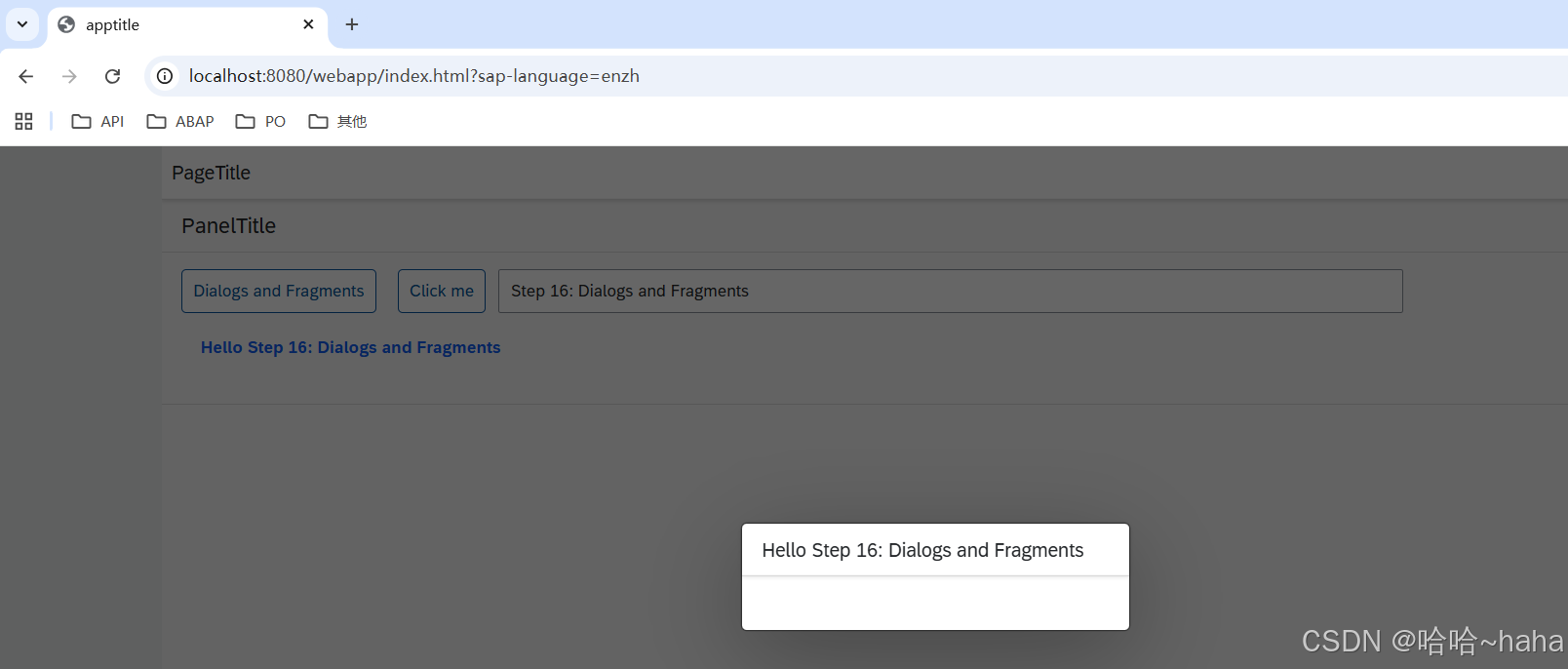
按ESC键可取消弹窗