背景需求
使用iflow cli 时当我们下发一个任务或对话时在等待响应时,可能抽空做点别的事情。如果忘记了查看结果,那可能错过很久才想起来。
此时我希望让iflow给我一个反馈,这个功能iflow提供了 hooks。
我的电脑时macOS系统,所以一下基本都是按照我自己环境进行的调整,其他他做系统类似适当调整即可。
结果
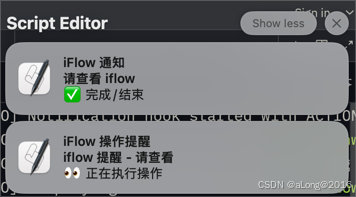
一种✅结束完成通知,另一种🔔权限等提示的通知。
准备
我们需要在用户的iflow目录下调整settings.json 。
在我的操作系统下这个路径是: ~/.iflow/settings 。
编辑内容:
json
"hooks": {
    "Stop": [
      {
        "hooks": [
          {
            "type": "command",
            "command": "bash ~/.iflow/hooks/stop.sh"
          }
        ]
      }
    ],
    "Notification": [
      {
        "matcher": "*",
        "hooks": [
          {
            "type": "command",
            "command": "bash ~/.iflow/hooks/notification.sh 'default'"
          }
        ]
      }
    ]
  }
这里看到,我们通过调用两个脚本来进行下一步操作。脚本的位置在 ~/.iflow/hooks/ 。
脚本文件
shell
#!/bin/bash
# Stop hook脚本 - 任务完成通知
# 参数1: 标题
# 参数2: 消息内容

TITLE="iFlow 通知"
MESSAGE="✅ 完成/结束"

# 显示通知(使用 osascript 作为备用方案)
osascript -e "display notification \"$MESSAGE\" with title \"$TITLE\" subtitle \"请查看 iflow\"" 2>/dev/null || \

# terminal-notifier \
#   -message "$MESSAGE" \
#   -title "$TITLE" \
#   -subtitle "请查看 iflow" \
#   -sender dev.zed.Zed

# 播放完成提示音
SOUND_FILE="/Users/xyz/Music/bell/mixkit-happy-bell-alert-601.wav"
if [ -f "$SOUND_FILE" ]; then
    afplay "$SOUND_FILE"
fi

exit 0
音频文件我是在 https://mixkit.co 网站下载的,你可以用系统声音或者自己寻找喜欢的音频文件。
另外如果安装 terminal-notifier 可以加入icon更好看些。这我先屏蔽了。 先用最简单的方式。
bash
#!/bin/bash
# Notification hook脚本 - 根据操作类型显示相应的提醒
# 参数1: 动作类型(当前仅有default)

ACTION_TYPE="$1"

case "$ACTION_TYPE" in
    "permission")
        log_message "INFO" "Permission type detected - preparing permission notification"
        TITLE="iFlow 权限确认"
        MESSAGE="🔐 请确认操作权限"
        SUBTITLE="iflow 权限提醒 - 请确认执行操作"
        ;;
    *)
        log_message "INFO" "Default action type detected - using generic notification"
        TITLE="iFlow 操作提醒"
        MESSAGE="👀 正在执行操作"
        SUBTITLE="iflow 提醒 - 请查看"
        ;;
esac

# 通知
osascript -e "display notification \"$MESSAGE\" with title \"$TITLE\" subtitle \"$SUBTITLE\"" 2>&1

# 播放提示音(如果音频文件存在)
SOUND_FILE="/Users/xyz/Music/bell/mixkit-flute-mobile-phone-notification-alert-2316.wav"
if [ -f "$SOUND_FILE" ]; then
    afplay "$SOUND_FILE"
fi

exit 0
此通知与完成类似,开始想根据匹配关键字加一个权限还是默认通知的判断,但是在settings.json 实现失败,暂且忽略。全走 TITLE="iFlow 操作提醒" 的通知了。
看官方文档例子:
"Notification": [
      {
        "matcher": ".*permission.*",
        "hooks": [
          {
            "type": "command",
            "command": "echo 'Permission notification logged' >> ~/.iflow/permission.log"
          }
        ]
      }
]如果这个可以,在settings的Notification 加入在 * 的前面理论可行。然后调用脚本 传个 permission 。 但是实测没抓到诶,暂时放弃。
当前脚本的通知结果如下:
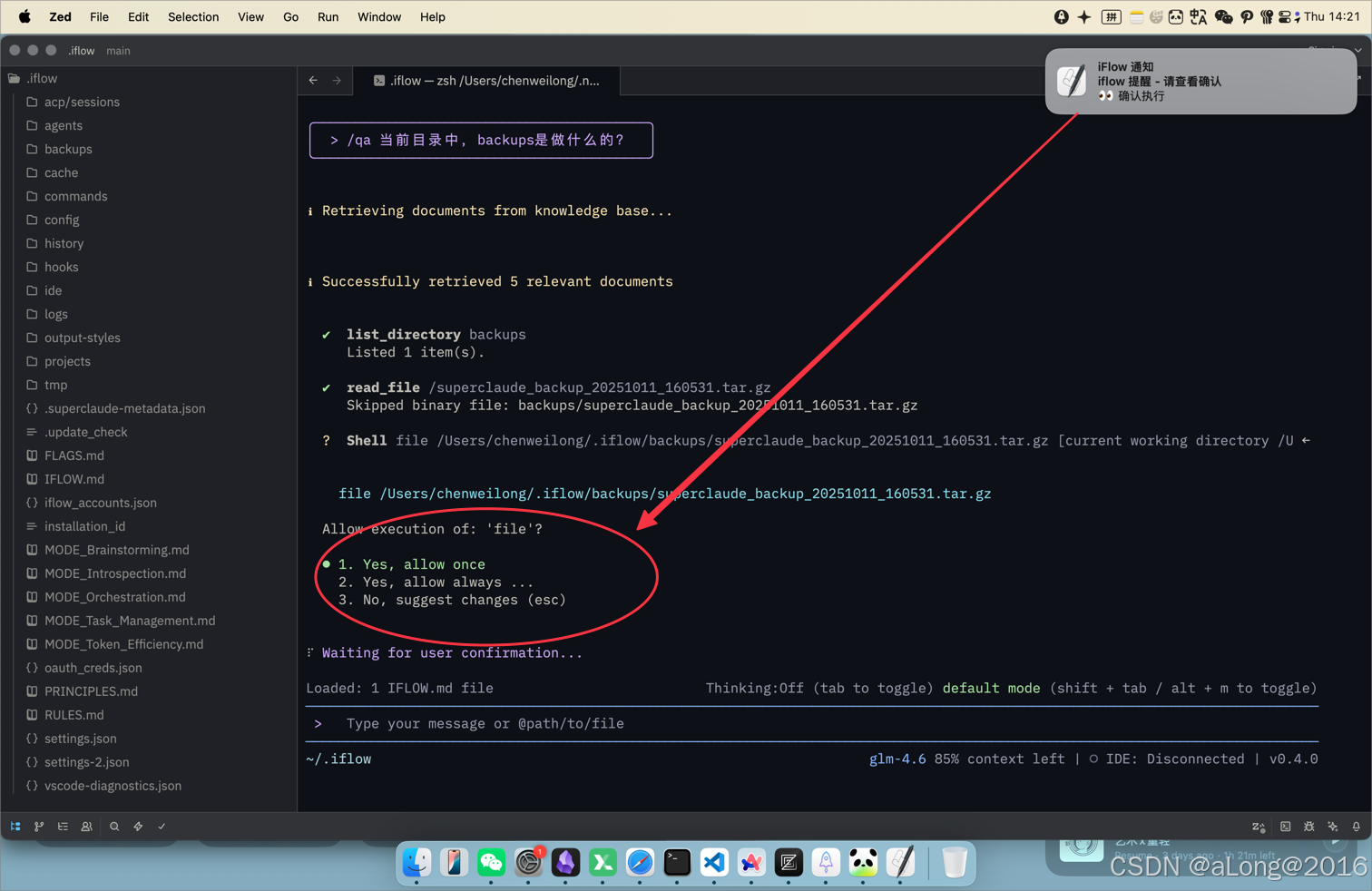
以上就是简单的通知实现过程。
完结
祝好
🍀