在了解完进程等待之后,你是否思考过一个问题,我们如果想在一个进程里面执行其他的进程,该怎么办呢,等我们今天学习了进程替换,我们就会有结果啦
1.替换原理
⽤fork创建⼦进程后执⾏的是和⽗进程相同的程序(但有可能执⾏不同的代码分⽀),⼦进程往往要调⽤⼀ 种 exec 函数以执⾏另⼀个程序。当进程调⽤⼀种 exec 函数时,该进程的⽤⼾空间代码和数据完全被 新程序替换,从新程序的启动例程开始执⾏。调⽤ exec 并不创建新进程,所以调⽤ exec 前后该进程 的 id 并未改变(我们后面将用实验验证这个)

2.替换函数
其实有六种以exec开头的函数,统称exec函数
#include <unistd.h>
int execl(const char *path, const char *arg, ...);
int execlp(const char *file, const char *arg, ...);
int execle(const char *path, const char *arg, ...,char *const envp\[\]);
int execv(const char *path, char *const argv\[\]);
int execvp(const char *file, char *const argv\[\]);
int execve(const char *path, char *const argv\[\], char *const envp\[\]);
3.函数解释
1.execl函数(着重讲这个,其他的和这个几乎类似)
我们创建一个新的目录,下面提供code.c与Makefile函数
Makefile:
cpp
code : code.c
	gcc code.c -o code
.PHONY : clean
clean :
	rm code
code.c:
cpp
#include <stdio.h>
#include <unistd.h>
#include <sys/types.h>
#include <sys/wait.h>

int main()
{
    printf("main start!\n");
    execl("/usr/bin/ls", "ls", "-a", "-l", NULL);
    printf("main end()!\n");
    return 0;
}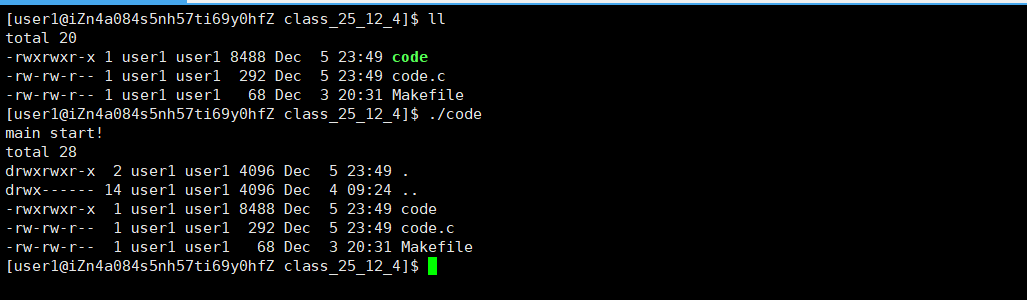
运行结果如上,为什么只有start没有end呢?
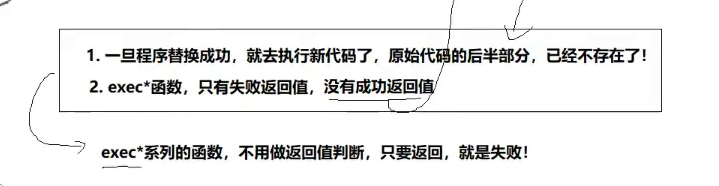
这是因为一旦程序替换成功,就会执行新代码,后半部分就没了,所以execl是覆盖式的,会将后面的所有数据替换为execl的进程数据
这是一个最简单的函数啦,对于execl我们来查看一下man里面的定义
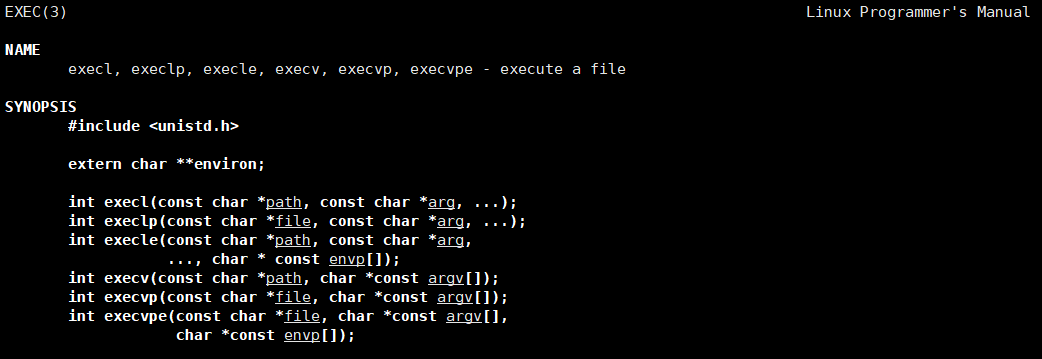
这里...采用了c语言里面的可变参数列表,最后以NULL结束
那具体的参数该怎么传入呢,下面给一份图:
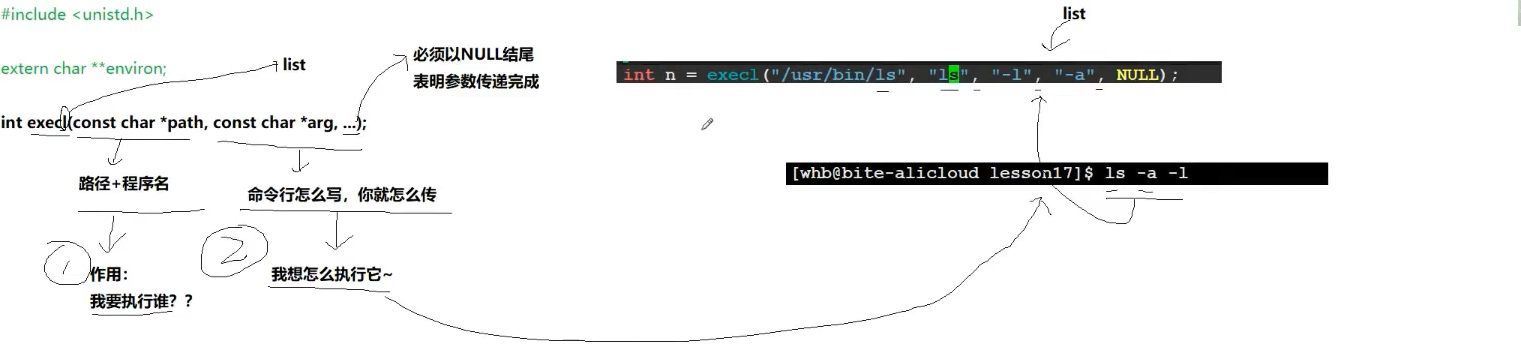
通俗易懂,前面写路径,后面命令行就怎么写你就怎么写,最后加一个NULL结尾
对于返回值,exec*函数,只有失败返回值,如下图
可是我们有一个问题,我不想让这个进程将我的原始进程给破坏掉,我想达到的效果是都执行,那该怎么办呢?--子进程来帮助我们,我们创造一个子进程(fork),让子进程执行我们需要替换的进程,父进程等待接收子进程就可以啦,这样完成了两个都实现
下面对code.c的代码进行修改
cpp
#include <stdio.h>
#include <unistd.h>
#include <sys/types.h>
#include <sys/wait.h>
#include <stdlib.h>

int main()
{
    printf("main start!\n");
    if(fork() == 0)
    {
        execl("/usr/bin/ls", "ls", "-a", "-l", NULL);
        exit(1);
    }
    waitpid(-1, NULL, 0);
    printf("main end()!\n");
    return 0;
}
运行一下
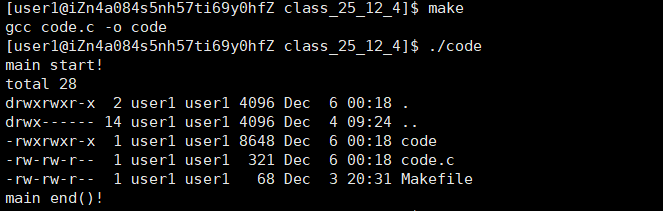
完美实现了我们想要的功能
现在我们来提问一下,为什么子进程对父进程没有影响呢??
答:因为进程具有独立性
我们不经会提出另一个问题,子进程不是和父进程共享数据与代码吗,这里执行execl不是会对代码数据进行覆盖吗,为什么父进程没有事情呢??
答:写实拷贝,对的,写实拷贝直接将父进程的代码数据拷贝给了子进程,直接解决了这个问题
我们之前讲过一切可运行的皆是进程,那么是不是可以使用exec*来运行所有的进程呢,比如java的,c++等等的进程?
答:是的,都可以!
下面我们创建一个other.cc文件,并且编译他形成可执行文件,将code.c也更改一下
cpp
#include <iostream>

int main()
{
    std::cout << "hello c++" << std::endl;
    return 0;
}
code.c:
cpp
#include <stdio.h>
#include <unistd.h>
#include <sys/types.h>
#include <sys/wait.h>
#include <stdlib.h>

int main()
{
    printf("main start!\n");
    if(fork() == 0)
    {
        execl("./other", "./other", NULL);
        exit(1);
    }
    waitpid(-1, NULL, 0);
    printf("main end()!\n");
    return 0;
}
运行结果:

同理其他就不演示了
回到我们最开始的一个问题,我们通过实验来验证原进程与execl覆盖之后的进程是同一个进程,如果他们两个pid相同,就可以证明这个了
下面我们将code.c与other.cc再次进行修改
cpp
#include <iostream>
#include <unistd.h>

int main()
{
    std::cout << "我是execl之后的进程,我的pid : "  << getpid() << std::endl;
    return 0;
}
code.c:
cpp
#include <stdio.h>
#include <unistd.h>
#include <sys/types.h>
#include <sys/wait.h>
#include <stdlib.h>

int main()
{
    printf("main start!\n");
    if(fork() == 0)
    {
        printf("我是原进程,我的pid : %d\n", getpid());
        execl("./other", "./other", NULL);
        exit(1);
    }
    waitpid(-1, NULL, 0);
    printf("main end()!\n");
    return 0;
}
运行结果:

证明了,前后是同一个进程!!
2.execlp:
看名字就是比execl多一个p,那这个p是什么意思呢,其实就是PATH(环境变量)的意思,说明只需告诉文件名就行,不需要告诉路径,因为他自己会去环境变量PATH路径中查找
code.c:
cpp
#include <stdio.h>
#include <unistd.h>
#include <sys/types.h>
#include <sys/wait.h>
#include <stdlib.h>

int main()
{
    printf("main start!\n");
    if(fork() == 0)
    {
        //printf("我是原进程,我的pid : %d\n", getpid());
        //execl("./other", "./other", NULL);
        execlp("ls", "ls", "-a", "-l", NULL);
        exit(1);
    }
    waitpid(-1, NULL, 0);
    printf("main end()!\n");
    return 0;
}
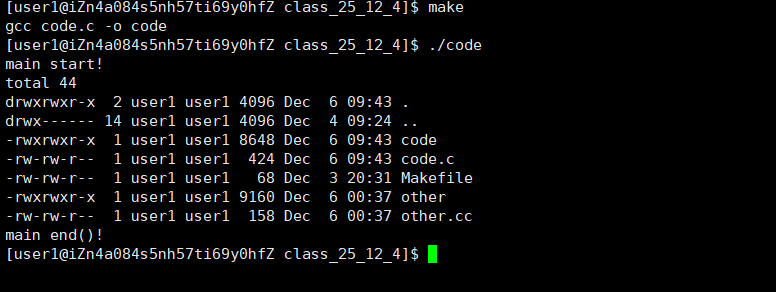
运行成功
3.execv:
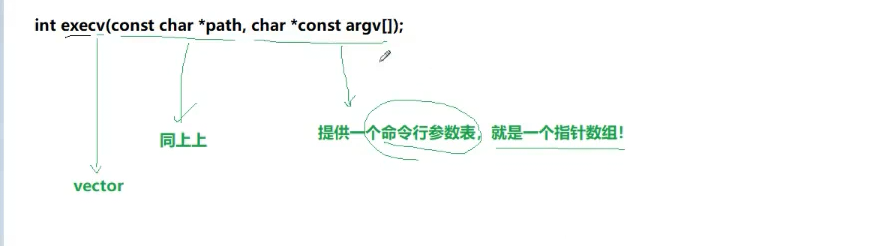
与execl类似,将l换为了v,其实我们可以将l理解为list,传入的是参数列表,像List一样一个一个链接起来,而v可以理解为vector,将命令行参数表用一个指针数组存放起来
code.c:
cpp
#include <stdio.h>
#include <unistd.h>
#include <sys/types.h>
#include <sys/wait.h>
#include <stdlib.h>

int main()
{
    printf("main start!\n");
    if(fork() == 0)
    {
        //printf("我是原进程,我的pid : %d\n", getpid());
        //execl("./other", "./other", NULL);
        //execlp("ls", "ls", "-a", "-l", NULL);
        char* const argv[] ={ (char* const)"ls", (char* const)"-l", (char* const)"-a", NULL };
        execv("/usr/bin/ls", argv);
        exit(1);
    }
    waitpid(-1, NULL, 0);
    printf("main end()!\n");
    return 0;
}
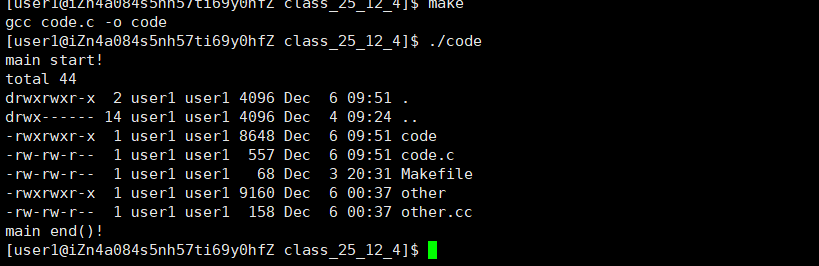
运行结果如下:
4.execvp
字面意思就是不需要传入完整路径,只需要传入"ls",就可以自己去环境变量PATH里面寻找
5.execvpe
多了一个e,那么e是什么呢,其实e是环境变量
code.c:
cpp
#include <stdio.h>
#include <unistd.h>
#include <sys/types.h>
#include <sys/wait.h>
#include <stdlib.h>

int main()
{
    printf("main start!\n");
    if(fork() == 0)
    {
        //printf("我是原进程,我的pid : %d\n", getpid());
        //execl("./other", "./other", NULL);
        //execlp("ls", "ls", "-a", "-l", NULL);
        char* const argv[] ={ (char* const)"ls", (char* const)"-l", (char* const)"-a", NULL };
        char* const env[] = { (char* const)"MYENV=123456", NULL };
        //execv("/usr/bin/ls", argv);
        execvpe("./other", argv, env);
        exit(1);
    }
    waitpid(-1, NULL, 0);
    printf("main end()!\n");
    return 0;
}
cpp
#include <iostream>
#include <unistd.h>
using namespace std;

int main(int argc, char* argv[], char* env[])
{
    //std::cout << "我是execl之后的进程,我的pid : "  << getpid() << std::endl;
    for (int i = 0; i < argc; i++)
    {
        cout << "argv[" << i << "] : " << argv[i] << endl;
    }
    for (int i = 0; env[i]; i++)
    {
        cout << "env[" << i << "] : " << env[i] << endl;;
    }
    return 0;
}
运行结果:
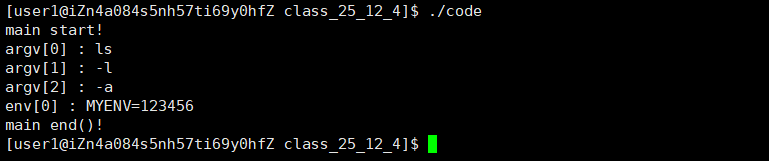
要是我们想在原有的环境变量(系统默认的环境变量)中加入MYENV而不是自己覆盖式的写一个呢
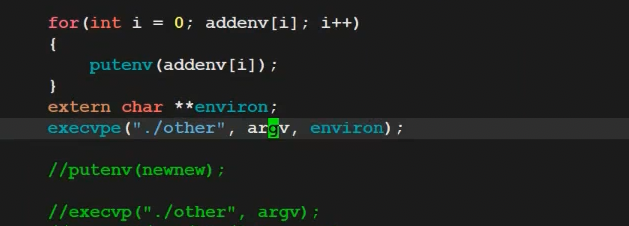
上面的两种办法(一个是循环,一个是直接使用execvp)
4.各个函数的汇总信息与区别
| 函数名 | 参数格式 | 是否带路径 | 是否使用当前环境变量 |
|---|---|---|---|
| execl | 列表 | 不是 | 是 |
| execlp | 列表 | 是 | 是 |
| execle | 列表 | 不是 | 不是,须自己组装环境变量 |
| execv | 数组 | 不是 | 是 |
| execvp | 数组 | 是 | 是 |
| execve | 数组 | 不是 | 不是,须自己组装环境变量 |
5.execve函数
如果我们使用man,就会发现其他的都是man 3,而只有execve是man 2
事实上,只有 execve 是真正的系统调⽤,其它五个函数最终都调⽤ execve ,所以 execve 在 man
⼿册 第2节,其它函数在 man ⼿册第3节。这些函数之间的关系如下图所⽰。
下图exec函数簇 ⼀个完整的例⼦:
