生产环境:
- Unity.2022
- URP
- 海水Shader
Unity的海水渲染,关键是前置环境
懒得谈各种渲染特效,也不是什么求职Demo
一上来就是各种特效,到底谁能真正搞懂呀?
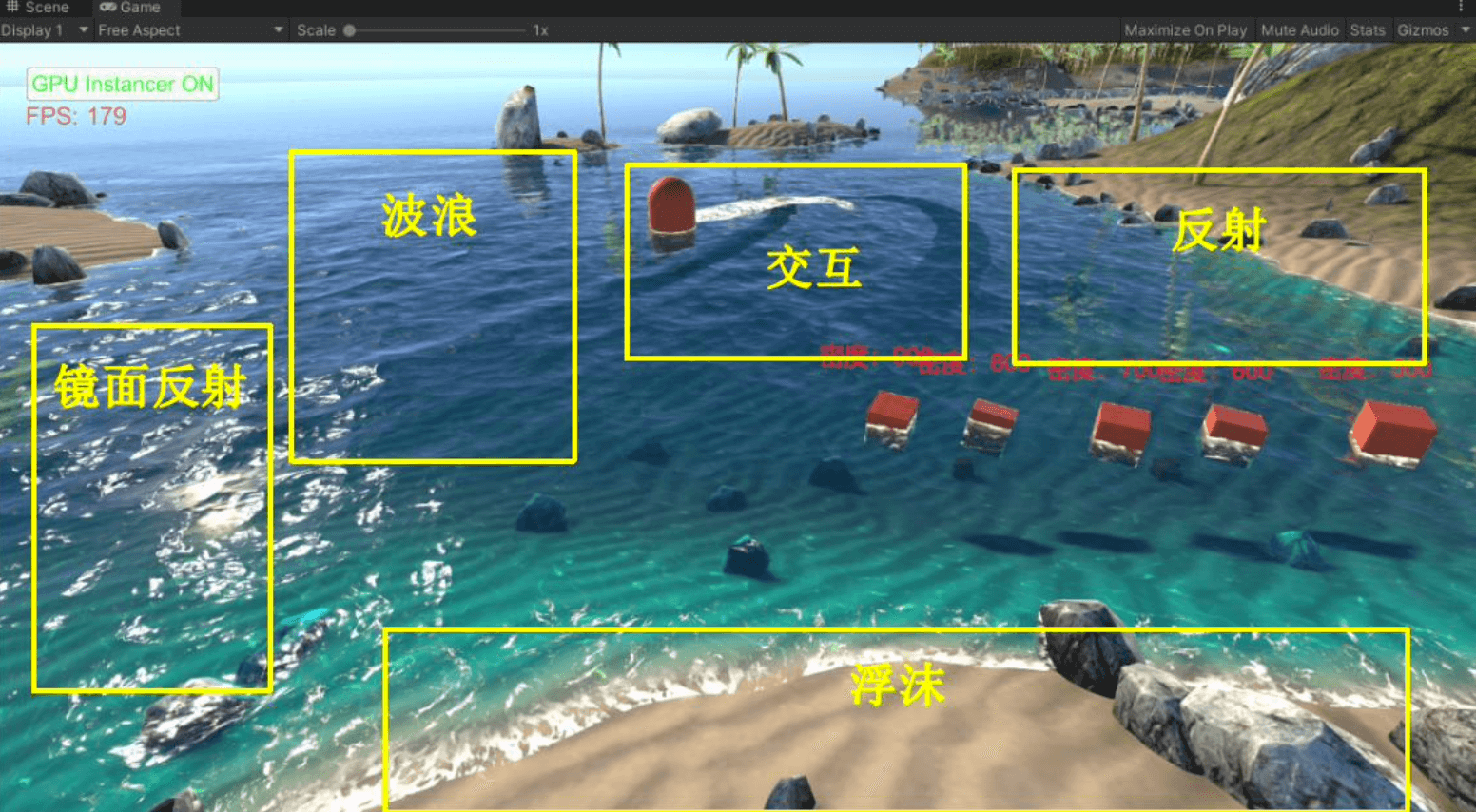
关键就只是,近海和远海之间的插值
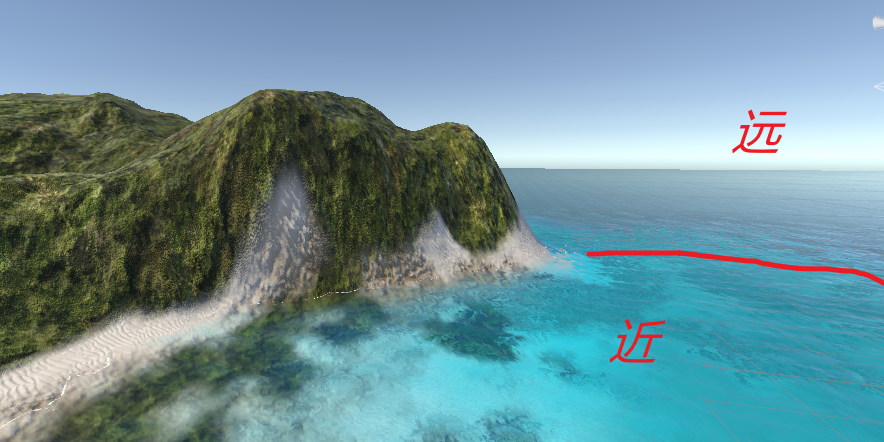
个人只关心这个近海水的"通透"问题
个人只关心这个近海水的"通透"问题
个人只关心这个近海水的"通透"问题
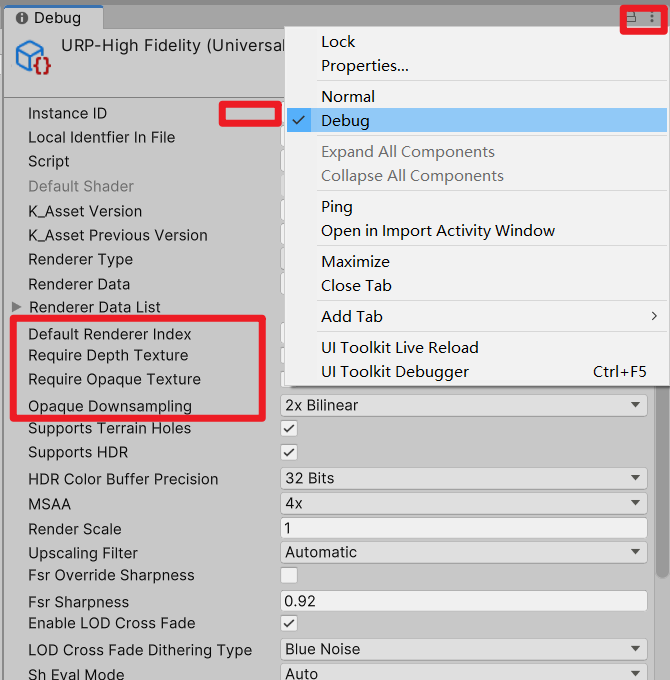
而且100%的新手默认不会打开
个人问题:打印一下URP 配置(会给出代码)
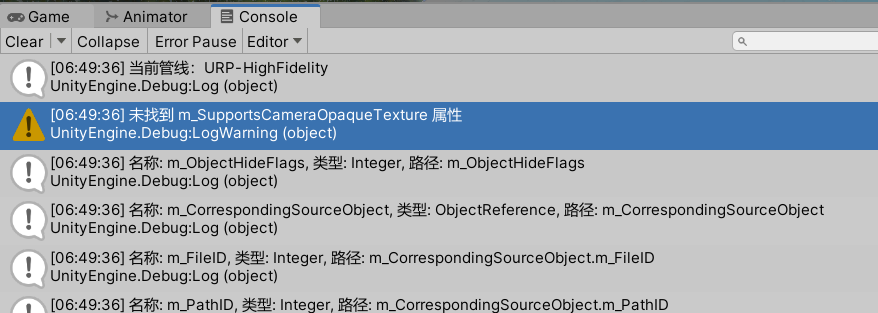
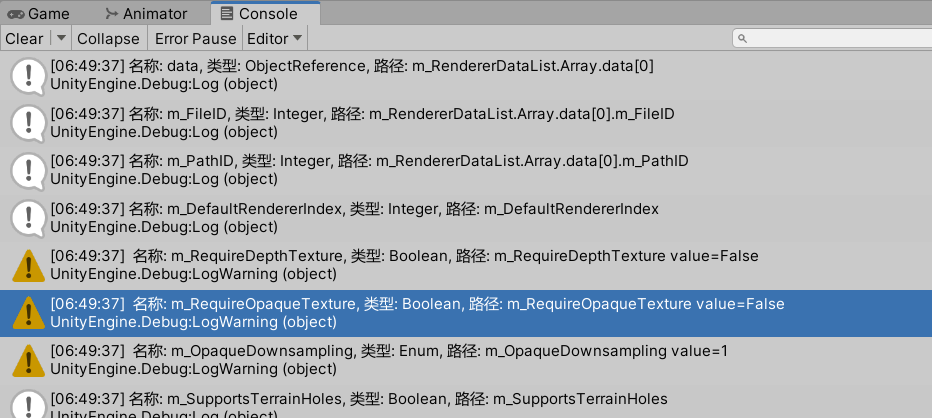
cs
using UnityEngine;
using UnityEngine.Rendering;
using UnityEngine.Rendering.Universal;

#if UNITY_EDITOR
using UnityEditor;
#endif

public class DisableCameraOpaqueTexture : MonoBehaviour//实际上没必要用Mobo,不过算了(AI写的)
{
    [MenuItem("Tools/禁用 Camera Opaque Texture 的打印")]
    static void DisableInURPAsset()
    {

        // 获取当前URP Asset
        var urpAsset = GraphicsSettings.defaultRenderPipeline as UniversalRenderPipelineAsset;
        if (urpAsset == null)
        {
            Debug.LogError("当前未使用URP管线");
            return;
        }
        Debug.Log("当前管线:" + urpAsset.name);

        #if UNITY_EDITOR
        // 通过序列化修改
        SerializedObject so = new SerializedObject(urpAsset);
        so.Update();

        // Unity 2021/2022 属性名称
        SerializedProperty supportsOpaqueTexture = so.FindProperty("m_SupportsCameraOpaqueTexture");
        if (supportsOpaqueTexture != null)
        {
            // supportsOpaqueTexture.boolValue = false;
            // so.ApplyModifiedProperties();

            // EditorUtility.SetDirty(urpAsset);
            // AssetDatabase.SaveAssets();

            Debug.Log("✅ 已(找到)禁用 Camera Opaque Texture");
        }
        else
        {
            Debug.LogWarning("未找到 m_SupportsCameraOpaqueTexture 属性");

            // // 尝试其他可能的属性名
            // string[] possibleNames = {
            //     "supportsCameraOpaqueTexture",
            //     "cameraOpaqueTexture",
            //     "opaqueTexture",
            //     "m_OpaqueTexture"
            // };

            // foreach (var name in possibleNames)
            // {
            //     var prop = so.FindProperty(name);
            //     if (prop != null)
            //     {
            //         Debug.Log($"找到属性: {name}");
            //         prop.boolValue = false;
            //         so.ApplyModifiedProperties();
            //         break;
            //     }
            // }
        }


        // 获取所有属性
        SerializedProperty iterator = so.GetIterator();
        while (iterator.Next(true))
        {
            string propInfo = $"名称: {iterator.name}, 类型: {iterator.propertyType}, 路径: {iterator.propertyPath}";

            // 特别标注可能相关的属性
            if (iterator.name.ToLower().Contains("opaque") ||
                iterator.name.ToLower().Contains("camera") ||
                iterator.name.ToLower().Contains("texture"))
            {
                Debug.LogWarning($"🔍 {propInfo} value={GetPropertyValue(iterator)}");
            }
            else
            {
                Debug.Log(propInfo);
            }
        }

        // 保存到文件以便查看
        //SavePropertiesToFile(so);//暂时不需要用上保存方法()
        #endif
    }
    /// 获取 SerializedProperty 的值(非扩展方法版本)
    /// </summary>
    public static object GetPropertyValue(SerializedProperty property)
    {
        if (property == null) return null;

        switch (property.propertyType)
        {
            case SerializedPropertyType.Boolean:
                return property.boolValue;
            case SerializedPropertyType.Integer:
                return property.intValue;
            case SerializedPropertyType.Float:
                return property.floatValue;
            case SerializedPropertyType.String:
                return property.stringValue;
            case SerializedPropertyType.Color:
                return property.colorValue;
            case SerializedPropertyType.ObjectReference:
                return property.objectReferenceValue;
            case SerializedPropertyType.LayerMask:
                return property.intValue;
            case SerializedPropertyType.Enum:
                return property.enumValueIndex;
            case SerializedPropertyType.Vector2:
                return property.vector2Value;
            case SerializedPropertyType.Vector3:
                return property.vector3Value;
            case SerializedPropertyType.Vector4:
                return property.vector4Value;
            case SerializedPropertyType.Rect:
                return property.rectValue;
            case SerializedPropertyType.ArraySize:
                return property.arraySize;
            case SerializedPropertyType.Character:
                return (char)property.intValue;
            case SerializedPropertyType.AnimationCurve:
                return property.animationCurveValue;
            case SerializedPropertyType.Bounds:
                return property.boundsValue;
            case SerializedPropertyType.Quaternion:
                return property.quaternionValue;
            case SerializedPropertyType.ExposedReference:
                return property.exposedReferenceValue;
            case SerializedPropertyType.Vector2Int:
                return property.vector2IntValue;
            case SerializedPropertyType.Vector3Int:
                return property.vector3IntValue;
            case SerializedPropertyType.RectInt:
                return property.rectIntValue;
            case SerializedPropertyType.BoundsInt:
                return property.boundsIntValue;
            case SerializedPropertyType.Hash128:
                return property.hash128Value;
            case SerializedPropertyType.ManagedReference:
                return property.managedReferenceValue;
            default:
                Debug.LogWarning($"未处理的属性类型: {property.propertyType}");
                return null;
        }
    }

    #if UNITY_EDITOR
    static void SavePropertiesToFile(SerializedObject so)
    {
        string filePath = Application.dataPath + "/URP_Properties.txt";
        System.Text.StringBuilder sb = new System.Text.StringBuilder();

        sb.AppendLine("=== URP Asset Properties ===");
        sb.AppendLine($"时间: {System.DateTime.Now}");
        sb.AppendLine();

        SerializedProperty iterator = so.GetIterator();
        while (iterator.Next(true))
        {
            sb.AppendLine($"名称: {iterator.name}");
            sb.AppendLine($"类型: {iterator.propertyType}");
            sb.AppendLine($"路径: {iterator.propertyPath}");

            try
            {
                //sb.AppendLine($"值: {iterator.GetValue()}");//???????????代码错误
            }
            catch
            {
                sb.AppendLine($"值: [无法获取]");
            }

            sb.AppendLine("---");
        }

        System.IO.File.WriteAllText(filePath, sb.ToString());
        Debug.Log($"属性已保存到: {filePath}");

        // 在资源管理器中显示
        EditorUtility.RevealInFinder(filePath);
    }
    #endif
}
Project Setting - URP Graphic配置
点击右上Debug模式之后,一目了然
Code--近海和远海插值
cpp
//待补充如果需要详细操作步骤,就留言吧,
Smoothstep的 wiki 解释
最终也是没用上ShaderGraph

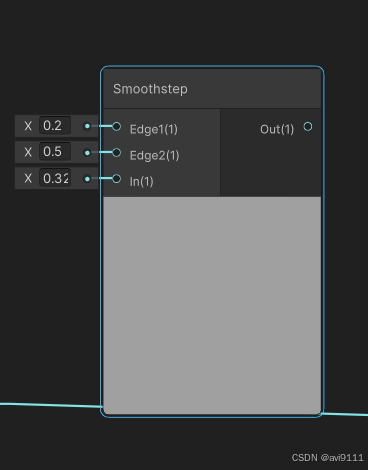
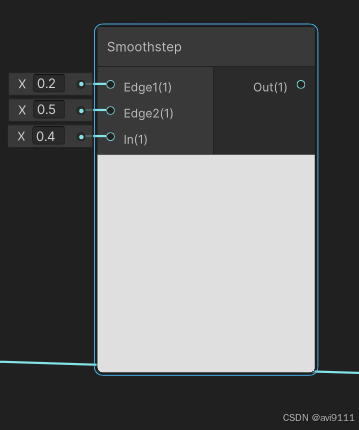
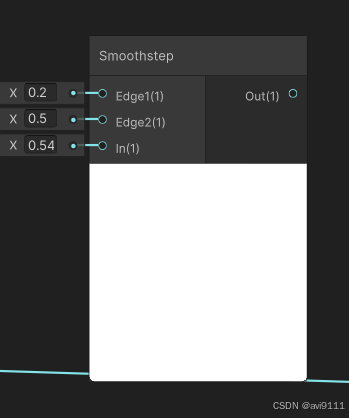
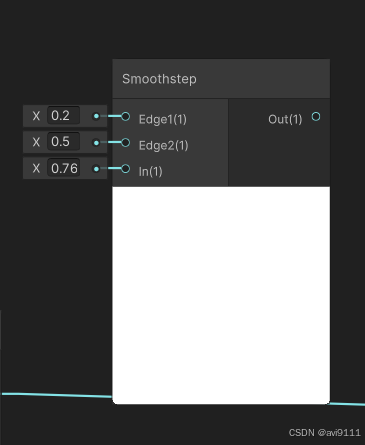
这个理解又该如何呢。。。。
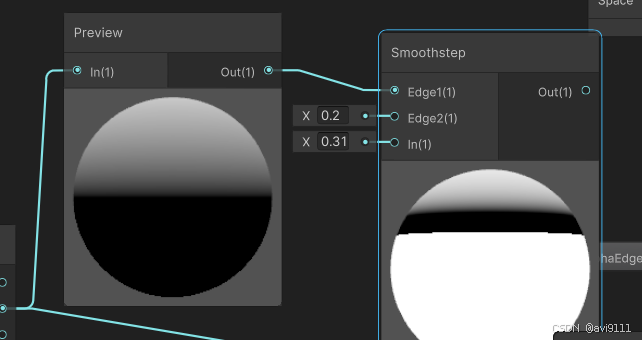
你按照图,一比一做,是做不出渐变的,
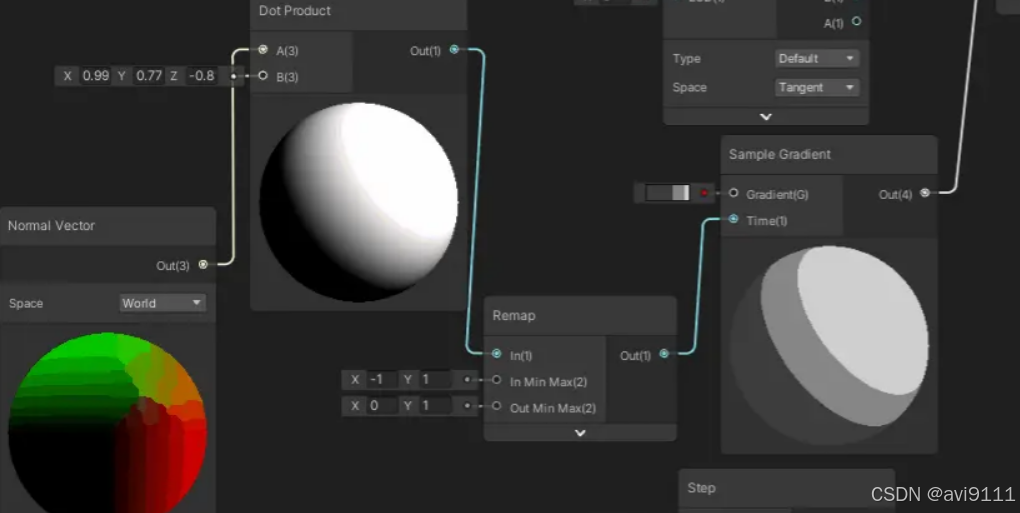
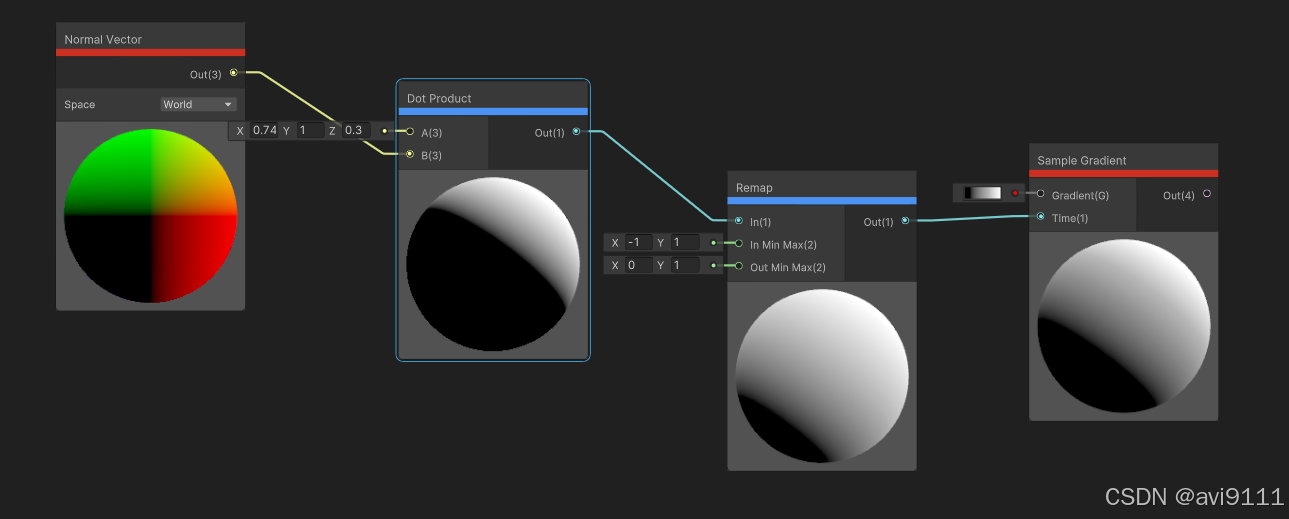
买家秀
参考:
https://en.wikipedia.org/wiki/Smoothstep
https://en.wikipedia.org/wiki/Sigmoid_function
Unity Shader Graph Alpha Clip Threshold not acting as expected - Game Development Stack Exchange
向宇的Shader Graph
https://juejin.cn/post/7267927742796316707
https://blog.csdn.net/qq_36303853/category_12378931.html
【推荐100个unity插件之8】实现多人在线联机游戏------Mirror插件的使用介绍(附项目源码)_unity mirror-CSDN博客