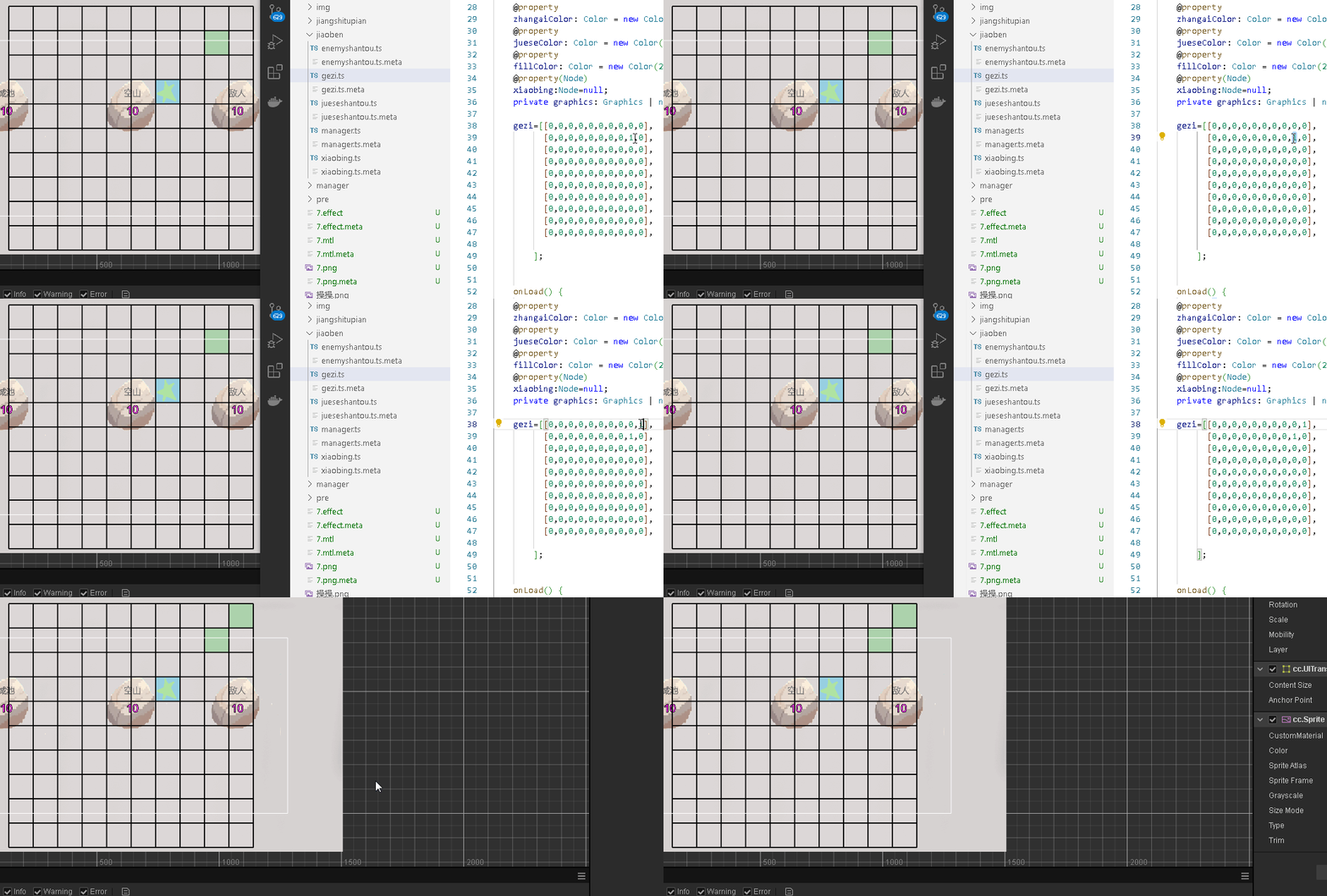
用绿色表示目的地 在数组上0是空 1是目的地
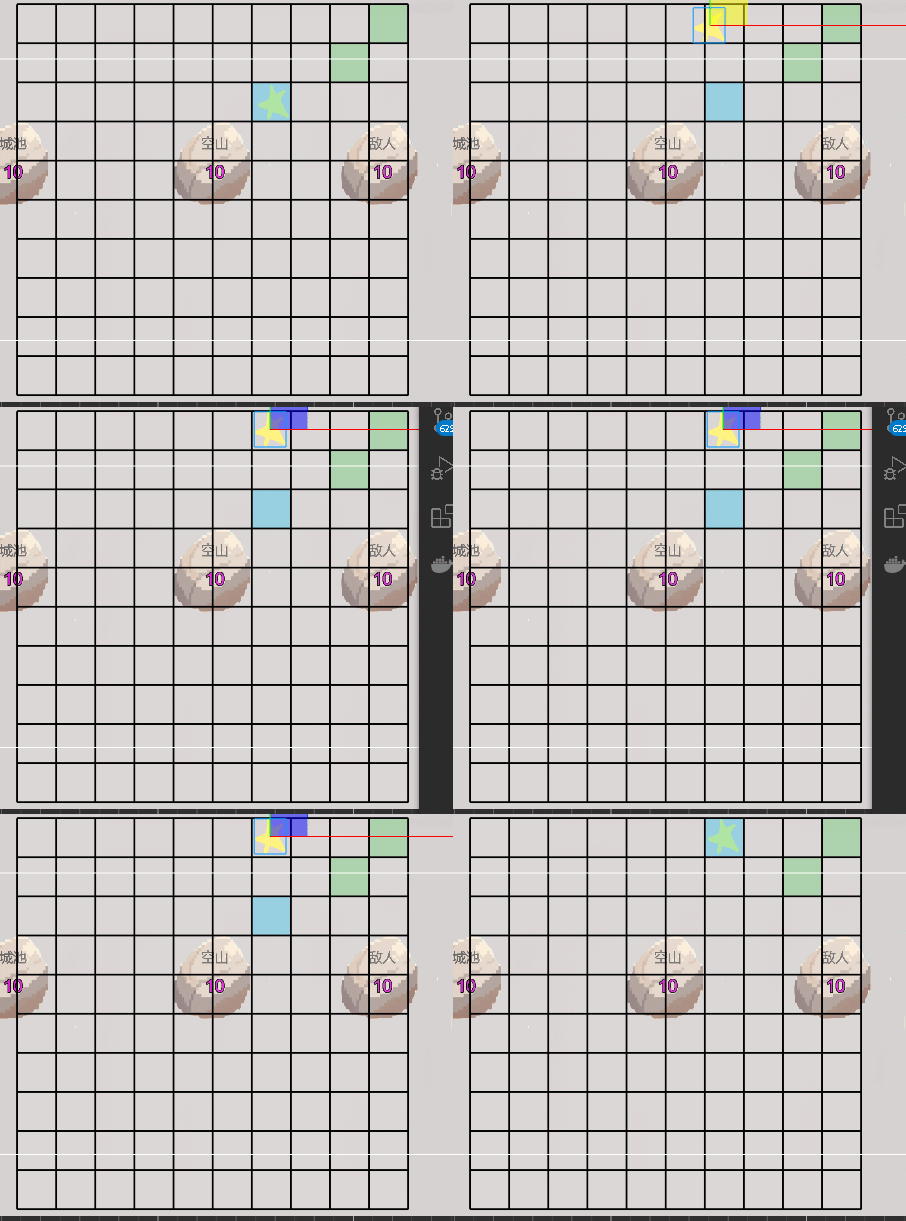
用星星表示角色 计算星星node的世界position跟数组地图的联系
go
@property
    gridWidth: number = 10;  // 水平格子数

    @property
    gridHeight: number = 10; // 垂直格子数

    @property
    cellSize: number = 100;   // 每个格子的大小(像素)
go
// 在gezi.ts中添加一个**可靠的**坐标转换方法
public worldPositionToGrid(worldPos: Vec3): { x: number, y: number } {
    const gridWorldPos = this.node.getWorldPosition();
    const offsetX = worldPos.x - gridWorldPos.x;
    const offsetY = worldPos.y - gridWorldPos.y;

    // DEBUG: 打印调试信息
    console.log("=== 坐标转换调试 ===");
    console.log("1. 网格中心:", gridWorldPos);
    console.log("2. 角色位置:", worldPos);
    console.log("3. 偏移量 offsetX=", offsetX, "offsetY=", offsetY);

    // 网格半宽/半高 (注意:这里有坐标轴方向问题)
    const halfWidth = (this.gridWidth * this.cellSize) / 2;
    const halfHeight = (this.gridHeight * this.cellSize) / 2;

    // Cocos Y轴向上为正,但数组通常是左下角为(0,0)
    // 所以需要调整Y轴方向
    const gridX = Math.floor((offsetX + halfWidth) / this.cellSize);
    const gridY = Math.floor((offsetY + halfHeight) / this.cellSize);

    // Y轴翻转(因为屏幕上方是正Y,但数组从上到下索引)
    const flippedY = (this.gridHeight - 1) - gridY;

    console.log(`4. 计算:gridX=${gridX} (${offsetX}+${halfWidth})/${this.cellSize}`);
    console.log(`5. 计算:gridY=${gridY} (${offsetY}+${halfHeight})/${this.cellSize}`);


    console.log(`6. 翻转后:gridX=${gridX}, flippedY=${flippedY}`);
    console.log(`7. 结果:[${this.gezi[flippedY][gridX]}]`);


    // 使用 flippedY 因为数组是从上到下存储
    return { x: gridX, y: flippedY };
}
这里y轴得翻转 不翻转 角色在的格子跟计算世界坐标转数组格子是镜像
然后画格子
go
drawGrid() {
        if (!this.graphics) return;

        // 清空之前的绘制
        this.graphics.clear();

        // 设置线条样式
        this.graphics.lineWidth = this.lineWidth;
        this.graphics.strokeColor = this.lineColor;

        // 首先填充背景色
        this.graphics.fillColor = this.fillColor;

        // 计算网格的总宽高(用于居中显示)
        const totalWidth = this.gridWidth * this.cellSize;
        const totalHeight = this.gridHeight * this.cellSize;

        // 设置绘制原点在节点中心(Cocos默认)
        // 也可以从左上角开始画,看个人习惯

        // 绘制每个格子的填充背景
        for (let x = 0; x < this.gridWidth; x++) {
            for (let y = 0; y < this.gridHeight; y++) {
                let huoqugezi=this.gezi[y][x];
                // 然后反转Y坐标,让第一行显示在最上面
                const screenY = this.gridHeight - 1 - y;

                const posX = (x - this.gridWidth/2) * this.cellSize;
                //const posY = (y - this.gridWidth/2) * this.cellSize;
                const posY = (screenY - this.gridHeight/2) * this.cellSize;
                if(huoqugezi==1){
                    this.graphics.fillColor = this.zhangaiColor;
                    //this.graphics.rect(posX, posY, this.cellSize, this.cellSize);

                    console.log(huoqugezi+"shi");
                }else if(huoqugezi==7){
                    this.graphics.fillColor = this.jueseColor;
                    //this.graphics.rect(posX, posY, this.cellSize, this.cellSize);

                    console.log(huoqugezi+"shi");
                }

                else{
                    this.graphics.fillColor = this.fillColor;
                }


                this.graphics.rect(posX, posY, this.cellSize, this.cellSize);
                    console.log(huoqugezi);
                    this.graphics.fill();
            }

        }
// 然后反转Y坐标,让第一行显示在最上面
const screenY = this.gridHeight - 1 - y;
            const posX = (x - this.gridWidth/2) * this.cellSize;
            //const posY = (y - this.gridWidth/2) * this.cellSize;
const posY = (screenY - this.gridHeight/2) * this.cellSize;gezi=\[0,0,0,0,0,0,0,0,0,1,
0,0,0,0,0,0,0,0,1,0,
0,0,0,0,0,0,0,0,0,0,
0,0,0,0,0,0,0,0,0,0,
0,0,0,0,0,0,0,0,0,0,
0,0,0,0,0,0,0,0,0,0,
0,0,0,0,0,0,0,0,0,0,
0,0,0,0,0,0,0,0,0,0,
0,0,0,0,0,0,0,0,0,0,
0,0,0,0,0,0,0,0,0,0,
];没翻转的 第一行0,0,0,0,0,0,0,0,0,1
在cocos画出来是最后一行最右是1
应该是第一行最右是1
虾片开始计算角色点到目标的g h