用Python非常流行的openpyxl库对Excel文件进行创建、读取、写入、显示等操作
安装openpyxl库
使用国内镜像(阿里云)安装openpyxl库
- pip install openpyxl -i https://mirrors.aliyun.com/pypi/simple/
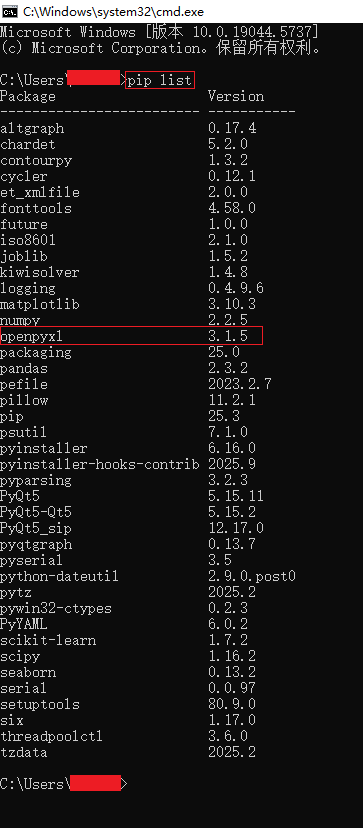
导入openpyxl库
python
from openpyxl import load_workbook
from openpyxl import Workbook
import os
一、创建Excel文件
python
# 创建Excel文件
def create_excel(file_name:str, sheet_names:list):

    # 检查文件是否存在
    if os.path.exists(file_name):
        return

    # 创建工作簿
    wb = Workbook()

    if sheet_names:
        # 创建工作表
        for sheet_name in sheet_names:
            if sheet_name not in wb.sheetnames:
                wb.create_sheet(sheet_name)

        # 删除默认工作表
        if 'Sheet' in wb.sheetnames:
            del wb['Sheet']

    # 保存文件
    wb.save(file_name)
    print('Excel文件创建成功......')
二、写入数据到Excel文件
python
# 写入数据到Excel文件
def write_excel(file_name:str, sheet_name:str):
    # 文件是否存在
    if not os.path.exists(file_name):
        print('Excel文件不存在......')
        return

    # 加载工作簿
    wb = load_workbook(file_name)

    # 工作表是否存在
    if sheet_name not in wb.sheetnames:
        wb.create_sheet(sheet_name)

    # 激活工作表
    ws = wb[sheet_name]

    # 向工作表添加数据 方式1
    # print('写数据方式1......')
    # ws.append(['学号', '姓名', '性别', '年龄', '成绩'])
    # ws.append(['2025121', '凌盛羽', 26, 2, 98])
    # ws.append(['2025122', '林国瑞', 29, 3, 92])
    # ws.append(['2025123', '林玟书', 38, 4, 96])
    # ws.append(['2025124', '林雅南', 32, 1, 93])
    # ws.append(['2025125', '江奕云', 40, 3, 99])

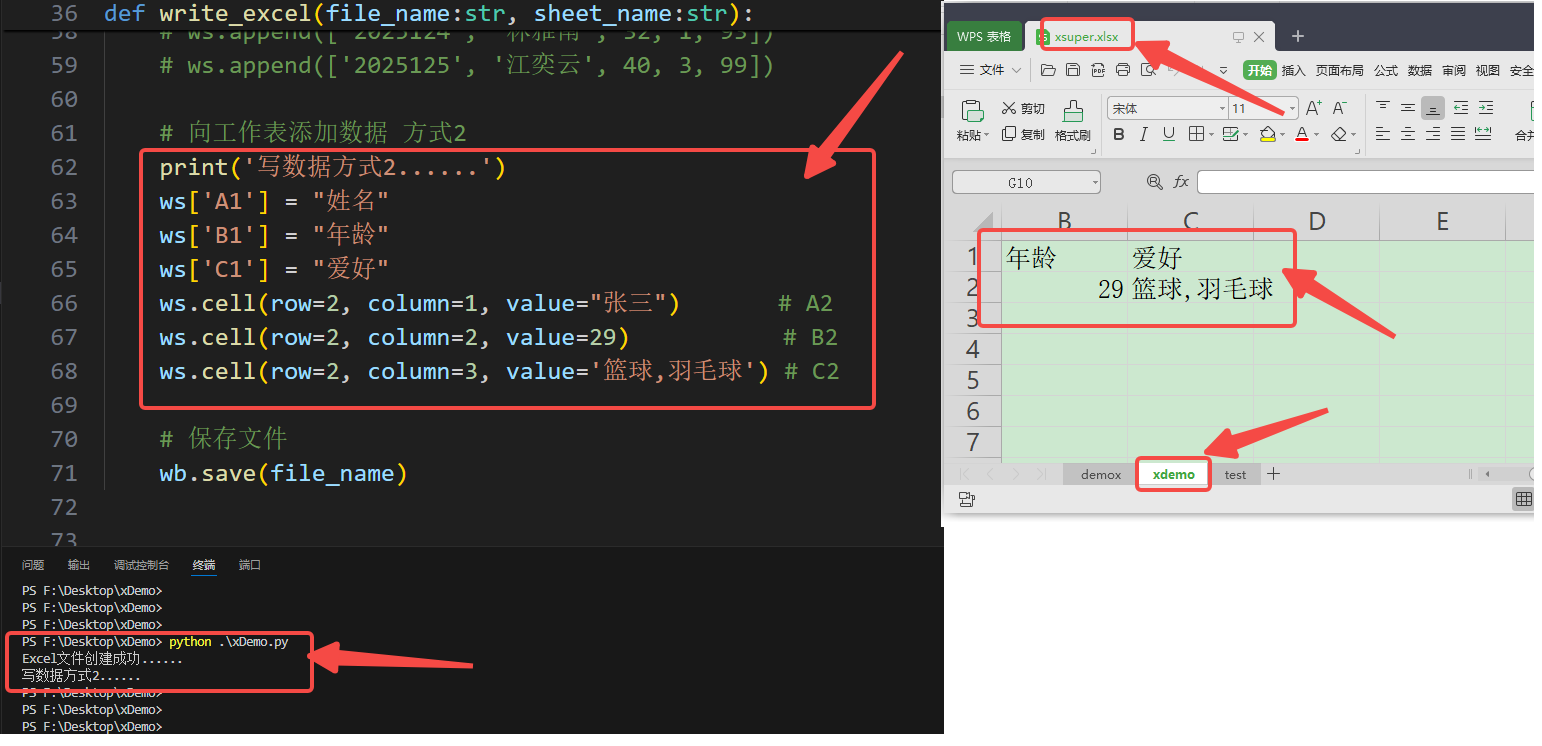
    # 向工作表添加数据 方式2
    print('写数据方式2......')
    ws['A1'] = "姓名"
    ws['B1'] = "年龄"
    ws['C1'] = "爱好"
    ws.cell(row=2, column=1, value="张三")       # A2
    ws.cell(row=2, column=2, value=29)           # B2
    ws.cell(row=2, column=3, value='篮球,羽毛球') # C2

    # 保存文件
    wb.save(file_name)
三、指定位置写入数据到Excel文件
python
# 指定位置写入数据到Excel文件
def write_position_excel(file_name:str, sheet_name:str):
    # 文件是否存在
    if not os.path.exists(file_name):
        print('Excel文件不存在......')
        return

    # 加载工作簿
    wb = load_workbook(file_name)

    # 工作表是否存在
    if sheet_name not in wb.sheetnames:
        wb.create_sheet(sheet_name)

    # 激活工作表
    ws = wb[sheet_name]

    # 写入数据
    dat = [
        ['学号', '姓名', '年龄', '成绩'],
        ['2985121', '凌盛羽', 26, 98],
        ['2225123', '林国瑞', 29, 92],
        ['2925126', '林玟书', 38, 96],
        ['2625127', '林雅南', 32, 93],
        ['2325120', '江奕云', 40, 99]
    ]

    print('指定位置写数据......')
    for row_idx, row_data in enumerate(dat, start=3):  # 从第5行开始写入
        for col_idx, value in enumerate(row_data, start=6):  # 从第6列开始写入
            ws.cell(row=row_idx, column=col_idx, value=value)

    # 保存文件
    wb.save(file_name)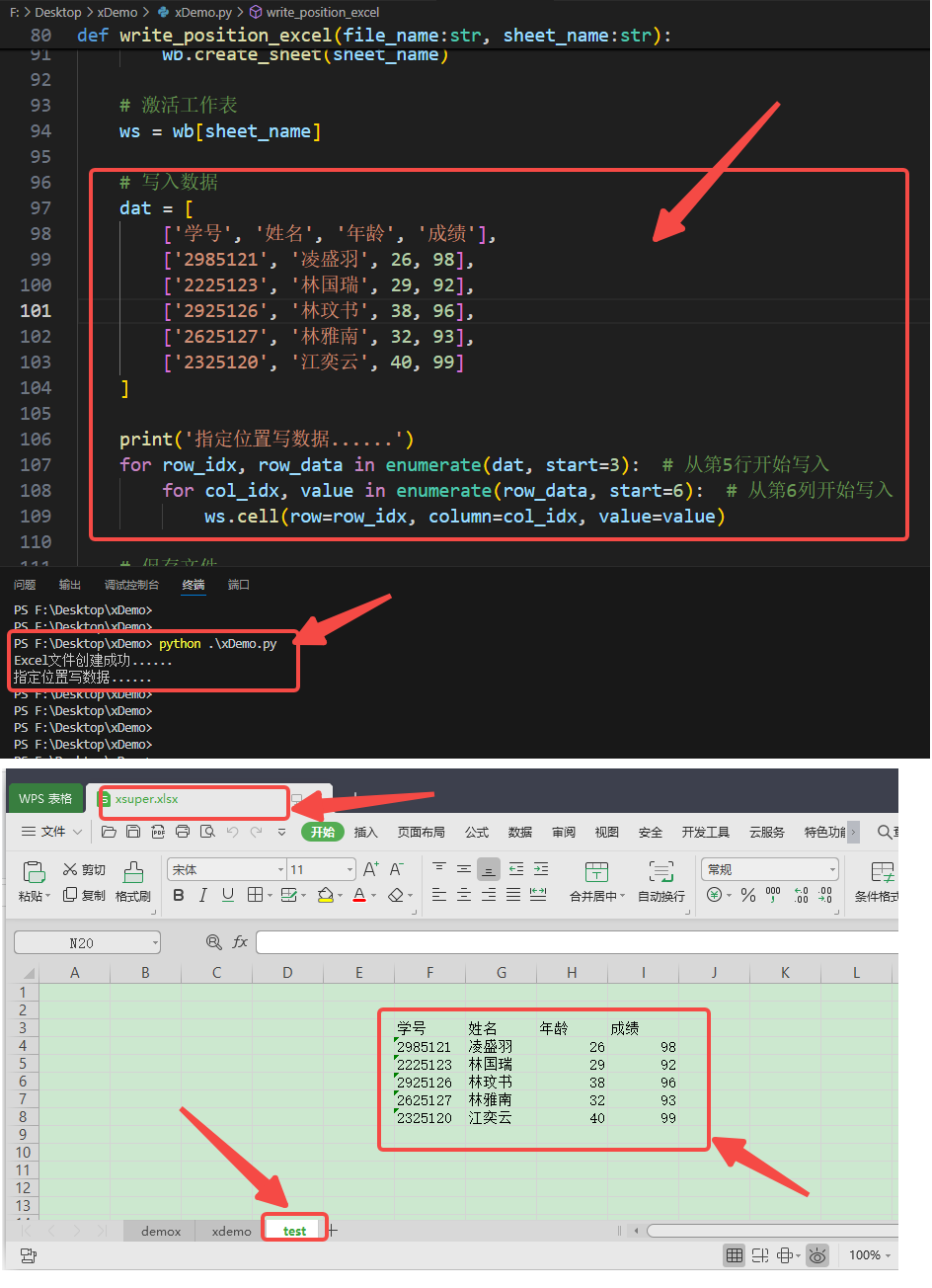
四、读取Excel文件数据
python
# 读取Excel文件数据
def write_read_excel(file_name:str, sheet_name:str):
    # 文件是否存在
    if not os.path.exists(file_name):
        print('Excel文件不存在......')
        return

    # 加载工作簿
    wb = load_workbook(file_name, read_only=True)

    # 工作表是否存在
    if sheet_name not in wb.sheetnames:
        print('工作表不存在......')
        return

    # 激活工作表
    ws = wb[sheet_name]

    # 读取指定单元格数据 方式1
    # print('读数据方式1......')
    # cell_a1 = ws['A1'].value
    # cell_b2 = ws.cell(row=2, column=2).value
    # print(f"A1单元格:{cell_a1}, B2单元格:{cell_b2}")


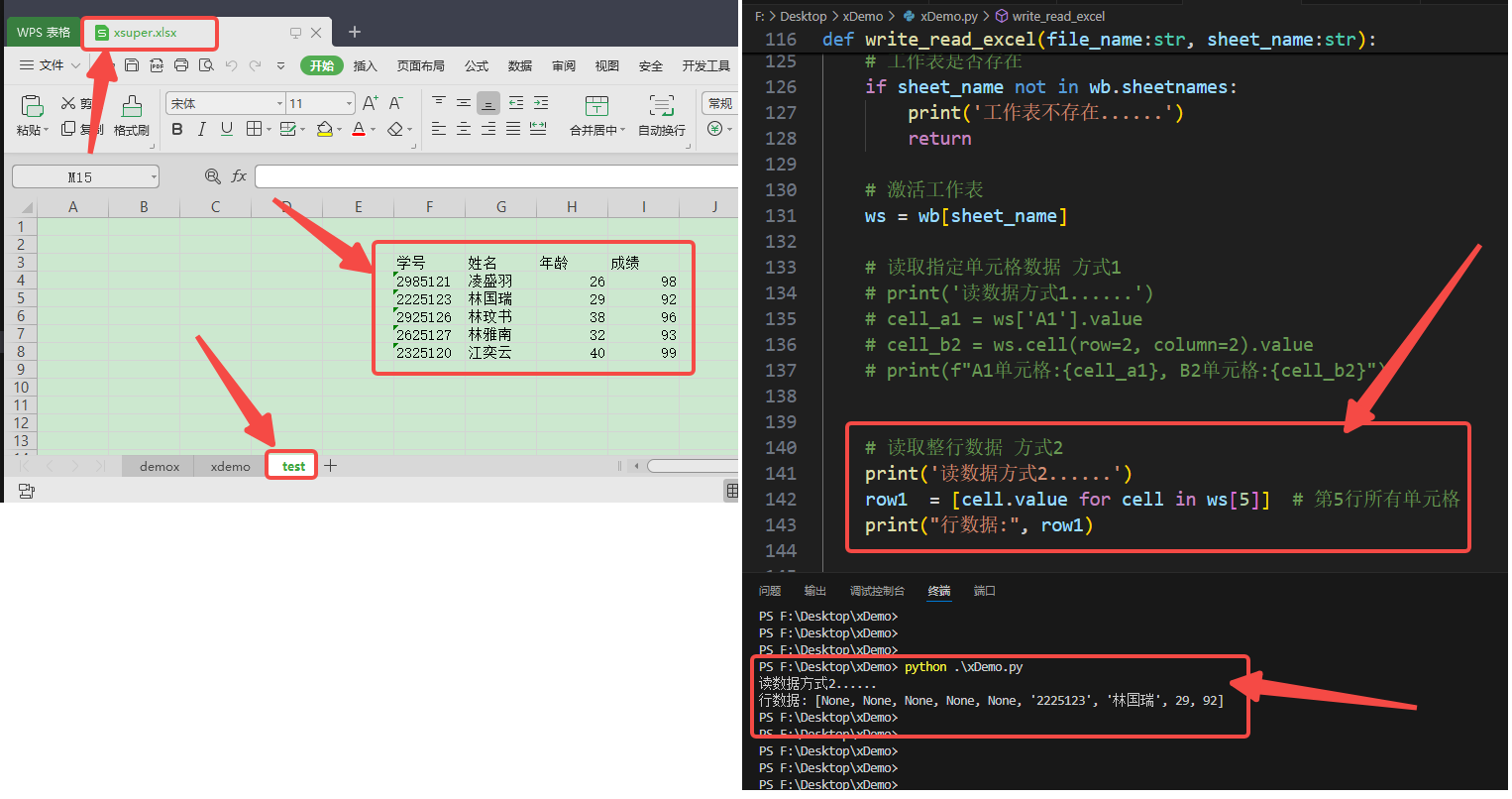
    # 读取整行数据 方式2
    # print('读数据方式2......')
    # row1  = [cell.value for cell in ws[5]]  # 第2行所有单元格
    # print("行数据:", row1)


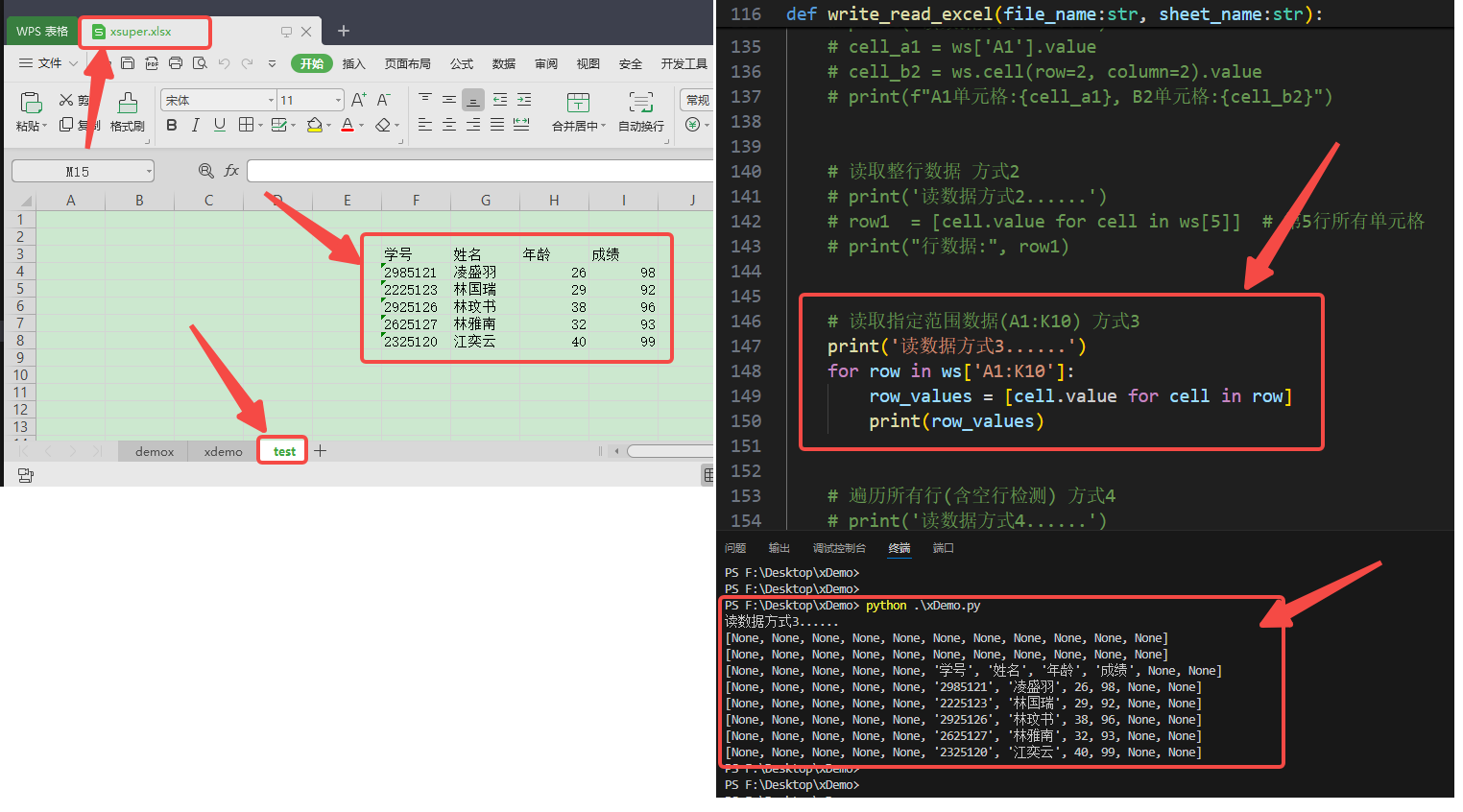
    # 读取指定范围数据(A1:K10) 方式3
    # print('读数据方式3......')
    # for row in ws['A1:K10']:
    #     row_values = [cell.value for cell in row]
    #     print(row_values)


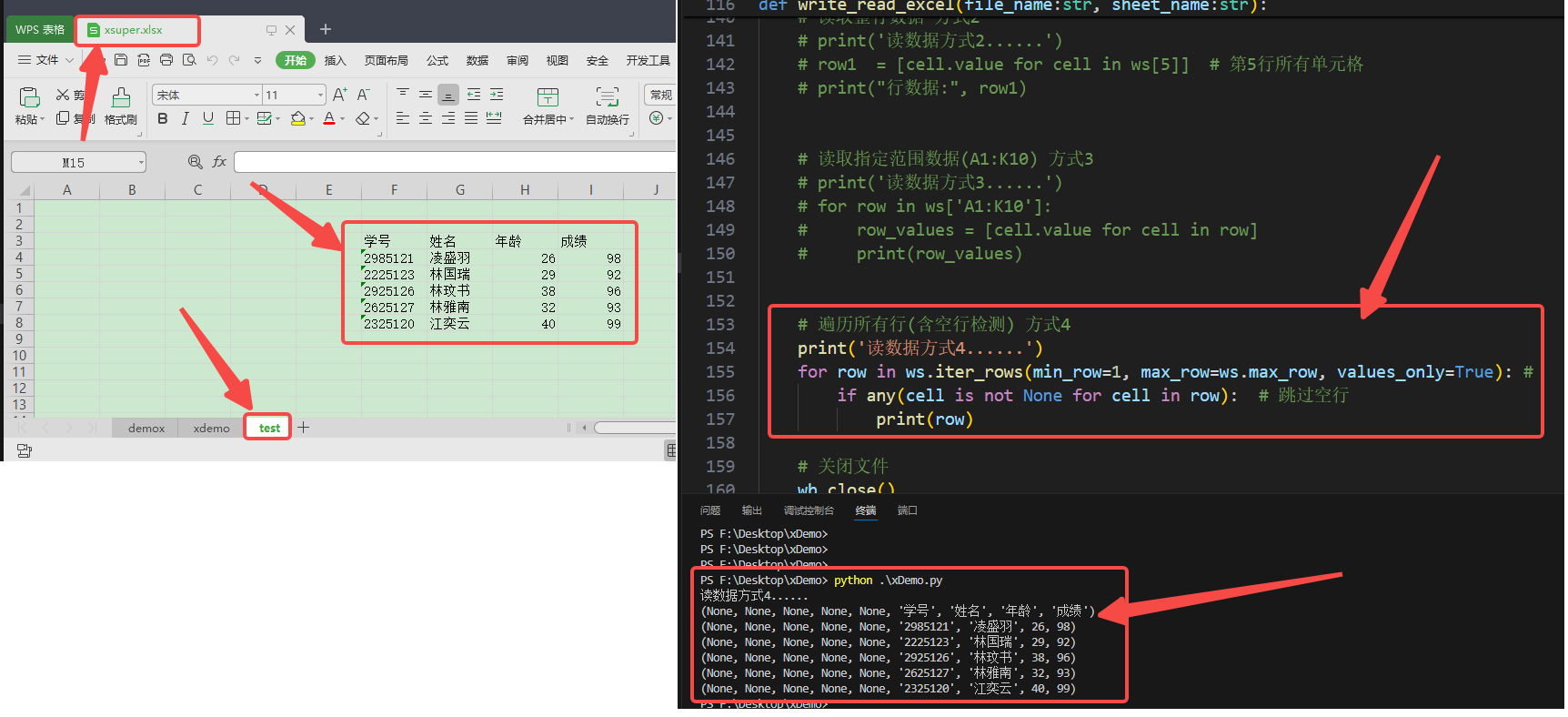
    # 遍历所有行(含空行检测) 方式4
    print('读数据方式4......')
    for row in ws.iter_rows(min_row=1, max_row=ws.max_row, values_only=True): #
        if any(cell is not None for cell in row):  # 跳过空行
            print(row)

    # 关闭文件
    wb.close()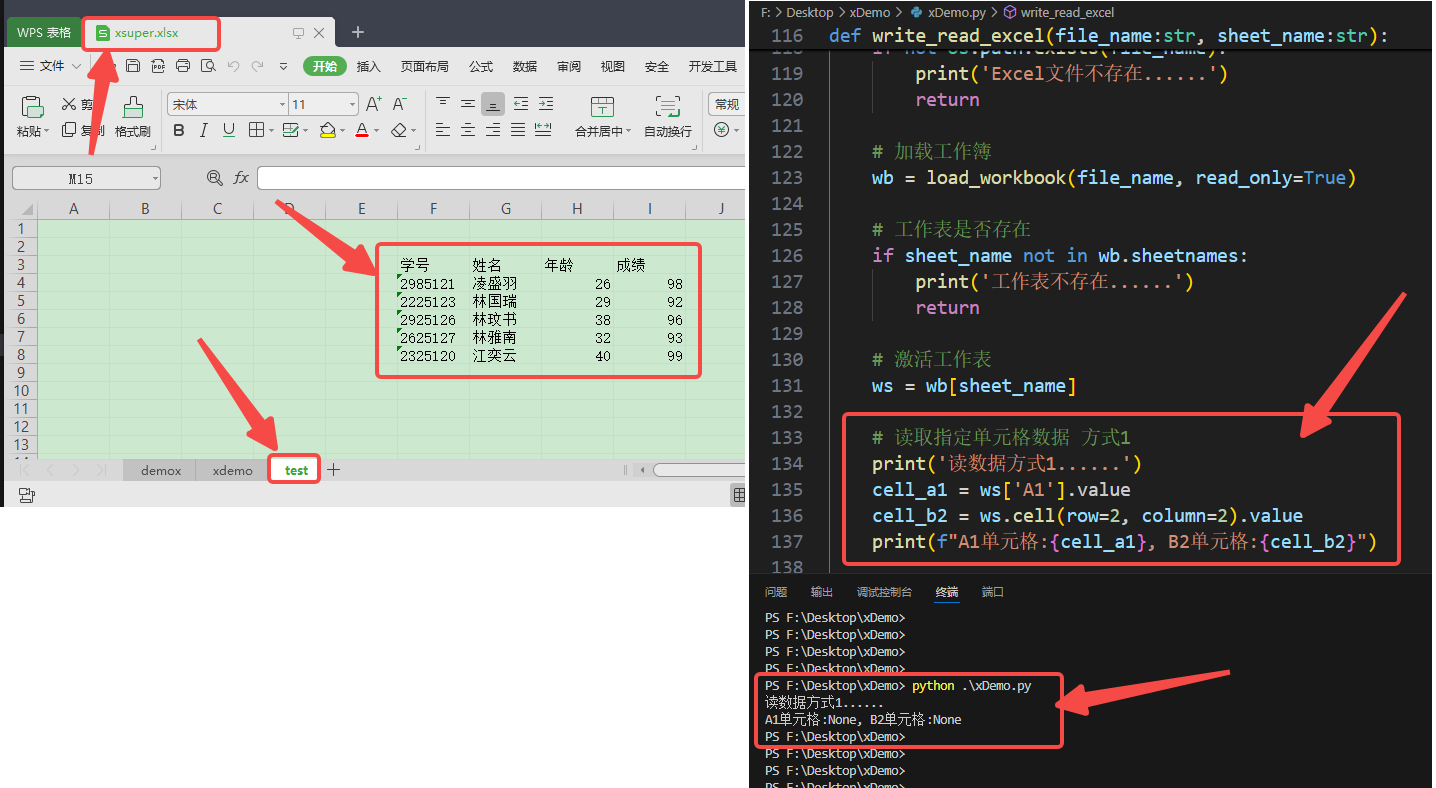
五、主函数
python
def main():
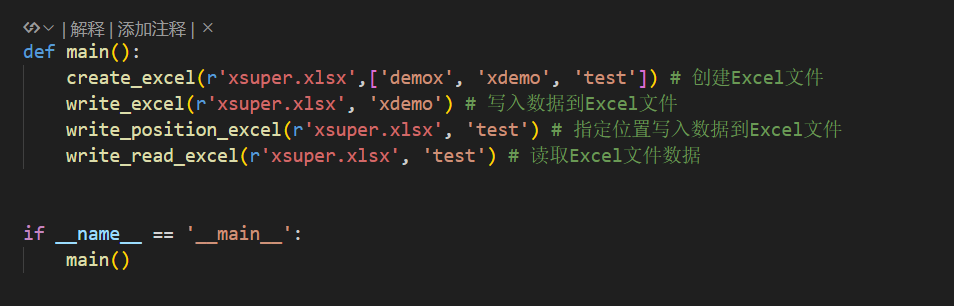
    create_excel(r'xsuper.xlsx',['demox', 'xdemo', 'test']) # 创建Excel文件
    write_excel(r'xsuper.xlsx', 'xdemo') # 写入数据到Excel文件
    write_position_excel(r'xsuper.xlsx', 'test') # 指定位置写入数据到Excel文件
    write_read_excel(r'xsuper.xlsx', 'test') # 读取Excel文件数据


if __name__ == '__main__':
    main()