EXCEL 点击单元格,所在行列如何高亮

EXCEL工具栏一定要有 开发工具,没有的看下图1,有的直接跳图2
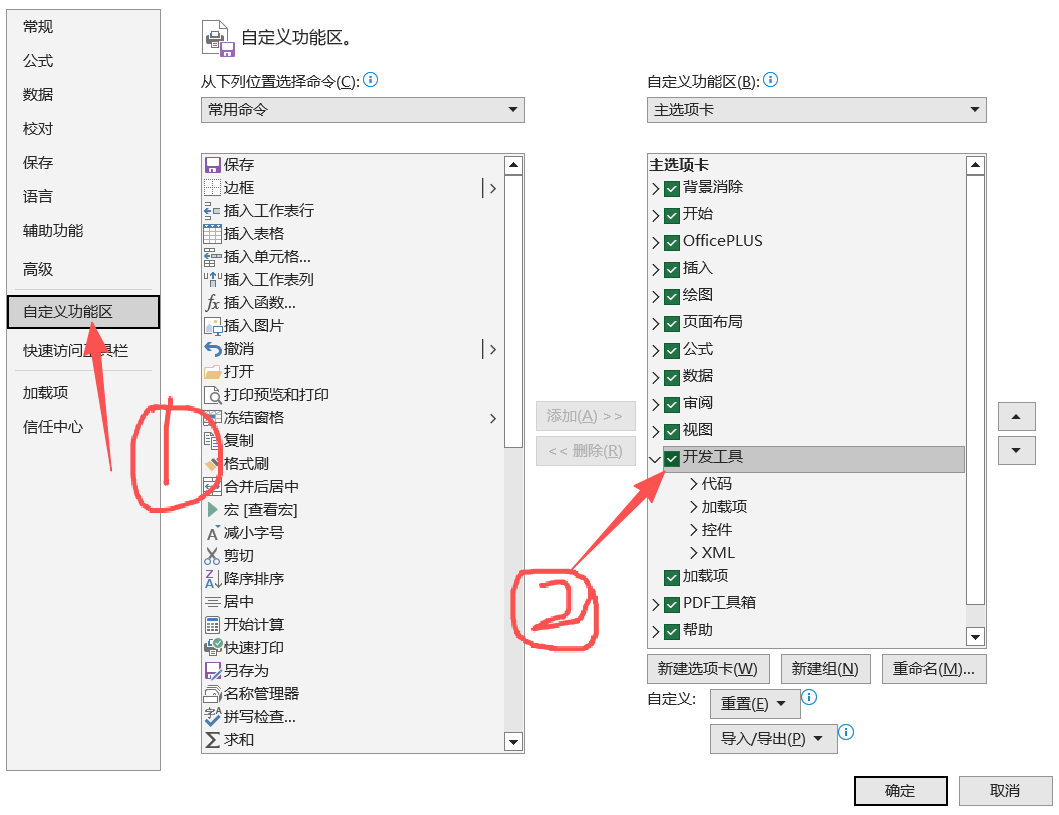
上图为图1
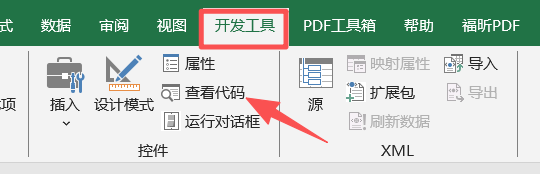
上图为图2
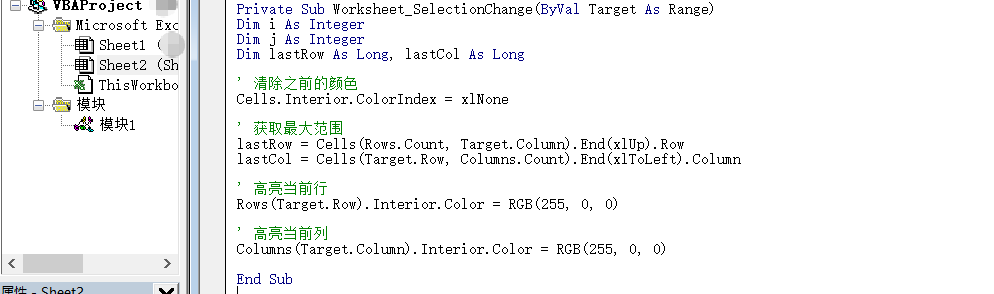
上图为图3

具体代码在下面,自己复制上去,就有效了

复制代码
Private Sub Worksheet_SelectionChange(ByVal Target As Range)
Dim i As Integer
Dim j As Integer
Dim lastRow As Long, lastCol As Long

' 清除之前的颜色
Cells.Interior.ColorIndex = xlNone

' 获取最大范围
lastRow = Cells(Rows.Count, Target.Column).End(xlUp).Row
lastCol = Cells(Target.Row, Columns.Count).End(xlToLeft).Column

' 高亮当前行
Rows(Target.Row).Interior.Color = RGB(255, 255, 0)

' 高亮当前列
Columns(Target.Column).Interior.Color = RGB(255, 255, 0)

End Sub
相关推荐
cngkqy18 小时前
使用条件格式突出显示 Excel 中的信息
excel
CodeCraft Studio19 小时前
Excel处理控件Aspose.Cells教程:使用C#在Excel中创建环形图
java·c#·excel·aspose·环形图·excel环形图·图表创建
appearappear19 小时前
如何根据 Excel 批量更新 mysql 表中数据
数据库·mysql·excel
不知名的前端专家19 小时前
uniapp 安卓原生Excel读写插件 支持U盘读写、数据库读写、读写监听进度等功能
android·uni-app·excel
CircleMouse1 天前
Excel导出问题:accessExternalStylesheet
excel
学习研习社2 天前
如何在 Windows 上恢复已删除/未保存的 Excel 文件 - 5 种快速方法
windows·excel
ohoy2 天前
easyPoi导出多sheet页 一个班级一张Sheet
excel
缺点内向2 天前
如何使用C#将Excel工作表拆分为独立文件
开发语言·c#·.net·excel
凌盛羽2 天前
用Python非常流行的openpyxl库对Excel(.xlsx格式)文件进行创建、读取、写入、显示等操作
数据库·python·链表·excel