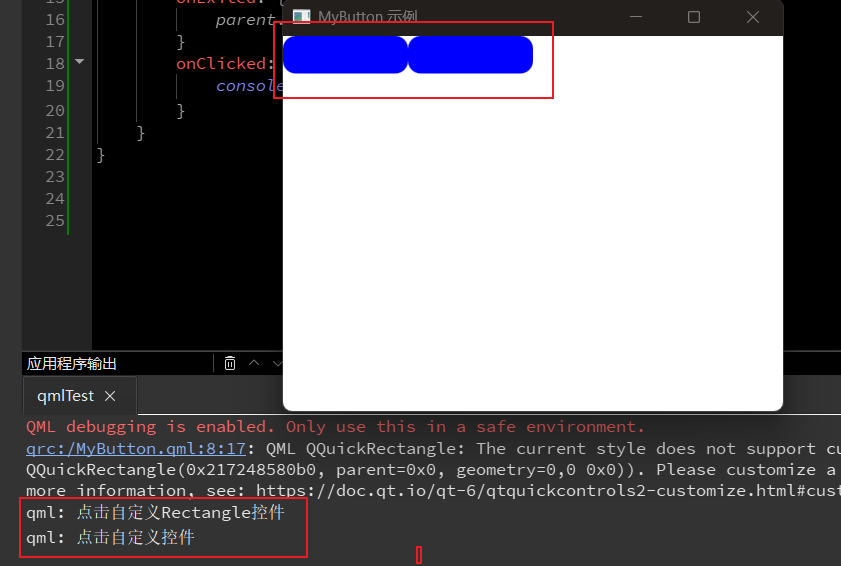
代码如下:
mian.qml
cpp
import QtQuick 2.15
import QtQuick.Window 2.15
import QtQuick.Controls 2.15  // 或其他版本
import QtQuick.Layouts 1.15
import QtQuick.Dialogs

//import QtQuick.Dialogs 1.3 // 对于 Qt 5,使用这个导入
import QtQuick.Dialogs 6.3  // 对于 Qt 6,使用:

import "./MyBtn"  //不在同一目录,要导入目录

Window {
    width: 400
    height: 300
    visible: true
    title: "MyButton 示例"

    Row{
        MyButton{
            width: 100
            height: 30
        }

        MyBtn{

        }
    }
}
MyButton.qml
cpp
import QtQuick 2.15
import QtQuick.Controls 2.15

Button{
    id:btn
    width: 100
    height: 100
    background: Rectangle{
        width: btn.width    //方便外部修改宽度
        height: btn.height
        color: "blue"
        radius: 10
        MouseArea{
            anchors.fill: parent
            hoverEnabled: true
            onEntered: {
                parent.color = "red"
            }
            onExited: {
                parent.color = "blue"
            }
        }
    }

    onClicked: {
        console.log("点击自定义控件")
    }
}
MyBtn.qml
cpp
import QtQuick 2.15
import QtQuick.Controls 2.15

Rectangle{
    width: 100    //方便外部修改宽度
    height: 30
    color: "blue"
    radius: 10
    MouseArea{
        anchors.fill: parent
        hoverEnabled: true
        onEntered: {
            parent.color = "red"
        }
        onExited: {
            parent.color = "blue"
        }
        onClicked: {
            console.log("点击自定义Rectangle控件")
        }
    }
}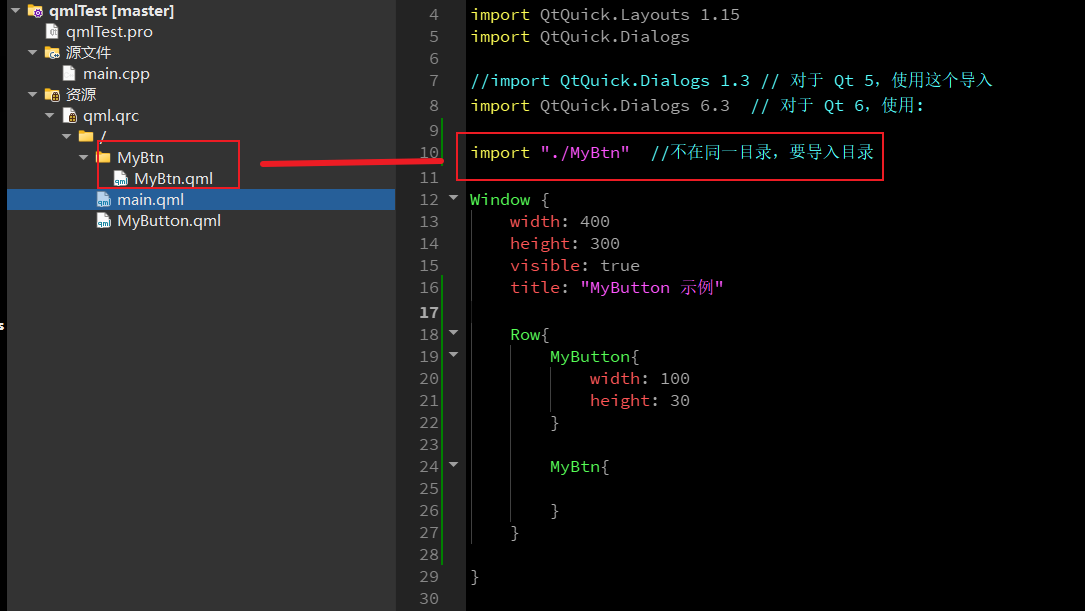
同一级的目录一般是可以不用导入的,但是不同级目录是要使用import导入的。