我们发现这写地方用到的数据类型是一样的,可以抽离公共的类型
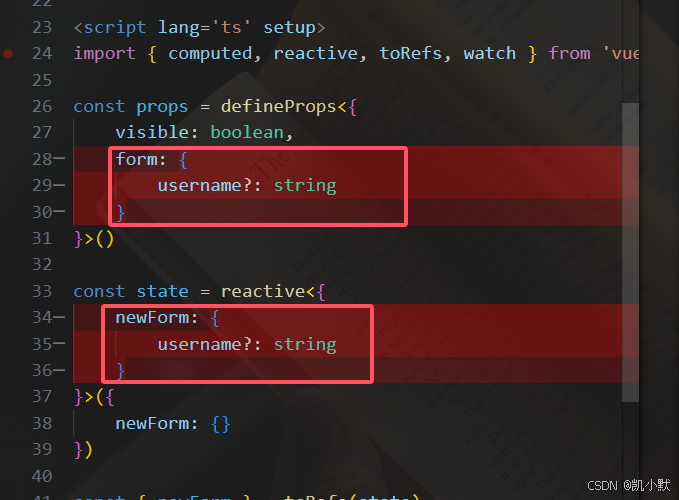
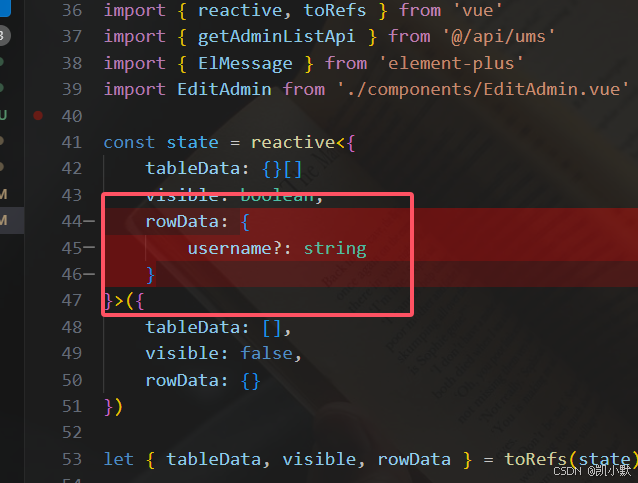
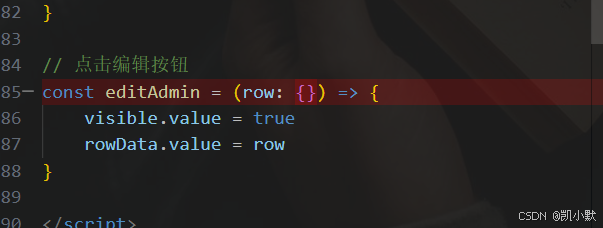
我们在新建一个文件 src/types/admin.d.ts
ts
interface AdminObjItf {
    username?: string
    nickName?: string
}
html
<template>
    <div class=''>
        <el-table :data="tableData" style="width: 100%">
            <el-table-column prop="id" label="编号"/>
            <el-table-column prop="username" label="账号"/>
            <el-table-column prop="nickName" label="姓名"/>
            <el-table-column prop="email" label="邮箱"/>
            <el-table-column label="添加时间">
                <template v-slot:default="scope">
                    {{ formateDate(scope.row.createTime) }}
                </template>
            </el-table-column>
            <el-table-column label="最后登录">
                <template v-slot:default="scope">
                    {{ formateDate(scope.row.loginTime) }}
                </template>
            </el-table-column>
            <el-table-column label="是否启用">
                <template v-slot:default="scope">
                    <el-switch v-model="scope.row.status" :active-value="1" :inactive-value="0"></el-switch>
                </template>
            </el-table-column>
            <el-table-column label="操作">
                <template #default="{row}">
                    <el-button type="text">分配角色</el-button>
                    <el-button type="text" @click="editAdmin(row)">编辑</el-button>
                </template>
            </el-table-column>
        </el-table>
        <!-- 编辑 -->
        <EditAdmin v-model:visible="visible" :form="rowData"></EditAdmin>
    </div>
</template>

<script lang='ts' setup>
import { reactive, toRefs } from 'vue'
import { getAdminListApi } from '@/api/ums'
import { ElMessage } from 'element-plus'
import EditAdmin from './components/EditAdmin.vue'

const state = reactive<{
    tableData: {}[]
    visible: boolean,
    rowData: AdminObjItf
}>({
    tableData: [],
    visible: false,
    rowData: {}
})

let { tableData, visible, rowData } = toRefs(state)

getAdminListApi({
    keyword: '',
    pageNum: 1,
    pageSize: 10
}).then((res) => {
    if(res.code === 200) {
        tableData.value = res.data.list
    } else {
        ElMessage.error('获取用户数据列表失败')
    }
})

const addZero = (num: number) => {
    return num > 9 ? num : '0' + num
}

// 格式化时间
const formateDate = (time: string | undefined) => {
    if (!time) return '';
    const date = new Date(time);
    const year = date.getFullYear();
    let month = addZero(date.getMonth() + 1);
    let day = addZero(date.getDate());
    let hour = addZero(date.getHours());
    let min = addZero(date.getMinutes());
    let sec = addZero(date.getSeconds());
    return  `${year}-${month}-${day} ${hour}:${min}:${sec}`
}

// 点击编辑按钮
const editAdmin = (row: AdminObjItf) => {
    visible.value = true
    rowData.value = row
}

</script>

<style lang='less' scoped>

</style>
html
<template>
    <el-dialog v-model="dialogVisible" title="Shipping address" width="500" :before-close="close">
        <el-form :model="newForm" label-width="120px">
            <el-form-item label="Promotion name">
                <el-input v-model="newForm.username" autocomplete="off" />
            </el-form-item>
            <el-form-item label="Zones">
                <el-select v-model="newForm.nickName" placeholder="Please select a zone">
                <el-option label="Zone No.1" value="shanghai" />
                <el-option label="Zone No.2" value="beijing" />
                </el-select>
            </el-form-item>
        </el-form>
        <template #footer>
        <div class="dialog-footer">
            <el-button @click="close">取消</el-button>
            <el-button type="primary" @click="modifyAdmin">确定</el-button>
        </div>
        </template>
    </el-dialog>
</template>

<script lang='ts' setup>
import { computed, reactive, toRefs, watch } from 'vue'

const props = defineProps<{
    visible: boolean,
    form: AdminObjItf
}>()

const state = reactive<{
    newForm: AdminObjItf
}>({
    newForm: {}
})

const { newForm } = toRefs(state)
// 拷贝form
watch(() => props.form, () => {
    newForm.value = { ...props.form }
})

const emit = defineEmits<{
    (event: 'update:visible', value: boolean): void
}>()

// 双向绑定 dialog 显示状态(emit 更新父组件)
const dialogVisible = computed({
    get: () => props.visible,
    set: (val: boolean) => emit('update:visible', val)
})
// 点击关闭
const close = () => {
    dialogVisible.value = false
}
// 确定
const modifyAdmin = () => {
    close()
}

</script>

<style lang='less' scoped>

</style>