cat /sys/kernel/debug/pinctrl/pinctrl-rockchip-pinctrl/pinmux-pins
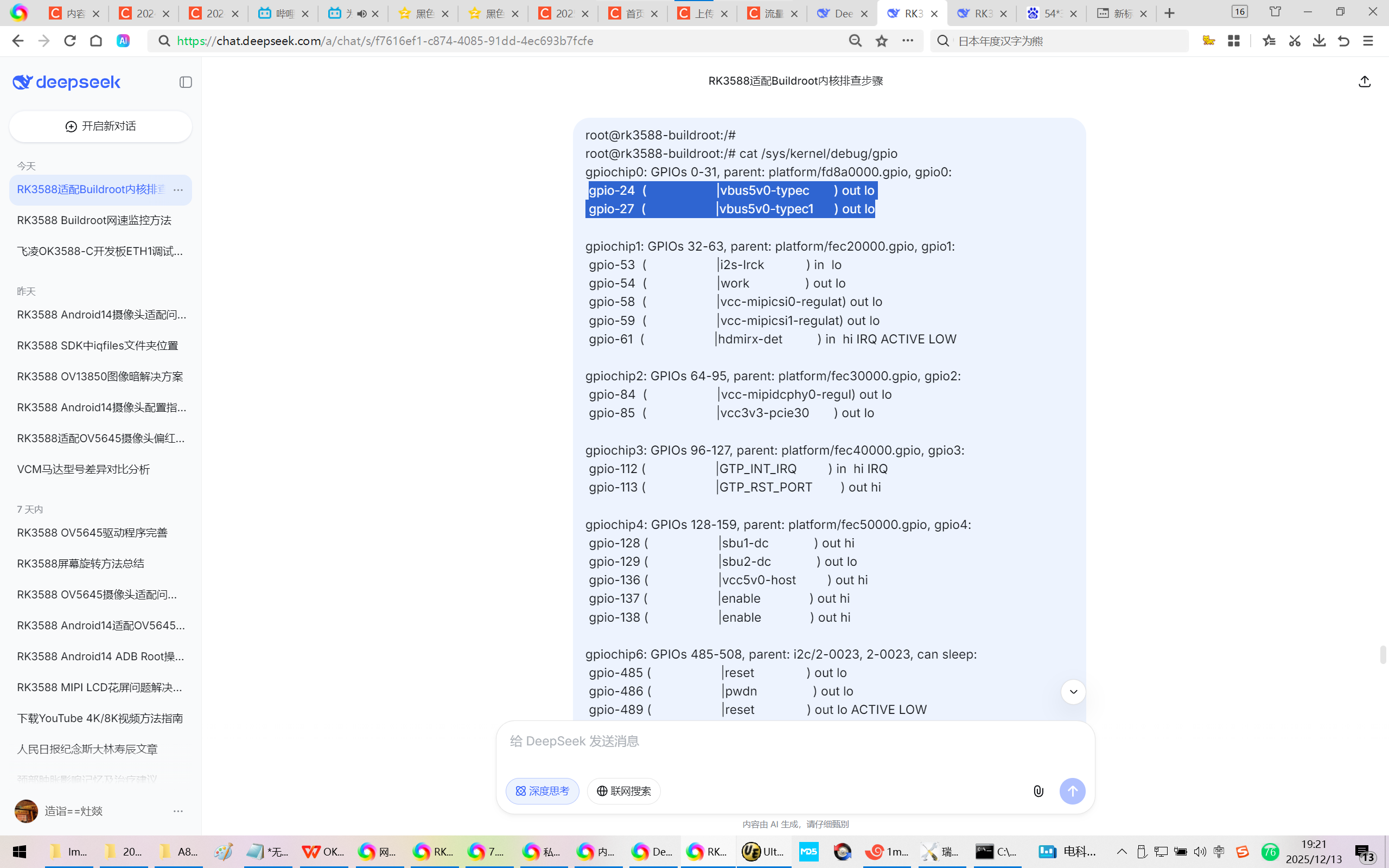
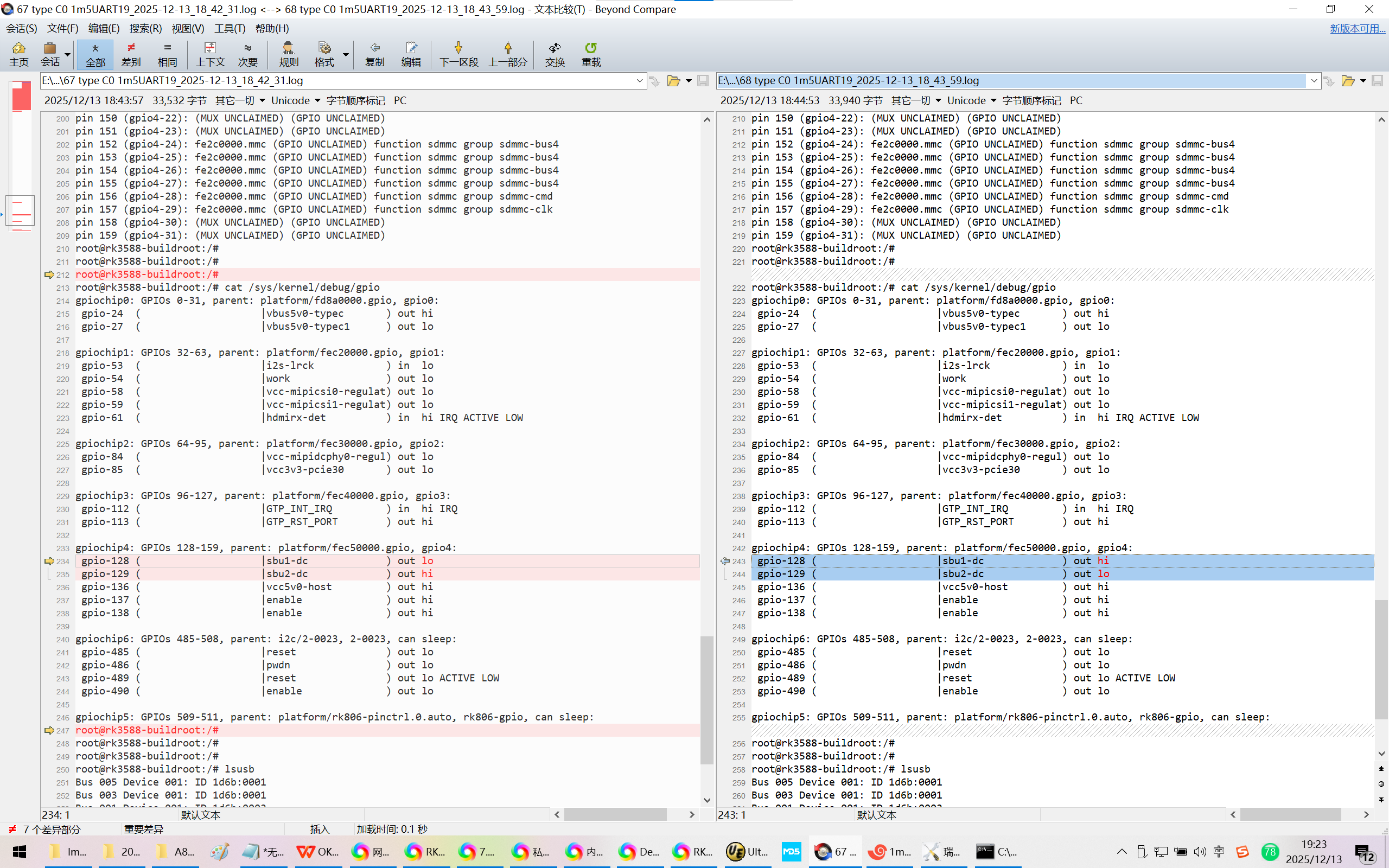
cat /sys/kernel/debug/gpio
20251213给飞凌OK3588-C开发板适配Rockchip原厂的Buildroot【linux-6.1】系统时适配type-C0
2025/12/13 19:03
缘起:飞凌OK3588-C开发板跑Rockchip原厂的Buildroot【linux-6.1】系统时,adb可以用。
但是接USB3.0的U盘异常!
通过OTG接头接鼠标,灯不亮==鼠标不能用!
当你把荣品RD-RK3588开发板重新适配一把,就相当于从头做了一个项目:【荣品RD-RK3588开发板】。
当然,开发板的功能都是好的,你免除了调试的过程,也就没有解决相关硬件出错的经验/机会了!
https://chat.deepseek.com/a/chat/s/f7616ef1-c874-4085-91dd-4ec693b7fcfe
RK3588适配Buildroot内核排查步骤
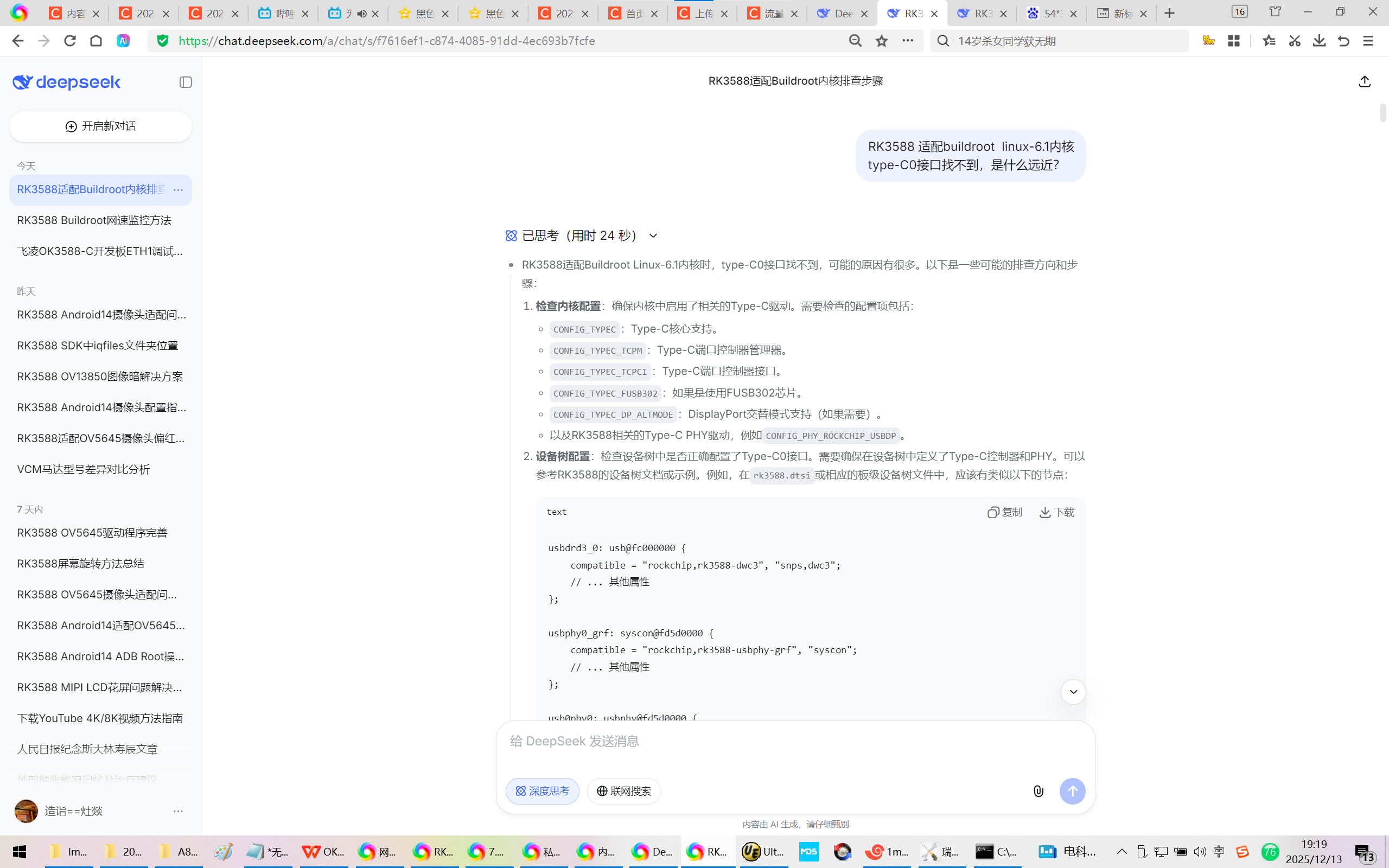
RK3588 适配buildroot linux-6.1内核
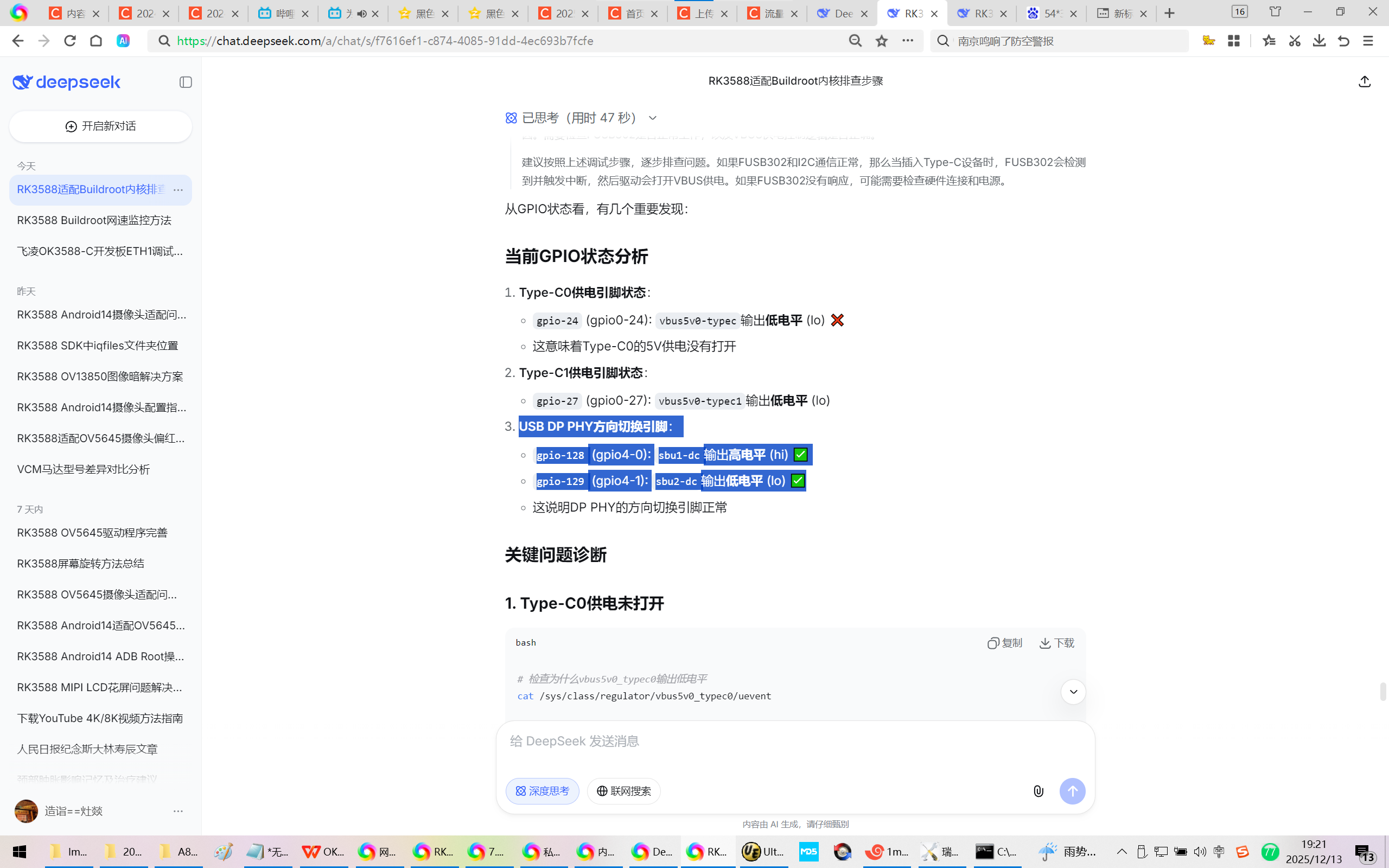
type-C0接口找不到,是什么远近?
1、
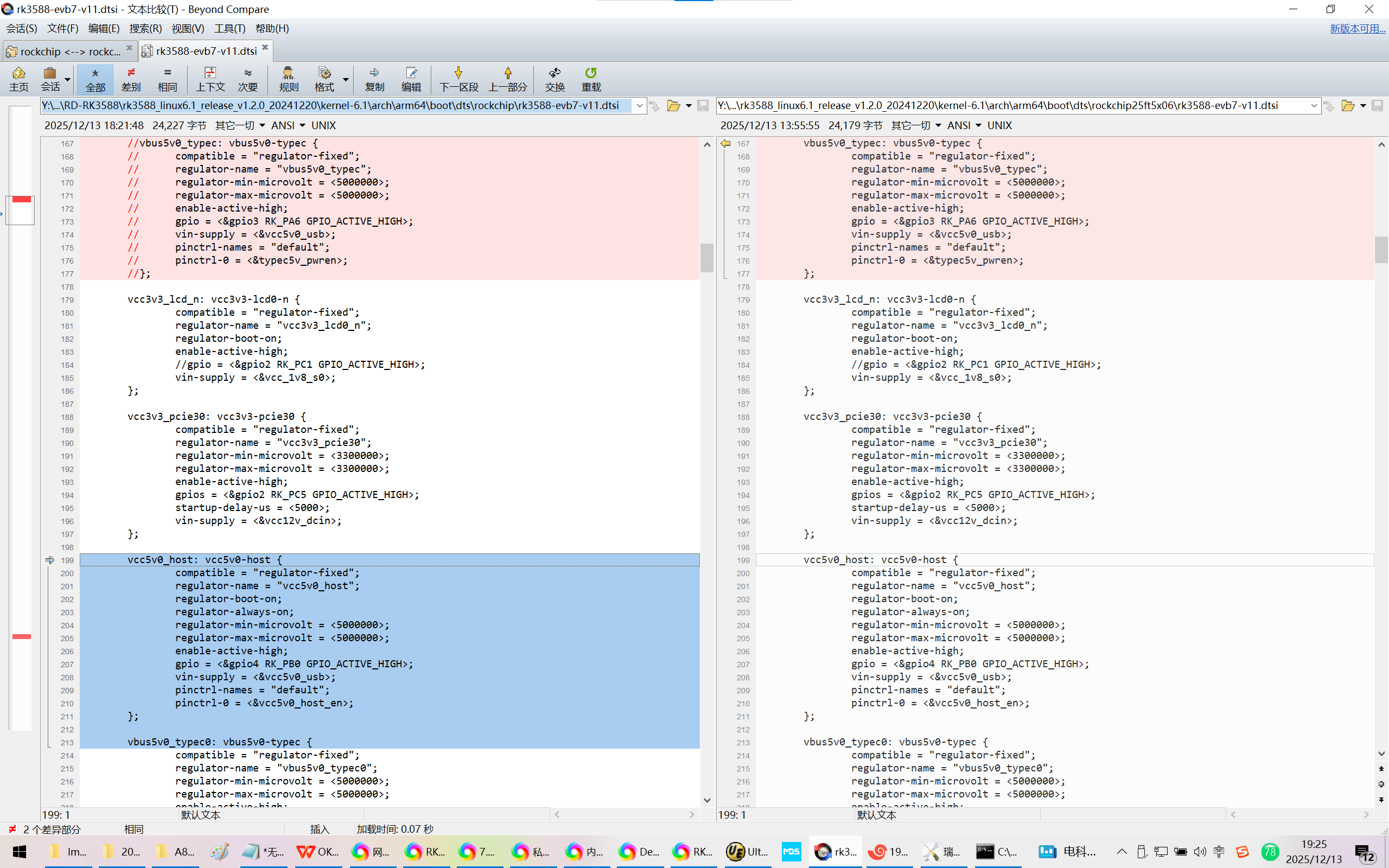
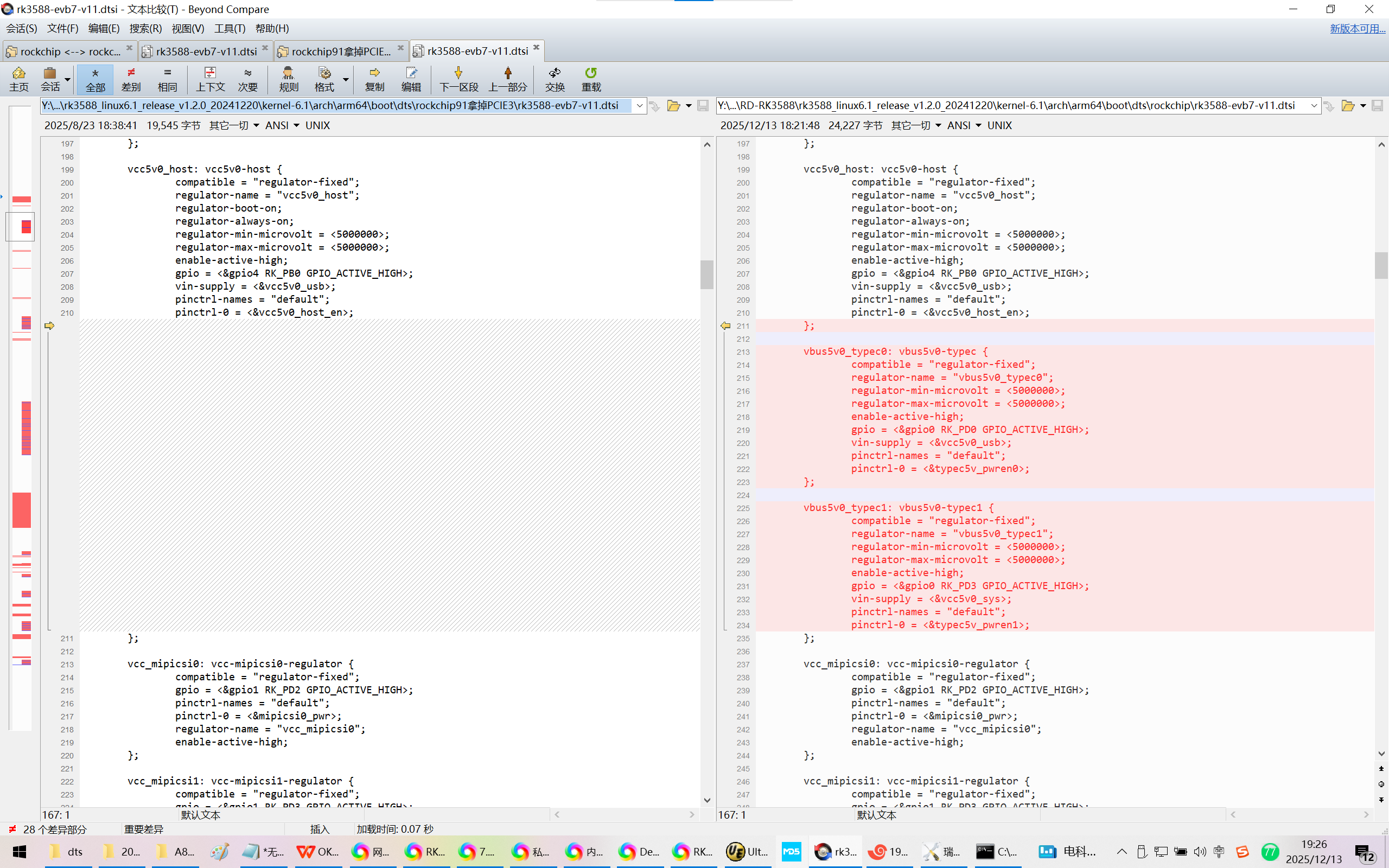
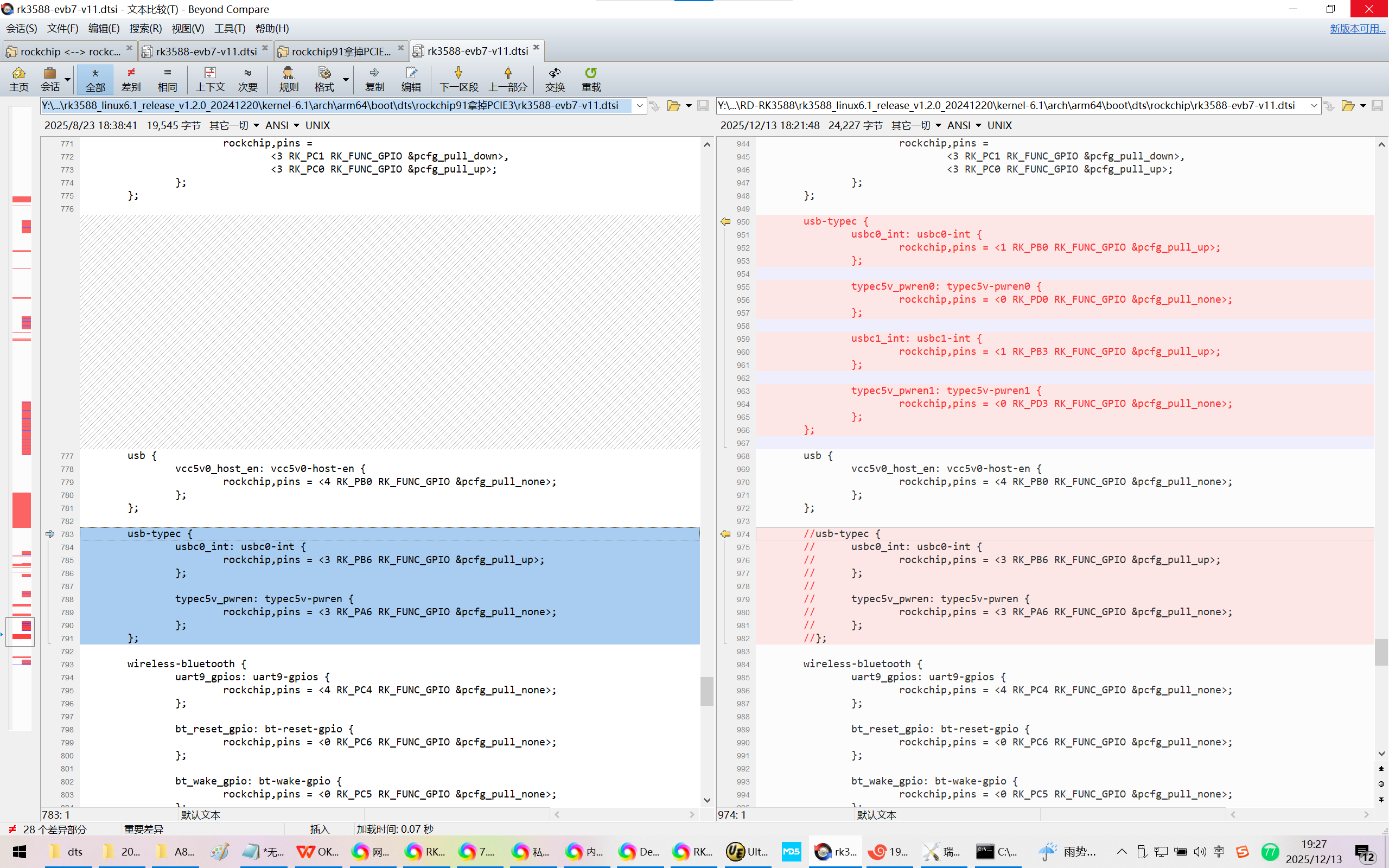
Y:\new_disk_4t\wyb\RD-RK3588\rk3588_linux6.1_release_v1.2.0_20241220\kernel-6.1\arch\arm64\boot\dts\rockchip\rk3588-evb7-v11.dtsi
【本来想尽量少改动,但是以前的EVB7V11里面内置的DTSI搞出问题了!】
//vbus5v0_typec: vbus5v0-typec {
// compatible = "regulator-fixed";
// regulator-name = "vbus5v0_typec";
// regulator-min-microvolt = <5000000>;
// regulator-max-microvolt = <5000000>;
// enable-active-high;
// gpio = <&gpio3 RK_PA6 GPIO_ACTIVE_HIGH>;
// vin-supply = <&vcc5v0_usb>;
// pinctrl-names = "default";
// pinctrl-0 = <&typec5v_pwren>;
//};
vcc3v3_lcd_n: vcc3v3-lcd0-n {
compatible = "regulator-fixed";
regulator-name = "vcc3v3_lcd0_n";
regulator-boot-on;
enable-active-high;
//gpio = <&gpio2 RK_PC1 GPIO_ACTIVE_HIGH>;
vin-supply = <&vcc_1v8_s0>;
};
vcc3v3_pcie30: vcc3v3-pcie30 {
compatible = "regulator-fixed";
regulator-name = "vcc3v3_pcie30";
regulator-min-microvolt = <3300000>;
regulator-max-microvolt = <3300000>;
enable-active-high;
gpios = <&gpio2 RK_PC5 GPIO_ACTIVE_HIGH>;
startup-delay-us = <5000>;
vin-supply = <&vcc12v_dcin>;
};
vcc5v0_host: vcc5v0-host {
compatible = "regulator-fixed";
regulator-name = "vcc5v0_host";
regulator-boot-on;
regulator-always-on;
regulator-min-microvolt = <5000000>;
regulator-max-microvolt = <5000000>;
enable-active-high;
gpio = <&gpio4 RK_PB0 GPIO_ACTIVE_HIGH>;
vin-supply = <&vcc5v0_usb>;
pinctrl-names = "default";
pinctrl-0 = <&vcc5v0_host_en>;
};
vbus5v0_typec0: vbus5v0-typec {
compatible = "regulator-fixed";
regulator-name = "vbus5v0_typec0";
regulator-min-microvolt = <5000000>;
regulator-max-microvolt = <5000000>;
enable-active-high;
gpio = <&gpio0 RK_PD0 GPIO_ACTIVE_HIGH>;
vin-supply = <&vcc5v0_usb>;
pinctrl-names = "default";
pinctrl-0 = <&typec5v_pwren0>;
};
vbus5v0_typec1: vbus5v0-typec1 {
compatible = "regulator-fixed";
regulator-name = "vbus5v0_typec1";
regulator-min-microvolt = <5000000>;
regulator-max-microvolt = <5000000>;
enable-active-high;
gpio = <&gpio0 RK_PD3 GPIO_ACTIVE_HIGH>;
vin-supply = <&vcc5v0_sys>;
pinctrl-names = "default";
pinctrl-0 = <&typec5v_pwren1>;
};
vcc_mipicsi0: vcc-mipicsi0-regulator {
compatible = "regulator-fixed";
gpio = <&gpio1 RK_PD2 GPIO_ACTIVE_HIGH>;
pinctrl-names = "default";
pinctrl-0 = <&mipicsi0_pwr>;
regulator-name = "vcc_mipicsi0";
enable-active-high;
};
2、
Y:\new_disk_4t\wyb\RD-RK3588\rk3588_linux6.1_release_v1.2.0_20241220\kernel-6.1\arch\arm64\boot\dts\rockchip\rk3588-evb7-v11.dtsi
【本来想尽量少改动,但是以前的EVB7V11里面内置的DTSI搞出问题了!】
&pinctrl {
touch {
touch_gpio: touch-gpio {
rockchip,pins =
<3 RK_PC1 RK_FUNC_GPIO &pcfg_pull_down>,
<3 RK_PC0 RK_FUNC_GPIO &pcfg_pull_up>;
};
};
usb-typec {
usbc0_int: usbc0-int {
rockchip,pins = <1 RK_PB0 RK_FUNC_GPIO &pcfg_pull_up>;
};
typec5v_pwren0: typec5v-pwren0 {
rockchip,pins = <0 RK_PD0 RK_FUNC_GPIO &pcfg_pull_none>;
};
usbc1_int: usbc1-int {
rockchip,pins = <1 RK_PB3 RK_FUNC_GPIO &pcfg_pull_up>;
};
typec5v_pwren1: typec5v-pwren1 {
rockchip,pins = <0 RK_PD3 RK_FUNC_GPIO &pcfg_pull_none>;
};
};
usb {
vcc5v0_host_en: vcc5v0-host-en {
rockchip,pins = <4 RK_PB0 RK_FUNC_GPIO &pcfg_pull_none>;
};
};
//usb-typec {
// usbc0_int: usbc0-int {
// rockchip,pins = <3 RK_PB6 RK_FUNC_GPIO &pcfg_pull_up>;
// };
//
// typec5v_pwren: typec5v-pwren {
// rockchip,pins = <3 RK_PA6 RK_FUNC_GPIO &pcfg_pull_none>;
// };
//};
wireless-bluetooth {
uart9_gpios: uart9-gpios {
rockchip,pins = <4 RK_PC4 RK_FUNC_GPIO &pcfg_pull_none>;
};
bt_reset_gpio: bt-reset-gpio {
rockchip,pins = <0 RK_PC6 RK_FUNC_GPIO &pcfg_pull_none>;
};
bt_wake_gpio: bt-wake-gpio {
rockchip,pins = <0 RK_PC5 RK_FUNC_GPIO &pcfg_pull_none>;
};
bt_irq_gpio: bt-irq-gpio {
rockchip,pins = <0 RK_PA0 RK_FUNC_GPIO &pcfg_pull_none>;
};
};
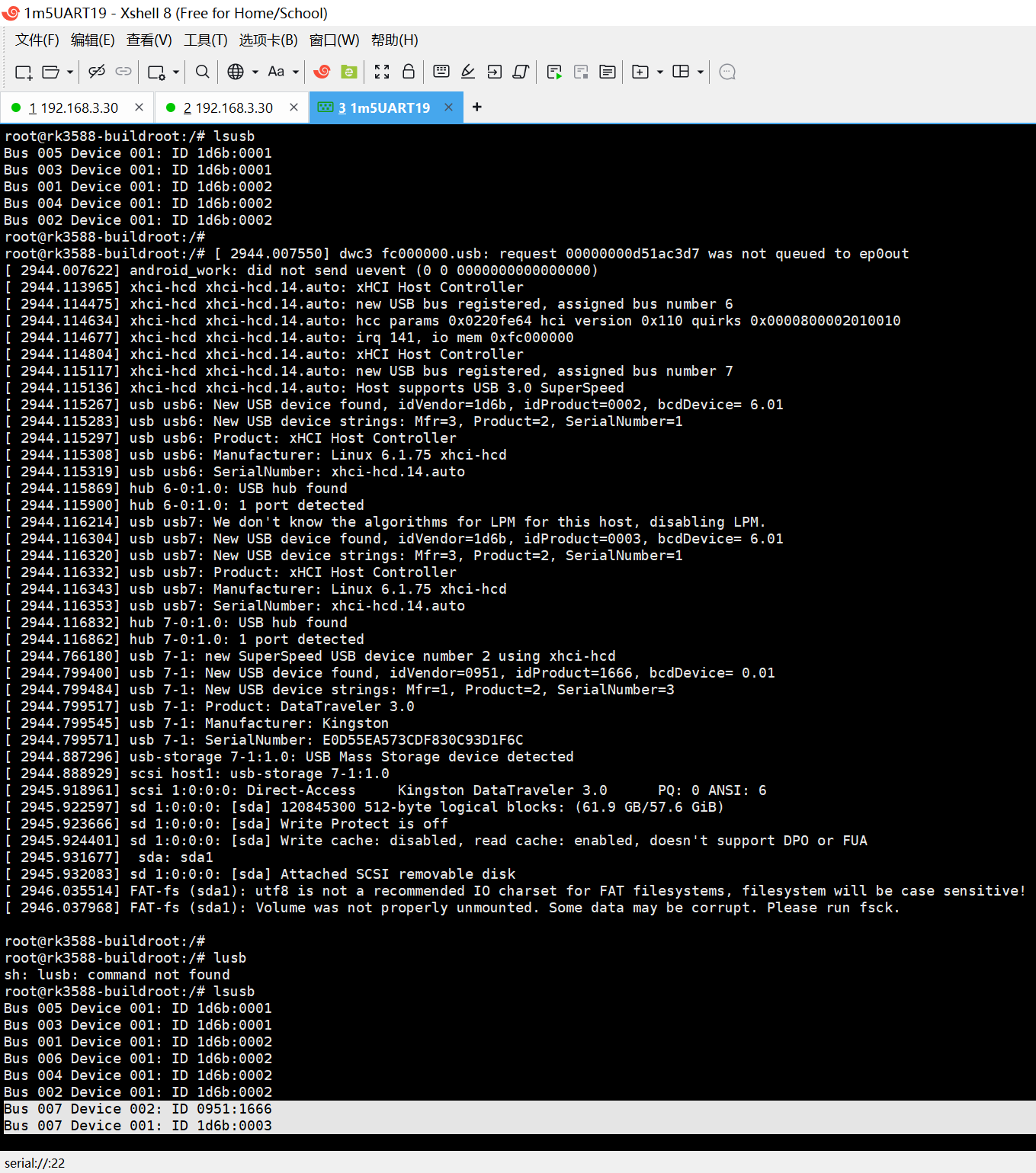
3、核实/确认检测到USB3.0的U盘:
root@rk3588-buildroot:/# lsusb
Bus 005 Device 001: ID 1d6b:0001
Bus 003 Device 001: ID 1d6b:0001
Bus 001 Device 001: ID 1d6b:0002
Bus 004 Device 001: ID 1d6b:0002
Bus 002 Device 001: ID 1d6b:0002
root@rk3588-buildroot:/#
root@rk3588-buildroot:/# 2944.007550 dwc3 fc000000.usb: request 00000000d51ac3d7 was not queued to ep0out
2944.007622 android_work: did not send uevent (0 0 0000000000000000)
2944.113965 xhci-hcd xhci-hcd.14.auto: xHCI Host Controller
2944.114475 xhci-hcd xhci-hcd.14.auto: new USB bus registered, assigned bus number 6
2944.114634 xhci-hcd xhci-hcd.14.auto: hcc params 0x0220fe64 hci version 0x110 quirks 0x0000800002010010
2944.114677 xhci-hcd xhci-hcd.14.auto: irq 141, io mem 0xfc000000
2944.114804 xhci-hcd xhci-hcd.14.auto: xHCI Host Controller
2944.115117 xhci-hcd xhci-hcd.14.auto: new USB bus registered, assigned bus number 7
2944.115136 xhci-hcd xhci-hcd.14.auto: Host supports USB 3.0 SuperSpeed
2944.115267 usb usb6: New USB device found, idVendor=1d6b, idProduct=0002, bcdDevice= 6.01
2944.115283 usb usb6: New USB device strings: Mfr=3, Product=2, SerialNumber=1
2944.115297 usb usb6: Product: xHCI Host Controller
2944.115308 usb usb6: Manufacturer: Linux 6.1.75 xhci-hcd
2944.115319 usb usb6: SerialNumber: xhci-hcd.14.auto
2944.115869 hub 6-0:1.0: USB hub found
2944.115900 hub 6-0:1.0: 1 port detected
2944.116214 usb usb7: We don't know the algorithms for LPM for this host, disabling LPM.
2944.116304 usb usb7: New USB device found, idVendor=1d6b, idProduct=0003, bcdDevice= 6.01
2944.116320 usb usb7: New USB device strings: Mfr=3, Product=2, SerialNumber=1
2944.116332 usb usb7: Product: xHCI Host Controller
2944.116343 usb usb7: Manufacturer: Linux 6.1.75 xhci-hcd
2944.116353 usb usb7: SerialNumber: xhci-hcd.14.auto
2944.116832 hub 7-0:1.0: USB hub found
2944.116862 hub 7-0:1.0: 1 port detected
2944.766180 usb 7-1: new SuperSpeed USB device number 2 using xhci-hcd
2944.799400 usb 7-1: New USB device found, idVendor=0951, idProduct=1666, bcdDevice= 0.01
2944.799484 usb 7-1: New USB device strings: Mfr=1, Product=2, SerialNumber=3
2944.799517 usb 7-1: Product: DataTraveler 3.0
2944.799545 usb 7-1: Manufacturer: Kingston
2944.799571 usb 7-1: SerialNumber: E0D55EA573CDF830C93D1F6C
2944.887296 usb-storage 7-1:1.0: USB Mass Storage device detected
2944.888929 scsi host1: usb-storage 7-1:1.0
2945.918961 scsi 1:0:0:0: Direct-Access Kingston DataTraveler 3.0 PQ: 0 ANSI: 6
2945.922597 sd 1:0:0:0: sda 120845300 512-byte logical blocks: (61.9 GB/57.6 GiB)
2945.923666 sd 1:0:0:0: sda Write Protect is off
2945.924401 sd 1:0:0:0: sda Write cache: disabled, read cache: enabled, doesn't support DPO or FUA
2945.931677 sda: sda1
2945.932083 sd 1:0:0:0: sda Attached SCSI removable disk
2946.035514 FAT-fs (sda1): utf8 is not a recommended IO charset for FAT filesystems, filesystem will be case sensitive!
2946.037968 FAT-fs (sda1): Volume was not properly unmounted. Some data may be corrupt. Please run fsck.
root@rk3588-buildroot:/#
root@rk3588-buildroot:/# lusb
sh: lusb: command not found
root@rk3588-buildroot:/# lsusb
Bus 005 Device 001: ID 1d6b:0001
Bus 003 Device 001: ID 1d6b:0001
Bus 001 Device 001: ID 1d6b:0002
Bus 006 Device 001: ID 1d6b:0002
Bus 004 Device 001: ID 1d6b:0002
Bus 002 Device 001: ID 1d6b:0002
Bus 007 Device 002: ID 0951:1666
Bus 007 Device 001: ID 1d6b:0003
root@rk3588-buildroot:/#
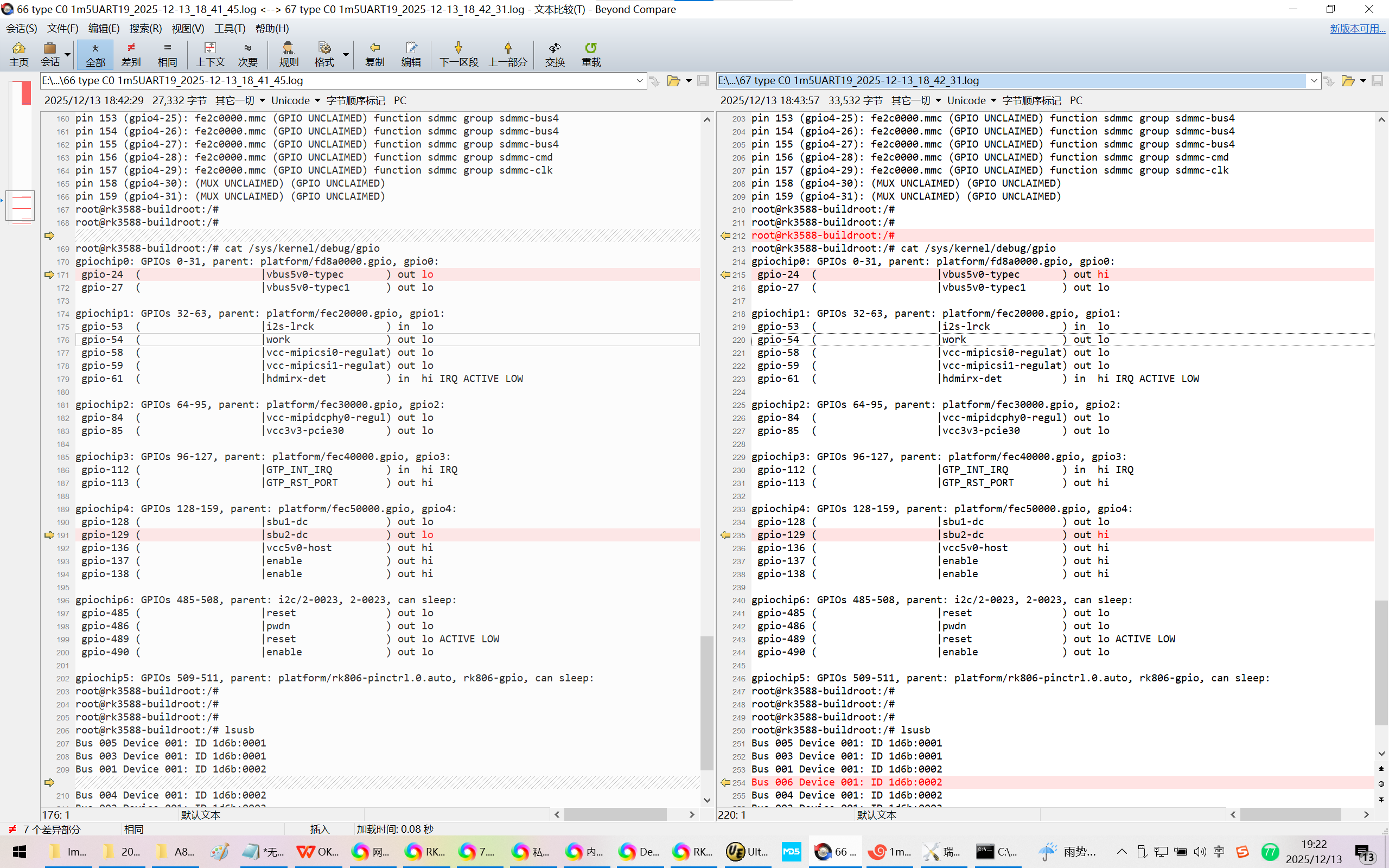
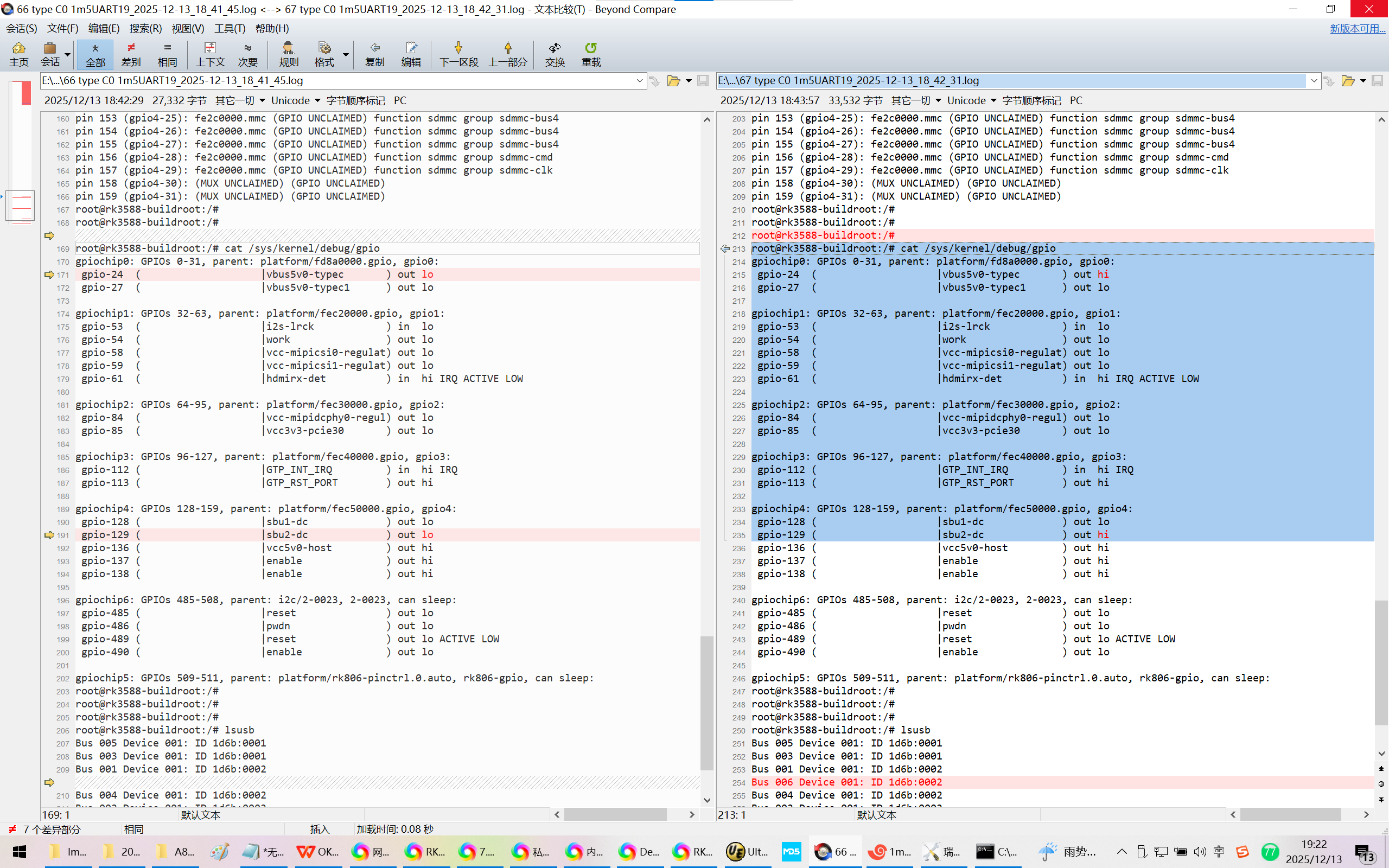
反插:
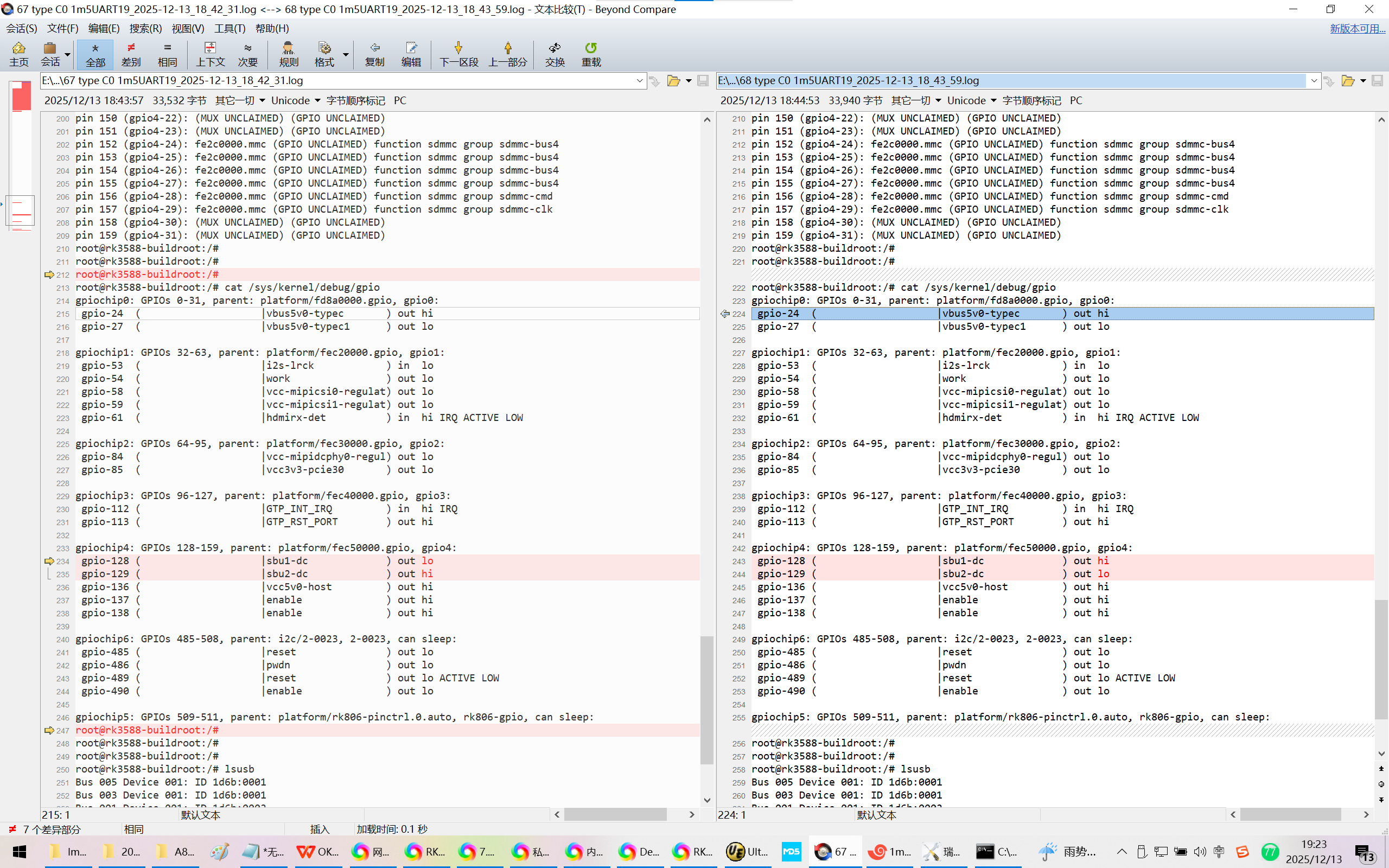
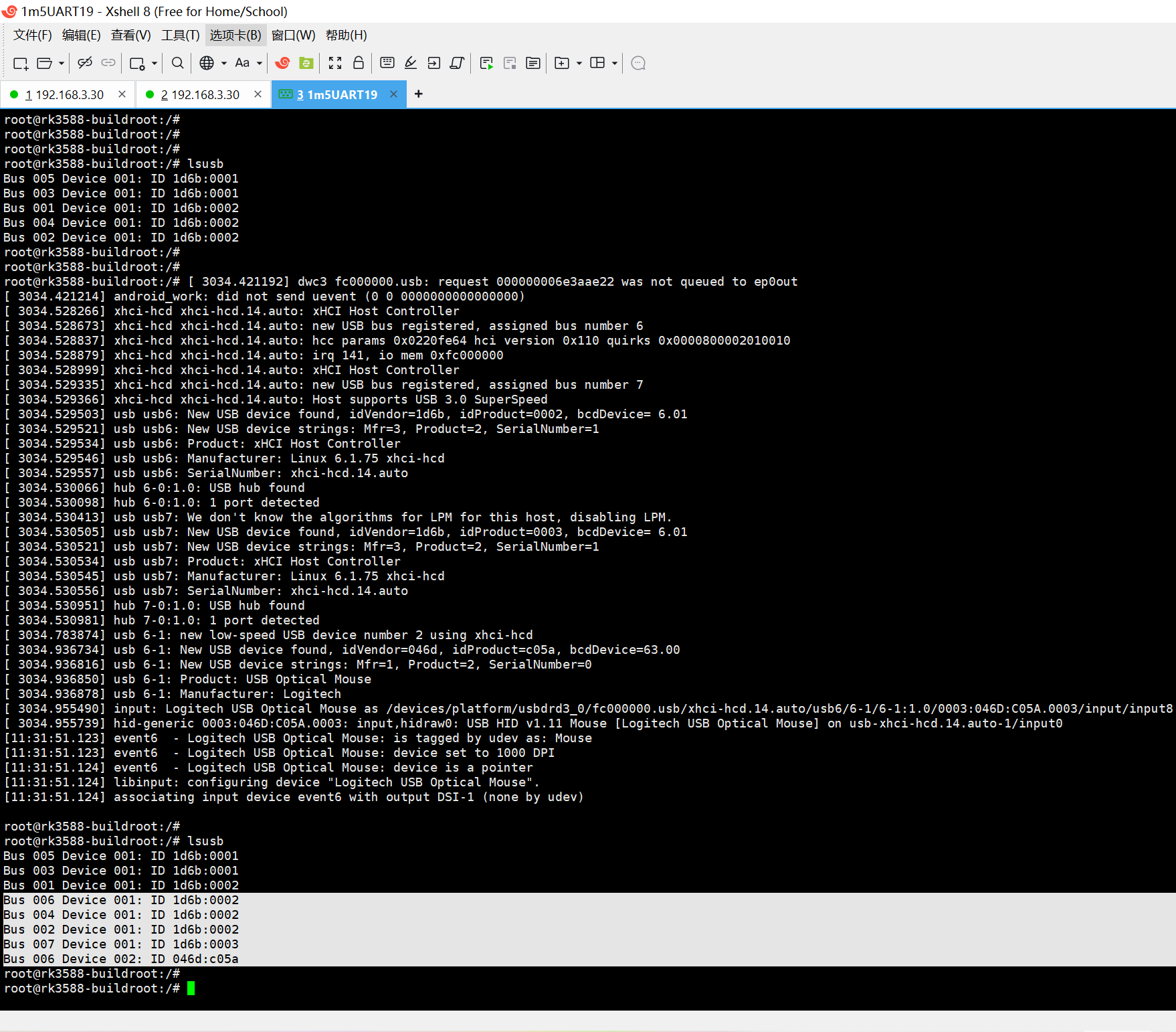
接入USB2.0的鼠标:
root@rk3588-buildroot:/#
root@rk3588-buildroot:/# lsusb
Bus 005 Device 001: ID 1d6b:0001
Bus 003 Device 001: ID 1d6b:0001
Bus 001 Device 001: ID 1d6b:0002
Bus 004 Device 001: ID 1d6b:0002
Bus 002 Device 001: ID 1d6b:0002
root@rk3588-buildroot:/#
root@rk3588-buildroot:/#
root@rk3588-buildroot:/# 3034.421192 dwc3 fc000000.usb: request 000000006e3aae22 was not queued to ep0out
3034.421214 android_work: did not send uevent (0 0 0000000000000000)
3034.528266 xhci-hcd xhci-hcd.14.auto: xHCI Host Controller
3034.528673 xhci-hcd xhci-hcd.14.auto: new USB bus registered, assigned bus number 6
3034.528837 xhci-hcd xhci-hcd.14.auto: hcc params 0x0220fe64 hci version 0x110 quirks 0x0000800002010010
3034.528879 xhci-hcd xhci-hcd.14.auto: irq 141, io mem 0xfc000000
3034.528999 xhci-hcd xhci-hcd.14.auto: xHCI Host Controller
3034.529335 xhci-hcd xhci-hcd.14.auto: new USB bus registered, assigned bus number 7
3034.529366 xhci-hcd xhci-hcd.14.auto: Host supports USB 3.0 SuperSpeed
3034.529503 usb usb6: New USB device found, idVendor=1d6b, idProduct=0002, bcdDevice= 6.01
3034.529521 usb usb6: New USB device strings: Mfr=3, Product=2, SerialNumber=1
3034.529534 usb usb6: Product: xHCI Host Controller
3034.529546 usb usb6: Manufacturer: Linux 6.1.75 xhci-hcd
3034.529557 usb usb6: SerialNumber: xhci-hcd.14.auto
3034.530066 hub 6-0:1.0: USB hub found
3034.530098 hub 6-0:1.0: 1 port detected
3034.530413 usb usb7: We don't know the algorithms for LPM for this host, disabling LPM.
3034.530505 usb usb7: New USB device found, idVendor=1d6b, idProduct=0003, bcdDevice= 6.01
3034.530521 usb usb7: New USB device strings: Mfr=3, Product=2, SerialNumber=1
3034.530534 usb usb7: Product: xHCI Host Controller
3034.530545 usb usb7: Manufacturer: Linux 6.1.75 xhci-hcd
3034.530556 usb usb7: SerialNumber: xhci-hcd.14.auto
3034.530951 hub 7-0:1.0: USB hub found
3034.530981 hub 7-0:1.0: 1 port detected
3034.783874 usb 6-1: new low-speed USB device number 2 using xhci-hcd
3034.936734 usb 6-1: New USB device found, idVendor=046d, idProduct=c05a, bcdDevice=63.00
3034.936816 usb 6-1: New USB device strings: Mfr=1, Product=2, SerialNumber=0
3034.936850 usb 6-1: Product: USB Optical Mouse
3034.936878 usb 6-1: Manufacturer: Logitech
3034.955490 input: Logitech USB Optical Mouse as /devices/platform/usbdrd3_0/fc000000.usb/xhci-hcd.14.auto/usb6/6-1/6-1:1.0/0003:046D:C05A.0003/input/input8
3034.955739 hid-generic 0003:046D:C05A.0003: input,hidraw0: USB HID v1.11 Mouse Logitech USB Optical Mouse on usb-xhci-hcd.14.auto-1/input0
11:31:51.123 event6 - Logitech USB Optical Mouse: is tagged by udev as: Mouse
11:31:51.123 event6 - Logitech USB Optical Mouse: device set to 1000 DPI
11:31:51.124 event6 - Logitech USB Optical Mouse: device is a pointer
11:31:51.124 libinput: configuring device "Logitech USB Optical Mouse".
11:31:51.124 associating input device event6 with output DSI-1 (none by udev)
root@rk3588-buildroot:/#
root@rk3588-buildroot:/# lsusb
Bus 005 Device 001: ID 1d6b:0001
Bus 003 Device 001: ID 1d6b:0001
Bus 001 Device 001: ID 1d6b:0002
Bus 006 Device 001: ID 1d6b:0002
Bus 004 Device 001: ID 1d6b:0002
Bus 002 Device 001: ID 1d6b:0002
Bus 007 Device 001: ID 1d6b:0003
Bus 006 Device 002: ID 046d:c05a
root@rk3588-buildroot:/#
root@rk3588-buildroot:/#
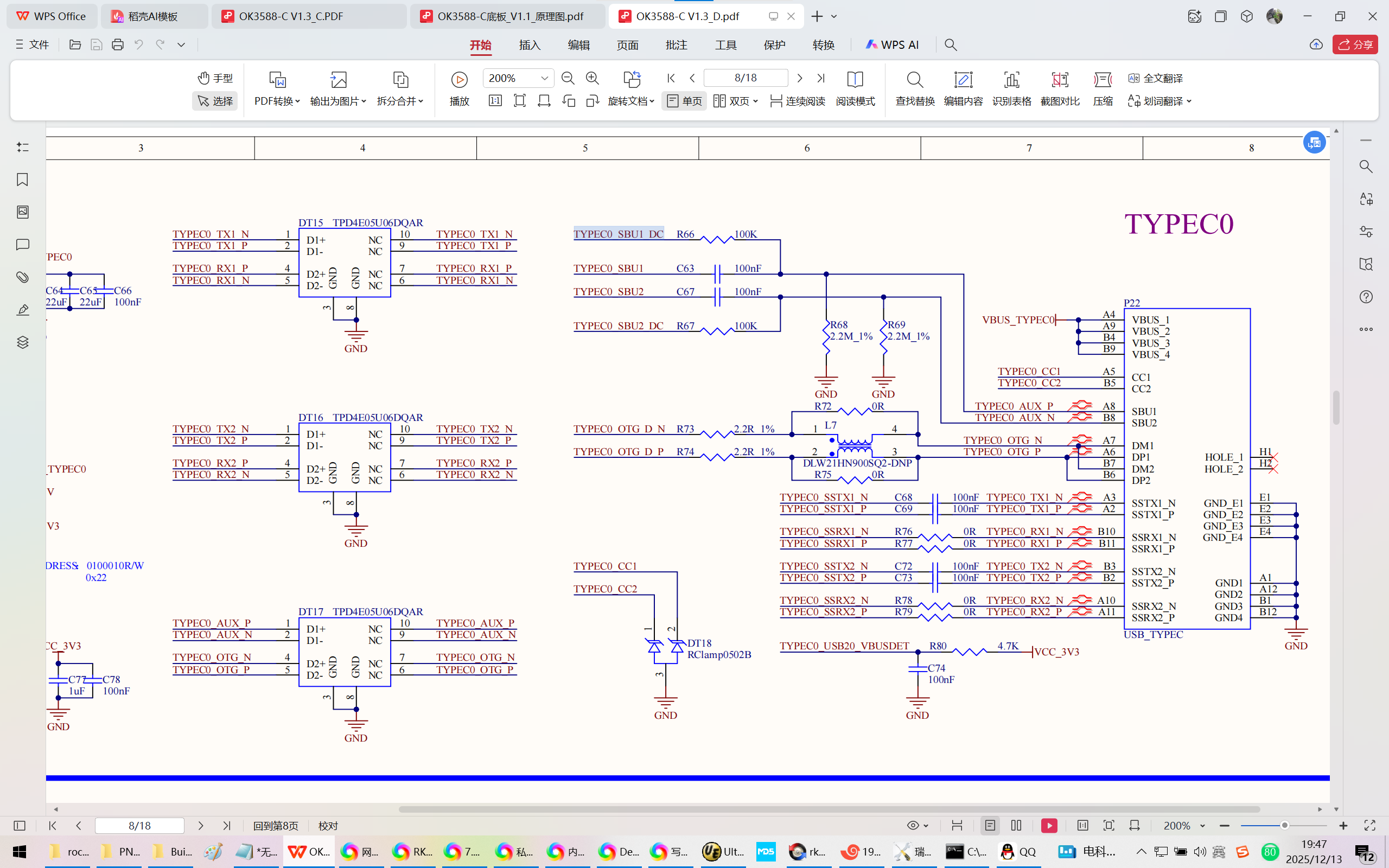
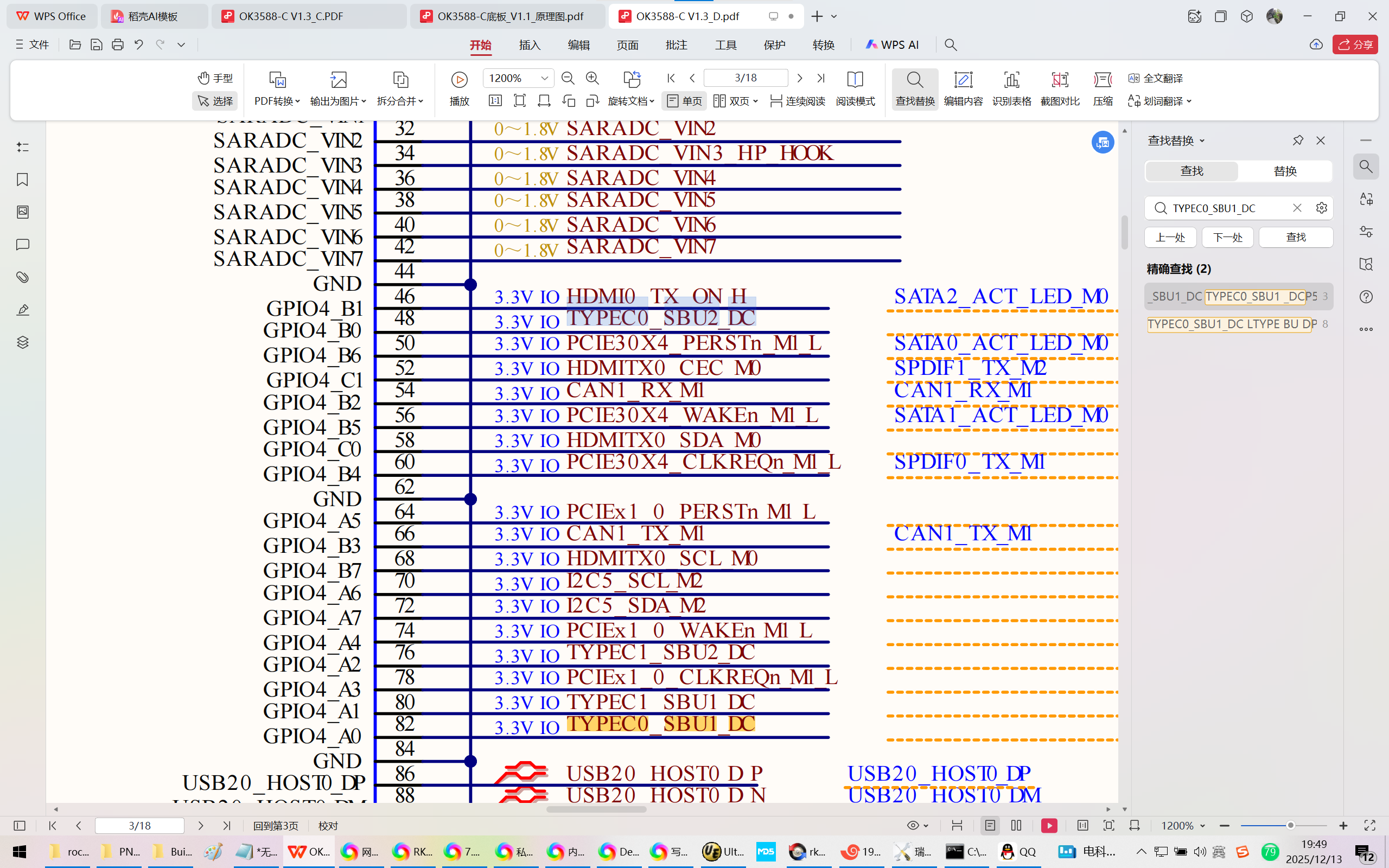
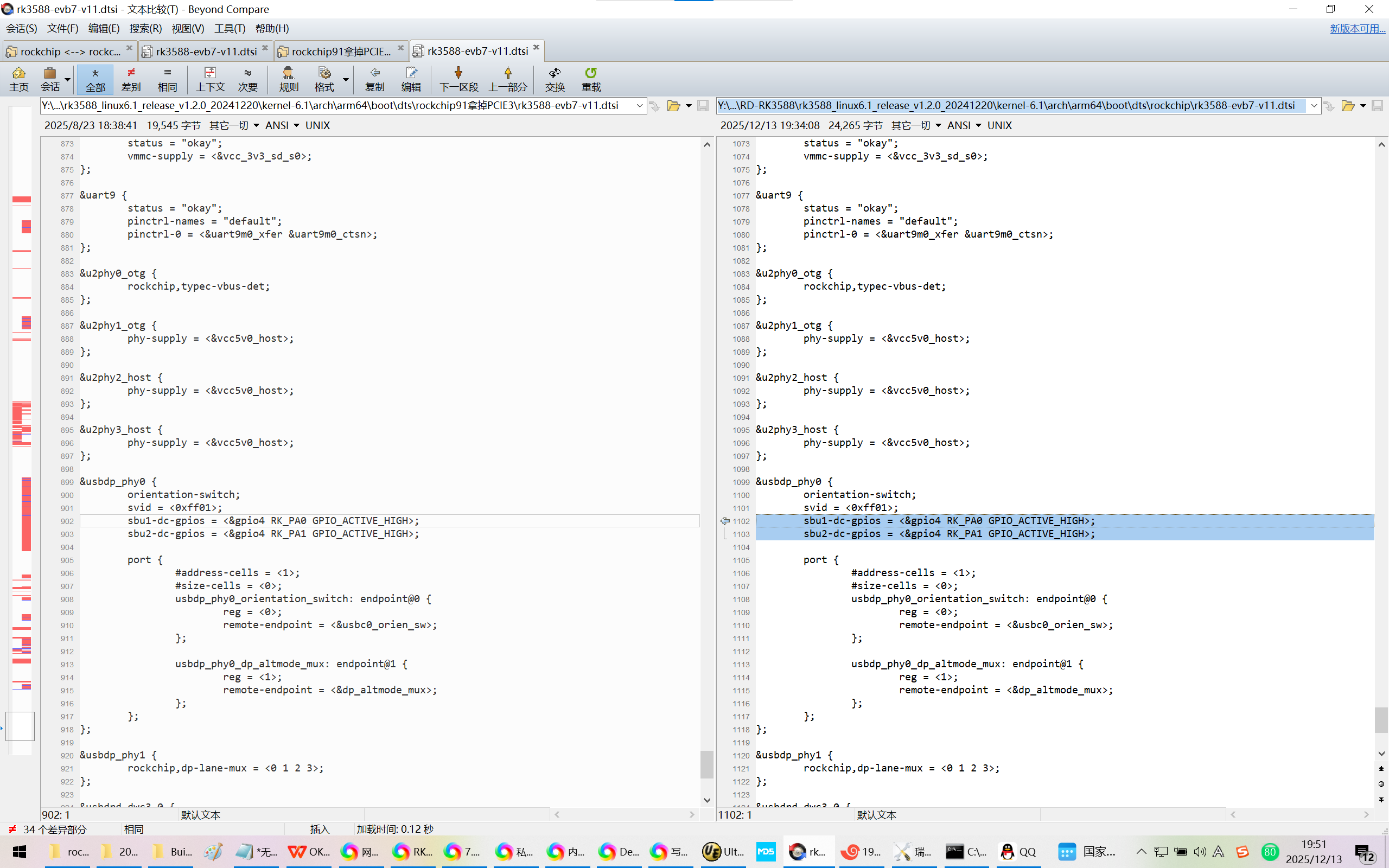
4、和原理图严重对不上呀!
Y:\new_disk_4t\wyb\RD-RK3588\rk3588_linux6.1_release_v1.2.0_20241220\kernel-6.1\arch\arm64\boot\dts\rockchip\rk3588-evb7-v11.dtsi
&usbdp_phy0 {
orientation-switch;
svid = <0xff01>;
sbu1-dc-gpios = <&gpio4 RK_PA0 GPIO_ACTIVE_HIGH>;
sbu2-dc-gpios = <&gpio4 RK_PA1 GPIO_ACTIVE_HIGH>;
port {
#address-cells = <1>;
#size-cells = <0>;
usbdp_phy0_orientation_switch: endpoint@0 {
reg = <0>;
remote-endpoint = <&usbc0_orien_sw>;
};
usbdp_phy0_dp_altmode_mux: endpoint@1 {
reg = <1>;
remote-endpoint = <&dp_altmode_mux>;
};
};
};
TYPEC0_SBU1_DC 4A0 128+0 GPIO128
TYPEC0_SBU2_DC 4B0 128+8 GPIO136