ref: 《MetaGPT智能体开发入门》教程 - 飞书云文档
一、配置本地部署的llm和embedding
llm的配置以及embedding配置:
bash
# Full Example: https://github.com/geekan/MetaGPT/blob/main/config/config2.example.yaml
# Reflected Code: https://github.com/geekan/MetaGPT/blob/main/metagpt/config2.py
# Config Docs: https://docs.deepwisdom.ai/main/en/guide/get_started/configuration.html
llm:
  api_type: 'openai'
  base_url : 'http://0.0.0.0:8000/v1'
  model: 'llama'


# RAG Embedding.
# For backward compatibility, if the embedding is not set and the llm's api_type is either openai or azure, the llm's config will be used.
embedding:
  api_type: "openai"  "ollama" # openai / azure / gemini / ollama etc. Check EmbeddingType for more options.
  base_url: "http://0.0.0.0:8011/"
  api_key: ""
  model: "bge-large-en-v1.5"
  api_version: "v1"
  embed_batch_size: 100
  dimensions: # output dimension of embedding model
对于llm 如果max_model_len不能承受更多的话,需要修改metagpt\provider\openrouter_reasoning.py
python
    def _get_max_tokens(self, messages: list[dict]):
        if not self.auto_max_tokens:
            return 1024
            return self.config.max_token
        # FIXME
        # https://community.openai.com/t/why-is-gpt-3-5-turbo-1106-max-tokens-limited-to-4096/494973/3
        return min(get_max_completion_tokens(messages, self.model, self.config.max_token), 1024) #4096)
对于rag案例:
需要修改metagpt\rag\schema.py
python
class FAISSRetrieverConfig(IndexRetrieverConfig):
    """Config for FAISS-based retrievers."""

    dimensions: int = Field(default=0, description="Dimensionality of the vectors for FAISS index construction.")

    _embedding_type_to_dimensions: ClassVar[dict[EmbeddingType, int]] = {
        EmbeddingType.GEMINI: 768,
        EmbeddingType.OLLAMA: 1024, #4096,
    }
二、用Discord 发送 github trending 跑通
做好配置
整个过程就是配置
bash
export DISCORD_TOKEN=
export DISCORD_CHANNEL_ID=
三、用Discord 发送 github trending动态 进阶版
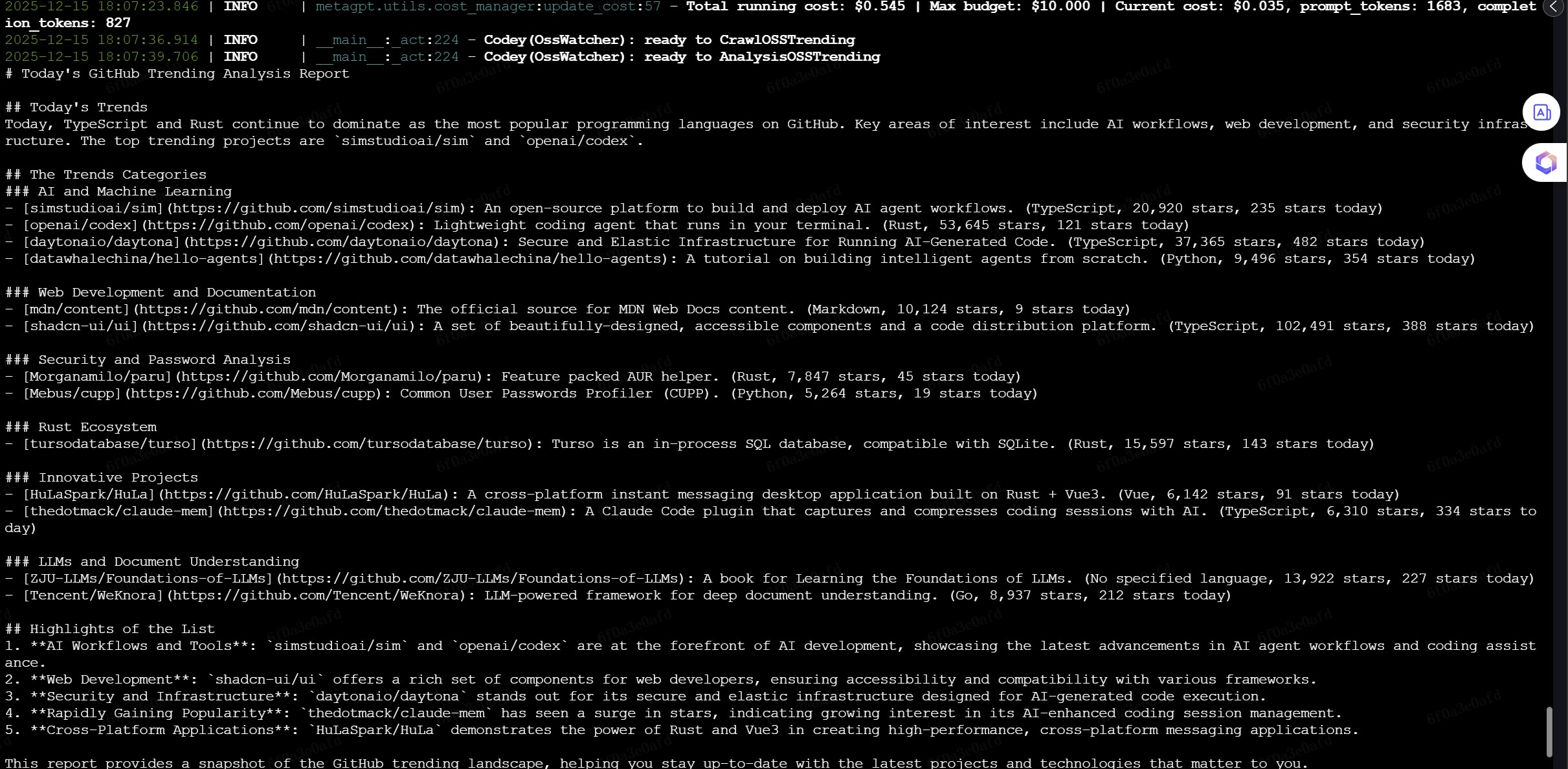
读取readme总结
对应whole_run2.py
四、用Discord发送 huggingface paper动态
对应whole_run-huggingface.py
五、用邮件发送github trending动态
对应whole_run-email.py