功能 ,用HTML来记录纯文本笔记
图片可以使用图床等等 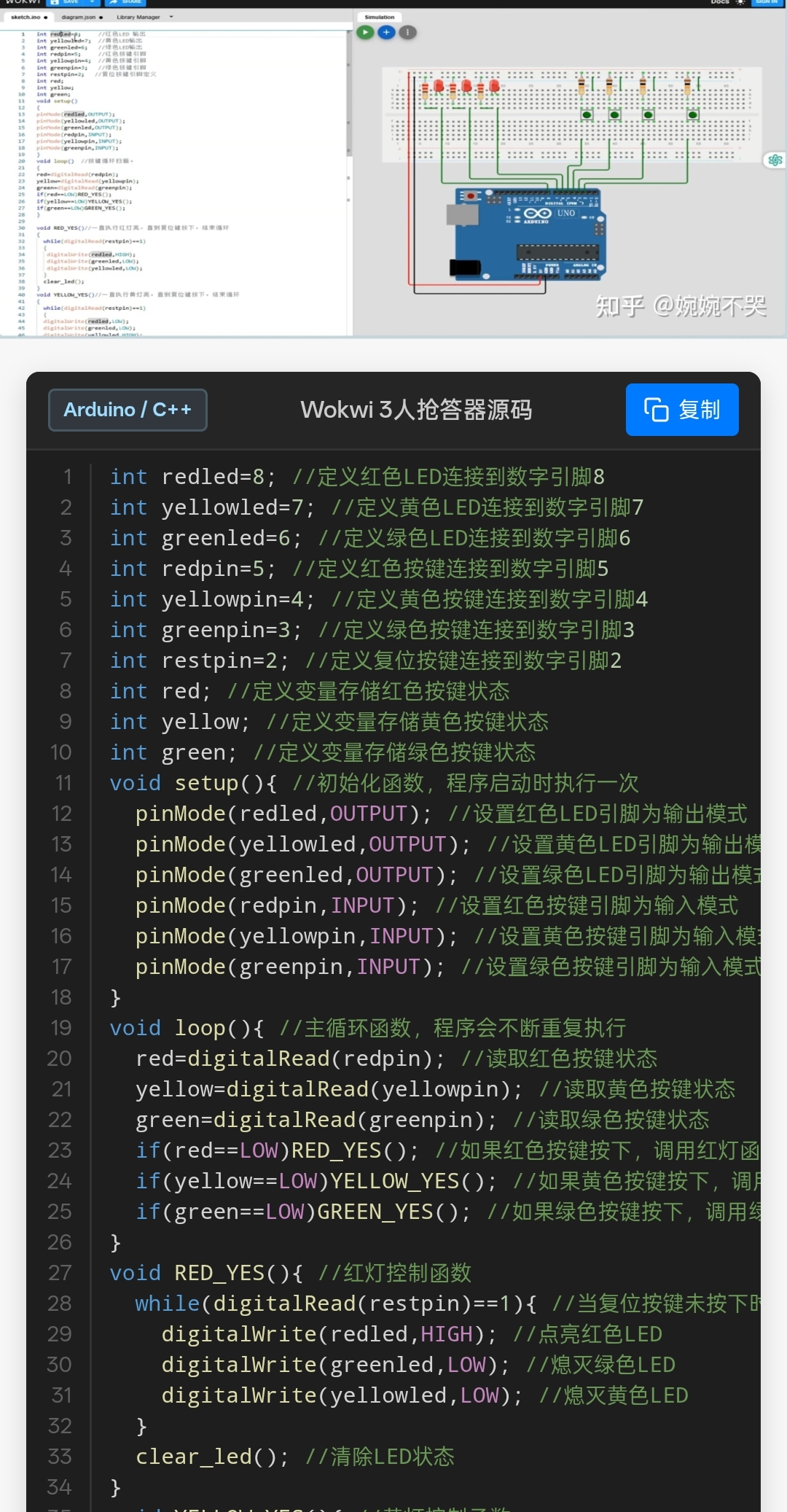
html
<!DOCTYPE html>
<html lang="zh-CN">
<head>
<meta charset="UTF-8">
<meta name="viewport" content="width=device-width, initial-scale=1.0, maximum-scale=1.0, user-scalable=no">
<title>ESP32 笑话API示例</title>
<script src="/B- 导航逻辑/1. 工具导航/C. 日记中心/A. 插件- 字体缩 放.js"></script>
<style>
/* CSS 样式区域 - 紧凑优化版本 */
* { margin: 0; padding: 0; box-sizing: border-box; }
body {
font-family: -apple-system, BlinkMacSystemFont, 'Segoe UI', Roboto, sans-serif;
background: #f7f7f7;
color: #333;
line-height: 1.4;
padding-bottom: 20px;
}
/* 图片容器 */
#banner-container {
width: 100%;
background: #000;
display: flex;
justify-content: center;
max-height: 300px;
overflow: hidden;
}
#banner-img {
width: 100%;
height: auto;
display: block;
object-fit: contain;
}
/* 内容区域 */
.content {
padding: 8px 6px;
}
.title {
font-size: 13px;
font-weight: 700;
margin-bottom: 8px;
padding-left: 3px;
border-left: 3px solid #007bff;
}
/* 工具栏 - 紧凑版 */
.code-toolbar {
display: flex;
justify-content: space-between;
align-items: center;
background: #252526;
border-radius: 3px 3px 0 0;
padding: 4px 6px;
color: #d4d4d4;
font-size: 10px;
border: 1px solid #3c3c3c;
border-bottom: none;
}
.lang-tag {
display: flex;
align-items: center;
gap: 4px;
}
.lang-icon {
width: 13px;
height: 13px;
fill: #d4d4d4;
}
.copy-btn {
background: #0e639c;
color: white;
border: none;
padding: 3px 7px;
border-radius: 2px;
cursor: pointer;
font-size: 10px;
display: flex;
align-items: center;
gap: 3px;
transition: background 0.2s;
}
.copy-btn:hover { background: #1177bb; }
.copy-btn:active { background: #0d5585; }
.copy-btn.copied { background: #28a745; }
.copy-btn svg {
width: 11px;
height: 11px;
}
/* 代码区域 - 极度紧凑版 */
.code-wrapper {
background: #1e1e1e;
border-radius: 0 0 3px 3px;
padding: 0;
overflow-x: auto;
box-shadow: 0 1px 3px rgba(0,0,0,0.1);
border: 1px solid #3c3c3c;
border-top: none;
font-size: 10px !important;
}
pre {
margin: 0;
font-family: 'Consolas', 'Monaco', 'Courier New', monospace;
color: #d4d4d4;
font-size: 10px; /* 强制更小字号 */
line-height: 12px; /* 极小的行高 */
padding: 4px 0;
}
.line {
display: flex;
min-height: 12px; /* 匹配极小行高 */
font-size: 10px;
}
.line:hover { background: #2a2d2e; }
.ln {
min-width: 22px; /* 极窄行号列 */
text-align: right;
padding-right: 6px;
margin-right: 6px;
padding-left: 2px;
color: #858585;
user-select: none;
border-right: 1px solid #3c3c3c;
font-size: 9px; /* 行号更小 */
line-height: 12px;
}
.cl {
padding-left: 2px;
white-space: pre;
word-break: break-all;
}
/* 语法高亮类 */
.k { color: #569cd6; } /* keyword */
.t { color: #4ec9b0; } /* type */
.f { color: #dcdcaa; } /* function */
.v { color: #9cdcfe; } /* variable */
.s { color: #ce9178; } /* string */
.c { color: #6a9955; } /* comment */
.n { color: #b5cea8; } /* number */
.m { color: #c586c0; } /* macro */
.d { color: #9cdcfe; } /* directive */
.p { color: #d4d4d4; } /* punctuation */
/* Toast */
.toast {
position: fixed;
bottom: 12px;
left: 50%;
transform: translateX(-50%);
background: #28a745;
color: white;
padding: 5px 10px;
border-radius: 2px;
font-size: 10px;
opacity: 0;
transition: opacity 0.3s;
pointer-events: none;
z-index: 1000;
}
.toast.show { opacity: 1; }
</style>
</head>
<body>
<div id="banner-container">
<img id="banner-img" alt="ESP32 TFT Jokes Display">
</div>
<div class="content">
<h2 id="page-title" class="title"></h2>
<div class="code-toolbar">
<div class="lang-tag">
<svg class="lang-icon" viewBox="0 0 16 16">
<path d="M14.5 2H9l-.35.15-.65.64-.65-.64L7.15 2H1.5l-.5.5v10l.5.5h5.65l.35.15.65.64.65-.64.35-.15h5.65l.5-.5v-10l-.5-.5zm-6 9H2V3h6v8zm6 0H8V3h6v8z"/>
</svg>
<span>C++ (Arduino)</span>
</div>
<button id="copy-btn" class="copy-btn">
<svg viewBox="0 0 16 16" fill="currentColor">
<path d="M4 1.5H3a2 2 0 0 0-2 2V14a2 2 0 0 0 2 2h10a2 2 0 0 0 2-2V3.5a2 2 0 0 0-2-2h-1v1h1a1 1 0 0 1 1 1V14a1 1 0 0 1-1 1H3a1 1 0 0 1-1-1V3.5a1 1 0 0 1 1-1h1v-1z"/>
<path d="M9.5 1a.5.5 0 0 1 .5.5v1a.5.5 0 0 1-.5.5h-3a.5.5 0 0 1-.5-.5v-1a.5.5 0 0 1 .5-.5h3zm-3-1A1.5 1.5 0 0 0 5 1.5v1A1.5 1.5 0 0 0 6.5 4h3A1.5 1.5 0 0 0 11 2.5v-1A1.5 1.5 0 0 0 9.5 0h-3z"/>
</svg>
复制代码
</button>
</div>
<div class="code-wrapper">
<pre id="code-block"></pre>
</div>
</div>
<div id="toast" class="toast">✓代码已复制</div>
<script>
// 数据区域
const pageData = {
title: "ESP32 HTTPClient 笑话API TFT显示示例",
imageUrl: "https://picx.zhimg.com/100/v2-9c9d423156458ab160b7bd1a1e7b4de9_r.jpeg?source=7e7ef6e2&needBackground=1&rawwidth=1078&rawheight=1292&customSceneCode=image_viewer",
rawCode: `/*
ESP32 HTTPClient Jokes API Example
项目链接: https://wokwi.com/projects/342032431249883731
版权所有 (C) 2022, Uri Shaked
功能说明:
- 连接WiFi网络
- 从Jokes API获取编程笑话
- 在ILI9341 TFT屏幕上显示笑话
- 通过按钮获取下一个笑话
*/
#include <WiFi.h> // 引入WiFi库,用于ESP32网络连接
#include <HTTPClient.h> // 引入HTTP客户端库,用于发送HTTP请求
#include <ArduinoJson.h> // 引入JSON解析库,用于解析API返回的JSON数据
#include <Adafruit_GFX.h> // 引入Adafruit图形基础库,用于图形绘制
#include <Adafruit_ILI9341.h> // 引入ILI9341 TFT驱动库,用于控制TFT屏幕
const char* ssid = "Wokwi-GUEST"; // 定义WiFi网络名称常量
const char* password = ""; // 定义WiFi密码常量(空密码用于访客网络)
#define BTN_PIN 5 // 定义按钮引脚为GPIO5,用于触发获取新笑话
#define TFT_DC 2 // 定义TFT数据/命令选择引脚为GPIO2
#define TFT_CS 15 // 定义TFT片选信号引脚为GPIO15
Adafruit_ILI9341 tft = Adafruit_ILI9341(TFT_CS, TFT_DC); // 创建TFT屏幕控制对象
const String url = "https://v2.jokeapi.dev/joke/Programming"; // 定义编程笑话API地址常量
// 1. 从Jokes API获取笑话内容的函数
String getJoke() { // 定义获取笑话的函数,返回笑话字符串
HTTPClient http; // 创建HTTP客户端对象,用于发送网络请求
http.useHTTP10(true); // 启用HTTP/1.0协议模式
http.begin(url); // 初始化HTTP请求,指定目标URL
http.GET(); // 发送GET请求到指定的API地址
String result = http.getString(); // 获取HTTP响应的完整字符串内容
DynamicJsonDocument doc(2048); // 创建JSON文档对象,分配2048字节的内存空间
DeserializationError error = deserializeJson(doc, result); // 解析JSON字符串到文档对象
if (error) { // 检查JSON解析是否成功
Serial.print("deserializeJson() failed: "); // 打印解析失败的错误前缀
Serial.println(error.c_str()); // 打印具体的错误描述信息
return "<error>"; // 返回错误标记字符串,表示获取失败
}
String type = doc["type"].as<String>(); // 从JSON中提取笑话类型字段
String joke = doc["joke"].as<String>(); // 从JSON中提取单句笑话内容
String setup = doc["setup"].as<String>(); // 从JSON中提取多句笑话的铺垫部分
String delivery = doc["delivery"].as<String>(); // 从JSON中提取多句笑话的笑点部分
http.end(); // 结束HTTP连接,释放网络资源
return type.equals("single") ? joke : setup + " " + delivery; // 根据笑话类型返回相应内容
}
// 2. 在TFT屏幕上显示笑话的函数
void nextJoke() { // 定义显示笑话的函数,无返回值
tft.setTextColor(ILI9341_WHITE); // 设置TFT文本颜色为白色
tft.println("\\nLoading joke..."); // 在屏幕上打印换行符和加载提示
String joke = getJoke(); // 调用getJoke函数获取新的笑话内容
tft.setTextColor(ILI9341_GREEN); // 设置TFT文本颜色为绿色
tft.println(joke); // 在屏幕上打印获取到的笑话内容
}
// 3. ESP32初始化配置函数
void setup() { // 定义初始化函数,系统启动时自动执行一次
pinMode(BTN_PIN, INPUT_PULLUP); // 设置按钮引脚为输入模式,并启用内部上拉电阻
WiFi.begin(ssid, password, 6); // 开始连接WiFi网络,使用指定SSID、密码和频道6
tft.begin(); // 初始化TFT屏幕硬件
tft.setRotation(1); // 设置屏幕旋转方向为1(横向显示)
tft.setTextColor(ILI9341_WHITE); // 设置TFT文本颜色为白色
tft.setTextSize(2); // 设置TFT文本大小为2倍字体
tft.print("Connecting to WiFi"); // 在屏幕上打印WiFi连接提示信息
while (WiFi.status() != WL_CONNECTED) { // 循环检测WiFi连接状态,直到连接成功
delay(100); // 延时100毫秒,避免过度占用CPU资源
tft.print("."); // 在屏幕上打印一个点,显示连接进度
}
tft.print("\\nOK! IP="); // 打印换行符和连接成功的标识
tft.println(WiFi.localIP()); // 打印ESP32获取到的本地IP地址
nextJoke(); // 调用nextJoke函数显示第一个笑话
}
// 4. 主循环函数,持续运行
void loop() { // 定义主循环函数,系统启动后无限循环执行
if (digitalRead(BTN_PIN) == LOW) { // 检测按钮引脚电平是否为低电平(按下状态)
tft.fillScreen(ILI9341_BLACK); // 用黑色填充整个TFT屏幕,清空之前的内容
tft.setCursor(0, 0); // 设置文本光标位置到屏幕左上角坐标(0,0)
nextJoke(); // 调用nextJoke函数获取并显示新笑话
}
delay(100); // 延时100毫秒,防止按键抖动和降低CPU占用率
}`
};
// 高亮解析器
function highlightCode(code) {
const lines = code.split('\n');
return lines.map((line, index) => {
let html = line
// 多行注释
.replace(/(\/\*\s\S*?\*\/)/g, '<span class="c">$1</span>')
// 单行注释
.replace(/(\/\/.*)/g, '<span class="c">$1</span>')
// 预处理指令
.replace(/(#include|#define)\b/g, '<span class="d">$1</span>')
// 关键字
.replace(/\b(const|void|String|if|else|while|return|for|switch|case|break|default|true|false)\b/g, '<span class="k">$1</span>')
// 类型/宏常量
.replace(/\b(HIGH|LOW|INPUT|OUTPUT|INPUT_PULLUP|WL_CONNECTED)\b/g, '<span class="t">$1</span>')
// 函数调用
.replace(/\b(pinMode|digitalRead|delay|Serial|begin|println|print|setup|loop)\b/g, '<span class="f">$1</span>')
// 数字
.replace(/\b(\d+)\b/g, '<span class="n">$1</span>');
return `<span class="line"><span class="ln">${index + 1}</span><span class="cl">${html}</span></span>`;
}).join('');
}
// 复制功能
function copyCode() {
if (!pageData.rawCode) return;
/* 1. 把 HTML 实体还原成真正源码 */
const tempTextArea = document.createElement('textarea');
tempTextArea.innerHTML = pageData.rawCode; // 让浏览器自动做"实体→字符"还原
const trueSource = tempTextArea.value;
/* 2. 写入剪贴板 */
navigator.clipboard.writeText(trueSource).then(() => {
const btn = document.getElementById('copy-btn');
const originalHTML = btn.innerHTML;
btn.innerHTML = '已复制';
btn.classList.add('copied');
const toast = document.getElementById('toast');
toast.classList.add('show');
setTimeout(() => {
btn.innerHTML = originalHTML;
btn.classList.remove('copied');
toast.classList.remove('show');
}, 2000);
}).catch(err => {
console.error('复制失败:', err);
});
}
/* ---------- 结束替换 ---------- */
// 页面初始化
function initPage() {
const imgEl = document.getElementById('banner-img');
if (imgEl && pageData.imageUrl) imgEl.src = pageData.imageUrl;
const titleEl = document.getElementById('page-title');
if (titleEl && pageData.title) titleEl.textContent = pageData.title;
const codeBlock = document.getElementById('code-block');
if (codeBlock && pageData.rawCode) {
codeBlock.innerHTML = highlightCode(pageData.rawCode);
}
const copyBtn = document.getElementById('copy-btn');
if (copyBtn) {
copyBtn.addEventListener('click', copyCode);
}
}
document.addEventListener('DOMContentLoaded', initPage);
</script>
</body>
</html>