环境:
net8.0
WinForm
Nuget包:FlaUI.Core、FlaUI.UIA3
FlaUI 是一个 .NET 库,用于辅助 Windows 应用程序(Win32、WinForms、WPF、应用商店应用等)的自动化 UI 测试。
1、简单示例:
打开notepad++,打印当前窗口标题
cs
 // 启动应用,程序没有启动就启动它,已经启动就 Attach 到它
            string exePath = @"C:\Program Files\Notepad++\notepad++.exe";
            FlaUI.Core.Application app = null;
            while (app == null)
            {
                try
                {
                    // 尝试 Attach 已启动进程
                    app = FlaUI.Core.Application.Attach("notepad++");
                }
                catch
                {
                    // 没有启动就 Launch
                    try
                    {
                        app = FlaUI.Core.Application.Launch(exePath);
                    }
                    catch
                    {
                        // 程序还没准备好
                        Thread.Sleep(1000);
                    }
                }
            }

            using var automation = new UIA3Automation();
            var mainWindow = app.GetMainWindow(automation);
            Console.WriteLine("窗口标题:" + mainWindow.Title);
3、复杂示例
启动TextDriverSimulator 程序,查找btnListen 按钮点击,监听rtxbLog文本框内容,点击btnSendALUCommand按钮
cs
 string textDriverSimulatorPath = @"C:\EFEM-Simulation\Debug\TextDriverSimulator.exe";
            var textDriverSimulatorApp = FlaUI.Core.Application.Launch(textDriverSimulatorPath);
            FlaUI.Core.AutomationElements.Window textDriverSimulatorWindow = null;
            using var automation = new UIA3Automation();

            textDriverSimulatorWindow = (Retry.WhileNull<FlaUI.Core.AutomationElements.Window>(() =>
            {
                return textDriverSimulatorApp.GetMainWindow(automation);
            }, timeout: TimeSpan.FromSeconds(10)
            )).Result;//等待窗口

            // var btnListen = textDriverSimulatorWindow.FindFirstDescendant(cf =>
            //cf.ByAutomationId("btnListen"))?
            //.AsButton();
            // btnListen?.Click();//获取 btnListen 控件

            var btnListen = (Retry.WhileNull<FlaUI.Core.AutomationElements.Button>(() =>
                textDriverSimulatorWindow.FindFirstDescendant(cf => cf.ByAutomationId("btnListen")).AsButton(),
                TimeSpan.FromSeconds(5)
            )).Result;//等待 btnListen 控件出现
            btnListen?.Click();

            var rtxbLog = (Retry.WhileNull<FlaUI.Core.AutomationElements.TextBox>(() =>
                textDriverSimulatorWindow.FindFirstDescendant(cf => cf.ByAutomationId("rtxbLog"))
                                    ?.AsTextBox(), TimeSpan.FromSeconds(5)
           )).Result;//等待 rtxbLog 控件出现
            bool connectedSuccess = false;
            while (!connectedSuccess)
            {
                connectedSuccess = rtxbLog.Text.Contains("AcceptTcpClient Connected");
            }//监听RichTextBox 内容,直到出现"AcceptTcpClient Connected"
            var sendBtn = (Retry.WhileNull<FlaUI.Core.AutomationElements.Button>(() =>
              textDriverSimulatorWindow.FindFirstDescendant(cf => cf.ByAutomationId("btnSendALUCommand")).AsButton(),
              TimeSpan.FromSeconds(5)
          )).Result;//等待 btnListen 控件出现
            sendBtn?.Click();
2、查看应用程序的 UI 元素树,属性和模式 FlaUInspect
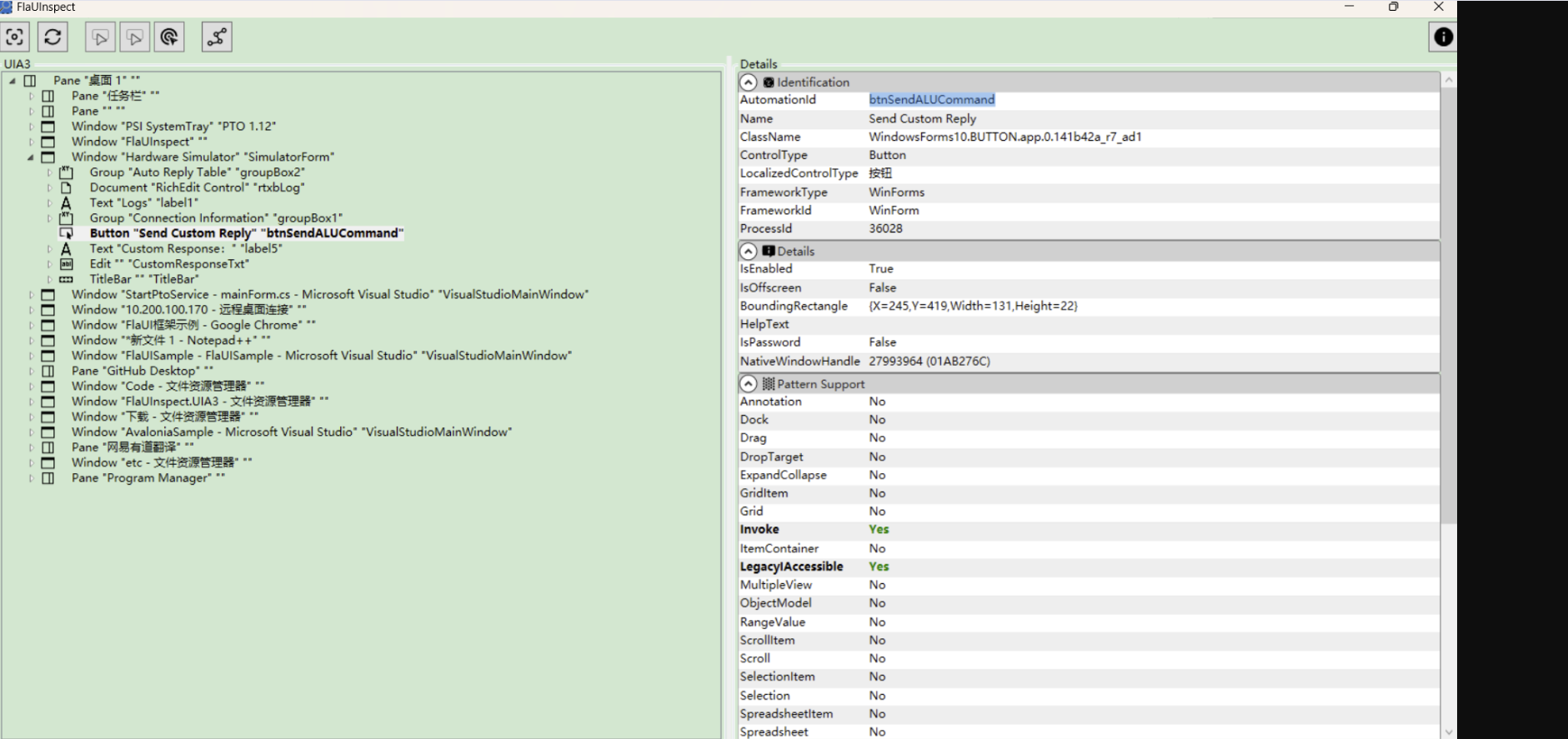
4、代码示例
https://github.com/czjnoe/FlaUISample https://github.com/czjnoe/FlaUISample