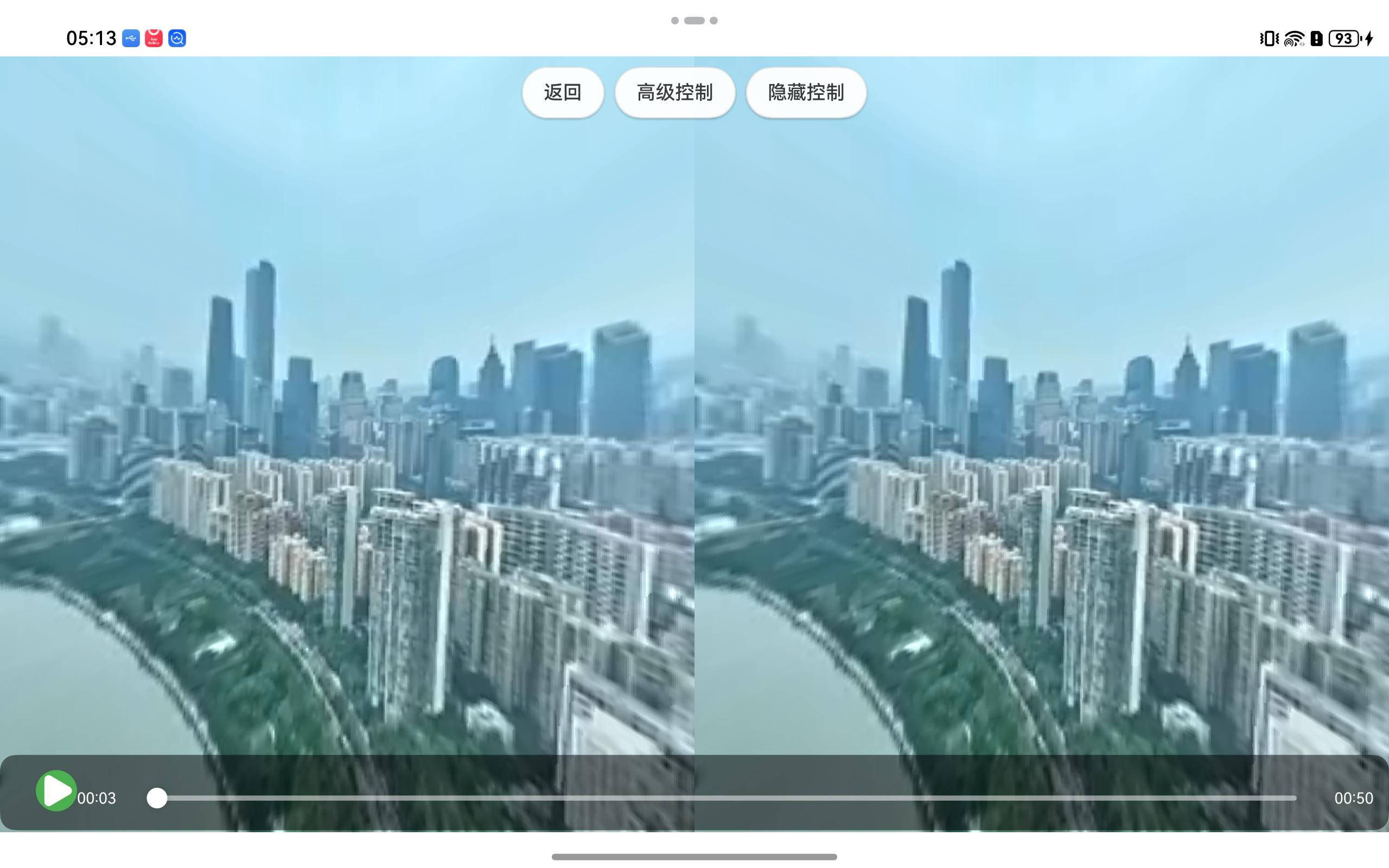
md360player库通过 OpenGL ES 实现 360° 视频的实时渲染,支持触摸与陀螺仪交互,并提供普通与 VR 两种显示模式。
仓库地址:
https://ohpm.openharmony.cn/#/cn/detail/@ohos%2Fmd360player
代码地址:
https://gitee.com/openharmony-tpc-incubate/md360player
整体架构
采用三层架构:
- 上层(ArkTS):VideoPlayerPage.ets、MDVRLibrary.ets - 业务逻辑与 UI
- 中间层(NAPI):md360player_napi.cc - TypeScript 与 C++ 的桥接
- 底层(C++):md_renderer.cc、md_vr_library.h - OpenGL 渲染核心
核心实现原理
1. 视频解码与纹理绑定
VideoPlayerPage.ets Lines 893-1004
TypeScript
async initVR(surfaceId: string) {

    let videoFilePath: string = this.videoUrl;


    // 如果没有指定 URL,尝试从 rawfile 加载

    if (!videoFilePath) {

      try {

        const context = getContext() as common.UIAbilityContext;

        const resourceManager = context.resourceManager;


        const rawFile = await resourceManager.getRawFileContent('test360video.mp4');

        const filesDir = context.filesDir;

        const targetPath = `${filesDir}/test360video.mp4`;


        const writeFile = fs.openSync(targetPath, fs.OpenMode.CREATE | fs.OpenMode.WRITE_ONLY | fs.OpenMode.TRUNC);

        fs.writeSync(writeFile.fd, rawFile.buffer);

        fs.closeSync(writeFile);


        videoFilePath = targetPath;

        console.log('VideoPlayerPage: Video file copied from rawfile to:', videoFilePath);

      } catch (error) {

        console.error('VideoPlayerPage: Failed to load video from rawfile:', error);

        // 使用默认网络 URL

        videoFilePath = 'https://vd3.bdstatic.com/mda-pdc2kmwtd2vxhiy4/cae_h264/1681502407203843413/mda-pdc2kmwtd2vxhiy4.mp4';

      }

    }


    this.videoCallback = new VideoSurfaceCallback(videoFilePath);


    // 设置播放状态回调

    const playbackCallback = new PlaybackStateCallbackImpl(this);

    this.videoCallback.setStateCallback(playbackCallback);


    // 创建并保存 Context 实例,后续切换模式时使用同一个实例

    PerformanceMonitor.measure('new Context()', () => {

      this.vrContext = new Context();

    });


    if (!this.videoCallback) {

      throw new Error('videoCallback is null');

    }


    // 拆分链式调用,对每个方法进行耗时统计

    let builder = PerformanceMonitor.measure('MDVRLibrary.with()', () => {

      return MDVRLibrary.with(this.vrContext!);

    });


    builder = PerformanceMonitor.measure('builder.displayMode()', () => {

      return builder.displayMode(MDVRLibrary.DISPLAY_MODE_NORMAL);

    });


    builder = PerformanceMonitor.measure('builder.interactiveMode()', () => {

      return builder.interactiveMode(MDVRLibrary.INTERACTIVE_MODE_TOUCH); // 默认使用触摸模式

    });


    builder = PerformanceMonitor.measure('builder.asVideo()', () => {

      return builder.asVideo(this.videoCallback!);

    });


    this.vrLibrary = PerformanceMonitor.measure('builder.build()', () => {

      return builder.build(this.xComponentController);

    });


    // 初始化触摸手势状态

    this.updateTouchGestureState(MDVRLibrary.INTERACTIVE_MODE_TOUCH);


    PerformanceMonitor.measure('vrLibrary.onSurfaceReady()', () => {

      this.vrLibrary!.onSurfaceReady(surfaceId);

    });


    // 初始化视口(延迟执行,确保 NAPI 已准备好)

    setTimeout(() => {

      this.initViewport();

    }, 500);


    // 从 C++ 侧获取 NativeImage 的 surfaceId

    const maxRetries = 30;

    let retryCount = 0;


    console.log('VideoPlayerPage: Starting to get video surfaceId, maxRetries:', maxRetries);


    const tryConnectVideo = async () => {
流程:
- 使用 AVPlayer 解码视频
- C++ 层创建 NativeImage 获取 surfaceId
- 将 surfaceId 绑定到 AVPlayer,视频帧通过 Surface 传递到 C++ 层
2. OpenGL 渲染核心
md_renderer.cc Lines 56-90
TypeScript
  gl_Position = u_MVPMatrix * a_Position;

    }

)";

const char* VR_FRAGMENT_SHADER = R"(

    #extension GL_OES_EGL_image_external : require

    precision mediump float;

    varying vec2 vTexCoord;

    uniform samplerExternalOES u_Texture;

    uniform vec4 u_DistortionParams;

    vec2 BarrelDistortion(vec2 texCoord) {

        vec2 coords = texCoord - vec2(0.5);

        float rSq = coords.x * coords.x + coords.y * coords.y;

        vec2 distorted = coords * (u_DistortionParams.x + u_DistortionParams.y * rSq);

        return distorted + vec2(0.5);

    }

    void main() {

        vec2 distortedCoord = vTexCoord;


        // 只有当u_DistortionParams.y不为0时才应用桶形畸变

        if (u_DistortionParams.y != 0.0) {

            distortedCoord = BarrelDistortion(vTexCoord);

        }


        // 边界处理

        if (distortedCoord.x < 0.0 || distortedCoord.x > 1.0 ||

            distortedCoord.y < 0.0 || distortedCoord.y > 1.0) {

            gl_FragColor = vec4(0.0, 0.0, 0.0, 1.0);

        } else {

            gl_FragColor = texture2D(u_Texture, distortedCoord);

        }

    }

)";
原理:
- 球面投影:将 360° 视频纹理映射到球体(半径约 18.0)
- 相机位于球心,通过 MVP 矩阵控制视角
- 使用 samplerExternalOES 采样视频纹理
- 支持桶形畸变校正(VR 模式)
3. 交互控制
触摸控制
MDVRLibrary.ets Lines 471-473
TypeScript
  onDrag(distanceX: number, distanceY: number): void {

    this.mInteractiveModeManager?.handleDrag(Math.floor(distanceX), Math.floor(distanceY));

  }
陀螺仪控制
MDVRLibrary.ets Lines 272-276
TypeScript
 public updateGyroData(x: number, y: number, z: number, w: number): void {

    if (this.mNapi && typeof this.mNapi.updateGyroData === 'function') {

      this.mNapi.updateGyroData(x, y, z, w);

    }

}- 触摸:计算拖拽距离,更新 MVP 矩阵的旋转
- 陀螺仪:使用旋转矢量(四元数)更新相机方向
4. 显示模式
普通模式
- 单屏渲染,全屏显示
VR 模式
md_renderer.cc Lines 636-745
TypeScript
int RenderVRStereo() {

        if (surface_width_ <= 0 || surface_height_ <= 0) {

            return MD_ERR;

        }


        if (!vr_shaders_initialized_) {


   ...

        int surfaceHeight = surface_height_;


        if (surfaceWidth <= 0 || surfaceHeight <= 0) {

            // 使用默认值

            surfaceWidth = 1920;

            surfaceHeight = 1080;

        }


        // VR模式:将屏幕水平分成两半

        // 注意:这里需要确保每个眼睛的视口精确分割屏幕

        width = surfaceWidth / 2;

        height = surfaceHeight;

        x = (eye == LEFT_EYE) ? 0 : width;

        y = 0;


        // 如果屏幕宽度是奇数,需要调整第二个眼睛的宽度

        if (eye == RIGHT_EYE && surfaceWidth % 2 != 0) {

            // 第二个眼睛的宽度需要增加1个像素,确保覆盖整个屏幕

            width = surfaceWidth - (surfaceWidth / 2);

            x = surfaceWidth / 2; // 从中间开始

        }

}- 分屏渲染:屏幕水平分为左右两半
- 立体效果:通过 IPD(瞳距)偏移左右眼投影矩阵
- 桶形畸变:适配 VR 眼镜的光学特性
5. 渲染循环
MDVRLibrary.ets Lines 278-283
TypeScript
  private startLoop(): void {

    if (this.mTimerId !== -1) clearInterval(this.mTimerId);

    this.mTimerId = setInterval(() => {

      this.mRenderer?.onDrawFrame(null!);

    }, 16);

}- 约 60fps(16ms 间隔)
- 每帧更新 MVP 矩阵并渲染
数据流向
AVPlayer
↓ (Surface)
C++ NativeImage
↓ (OpenGL Texture)
球面投影渲染
↓ (MVP矩阵变换)
XComponent Surface
↓
屏幕显示
关键技术点
- 球面投影:将 360° 视频映射到球体表面
- MVP 矩阵:控制视角旋转
- 双模式渲染:普通单屏与 VR 分屏
- 多交互方式:触摸与陀螺仪