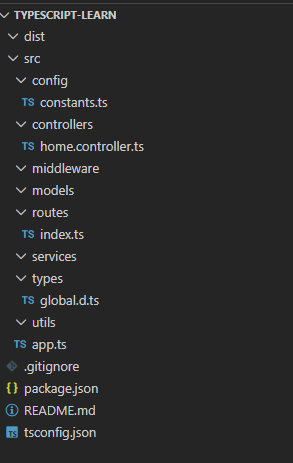
TypeScript 学习项目创建_1
创建项目
-
初始化项目
npm init -y -
项目内安装 TypeScript
npm i typescript --save-dev全局安装(可选)
npm install -g typescript卸载全局的 TypeScript(可选)
npm uninstall -g typescript全局安装验证
tes -v会输出版本 -
创建 TypeScript 配置文件
npx tsc --init
粘贴以下内容
json
{
  "compilerOptions": {
    "target": "es6",                      // 编译目标版本
    "module": "commonjs",                  // 模块系统
    "lib": ["es6"],                        // 包含的库文件
    "outDir": "./dist",                    // 输出目录
    "rootDir": "./src",                    // 源代码目录
    "strict": true,                       // 启用严格模式
    "esModuleInterop": true,              // 兼容 ES 模块
    "skipLibCheck": true,                 // 跳过库文件检查
    "noEmitOnError": true                 // 错误时不生成 JS
  },
  "include": ["src/**/*"],                // 包含的文件
  "exclude": ["node_modules"]             // 排除的文件
}
安装其他包(express)
-
安装 Express
npm install express -
安装开发依赖,需要执行使用typescript的,默认是JavaScript的。
npm install --save-dev typescript @types/node @types/express ts-node nodemon -
包配置文件 (package.json)
json
{
  "name": "learn_1",
  "version": "1.0.0",
  "main": "index.js",
  "scripts": {
    "dev": "ts-node src/app.ts",         // 开发模式
    "build": "tsc",                      // 编译 TypeScript
    "start": "node dist/app.js"          // 生产模式
  },
  "keywords": [],
  "author": "",
  "license": "ISC",
  "description": "",
  "dependencies": {
    "express": "^5.2.1"                  // 运行时依赖
  },
  "devDependencies": {
    "@types/express": "^5.0.6",          // Express 类型声明
    "@types/node": "^25.0.3",            // Node.js 类型声明
    "ts-node": "^10.9.2",                // 直接运行 TypeScript
    "typescript": "^5.9.3"               // TypeScript 编译器
  }
}
Express 简单服务器实现
typescript
// src/app.ts
import express, { Request, Response } from 'express'; //导入express模块

const app = express();
const port: number = 3000;
const host: string = "0.0.0.0";

// 根路由
app.get('/', (req: Request, res: Response) => {
    res.send('Hello World');
});

// 启动服务器
app.listen(port, host, () => {
    console.log(`Server is running at http://${host}:${port}`);
});
编译与监控命令
监控文件变化并实时编译
tsc --watch
编译选项说明:
"noEmitOnError": true
当值为 false 时:即使有类型错误也会生成 JS 文件
当值为 true 时:发现类型错误时不生成 JS 文件
代码注释规范
默认注释
使用/** 按下Enter 自动补充注释
typescript
/**
 *
 * @param age
 * @returns
 */
function SayHello(age: number): string {
    return `Hello! You are ${age} years old.`;
}
使用 VS Code 扩展 Document This
使用/** ,然后选择Document This 按下Enter 自动补充注释,带有参数类型和返回值类型
typescript
/**
 * 问好函数
 * @description
 * @param {number} age -
 * @return {*}  {string}
 */
function SayHello(age: number): string {
    return `Hello! You are ${age} years old.`;
}
第三方包安装
先直接安装然后使用,如果不报错就继续用,如果报错就添加@type 或者两个都安装
powershell
# 不确定时,先安装包
npm install some-package

# 如果 TypeScript 报错,再安装类型声明
npm install --save-dev @types/some-package

# 或者一次性安装(如果存在类型声明)
npm install some-package @types/some-package
项目运行
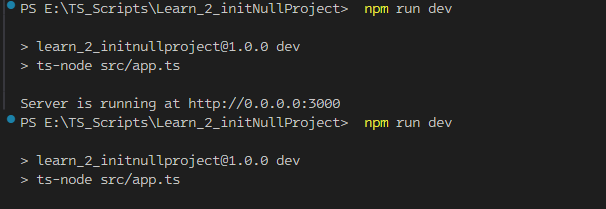
开发环境
使用 npm run dev 通过 ts-node 直接运行 TypeScript
但是运行一次就退出了。
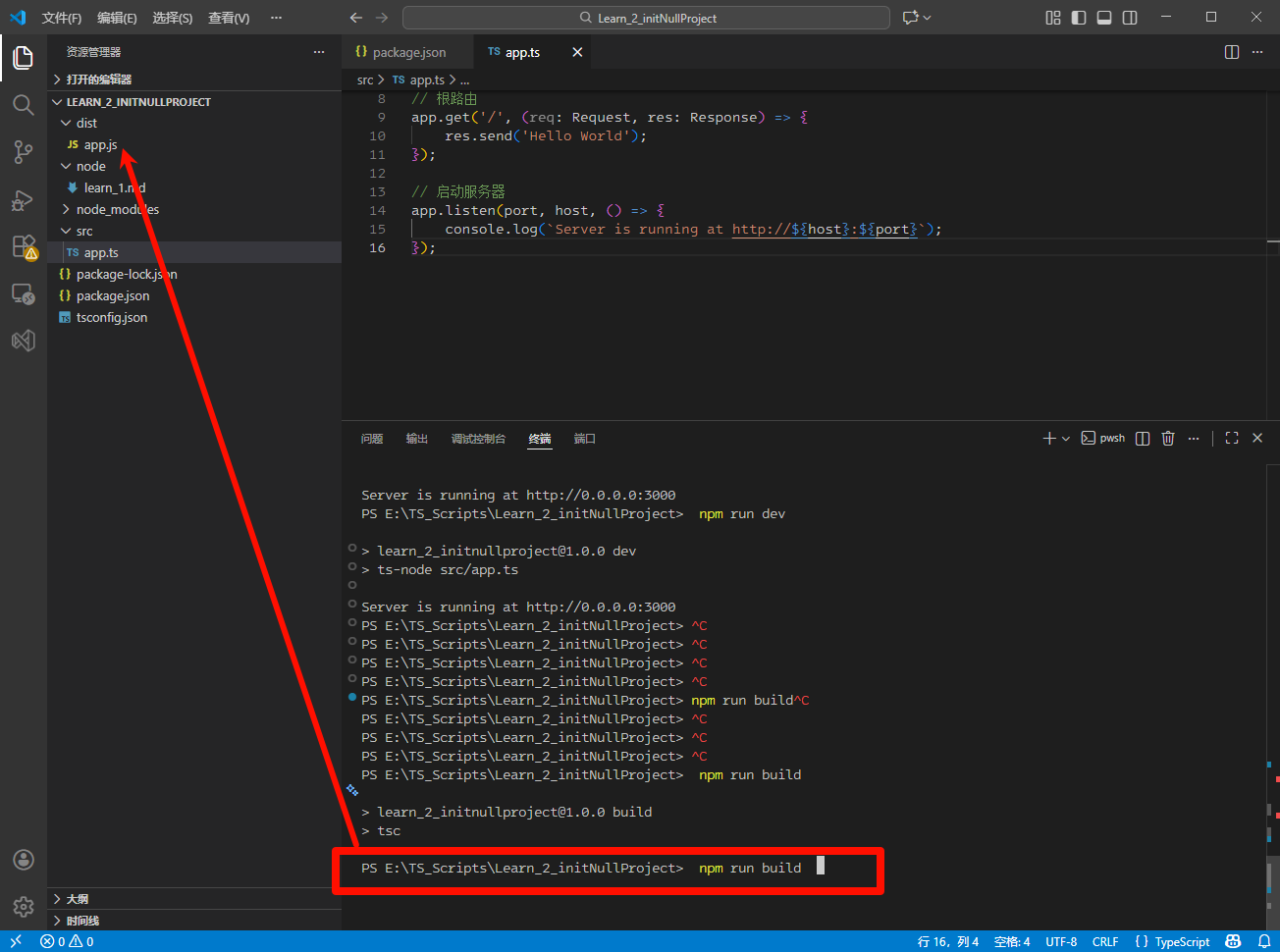
生产环境
先运行 npm run build编译,然后使用 npm start 运行
常用目录结构
text
typescript-learn/
├── src/                    # 源代码目录
│   ├── app.ts             # 应用入口文件
│   ├── routes/            # 路由定义
│   │   └── index.ts       # 主路由
│   ├── controllers/       # 控制器
│   │   └── home.controller.ts
│   ├── services/          # 业务逻辑
│   ├── models/            # 数据模型
│   ├── middleware/        # 中间件
│   ├── utils/           # 工具函数
│   ├── types/            # TypeScript 类型定义
│   │   └── global.d.ts   # 全局类型声明
│   └── config/           # 配置文件
│       └── constants.ts  # 常量文件
├── dist/                  # 编译输出目录
├── .gitignore            # Git 忽略文件
├── tsconfig.json         # TypeScript 配置
├── package.json          # 项目配置
└── README.md             # 项目说明