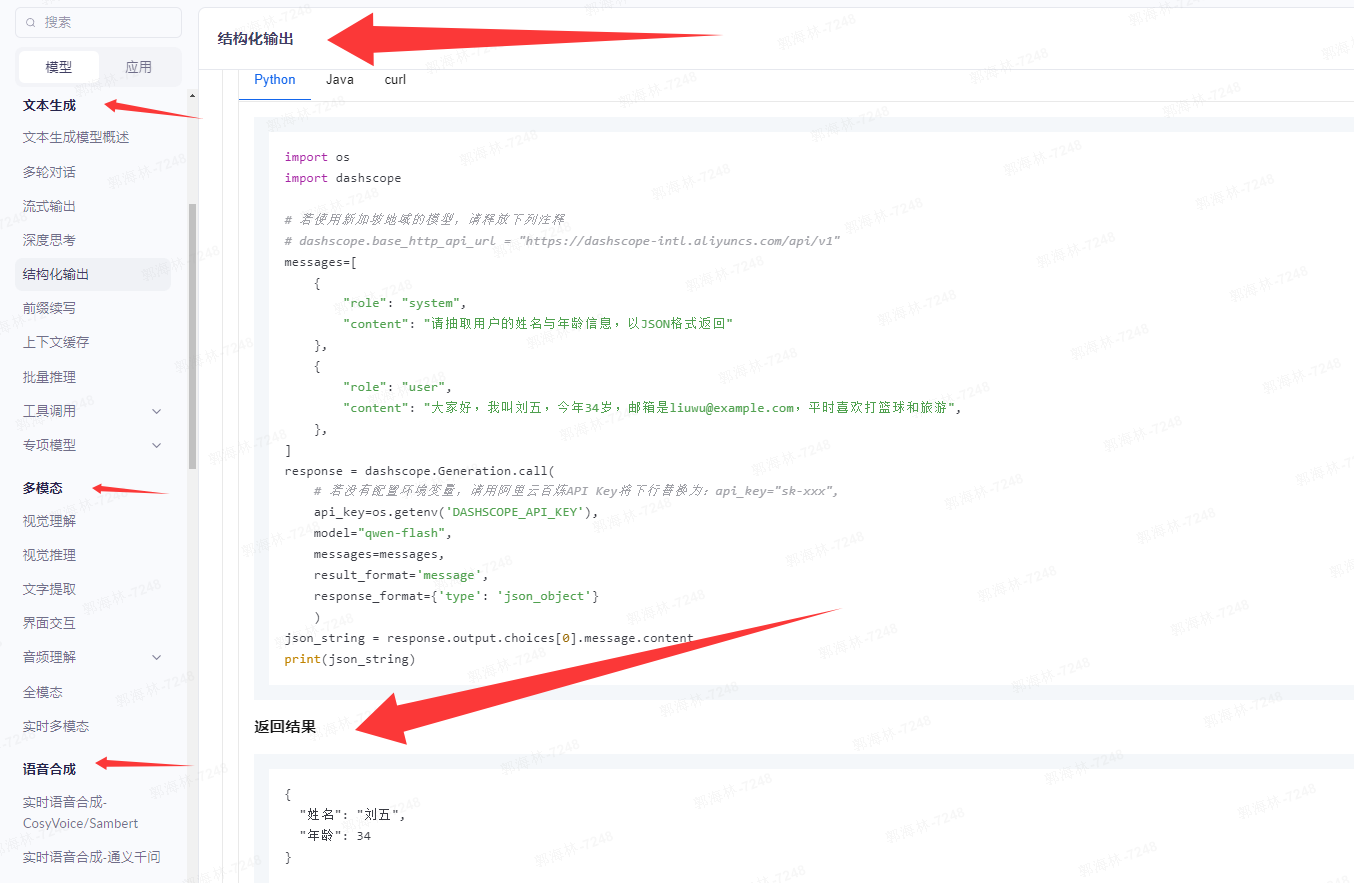
1、准备工作
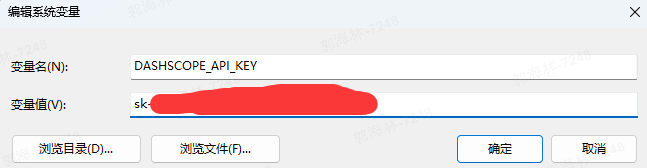
1、注册key(注意:key有免费100万token额度,超出会产生费用)
https://bailian.console.aliyun.com/?tab=model#/api-key

2、安装dashscope SDK
python
pip install dashscope3、将key放到环境变量中
2、代码
python
#!/usr/bin/env python
# coding: utf-8

import os
import dashscope

# dashscope:阿里云通义千问的python sdk
# from dashscope import Generation:从 dashscope 模块中导入 Generation 类,用于调用大模型的文本生成接口,
# dashscope sdk内部包含多个功能模块:例如:
# Generation:文本生成(Qwen 等语言模型)
# ImageSynthesis:文生图(如通义万相)
# Speech:语音识别与合成
# TextEmbedding:获取文本向量
# 通过 from dashscope import Generation,只引入了文本生成相关的功能。
from dashscope import Generation

# 配置API密钥
api_key = os.environ.get('DASHSCOPE_API_KEY')
dashscope.api_key = api_key

# 封装模型响应函数(带异常处理)
def get_response(messages):
    try:
        # 发送请求到阿里云的模型服务
        response = Generation.call(
            model='qwen-plus',        # 使用qwen-plus模型
            messages=messages,        # 传入对话历史(系统提示 + 用户输入)
            result_format='message',  # 要求返回格式为标准的聊天消息结果
            temperature=0.0  # 固定温度,保证结果稳定,设置随机性为 0,让模型输出完全确定、可重复(相同输入永远得到相同输出),适合分类任务
        )

        if response.status_code == 200:
            return response.output.choices[0].message.content
        else:
            print(f"模型调用失败:{response.code} - {response.message}")
            return None
    except Exception as e:
        print(f"调用出错:{str(e)}")
        return None

# ========== 更换后的系统提示词和用户问题 ==========
# 待分析的文本
review = '这个手机续航太差了,用1小时就没电,太失望了!'
# 系统提示词:细分情绪(开心/生气/失望/中性)
messages=[
    {"role": "system", "content": "你是一名情感分析师,帮我判断用户文本的情绪类型,回复请用一个词语:开心、生气、失望、中性"},
    {"role": "user", "content": review}
]

# 获取并打印结果
result = get_response(messages)
if result:
    print(f"文本 '{review}' 的情绪类型:{result}")  # 预期输出:失望
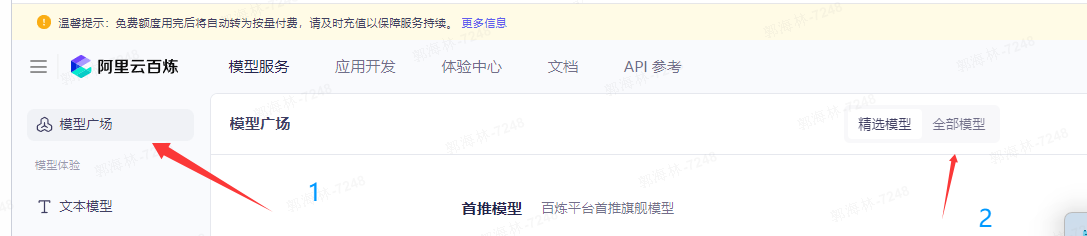
3、了解模型有哪些参数
https://bailian.console.aliyun.com/?tab=model#/model-market
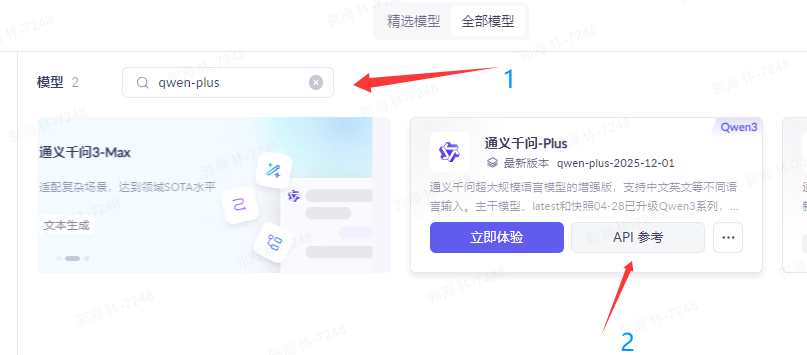
其实官网已经给出一些注意事项,和实现demo代码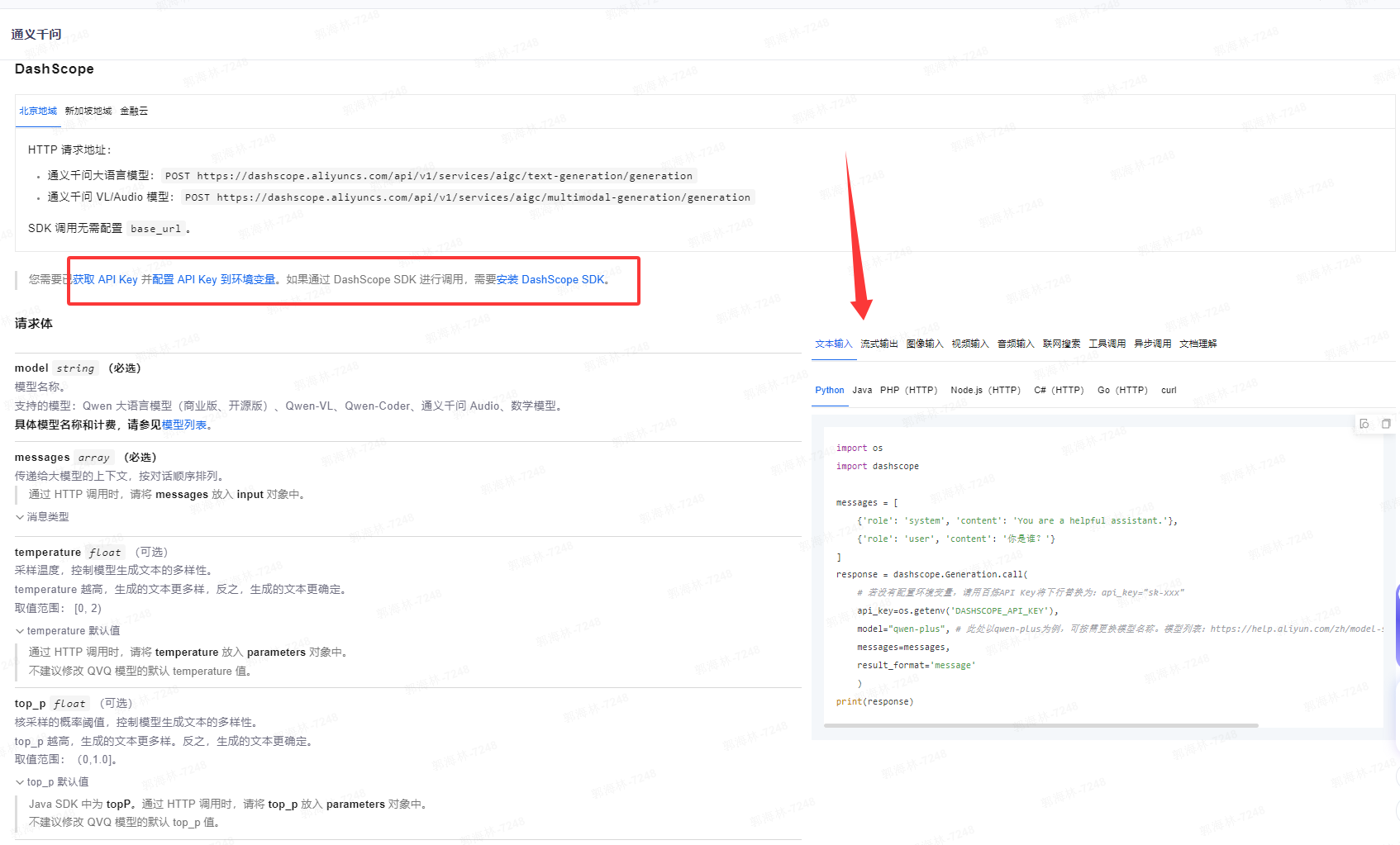
官网:调用相关模型返回结果示例