系列文章目录
文章目录
前言
我在Unreal Engine5中创建了c++工程,添加了一个类WarriorDebugHelper:
cpp
#pragma once

#include "CoreMinimal.h"   // 必须包含
#include "Engine/Engine.h" // 为了使用 GEngine
#include "Misc/OutputDevice.h"

namespace Debug
{
    static void Print(const FString& Msg, const FColor& Color = FColor::MakeRandomColor(), int32 InKey = -1)
    {
        if (GEngine)
        {
            GEngine->AddOnScreenDebugMessage(InKey, 7.f, Color, Msg);
            UE_LOG(LogTemp, Warning, TEXT("%s"), *Msg);
        }
    }
}
编译器报错:
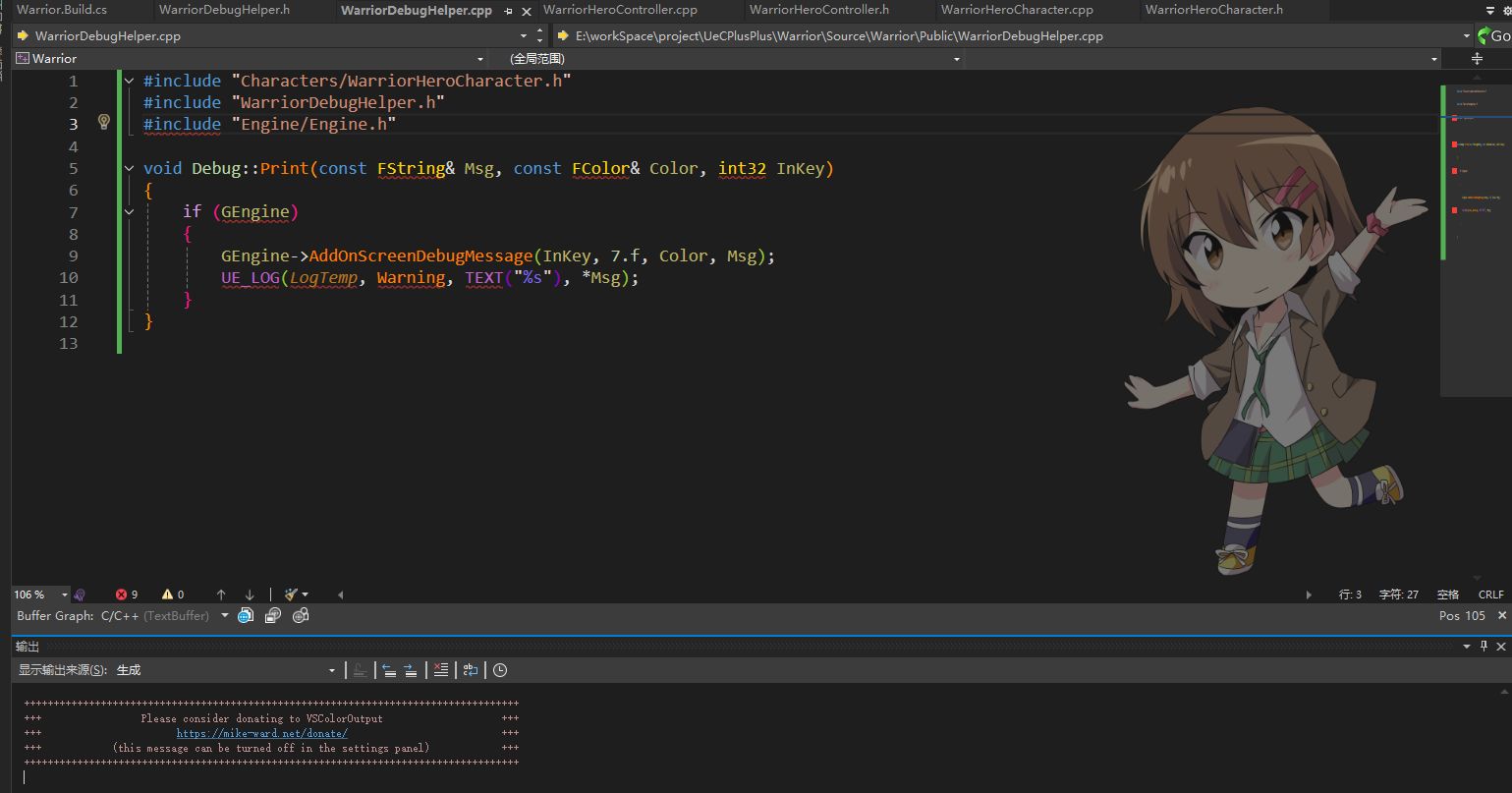
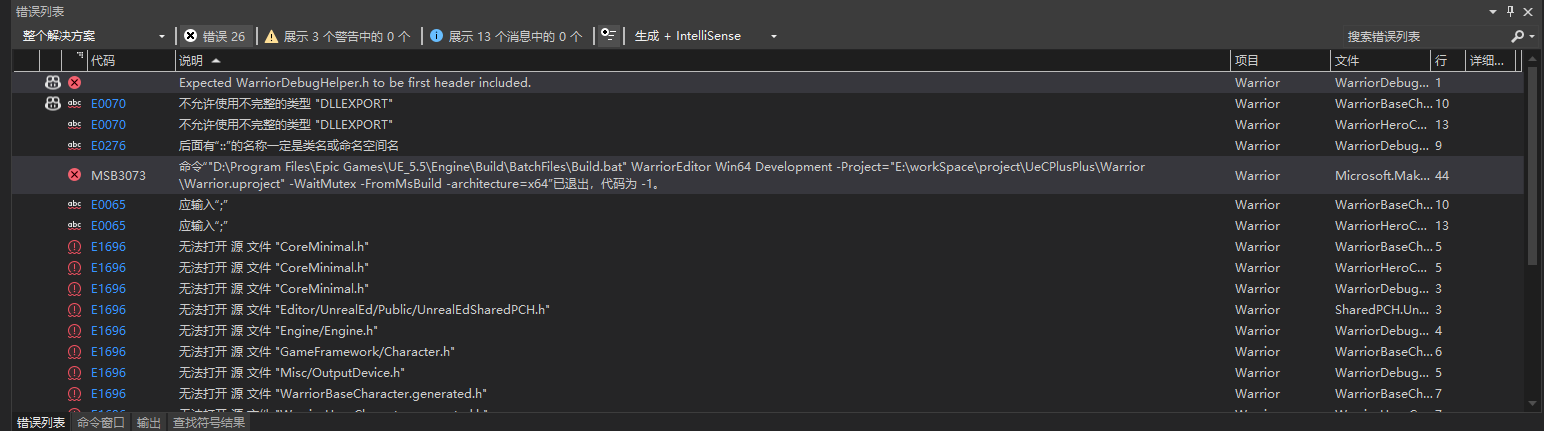
Expected WarriorDebugHelper.h to be first header included.
不允许使用不完整的类型 "DLLEXPORT"
不允许使用不完整的类型 "DLLEXPORT"
后面有"::"的名称一定是类名或命名空间名
命令""D:\Program Files\Epic Games\UE_5.5\Engine\Build\BatchFiles\Build.bat" WarriorEditor Win64 Development -Project="E:\workSpace\project\UeCPlusPlus\Warrior\Warrior.uproject" -WaitMutex -FromMsBuild -architecture=x64"已退出,代码为 -1。
应输入";"
应输入";"
无法打开 源 文件 "CoreMinimal.h"
无法打开 源 文件 "CoreMinimal.h"
无法打开 源 文件 "CoreMinimal.h"
无法打开 源 文件 "Editor/UnrealEd/Public/UnrealEdSharedPCH.h"
无法打开 源 文件 "Engine/Engine.h"
无法打开 源 文件 "GameFramework/Character.h"
无法打开 源 文件 "Misc/OutputDevice.h"
无法打开 源 文件 "WarriorBaseCharacter.generated.h"
无法打开 源 文件 "WarriorHeroCharacter.generated.h"
未定义标识符 "FColor"
未定义标识符 "FString"
未定义标识符 "int32"
缺少显式类型(假定"int")
缺少显式类型(假定"int")
一、错误原因是什么?
问题核心是:即使代码里包含了 CoreMinimal.h 和 Engine.h,编译器还是找不到这些头文件,还报 Expected WarriorDebugHelper.h to be first header included,以及一堆未定义标识符,编译退出码 - 1。首先要拆解问题根源,不是代码语法,而是 UE 项目的 PCH(预编译头)配置、VS 项目文件关联、UE/VS 环境匹配的问题。
首先,先明确核心错误原因:
"Expected WarriorDebugHelper.h to be first header included":UE 的 PCH 规则要求,在.cpp 文件中包含自定义头文件时,这个自定义头文件必须是第一个被包含的(而不是在自定义头文件内部的顺序错了),很多新手会在.cpp 里先包含 CoreMinimal.h 再包含自定义头,违反了这个规则。
"无法打开 CoreMinimal.h":VS 项目文件损坏,或者 UE 的 Include 路径未被 VS 识别,导致编译器找不到 UE 的核心头文件路径。
所有未定义标识符都是以上两个问题的连锁反应,因为头文件找不到,所以 FString、int32 这些类型都不认识。
二、解决步骤
Expected WarriorDebugHelper.h to be first header included
UE 的编译器要求:每个 .cpp 文件的第一行必须包含它对应的 .h 文件。
如果你在 WarriorDebugHelper.cpp 里先写了 #include "CoreMinimal.h",就会报这个错。
正确做法:
cpp
#include "WarriorDebugHelper.h" // 必须第一行
#include "Engine/Engine.h"
无法打开源文件 "CoreMinimal.h" / "Engine/Engine.h"
说明你的文件没有被 Unreal Build System (UBT) 管理。VS 找不到 UE 的 include 路径。
原因通常是:你手动新建了文件,没有通过 Unreal Editor 的 Add New → C++ Class 功能。
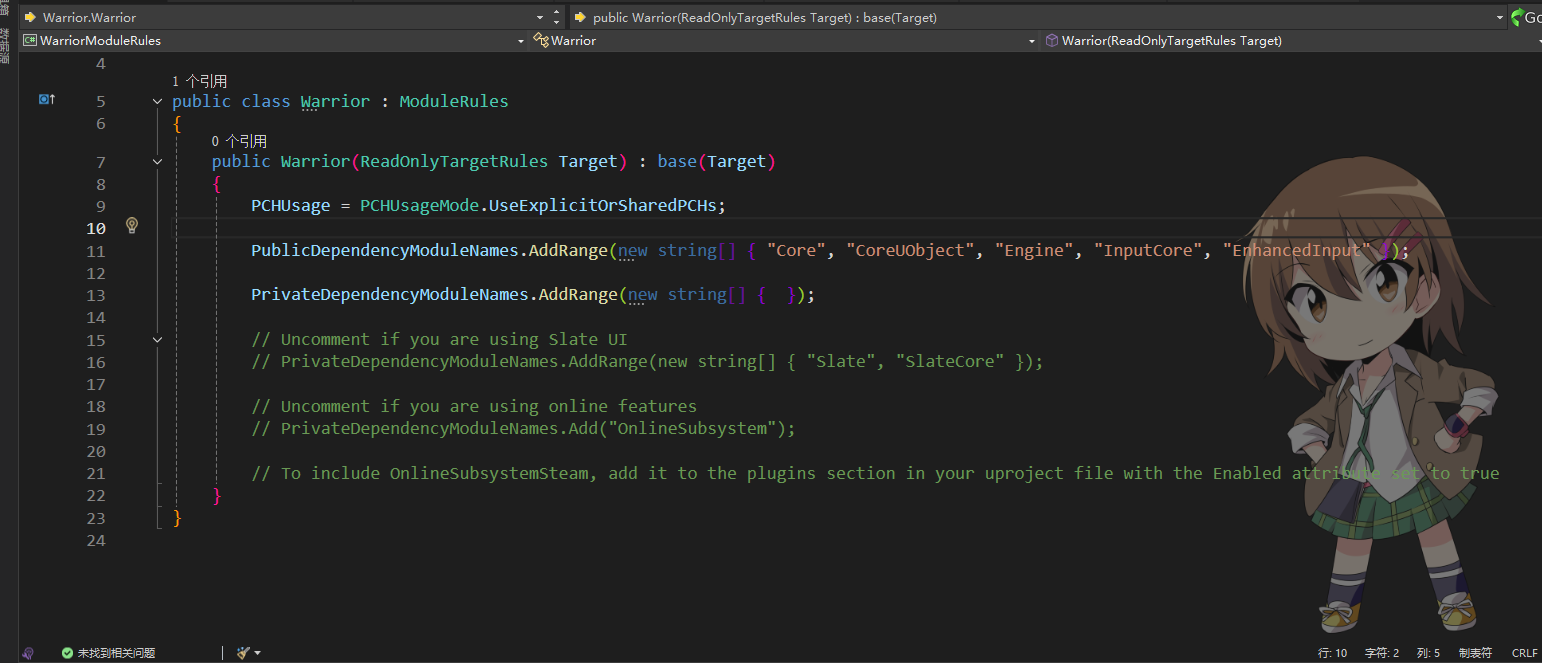
解决:必须让文件位于 Source/Warrior/ 模块目录下,并且在 .Build.cs 中声明依赖模块。
未定义标识符 FString / FColor / GEngine / UE_LOG
这些类型和宏都在 UE 的头文件里定义。因为 CoreMinimal.h 没有正确包含,所以编译器认为它们不存在。
DLLEXPORT 不完整类型
这是因为编译器没有解析 UE 的宏,根本原因还是 没有正确走 UBT 编译流程。
三、具体流程
正确做法
- 新建文件方式
不要在 VS 里直接新建 .h/.cpp。
正确方法:在 Unreal Editor → Add New → C++ Class → None → 命名为 WarriorDebugHelper。
这样会生成:
WarriorDebugHelper.h
WarriorDebugHelper.cpp
自动更新 .Build.cs
- WarriorDebugHelper.h
cpp
#pragma once

#include "CoreMinimal.h"

namespace Debug
{
    static void Print(const FString& Msg, const FColor& Color = FColor::MakeRandomColor(), int32 InKey = -1);
}- WarriorDebugHelper.cpp
cpp
#include "WarriorDebugHelper.h"   // 必须第一行
#include "Engine/Engine.h"

void Debug::Print(const FString& Msg, const FColor& Color, int32 InKey)
{
    if (GEngine)
    {
        GEngine->AddOnScreenDebugMessage(InKey, 7.f, Color, Msg);
        UE_LOG(LogTemp, Warning, TEXT("%s"), *Msg);
    }
}- Warrior.Build.cs
确认里面有:
cpp
PublicDependencyModuleNames.AddRange(new string[] { "Core", "CoreUObject", "Engine", "InputCore" });