在这里插入图片描述
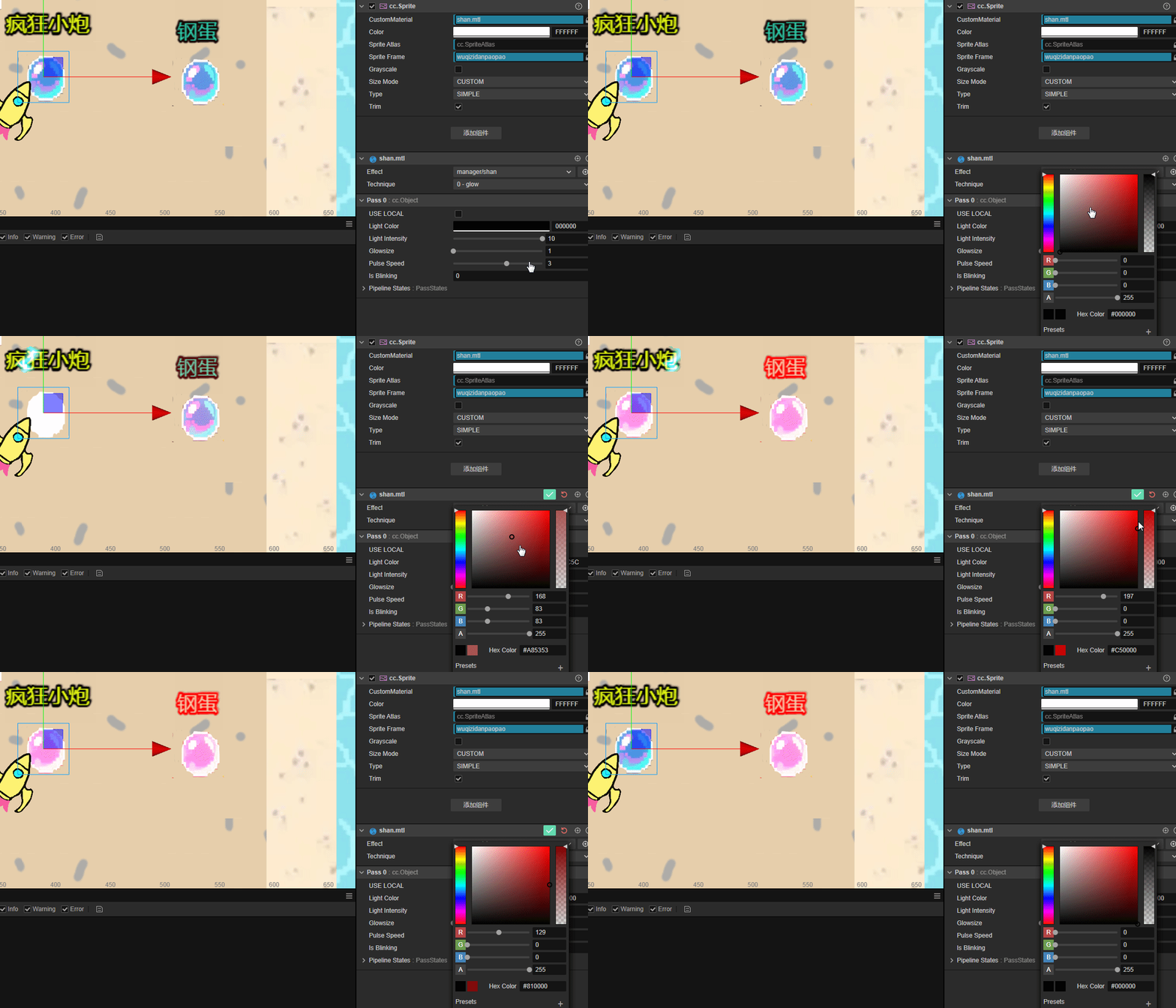
更直观的视频演示在我的B站更直观的视频演示在我的B站
go
// Effect Syntax Guide: https://docs.cocos.com/creator/manual/zh/shader/index.html

CCEffect %{
  techniques:
  - name: glow
    passes:
    - vert: vs:vert

      frag: fs:frag
      blendState:
        targets:
        - blend: true

          blendSrc: src_alpha

          blendDst: one_minus_src_alpha
      depthStencilState:
          depthTest: false
          depthWrite: false
      rasterizerState:
        cullMode: none
      properties:
        lightColor: { value: [1.0, 0.0, 0.0, 1.0], editor: { type: color } }
        lightIntensity: { value: 3.0, editor: { slide: true, range: [1, 10] } }
        glowsize: { value: 3.0, editor: { slide: true, range: [1, 10] } }
        pulseSpeed: { value: 2.0, editor: { slide: true, range: [0, 5] } }
        isBlinking: { value: 0, editor: { type: boolean } }
}%

CCProgram vs %{
  precision highp float;
#include <cc-global>
#if USE_LOCAL


  #include <builtin/uniforms/cc-local>
#endif
in vec3 a_position;

in vec2 a_texCoord;
out vec2 uv;

#if USE_LOCAL
  in vec4 a_color;

  out vec4 v_color;
#endif


vec4 vert() {

  vec4 pos = vec4(a_position, 1);

  #if USE_LOCAL
    pos = cc_matWorld * pos;

    v_color = a_color;
  #endif

  pos = cc_matViewProj * pos;
  uv = a_texCoord;

  return  pos;
}

}%

CCProgram fs %{
  precision highp float;
  #include <sprite-texture>

  in vec2 uv;

  uniform sampler2D mainTexture;
  uniform UBO {

    vec4 lightColor;
    float lightIntensity;
    float pulseSpeed;
    float time;
    float isBlinking;
    float glowsize;
  };


  vec4 frag () {
    // 获取原始纹理颜色

    // 获取原始纹理颜色
    vec4 texColor = texture(cc_spriteTexture, uv);

    // 脉冲和闪烁效果
    float pulse = 0.5 + 0.5 * sin(time * pulseSpeed);
    float blink = isBlinking > 0.5 ? (0.5 + 0.5 * sin(time * 8.0)) : 1.0;
    float intensity = lightIntensity * pulse * blink;

    // 基于alpha发光:透明部分不发光,不透明部分发光
    float glowAmount = texColor.a; // 直接使用alpha值作为发光强度

    // 创建光晕效果(简单边缘检测)
    float edgeGlow = 0.0;

    // 采样周围4个点
    float sampleAlpha1 = texture(cc_spriteTexture, uv + vec2(0.01, 0.01)).a;
    float sampleAlpha2 = texture(cc_spriteTexture, uv + vec2(-0.01, 0.01)).a;
    float sampleAlpha3 = texture(cc_spriteTexture, uv + vec2(-0.01, -0.01)).a;
    float sampleAlpha4 = texture(cc_spriteTexture, uv + vec2(0.01, -0.01)).a;

    // 如果周围有透明像素,当前像素在边缘
    float edgeDetect = 0.0;

    edgeDetect += step(0.5, abs(texColor.a - sampleAlpha1));
    edgeDetect += step(0.5, abs(texColor.a - sampleAlpha2));

    edgeDetect += step(0.5, abs(texColor.a - sampleAlpha3));
    edgeDetect += step(0.5, abs(texColor.a - sampleAlpha4));

    edgeGlow = edgeDetect * 0.25; // 边缘发光

    // 组合发光效果

    vec3 glow = lightColor.rgb * (glowAmount + edgeGlow * glowsize) * intensity;


    // 叠加到原始颜色
    vec3 finalColor = texColor.rgb + glow;

    return vec4(finalColor, texColor.a);
  }

}%