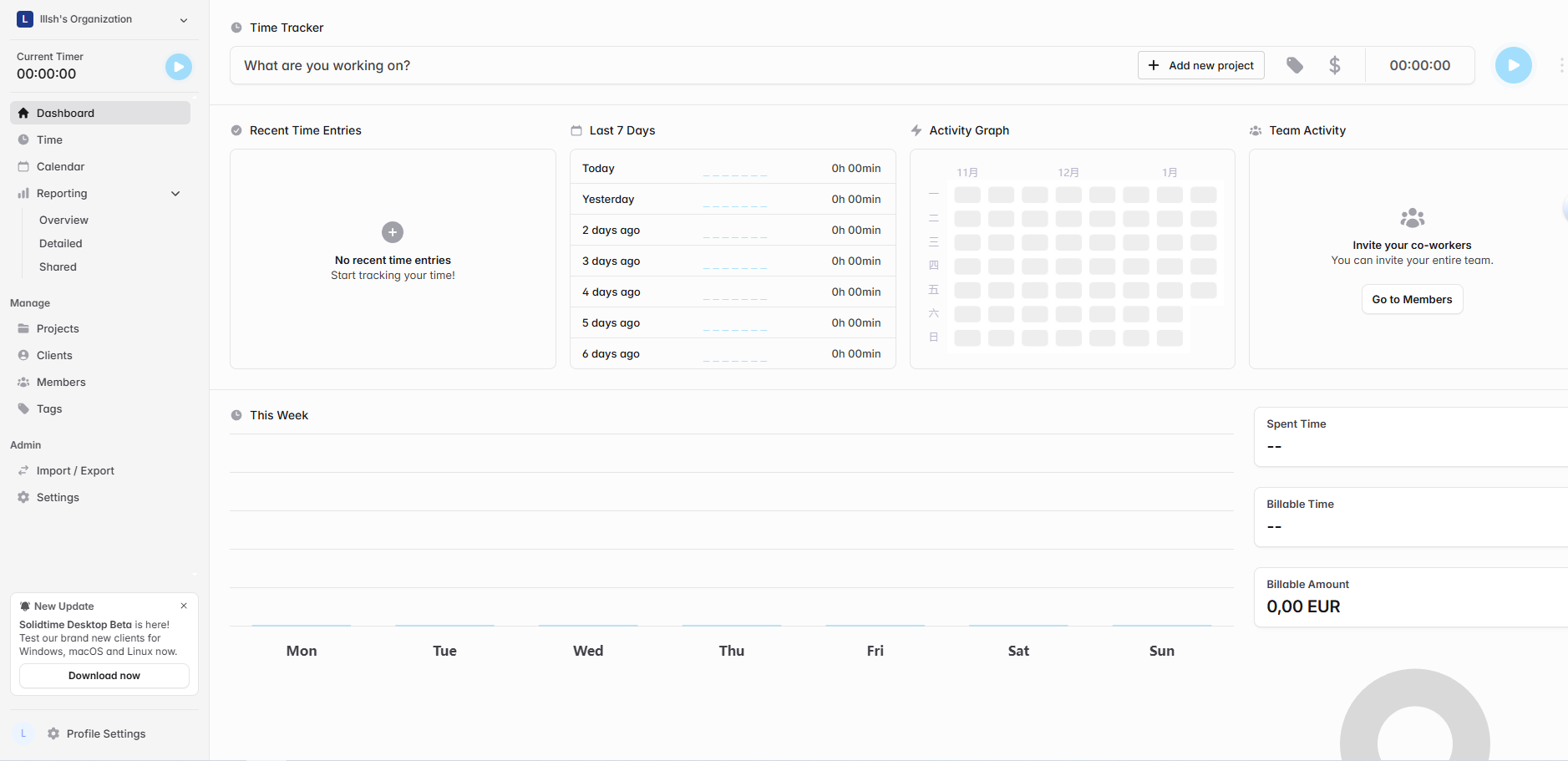
SolidTime 在 Rocky Linux 9.5 上的完整部署流程
一、整体架构
浏览器
  ↓
Nginx(80 / 443)
  ↓
PHP-FPM(Unix Socket)
  ↓
Laravel(SolidTime)
  ↓
PostgreSQL 16
二、系统初始化(⚠️ 必须最先做)
bash
dnf update -y
dnf install -y epel-release git unzip vim curl wget
关闭 SELinux(否则 PHP / Nginx 各种 403)
bash
setenforce 0
sed -i 's/^SELINUX=.*/SELINUX=disabled/' /etc/selinux/config
防火墙基础端口
bash
systemctl enable firewalld --now
firewall-cmd --add-service=http --permanent
firewall-cmd --add-service=https --permanent
firewall-cmd --reload
三、安装 PostgreSQL 16
1️⃣ 添加官方 Yum 源
bash
dnf install -y https://download.postgresql.org/pub/repos/yum/reporpms/EL-8-x86_64/pgdg-redhat-repo-latest.noarch.rpm如果出现 IUS 404 错误
Errors during downloading metadata for repository 'ius'解决:
bash
rm -f /etc/yum.repos.d/ius*.repo2️⃣ 禁用系统自带 PostgreSQL
bash
dnf -qy module disable postgresql3️⃣ 安装 PostgreSQL 16
bash
dnf install -y postgresql16-server postgresql164️⃣ 初始化数据库
bash
/usr/pgsql-16/bin/postgresql-16-setup initdb5️⃣ 启动并设置开机自启
bash
systemctl enable postgresql-16
systemctl start postgresql-16
systemctl status postgresql-16
6️⃣ 创建数据库与用户
bash
su - postgres
psql
sql
CREATE USER solidtime WITH PASSWORD '你的强密码';
CREATE DATABASE solidtime OWNER solidtime ENCODING 'UTF8';
GRANT ALL PRIVILEGES ON DATABASE solidtime TO solidtime;
bash
\q
exit
7️⃣ postgresql.conf
bash
vi /var/lib/pgsql/16/data/postgresql.conf修改:
listen_addresses = '*'
port = 5432
8️⃣ pg_hba.conf
bash
vi /var/lib/pgsql/16/data/pg_hba.conf测试环境:
host all all 0.0.0.0/0 md5推荐(指定 IP):
host all all 1.2.3.4/32 md59️⃣ 重启并验证
bash
systemctl restart postgresql-16
ss -lntp | grep 5432
1️⃣0️⃣ 放行端口
bash
firewall-cmd --add-port=5432/tcp --permanent
firewall-cmd --reload
firewall-cmd --list-ports
四、安装 PHP 8.3(Rocky Linux 9 正确方式)
1️⃣ 安装 Remi 仓库
bash
dnf install -y https://rpms.remirepo.net/enterprise/remi-release-9.rpm
bash
dnf repolist | grep remi2️⃣ 启用 PHP 8.2
bash
dnf module reset php -y
dnf module enable php:remi-8.3 -y
3️⃣ 安装 PHP 与扩展
bash
dnf install -y \
php php-fpm php-cli php-common php-opcache \
php-pgsql php-mbstring php-xml php-bcmath \
php-curl php-zip php-gd php-intl
bash
php -v4️⃣ 启动 PHP-FPM
bash
systemctl enable php-fpm --now
systemctl status php-fpm
五、编译安装 Nginx(源码)
1️⃣ 安装依赖
https://nginx.org/en/download.html
bash
dnf install -y \
pcre pcre-devel \
zlib zlib-devel \
openssl openssl-devel \
gcc gcc-c++ make
2️⃣ 下载并解压
bash
cd /usr/local
tar -xzvf nginx-1.26.3.tar.gz
cd nginx-1.26.3
3️⃣ configure(⚠️ 不要禁用 rewrite)
bash
./configure \
--prefix=/usr/local/nginx \
--with-http_ssl_module \
--with-http_v2_module \
--with-http_gzip_static_module \
--with-http_stub_status_module \
--with-http_realip_module
4️⃣ 编译安装
bash
make -j$(nproc)
make install
六、安装 Composer
bash
curl -sS https://getcomposer.org/installer | php
mv composer.phar /usr/local/bin/composer
composer -V
七、部署 SolidTime 后端
1️⃣ 上传代码(不含 node_modules)
bash
cd /home/solidtime
composer install --no-dev --optimize-autoloader
2️⃣ 配置 .env
bash
cp .env.example .env
vim .env
关键配置(你的原始内容):
env
APP_ENV=production
APP_DEBUG=false
APP_URL=http://本机IP

DB_CONNECTION=pgsql
DB_HOST=数据库地址
DB_PORT=5432
DB_DATABASE=solidtime
DB_USERNAME=solidtime
DB_PASSWORD=你的数据库密码

APP_ENABLE_REGISTRATION=true
SUPER_ADMINS=你的管理员邮箱
3️⃣ 初始化 Laravel
bash
php artisan key:generate
php artisan storage:link
php artisan migrate --force
八、前端资源检查
bash
ls public/build存在 manifest.json 即可
否则(不推荐):
bash
php artisan vite:build九、Nginx 站点配置
nginx
server {
    listen 80;
    server_name localhost;

    root /home/solidtime/public;
    index index.php index.html;

    location / {
        try_files $uri $uri/ /index.php?$query_string;
    }

    location ~ \.php$ {
        fastcgi_pass unix:/run/php-fpm/www.sock;
        include fastcgi_params;
        fastcgi_param SCRIPT_FILENAME $document_root$fastcgi_script_name;
    }

    location ~ /\. {
        deny all;
    }
}
bash
nginx -t
nginx -s reload
十、PHP-FPM Socket 与权限(关键)
ini
user = nginx
group = nginx

listen = /run/php-fpm/www.sock
listen.owner = nginx
listen.group = nginx
listen.mode = 0660
bash
rm -f /run/php-fpm/www.sock
systemctl restart php-fpm
ls -l /run/php-fpm/www.sock
应看到:
srw-rw---- 1 nginx nginx www.sock十一、Laravel 目录权限
bash
chown -R nginx:nginx /home/solidtime/storage
chown -R nginx:nginx /home/solidtime/bootstrap/cache

chmod -R 775 /home/solidtime/storage
chmod -R 775 /home/solidtime/bootstrap/cache

chmod 755 /home
chmod 755 /home/solidtime
十二、跳过邮箱验证
数据库的users表的email_verified_at设置为当前时间
十三、API 500 报错(OAuth Key 权限问题)
bash
cd /home/solidtime/storage
chmod 600 oauth-private.key oauth-public.key
chown nginx:nginx oauth-private.key oauth-public.key
systemctl restart php-fpm
⚠️ 不要用 644
⚠️ 必须 600 或 660
✅ 部署完成
- 页面正常访问
- API 不再 500
- 用户可注册
- OAuth / Passport 正常