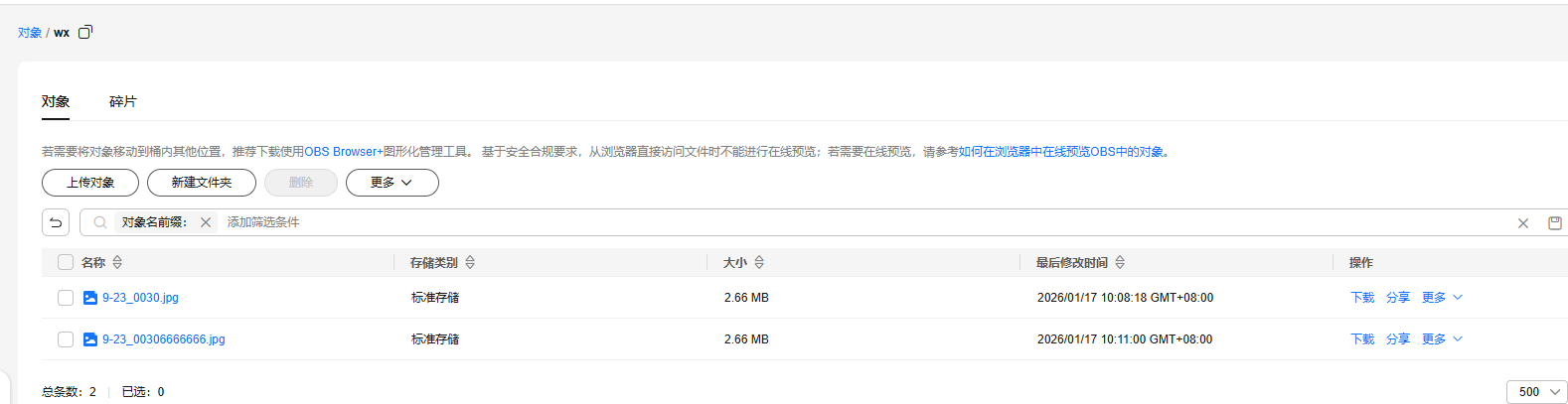
默认前端直传到obs是用的put请求方式,在请求体中直接上传binary 二进制数据,但是在uniapp打包安卓和微信小程序时,uni.uploadFile 是post方式并且不支持直接发送binary数据,所以只能对接post使用 multipart/form-data 方式上传
1.后端获取上传时需要的参数
package com.mmwzcloud.jszj.module.infra.controller.app.file;

import io.swagger.v3.oas.annotations.tags.Tag;
import lombok.extern.slf4j.Slf4j;
import org.springframework.validation.annotation.Validated;
import org.springframework.web.bind.annotation.GetMapping;
import org.springframework.web.bind.annotation.RequestMapping;
import org.springframework.web.bind.annotation.RestController;

import java.nio.charset.StandardCharsets;
import java.time.Instant;
import java.time.temporal.ChronoUnit;
import java.util.Base64;
import java.util.HashMap;
import java.util.Map;

@Tag(name = "用户 App - 文件存储")
@RestController
@RequestMapping("/infra/file-obs")
@Validated
@Slf4j
public class ObsController {


    @GetMapping("/post-sign")
    public Map<String,String> postSign(){
        // 允许上传 wx/ 目录,最大 10 MB,30 min 过期
       return sign("HPUA这是我的akPZGOAP", "4BQ2xS72这是我的skVBez74ZLsqhG", "cn-east-3", "jszj-dev",
                "wx/", 10*1024*1024, 30);


        /*return sign("AKIAWSGCTSBWTTAR6UUT", "QnzpVwamshRk2W1ZC1kVnXYcOHQG2W0Q8u0O", "cn-north-4", "obs-test-zh",
                "wx/", 10*1024*1024, 30);*/
    }


    /** 返回前端需要的 5 个字段 */
    public static Map<String,String> sign(String ak,
                                          String sk,
                                          String region,
                                          String bucket,
                                          String dir,
                                          long maxSizeBytes,
                                          int expireMinutes) {

        String host = bucket + ".obs." + region + ".myhuaweicloud.com";

        // 1. 构造 policy
        String policy = Base64.getEncoder().encodeToString(
                ("{\"expiration\":\""
                        + Instant.now().plus(expireMinutes, ChronoUnit.MINUTES).toString()
                        + "\",\"conditions\":[{\"bucket\":\"" + bucket + "\"},"
                        + "[\"starts-with\",\"$key\",\"" + dir + "\"],"
                        + "[\"content-length-range\",0," + maxSizeBytes + "]]}")
                        .getBytes(StandardCharsets.UTF_8));

        // 2. 计算 signature
        String signature = signPolicy(sk, policy);

        Map<String,String> map = new HashMap<>();
        map.put("host","https://" + host);
        map.put("ak",ak);
        map.put("policy",policy);
        map.put("signature",signature);
        map.put("dir",dir);
        return map;
    }

    /** 用 AWS SigV4 计算 policy 签名 */
    private static String signPolicy(String sk, String policyBase64) {
        try {
            // 华为云 OBS 对 PostObject 采用 AWS2 旧签名(HMAC-SHA1)
            javax.crypto.Mac mac = javax.crypto.Mac.getInstance("HmacSHA1");
            mac.init(new javax.crypto.spec.SecretKeySpec(sk.getBytes(StandardCharsets.UTF_8), "HmacSHA1"));
            byte[] hash = mac.doFinal(policyBase64.getBytes(StandardCharsets.UTF_8));
            return Base64.getEncoder().encodeToString(hash);
        } catch (Exception e) {
            throw new RuntimeException(e);
        }
    }
}
2.获取上传参数
curl --location --request GET 'http://192.168.1.166:38080/app-api/infra/file-obs/post-sign' \
--header 'tenant-id: 1' \
--header 'terminal: 31' \
--header 'Authorization: Bearer 8f8106c7f63d4c02a73ba0954e3b6a9f'
3.调用obs上传文件
curl --location --request POST 'https://jszj-dev.obs.cn-east-3.myhuaweicloud.com/' \
--form 'AccessKeyId="HPUAACHPJ15SJKPZGOAP"' \
--form 'policy="eyJleHBpcmF0aW9uIjoiMjAyNi0wMS0xN1QwMjozNjo1Ni42ODAxOTI2MDBaIiwiY29uZGl0aW9ucyI6W3siYnVja2V0IjoianN6ai1kZXYifSxbInN0YXJ0cy13aXRoIiwiJGtleSIsInd4LyJdLFsiY29udGVudC1sZW5ndGgtcmFuZ2UiLDAsMTA0ODU3NjBdXX0="' \
--form 'signature="odUJrx2m+uBaJTYQCduLzkwexzc="' \
--form 'key="wx/9-23_00306666666.jpg"' \
--form 'file=@"E:\\图\\9-23_0030.jpg"'
其中 的 AccessKeyId 就是上个接口的 ak ,其他参数名一样