文章目录
前言
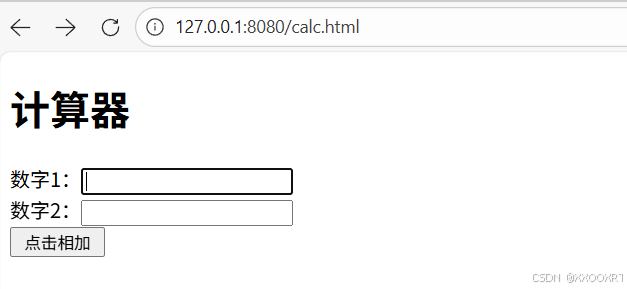
需求:输入两个整数,点击"点击相加"按钮,显示计算结果
一、准备工作
1、创建SpringBoot项目:
引入SpringWeb依赖,把前端页面放在项目里
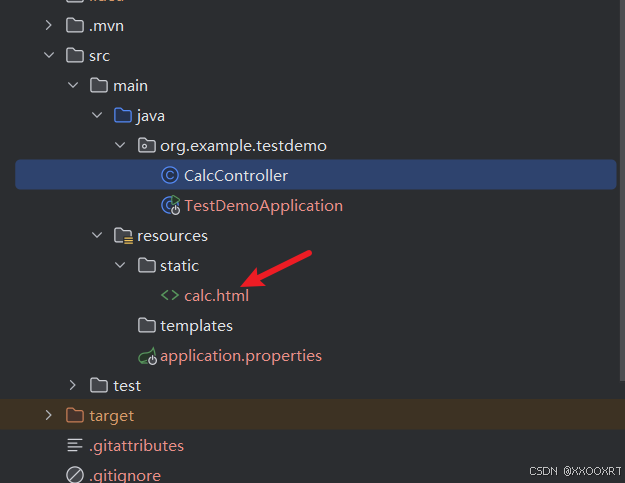
2、前端代码如下:
html
<!DOCTYPE html>
<html lang="en">
<head>
    <meta charset="UTF-8">
    <meta name="viewport" content="width=device-width, initial-scale=1.0">
    <title>Document</title>
</head>
<body>
     <form action="calc/sum" method="post">
        <h1>计算器</h1>
        数字1:<input name="num1" type="text"><br>
        数字2:<input name="num2" type="text"><br>
        <input type="submit" value=" 点击相加 ">
    </form>
</body>
</html>
二、项目的设计
1.需求分析
加法计算器的功能,对两个整数进行相加,需要客户端提供参与计算的两个数,服务端返回这两个整数的计算结果
2.接口定义
c
1 请求路径:calc/sum
2 请求方式:GET/POST
3 接口描述:计算两个整数相加
3.请求参数
| 参数名 | 类型 | 是否必须 | 备注 |
|---|---|---|---|
| num1 | Integer | 是 | 参与计算的第一个数 |
| num2 | Integer | 是 | 参与计算的第二个数 |
4.响应数据
c
Content-Type:test/html
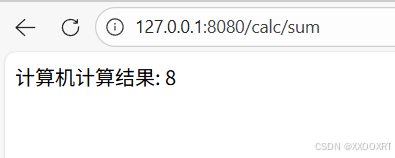
响应内容:计算机的结果:8
5.服务器代码
java
package org.example.testdemo;

import org.springframework.web.bind.annotation.*;

@RequestMapping("/calc")
@RestController
public class CalcController {
    @RequestMapping("/sum")
    public String sum(Integer num1, Integer num2) {
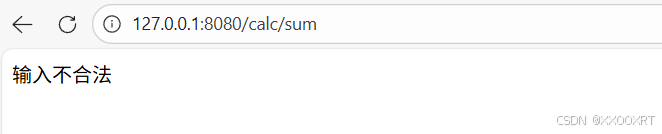
        if (num1 == null || num2 == null) {
            return "输入不合法";
        }
        Integer sum = num1 + num2;
        return "计算机计算结果: " + sum;
    }

}
三、项目运行
运行结果如下图:
总结
该项目完整演示了前后端交互的基本流程,涵盖了参数传递、业务处理、结果返回等关键环节,是理解Web开发基础的良好案例。通过此项目可以掌握SpringBoot控制器编写、请求映射配置等核心技能。各位大佬一键三连!