一、 tweenjs创建threejs动画
tweenjs/tween.js: JavaScript/TypeScript animation engine
npm install @tweenjs/tween.jsmodel.js
import TWEEN from '@tweenjs/tween.js';

<script src="./tween.js-master/dist/tween.umd.js"></script>
javascript
<!-- type="importmap"功能:tween在html学习环境和开发环境一样写法 -->
<script type="importmap">
    {
		"imports": {
			"@tweenjs/tween.js": "./tween.esm.js"
		}
	}
</script>
<script type="module">
    import TWEEN from '@tweenjs/tween.js';
</script>
model.js
javascript
import * as THREE from "three";
import TWEEN from "@tweenjs/tween.js";

const geometry = new THREE.BoxGeometry(50, 50, 50);
const material = new THREE.MeshLambertMaterial({
  color: 0xffffff,
});
const mesh = new THREE.Mesh(geometry, material);


const tween = new TWEEN.Tween(mesh.position); //创建一段tween动画
//经过2000毫秒,pos对象的x和y属性分别从零变化为100、50
tween.to({ x: 100, y: 50 }, 2000);
//tween动画开始执行
tween.start();


export { mesh, TWEEN };
index.js
javascript
// 渲染循环
function render() {
  TWEEN.update(); // 更新动画
  renderer.render(scene, camera);
  requestAnimationFrame(render);
}
全局的 TWEEN 对象(作为一个 Group)将在未来的主要版本中被移除。
javascript
import * as THREE from "three";
import { Tween, Group } from "@tweenjs/tween.js";

const geometry = new THREE.BoxGeometry(10, 10, 10);
const material = new THREE.MeshLambertMaterial({
  color: 0xffffff,
});
const mesh = new THREE.Mesh(geometry, material);
mesh.position.set(0, 0, 0); // 设置初始位置

// 创建一个 Group 来管理所有 tweens
const tweenGroup = new Group();

// 创建一段tween动画,经过2000毫秒,mesh位置从(0,0,0)变化到(100,50,0)
const tween = new Tween(mesh.position);
tween.to({ x: 100, y: 50 }, 2000);

// 将 tween 添加到组中
tweenGroup.add(tween);

// 启动 tween(直接调用 start)
tween.start();
export { mesh, tweenGroup };
javascript
tweenGroup.update(); // 使用 Group 更新动画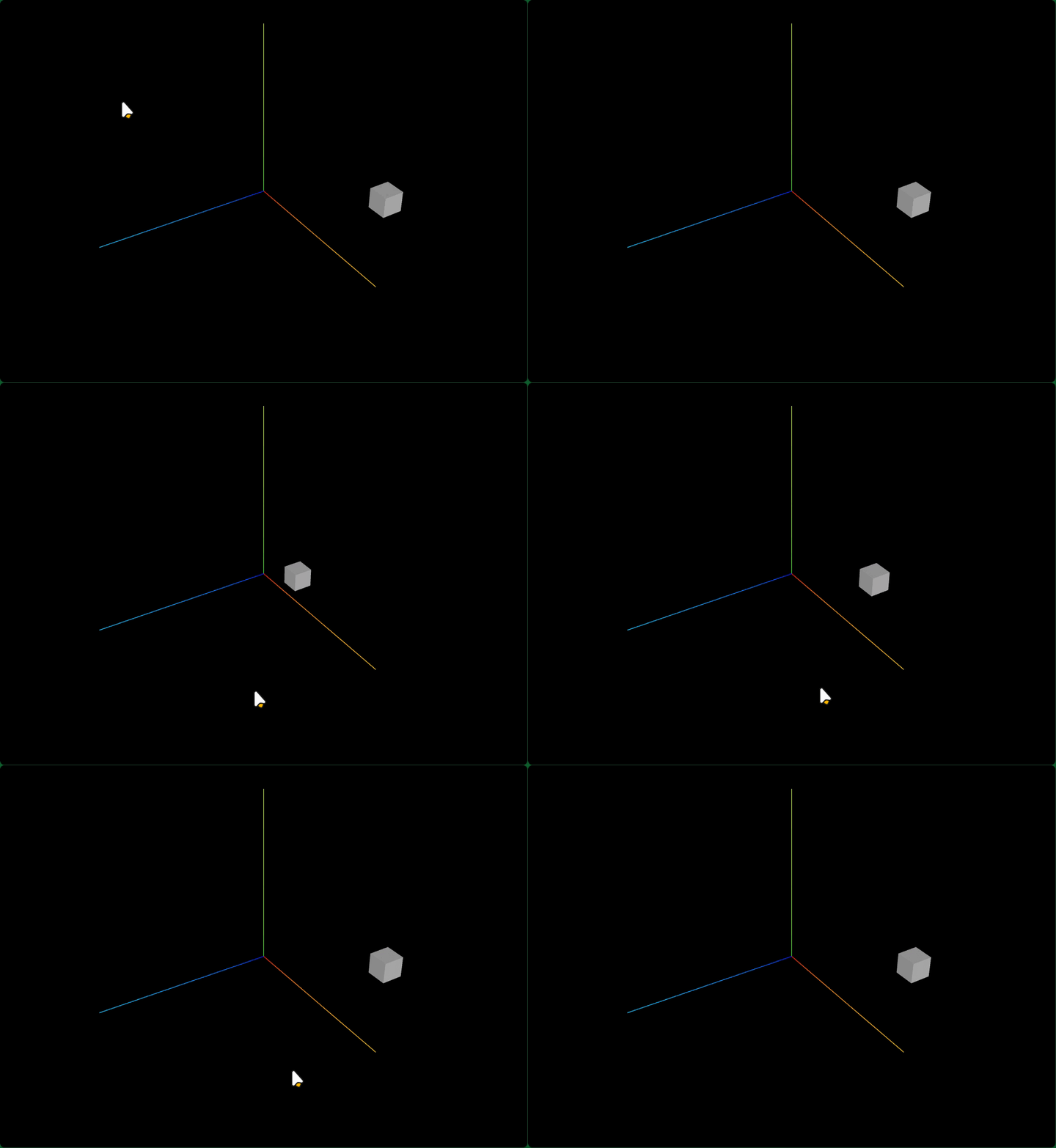
tween.js-main\examples\00_hello_world.html
javascript
<!doctype html>
<html lang="en">
	<head>
		<title>Tween.js / hello world!</title>
		<meta http-equiv="Content-Type" content="text/html; charset=UTF-8" />
		<link href="css/style.css" media="screen" rel="stylesheet" type="text/css" />
	</head>
	<body>
		<div id="info">
			<h1><a href="http://github.com/tweenjs/tween.js">tween.js</a></h1>
			<h2>00 _ hello world</h2>
			<p>Simple example for illustrating the creation and chaining of tweens.</p>
		</div>
		<div
			id="target"
			style="
				position: absolute;
				transform: translate(100px, 100px);
				width: 100px;
				height: 100px;
				background: #a0dde9;
				padding: 1em;
			"
		>
			hello world!
		</div>

		<script type="module">
			import {Tween, Easing, Group} from '../dist/tween.esm.js'

			const position = {x: 100, y: 100, rotation: 10}
			const target = document.getElementById('target')
			const tween = new Tween(position)
				.to({x: 700, y: 200, rotation: 359}, 2000)
				.delay(1000)
				.easing(Easing.Elastic.InOut)
				.onUpdate(update)

			const tweenBack = new Tween(position)
				.to({x: 100, y: 100, rotation: 10}, 3000)
				.easing(Easing.Elastic.InOut)
				.onUpdate(update)

			tween.chain(tweenBack)
			// tweenBack.chain(tween)

			tween.start()

			const group = new Group(tween, tweenBack)

			animate(performance.now())

			function animate(time) {
				group.update(time)

				// If the update method returns false, it means all tweens in
				// the group are done playing, so we can stop the loop.
				const keepGoing = !group.allStopped()

				if (keepGoing) requestAnimationFrame(animate)
			}

			function update() {
				target.style.transform = `translate3d(${position.x}px, ${position.y}px, 0.0001px) rotateY(${Math.floor(
					position.rotation,
				)}deg)`
			}
		</script>
	</body>
</html>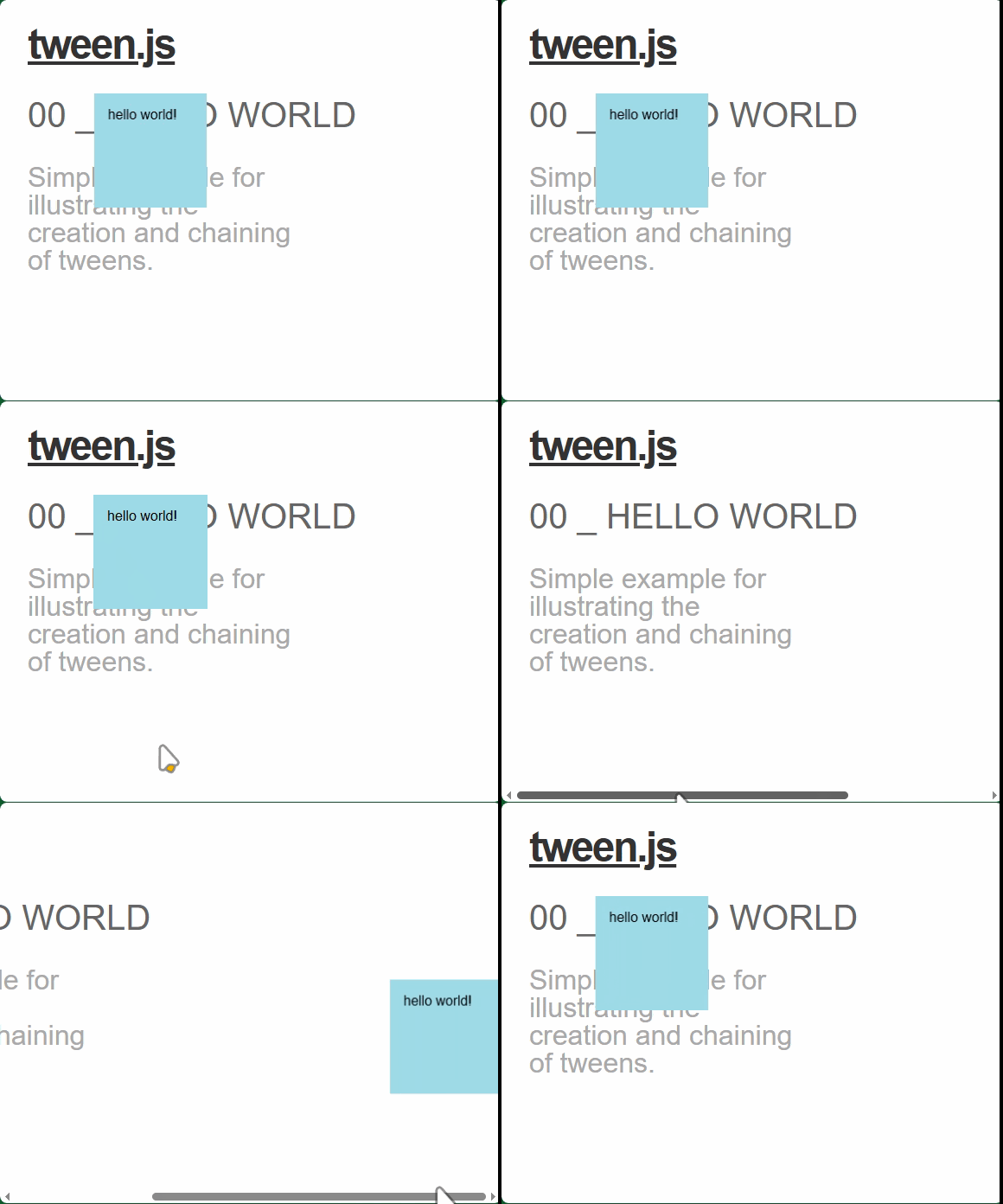
二、tweenjs相机运动动画
相机飞行动画(从一个点飞到另一个点)
使用了旧的方式 new TWEEN.Tween()。
javascript
import TWEEN from '@tweenjs/tween.js';
camera.position.set(202, 123, 125);
camera.lookAt(0, 0, 0);

new TWEEN.Tween(camera.position)
  .to({ x: 202, y: 123, z: -350 }, 3000)
  // tweenjs改变参数对象的过程中,.onUpdate方法会被重复调用执行
  .onUpdate(function () {
    camera.lookAt(0, 0, 0);
  })
  .start();

// 渲染循环
function render() {
   TWEEN.update();
  renderer.render(scene, camera);
  requestAnimationFrame(render);
}
render();
新
javascript
import { Tween, Group} from "@tweenjs/tween.js";
// 创建一个 Group 来管理所有 tweens
const tweenGroup = new Group();

// 创建相机移动动画
const tween = new Tween(camera.position)
  .to({ x: 202, y: 123, z: -350 }, 3000)
  // tweenjs改变参数对象的过程中,.onUpdate方法会被重复调用执行
  .onUpdate(function () {
    camera.lookAt(0, 0, 0);
  })
  .start();

// 将 tween 添加到组中
tweenGroup.add(tween);
// 渲染循环
function render() {
  tweenGroup.update(); // 使用 Group 更新动画
  renderer.render(scene, camera);
  requestAnimationFrame(render);
}
render();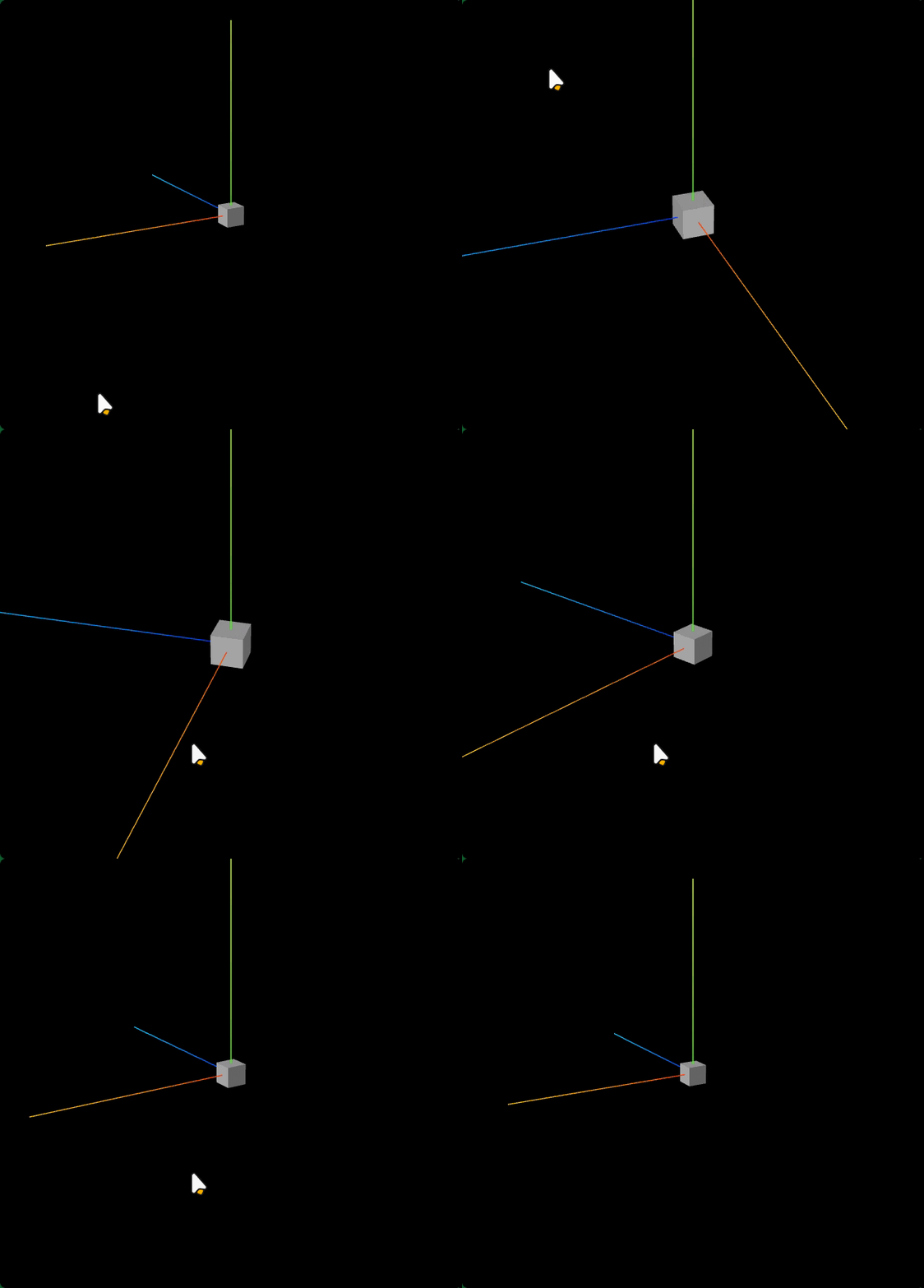
Tweenjs回调函数
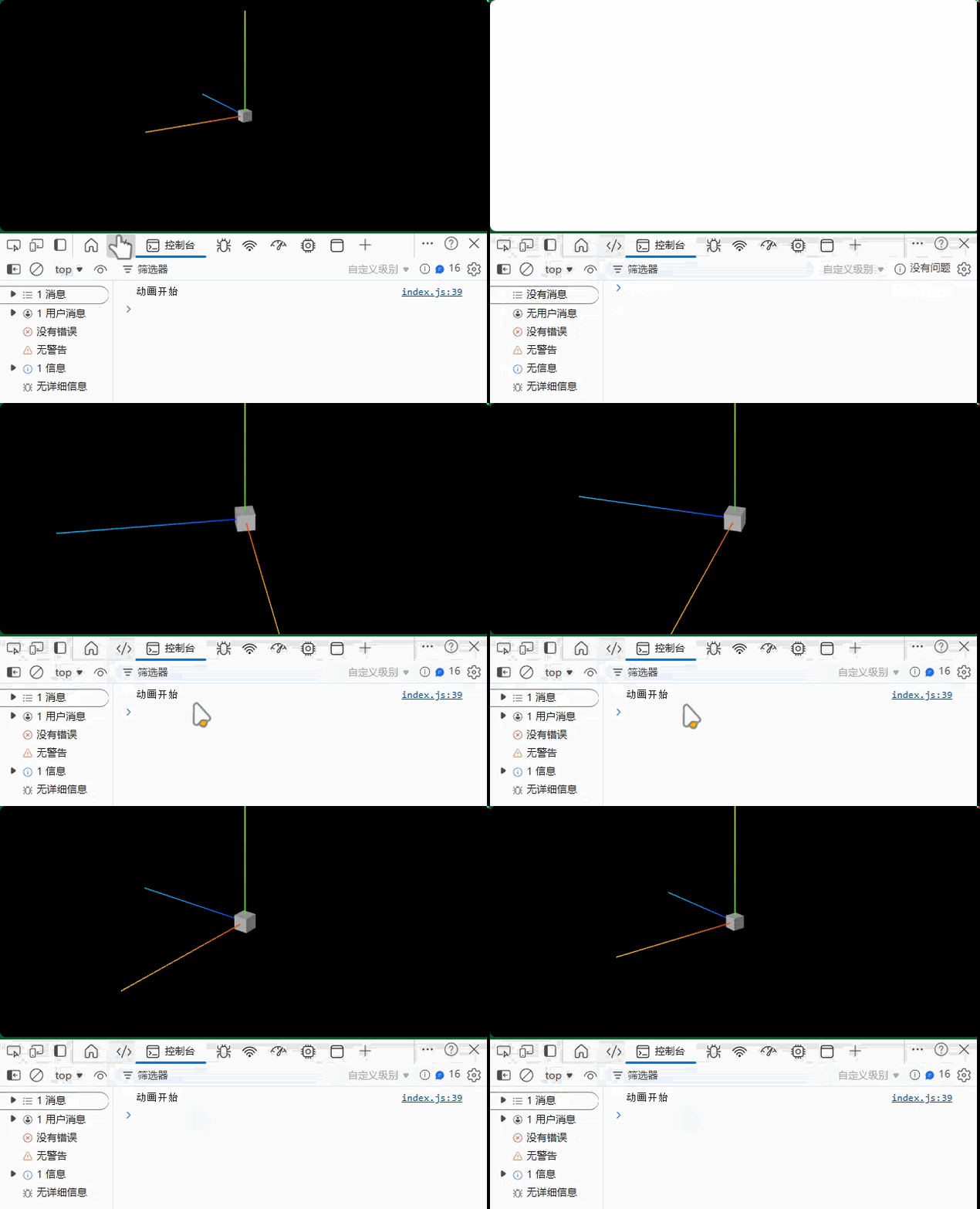
twwenjs库提供了onStart、onUpdate、onComplete等用于控制动画执行的回调函数。
onStart:动画开始执行触发onUpdate:动画执行过程中,一直被调用执行onComplete:动画正常执行完触发
javascript
// 创建相机移动动画
const tween = new Tween({ angle: 0 })
  .to({ angle: Math.PI * 2 }, 16000)
  // tweenjs改变参数对象的过程中,.onUpdate方法会被重复调用执行
  .onUpdate(function (obj) {
    camera.position.x = R * Math.cos(obj.angle);
    camera.position.z = R * Math.sin(obj.angle);
    camera.lookAt(0, 0, 0);
  })
  .start();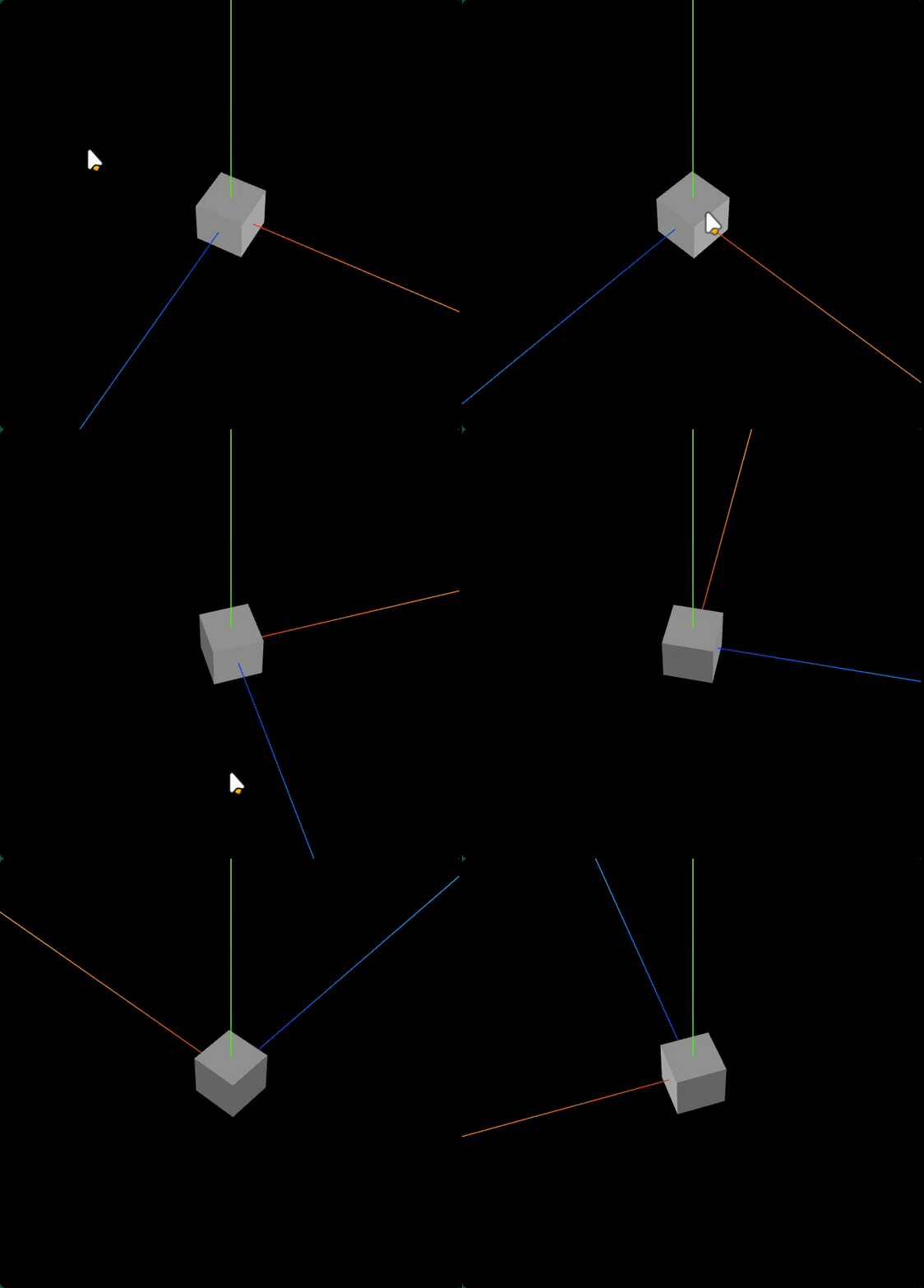
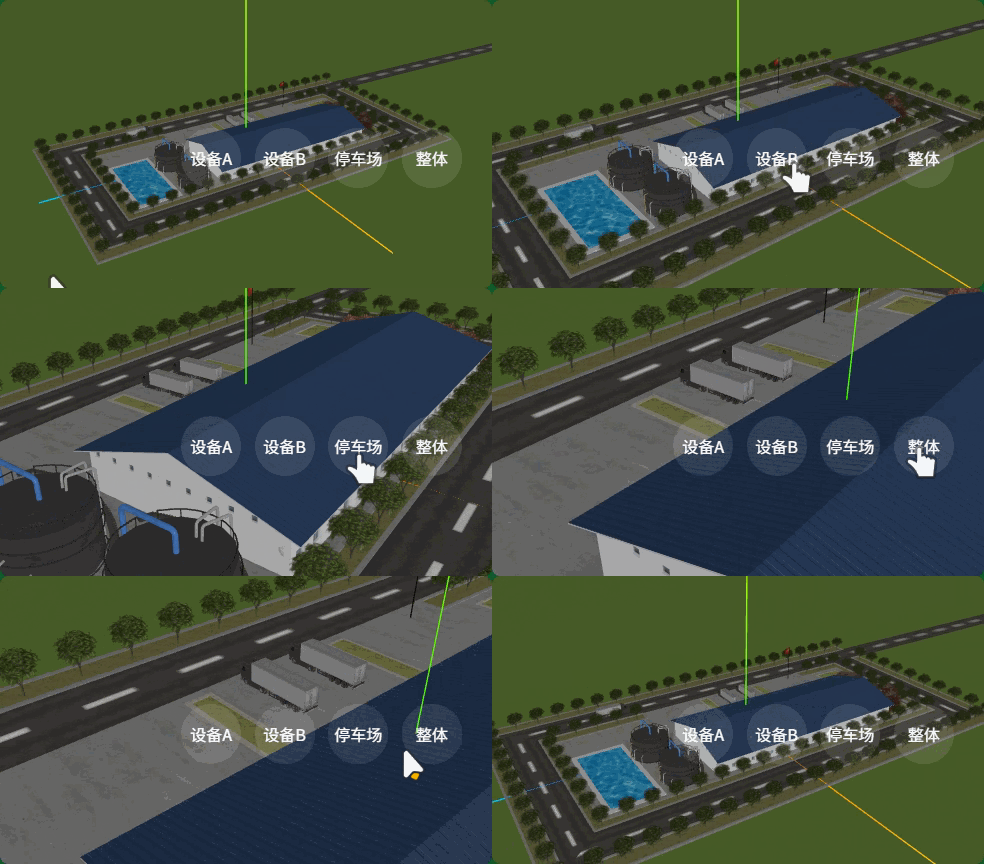
三、点按钮,相机飞行靠近观察设备
按钮
javascript
    <div class="pos">
    <div id="A" class="bu">设备A</div>
    <div id="B" class="bu" style="margin-left: 10px;">设备B</div>
    <div id="car" class="bu" style="margin-left: 10px;">停车场</div>
    <div id="all" class="bu" style="margin-left: 10px;">整体</div>
</div>
javascript
import { Tween, Group } from "@tweenjs/tween.js";

// 创建一个 Group 来管理所有 tweens
const tweenGroup = new Group();

// 渲染循环
function render() {
  tweenGroup.update(); // 使用 Group 更新动画
  composer.render();
  renderer.render(scene, camera);
  requestAnimationFrame(render);
}
render();
index.js
javascript
//获取某个对象世界坐标,作为相机lookAt指向的新目标观察点。

const A = model.getObjectByName('设备A标注');
const pos = new THREE.Vector3();
//获取三维场景中某个对象世界坐标
A.getWorldPosition(pos);
javascript
// 切换到设备A预览状态
document.getElementById('A').addEventListener('click', function () {
    const A = model.getObjectByName('设备A标注');
    const pos = new THREE.Vector3();
    A.getWorldPosition(pos); //获取三维场景中某个对象世界坐标
    // 相机飞行到的位置和观察目标拉开一定的距离
    const pos2 = pos.clone().addScalar(30);//向量的x、y、z坐标分别在pos基础上增加30
    // 相机从当前位置camera.position飞行三维场景中某个世界坐标附近
   const tween = new Tween({
            // 相机开始坐标
            x: camera.position.x,
            y: camera.position.y,
            z: camera.position.z,
            // 相机开始指向的目标观察点
            tx: 0,
            ty: 0,
            tz: 0,
        })
        .to({
            // 相机结束坐标
            x: pos2.x,
            y: pos2.y,
            z: pos2.z,
            // 相机结束指向的目标观察点
            tx: pos.x,
            ty: pos.y,
            tz: pos.z,
        }, 2000)
        .onUpdate(function (obj) {
            // 动态改变相机位置
            camera.position.set(obj.x, obj.y, obj.z);
            // 动态计算相机视线
            camera.lookAt(obj.tx, obj.ty, obj.tz);
        })
        .start();
  // 将 tween 添加到组中
  tweenGroup.add(tween);
})
javascript
.onComplete(function(obj){
    controls.target.set(obj.tx, obj.ty, obj.tz);
    controls.update();
})
封装函数
javascript
// 切换到设备A预览状态
document.getElementById("A").addEventListener("click", function () {
  const A = model.getObjectByName("设备A标注");
  const pos = new THREE.Vector3();
  A.getWorldPosition(pos); //获取三维场景中某个对象世界坐标
  // 相机飞行到的位置和观察目标拉开一定的距离
  const pos2 = pos.clone().addScalar(30);
  createCameraTween(pos2, controls.target);
});
// 切换到设备B的预览状态
document.getElementById("B").addEventListener("click", function () {
  const B = model.getObjectByName("设备B标注");
  const pos = new THREE.Vector3();
  B.getWorldPosition(pos); //获取三维场景中某个对象世界坐标
  // 相机飞行到的位置和观察目标拉开一定的距离
  const pos2 = pos.clone().addScalar(30);
  // 相机从当前位置camera.position飞行三维场景中某个世界坐标附近
  createCameraTween(pos2, controls.target);
});

// 切换到设备停车场的预览状态
document.getElementById("car").addEventListener("click", function () {
  const car = model.getObjectByName("停车场标注");
  const pos = new THREE.Vector3();
  car.getWorldPosition(pos); //获取三维场景中某个对象世界坐标
  // 相机飞行到的位置和观察目标拉开一定的距离
  const pos2 = pos.clone().addScalar(30);
  // 相机从当前位置camera.position飞行三维场景中某个世界坐标附近
  createCameraTween(pos2, pos);
});

// 相机整体预览对应的位置和观察目标
const cameraPos0 = new THREE.Vector3(202, 123, 125);
const target0 = new THREE.Vector3(0, 0, 0);
// 切换整体预览状态
document.getElementById("all").addEventListener("click", function () {
  // 相机从当前位置camera.position回到整体预览状态
  createCameraTween(cameraPos0, target0);
});

// 相机动画函数,从A点飞行到B点,A点表示相机当前所处状态
// pos: 三维向量Vector3,表示动画结束相机位置
// target: 三维向量Vector3,表示相机动画结束lookAt指向的目标观察点
function createCameraTween(endPos, endTarget) {
  // 创建相机动画
  const tween = new Tween({
    // 不管相机此刻处于什么状态,直接读取当前的位置和目标观察点
    x: camera.position.x,
    y: camera.position.y,
    z: camera.position.z,
    tx: controls.target.x,
    ty: controls.target.y,
    tz: controls.target.z,
  })
    .to(
      {
        // 动画结束相机位置坐标
        x: endPos.x,
        y: endPos.y,
        z: endPos.z,
        // 动画结束相机指向的目标观察点
        tx: endTarget.x,
        ty: endTarget.y,
        tz: endTarget.z,
      },
      2000
    )
    .onUpdate(function (obj) {
      // 动态改变相机位置
      camera.position.set(obj.x, obj.y, obj.z);
      // 动态计算相机视线
      // camera.lookAt(obj.tx, obj.ty, obj.tz);
      controls.target.set(obj.tx, obj.ty, obj.tz);
      controls.update(); //内部会执行.lookAt()
    })
    .onComplete(function (obj) {
      controls.target.set(obj.tx, obj.ty, obj.tz);
      controls.update();
    })
    .start();

  // 将 tween 添加到组中
  tweenGroup.add(tween);
}
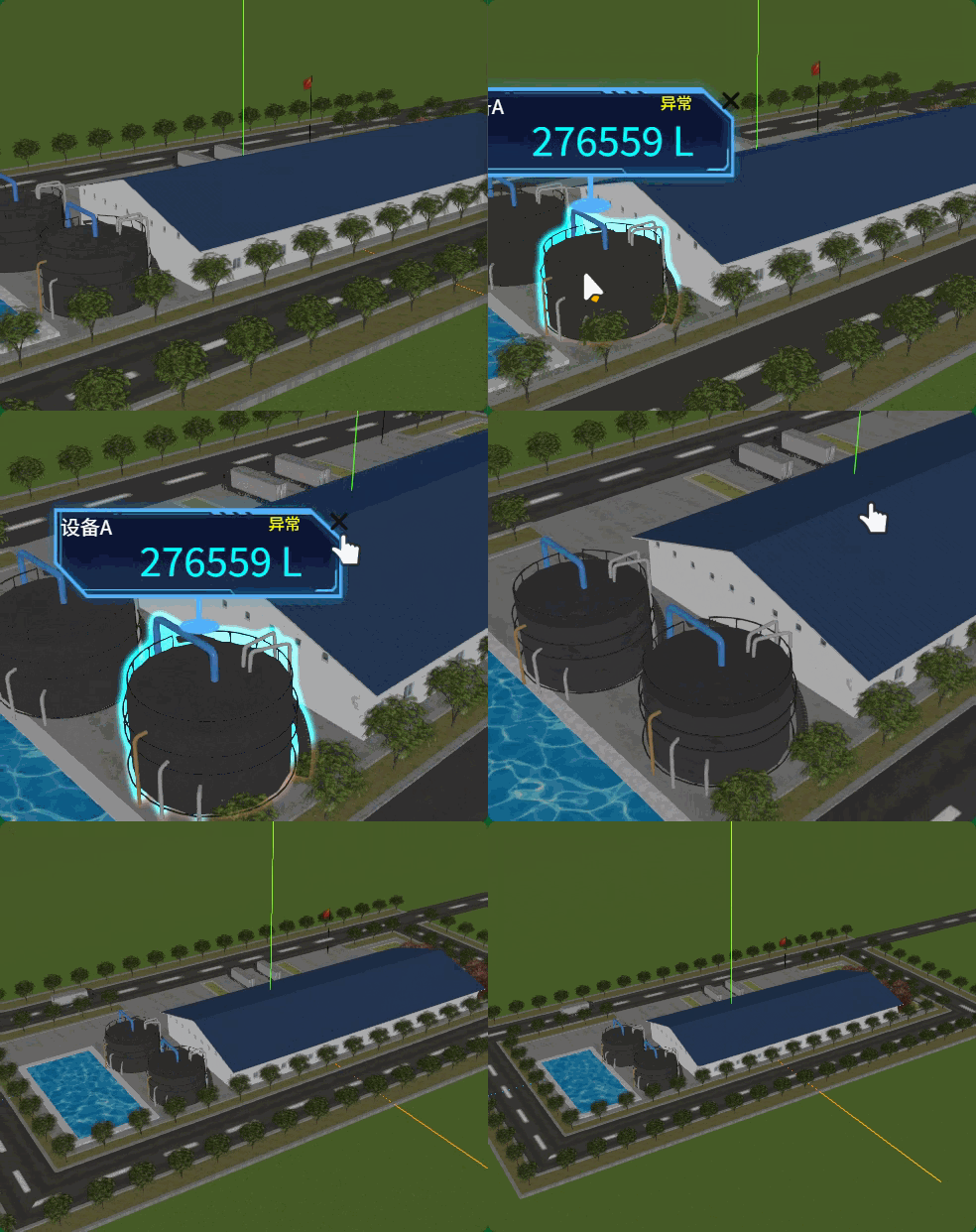
四、点击设备,相机靠近放大预览
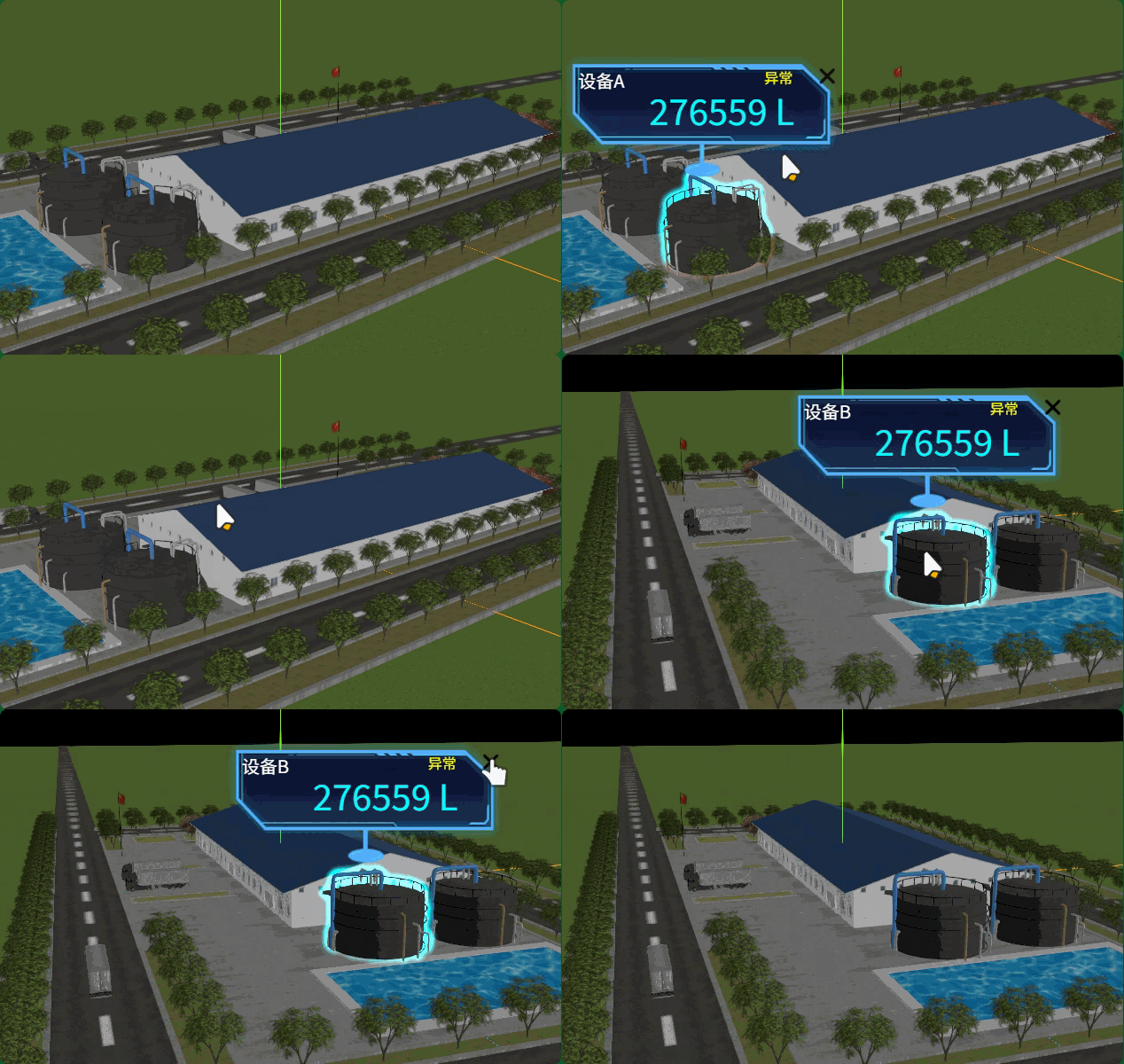
chooseObj是鼠标单击射线拾取的模型对象,你可以获取该模型对象世界坐标,生成相机动画。
javascript
const pos = new THREE.Vector3();
chooseObj.getWorldPosition(pos); //获取三维场景中某个对象世界坐标
生成相机动画
javascript
    // 相机飞行到的位置和观察目标拉开一定的距离
    const pos2 = pos.clone().addScalar(30);
    // 相机从当前位置camera.position飞行三维场景中某个世界坐标附近
    createCameraTween(pos2, pos);
关闭设备标签,相机回到整体预览状态
javascript
// 相机整体预览对应的位置和观察目标
const cameraPos0 = new THREE.Vector3(202, 123, 125)
const target0 = new THREE.Vector3(0, 0, 0);
// 鼠标单击按钮,关闭HTML标签
document.getElementById('close').addEventListener('click', function () {
    if (chooseObj) { //把原来选中模型对应的标签和发光描边隐藏
        outlinePass.selectedObjects = []; //无发光描边
        chooseObj.remove(tag); //从场景移除
        // 相机从当前位置camera.position回到整体预览状态
        createCameraTween(cameraPos0, target0)
        chooseObj = null; // 重置选中对象
    }
})
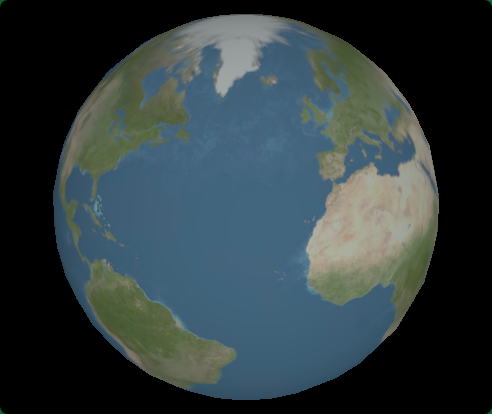
五、缓动算法.easing(地球渐入相机动画)
javascript
import { Tween, Group, Easing } from "@tweenjs/tween.js";

// 创建一个 Group 来管理所有 tweens
const tweenGroup = new Group();
// 渲染循环
function render() {
  tweenGroup.update();
  renderer.render(scene, camera);
  requestAnimationFrame(render);
}
render();
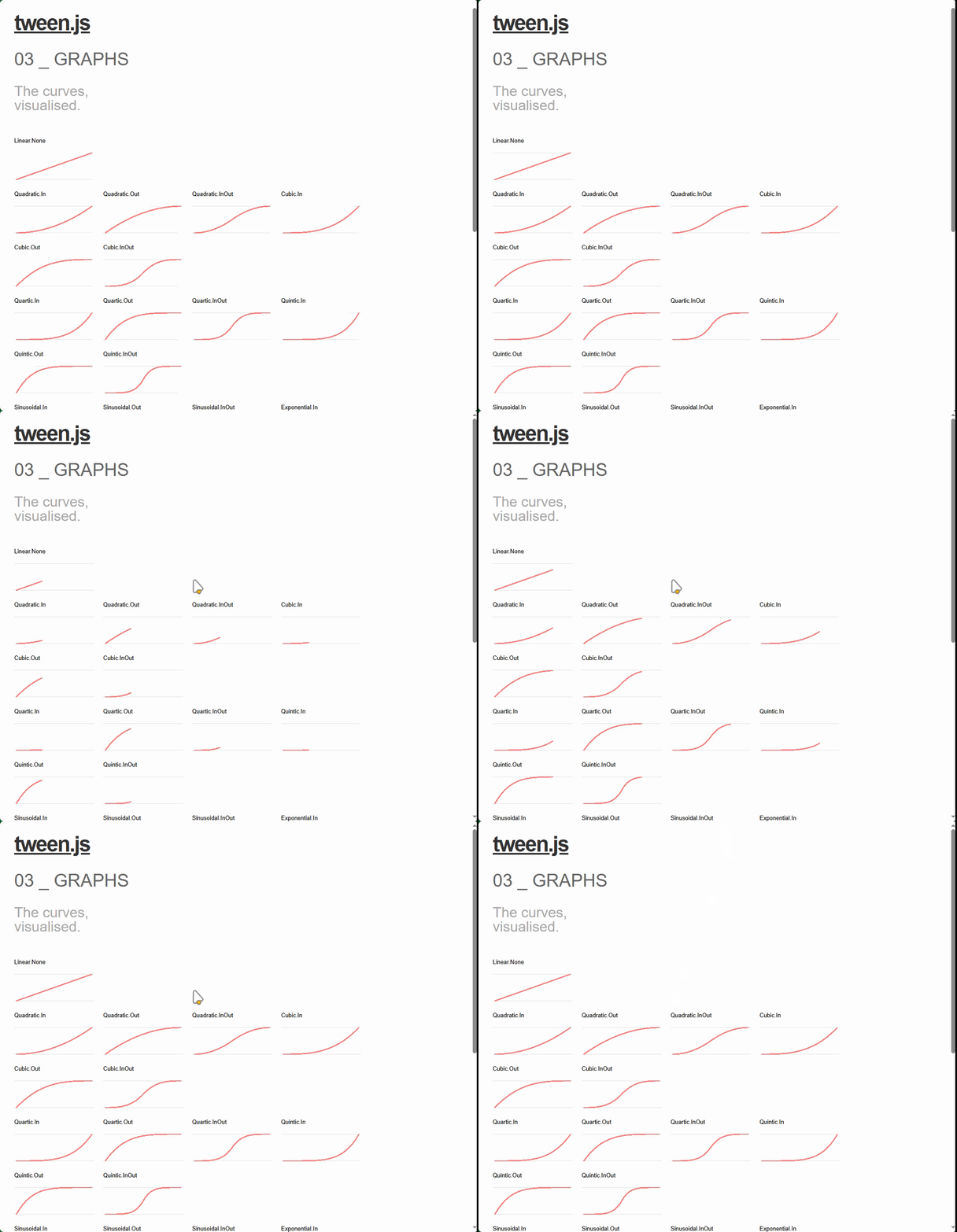
缓动算法.easing
javascript
// 视觉效果:地球从小到大出现(透视投影相机远小近大投影规律)
const tween = new Tween(camera.position)
  .to({ x: 300, y: 300, z: 300 }, 3000)
  .easing(Easing.Quadratic.Out) //使用二次缓动函数
  .start();

// 将 tween 添加到组中
tweenGroup.add(tween);
// easing函数:缓动算法(运动效果)
// easing类型:定义缓动算法起作用地方
easing类型(定义缓动算法起作用地方)
javascript
// 动画开始缓动方式(类比加速启动)
easing(Easing.Sinusoidal.In);
// 动画结束缓动方式(类比减速刹车)
easing(Easing.Sinusoidal.Out);
// 同时设置In和Out
easing(Easing.Sinusoidal.InOut);
03_graphs.html,tween.js-main\examples\03_graphs.html
六、模型或标签淡入淡出
javascript
import { mesh, tweenGroup } from "./model.js//场景


const scene = new THREE.Scene();
scene.add(mesh); //模型对象添加到场景中"; //模型对象


// 渲染循环
function render() {
  tweenGroup.update();
  renderer.render(scene, camera);
  requestAnimationFrame(render);
}
render();
模型淡入
javascript
// 模型淡入
material.transparent = true;//开启透明计算
material.opacity = 0.0;//完全透明

// 创建一个 Group 来管理所有 tweens
const tweenGroup = new Group();
// 视觉效果:地球从小到大出现(透视投影相机远小近大投影规律)
const tween = new Tween({ opacity: material.opacity })
  .to({ opacity: 1.0 }, 3000)
  .onUpdate(function (obj) {
    material.opacity = obj.opacity;
  })
  .onComplete(function () {
    //动画结束:关闭允许透明,恢复到模型原来状态
    material.transparent = false;
  })
  .easing(Easing.Quadratic.Out) //使用二次缓动函数
  .start();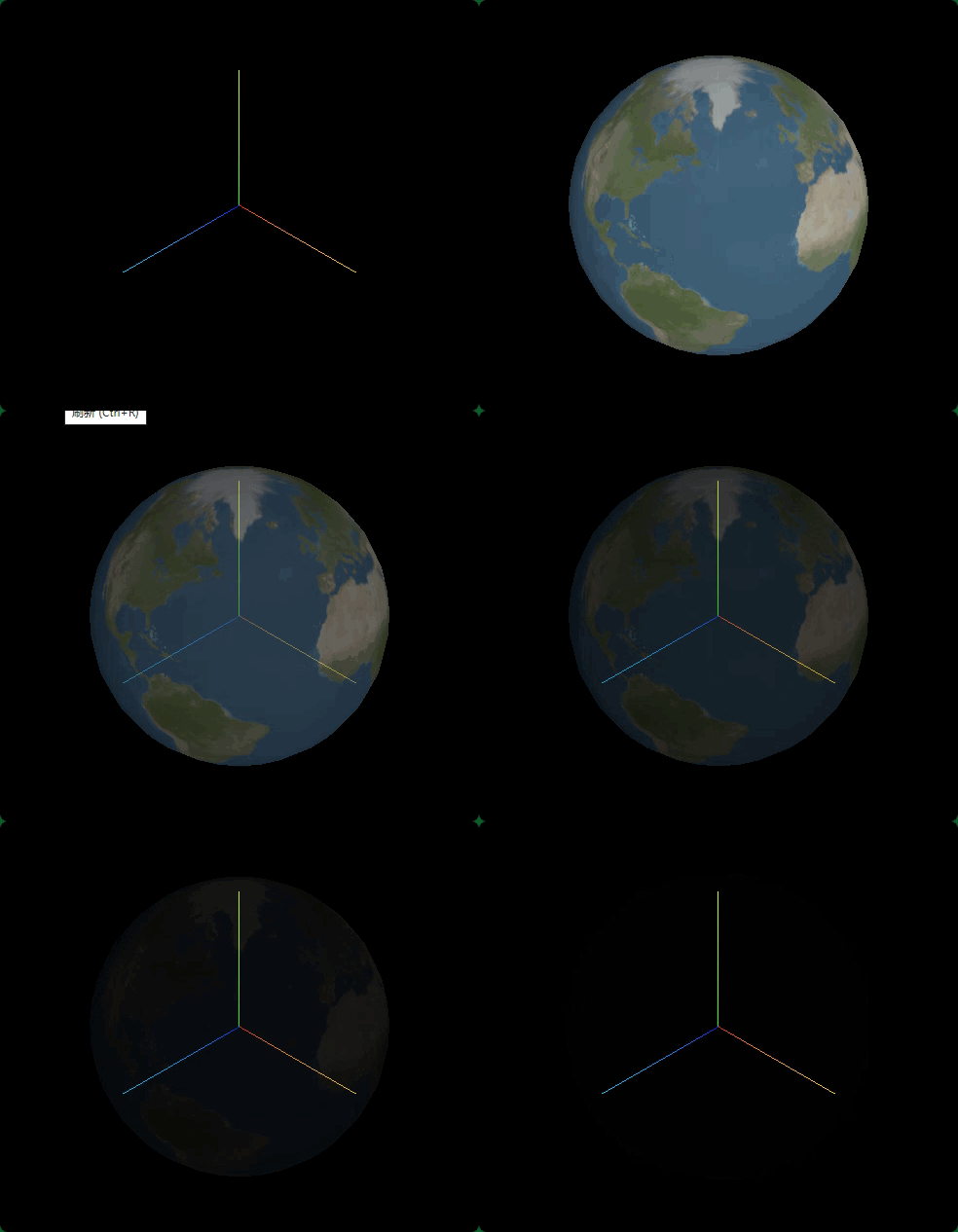
javascript
const tween = new Tween({ opacity: material.opacity })
  .to({ opacity: 0.0 }, 3000)
  .onStart(function () {
    //动画开始:允许透明opacity属性才能生效
    material.transparent = true;
  })
  .onUpdate(function (obj) {
    material.opacity = obj.opacity;
  })
  .easing(Easing.Quadratic.Out) //使用二次缓动函数
  .start();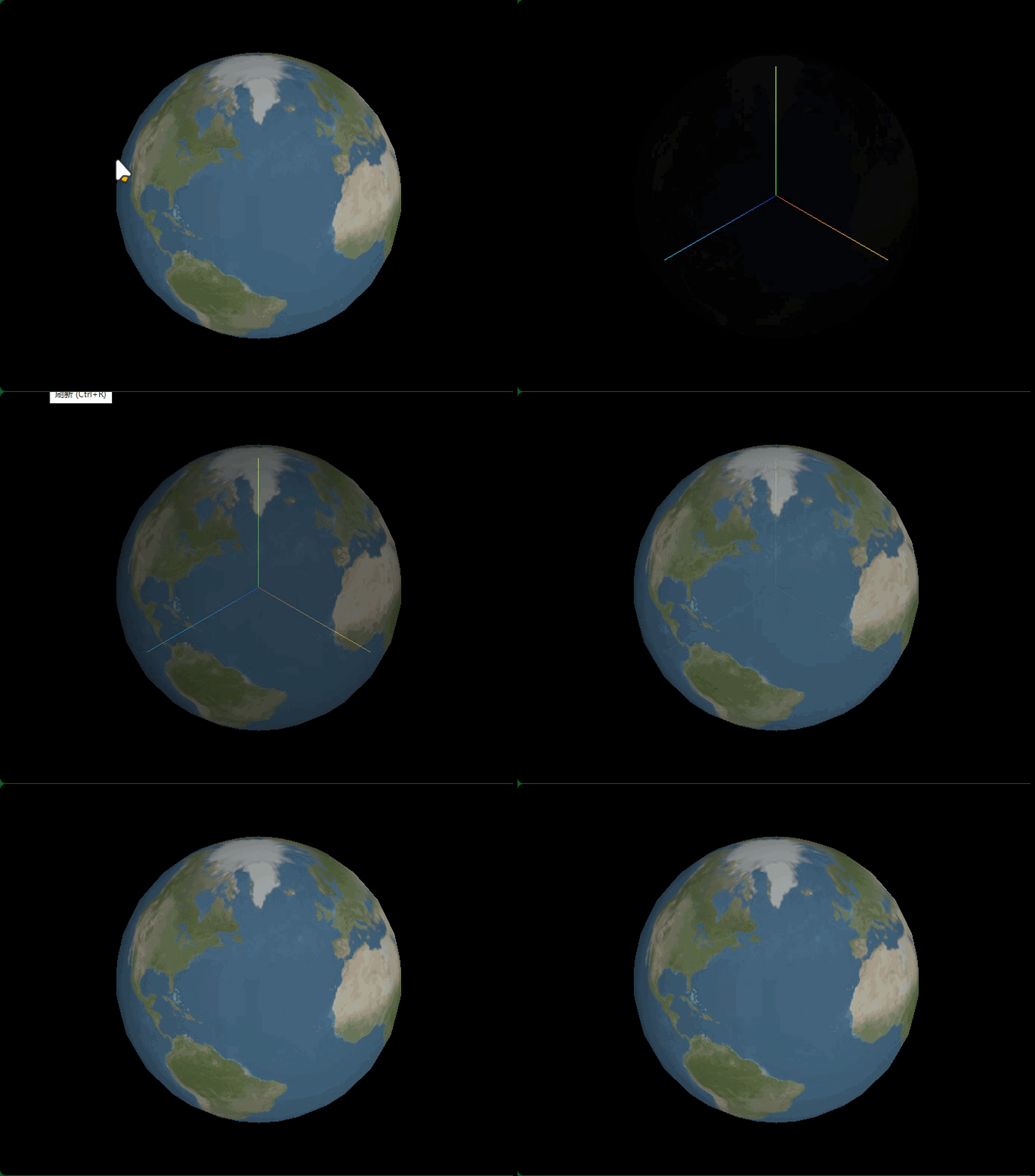
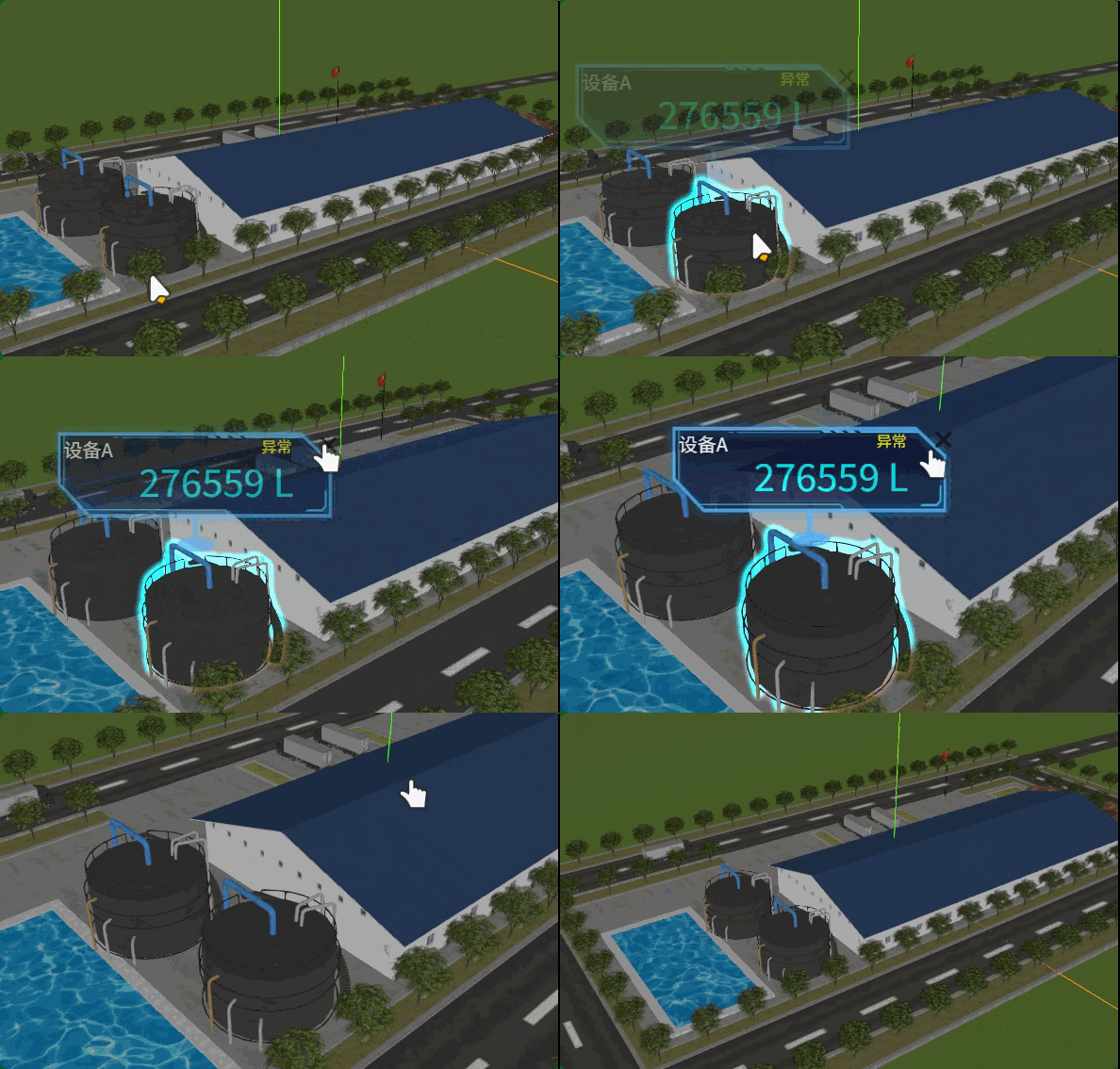
模型HTML标签淡入淡出
单击模型弹出的标签淡入,而不是突然出现。
javascript
import { Tween, Group, Easing } from "@tweenjs/tween.js";
javascript
if (intersects.length > 0) {
    // 通过.ancestors属性判断那个模型对象被选中了
    outlinePass.selectedObjects = [intersects[0].object.ancestors];
    // chooseObj = intersects[0].object.ancestors;

    const obj = model.getObjectByName(
      intersects[0].object.ancestors.name + "标注"
    );
    obj.add(tag);
    chooseObj = obj;

    span.innerHTML = intersects[0].object.ancestors.name;

    const pos = new THREE.Vector3();
    //获取三维场景中某个对象世界坐标
    chooseObj.getWorldPosition(pos); //获取三维场景中某个对象世界坐标
    // model.getObjectByName(chooseObj.name + "标注").getWorldPosition(pos);

    // 相机飞行到的位置和观察目标拉开一定的距离
    const pos2 = pos.clone().addScalar(30);
    // 相机从当前位置camera.position飞行三维场景中某个世界坐标附近
    createCameraTween(pos2, pos);

    // 标签淡入动画
    const tween0 = new Tween({ opacity: 0 })
      .to({ opacity: 1.0 }, 3000)
      .onUpdate(function (obj) {
        //动态更新div元素透明度
        tag.element.style.opacity = obj.opacity;
      })
      .easing(Easing.Quadratic.Out) //使用二次缓动函数
      .start();

    // 将 tween 添加到组中
    tweenGroup.add(tween0);
  }
});
关闭模型标签淡出,逐渐消失。
javascript
 // 标签淡出动画
      const tween1 = new Tween({ opacity: 1 })
        .to({ opacity: 0 }, 400)
        .onUpdate(function (obj) {
          //动态更新div元素透明度
          tag.element.style.opacity = obj.opacity;
        })
        .onComplete(function () {
          // 动画结束再从场景中移除标签
          chooseObj.remove(tag); //从场景移除
          chooseObj = null; // 重置选中对象
        })
        .easing(Easing.Quadratic.Out) //使用二次缓动函数
        .start();

      // 将 tween 添加到组中
      tweenGroup.add(tween1);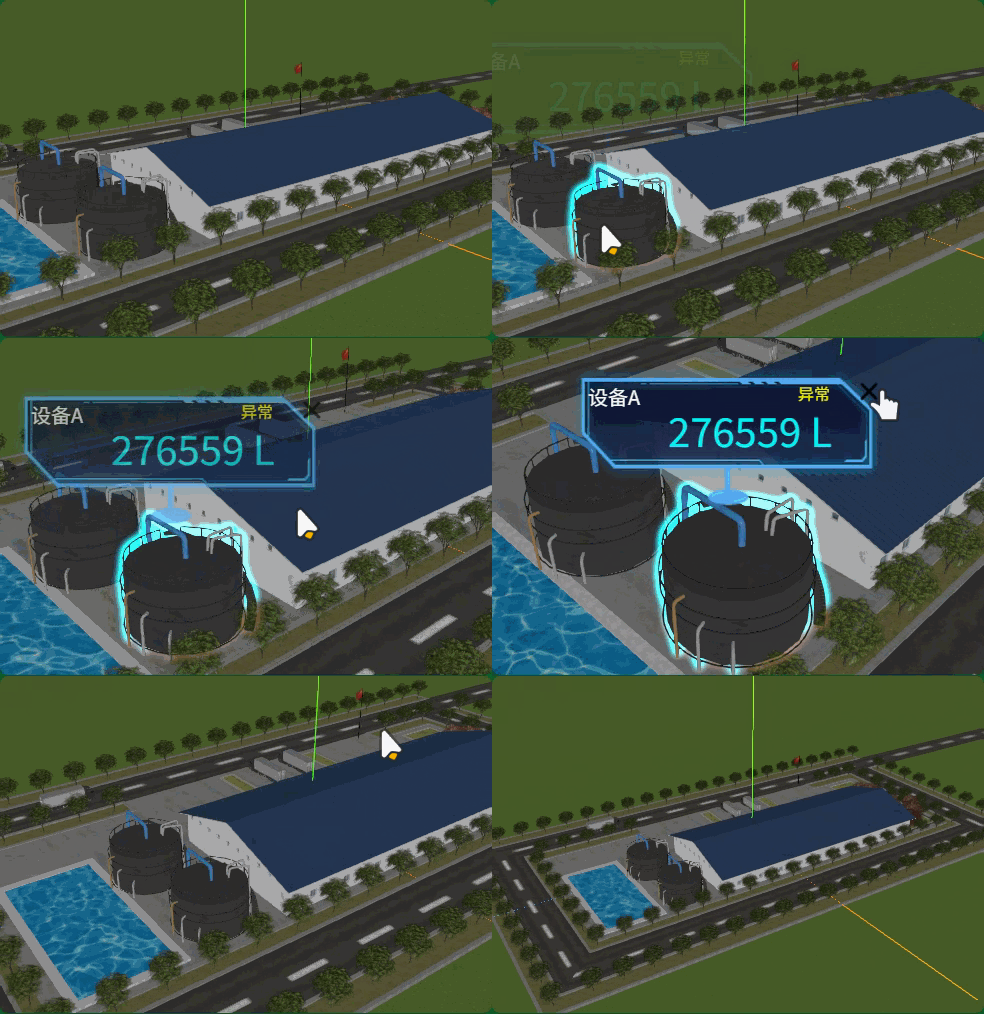
tweenjs常用属性和方法
每次循环完成触发.onRepeat()
javascript
const tween = new TWEEN.Tween(object)
  .to({ x: 100 }, 1000)
  .onRepeat(() => {
    console.log('一次循环完成,触发执行');
  })
  .onComplete(() => {
    console.log('整个动画最终循环完成触发');
  })
  .repeat(800) // 循环次数
  .start();
Three.js基础课程全部学完,源码