🚀 n2n supernode 完整部署笔记
(适用于 CentOS/RHEL 系列无网/有网环境)
🔧 一、环境准备(有网机器)
-
安装编译依赖
bashyum install -y git gcc make -
克隆 n2n 源码
bashgit clone https://github.com/ntop/n2n.git cd n2n -
生成配置脚本
bash./autogen.sh -
配置编译选项
bash./configure -
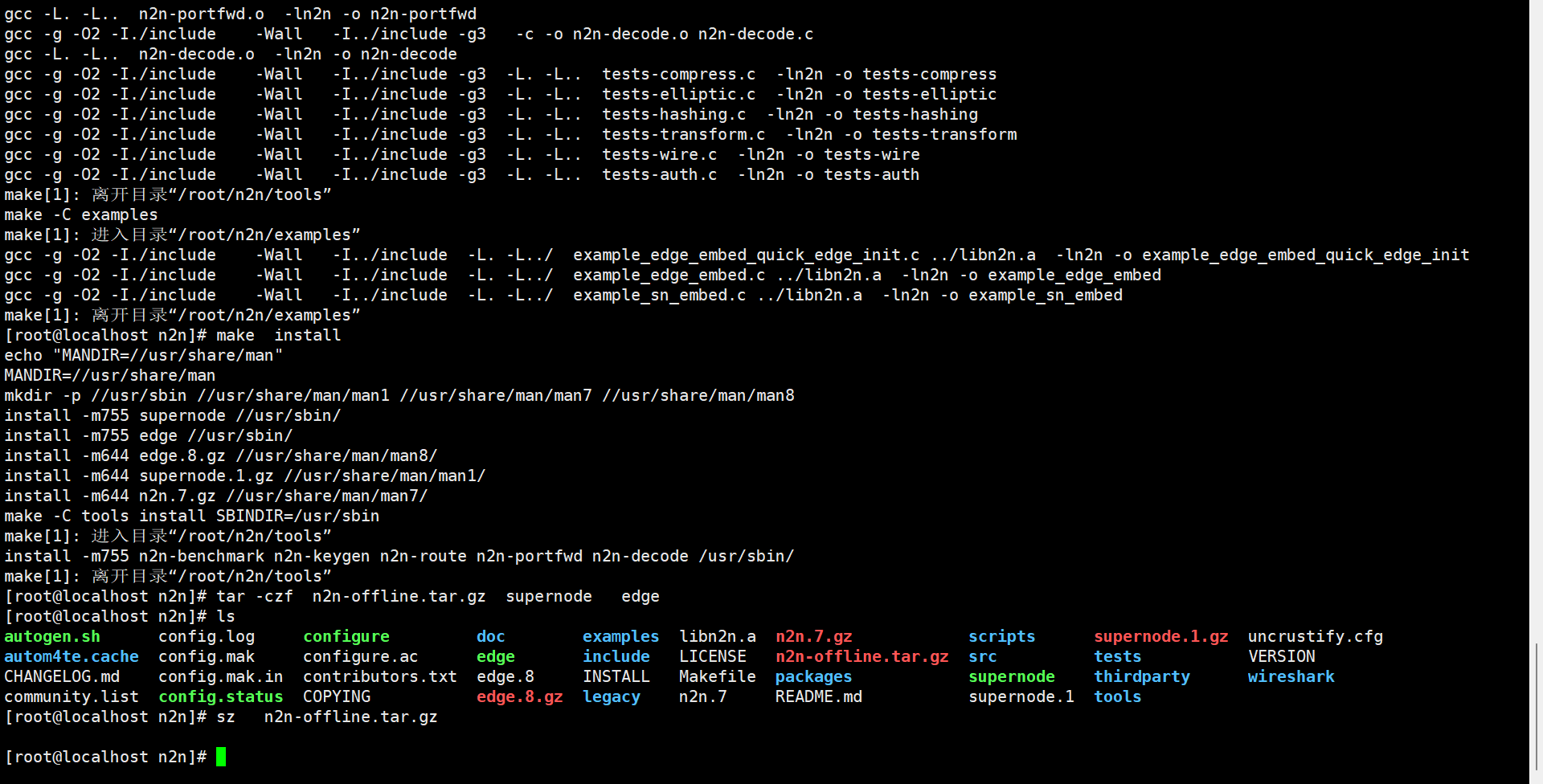
编译生成二进制
bashmake -
打包二进制(离线传输用)
bashtar -czf n2n-offline.tar.gz supernode edge
📦 二、离线传输到目标服务器
-
将
n2n-offline.tar.gz通过 U 盘/SCP 等方式传到离线服务器 -
解压文件
bashtar -xzf n2n-offline.tar.gz -
复制到系统路径并添加执行权限
bashcp supernode /usr/local/bin/ chmod +x /usr/local/bin/supernode
⚙️ 三、配置 Systemd 服务
-
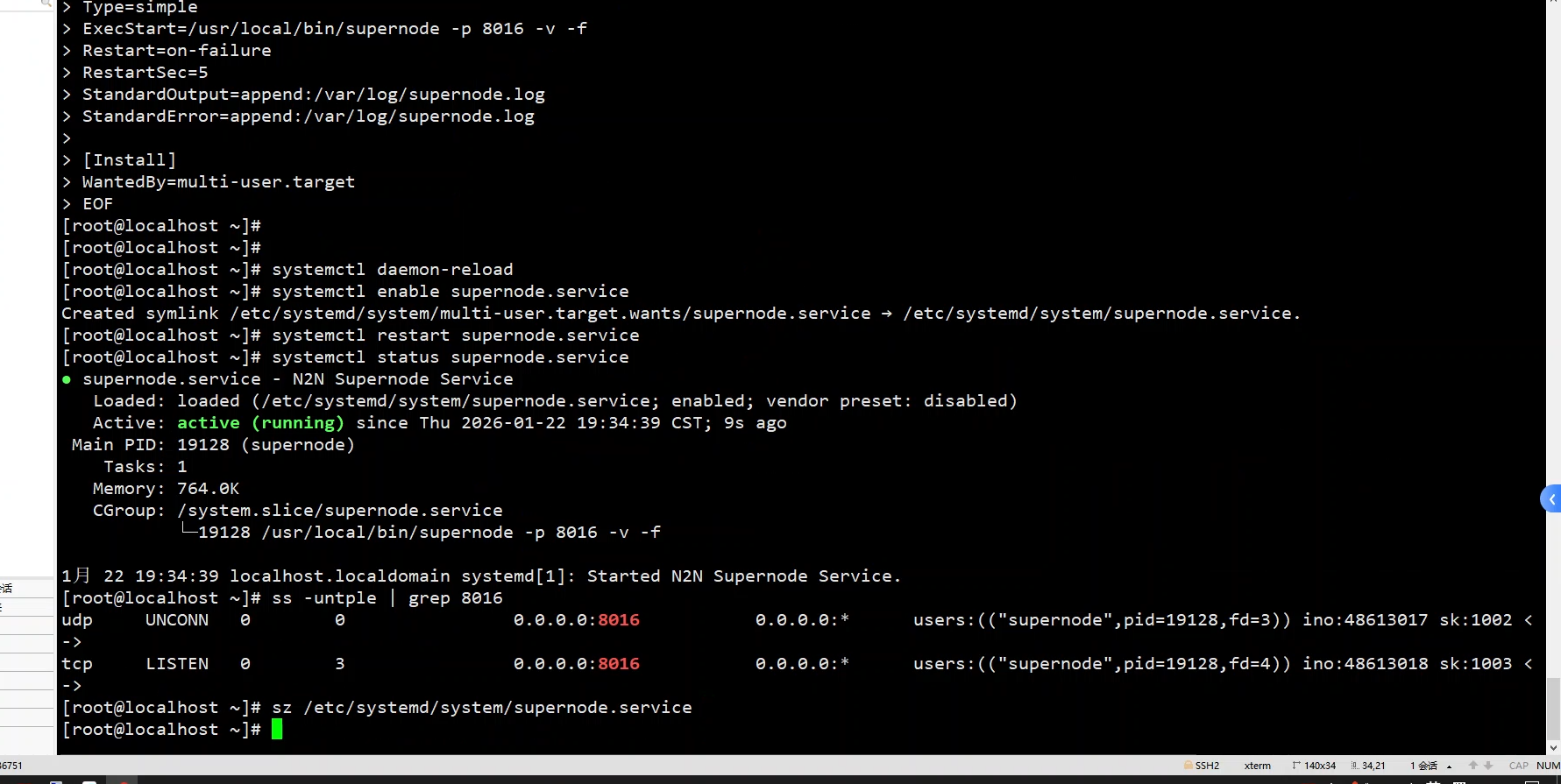
创建服务文件
bashcat > /etc/systemd/system/supernode.service << 'EOF' [Unit] Description=N2N Supernode Service After=network.target [Service] Type=simple ExecStart=/usr/local/bin/supernode -p 8016 -v -f Restart=on-failure RestartSec=5 StandardOutput=append:/var/log/supernode.log StandardError=append:/var/log/supernode.log [Install] WantedBy=multi-user.target EOF -
创建日志文件
bashtouch /var/log/supernode.log chmod 644 /var/log/supernode.log
🚀 四、启动并验证服务
-
重新加载 Systemd 配置
bashsystemctl daemon-reload -
设置开机自启并启动服务
bashsystemctl enable supernode.service systemctl start supernode.service -
验证服务状态
bashsystemctl status supernode.service✅ 正常输出:
Active: active (running) -
验证端口监听
bashss -untple | grep 8016✅ 正常输出:UDP 和 TCP 都在 8016 端口监听
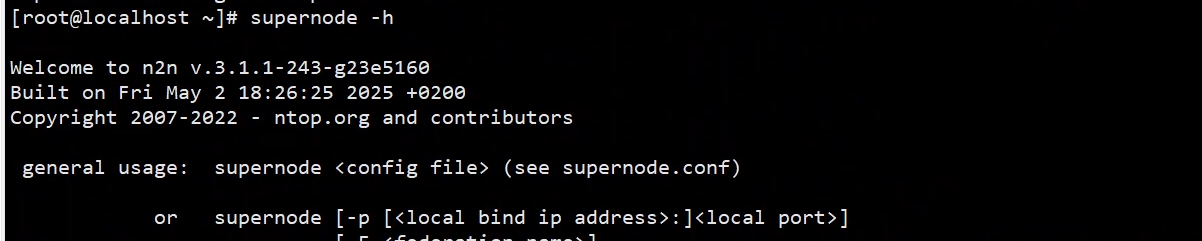
查看版本号是 -h
🛠️ n2n supernode 常见问题排查清单
🔍 1. 服务无法启动
- 现象 :
systemctl status supernode.service显示inactive (dead) - 排查步骤 :
-
检查
/usr/local/bin/supernode是否为二进制文件:bashfile /usr/local/bin/supernode
正确输出应包含
ELF 64-bit LSB executable。 -
手动执行二进制,看是否报错:
bash/usr/local/bin/supernode -p 8016 -v -f -
检查服务文件中的
ExecStart路径是否正确,是否包含-f参数。
-
🔍 2. 端口未监听
- 现象 :
ss -untple | grep 8016无输出 - 排查步骤 :
-
确认服务正在运行:
systemctl status supernode.service -
检查启动参数是否正确:
supernode用-p指定端口,而非-l。 -
检查防火墙是否开放 8016 端口:
bashfirewall-cmd --list-ports | grep 8016 # 若未开放,执行: firewall-cmd --add-port=8016/tcp --add-port=8016/udp --permanent firewall-cmd --reload
-
🔍 3. Systemd 服务报错
- 现象 :
systemctl status显示status=127 - 排查步骤 :
-
确认
/usr/local/bin/supernode存在且有执行权限:bashls -l /usr/local/bin/supernode权限应包含
x(如-rwxr-xr-x)。 -
确认该文件不是 OpenWRT 脚本,而是编译后的二进制。
-
🔍 4. 开机自启失效
- 现象 :
systemctl enable supernode.service报错 - 排查步骤 :
-
检查服务文件的
[Install]部分:ini[Install] WantedBy=multi-user.target确保这一行存在且无注释、无拼写错误。
-
重新加载配置并再次启用:
bashsystemctl daemon-reload systemctl enable supernode.service
-
🔍 5. 日志排查
-
查看实时日志 :
bashtail -f /var/log/supernode.log -
查看 Systemd 日志 :
bashjournalctl -u supernode.service -f
📝 关键问题总结
Systemd 服务适配 :必须用 -f 参数强制 supernode 前台运行,否则 Systemd 会误判服务已退出。