文章目录
前言
每当我们登录时,大多数平台都会有验证码验证,那么在开发过程中是如何实现的呢!接下来这篇文章就让我们一起学习下在Java后端开发中是如何实现的!
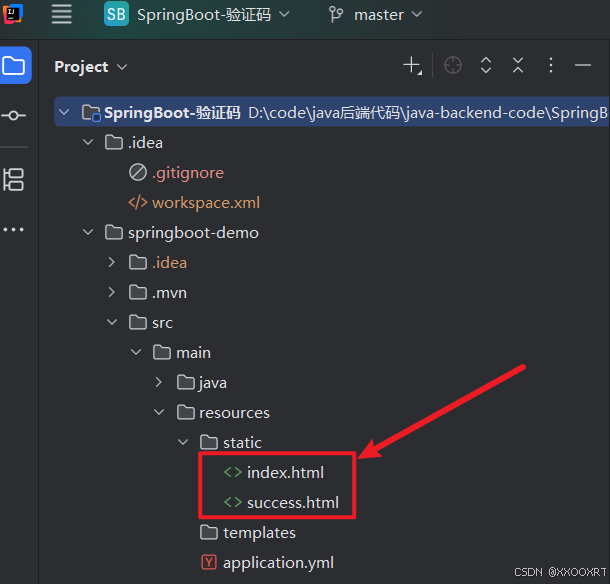
一、前端文件放置
二、约定前后端交互接口
1.需求分析
后端需要提供两个服务
(1)生成验证码,并返回验证码
(2)校验验证码是否正确
2.接口的定义
(1)生成验证码
请求:
c
请求URL:/captcha/getCaptcha响应:验证码图片内容(即浏览器给服务器发送一个/captcha/getCaptcha这样的请求,服务器返回一个图片,浏览器显示在页面上)
(2)校验验证码是否正确
请求:/captcha/check
c
请求URL:/captcha/check
请求参数:captcha=xn8d
响应:
c
true根据用户输入的验证码,校验验证码是否正确,true:验证成功,false:验证失败
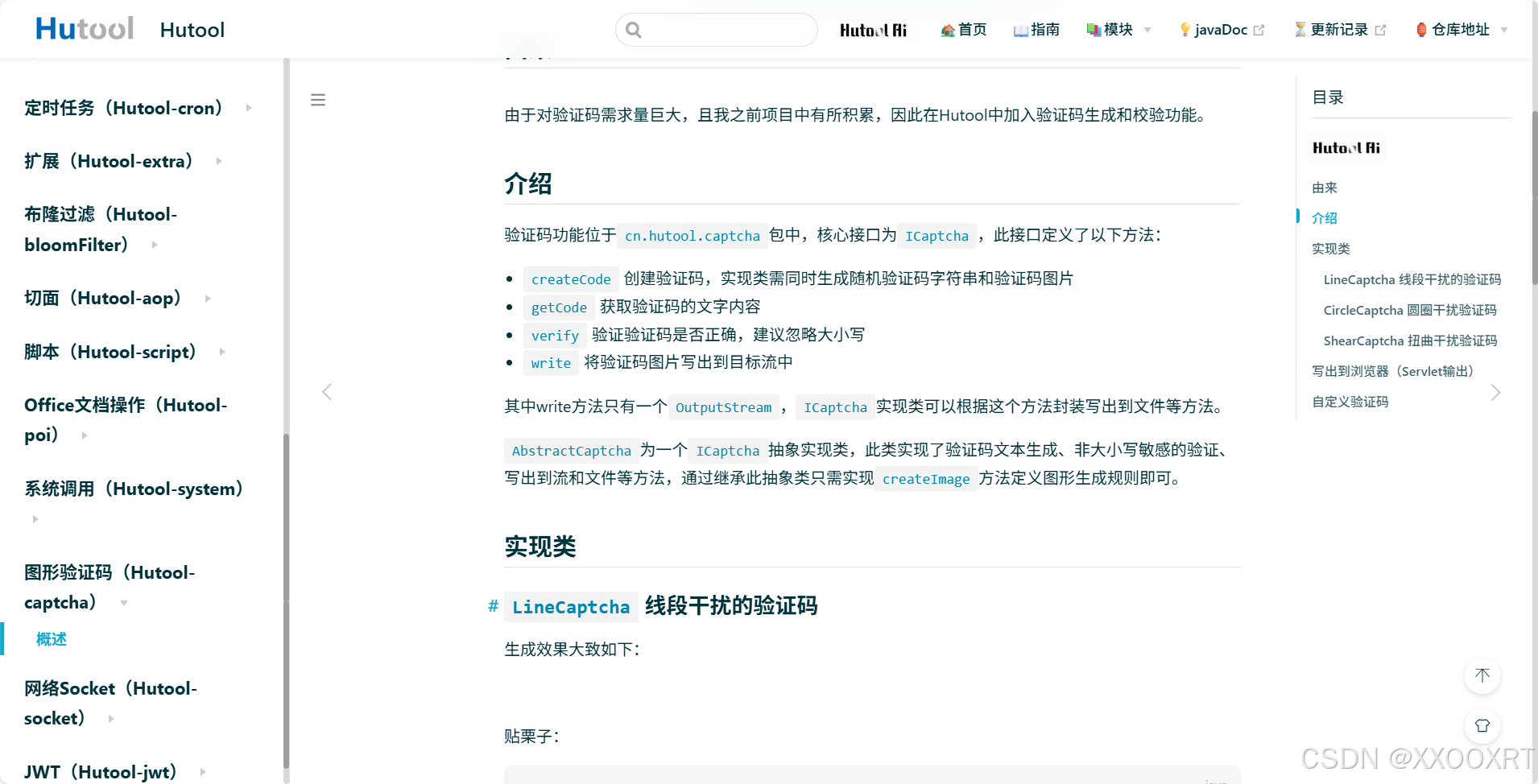
三、Hutool工具介绍
Hutool是⼀个Java⼯具包类库,对⽂件、流、加密解密、转码、正则、线程、XML等JDK⽅法进⾏封
装,组成各种Util⼯具类.
Hutool是⼀个⼩⽽全的Java⼯具类库,通过静态⽅法封装,降低相关API的学习成本,提⾼⼯作效
率,使Java拥有函数式语⾔般的优雅,让Java语⾔也可以"甜甜的"
四、代码实现
1.服务器端代码实现
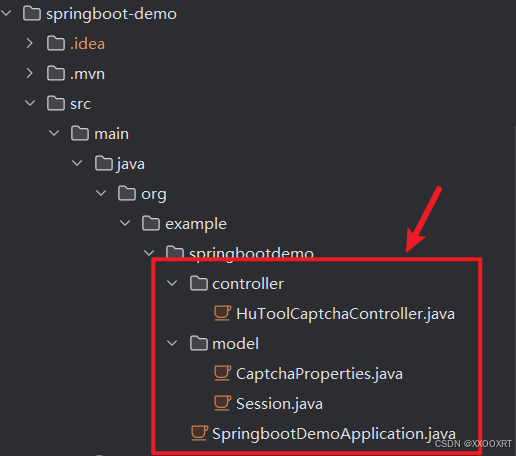
(1)引入依赖
bash
<dependency>
   <groupId>cn.hutool</groupId>
   <artifactId>hutool-captcha</artifactId>
   <version>5.8.22</version>
</dependency>
(2)后端代码
HuToolCaptchaController.java
java
package org.example.springbootdemo.controller;

import cn.hutool.captcha.CaptchaUtil;
import cn.hutool.captcha.LineCaptcha;
import jakarta.servlet.http.HttpServletRequest;
import jakarta.servlet.http.HttpServletResponse;
import jakarta.servlet.http.HttpSession;
import org.example.springbootdemo.model.CaptchaProperties;
import org.slf4j.Logger;
import org.slf4j.LoggerFactory;
import org.springframework.beans.factory.annotation.Autowired;
import org.springframework.util.StringUtils;
import org.springframework.web.bind.annotation.GetMapping;
import org.springframework.web.bind.annotation.RequestMapping;
import org.springframework.web.bind.annotation.RequestParam;
import org.springframework.web.bind.annotation.RestController;

import java.io.IOException;
import java.util.Date;

@RequestMapping("/captcha")
@RestController
public class HuToolCaptchaController {
    @Autowired
    private CaptchaProperties captchaProperties;

    @RequestMapping("/getCaptcha")
    public void getCode(HttpSession session, HttpServletResponse response) {
        //定义图形验证码的⻓和宽

        LineCaptcha lineCaptcha =
                CaptchaUtil.createLineCaptcha(captchaProperties.getWidth(),
                        captchaProperties.getHeight());
        response.setContentType("image/jpeg");
        //禁⽌使⽤缓存

        response.setHeader("Pragma", "No-cache");
        try {
            //输出到⻚⾯

            lineCaptcha.write(response.getOutputStream());
            //存储在Session中

            session.setAttribute(captchaProperties.getSession().getKey(),
                    lineCaptcha.getCode());
            session.setAttribute(captchaProperties.getSession().getDate(), new Date());
            //打印⽇志
            System.out.println("⽣成的验证码:" + lineCaptcha.getCode());
//关闭流

            response.getOutputStream().close();
        } catch (IOException e) {
            e.printStackTrace();
        }
    }
    private final static long VALID_MILLIS_TIME = 60 * 1000;
    @RequestMapping("/check")
    public boolean checkHomeCaptcha(String captcha, HttpSession session) {
        if (!StringUtils.hasLength(captcha)) {
            return false;
        }
        String savedCaptcha = (String)
                session.getAttribute(captchaProperties.getSession().getKey());
        Date sessionDate = (Date)
                session.getAttribute(captchaProperties.getSession().getDate());
        if (captcha.equalsIgnoreCase(savedCaptcha)) {
            if (sessionDate == null
                    || System.currentTimeMillis() - sessionDate.getTime() <
                    VALID_MILLIS_TIME) {
                return true;
            }
            return false;
        }
        return false;
    }
}
CaptchaProperties.java
java
package org.example.springbootdemo.model;

import jakarta.websocket.Session;
import lombok.Data;
import lombok.Getter;
import org.springframework.boot.context.properties.ConfigurationProperties;
import org.springframework.context.annotation.Configuration;
import org.springframework.stereotype.Component;

@Data
@Component
@ConfigurationProperties(prefix = "captcha")
public class CaptchaProperties {
    private Integer width;
    private Integer height;
    private Session session;
    @Data
    public static class Session {
        private String key;
        private String date;
    }
}
Session.java
java
package org.example.springbootdemo.model;

import lombok.Data;

@Data
public class Session {
    private String code;
    private String date;
}
2.客户端代码实现
(1)index.html
html
<!DOCTYPE html>
<html lang="en">

<head>
  <meta charset="utf-8">

  <title>验证码</title>
  <style>
    #inputCaptcha {
      height: 30px;
      vertical-align: middle;
    }
    #verificationCodeImg{
      vertical-align: middle;
    }
    #checkCaptcha{
      height: 40px;
      width: 100px;
    }
  </style>
</head>

<body>
<h1>输入验证码</h1>
<div id="confirm">
  <input type="text" name="inputCaptcha" id="inputCaptcha">
  <img id="verificationCodeImg" src="/captcha/getCaptcha" style="cursor: pointer;" title="看不清?换一张" />
  <input type="button" value="提交" id="checkCaptcha">
</div>
<script src="https://cdn.bootcdn.net/ajax/libs/jquery/3.6.4/jquery.min.js"></script>
<script>

  $("#verificationCodeImg").click(function(){
    $(this).hide().attr('src', '/captcha/getCaptcha?dt=' + new Date().getTime()).fadeIn();
  });

  $("#checkCaptcha").click(function () {
    // alert("验证码校验");
    $.ajax({
      type: "post",
      url: "/captcha/check",
      data: {
        captcha: $("#inputCaptcha").val()
      },
      success: function(result){
        if(result){
          location.href = "success.html";
        }else{
          alert("验证码错误");
        }
      }
    });
  });

</script>
</body>

</html>
(2)success.html
html
<!DOCTYPE html>
<html lang="en">
<head>
    <meta charset="UTF-8">
    <meta name="viewport" content="width=device-width, initial-scale=1.0">
    <title>验证成功页</title>
</head>
<body>
    <h1>验证成功</h1>
</body>
</html>
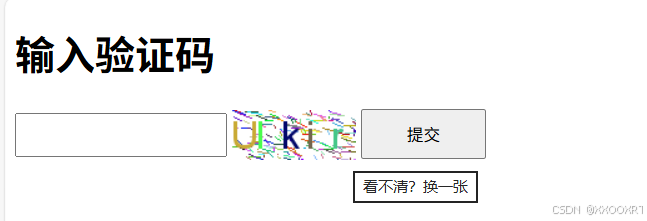
五、运行结果
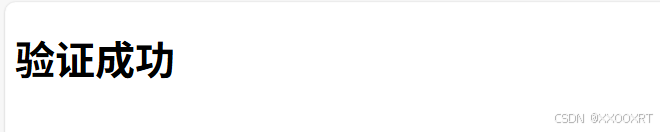
总结
验证码功能在Java后端开发中主要通过Hutool工具库实现,分为生成和校验两个核心模块。
生成验证码接口
通过/captcha/getCaptcha接口返回图形验证码,利用Hutool的LineCaptcha生成包含随机字符的图片。生成的验证码会存储到Session中,并设置有效期(示例为60秒),同时通过响应流将图片返回给前端显示。
校验验证码接口
/captcha/check接口接收用户输入的验证码,与Session中存储的验证码进行比对(不区分大小写),并检查是否在有效期内。校验结果返回布尔值,前端根据结果进行相应处理。
技术要点
- 使用Hutool的
CaptchaUtil快速生成图形验证码 - 通过Session存储验证码和生成时间
- 验证码有效期控制增强安全性
- 前后端分离设计,接口返回简单JSON或图片数据
这种实现方式兼顾了开发效率和安全性,适用于大多数Web应用的验证需求。通过配置类管理验证码参数(如宽高、Session键名等),提高了代码的可维护性。