核心原理
重写BuildScriptBase的ProcessGroup,让其在需要剔除的时候返回string.Empty或null即可
代码实现
先写一个Schema来给需要管理的Group上标记
csharp
using UnityEditor.AddressableAssets.Settings;

public class BuildExclusionSchema : AddressableAssetGroupSchema
{
    public enum FilterType {
        Normal,
        TestOnly,
        ReleaseOnly,
    }
    public FilterType filterType = FilterType.Normal;
    public bool ShouldExclude() {
        if(filterType == FilterType.Normal)return false;
        if (filterType == FilterType.TestOnly) return !CommonData.isTest;
        if (filterType == FilterType.ReleaseOnly) return CommonData.isTest;
        return false;
    }
}
随便写的,具体自己的项目里想怎么改怎么改
然后是核心,自定义一个AA的BuildMode
这里直接继承默认的BuildScriptPackedMode
csharp
using UnityEditor.AddressableAssets.Build.DataBuilders;
using UnityEditor.AddressableAssets.Settings;
using UnityEngine;
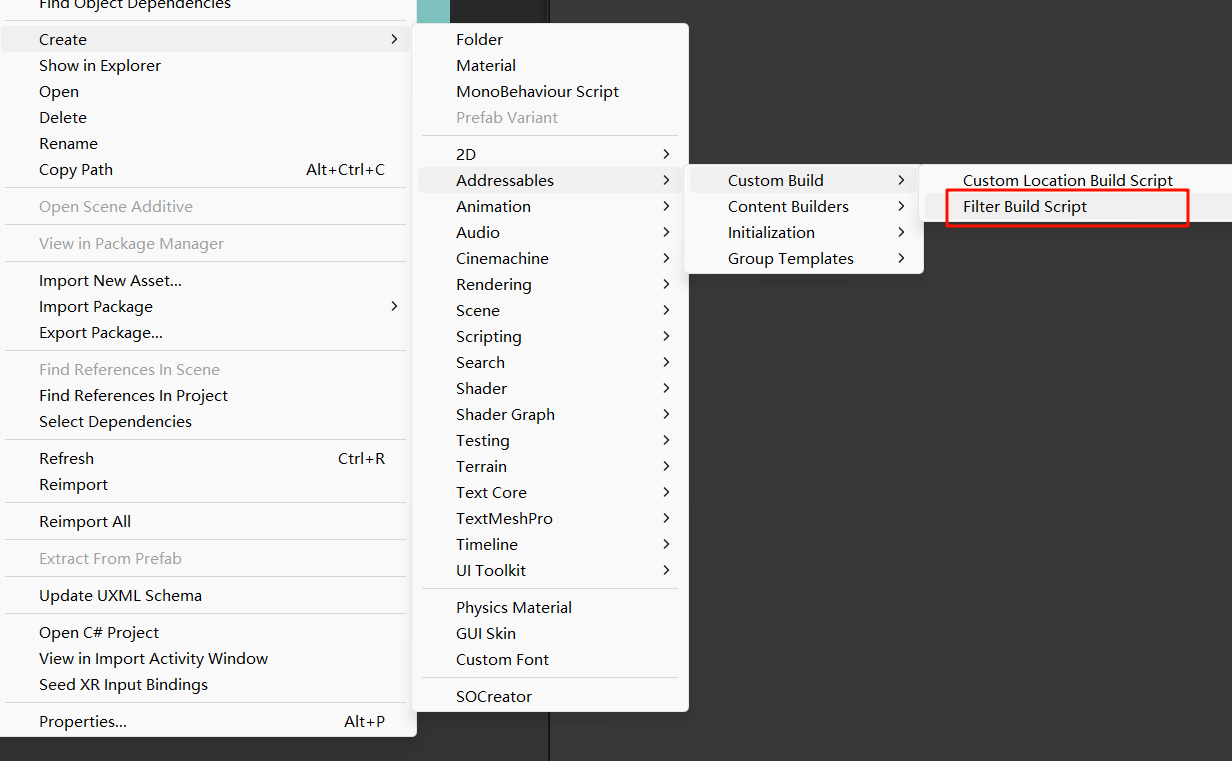
[CreateAssetMenu(fileName = "BuildScriptPackedFilterMode.asset", menuName = "Addressables/Custom Build/Filter Build Script")]
public class BuildScriptPackedFilterMode : BuildScriptPackedMode {
    public override string Name => "Filter Build Script";
    protected override string ProcessGroup(AddressableAssetGroup assetGroup, AddressableAssetsBuildContext aaContext) {
        var customFilter = assetGroup.GetSchema<BuildExclusionSchema>();
        if (customFilter != null && customFilter.ShouldExclude()) {
            Debug.Log($"[AA Filter Build] 剔除资源组: {assetGroup.name}");
            return null;
        }
        else {
            return base.ProcessGroup(assetGroup, aaContext);
        }
    }
}
记得重写Name属性,在各种面板上显示时都要用的
准备工作
先给对应的Group添加对应的Schema
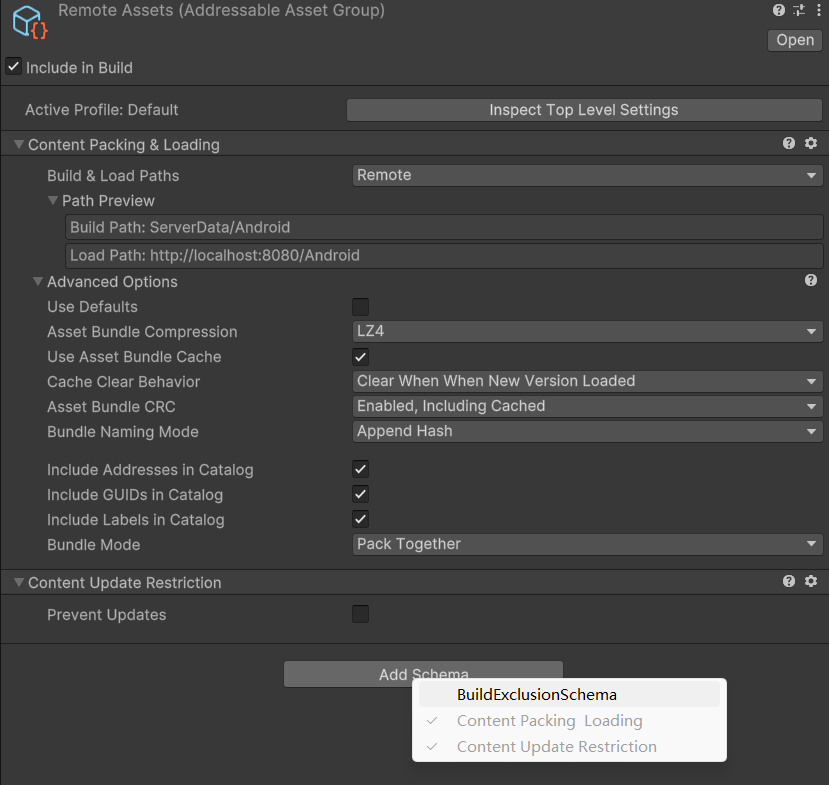
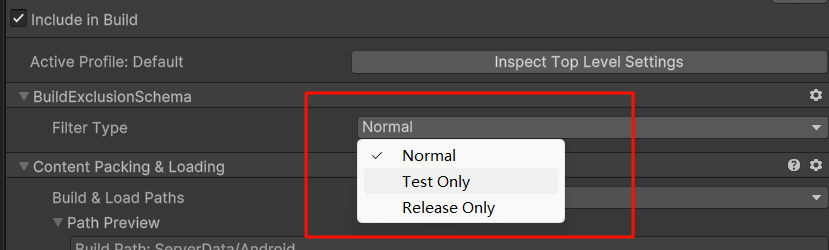
选择对应的模式
然后创建刚刚自定义的Build Script的asset资源并加进AA的Setting里
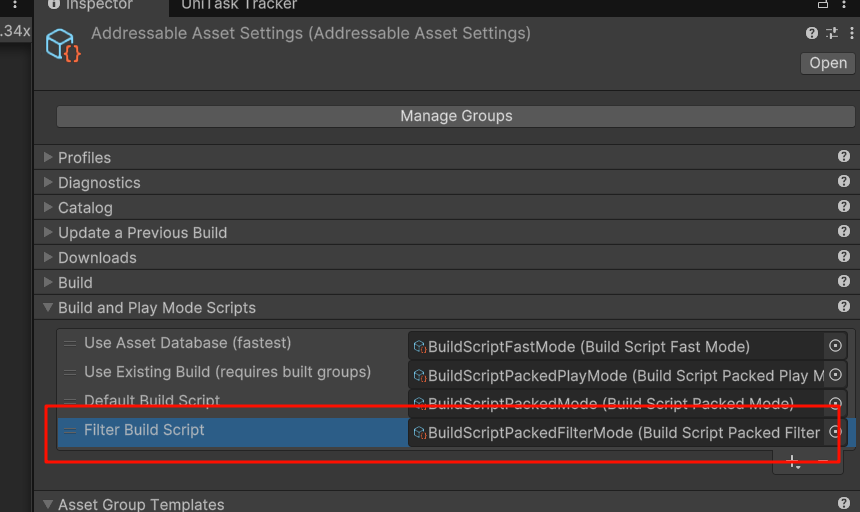
这样,就可以在AA的Build栏下看见我们自定义的BuildScript了
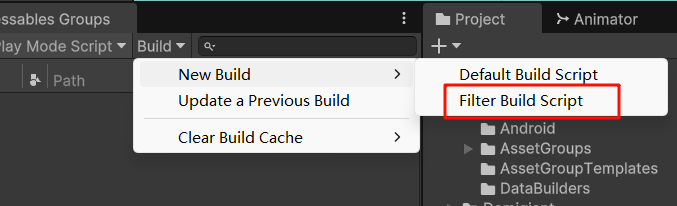
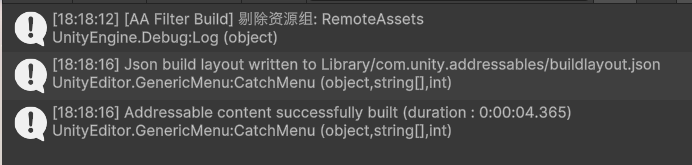
点击执行
注意事项
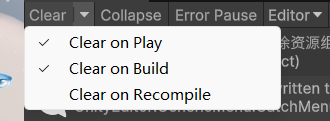
build会触发recompile所以控制台里的 clear on compile要是勾选了,对应的log就会被清掉导致看不见。
AA有很多个自带的Build Script,而且Build游戏和使用Update a Previous Build都会执行Build Script,如何确保它执行的是我们想要的Script呢?
首先,AA有一个active Index,保存了上次手动执行的Build Script的下标,在debug窗口就能看见
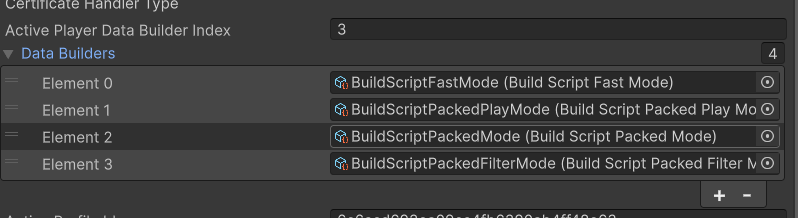 这是我执行了Filter Build,所以下标是3,也就是最后我加进去的那个
那么很简单了,要么你把自带的都移除出Builders,只剩一个就好了,要么别乱点其他的Build,完事