由于前面部分内容极具模板化通用性,因此单独抽取出来作为具体知识点模块笔记学习。详情在《JAVA后端必会模板》专栏中。由于项目开发文档已经足够详细,因此这里只记录要点。
支持用户上传图片和审核功能
方案设计
逻辑流程
上传:开放上传权限
审核:通过增加审核字段,由管理员身份审核。用户只能看见审核通过的图片。
库表设计
java
ALTER TABLE picture

    ADD COLUMN reviewStatus INT DEFAULT 0 NOT NULL COMMENT '审核状态:0-待审核; 1-通过; 2-拒绝',
    ADD COLUMN reviewMessage VARCHAR(512) NULL COMMENT '审核信息',
    ADD COLUMN reviewerId BIGINT NULL COMMENT '审核人 ID',
    ADD COLUMN reviewTime DATETIME NULL COMMENT '审核时间';


CREATE INDEX idx_reviewStatus ON picture (reviewStatus);
后端开发
数据模型开发
实体类 Picture 新增
java
private Integer reviewStatus;


private String reviewMessage;


private Long reviewerId;


private Date reviewTime;
图片查询请求类 PictureQueryRequest 新增
java
private Integer reviewStatus;


private String reviewMessage;


private Long reviewerId;
新建审核状态枚举类
java
@Getter
public enum PictureReviewStatusEnum {
    REVIEWING("待审核", 0),
    PASS("通过", 1),
    REJECT("拒绝", 2);

    private final String text;
    private final int value;

    PictureReviewStatusEnum(String text, int value) {
        this.text = text;
        this.value = value;
    }


    public static PictureReviewStatusEnum getEnumByValue(Integer value) {
        if (ObjUtil.isEmpty(value)) {
            return null;
        }
        for (PictureReviewStatusEnum pictureReviewStatusEnum : PictureReviewStatusEnum.values()) {
            if (pictureReviewStatusEnum.value == value) {
                return pictureReviewStatusEnum;
            }
        }
        return null;
    }
}
管理员审核功能
开发请求包装类
开发审核服务
实现类
开发审核接口
审核状态设置
权限控制
设置审核状态
图片上传、用户编辑、管理员更新这 3 个操作都需要设置审核状态,所以我们可以先编写一个通用的 "补充审核参数" 的方法,根据用户的角色给图片对象填充审核字段的值。
java
@Override
public void fillReviewParams(Picture picture, User loginUser) {
    if (userService.isAdmin(loginUser)) {

        picture.setReviewStatus(PictureReviewStatusEnum.PASS.getValue());
        picture.setReviewerId(loginUser.getId());
        picture.setReviewMessage("管理员自动过审");
        picture.setReviewTime(new Date());
    } else {

        picture.setReviewStatus(PictureReviewStatusEnum.REVIEWING.getValue());
    }
}
控制内容可见性
需要修改主页调用的 listPictureVOByPage 接口,补充查询条件即可,默认只能查看已过审的数据
同步更改 PictureService 的 getQueryWrapper 方法,支持根据审核字段进行查询
通过 URL 导入图片
方案设计
1)下载图片:后端服务器从指定的远程 URL 下载图片到本地临时存储。对于 Java 项目,可以直接使用 Hutool 的 HttpUtil.downloadFile 方法一行代码完成。
2)校验图片:跟验证本地文件一样,需要校验图片的格式、大小等。也可以直接校验 URL 字符串本身的合法性。
3)上传图片:将校验通过的图片上传到对象存储服务,生成存储 URL。
后端开发
服务开发
java
public UploadPictureResult uploadPictureByUrl(String fileUrl, String uploadPathPrefix) {


    validPicture(fileUrl);

    String uuid = RandomUtil.randomString(16);

    String originFilename = FileUtil.mainName(fileUrl);
    String uploadFilename = String.format("%s_%s.%s", DateUtil.formatDate(new Date()), uuid,
            FileUtil.getSuffix(originFilename));
    String uploadPath = String.format("/%s/%s", uploadPathPrefix, uploadFilename);
    File file = null;
    try {

        file = File.createTempFile(uploadPath, null);

        HttpUtil.downloadFile(fileUrl, file);


    } catch (Exception e) {
        log.error("图片上传到对象存储失败", e);
        throw new BusinessException(ErrorCode.SYSTEM_ERROR, "上传失败");
    } finally {
        this.deleteTempFile(file);
    }
}
要点:
通过URL获取名称:FileUtil.mainName(fileUrl)
通过URL下载文件:HttpUtil.downloadFile(fileUrl,file)
校验 URL 图片
java
private void validPicture(String fileUrl) {
    ThrowUtils.throwIf(StrUtil.isBlank(fileUrl), ErrorCode.PARAMS_ERROR, "文件地址不能为空");

    try {

        new URL(fileUrl);
    } catch (MalformedURLException e) {
        throw new BusinessException(ErrorCode.PARAMS_ERROR, "文件地址格式不正确");
    }


    ThrowUtils.throwIf(!(fileUrl.startsWith("http://") || fileUrl.startsWith("https://")),
            ErrorCode.PARAMS_ERROR, "仅支持 HTTP 或 HTTPS 协议的文件地址");


    HttpResponse response = null;
    try {
        response = HttpUtil.createRequest(Method.HEAD, fileUrl).execute();

        if (response.getStatus() != HttpStatus.HTTP_OK) {
            return;
        }

        String contentType = response.header("Content-Type");
        if (StrUtil.isNotBlank(contentType)) {

            final List<String> ALLOW_CONTENT_TYPES = Arrays.asList("image/jpeg", "image/jpg", "image/png", "image/webp");
            ThrowUtils.throwIf(!ALLOW_CONTENT_TYPES.contains(contentType.toLowerCase()),
                    ErrorCode.PARAMS_ERROR, "文件类型错误");
        }

        String contentLengthStr = response.header("Content-Length");
        if (StrUtil.isNotBlank(contentLengthStr)) {
            try {
                long contentLength = Long.parseLong(contentLengthStr);
                final long TWO_MB = 2 * 1024 * 1024L;
                ThrowUtils.throwIf(contentLength > TWO_MB, ErrorCode.PARAMS_ERROR, "文件大小不能超过 2M");
            } catch (NumberFormatException e) {
                throw new BusinessException(ErrorCode.PARAMS_ERROR, "文件大小格式错误");
            }
        }
    } finally {
        if (response != null) {
            response.close();
        }
    }
}
要点:
1.利用Head只获取Http请求头信息进行校验response=HttpUtil.createRequest(Method.HEAD,fileUrl).execute();
2.校验文件类型 String contentType=response.header("Content-Type");
3.校验文件大小 String contentLengthStr =response.header("Content-Length"),Long.parseLong()
4.关闭响应资源 response.close() 如io流,网络资源,数据库连接等操作系统级资源都需要手动关闭
优化代码 - 模板方法模式
模板方法模式是行为型设计模式,适用于具有通用处理流程、但处理细节不同的情况。通过定义一个抽象模板类,提供通用的业务流程处理逻辑,并将不同的部分定义为抽象方法,由子类具体实现。
要点:
1.@Deprecated 表示该类废弃2.使用Object inputSource 来兼容MultiPartFile与String
批量抓取和创建图片
方案设计
1、如何抓取图片?
在哪抓
bing图片库中抓取
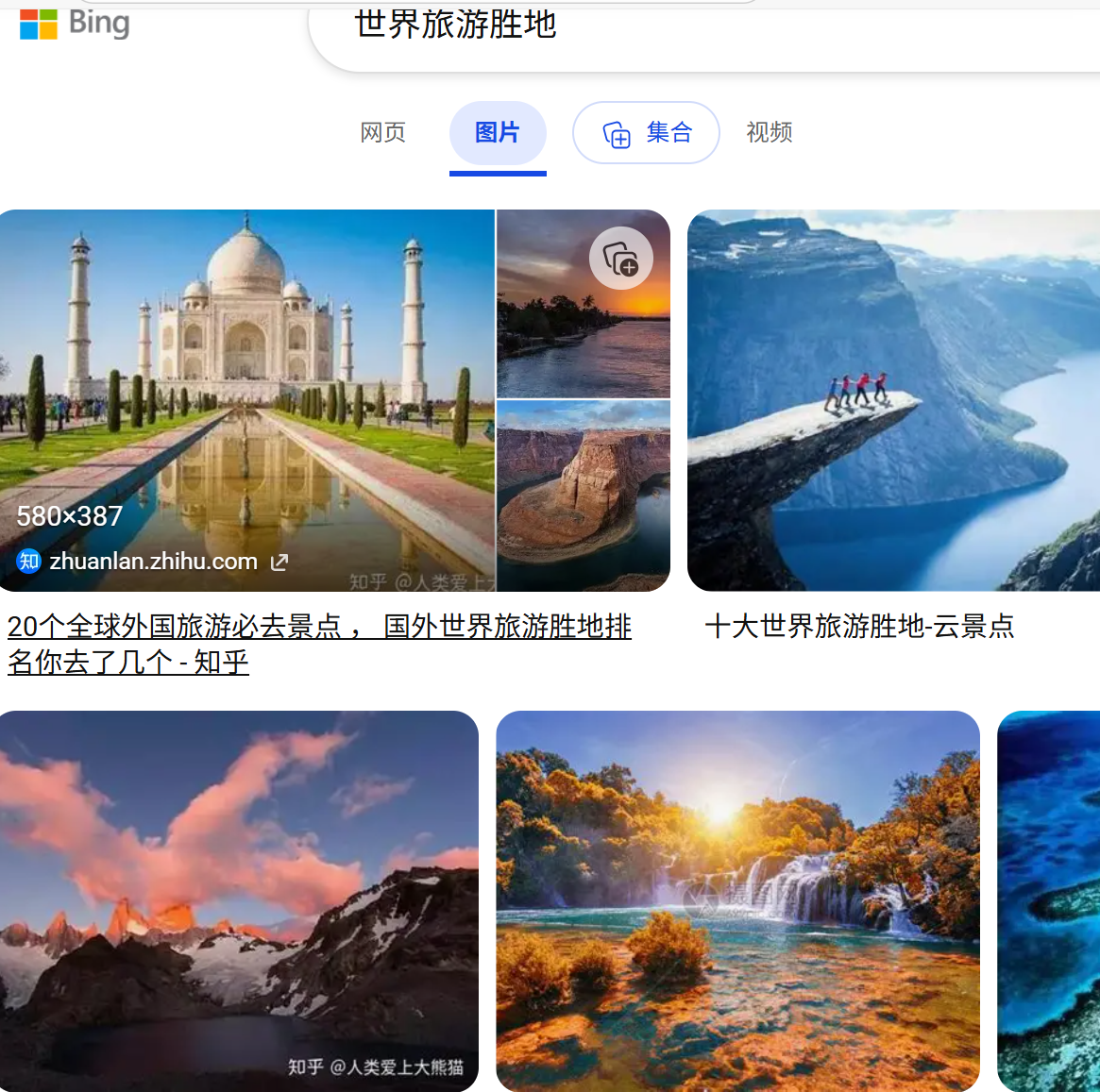
如何抓
1.请求完整页面再解析HTML结构,获取图片下载地址URL
2.通过后端获取图片地址接口来获取图片。f12网络请求控制台里找。
使用jsoup解析HTML元素
2、抓取和导入规则
1.关键词2.抓取数量
后端开发
定义请求体
开发服务
引jsoup依赖
编写抓取方法
java
@Override
public int uploadPictureByBatch(PictureUploadByBatchRequest pictureUploadByBatchRequest, User loginUser) {
    String searchText = pictureUploadByBatchRequest.getSearchText();

    Integer count = pictureUploadByBatchRequest.getCount();
    ThrowUtils.throwIf(count > 30, ErrorCode.PARAMS_ERROR, "最多 30 条");

    String fetchUrl = String.format("https://cn.bing.com/images/async?q=%s&mmasync=1", searchText);
    Document document;
    try {
        document = Jsoup.connect(fetchUrl).get();
    } catch (IOException e) {
        log.error("获取页面失败", e);
        throw new BusinessException(ErrorCode.OPERATION_ERROR, "获取页面失败");
    }
    Element div = document.getElementsByClass("dgControl").first();
    if (ObjUtil.isNull(div)) {
        throw new BusinessException(ErrorCode.OPERATION_ERROR, "获取元素失败");
    }
    Elements imgElementList = div.select("img.mimg");
    int uploadCount = 0;
    for (Element imgElement : imgElementList) {
        String fileUrl = imgElement.attr("src");
        if (StrUtil.isBlank(fileUrl)) {
            log.info("当前链接为空,已跳过: {}", fileUrl);
            continue;
        }

        int questionMarkIndex = fileUrl.indexOf("?");
        if (questionMarkIndex > -1) {
            fileUrl = fileUrl.substring(0, questionMarkIndex);
        }

        PictureUploadRequest pictureUploadRequest = new PictureUploadRequest();
        try {
            PictureVO pictureVO = this.uploadPicture(fileUrl, pictureUploadRequest, loginUser);
            log.info("图片上传成功, id = {}", pictureVO.getId());
            uploadCount++;
        } catch (Exception e) {
            log.error("图片上传失败", e);
            continue;
        }
        if (uploadCount >= count) {
            break;
        }
    }
    return uploadCount;
}
要点:
1.拼接请求地址String.format()
2.通过核心类Document获取HTTP文档对象Jsoup.connect(fetchUrl).get()
3.定位图片列表的核心容器元素Element div=document.getElementsByClass("dgControl").first
4.提取所有图片元素 Elements imgElementList = div.select("img.mimg");
5.遍历挨个上传,清晰图片链接fileUrl.indexOf("?"),fileUrl.substring() ?后面参数可能携带非法字符等