报错如下:
tcl@TCL:~ $ git clone https://github.com/raspberrypi/usbboot
Cloning into 'usbboot'...
remote: Enumerating objects: 2386, done.
remote: Counting objects: 100% (15/15), done.
remote: Compressing objects: 100% (12/12), done.
error: RPC failed; curl 56 Recv failure: Connection reset by peer
error: 8457 bytes of body are still expected
fetch-pack: unexpected disconnect while reading sideband packet
fatal: early EOF
fatal: fetch-pack: invalid index-pack output
可能的原因:
这个错误通常是由于网络连接不稳定或git仓库过大导致的。
解决方法:
方法1:
增大git缓冲区:
# 设置更大的缓冲区大小
git config --global http.postBuffer 524288000
git config --global http.lowSpeedLimit 0
git config --global http.lowSpeedTime 999999

# 重新尝试克隆
cd ~
git clone https://github.com/raspberrypi/usbboot
结果:
tcl@TCL:~ $ git clone https://github.com/raspberrypi/usbboot
Cloning into 'usbboot'...
remote: Enumerating objects: 2386, done.
remote: Counting objects: 100% (15/15), done.
remote: Compressing objects: 100% (12/12), done.
Receiving objects:  25% (600/2386), 32.18 MiB | 96.00 KiB/s
方法2:
只克隆最近一次提交,减少数据量
git clone --depth 1 https://github.com/raspberrypi/usbboot效果:
tcl@TCL:~ $ git clone --depth 1 https://github.com/raspberrypi/usbboot
Cloning into 'usbboot'...
remote: Enumerating objects: 125, done.
remote: Counting objects: 100% (125/125), done.
remote: Compressing objects:  38% (38/98)
方法3:
这是我采用的方法:
通过win下载:GitHub - raspberrypi/usbboot: Raspberry Pi USB device provisioning tool (RPIBOOT)
通过FileZilla_3.69.5_win64_sponsored2-setup,将下载的文件拖过去。
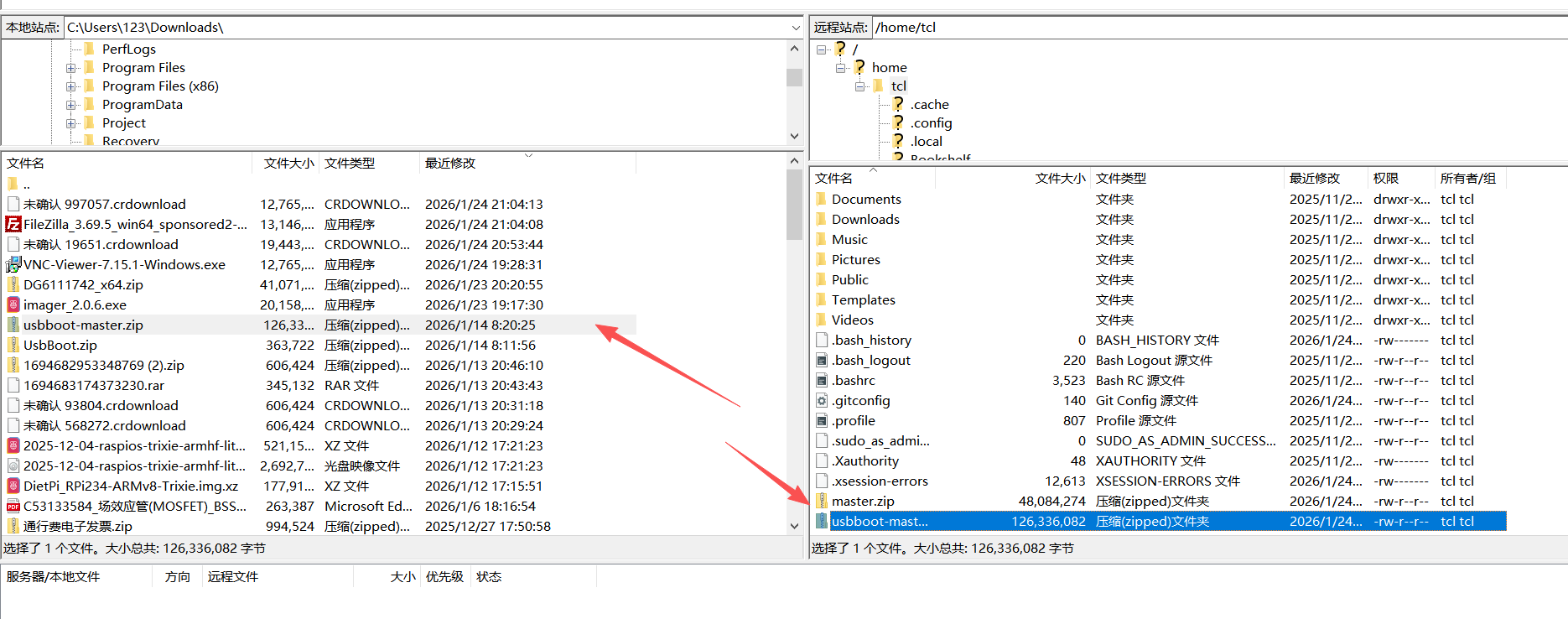
然后是命令行:
tcl@TCL:~ $ cd ~
tcl@TCL:~ $ ls -la *.zip
-rw-r--r-- 1 tcl tcl 48084274 Jan 24 21:16 master.zip
tcl@TCL:~ $ ls -la *.zip
-rw-r--r-- 1 tcl tcl  48084274 Jan 24 21:16 master.zip
-rw-r--r-- 1 tcl tcl 126336082 Jan 24 21:17 usbboot-master.zip
tcl@TCL:~ $ unzip usbboot-master.zip
Archive:  usbboot-master.zip
d6d87604df0b180be9269b3f9357efec3946c356
//省略一些信息。。。。。。。。。。

tcl@TCL:~ $ mv usbboot-master usbboot
tcl@TCL:~ $ cd usbboot
tcl@TCL:~/usbboot $ ls -la
total 164


//省略一些信息。。。。。。。。。。

tcl@TCL:~/usbboot $ sudo apt update

tcl@TCL:~/usbboot $ sudo apt install libusb-1.0-0-dev build-essential -y

tcl@TCL:~/usbboot $ make

tcl@TCL:~/usbboot $ sudo make install

tcl@TCL:~/usbboot $

sudo rpiboot
RPIBOOT: build-date 2026/01/24 pkg-version local

Please fit the EMMC_DISABLE / nRPIBOOT jumper before connecting the power and USB cables to the target device.
If the device fails to connect then please see https://rpltd.co/rpiboot for debugging tips.

Waiting for BCM2835/6/7/2711/2712...
嗯,这个就安装结束了。