Flutter for OpenHarmony 进阶实战:打造 60FPS 流畅的物理切水果游戏
摘要: 在上一篇文章中,我们实现了一个基础的切水果原型。今天,我们将对其进行"硬核"升级。我们将引入物理模拟,让水果飞溅、切开后产生碎片并受重力影响下落,同时优化渲染循环以确保在
Trae 环境及真机上都能保持 60FPS 的流畅体验。本文将深入讲解如何在 Flutter 中构建简单的物理引擎和粒子系统。
成功运行效果
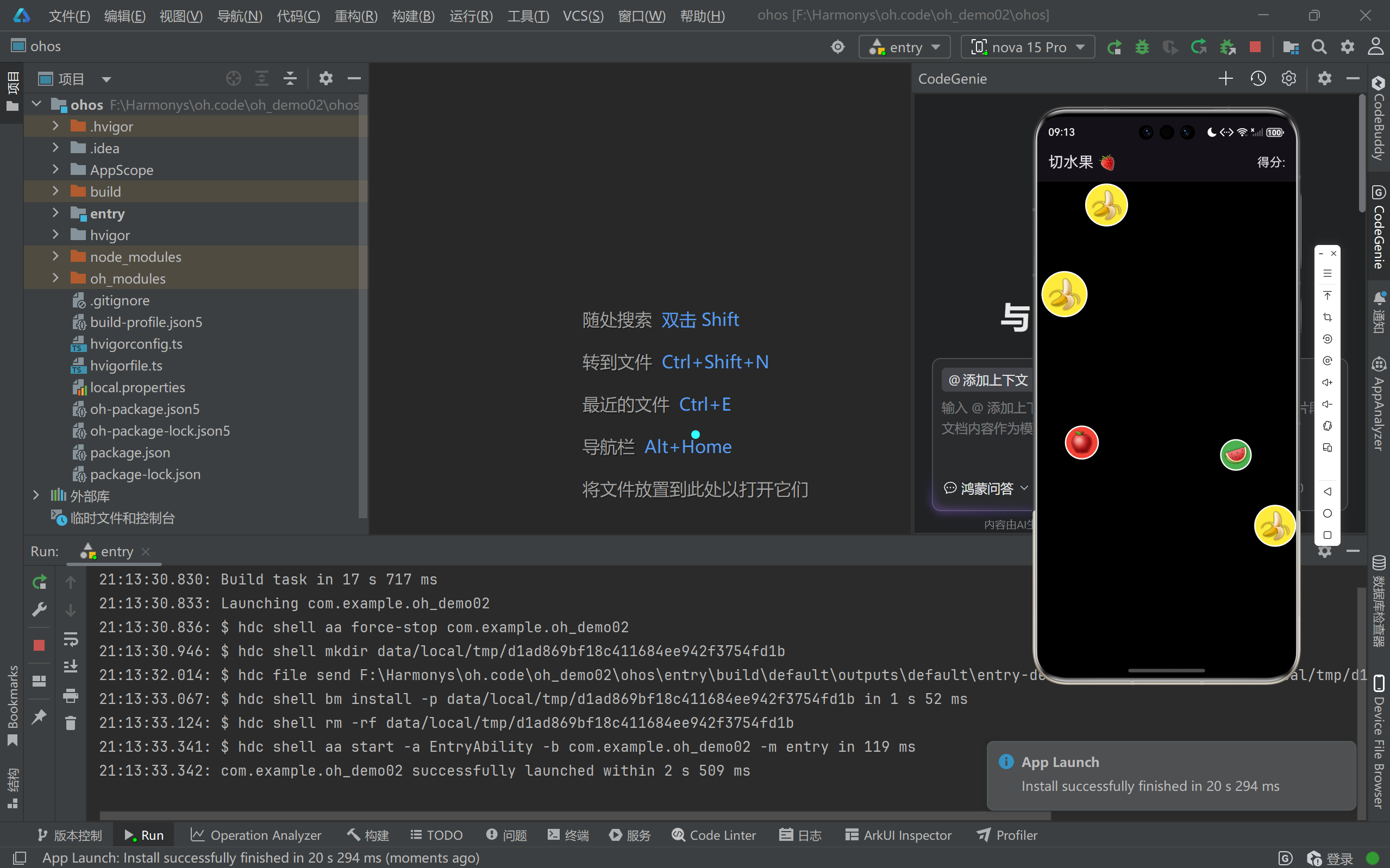
完整效果展示
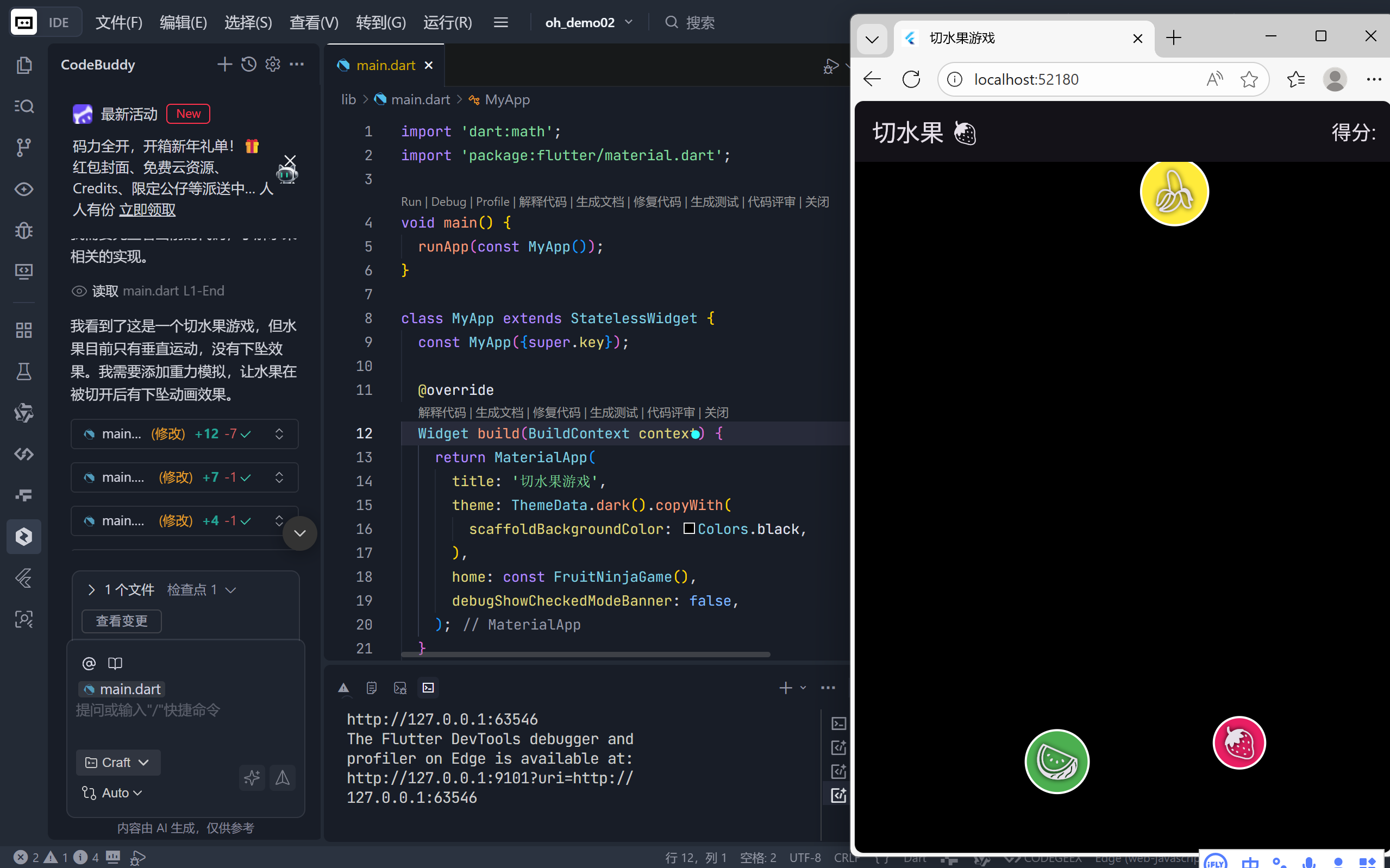
完整代码展示
dart
import 'dart:math';
import 'package:flutter/material.dart';

void main() {
  runApp(const MyApp());
}

class MyApp extends StatelessWidget {
  const MyApp({super.key});

  @override
  Widget build(BuildContext context) {
    return MaterialApp(
      title: '切水果游戏',
      theme: ThemeData.dark().copyWith(
        scaffoldBackgroundColor: Colors.black,
      ),
      home: const FruitNinjaGame(),
      debugShowCheckedModeBanner: false,
    );
  }
}

class FruitNinjaGame extends StatefulWidget {
  const FruitNinjaGame({super.key});

  @override
  State<FruitNinjaGame> createState() => _FruitNinjaGameState();
}

class _FruitNinjaGameState extends State<FruitNinjaGame>
    with TickerProviderStateMixin {
  // 水果列表,存储当前屏幕上所有的水果
  final List<Fruit> _fruits = [];
  // 刀光轨迹点
  final List<Offset> _swordPoints = [];
  // 分数
  int _score = 0;

  late AnimationController _controller;

  // 重力加速度
  static const double _gravity = 0.2;

  // 下坠动画列表
  final List<FallingPart> _fallingParts = [];

  @override
  void initState() {
    super.initState();
    _controller = AnimationController(
        vsync: this, duration: const Duration(milliseconds: 16))
      ..repeat(); // 每秒约60帧
    // 开始生成水果
    _startSpawning();
    // 启动物理更新循环
    _controller.addListener(_updatePhysics);
  }

  @override
  void dispose() {
    _controller.dispose();
    super.dispose();
  }

  // 生成水果的定时器
  void _startSpawning() {
    Future.delayed(const Duration(milliseconds: 300), () {
      if (mounted) {
        _spawnFruit();
        // 递归调用,实现循环生成
        _startSpawning();
      }
    });
  }

  // 生成多个水果
  void _spawnFruit() {
    final random = Random();
    // 每次生成1-3个水果
    final fruitCount = 1 + random.nextInt(3);

    for (int i = 0; i < fruitCount; i++) {
      // 随机从底部或顶部出现
      final bool fromBottom = random.nextBool();
      final double startX =
          random.nextDouble() * MediaQuery.of(context).size.width;

      // 随机水果类型
      final FruitType type =
          FruitType.values[random.nextInt(FruitType.values.length)];

      // 随机速度
      final double speed = 2 + random.nextDouble() * 3;

      setState(() {
        _fruits.add(
          Fruit(
            position: Offset(
                startX, fromBottom ? MediaQuery.of(context).size.height : 0),
            velocity: Offset(0, fromBottom ? -speed : speed),
            type: type,
            size: 40 + random.nextDouble() * 30,
          ),
        );
      });
    }
  }

  // 切割逻辑
  void _checkCut(Offset point) {
    setState(() {
      // 添加刀光点
      _swordPoints.add(point);

      // 限制刀光点数量,防止内存溢出
      if (_swordPoints.length > 10) {
        _swordPoints.removeAt(0);
      }

      // 遍历所有水果,检查是否被切中
      for (int i = _fruits.length - 1; i >= 0; i--) {
        final fruit = _fruits[i];
        // 计算刀光点到水果中心的距离
        for (var swordPoint in _swordPoints) {
          final double distance = (swordPoint - fruit.position).distance;
          // 如果距离小于水果半径,则判定为切中
          if (distance < fruit.size / 2) {
            _score += 10;

            // 创建下坠碎片效果
            _createFallingParts(fruit);

            // 从列表中移除该水果
            _fruits.removeAt(i);
            break;
          }
        }
      }
    });
  }

  // 创建下坠的碎片
  void _createFallingParts(Fruit fruit) {
    final random = Random();
    // 创建4-6个碎片
    final partCount = 4 + random.nextInt(3);

    for (int i = 0; i < partCount; i++) {
      final angle = (2 * pi / partCount) * i + random.nextDouble() * 0.5;
      final speed = 2 + random.nextDouble() * 3;
      _fallingParts.add(FallingPart(
        position: fruit.position,
        velocity: Offset(
          cos(angle) * speed,
          sin(angle) * speed - 2, // 稍微向上抛出
        ),
        color: fruit.type.color,
        icon: fruit.type.icon,
        size: fruit.size * (0.3 + random.nextDouble() * 0.4),
        rotation: random.nextDouble() * 2 * pi,
        rotationSpeed: (random.nextDouble() - 0.5) * 0.3,
      ));
    }
  }

  // 更新物理状态
  void _updatePhysics() {
    if (!mounted) return;

    setState(() {
      // 更新水果位置(未切割的)
      for (var fruit in _fruits) {
        // 应用重力加速度,使水果具有下坠效果
        fruit.velocity =
            Offset(fruit.velocity.dx, fruit.velocity.dy + _gravity);
        fruit.position += fruit.velocity;
      }

      // 更新下坠碎片
      for (int i = _fallingParts.length - 1; i >= 0; i--) {
        final part = _fallingParts[i];
        part.velocity = Offset(part.velocity.dx, part.velocity.dy + _gravity);
        part.position += part.velocity;
        part.rotation += part.rotationSpeed;

        // 移除超出屏幕的碎片
        if (part.position.dy > MediaQuery.of(context).size.height + 100) {
          _fallingParts.removeAt(i);
        }
      }

      // 移除超出屏幕的水果
      for (int i = _fruits.length - 1; i >= 0; i--) {
        final fruit = _fruits[i];
        if (fruit.position.dy > MediaQuery.of(context).size.height + 100 ||
            fruit.position.dy < -100 ||
            fruit.position.dx > MediaQuery.of(context).size.width + 100 ||
            fruit.position.dx < -100) {
          _fruits.removeAt(i);
        }
      }
    });
  }

  @override
  Widget build(BuildContext context) {
    return Scaffold(
      appBar: AppBar(
        title: const Text('切水果 🍓'),
        actions: [
          Text('得分:   ', style: const TextStyle(fontSize: 18)),
        ],
      ),
      body: Stack(
        children: [
          // --- 水果绘制区 ---
          ..._fruits.map((fruit) {
            return Positioned(
              left: fruit.position.dx - fruit.size / 2,
              top: fruit.position.dy - fruit.size / 2,
              child: Container(
                width: fruit.size,
                height: fruit.size,
                decoration: BoxDecoration(
                  shape: BoxShape.circle,
                  color: fruit.type.color,
                  border: Border.all(color: Colors.white, width: 2),
                ),
                child: Center(
                  child: Text(
                    fruit.type.icon,
                    style: TextStyle(fontSize: fruit.size * 0.6, shadows: [
                      const Shadow(
                          blurRadius: 5,
                          color: Colors.black,
                          offset: Offset(0, 0))
                    ]),
                  ),
                ),
              ),
            );
          }).toList(),

          // --- 下坠碎片绘制区 ---
          ..._fallingParts.map((part) {
            return Positioned(
              left: part.position.dx - part.size / 2,
              top: part.position.dy - part.size / 2,
              child: Transform.rotate(
                angle: part.rotation,
                child: Container(
                  width: part.size,
                  height: part.size,
                  decoration: BoxDecoration(
                    shape: BoxShape.circle,
                    color: part.color,
                    border: Border.all(color: Colors.white, width: 1),
                  ),
                  child: Center(
                    child: Text(
                      part.icon,
                      style: TextStyle(
                        fontSize: part.size * 0.6,
                        shadows: const [
                          Shadow(
                            blurRadius: 3,
                            color: Colors.black,
                            offset: Offset(0, 0),
                          ),
                        ],
                      ),
                    ),
                  ),
                ),
              ),
            );
          }).toList(),

          // --- 刀光绘制区 ---
          if (_swordPoints.isNotEmpty)
            CustomPaint(
              size: Size.infinite,
              painter: SwordTrailPainter(_swordPoints),
            ),

          // --- 手势检测蒙版 ---
          // 放在最上层以拦截所有触摸事件
          GestureDetector(
            onPanUpdate: (details) {
              // 将全局坐标转换为逻辑坐标
              _checkCut(details.localPosition);
            },
            onPanEnd: (_) {
              // 刀光轨迹清空
              _swordPoints.clear();
            },
            child: Container(color: Colors.transparent),
          ),
        ],
      ),
    );
  }
}

// 水果数据模型
class Fruit {
  Offset position;
  Offset velocity;
  final FruitType type;
  final double size;
  bool isSliced;
  List<Offset>? sliceParticles;

  Fruit({
    required this.position,
    required this.velocity,
    required this.type,
    required this.size,
    this.isSliced = false,
    this.sliceParticles,
  });
}

// 水果类型枚举
enum FruitType {
  apple('🍎', Colors.red),
  banana('🍌', Colors.yellow),
  strawberry('🍓', Colors.pink),
  watermelon('🍉', Colors.green);

  const FruitType(this.icon, this.color);
  final String icon;
  final Color color;
}

// 刀光轨迹绘制器
class SwordTrailPainter extends CustomPainter {
  final List<Offset> points;

  SwordTrailPainter(this.points);

  @override
  void paint(Canvas canvas, Size size) {
    if (points.length < 2) return;

    final paint = Paint()
      ..color = Colors.white.withOpacity(0.8)
      ..strokeWidth = 5
      ..strokeCap = StrokeCap.round
      ..style = PaintingStyle.stroke;

    final path = Path();
    path.moveTo(points[0].dx, points[0].dy);
    for (int i = 1; i < points.length; i++) {
      path.lineTo(points[i].dx, points[i].dy);
    }
    canvas.drawPath(path, paint);
  }

  @override
  bool shouldRepaint(covariant CustomPainter oldDelegate) => true;
}

// 下坠碎片类
class FallingPart {
  Offset position;
  Offset velocity;
  final Color color;
  final String icon;
  final double size;
  double rotation;
  final double rotationSpeed;

  FallingPart({
    required this.position,
    required this.velocity,
    required this.color,
    required this.icon,
    required this.size,
    required this.rotation,
    required this.rotationSpeed,
  });
}
一、 引言:从"幻灯片"到"物理世界"
在上一版的切水果游戏中,我们使用了简单的 Future.delayed 来生成水果,并通过线性速度移动它们。虽然功能可用,但存在两个主要问题:
- 帧率不可控:水果生成和移动的频率取决于 CPU 性能,可能导致卡顿或过快。
- 缺乏真实感:切开后水果直接消失,没有物理反馈。
为了解决这些问题,我们将重构代码,利用 AnimationController 驱动游戏主循环,并引入重力加速度公式,让游戏世界拥有真实的物理规则。
二、 项目架构与核心状态管理
我们的游戏状态管理类 _FruitNinjaGameState 是整个游戏的心脏。在这个版本中,我们不仅管理水果列表,还增加了碎片列表 和物理更新逻辑。
核心状态变量解析:
| 变量名 | 类型 | 作用 |
|---|---|---|
_fruits |
List<Fruit> |
存储当前屏幕上所有正在飞行的完整水果。 |
_fallingParts |
List<FallingPart> |
存储切开后产生的碎片,它们拥有独立的物理属性。 |
_swordPoints |
List<Offset> |
记录用户手指轨迹,用于绘制刀光。 |
_score |
int |
记录当前得分。 |
_controller |
AnimationController |
游戏的"节拍器",驱动物理更新。 |
_gravity |
double |
全局重力加速度常量。 |
三、 游戏主循环:基于 AnimationController 的驱动机制
在 Flutter 游戏开发中,使用 Timer 或 Future 进行循环更新并不是最佳实践,因为它们与屏幕的刷新率(VSync)不同步,容易导致掉帧。
代码亮点:基于 VSync 的物理更新
在 initState 中,我们创建了一个特殊的 AnimationController:
dart
_controller = AnimationController(
    vsync: this,
    duration: const Duration(milliseconds: 16)) // 1000ms / 60 ≈ 16ms
  ..repeat(); // 永久循环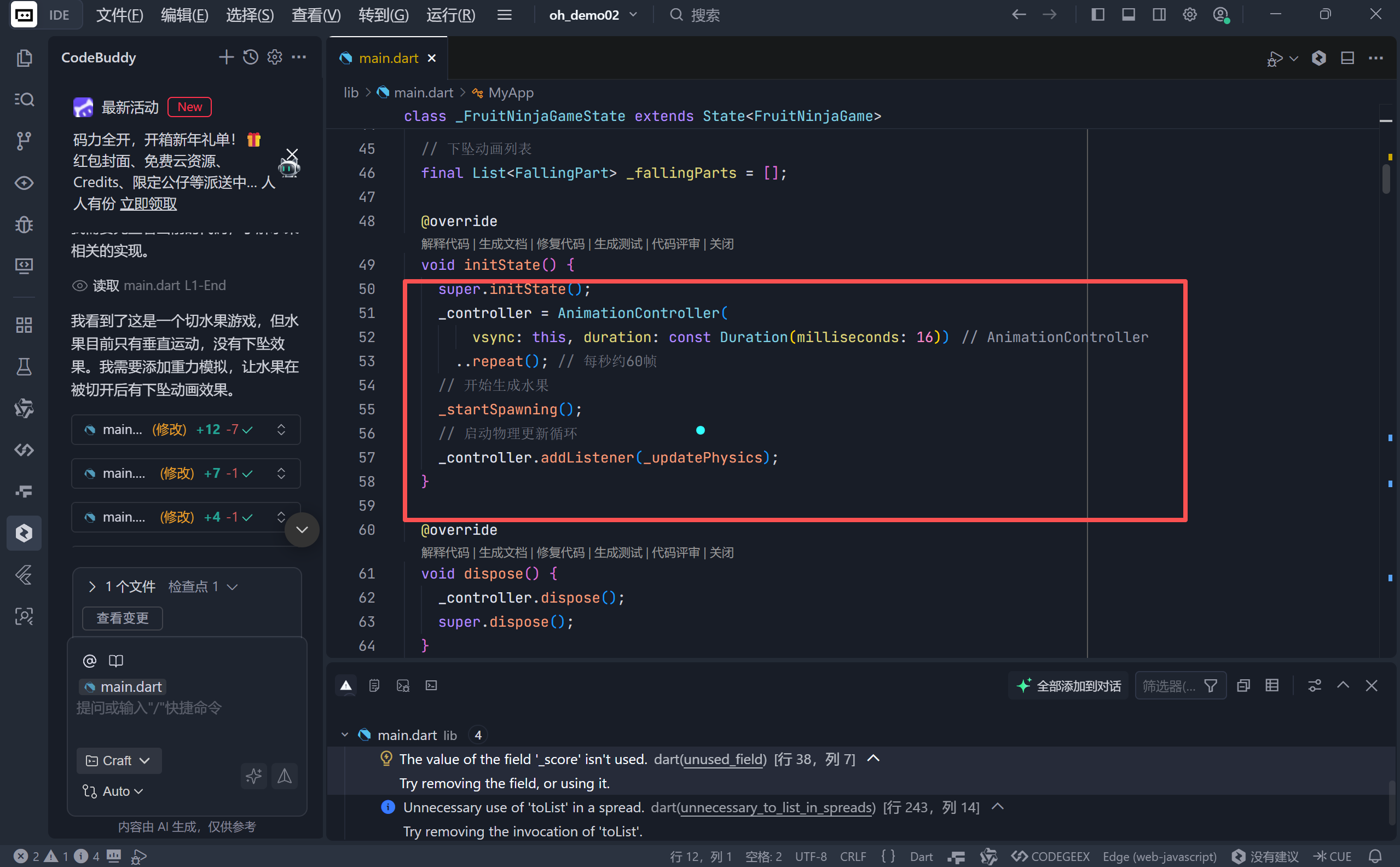
关键点解析:
- VSync 同步 :
vsync: this确保了动画与屏幕刷新率同步,避免画面撕裂。- 16ms 帧间隔 :我们将 Duration 设为 16 毫秒(约等于 60FPS),虽然
AnimationController通常用于 UI 动画,但在这里我们将其用作游戏循环的触发器。- 监听器绑定 :
_controller.addListener(_updatePhysics)。每一帧(每 16ms),_updatePhysics函数都会被调用,负责计算所有物体的新位置。
四、 物理引擎核心:重力与运动
为了让水果的运动看起来更自然,我们不能只给它一个恒定的速度。在真实世界中,抛射物体受到重力影响,垂直速度会不断变化。
1. 重力常量定义
我们在类中定义了一个静态常量:
dart
static const double _gravity = 0.2;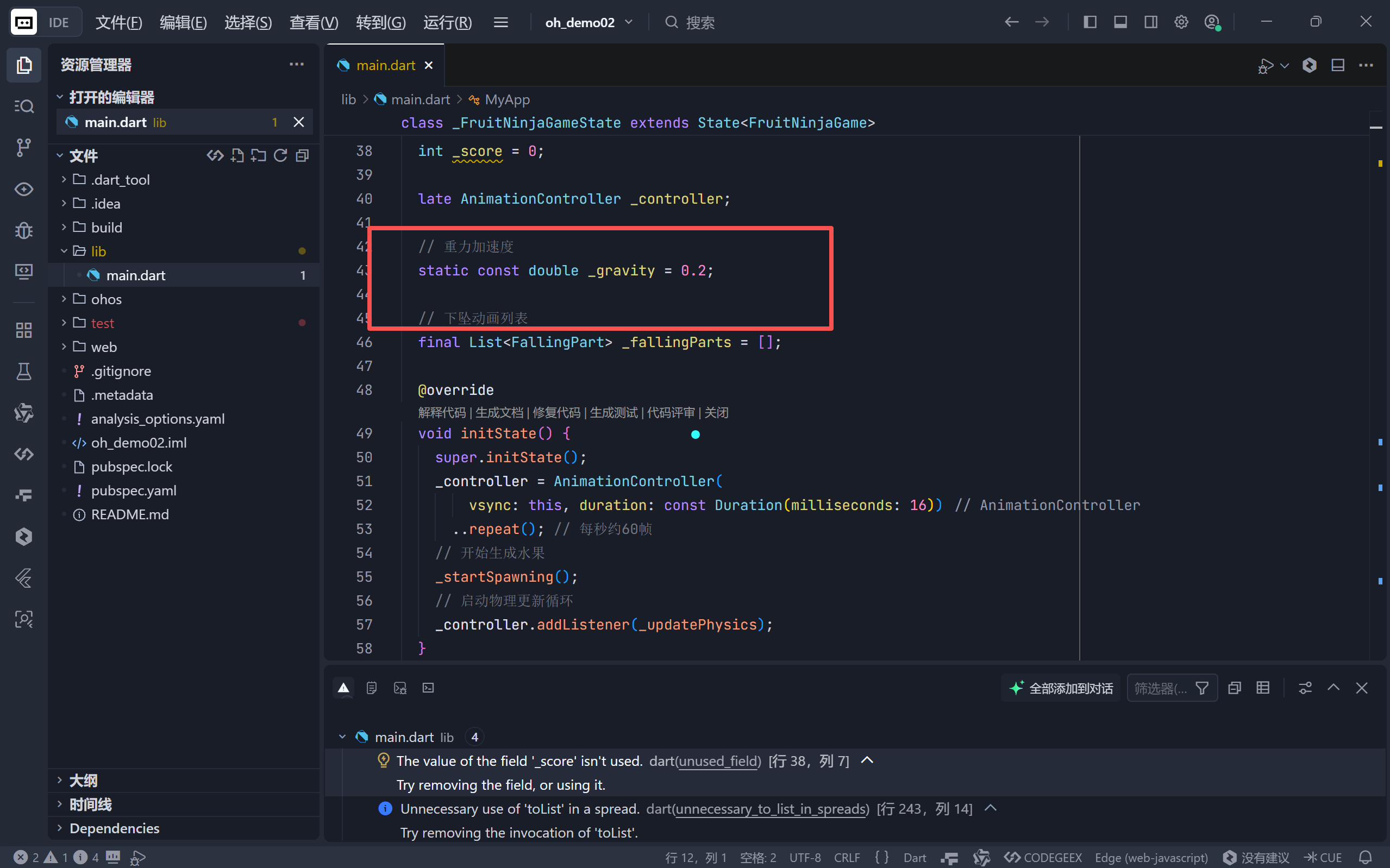
这个数值是经过调试的,太大会导致水果瞬间掉落,太小则像在月球上。
2. 物理更新逻辑 (_updatePhysics)
这是游戏最核心的数学部分:
dart
void _updatePhysics() {
  if (!mounted) return;

  setState(() {
    // 1. 更新水果位置
    for (var fruit in _fruits) {
      // 核心物理公式:v = v0 + at (速度 = 初始速度 + 重力加速度)
      fruit.velocity = Offset(
        fruit.velocity.dx,
        fruit.velocity.dy + _gravity
      );
      // 位置更新:s = s0 + v (位置 = 旧位置 + 速度)
      fruit.position += fruit.velocity;
    }

    // 2. 更新碎片位置(包含旋转)
    for (int i = _fallingParts.length - 1; i >= 0; i--) {
      final part = _fallingParts[i];
      part.velocity = Offset(part.velocity.dx, part.velocity.dy + _gravity);
      part.position += part.velocity;
      part.rotation += part.rotationSpeed; // 更新旋转角度
      // 移除屏幕外的碎片
      if (part.position.dy > screenHeight + 100) _fallingParts.removeAt(i);
    }

    // 3. 移除屏幕外的水果
    _fruits.removeWhere((fruit) =>
      fruit.position.dy > screenHeight + 100 ||
      fruit.position.offScreen);
  });
}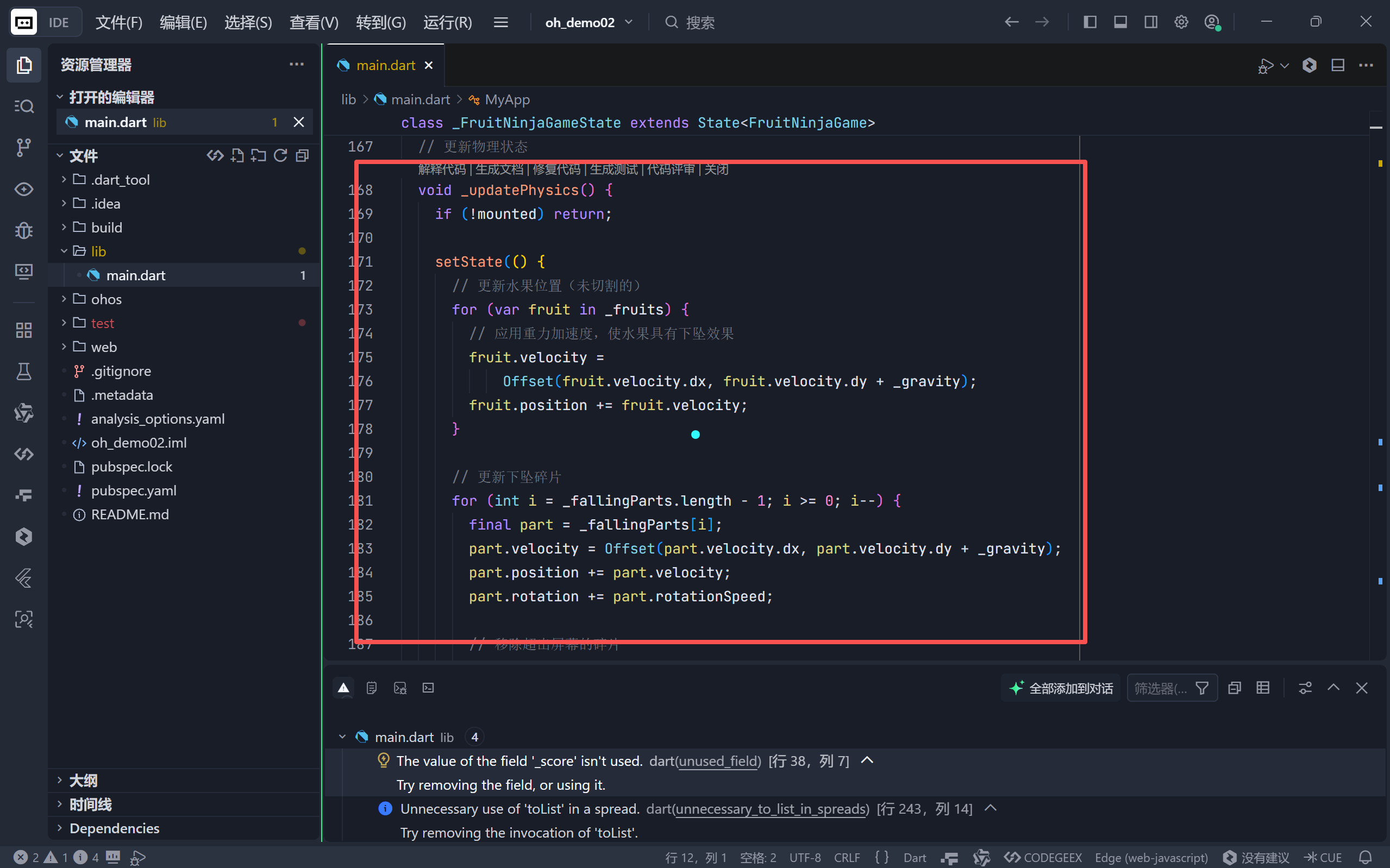
物理模拟流程图解:
- 每一帧 :读取当前速度 -> 加上重力 -> 计算新位置 -> 渲染。
- 结果:水果飞出的轨迹不再是直线,而是优美的抛物线。
五、 视觉反馈:刀光与碰撞检测
1. 刀光轨迹 (SwordTrailPainter)
为了提供切割的手感,我们需要绘制用户的手指轨迹。
- 数据结构 :使用
List<Offset>存储最近的几个触摸点。 - 绘制原理 :在
CustomPaint中,将这些点用Path连接起来,形成一条白色的光带。 - 优化:代码中限制了点的数量(10个),防止列表无限增长导致内存溢出。
2. 碰撞检测逻辑 (_checkCut)
检测逻辑非常直观,采用圆形碰撞检测:
- 原理:计算手指点(刀光)与水果中心点的距离。
- 公式 :
distance = (pointA - pointB).distance- 判定 :如果
distance < fruit.radius,则判定为切中。
dart
final double distance = (swordPoint - fruit.position).distance;
if (distance < fruit.size / 2) {
  // 触发切开效果
}
六、 粒子系统:水果切开的爆炸效果
这是本版本最酷炫的部分。当水果被切中时,它不会直接消失,而是分裂成多个碎片(Particles)。
1. 碎片生成算法 (_createFallingParts)
我们不生成新的水果,而是生成 FallingPart 对象。
- 数量:随机生成 4-6 个碎片。
- 方向 :使用三角函数
cos和sin计算环绕中心点的发射角度。 - 初始速度 :给碎片一个向外飞溅的速度,并给予一个向上的初速度(
-2)以模拟被"切飞"的感觉。
dart
// 计算发射角度
final angle = (2 * pi / partCount) * i + randomOffset;
// 计算 X, Y 分量速度
final speed = 2 + random.nextDouble() * 3;
Offset velocity = Offset(
  cos(angle) * speed,
  sin(angle) * speed - 2
);
2. 碎片属性
每个 FallingPart 拥有自己的:
- 位置与速度:独立于主水果,受重力影响。
- 旋转 (Rotation):碎片在下落时会自转,增加了视觉混乱感和真实感。
- 大小:碎片比原水果小(0.3-0.7倍)。
七、 UI 组件与数据模型
为了保持代码的整洁,我们使用了枚举和数据类来管理资源。
1. 水果类型枚举 (FruitType)
使用枚举来管理水果的外观,这是一种非常优雅的做法:
dart
enum FruitType {
  apple('🍎', Colors.red),
  banana('🍌', Colors.yellow);

  const FruitType(this.icon, this.color);
  final String icon;
  final Color color;
}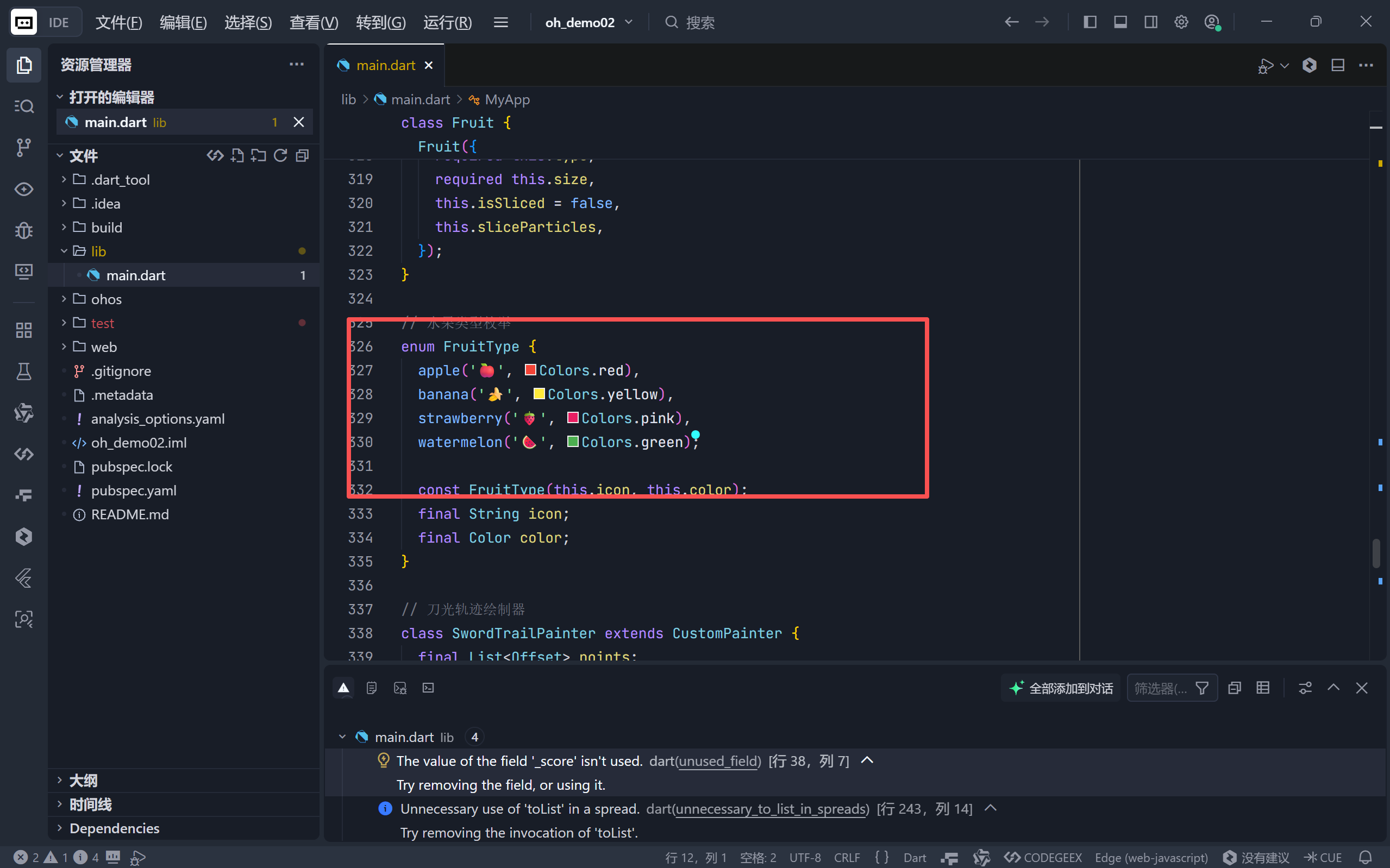
这样,当我们需要增加新水果(如蓝莓)时,只需在枚举中添加一行,无需修改逻辑代码。
2. 状态管理 (Fruit & FallingPart)
注意 Fruit 类中的属性是 var 而不是 final。
- 原因 :因为在
_updatePhysics中,我们需要直接修改fruit.position和fruit.velocity。如果声明为final,我们无法在不重建对象的情况下修改其位置,这会导致大量的对象创建和销毁(GC 压力),影响性能。
八、 性能优化与边界处理
在无限循环的游戏中,内存管理至关重要。
- 对象回收 :无论是
_fruits还是_fallingParts,一旦它们飞出屏幕边界(position.y > screenHeight + 100),我们立即从列表中移除。这防止了列表无限膨胀拖慢游戏。 - Widget 复用 :在
build方法中,我们使用了..._fruits.map。虽然这在水果数量少时没问题,但如果水果过多,建议使用ListView.builder或者CustomMultiChildLayout来优化构建性能。 - 资源释放 :在
dispose中正确释放了_controller,防止内存泄漏。
九、 总结与扩展
通过这篇文章,我们完成了一个具备基本物理特性的切水果游戏。我们学习了:
- 如何利用
AnimationController实现游戏主循环。 - 基础的物理运动学公式(加速度、速度、位移)在代码中的实现。
- 粒子系统的简单构建(发射、重力、销毁)。
- 圆形碰撞检测算法。
后续扩展建议:
- 音效 :在切割和得分时加入音效(使用
audioplayers包)。 - 炸弹机制:引入炸弹水果,切中扣分。
- 连击系统:检测短时间内连续切中水果,增加连击分数。
- 更真实的切开动画 :使用
CustomClipper实现水果被切开的两半分离动画,而不仅仅是变成碎片。
这个项目展示了 Flutter 不仅适合开发传统的业务应用,也能胜任轻量级的 2D 游戏开发。希望你能通过这个项目,更深入地理解 Flutter 的渲染机制和状态管理。
🌐 加入社区
欢迎加入 开源鸿蒙跨平台开发者社区 ,获取最新资源与技术支持:
技术因分享而进步,生态因共建而繁荣 。
------ 晚霞的不甘 · 与您共赴鸿蒙跨平台开发之旅