我们在Linux终端下载的进度条一般是这样的,我们来实现一个

1.背景知识
-
回车换行
默认C语言下'\n'是回车加换行,但回车和换行是两个概念,回车是让光标回到当前行最开始处,换行是从当前位置换到下一行的相对位置;
回车是
\r -
缓冲区
下面这段代码逻辑上说,是先打印hello再休眠2s,但实际上是先休眠再打印,为什么呢?因为缓冲区没有被刷新,如果是
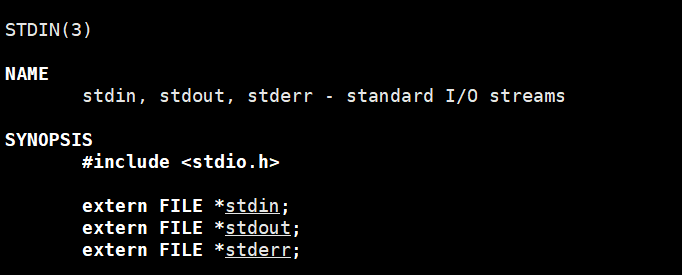
printf("hello\n");由于\n的存在,会刷新缓冲区,直接打印在显示器上,系统会默认给我们打开三个流,标准输入,标准输出(stdout),标准错误,如下所示,因为printf之后,缓冲区没刷新,内容还在缓冲区,没有打印在显示器上,执行完休眠后程序即将结束,强制刷新
cpp
    1 #include "ProcessBar.h"
    2
    3 int main()
    4 {
    5     printf("hello");
    6     sleep(2);
    7     return 0;
    8 }
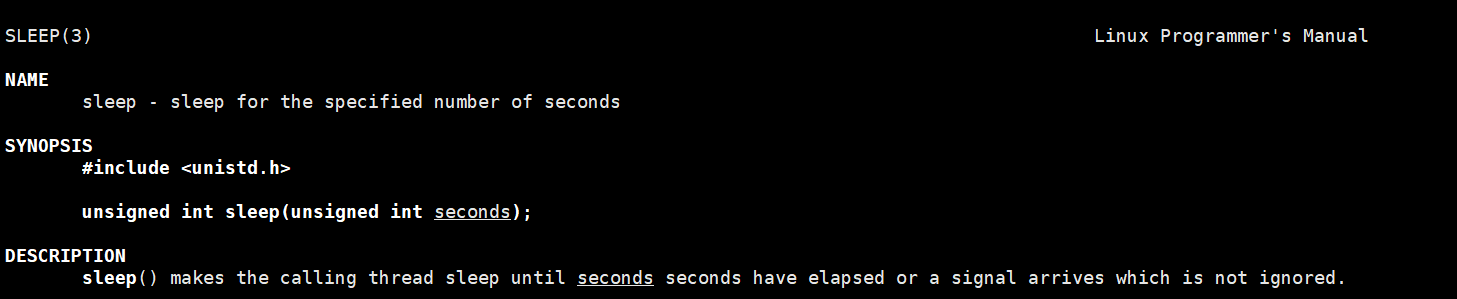
sleep头文件是unistd.h
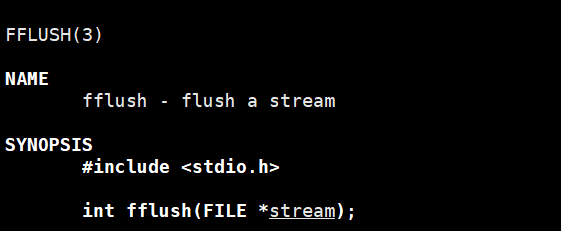
有没有什么办法强制刷新呢?fflush
cpp
    1 #include "ProcessBar.h"
    2
    3 int main()
    4 {
    5     printf("hello");
    6	  fflush(stdout);
    7     sleep(2);
    8     return 0;
    9 }
写一个倒计时
思想是打印完一个数字,接着回车,光标回到该行开头处,打印下一个数字覆盖当前数字
cpp
    1 #include "ProcessBar.h"
    2
    3 int main()
    4 {
    5     int cnt=9;
    6     while(cnt>0)
    7     {
    8         printf("%d\r",cnt);//回车\r,每次打印完,回到行最左侧
    9         fflush(stdout);//强制刷新缓冲区,让缓冲区的内存打印到显示器上
   10         sleep(1);//休眠1s,不然打印太快,根本看不到
   11         cnt--;
   12     }
   13     printf("\n");
   14     return 0;
   15 }
运行结果,先输出hello再休眠2s
如果cnt是10的话,倒计时过程中会出现下面这种现象,因为显示器是字符设备,我们平时看到打印123,不是数值,而是打印123三个字符;刚开始打印10,是2个字符,之后只是1个字符,9覆盖了1,但是0还在;printf("%2d\r",cnt);就可以了,每次打印两个字符,没有两个就打印1个,默认右对齐,也可以加-进行左对齐printf("%-2d\r",cnt);

2.代码实现
2.1 版本一
main.c
cpp
  1 #include "ProcessBar.h"
  2
  3 int main()
  4 {
  5     processBar();
  6     return 0;
  7 }
Progress.h
cpp
  1 #pragma once
  2 #include <stdio.h>
  3 #include <unistd.h>
  4 #include <string.h>
  5 extern void processBar();
  6 #define NUM 102//101个'=',只打印100个,因为最后一次循环的结果没有打印,加上\0共102
  7 #define BODY '='
  8 #define RIGHT '>'
Progress.c
cpp
    1 #include "ProcessBar.h"
    2 char* loading="|/-\\";//用于实现加载动画
    3 void processBar()
    4 {
    5     int cnt=0;
    6     char c[NUM]={0};
    7     int len = strlen(loading);
    8     while(cnt<=100)
    9     {
   10         printf("[%-100s][%d%%][%c]\r",c,cnt,loading[cnt%len]);//显式进度条,完成比率,加载动画
   11
   12         fflush(stdout);
   13         usleep(100000);//usleep的单位是微妙,1s=10^6us
   14         c[cnt]=BODY;//宏定义,方便后续更改
   15         cnt++;
   16         if(cnt<=99)
   17             c[cnt]=RIGHT;//因为cnt为100是最后一次打印,最后一次就不要>了
   18
   19     }
   20     printf("\n");
21 }命令模式下注释多行的指令起始行号,结束行号s/^/\/\//g
vim下多行减少一级缩进 :起始行号,结束行号>
2.2 版本2_结合调用场景
main.c
cpp
  1 #include "ProcessBar.h"
  2 //模拟下载过程
  3 void loading(callback_t cb)
  4 {
  5     int total=1000,curr=0;
  6     while(curr<=total)
  7     {
  8         int rate=curr*100/total;
  9         cb(rate);//调用进度条
 10         curr+=10;
 11         usleep(100000);
 12     }
 13     printf("\n");
 14 }
 15
 16 int main()
 17 {
 18     loading(processBar);
 19     return 0;
 20 }
ProcessBar.h
cpp
  1 #pragma once
  2 #include <stdio.h>
  3 #include <unistd.h>
  4 #include <string.h>
  5
  6 typedef void (*callback_t)(int);
  7 void loading(callback_t cb);
  8 extern void processBar(int rate);
  9 #define NUM 102
 10 #define BODY '='
 11 #define RIGHT '>'
ProcessBar.c
cpp
    1 #include "ProcessBar.h"
    2
    3 char* load="|/-\\";
    4 char c[NUM]={0};
    5 void processBar(int rate)
    6 {
    7     if(rate<0||rate>100) return;//临界条件控制
    8     int len = strlen(load);
    9
   10     printf("[%-100s][%d%%][%c]\r",c,rate,load[rate%len]);
   11     fflush(stdout);
   12     c[rate++]=BODY;
   13     if(rate<=99)
   14         c[rate]=RIGHT;
   15 }
也可以进行带颜色的输出
cpp
    1 #define NONE "\033[m"
    2 #define CYAN "\033[0;36m" //青色
3 printf(CYAN"[%-100s][%d%%][%c]\r"NONE,c,rate,load[rate%len]); 
颜色配置参考文章如下
C语言输出颜色