练习一 综合成绩统计与评级系统
题目如下
编写一个名为 analyzeGrades 的函数,该函数接收一个包含若干学生成绩(0-100之间的数字)的数组作为参数。请完成以下功能:
数据清洗:过滤掉数组中无效的数据(非数字类型、小于0或大于100的数值),将有效成绩存入一个新数组。
基础统计:计算有效成绩的总分、平均分、最高分和最低分。
等级判定:遍历有效成绩数组,根据分数段判断等级(90-100为"优",80-89为"良",60-79为"中",60以下为"差"),并统计各等级的人数。
结果返回:返回一个对象,包含有效成绩数组、总分、平均分、最高分、最低分以及等级统计对象。
代码如下
html
<!DOCTYPE html>
<html lang="zh-CN">
<head>
    <meta charset="UTF-8">
    <meta name="viewport" content="width=device-width, initial-scale=1.0">
    <title>综合成绩统计与评级系统</title>
    <style>
        body {
            font-family: Arial, sans-serif;
            max-width: 800px;
            margin: 20px auto;
            padding: 20px;
            line-height: 1.6;
        }
        .container {
            background: #f5f5f5;
            padding: 20px;
            border-radius: 8px;
        }
        input {
            width: 100%;
            padding: 10px;
            margin: 10px 0;
            box-sizing: border-box;
        }
        button {
            background: #aa0b0b;
            color: white;
            border: none;
            padding: 10px 20px;
            cursor: pointer;
            border-radius: 4px;
            font-size: 16px;
        }
        button:hover {
            background: #7ffaf2;
        }
        .result {
            margin-top: 20px;
            padding: 15px;
            background: white;
            border-radius: 4px;
            border-left: 4px solid #9ecaf3;
        }
        pre {
            white-space: pre-wrap;
            word-wrap: break-word;
        }
    </style>
</head>
<body>
    <div class="container">
        <h1>综合成绩统计与评级系统</h1>
        <p>请输入学生成绩,多个成绩用英文逗号分隔(例如:95,88,72,59,100,-5,abc):</p>
        <input type="text" id="gradeInput" placeholder="输入成绩,如:95,88,72,59,100,-5,abc">
        <button onclick="handleGradeAnalysis()">分析成绩</button>
        <div class="result" id="resultArea" style="display: none;">
            <h3>分析结果:</h3>
            <pre id="resultText"></pre>
        </div>
    </div>

    <script>
        // 核心成绩分析函数
        function analyzeGrades(gradeArray) {
            // 1. 数据清洗:过滤无效成绩
            const validGrades = gradeArray.filter(score => {
                // 验证是否为数字类型,且在0-100之间
                return typeof score === 'number' && !isNaN(score) && score >= 0 && score <= 100;
            });

            // 2. 基础统计:总分、平均分、最高分、最低分
            let totalScore = 0;
            let averageScore = 0;
            let maxScore = 0;
            let minScore = 100;

            if (validGrades.length > 0) {
                // 计算总分
                totalScore = validGrades.reduce((sum, score) => sum + score, 0);
                // 计算平均分(保留2位小数)
                averageScore = (totalScore / validGrades.length).toFixed(2);
                // 计算最高分
                maxScore = Math.max(...validGrades);
                // 计算最低分
                minScore = Math.min(...validGrades);
            }

            // 3. 等级判定与统计
            const gradeStats = {
                优: 0,
                良: 0,
                中: 0,
                差: 0
            };

            validGrades.forEach(score => {
                if (score >= 90 && score <= 100) {
                    gradeStats.优++;
                } else if (score >= 80 && score < 90) {
                    gradeStats.良++;
                } else if (score >= 60 && score < 80) {
                    gradeStats.中++;
                } else if (score >= 0 && score < 60) {
                    gradeStats.差++;
                }
            });

            // 4. 返回统计结果对象
            return {
                validGrades: validGrades, // 有效成绩数组
                totalScore: totalScore,   // 总分
                averageScore: averageScore, // 平均分
                maxScore: maxScore,       // 最高分
                minScore: minScore,       // 最低分
                gradeStats: gradeStats    // 等级统计
            };
        }

        // 页面交互处理函数
        function handleGradeAnalysis() {
            // 获取输入框内容
            const inputValue = document.getElementById('gradeInput').value.trim();
            // 处理空输入
            if (!inputValue) {
                alert('请输入成绩后再分析!');
                return;
            }

            // 将输入的字符串转换为数组,并尝试转换为数字
            const inputArray = inputValue.split(',').map(item => {
                const num = Number(item.trim());
                // 无法转换为数字的保留原字符串(后续会被过滤)
                return isNaN(num) ? item.trim() : num;
            });

            // 调用核心分析函数
            const analysisResult = analyzeGrades(inputArray);

            // 格式化结果展示
            const resultText = `
有效成绩数组:[${analysisResult.validGrades.join(', ')}]
------------------------
基础统计信息:
- 总分:${analysisResult.totalScore}
- 平均分:${analysisResult.averageScore}
- 最高分:${analysisResult.maxScore}
- 最低分:${analysisResult.minScore}
------------------------
等级统计:
- 优(90-100):${analysisResult.gradeStats.优} 人
- 良(80-89):${analysisResult.gradeStats.良} 人
- 中(60-79):${analysisResult.gradeStats.中} 人
- 差(0-59):${analysisResult.gradeStats.差} 人
            `;

            // 显示结果区域
            document.getElementById('resultArea').style.display = 'block';
            document.getElementById('resultText').textContent = resultText;
        }
    </script>
</body>
</html>
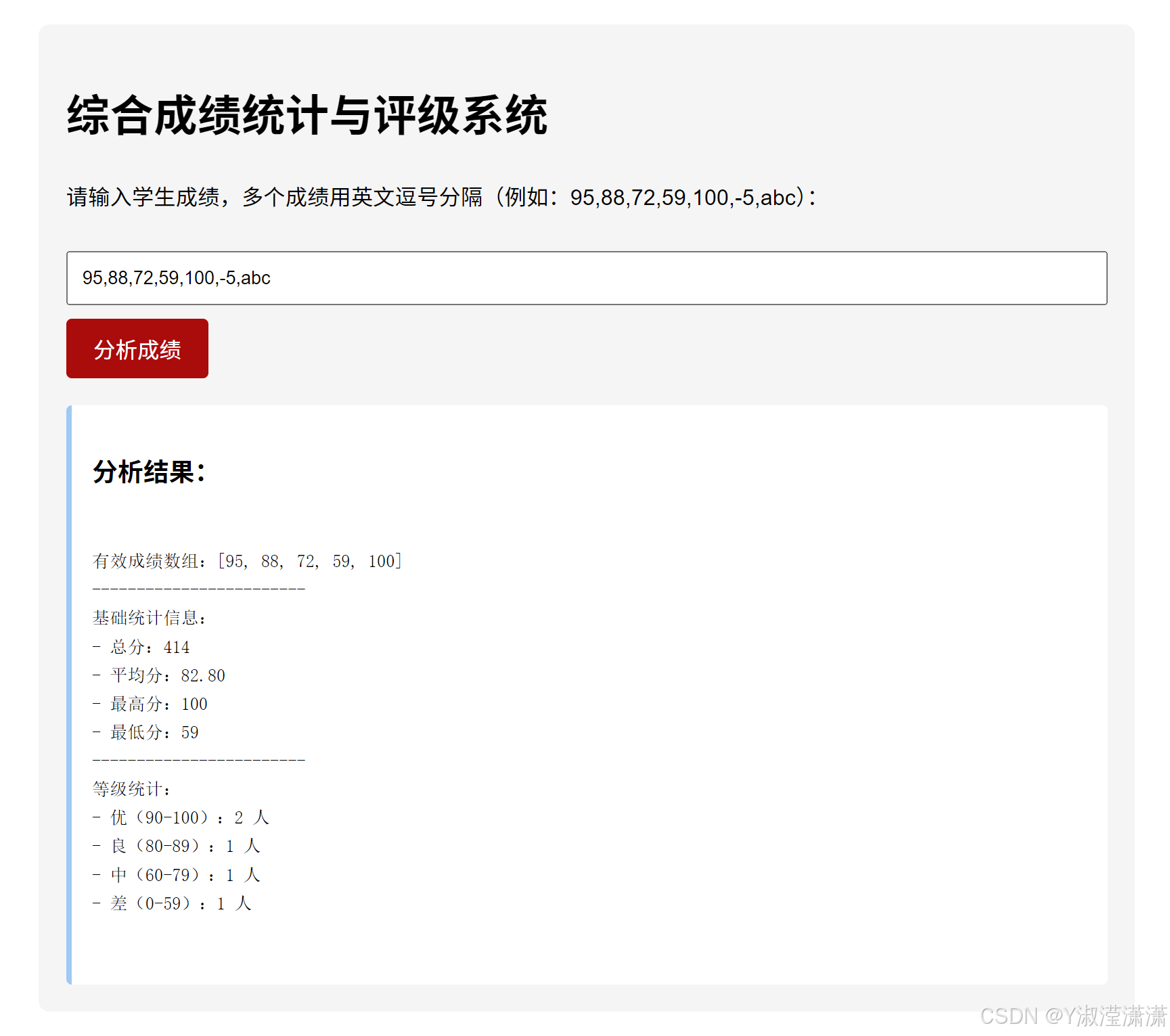
运行结果如下
练习二 寻找"完数"
题目描述:
一个数如果恰好等于它的所有真因子(即除了自身以外的约数)之和,这个数就被称为"完数"。例如:6 = 1 + 2 + 3,所以6是完数。
请编写一个函数 findPerfectNumbers(start, end),找出并返回 start 到 end 范围内(包含两头)所有的完数组成的数组。
要求:
函数接收两个数字参数 start 和 end。
使用嵌套循环:外层循环遍历范围内的每一个数字,内层循环寻找该数字的因子。
如果该数是完数,将其存入结果数组。
返回该数组。
代码如下:
html
<!DOCTYPE html>
<html lang="zh-CN">
<head>
    <meta charset="UTF-8">
    <meta name="viewport" content="width=device-width, initial-scale=1.0">
    <title>寻找完数</title>
    <style>
        body {
            font-family: Arial, sans-serif;
            max-width: 700px;
            margin: 20px auto;
            padding: 20px;
            line-height: 1.6;
        }
        .container {
            background: #f8f9fa;
            padding: 25px;
            border-radius: 8px;
            box-shadow: 0 2px 5px rgba(0,0,0,0.1);
        }
        .input-group {
            margin: 15px 0;
        }
        label {
            display: block;
            margin-bottom: 5px;
            font-weight: bold;
        }
        input {
            width: 100%;
            padding: 10px;
            box-sizing: border-box;
            border: 1px solid #ddd;
            border-radius: 4px;
        }
        button {
            background: #80baf7;
            color: white;
            border: none;
            padding: 12px 20px;
            cursor: pointer;
            border-radius: 4px;
            font-size: 16px;
            margin-top: 10px;
        }
        button:hover {
            background: #82d7f4;
        }
        .result {
            margin-top: 20px;
            padding: 15px;
            background: rgb(202, 250, 224);
            border-radius: 4px;
            border-left: 4px solid #93f6c7;
            display: none;
        }
        .error {
            color: #ea2e2e;
            margin-top: 10px;
            display: none;
        }
    </style>
</head>
<body>
    <div class="container">
        <h1>寻找"完数"工具</h1>
        <p>完数:一个数恰好等于它所有真因子(除自身外的约数)之和,例如 6 = 1 + 2 + 3。</p>

        <div class="input-group">
            <label for="startNum">起始数:</label>
            <input type="number" id="startNum" placeholder="请输入起始数字(正整数)" min="1">
        </div>

        <div class="input-group">
            <label for="endNum">结束数:</label>
            <input type="number" id="endNum" placeholder="请输入结束数字(正整数)" min="1">
        </div>

        <button onclick="searchPerfectNumbers()">查找完数</button>
        <div class="error" id="errorTip"></div>
        <div class="result" id="resultArea">
            <h3>查找结果:</h3>
            <p id="resultText"></p>
        </div>
    </div>

    <script>
        // 核心函数:查找[start, end]范围内的所有完数
        function findPerfectNumbers(start, end) {
            // 存储找到的完数
            const perfectNumbers = [];

            // 外层循环:遍历范围内的每一个数字
            for (let num = start; num <= end; num++) {
                // 真因子不包含自身,所以初始和为0
                let sumOfFactors = 0;

                // 内层循环:查找当前数字的所有真因子
                // 优化:只需遍历到 num/2 即可,因为大于num/2的数不可能是num的因子(除自身外)
                for (let i = 1; i <= num / 2; i++) {
                    // 判断i是否是num的因子(能整除)
                    if (num % i === 0) {
                        sumOfFactors += i; // 累加真因子
                    }
                }

                // 判断是否是完数:因子和等于自身
                if (sumOfFactors === num) {
                    perfectNumbers.push(num); // 存入结果数组
                }
            }

            // 返回完数数组
            return perfectNumbers;
        }

        // 页面交互函数:处理用户输入并展示结果
        function searchPerfectNumbers() {
            // 获取用户输入
            const start = parseInt(document.getElementById('startNum').value);
            const end = parseInt(document.getElementById('endNum').value);

            // 清空提示和结果
            document.getElementById('errorTip').style.display = 'none';
            document.getElementById('resultArea').style.display = 'none';

            // 输入验证
            if (isNaN(start) || isNaN(end) || start < 1 || end < 1 || start > end) {
                document.getElementById('errorTip').style.display = 'block';
                document.getElementById('errorTip').textContent = '输入错误!请确保:1. 都是正整数 2. 起始数 ≤ 结束数';
                return;
            }

            // 调用核心函数查找完数
            const result = findPerfectNumbers(start, end);

            // 展示结果
            document.getElementById('resultArea').style.display = 'block';
            if (result.length === 0) {
                document.getElementById('resultText').textContent = `在 ${start} 到 ${end} 范围内未找到任何完数。`;
            } else {
                document.getElementById('resultText').textContent = `在 ${start} 到 ${end} 范围内找到的完数有:${result.join('、')}。
                例如:${result[0]} 的真因子是 ${getFactorsText(result[0])},和为 ${result[0]}。`;
            }
        }

        // 辅助函数:获取完数的真因子文本(用于展示)
        function getFactorsText(num) {
            const factors = [];
            for (let i = 1; i <= num / 2; i++) {
                if (num % i === 0) {
                    factors.push(i);
                }
            }
            return factors.join(' + ');
        }
    </script>
</body>
</html>
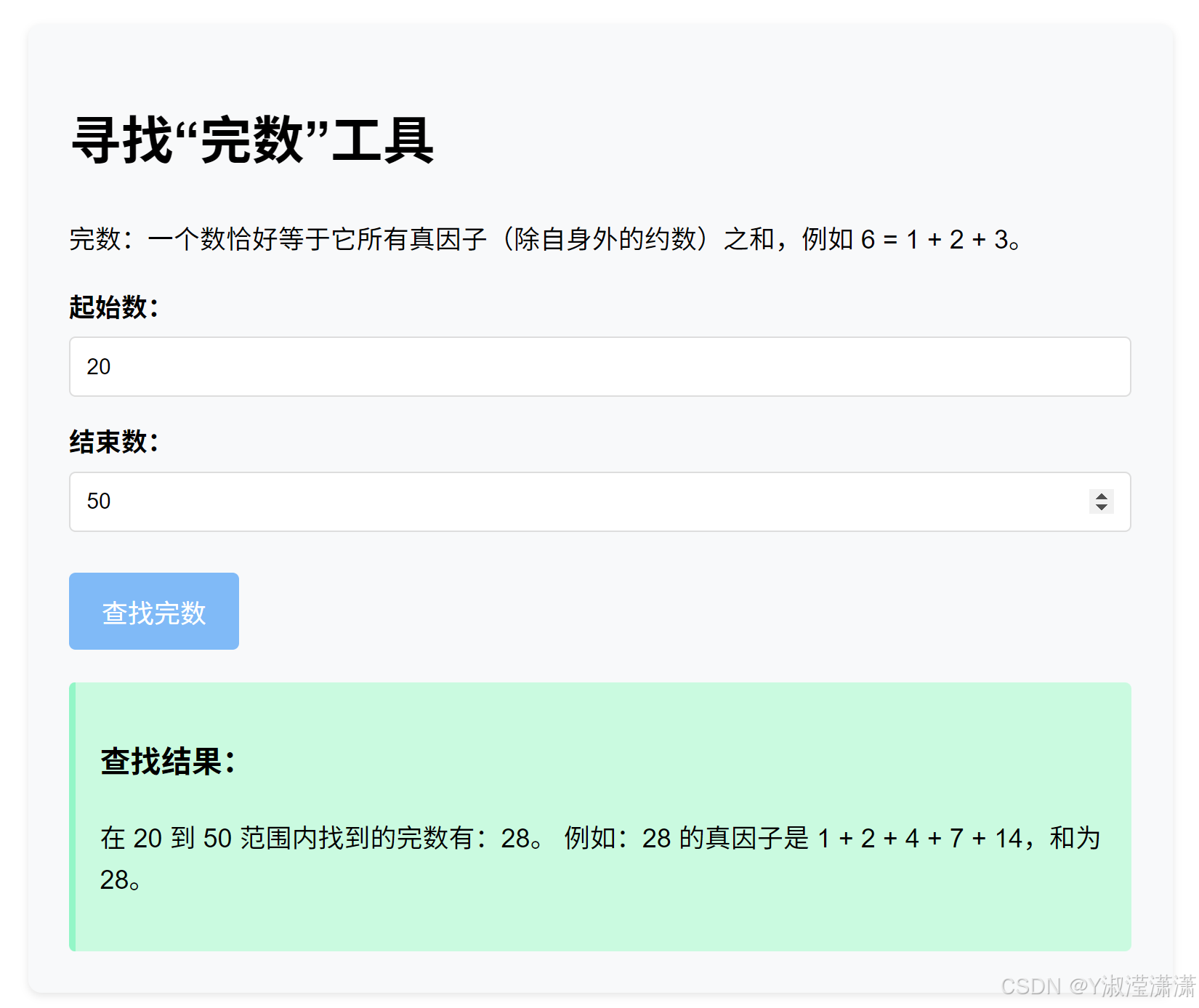
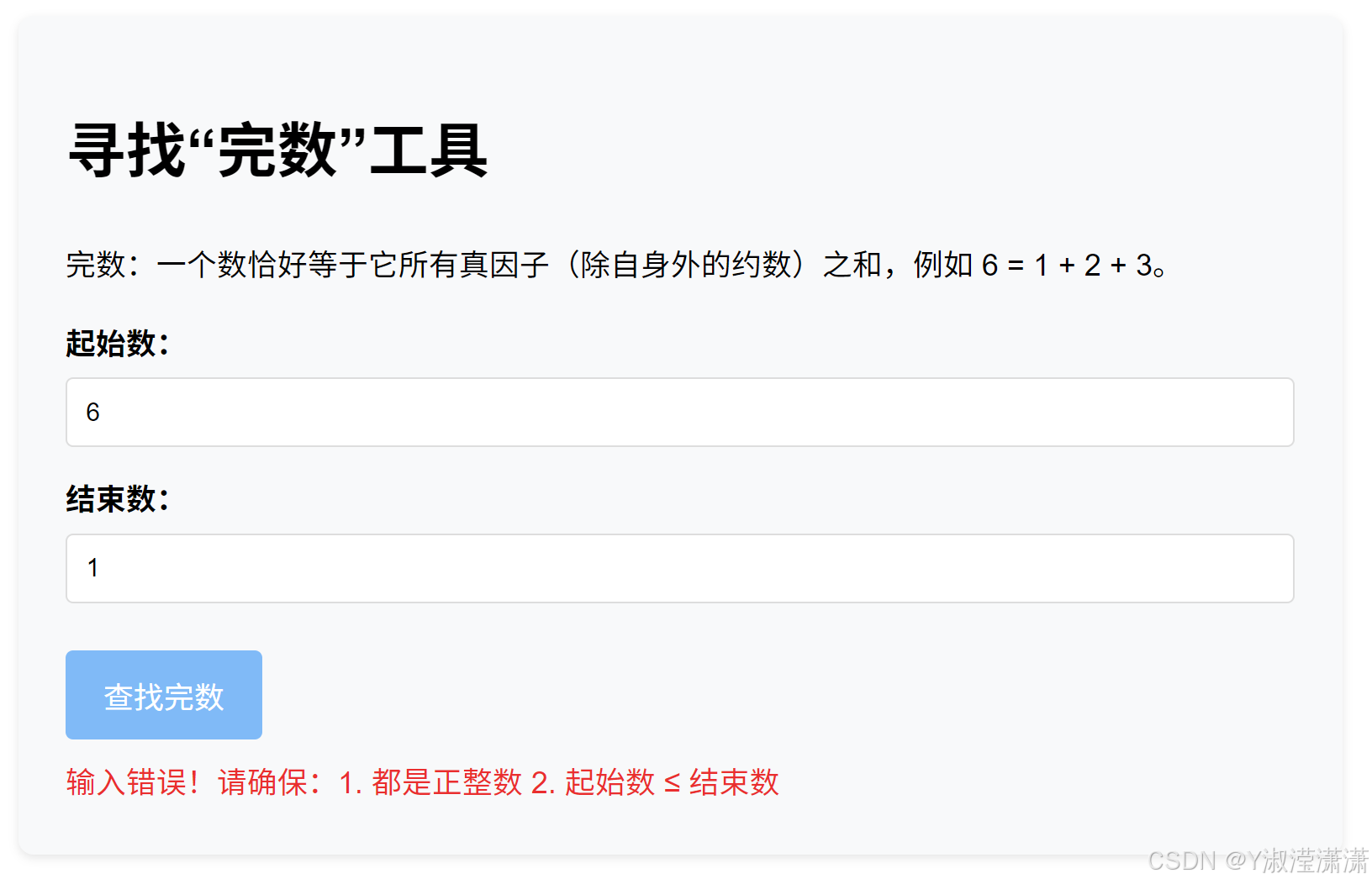
运行结果如下
输入正确界面
输入错误界面
练习三 数组合并与去重
题目描述:
编写一个函数 mergeArrays(arr1, arr2),将两个数组合并成一个新的数组,并去除其中重复的数字(如果两个数组中有相同的数字,新数组中只保留一个)。
要求:
函数接收两个数组参数 arr1 和 arr2。
创建一个空数组 result 用于存放结果。
先将 arr1 中的所有元素添加到 result 中。
再遍历 arr2,对于 arr2 中的每一个元素,检查它在 arr1 或 result 中是否已经存在。
如果不存在,才将其添加到 result 中。
返回 result。
示例:
输入:mergeArrays(1, 2, 3, 2, 3, 4, 5)
输出:1, 2, 3, 4, 5
代码如下
html
<!DOCTYPE html>
<html lang="zh-CN">
<head>
    <meta charset="UTF-8">
    <meta name="viewport" content="width=device-width, initial-scale=1.0">
    <title>数组合并与去重</title>
    <style>
        body {
            font-family: Arial, sans-serif;
            max-width: 700px;
            margin: 20px auto;
            padding: 20px;
            line-height: 1.6;
        }
        .container {
            background: #f8f9fa;
            padding: 25px;
            border-radius: 8px;
            box-shadow: 0 2px 5px rgba(0,0,0,0.1);
        }
        .input-group {
            margin: 15px 0;
        }
        label {
            display: block;
            margin-bottom: 5px;
            font-weight: bold;
        }
        input {
            width: 100%;
            padding: 10px;
            box-sizing: border-box;
            border: 1px solid #ddd;
            border-radius: 4px;
        }
        button {
            background: #09a295;
            color: white;
            border: none;
            padding: 12px 20px;
            cursor: pointer;
            border-radius: 4px;
            font-size: 16px;
            margin-top: 10px;
        }
        button:hover {
            background: #a7ffba;
        }
        .result {
            margin-top: 20px;
            padding: 15px;
            background: white;
            border-radius: 4px;
            border-left: 4px solid #79b6dc;
            display: none;
        }
        .error {
            color: #dc3545;
            margin-top: 10px;
            display: none;
        }
        .example {
            font-size: 14px;
            color: #6c757d;
            margin-top: 5px;
        }
    </style>
</head>
<body>
    <div class="container">
        <h1>数组合并与去重工具</h1>
        <p>将两个数组的元素合并,并去除重复的数字,保留首次出现的元素。</p>

        <div class="input-group">
            <label for="arr1Input">第一个数组:</label>
            <input type="text" id="arr1Input" placeholder="输入数字,多个用英文逗号分隔,如:1,2,3">
            <div class="example">示例:1,2,3</div>
        </div>

        <div class="input-group">
            <label for="arr2Input">第二个数组:</label>
            <input type="text" id="arr2Input" placeholder="输入数字,多个用英文逗号分隔,如:2,3,4,5">
            <div class="example">示例:2,3,4,5</div>
        </div>

        <button onclick="handleMergeArrays()">合并并去重</button>
        <div class="error" id="errorTip"></div>
        <div class="result" id="resultArea">
            <h3>合并去重结果:</h3>
            <p id="resultText"></p>
        </div>
    </div>

    <script>
        // 核心函数:合并两个数组并去重
        function mergeArrays(arr1, arr2) {
            // 1. 创建空数组存放结果
            const result = [];

            // 2. 先将arr1的所有元素添加到result中
            for (let i = 0; i < arr1.length; i++) {
                result.push(arr1[i]);
            }

            // 3. 遍历arr2,检查元素是否已存在,不存在则添加
            for (let j = 0; j < arr2.length; j++) {
                const currentElement = arr2[j];
                // 检查currentElement是否在result中存在
                let isExist = false;
                for (let k = 0; k < result.length; k++) {
                    if (result[k] === currentElement) {
                        isExist = true;
                        break; // 找到重复,跳出循环
                    }
                }
                // 不存在则添加到result
                if (!isExist) {
                    result.push(currentElement);
                }
            }

            // 4. 返回结果数组
            return result;
        }

        // 页面交互函数:处理用户输入并展示结果
        function handleMergeArrays() {
            // 清空提示和结果
            document.getElementById('errorTip').style.display = 'none';
            document.getElementById('resultArea').style.display = 'none';

            // 获取用户输入
            const arr1Str = document.getElementById('arr1Input').value.trim();
            const arr2Str = document.getElementById('arr2Input').value.trim();

            // 验证输入是否为空
            if (!arr1Str || !arr2Str) {
                document.getElementById('errorTip').style.display = 'block';
                document.getElementById('errorTip').textContent = '输入错误!两个数组都不能为空,请输入数字并用英文逗号分隔。';
                return;
            }

            // 将输入字符串转换为数字数组
            let arr1, arr2;
            try {
                arr1 = arr1Str.split(',').map(item => {
                    const num = Number(item.trim());
                    if (isNaN(num)) throw new Error('包含非数字内容');
                    return num;
                });
                arr2 = arr2Str.split(',').map(item => {
                    const num = Number(item.trim());
                    if (isNaN(num)) throw new Error('包含非数字内容');
                    return num;
                });
            } catch (e) {
                document.getElementById('errorTip').style.display = 'block';
                document.getElementById('errorTip').textContent = '输入错误!请确保输入的都是数字,并用英文逗号分隔。';
                return;
            }

            // 调用核心函数合并去重
            const mergedResult = mergeArrays(arr1, arr2);

            // 展示结果
            document.getElementById('resultArea').style.display = 'block';
            document.getElementById('resultText').textContent = `
原始数组1:[${arr1.join(', ')}]
原始数组2:[${arr2.join(', ')}]
合并去重后:[${mergedResult.join(', ')}]
            `;
        }
    </script>
</body>
</html>
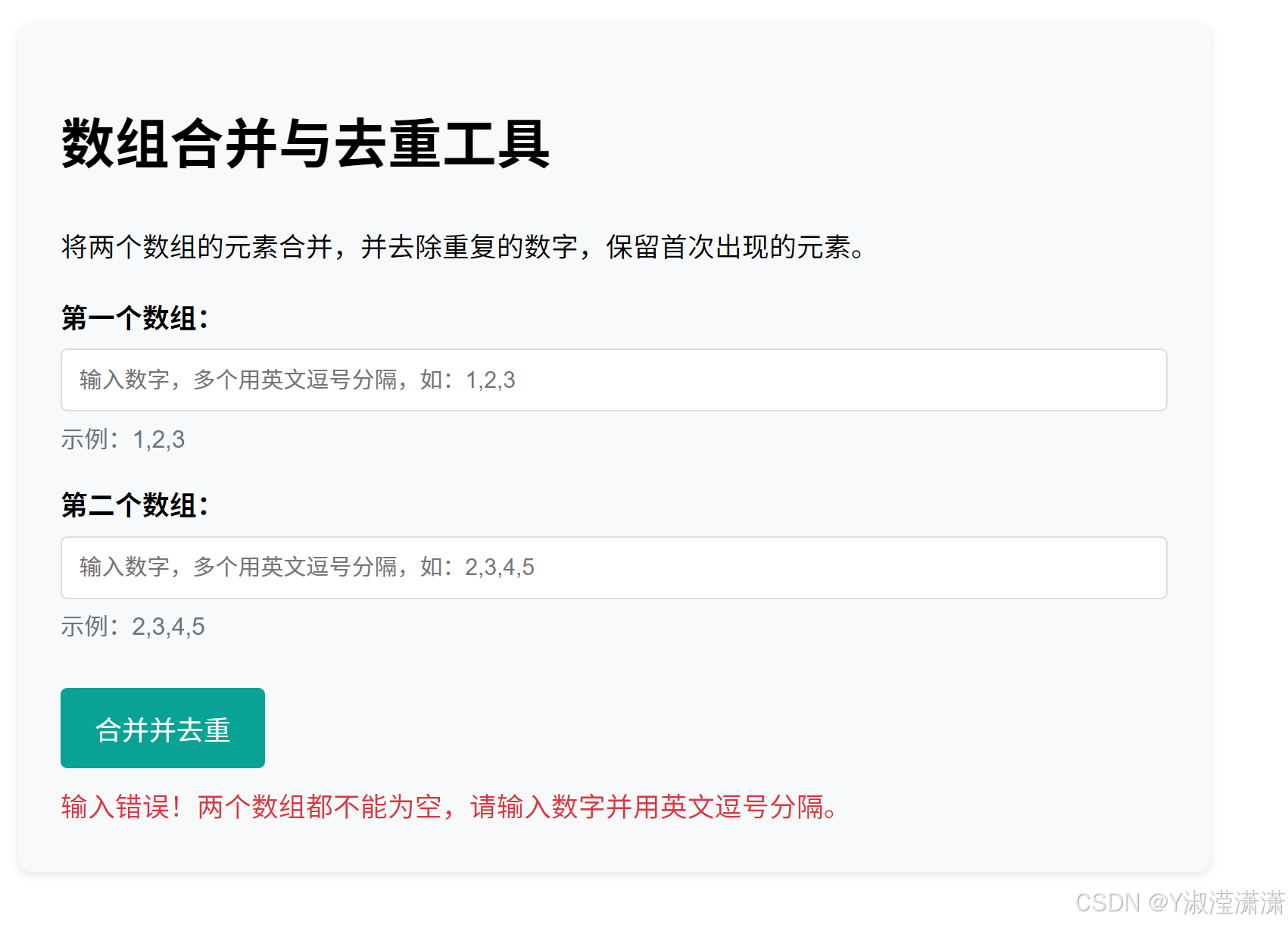
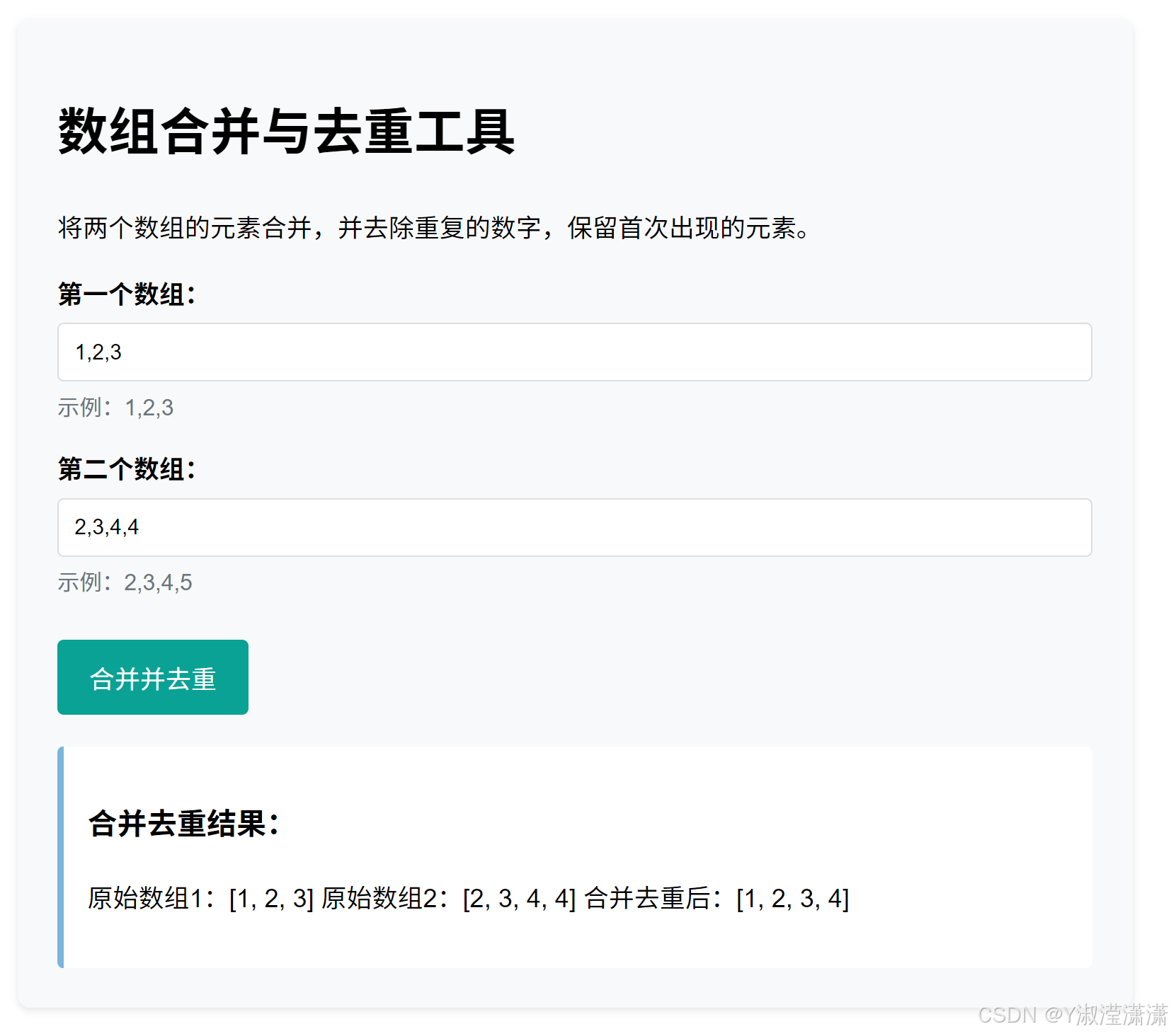
运行结果如下
输入正确界面
输入错误界面