1、开发环境搭建
本机设备信息:
Linux 5.15.0-139-generic #149~20.04.1-Ubuntu SMP Wed Apr 16 08:29:56 UTC 2025 x86_64 x86_64 x86_64 GNU/Linux
DISTRIB_ID=Ubuntu
DISTRIB_RELEASE=20.04
DISTRIB_CODENAME=focal
DISTRIB_DESCRIPTION="Ubuntu 20.04.6 LTS"
根据硬件设备情况,需要用的是 qemu_v8(本质是 QEMU 模拟 ARMv8 架构的配置),而非通用的 QEMU 裸调用。
bash
sudo apt-get install -y \
android-tools-adb \
android-tools-fastboot \
autoconf \
automake \
bc \
bison \
build-essential \
cscope \
curl \
device-tree-compiler \
expect \
flex \
ftp-upload \
gdisk \
acpica-tools \
libattr1-dev \
libc6:i386 \
libcap-dev \
libfdt-dev \
libftdi-dev \
libglib2.0-dev \
libhidapi-dev \
libncurses5-dev \
libpixman-1-dev \
libssl-dev \
libstdc++6:i386 \
libtool \
zlib1g:i386 \
make \
mtools \
netcat \
python-crypto \
python3-serial \
python3-wand \
unzip \
uuid-dev \
xdg-utils \
xterm \
xz-utils \
zlib1g-dev
apt install -y libgnutls28-dev
sudo pip3 install tomli
sudo apt install -y ninja-build
sudo apt install meson
sudo apt install -y build-essential pkg-config libffi-dev libmount-dev libpcre2-dev
QEMU 新版本(适配 OP-TEE-v8)要求 glib-2.0 库版本 ≥2.66.0,但系统仅安装了 2.64.6 版本,版本不满足会导致 meson 构建脚本终止。所以提前安装高版本的glib
下载 glib 2.66.0 源码(或更高版本,如 2.70.0)
cd /tmp
wget https://download.gnome.org/sources/glib/2.66/glib-2.66.0.tar.xz
tar -xf glib-2.66.0.tar.xz
cd glib-2.66.0
配置并编译(安装到 /usr/local,不覆盖系统原生库)
mkdir build && cd build
meson setup --prefix=/usr/local --libdir=/usr/local/lib/x86_64-linux-gnu ..
ninja
sudo ninja install
配置 pkgconfig 优先查找 /usr/local(让 QEMU 找到新版本 glib)
export PKG_CONFIG_PATH=/usr/local/lib/x86_64-linux-gnu/pkgconfig:$PKG_CONFIG_PATH
验证 glib 版本(输出 ≥2.66.0 则成功)
pkg-config --modversion glib-2.0
2、获取OP-TEE的源代码
mkdir open-tee
sudo chown -R USER:USER open-tee
mkdir -p ~/bin
curl https://mirrors.tuna.tsinghua.edu.cn/git/git-repo -o ~/bin/repo
chmod a+x ~/bin/repo
export PATH=~/bin/:$PATH
1. 清空当前终端所有代理变量(覆盖所有大小写/别名)
unset HTTP_PROXY HTTPS_PROXY http_proxy https_proxy ALL_PROXY all_proxy FTP_PROXY ftp_proxy
2. 清空 git 全局代理配置(若之前设置过)
git config --global --unset http.proxy
git config --global --unset https.proxy
3. 验证代理是否完全清空(所有命令应无输出)
echo HTTP_PROXY HTTPS_PROXY
git config --global --get http.proxy
git config --global --get https.proxy
设置全局用户名(替换为你的名字,如 "optee-user")
git config --global user.name "Your Name"
设置全局邮箱(替换为你的邮箱,如 "you@example.com")
git config --global user.email "you@example.com"
repo init -u https://github.com/OP-TEE/manifest.git \-m qemu_v8.xml \
--repo-url=https://mirrors.tuna.tsinghua.edu.cn/git/git-repo \
--no-repo-verify
按照提示输入Y
repo sync
!!!注:拉取.repo/manifests/中某个源代码,对应在build中编译时就选择对应mk,否则会因为编译内容和实际拉取的源代码对应不上。
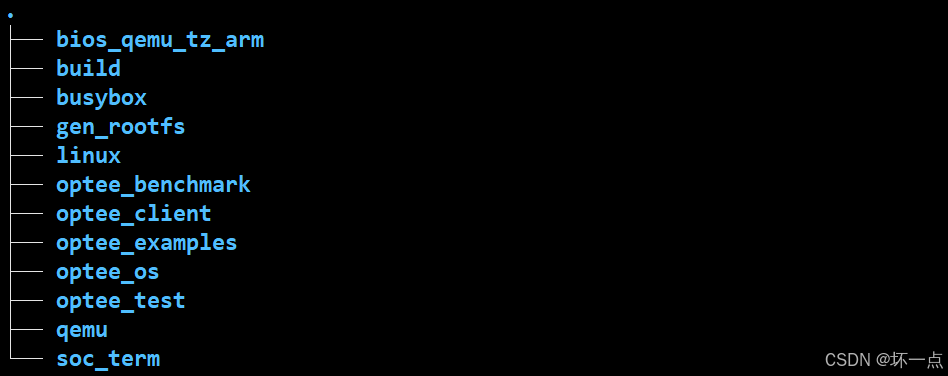
manifest.xml文件包含default.xml文件,是整个工程所需的单独git。这里使用qemu_v8.xml。
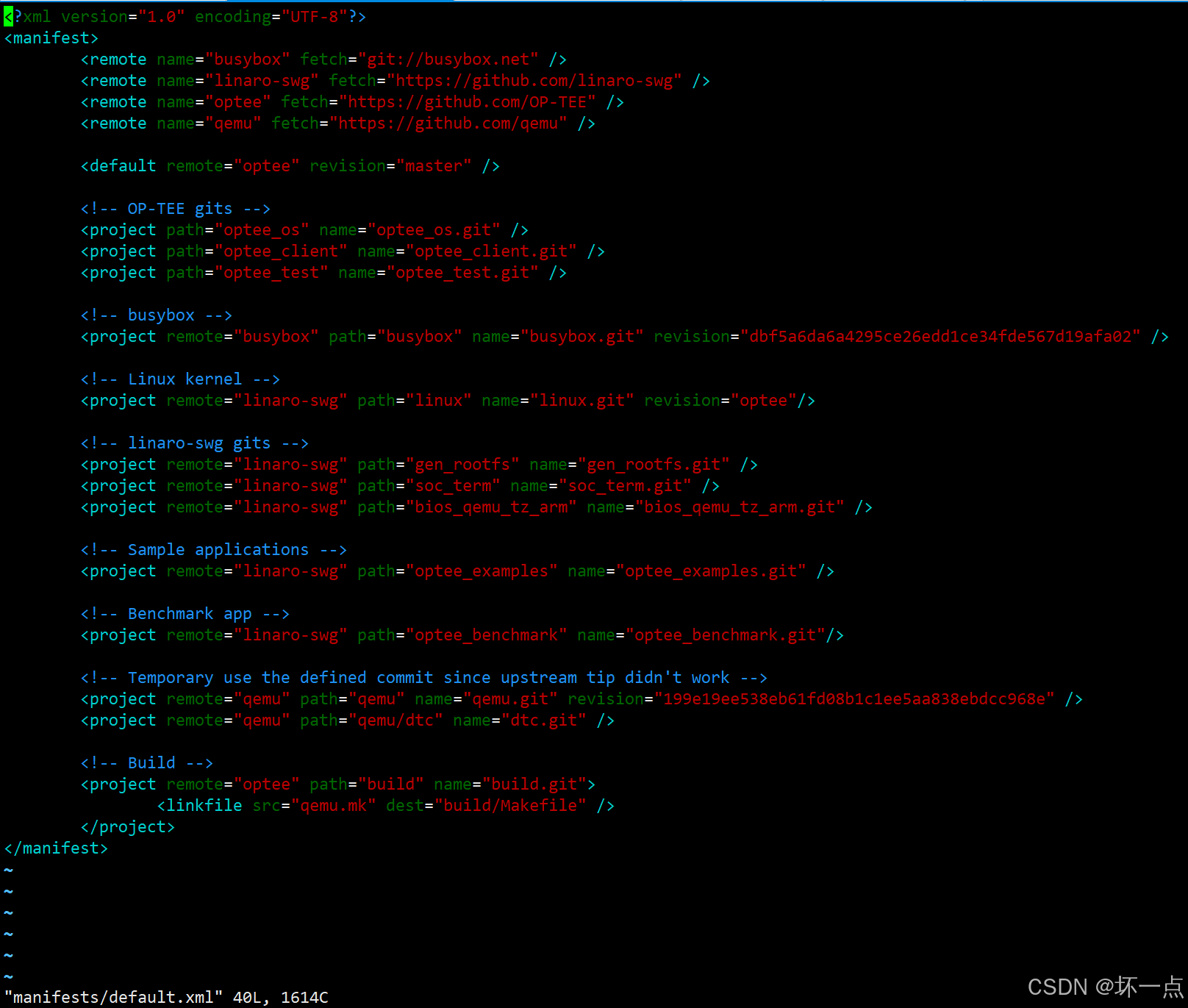
批量查看所有仓库版本。
输入:repo forall -c 'echo "=== $REPO_PATH ==="; git branch -v; git describe --tags 2>/dev/null || echo "无标签"; echo'
返回:
=== SCP-firmware ===
* (no branch) 190e938 doc: Update change_log.md Add resolved security issues section, remove minor changes.
v2.16.0
=== build ===
* (no branch) 1fedac7 hikey: Suppress warnings in TF-A build
4.9.0
=== buildroot ===
* (no branch) fcde5363 pdate for 2025.05
2025.05
=== hafnium ===
* (no branch) ce12c6e docs(changelog): generate 2.14.0 release notes
v2.14.0
=== linux ===
* (no branch) cf6e3218c arm64: dt: rockpi4: add OP-TEE nodes **not for mainline**
无标签
=== linux-arm-ffa-user ===
* (no branch) 885af0d Fix Kbuild invocation
debugfs-v5.0.2
=== mbedtls ===
* (no branch) e185d7f Merge pull request #1428 from Mbed-TLS/mbedtls-3.6.5rc0-pr
mbedtls-3.6.5
=== mbedtls/framework ===
* (no branch) 457996474 Merge remote-tracking branch 'restricted/main-restricted' into framework-common
mbedtls-4.0.0_tf-psa-crypto-1.0.0
=== ms-tpm-20-ref ===
* (no branch) 98b60a4 Add support for Measured Boot on ARM32-FirmwareTPM (#53)
无标签
=== optee_client ===
* (no branch) 9f5e909 tee-supplicant: fix uninit data access if stat() fails
4.9.0
=== optee_examples ===
* (no branch) 934c7ed acipher: Add dynamic algorithm selection and decryption support
4.9.0
=== optee_ftpm ===
* (no branch) a09269b ci: clean host VM to fix 'no space left on device' error
4.9.0
===optee_os ===
* (no branch) 39f0cdfda mk/compile.mk: include conf.h during device tree build
4.9.0-12-g39f0cdfda
=== optee_rust ===
* (no branch) a8cb341 optee-teec: disable default features for num_enum
v0.6.0-16-ga8cb341
===optee_test ===
* (no branch) b27648e regression_4018: remove unused IV variable
4.9.0
=== qemu ===
* (no branch) 7c949c5 Update version for the v10.0.0 release
v10.0.0
=== trusted-firmware-a ===
* (no branch) 1d5aa93 Merge "docs(changelog): changelog for v2.14 release" into integration
v2.14.0
=== trusted-firmware-a/contrib/libeventlog ===
* (no branch) 41f39ed fix: set version to 0.1.0 for initial development
无标签
=== trusted-firmware-a/contrib/libtl ===
* (no branch) 67d85f1 feat(libtl): add TPM event log management helpers
无标签
=== trusted-services ===
* (no branch) 8881aaa Update the main branch from integration
无标签
=== u-boot ===
* (no branch) e37de002 Prepare v2025.07
v2025.07
=== xen ===
* (no branch) 3ad5d64 Update to Xen 4.20
RELEASE-4.20.0使用如下命令切换OPTEE相关软件的版本为3.0.0。(指定optee版本存在后面编译各个版本以来的问题,所以这里使用拉去的最新版本,不进行降低版本)
repo forall optee_benchmark optee_client optee_examples optee_os optee_test -c 'git checkout 3.0.0 || echo "仓库 $REPO_PATH 切换版本失败"'
恢复:repo forall buildroot -c 'git checkout $REPO_REV'
降低buildroot的版本,最新的buildroot需要14+的交叉编译链版本,而本文使用的是9.2。(目前不降低,使用最新)
repo forall buildroot -c 'git checkout 2019.02 || echo "仓库 $REPO_PATH 切换版本失败"'
后面的QEMU编译需要u-boot等源码,但是default.xml中没有拉取u-boot等源码,这里需要修改default.xml文件,增加u-boot等源码。
vim open-tee/.repo/manifests/default.xml
增加:
<remote name="arm" fetch="https://github.com/ARM-software" />
<remote name="buildroot" fetch="https://github.com/buildroot" /><!-- u-boot -->
<project remote="linaro-swg" path="u-boot" name="u-boot.git" revision="optee"/>
<!-- arm-trusted-firmware -->
<project remote="arm" path="trusted-firmware-a" name="arm-trusted-firmware.git" /><!-- buildroot-->
<project remote="buildroot" path="buildroot" name="buildroot.git" />
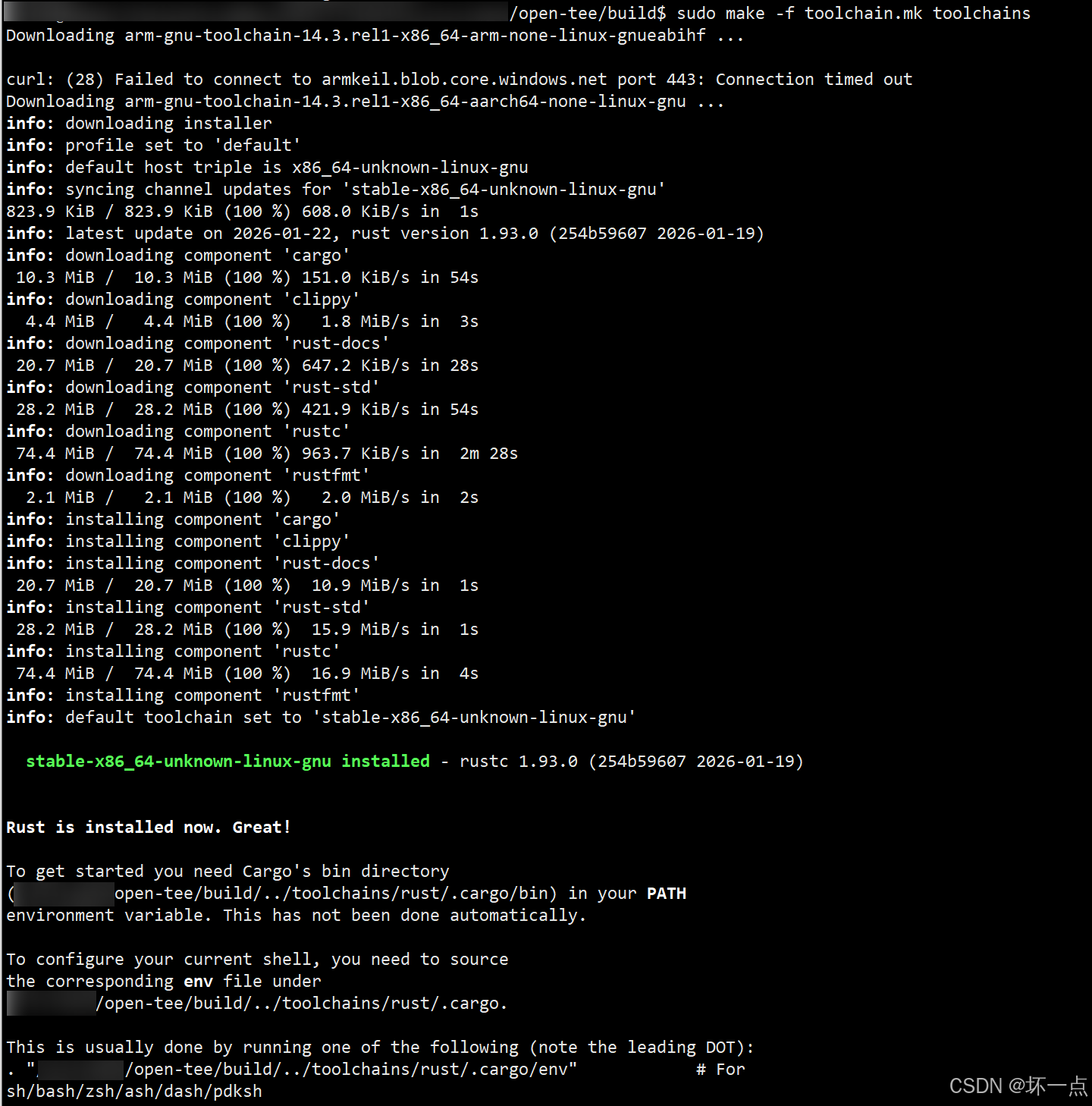
3、获取编译OP-TEE的toolchain(下载很慢,存在下载失败情况)
bash
cd build/
make -f toolchain.mk toolchains
# gcc版本
toolchains/aarch64/bin/aarch64-linux-gnu-gcc -v
Using built-in specs.
COLLECT_GCC=toolchains/aarch64/bin/aarch64-linux-gnu-gcc
COLLECT_LTO_WRAPPER=/srv/sata/open-tee-v8/toolchains/aarch64/bin/../libexec/gcc/aarch64-none-linux-gnu/14.3.1/lto-wrapper
Target: aarch64-none-linux-gnu
Configured with: /data/jenkins/workspace/GNU-toolchain/arm-14/src/gcc/configure --target=aarch64-none-linux-gnu --prefix= --with-sysroot=/aarch64-none-linux-gnu/libc --with-build-sysroot=/data/jenkins/workspace/GNU-toolchain/arm-14/build-aarch64-none-linux-gnu/install//aarch64-none-linux-gnu/libc --with-bugurl=https://bugs.linaro.org/ --enable-gnu-indirect-function --enable-shared --disable-libssp --disable-libmudflap --enable-checking=release --enable-languages=c,c++,fortran --with-gmp=/data/jenkins/workspace/GNU-toolchain/arm-14/build-aarch64-none-linux-gnu/host-tools --with-mpfr=/data/jenkins/workspace/GNU-toolchain/arm-14/build-aarch64-none-linux-gnu/host-tools --with-mpc=/data/jenkins/workspace/GNU-toolchain/arm-14/build-aarch64-none-linux-gnu/host-tools --with-isl=/data/jenkins/workspace/GNU-toolchain/arm-14/build-aarch64-none-linux-gnu/host-tools --enable-fix-cortex-a53-843419 --with-pkgversion='Arm GNU Toolchain 14.3.Rel1 (Build arm-14.174)'
Thread model: posix
Supported LTO compression algorithms: zlib zstd
gcc version 14.3.1 20250623 (Arm GNU Toolchain 14.3.Rel1 (Build arm-14.174))
正常编译OP-TEE3.0.0版本的交叉编译链版本是7.x-9.x,14.3.1高版本可能触发更多告警转错误。
两种方法:
方法1:根据后面编译错误进行修改(目前采用不降低版本)
optee-os/mk/compile.mk文件
需要删除:
comp-cflags$(sm) += -Werror
增加:
comp-cflags(sm) += -Wa,--noexecstack comp-aflags(sm) += -Wa,--noexecstack
方法2:降低交叉编译链版本
之前的交叉编译链版本的下载网址:https://developer.arm.com/downloads/-/gnu-a
修改build/toolchain.mk文件,将x86_64和aarch64中32位和64位的交叉编译链更换为9.2-2019.12。
ifeq ((UNAME_M),x86_64) ifeq ((ARCH),arm)
Please keep in sync with br-ext/configs/toolchain-aarch32
and below for aarch64 host
AARCH32_PATH ?= (TOOLCHAIN_ROOT)/aarch32 AARCH32_CROSS_COMPILE ?= (AARCH32_PATH)/bin/arm-linux-gnueabihf-
#AARCH32_GCC_VERSION ?= arm-gnu-toolchain-14.3.rel1-x86_64-arm-none-linux-gnueabihf
AARCH32_GCC_VERSION ?= gcc-arm-9.2-2019.12-x86_64-arm-none-linux-gnueabihf
#SRC_AARCH32_GCC ?= https://developer.arm.com/-/media/Files/downloads/gnu/14.3.rel1/binrel/$(AARCH32_GCC_VERSION).tar.xz
SRC_AARCH32_GCC ?= https://developer.arm.com/-/media/files/downloads/gnu-a/9.2-2019.12/binrel/$(AARCH32_GCC_VERSION).tar.xzPlease keep in sync with br-ext/configs/toolchain-aarch64
AARCH64_PATH ?= (TOOLCHAIN_ROOT)/aarch64 AARCH64_CROSS_COMPILE ?= (AARCH64_PATH)/bin/aarch64-linux-gnu-
#AARCH64_GCC_VERSION ?= arm-gnu-toolchain-14.3.rel1-x86_64-aarch64-none-linux-gnu
AARCH64_GCC_VERSION ?= gcc-arm-9.2-2019.12-x86_64-aarch64-none-linux-gnu
#SRC_AARCH64_GCC ?= https://developer.arm.com/-/media/Files/downloads/gnu/14.3.rel1/binrel/$(AARCH64_GCC_VERSION).tar.xz
SRC_AARCH64_GCC ?=https://developer.arm.com/-/media/files/downloads/gnu-a/9.2-2019.12/binrel/$(AARCH64_GCC_VERSION).tar.xzelse ifeq ($(UNAME_M),aarch64)
Please keep in sync with br-ext/configs/toolchain-aarch32
and above for x86_64 host
AARCH32_PATH ?= (TOOLCHAIN_ROOT)/aarch32 AARCH32_CROSS_COMPILE ?= (AARCH32_PATH)/bin/arm-linux-gnueabihf-
#AARCH32_GCC_VERSION ?= arm-gnu-toolchain-14.3.rel1-aarch64-arm-none-linux-gnueabihf
AARCH32_GCC_VERSION ?= gcc-arm-9.2-2019.12-aarch64-arm-none-linux-gnueabihf
#SRC_AARCH32_GCC ?= https://developer.arm.com/-/media/Files/downloads/gnu/14.3.rel1/binrel/$(AARCH32_GCC_VERSION).tar.xz
SRC_AARCH32_GCC ?= https://developer.arm.com/-/media/files/downloads/gnu-a/9.2-2019.12/binrel/$(AARCH32_GCC_VERSION).tar.xzAARCH64_PATH ?= $(TOOLCHAIN_ROOT)/aarch64
The proper prefix should be aarch64-none-linux-gnu- but we have a symlink for consistency with
the x86_64 hosted toolchain (see br-ext/configs/toolchain-aarch64)
AARCH64_CROSS_COMPILE ?= (AARCH64_PATH)/bin/aarch64-linux-gnu- #AARCH64_GCC_VERSION ?= arm-gnu-toolchain-14.3.rel1-aarch64-aarch64-none-**linux-gnu AARCH64_GCC_VERSION ?= gcc-arm-9.2-2019.12-aarch64-aarch64-none-elf** #SRC_AARCH64_GCC ?= https://developer.arm.com/-/media/Files/downloads/gnu/14.3.rel1/binrel/(AARCH64_GCC_VERSION).tar.xz
SRC_AARCH64_GCC ?= https://developer.arm.com/-/media/files/downloads/gnu-a/9.2-2019.12/binrel/$(AARCH64_GCC_VERSION).tar.xz
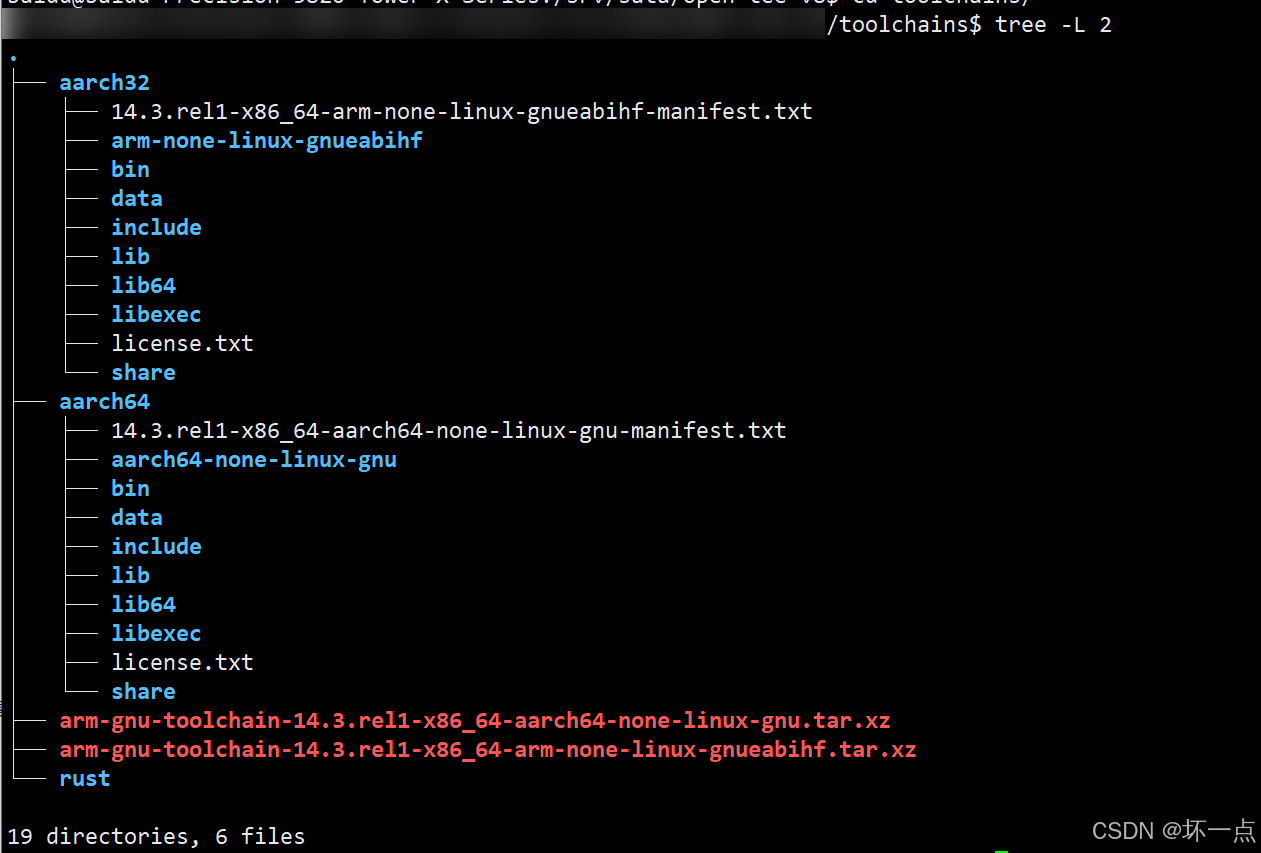
下载完成后,会在根目录下
4、编译QEMU
OP-TEE源代码的build目录是用于编译整个工程的编译目录,含各种平台的编译配置文件。
python3 -m pip install --user pycryptodome
export PYTHONPATH=/home/用户名/.local/lib/python3.8/site-packages防止后面编译报错QEMU 源码中静态定义 的
memfd_create函数,与系统头文件中非静态声明的同名函数冲突,需要先完成如下修改cd qemu
vim util/memfd.c
将memfd_create函数屏蔽或删除。
cd build
make -f qemu.mk all
make run #耗时非常长
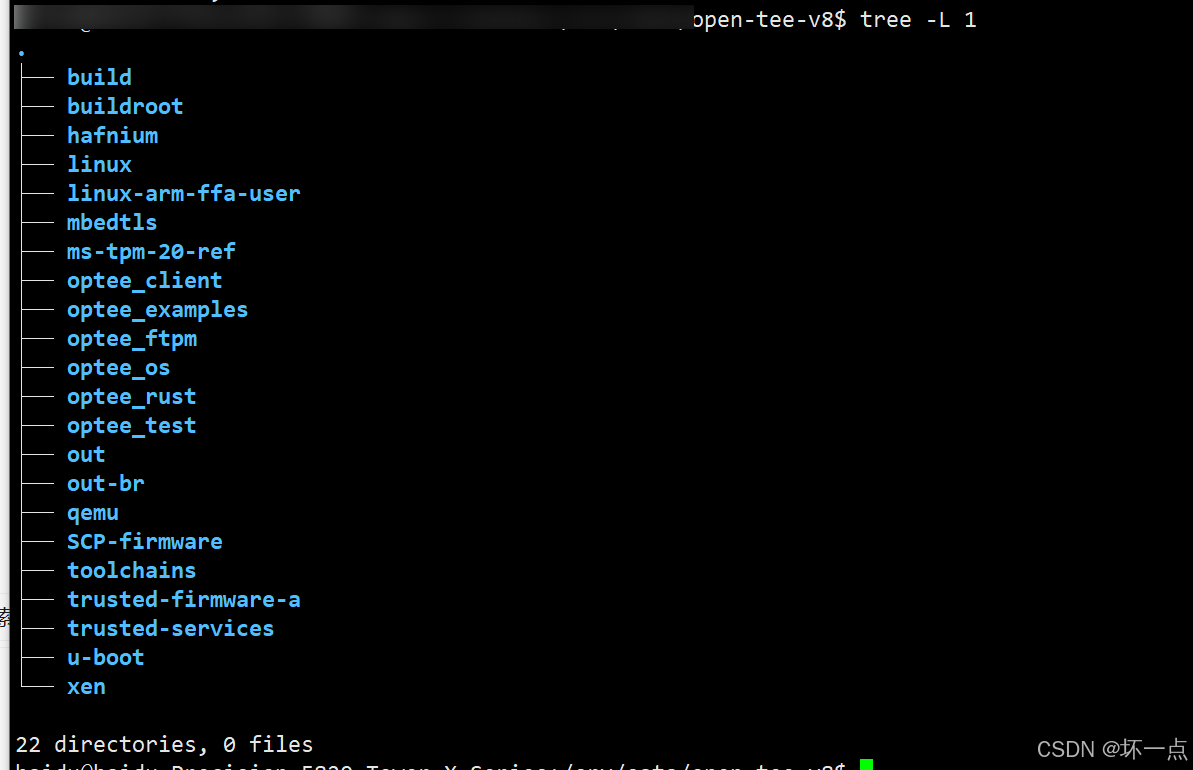
编译完成后将在optee的根目录下生成out目录,该目录存放着qemu方式运行OP-TEE时需要的镜像和相关文件。
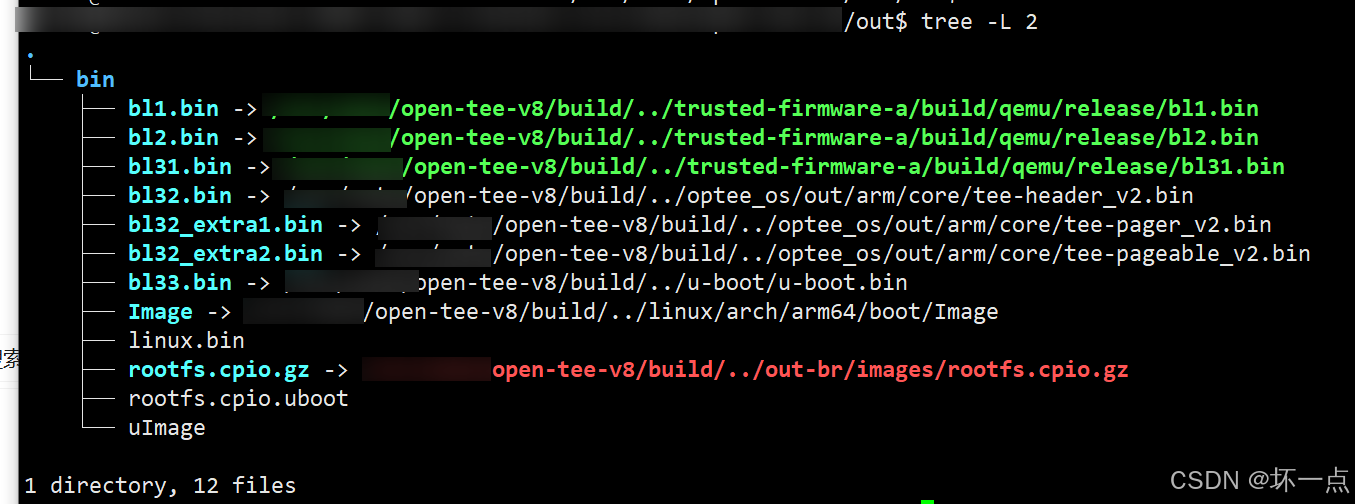
完整源代码和产出目录。
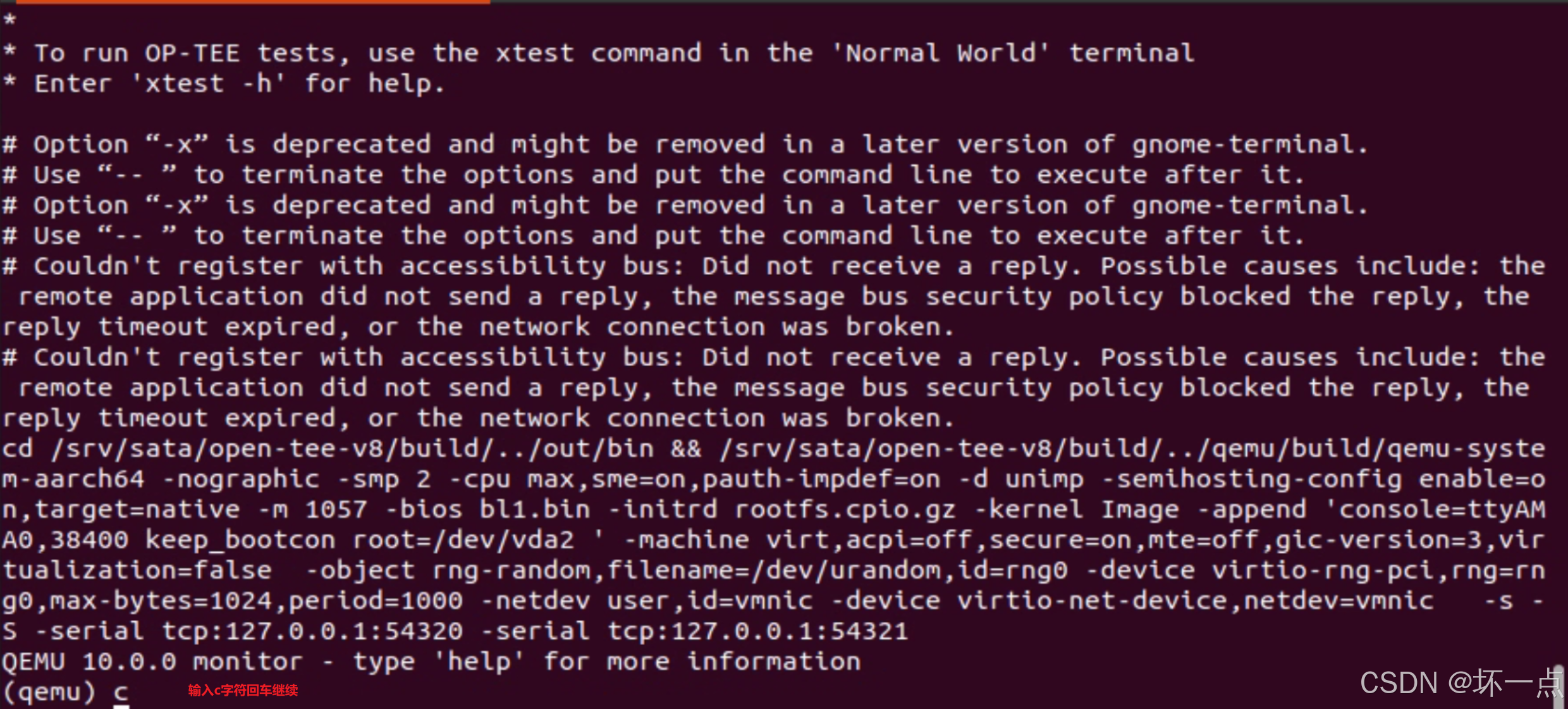
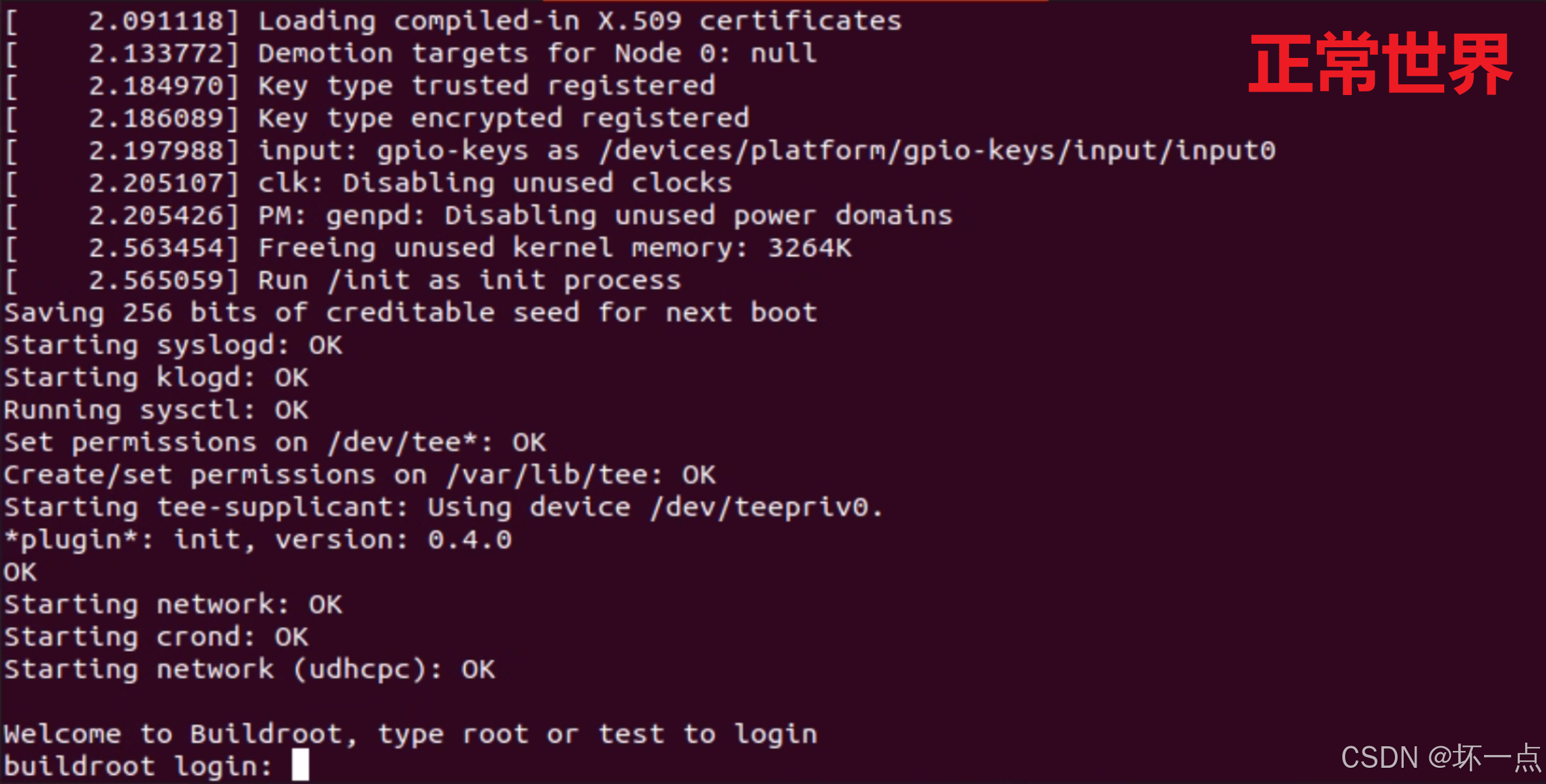
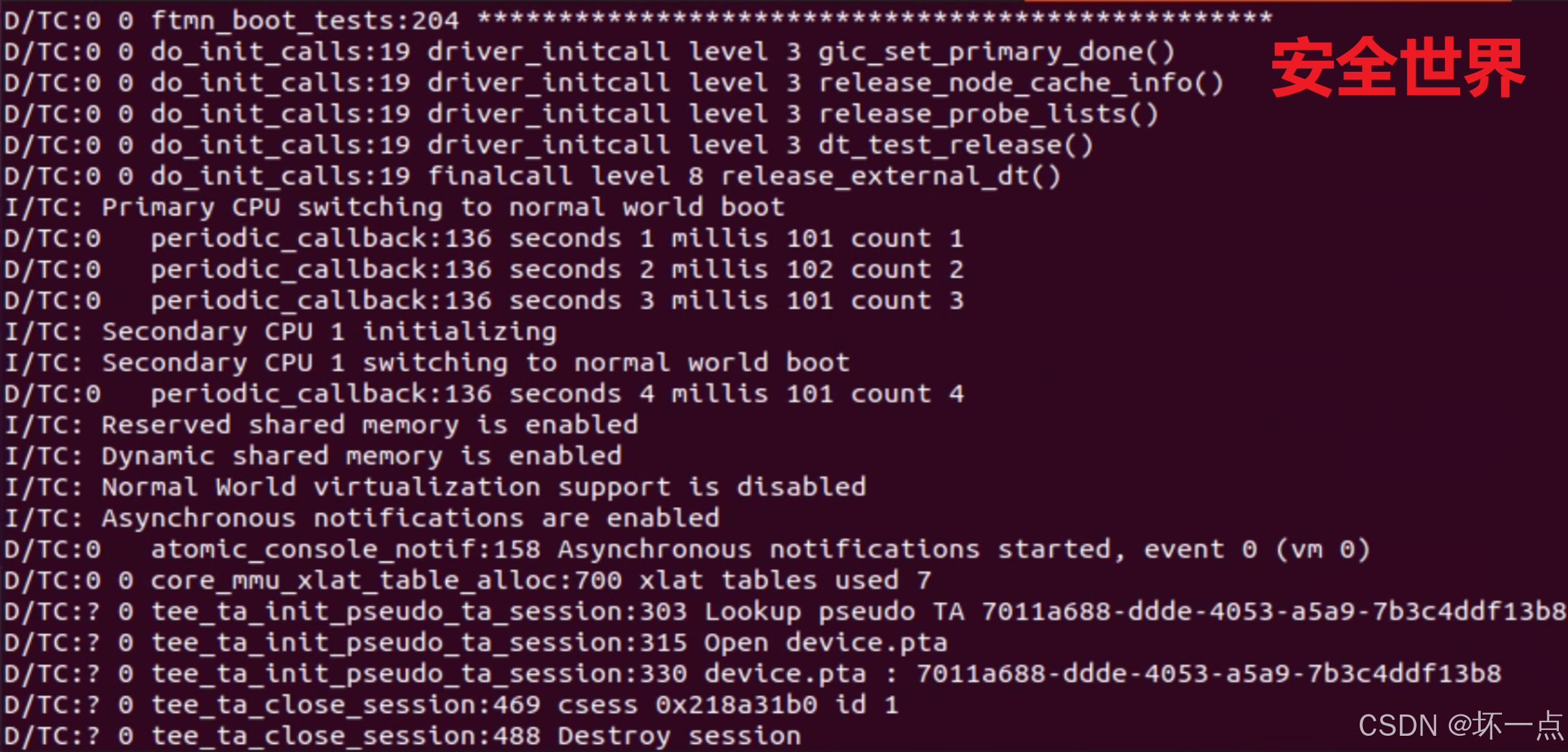
5、运行OP-TEE
在桌面环境的终端执行如下命令,因为qemu会弹出响应的terminal。
cd build
vim qemu.mk
修改第一处:
将QEMU_BUILD ?= $(QEMU_PATH)/build改为
QEMU_BUILD ?= $(QEMU_PATH)
修改第二处:
将"QEMU_RUN_ARGS += -s -S -serial tcp:127.0.0.1:(QEMU_NW_PORT) -serial tcp:127.0.0.1:(QEMU_SW_PORT)"中的"-S"去掉,该参数是调试模式,需要在qemu中执行"c"继续
make -f qemu_v8.mk run-only