1.首页
<!DOCTYPE html>
<html lang="zh-CN">
<head>
<meta charset="UTF-8" />
<link rel="icon" type="image/svg+xml" href="favicon.svg" />
<title>校园生活主题网站 - 首页</title>
<link rel="stylesheet" href="style.css" />
</head>
<body>
<header class="site-header">
<div class="logo">校园 · Life</div>
<nav class="nav">
<a href="1.htm" class="active">首页</a>
<a href="1.html">校园风光</a>
<a href="2.html">社团活动</a>
<a href="3.html">学习天地</a>
<a href="4.html">生活服务</a>
</nav>
</header>
<main class="content">
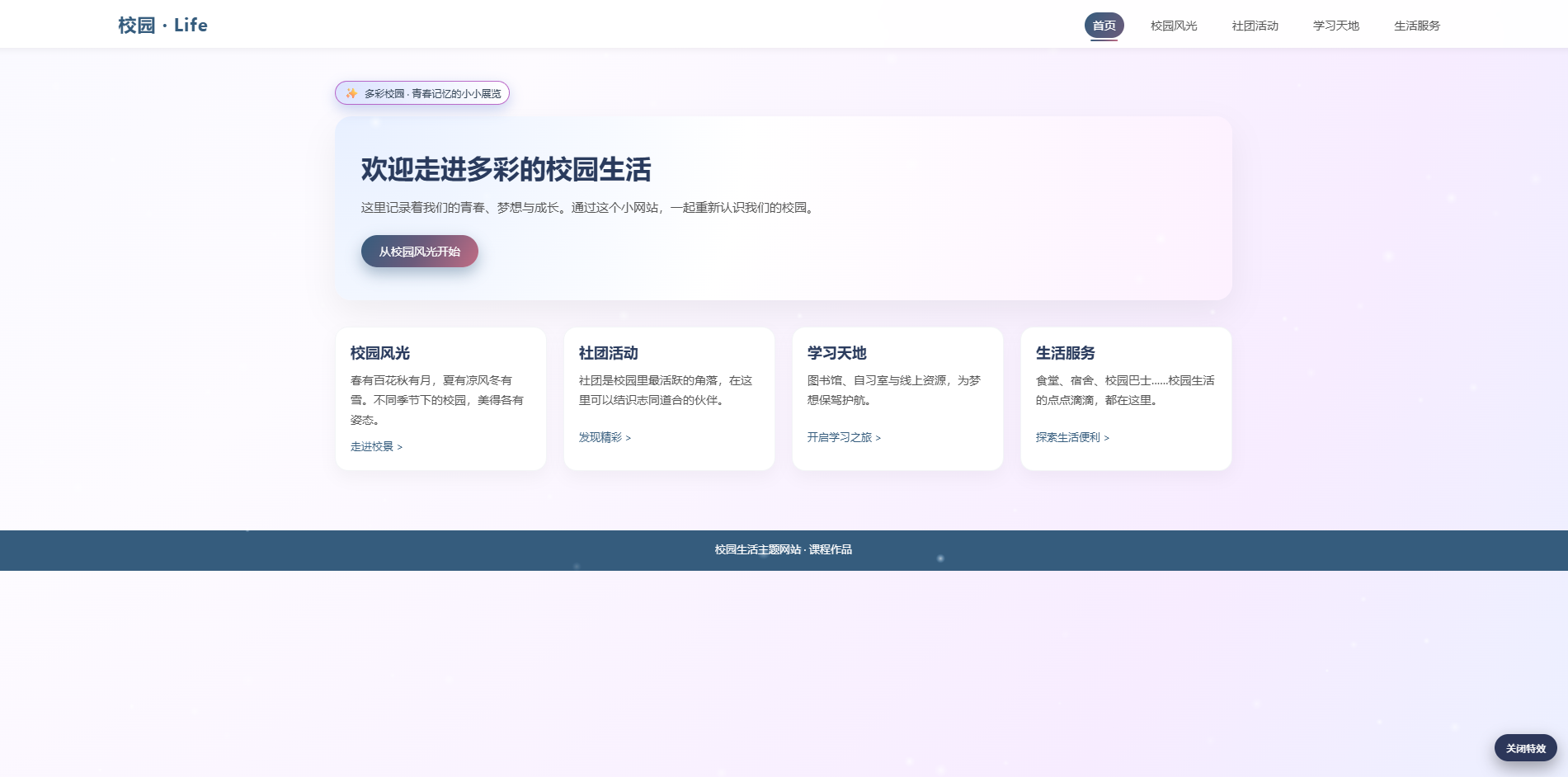
<div class="page-badge page-badge--home">
<span>✨</span> 多彩校园 · 青春记忆的小小展览
</div>
<section class="hero">
<h1>欢迎走进多彩的校园生活</h1>
<p>这里记录着我们的青春、梦想与成长。通过这个小网站,一起重新认识我们的校园。</p>
<a class="btn" href="1.html">从校园风光开始</a>
</section>
<section class="grid">
<article class="card">
<h2>校园风光</h2>
<p>春有百花秋有月,夏有凉风冬有雪。不同季节下的校园,美得各有姿态。</p>
<a href="1.html" class="more-link">走进校景 ></a>
</article>
<article class="card">
<h2>社团活动</h2>
<p>社团是校园里最活跃的角落,在这里可以结识志同道合的伙伴。</p>
<a href="2.html" class="more-link">发现精彩 ></a>
</article>
<article class="card">
<h2>学习天地</h2>
<p>图书馆、自习室与线上资源,为梦想保驾护航。</p>
<a href="3.html" class="more-link">开启学习之旅 ></a>
</article>
<article class="card">
<h2>生活服务</h2>
<p>食堂、宿舍、校园巴士......校园生活的点点滴滴,都在这里。</p>
<a href="4.html" class="more-link">探索生活便利 ></a>
</article>
</section>
</main>
<footer class="site-footer">
<p contenteditable="true">校园生活主题网站 · 课程作品</p>
</footer>
<!-- 炫酷粒子 / 流星特效层(可关闭) -->
<div class="effect-layer" id="effectLayer">
<canvas id="effectCanvas"></canvas>
</div>
<button class="effect-toggle" id="effectToggle">关闭特效</button>
<script>
(function () {
const canvas = document.getElementById('effectCanvas');
const layer = document.getElementById('effectLayer');
const toggleBtn = document.getElementById('effectToggle');
if (!canvas || !layer || !toggleBtn) return;
const ctx = canvas.getContext('2d');
let width = 0, height = 0;
let particles = [];
let meteors = [];
let running = true;
function resize() {
width = window.innerWidth;
height = window.innerHeight;
canvas.width = width * window.devicePixelRatio;
canvas.height = height * window.devicePixelRatio;
ctx.setTransform(window.devicePixelRatio, 0, 0, window.devicePixelRatio, 0, 0);
}
window.addEventListener('resize', resize);
resize();
function createParticles(count) {
particles = [];
for (let i = 0; i < count; i++) {
particles.push({
x: Math.random() * width,
y: Math.random() * height,
r: Math.random() * 2 + 0.5,
speedX: (Math.random() - 0.5) * 0.4,
speedY: Math.random() * 0.6 + 0.1,
alpha: Math.random() * 0.6 + 0.2
});
}
}
function createMeteor() {
const startX = Math.random() * width;
const startY = Math.random() * height * 0.3;
meteors.push({
x: startX,
y: startY,
len: 150 + Math.random() * 80,
speed: 8 + Math.random() * 4,
alpha: 0.9,
angle: Math.PI / 3 // 60度倾斜
});
}
createParticles(90);
let lastMeteorTime = 0;
function draw(time) {
if (!running) {
ctx.clearRect(0, 0, width, height);
requestAnimationFrame(draw);
return;
}
ctx.clearRect(0, 0, width, height);
// 粒子
for (const p of particles) {
p.x += p.speedX;
p.y += p.speedY;
if (p.y > height || p.x < 0 || p.x > width) {
p.x = Math.random() * width;
p.y = -10;
}
const gradient = ctx.createRadialGradient(p.x, p.y, 0, p.x, p.y, p.r * 4);
gradient.addColorStop(0, `rgba(255,255,255,${p.alpha})`);
gradient.addColorStop(1, 'rgba(120,180,255,0)');
ctx.fillStyle = gradient;
ctx.beginPath();
ctx.arc(p.x, p.y, p.r * 4, 0, Math.PI * 2);
ctx.fill();
}
// 不定时生成流星
if (time - lastMeteorTime > 2000 + Math.random() * 3000) {
createMeteor();
lastMeteorTime = time;
}
// 流星
ctx.lineCap = 'round';
for (let i = meteors.length - 1; i >= 0; i--) {
const m = meteors[i];
const vx = Math.cos(m.angle) * m.speed;
const vy = Math.sin(m.angle) * m.speed;
m.x += vx;
m.y += vy;
m.alpha -= 0.015;
if (m.alpha <= 0) {
meteors.splice(i, 1);
continue;
}
const ex = m.x - Math.cos(m.angle) * m.len;
const ey = m.y - Math.sin(m.angle) * m.len;
const gradient = ctx.createLinearGradient(ex, ey, m.x, m.y);
gradient.addColorStop(0, `rgba(255,255,255,0)`);
gradient.addColorStop(0.4, `rgba(160,200,255,${m.alpha * 0.3})`);
gradient.addColorStop(1, `rgba(255,255,255,${m.alpha})`);
ctx.strokeStyle = gradient;
ctx.lineWidth = 3;
ctx.beginPath();
ctx.moveTo(ex, ey);
ctx.lineTo(m.x, m.y);
ctx.stroke();
}
requestAnimationFrame(draw);
}
requestAnimationFrame(draw);
toggleBtn.addEventListener('click', function () {
running = !running;
if (running) {
layer.classList.remove('off');
toggleBtn.classList.remove('off');
toggleBtn.textContent = '关闭特效';
} else {
layer.classList.add('off');
toggleBtn.classList.add('off');
toggleBtn.textContent = '开启特效';
}
});
})();
</script>
</body>
</html>
2.子页面
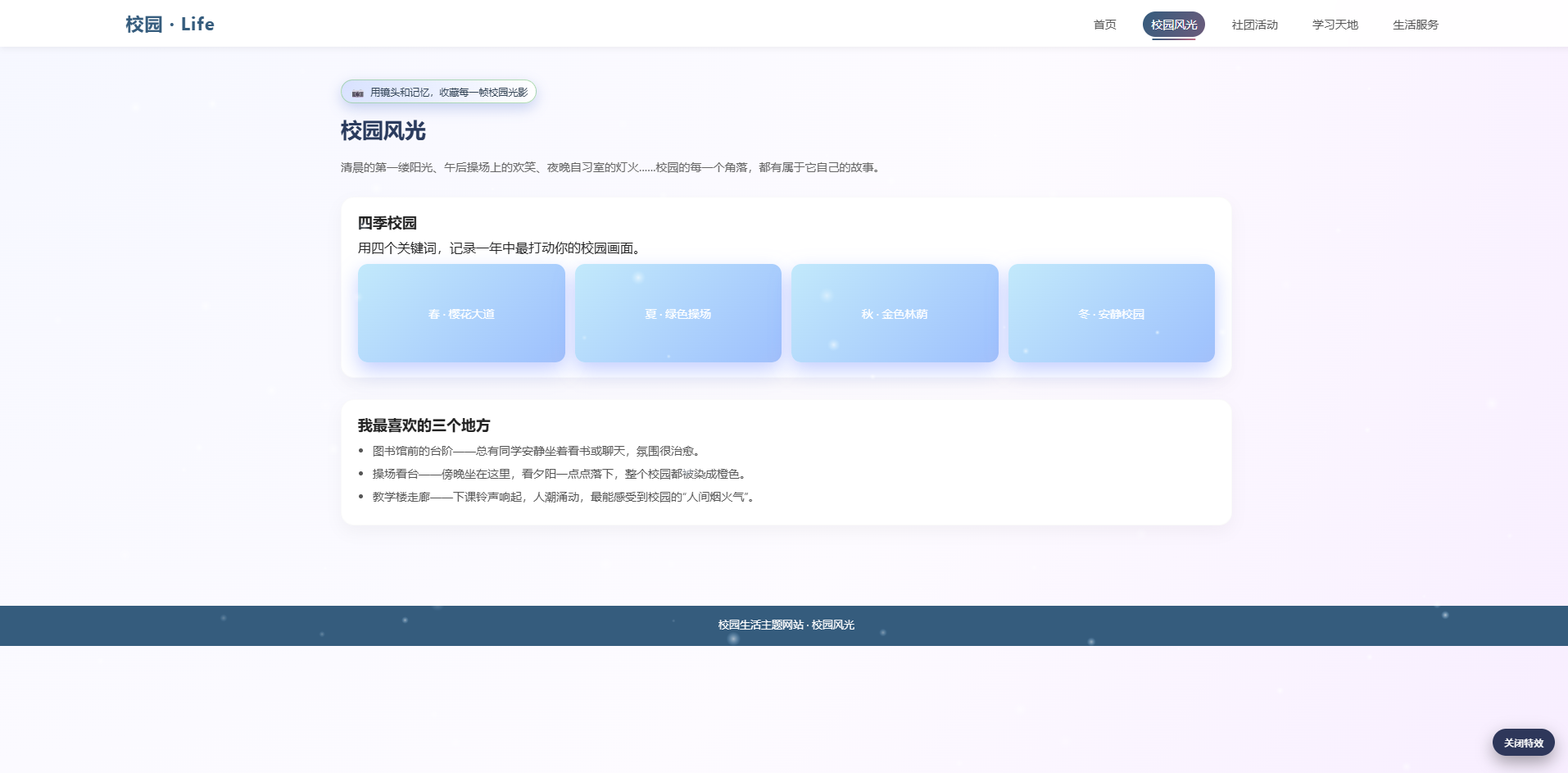
<!DOCTYPE html>
<html lang="zh-CN">
<head>
    <meta charset="UTF-8" />
    <link rel="icon" type="image/svg+xml" href="favicon.svg" />
    <title>校园风光 - 校园生活主题网站</title>
    <link rel="stylesheet" href="style.css" />
</head>
<body>
    <header class="site-header">
        <div class="logo">校园 · Life</div>
        <nav class="nav">
            <a href="1.htm">首页</a>
            <a href="1.html" class="active">校园风光</a>
            <a href="2.html">社团活动</a>
            <a href="3.html">学习天地</a>
            <a href="4.html">生活服务</a>
        </nav>
    </header>

    <main class="content">
        <div class="page-badge page-badge--scenery">
            <span>📷</span> 用镜头和记忆,收藏每一帧校园光影
        </div>
        <h1 class="page-title">校园风光</h1>
        <p class="page-desc">
            清晨的第一缕阳光、午后操场上的欢笑、夜晚自习室的灯火......校园的每一个角落,都有属于它自己的故事。
        </p>

        <section class="section">
            <h2>四季校园</h2>
            <p>用四个关键词,记录一年中最打动你的校园画面。</p>
            <div class="gallery">
                <div class="gallery-item">春 · 樱花大道</div>
                <div class="gallery-item">夏 · 绿色操场</div>
                <div class="gallery-item">秋 · 金色林荫</div>
                <div class="gallery-item">冬 · 安静校园</div>
            </div>
        </section>

        <section class="section">
            <h2>我最喜欢的三个地方</h2>
            <ul>
                <li>图书馆前的台阶------总有同学安静坐着看书或聊天,氛围很治愈。</li>
                <li>操场看台------傍晚坐在这里,看夕阳一点点落下,整个校园都被染成橙色。</li>
                <li>教学楼走廊------下课铃声响起,人潮涌动,最能感受到校园的"人间烟火气"。</li>
            </ul>
        </section>
    </main>

    <footer class="site-footer">
        <p contenteditable="true">校园生活主题网站 · 校园风光</p>
    </footer>

    <!-- 炫酷粒子 / 流星特效层(可关闭) -->
    <div class="effect-layer" id="effectLayer">
        <canvas id="effectCanvas"></canvas>
    </div>
    <button class="effect-toggle" id="effectToggle">关闭特效</button>

    <script>
        (function () {
            const canvas = document.getElementById('effectCanvas');
            const layer = document.getElementById('effectLayer');
            const toggleBtn = document.getElementById('effectToggle');
            if (!canvas || !layer || !toggleBtn) return;

            const ctx = canvas.getContext('2d');
            let width = 0, height = 0;
            let particles = [];
            let meteors = [];
            let running = true;

            function resize() {
                width = window.innerWidth;
                height = window.innerHeight;
                canvas.width = width * window.devicePixelRatio;
                canvas.height = height * window.devicePixelRatio;
                ctx.setTransform(window.devicePixelRatio, 0, 0, window.devicePixelRatio, 0, 0);
            }

            window.addEventListener('resize', resize);
            resize();

            function createParticles(count) {
                particles = [];
                for (let i = 0; i < count; i++) {
                    particles.push({
                        x: Math.random() * width,
                        y: Math.random() * height,
                        r: Math.random() * 2 + 0.5,
                        speedX: (Math.random() - 0.5) * 0.4,
                        speedY: Math.random() * 0.6 + 0.1,
                        alpha: Math.random() * 0.6 + 0.2
                    });
                }
            }

            function createMeteor() {
                const startX = Math.random() * width;
                const startY = Math.random() * height * 0.3;
                meteors.push({
                    x: startX,
                    y: startY,
                    len: 150 + Math.random() * 80,
                    speed: 8 + Math.random() * 4,
                    alpha: 0.9,
                    angle: Math.PI / 3 // 60度倾斜
                });
            }

            createParticles(90);

            let lastMeteorTime = 0;
            function draw(time) {
                if (!running) {
                    ctx.clearRect(0, 0, width, height);
                    requestAnimationFrame(draw);
                    return;
                }

                ctx.clearRect(0, 0, width, height);

                // 粒子
                for (const p of particles) {
                    p.x += p.speedX;
                    p.y += p.speedY;
                    if (p.y > height || p.x < 0 || p.x > width) {
                        p.x = Math.random() * width;
                        p.y = -10;
                    }
                    const gradient = ctx.createRadialGradient(p.x, p.y, 0, p.x, p.y, p.r * 4);
                    gradient.addColorStop(0, `rgba(255,255,255,${p.alpha})`);
                    gradient.addColorStop(1, 'rgba(120,180,255,0)');
                    ctx.fillStyle = gradient;
                    ctx.beginPath();
                    ctx.arc(p.x, p.y, p.r * 4, 0, Math.PI * 2);
                    ctx.fill();
                }

                // 不定时生成流星
                if (time - lastMeteorTime > 2000 + Math.random() * 3000) {
                    createMeteor();
                    lastMeteorTime = time;
                }

                // 流星
                ctx.lineCap = 'round';
                for (let i = meteors.length - 1; i >= 0; i--) {
                    const m = meteors[i];
                    const vx = Math.cos(m.angle) * m.speed;
                    const vy = Math.sin(m.angle) * m.speed;
                    m.x += vx;
                    m.y += vy;
                    m.alpha -= 0.015;
                    if (m.alpha <= 0) {
                        meteors.splice(i, 1);
                        continue;
                    }

                    const ex = m.x - Math.cos(m.angle) * m.len;
                    const ey = m.y - Math.sin(m.angle) * m.len;
                    const gradient = ctx.createLinearGradient(ex, ey, m.x, m.y);
                    gradient.addColorStop(0, `rgba(255,255,255,0)`);
                    gradient.addColorStop(0.4, `rgba(160,200,255,${m.alpha * 0.3})`);
                    gradient.addColorStop(1, `rgba(255,255,255,${m.alpha})`);

                    ctx.strokeStyle = gradient;
                    ctx.lineWidth = 3;
                    ctx.beginPath();
                    ctx.moveTo(ex, ey);
                    ctx.lineTo(m.x, m.y);
                    ctx.stroke();
                }

                requestAnimationFrame(draw);
            }

            requestAnimationFrame(draw);

            toggleBtn.addEventListener('click', function () {
                running = !running;
                if (running) {
                    layer.classList.remove('off');
                    toggleBtn.classList.remove('off');
                    toggleBtn.textContent = '关闭特效';
                } else {
                    layer.classList.add('off');
                    toggleBtn.classList.add('off');
                    toggleBtn.textContent = '开启特效';
                }
            });
        })();
    </script>
</body>
</html>