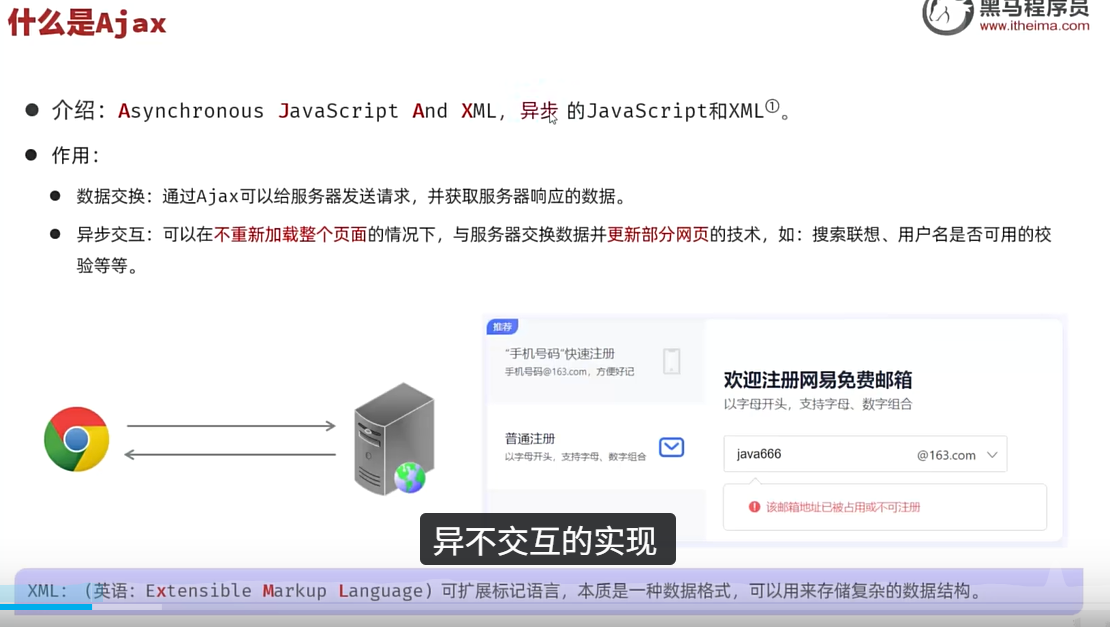
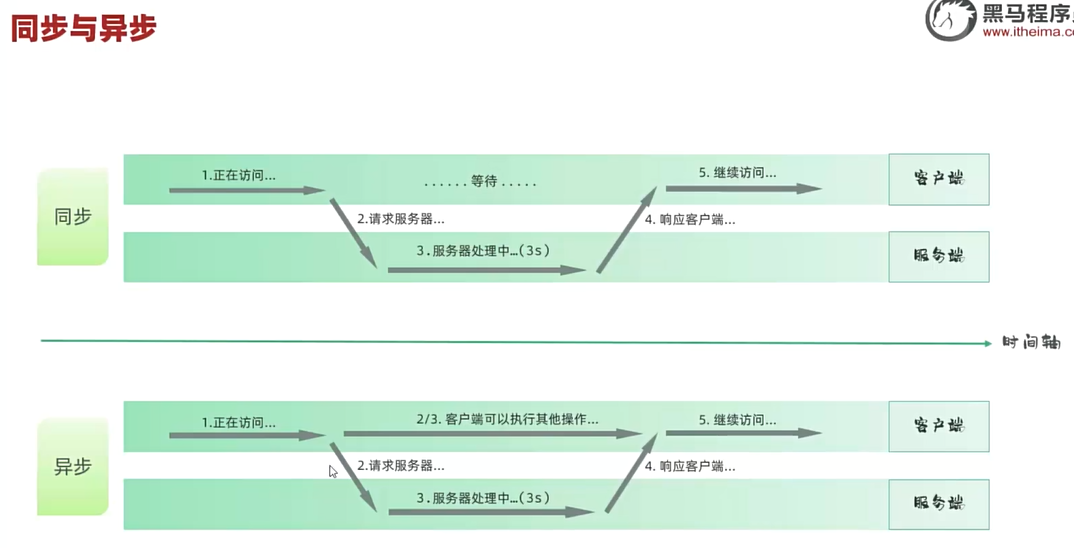
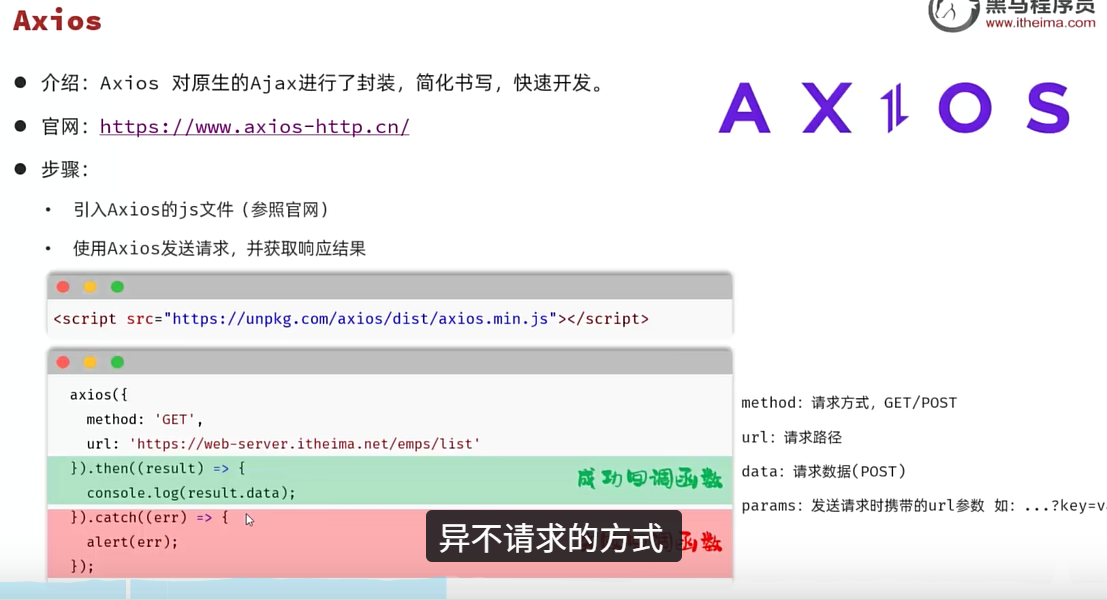
利用Axios来发起异步请求
<!DOCTYPE html>
<html lang="en">
<head>
  <meta charset="UTF-8">
  <meta name="viewport" content="width=device-width, initial-scale=1.0">
  <title>Ajax-Axio</title>
</head>
<body>

  <input type="button" id="btnGet" value="获取数据GET">
  <input type="button" id="btnPost" value="操作数据POST">


  <script src="./axios.js">

  </script>
  <script>
    //发送get请求
    document.querySelector("#btnGet").addEventListener('click',function(){
      //发起异步请求
      axios({
        url:"https://mock.apifox.cn/m1/3083103-0-default/emps/list",
        method:"GET"
      }).then((result)=>{//成功回调函数
        console.log(result.data)
      }).catch((err)=>{//失败回调函数
        console.log(err)
      })

    })
    //发送post请求
    document.querySelector("#btnPost").addEventListener('click',function(){
      axios({
        url:"https://mock.apifox.cn/m1/3083103-0-default/emps/update",
        method:"POST",
        data:"id=1"//post请求方式,请求体
      }).then((result)=>{//成功回调函数
        console.log(result.data)
      }).catch((err)=>{//失败回调函数
        console.log(err)
      })

})
  </script>

</body>
</html>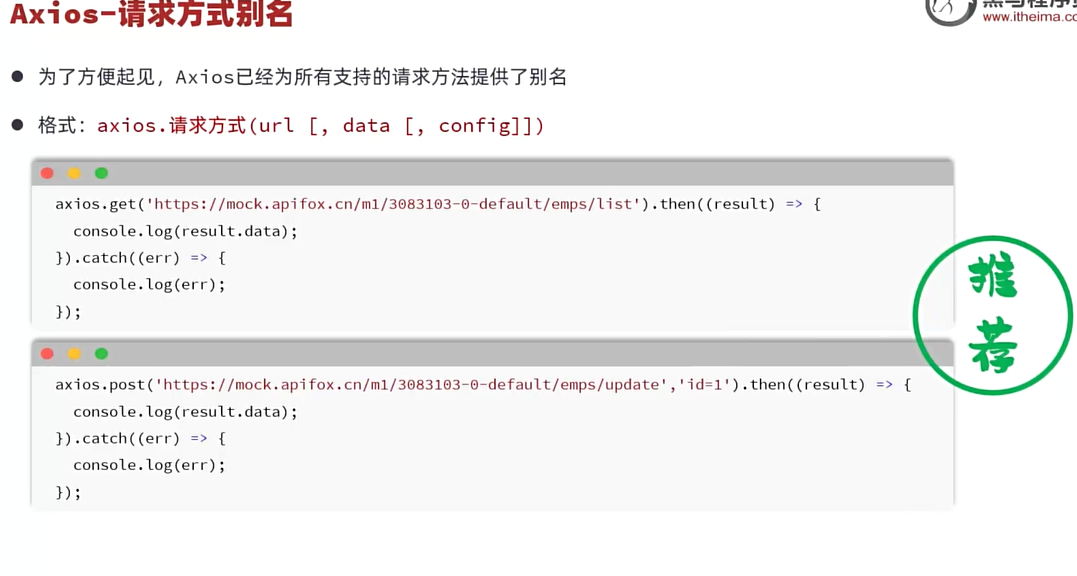
<!DOCTYPE html>
<html lang="en">
<head>
  <meta charset="UTF-8">
  <meta name="viewport" content="width=device-width, initial-scale=1.0">
  <title>Ajax-Axio</title>
</head>
<body>

  <input type="button" id="btnGet" value="获取数据GET">
  <input type="button" id="btnPost" value="操作数据POST">


  <script src="./axios.js">

  </script>
  <script>
    //发送get请求
    document.querySelector("#btnGet").addEventListener('click',function(){
      //发起异步请求
      axios.get("https://mock.apifox.cn/m1/3083103-0-default/emps/list")
        .then((result)=>{//成功回调函数
        console.log(result.data)
      }).catch((err)=>{//失败回调函数
        console.log(err)
      })

    })
    //发送post请求
    document.querySelector("#btnPost").addEventListener('click',function(){
      axios.post("https://mock.apifox.cn/m1/3083103-0-default/emps/update","id=1")
      .then(function(result){//成功回调函数
        console.log(result.data)
      }).catch(function(err){//失败回调函数
        console.log(err)
      })

})
  </script>

</body>
</html>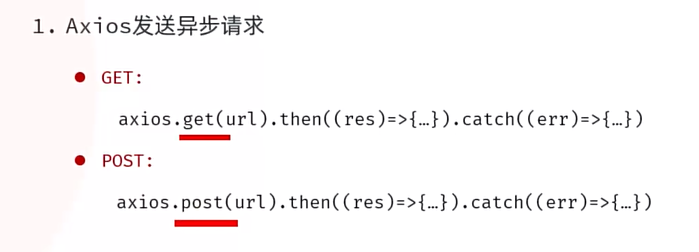
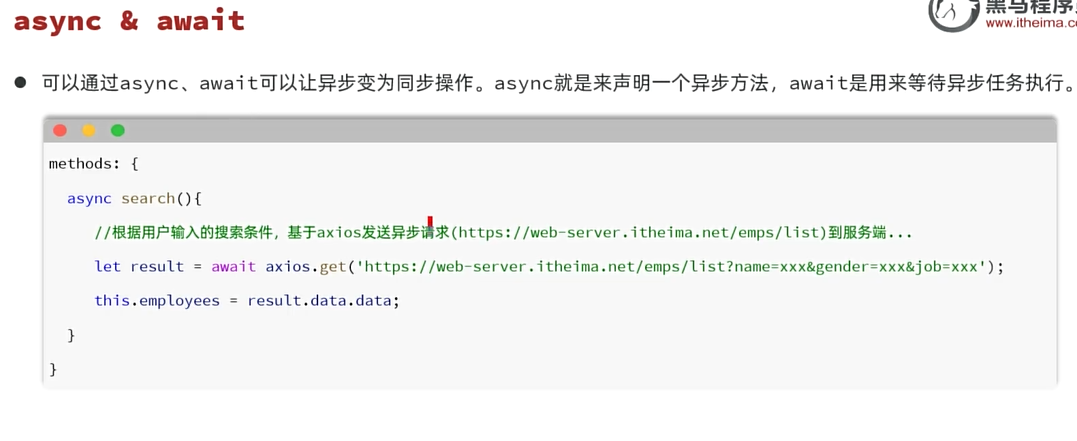
<!DOCTYPE html>
<html lang="zh-CN">
<head>
    <meta charset="UTF-8">
    <title>Tlias智能学习辅助系统</title>
    <style>
        /* 导航栏样式 */
        .navbar {
            background-color: #b5b3b3; /* 灰色背景 */

            display: flex; /* flex弹性布局 */
            justify-content: space-between; /* 左右对齐 */

            padding: 10px; /* 内边距 */
            align-items: center; /* 垂直居中 */
        }
        .navbar h1 {
            margin: 0; /* 移除默认的上下外边距 */
            font-weight: bold; /* 加粗 */
            color: white;
            /* 设置字体为楷体 */
            font-family: "楷体";
        }
        .navbar a {
            color: white; /* 链接颜色为白色 */
            text-decoration: none; /* 移除下划线 */
        }

        /* 搜索表单样式 */
        .search-form {
            display: flex;
            flex-wrap: nowrap;
            align-items: center;
            gap: 10px; /* 控件之间的间距 */
            margin: 20px 0;
        }
        .search-form input[type="text"], .search-form select {
            padding: 5px; /* 输入框内边距 */
            width: 260px; /* 宽度 */
        }
        .search-form button {
            padding: 5px 15px; /* 按钮内边距 */
        }

        /* 表格样式 */
        table {
            width: 100%;
            border-collapse: collapse;
        }
        th, td {
            border: 1px solid #ddd; /* 边框 */
            padding: 8px; /* 单元格内边距 */
            text-align: center; /* 左对齐 */
        }
        th {
            background-color: #f2f2f2;
            font-weight: bold;
        }
        .avatar {
            width: 30px;
            height: 30px;
        }

        /* 页脚样式 */
        .footer {
            background-color: #b5b3b3; /* 灰色背景 */
            color: white; /* 白色文字 */
            text-align: center; /* 居中文本 */
            padding: 10px 0; /* 上下内边距 */
            margin-top: 30px;
        }

        #container {
            width: 80%; /* 宽度为80% */
            margin: 0 auto; /* 水平居中 */
        }
    </style>
</head>
<body>
    <div id="container">
        <!-- 顶部导航栏 -->
        <div class="navbar">
            <h1>Tlias智能学习辅助系统</h1>
            <a href="#">退出登录</a>
        </div>
        {{searchForm}}
        <!-- 搜索表单区域 -->
        <form class="search-form" action="/search" method="post">
            <label for="name">姓名:</label>
            <input type="text" id="name" name="name" v-model="searchForm.name" placeholder="请输入姓名">

            <label for="gender">性别:</label>
            <select id="gender" name="gender" v-model="searchForm.gender">
                <option value=""></option>
                <option value="1">男</option>
                <option value="2">女</option>
            </select>

            <label for="position">职位:</label>
            <select id="position" name="position" v-model="searchForm.job">
                <option value=""></option>
                <option value="1">班主任</option>
                <option value="2">讲师</option>
                <option value="3">学工主管</option>
                <option value="4">教研主管</option>
                <option value="5">咨询师</option>
            </select>

            <button type="button" v-on:click="search">查询</button>
            <!-- <button type="button">查询</button> -->
            <!-- <button type="button">清空</button> -->
            <button type="button" @click="clear">清空</button>
        </form>

        <!-- 表格展示区 -->
        <table>
            <!-- 表头 -->
            <thead>
                <tr>
                    <th>序号</th>
                    <th>姓名</th>
                    <th>性别</th>
                    <th>头像</th>
                    <th>职位</th>
                    <th>入职日期</th>
                    <th>最后操作时间</th>
                    <th>操作</th>
                </tr>
            </thead>

            <!-- 表格主体内容 -->
            <tbody>
                <tr v-for="(e,index) in empList" :key="e.id" >
                    <td>{{index+1}}</td>
                    <td>{{e.name}}</td>
                    <td>{{e.gender==1?"男":"女"}}</td>
                    <!-- 插值表达式是不可以出现标签内部的 -->
                    <td><img class="avatar" v-bind:src="e.image" :alt="e.name"></td>
                    <td>
                        <span v-if="e.job==1">班主任</span>
                        <span v-else-if="e.job==2">讲师</span>
                        <span v-else-if="e.job==3">学工主管</span>
                        <span v-else-if="e.job==4">教研主管</span>
                        <span v-else-if="e.job==5">咨询师</span>
                        <span v-else>其他</span>
                    </td>
                    <td>{{e.entrydate}}</td>
                    <td>{{e.updatetime}}</td>
                    <td class="action-buttons">
                        <button type="button">编辑</button>
                        <button type="button">删除</button>
                    </td>
                </tr>

            </tbody>
        </table>

        <!-- 页脚版权区域 -->
        <footer class="footer">
            <p>江苏传智播客教育科技股份有限公司</p>
            <p>版权所有 Copyright 2006-2024 All Rights Reserved</p>
        </footer>
    </div>

 <script src="./axios.js"></script>
    <script type="module">
      import { createApp } from 'https://unpkg.com/vue@3/dist/vue.esm-browser.js'

      createApp({
        data() {
          return {
            //封装用户输入的查询条件
            searchForm:{
                name:"",
                gender:"",
                job:"",
            },
            empList: [

            ]
          }
        },
        methods:{
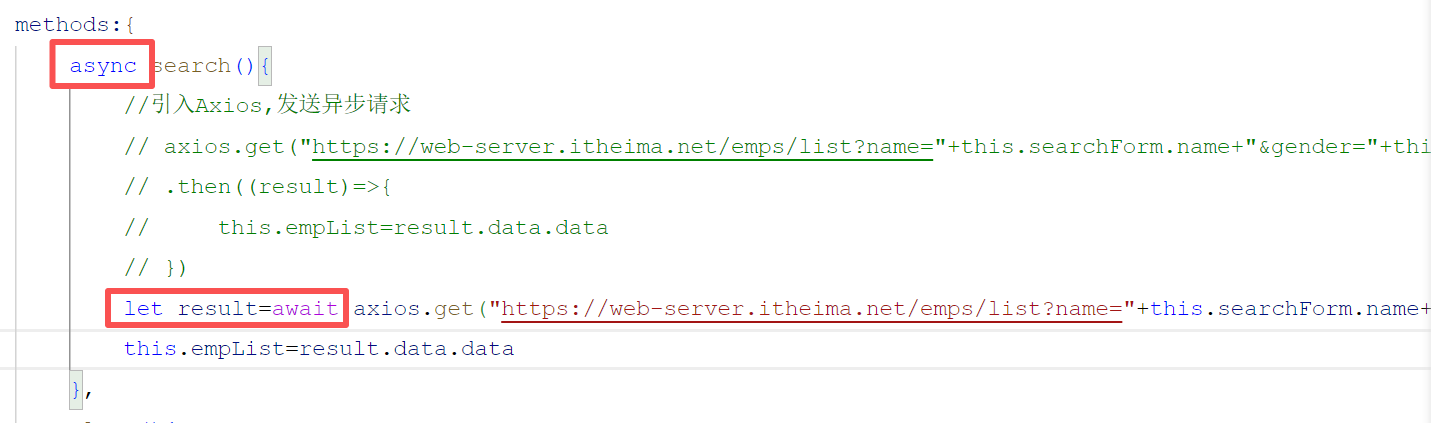
            async search(){
                //引入Axios,发送异步请求
                // axios.get("https://web-server.itheima.net/emps/list?name="+this.searchForm.name+"&gender="+this.searchForm.gender+"&job"+this.searchForm.job)
                // .then((result)=>{
                //     this.empList=result.data.data
                // })
                let result=await axios.get("https://web-server.itheima.net/emps/list?name="+this.searchForm.name+"&gender="+this.searchForm.gender+"&job"+this.searchForm.job)
                this.empList=result.data.data
            },
            clear(){
                //清空表单项
                this.searchForm={
                    name:"",
                    gender:"",
                    job:"",
                }
                this.search()
            }
        },
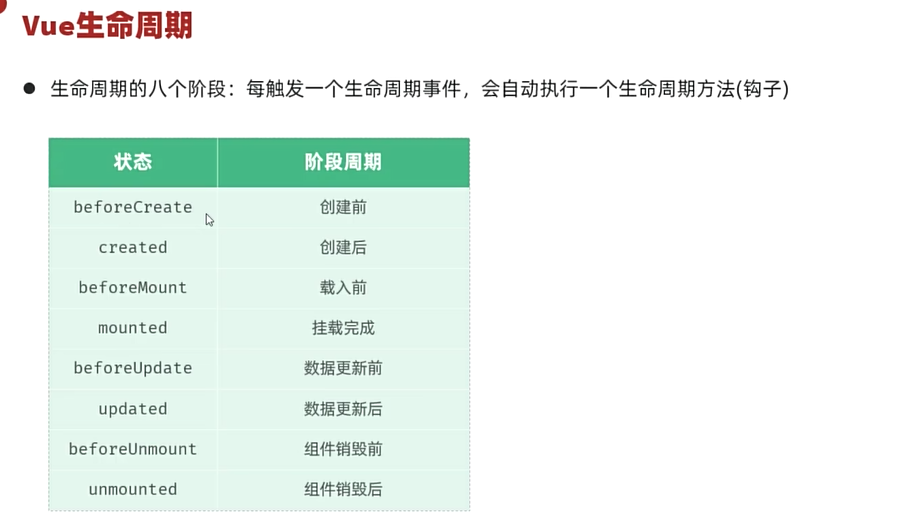
        //钩子函数
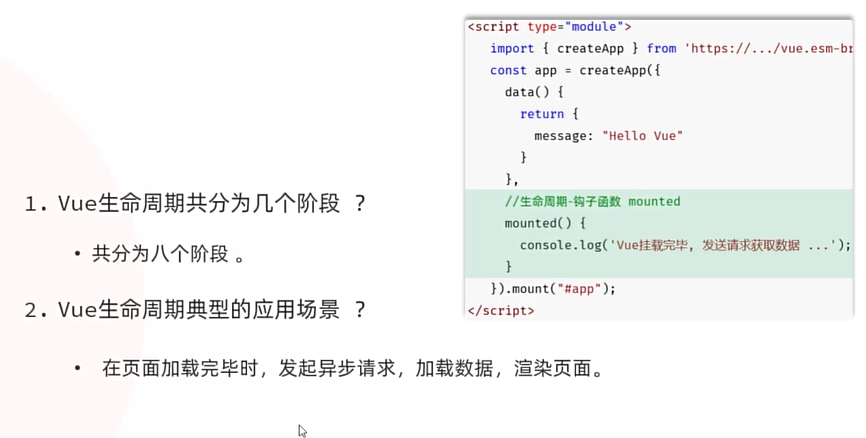
        mounted(){
            //页面加载结束之后,发送ajax请求,获取数据
            this.search()
        }
      }).mount('#container')
    </script>

</body>
</html>