关键词:控制鼠标滚轮下拉,Reqable 导出响应数据,获取boss职位数据
想爬下boss上面的数据看下行情,一个通过页面或者接口去抓数据,看了一遍要实现比较麻烦(搞不了哈哈)
其实只需要模拟人鼠标下拉,去调接口,然后把接口的响应数据保存下来分析就可以了。
这里我无脑思路是,写个控制鼠标的脚本让他下拉,一直调接口就行了。
控制鼠标脚本
import pyautogui
import time
import keyboard


class ScrollController:
    def __init__(self):
        self.scrolling = False
        self.scroll_speed = 0.3  # 滚动间隔(秒)
        self.scroll_amount = -120  # 每次滚动量

    def start_scrolling(self):
        """开始滚动"""
        self.scrolling = True
        print("开始向下滚动...")
        print("按 's' 停止,按 'q' 退出")

        scroll_count = 0
        while self.scrolling:
            pyautogui.scroll(self.scroll_amount)
            scroll_count += 1

            if scroll_count % 20 == 0:
                print(f"已滚动 {scroll_count} 次")

            time.sleep(self.scroll_speed)

            # 检查是否按下了停止键
            if keyboard.is_pressed('s'):
                self.stop_scrolling()

            # 检查是否按下了退出键
            if keyboard.is_pressed('q'):
                print("退出程序")
                break

    def stop_scrolling(self):
        """停止滚动"""
        self.scrolling = False
        print("滚动已暂停")

    def main(self):
        """主控制循环"""
        print("=== 可控滚动脚本 ===")
        print("请先切换到需要滚动的窗口")
        print("按 'g' 开始滚动,'s' 停止,'q' 退出")
        print("等待按键...")

        while True:
            if keyboard.is_pressed('g'):
                self.start_scrolling()

            if keyboard.is_pressed('q'):
                print("退出程序")
                break

            time.sleep(0.1)


# 使用示例
if __name__ == "__main__":
    # 安装所需库
    # pip install pyautogui keyboard

    controller = ScrollController()
    controller.main()
利用Reqable导出响应体就可以了
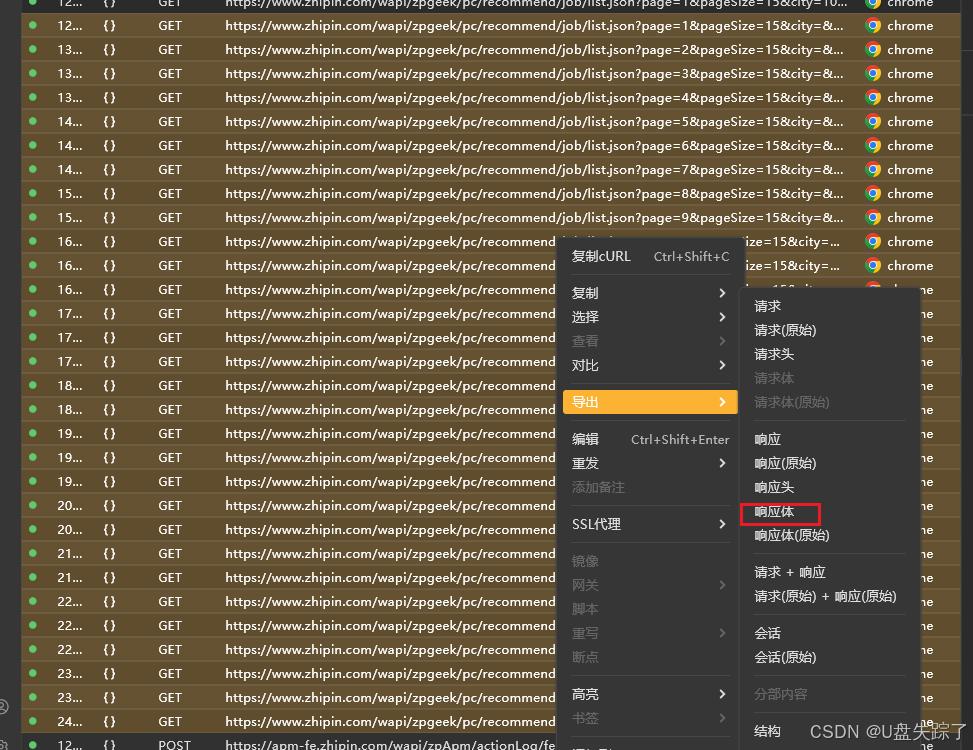
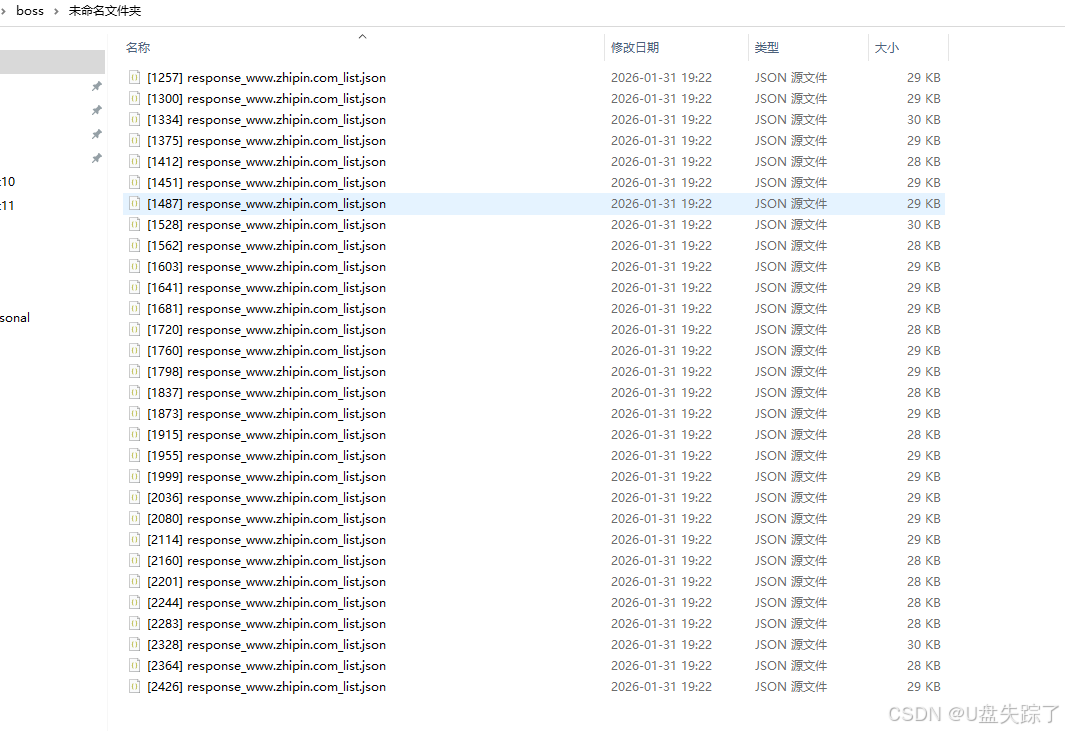
接下来就是读取json去分析数据就好了
合并json数据
import json
import os
import glob


def merge_json_files(directory, output_file='merged.json'):
    """
    将指定目录下的所有JSON文件合并成一个JSON文件

    Args:
        directory: JSON文件所在目录路径
        output_file: 输出的合并文件路径
    """
    all_data = []

    # 获取目录下所有json文件
    json_files = glob.glob(os.path.join(directory, '*.json'))

    if not json_files:
        print(f"在目录 {directory} 中没有找到JSON文件")
        return

    print(f"找到 {len(json_files)} 个JSON文件")

    for file_path in json_files:
        try:
            with open(file_path, 'r', encoding='utf-8') as f:
                data = json.load(f)
                all_data.append(data)
                print(f"已读取: {os.path.basename(file_path)}")
        except json.JSONDecodeError as e:
            print(f"警告: 文件 {file_path} 不是有效的JSON格式: {e}")
        except Exception as e:
            print(f"读取文件 {file_path} 时出错: {e}")

    # 将合并后的数据写入新文件
    try:
        with open(output_file, 'w', encoding='utf-8') as f:
            json.dump(all_data, f, ensure_ascii=False, indent=2)
        print(f"合并完成!结果已保存到: {output_file}")
        print(f"总共合并了 {len(all_data)} 个JSON对象")
    except Exception as e:
        print(f"写入合并文件时出错: {e}")


# 使用示例
if __name__ == "__main__":
    # 指定要合并的目录
    directory_path = "未命名文件夹"  # 修改为你的目录路径
    merge_json_files(directory_path, "combined_result.json")
读取json数据,输出excel
import json
from openpyxl import Workbook
from openpyxl.utils import get_column_letter
from datetime import datetime

# 读取JSON文件
with open('combined_result.json', 'r', encoding='utf-8') as f:
    data = json.load(f)

# 创建Excel工作簿
wb = Workbook()
ws = wb.active
ws.title = "招聘数据"

# 写入表头
headers = ["职位名称", "薪资", "工龄学历", "学历要求", "城市", "区",
           "工作地址", "公司名称", "行业", "人员规模", "公司福利"]
ws.append(headers)

# 写入数据
row_count = 0
for i in data:
    if "zpData" not in i:
        continue

    job_list = i["zpData"].get("jobList", [])

    for j in job_list:
        # 处理列表类型的数据
        job_labels = ', '.join(j.get("jobLabels", [])) if isinstance(j.get("jobLabels"), list) else str(
            j.get("jobLabels", ""))
        welfare_list = ', '.join(j.get("welfareList", [])) if isinstance(j.get("welfareList"), list) else str(
            j.get("welfareList", ""))

        row = [
            j.get("jobName", ""),
            j.get("salaryDesc", ""),
            job_labels,
            j.get("jobDegree", ""),
            j.get("cityName", ""),
            j.get("areaDistrict", ""),
            j.get("businessDistrict", ""),
            j.get("brandName", ""),
            j.get("brandIndustry", ""),
            j.get("brandScaleName", ""),
            welfare_list
        ]
        ws.append(row)
        row_count += 1

# 自动调整列宽
for col_idx, header in enumerate(headers, 1):
    column_letter = get_column_letter(col_idx)
    max_length = 0

    # 检查表头长度
    max_length = max(max_length, len(str(header)))

    # 检查数据行长度
    for row_idx in range(2, row_count + 2):
        cell_value = ws.cell(row=row_idx, column=col_idx).value
        if cell_value:
            max_length = max(max_length, len(str(cell_value)))

    adjusted_width = min(max_length + 2, 50)  # 限制最大宽度为50
    ws.column_dimensions[column_letter].width = adjusted_width

# 保存文件
timestamp = datetime.now().strftime("%Y%m%d_%H%M%S")
filename = f'招聘数据_{timestamp}.xlsx'
wb.save(filename)

print(f"数据已成功导出到 {filename}")
print(f"共导出了 {row_count} 条记录")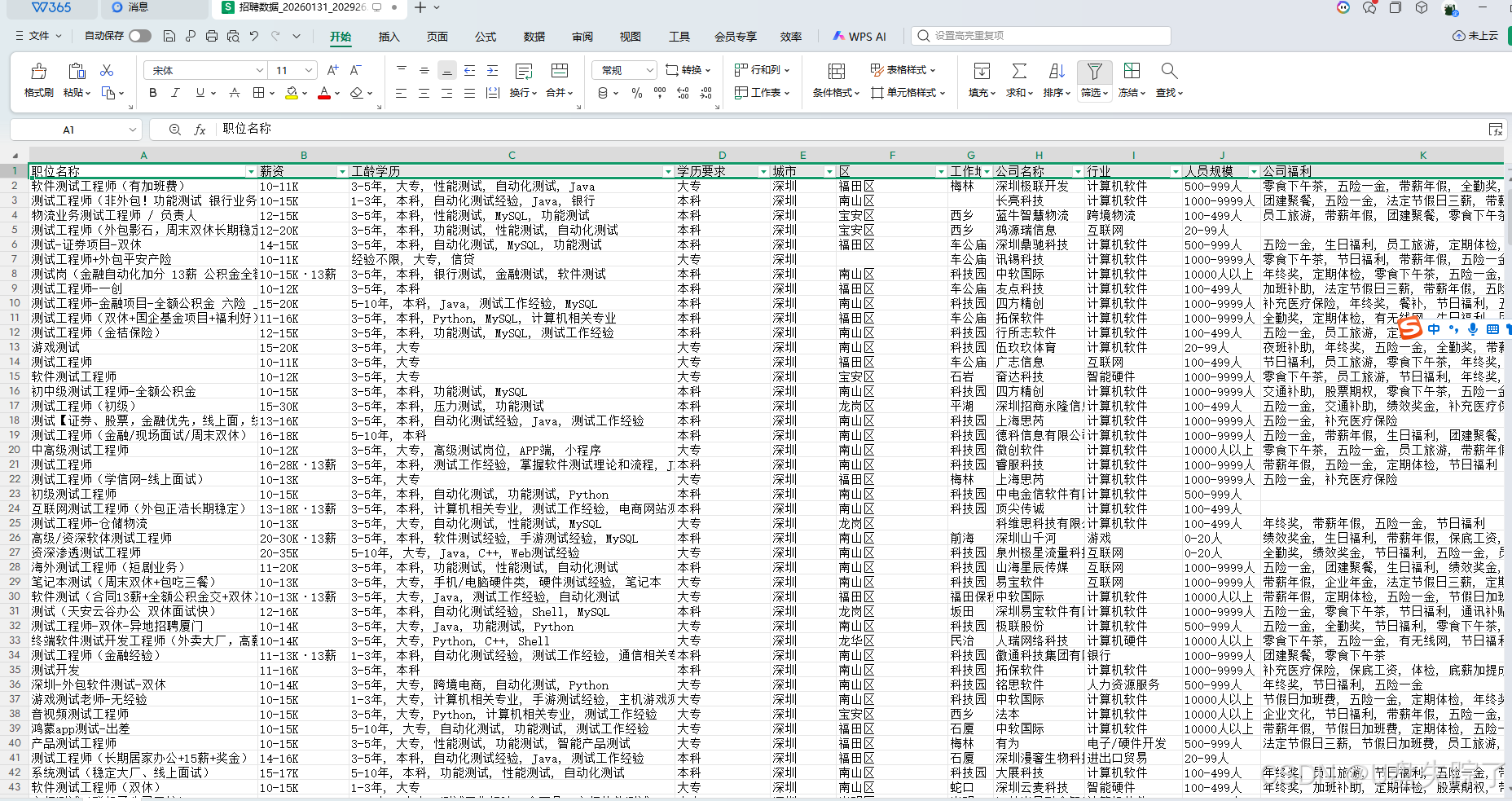
相关文章