【声明】本博客所有内容均为个人业余时间创作,所述技术案例均来自公开开源项目(如Github,Apache基金会),不涉及任何企业机密或未公开技术,如有侵权请联系删除
背景
上篇 blog
【Ubuntu】【Hugo】首页板块配置:list 模板(七)
分析了 list.html 中 <article> 中最后的内容,并分析了整个页面的页脚区域 <footer>,以及上一页和下一页的链接逻辑,至此,list.html 已经分析完毕,下面分析首页板块的配置
搭建私人博客
下面将综合之前 blog 的分析内容,给出一个最终的首页板块配置
首先,【Ubuntu】【Hugo】首页板块配置:Branch Bundle 里面提到了 Branch Bundle 是一个包含 _index.md 文件的目录,这个 Branch Bundle 就是下面要介绍的板块,里面会包含一系列相同类型的文章
OK,那么需要在 content/csdn/ 和 content/csdn/ubuntu 下分别新建 _index.md 文件
content/csdn/_index.md
bash
---
title: "CSDN"
description: "从 CSDN 迁移的技术文章"
---
content/csdn/ubuntu/_index.md
bash
---
title: "Ubuntu"
description: "Ubuntu 系列文章"
---
OK,可以看到,即使新建了 _index.md 文件,使用了 Branch Bundle,首页也没有期望的板块卡片出现
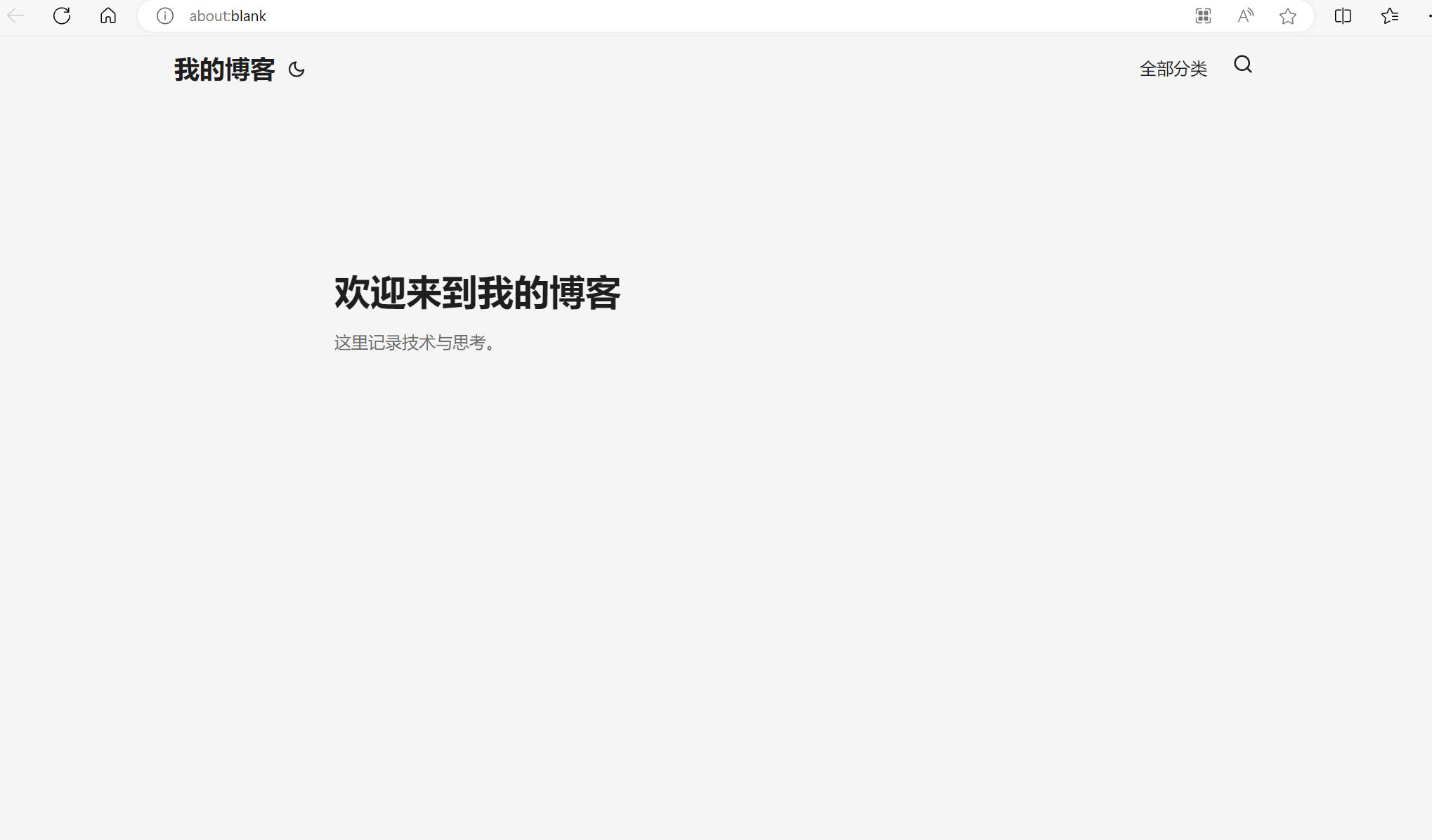
这是因为 PaperMod 主题的首页默认只排列文章
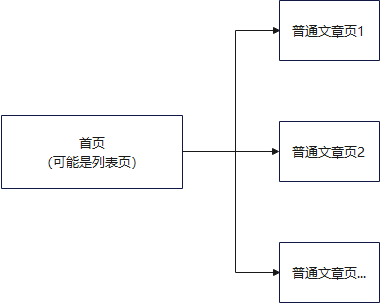
下面回顾下 list.html 里面的处理逻辑,首先是 PaperMod 收集配置中的 mainSections,也就是 content/ 目录下的所有子目录,这些子目录都属于 mainSection
go
{{- if .IsHome }}
{{- $pages = where site.RegularPages "Type" "in" site.Params.mainSections }}
{{- $pages = where $pages "Params.hiddenInHomeList" "!=" "true"  }}
{{- end }}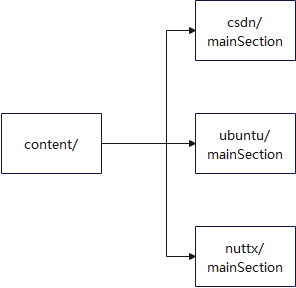
然后 $page 会收集 mainSection 下的所有文章页面
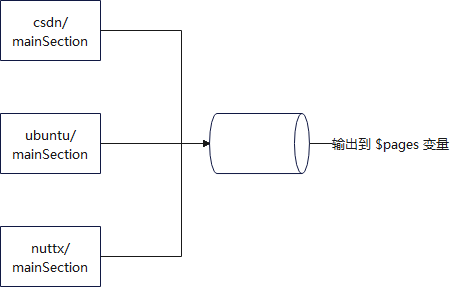
紧接着用分页器对所有 $pages 里面的文章页面进行分页(也就是分组)
go
{{- $paginator := .Paginate $pages }}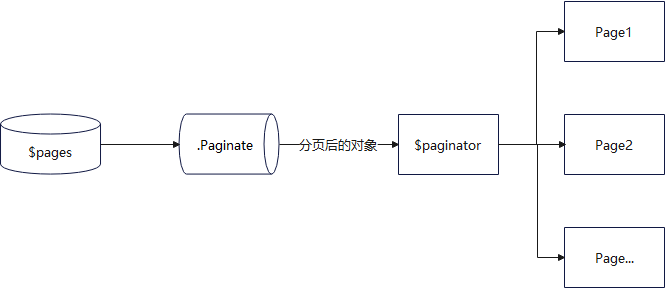
然后最后对分页后的对象 $paginator 里的各页面 Pages 进行渲染(将 <article> 渲染好填入这些页面)
go
{{- range $index, $page := $paginator.Pages }}
...
<article>
...
<article/>
{{- end }}
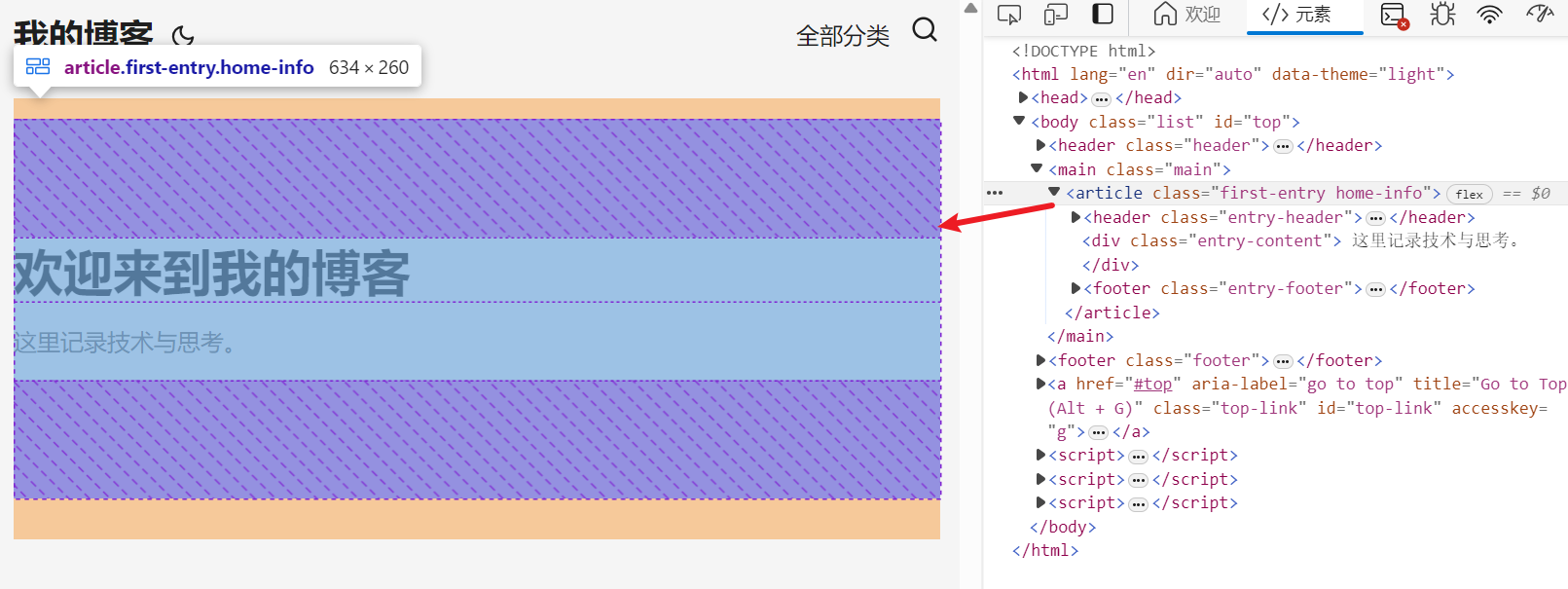
可以看到,PaperMod 的 list.html 模板,全程关注的是如何将 mainSection 里的文章提取出来放到首页,然后用分页器进行分页进行渲染,它并不关心这些文章属于哪个板块,然后把这些板块呈现出来,所以如果没有配置 mainSection 的话,就只能看到首页空空如也 ,对于首页来说,它的 <article> 就只是这个欢迎信息,没啥用
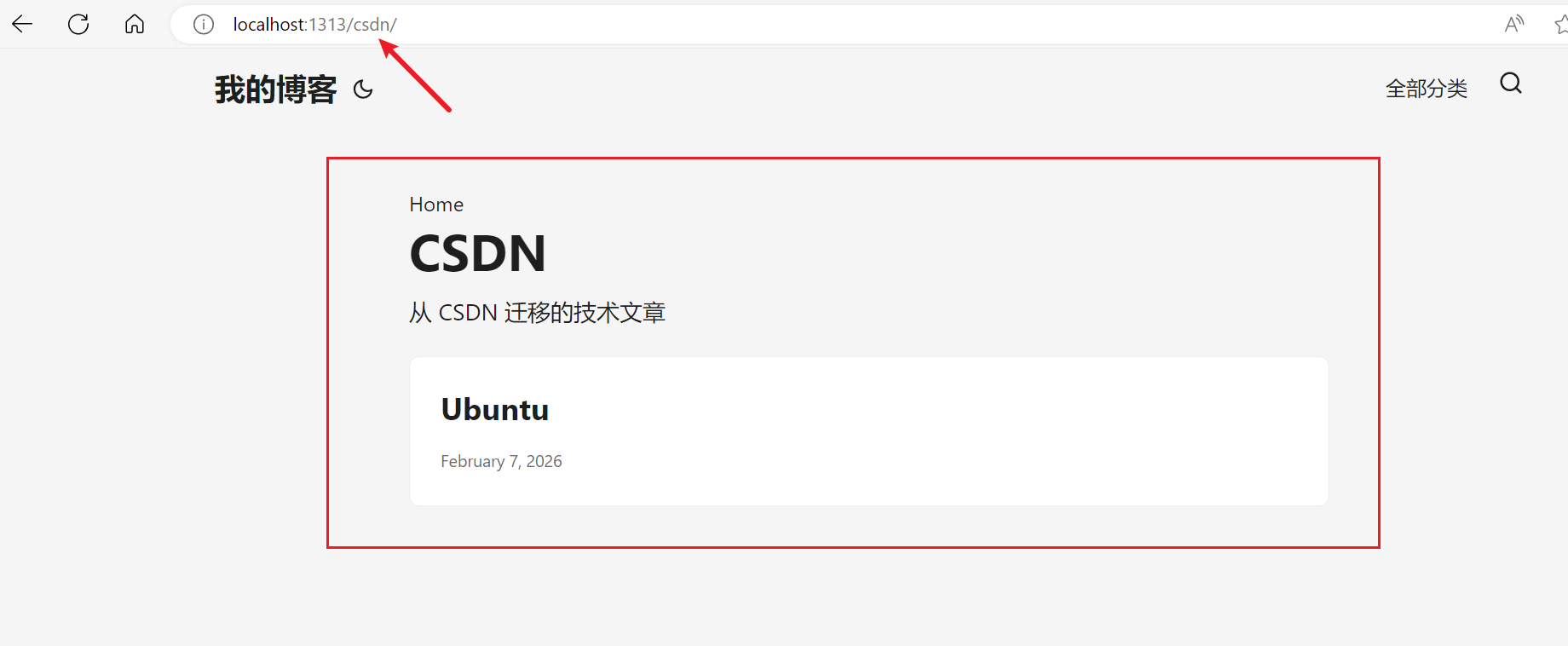
但是呢,在 content/ 的子目录中加入 _index.md 文件,将 Branch Bundle 用起来还是有用的,虽然首页没渲染出来,但是可以在网址上,手动添加后缀,比如 https://example.com/csdn,此时能看到渲染出来的板块列表,只不过这个板块没出现在首页而已
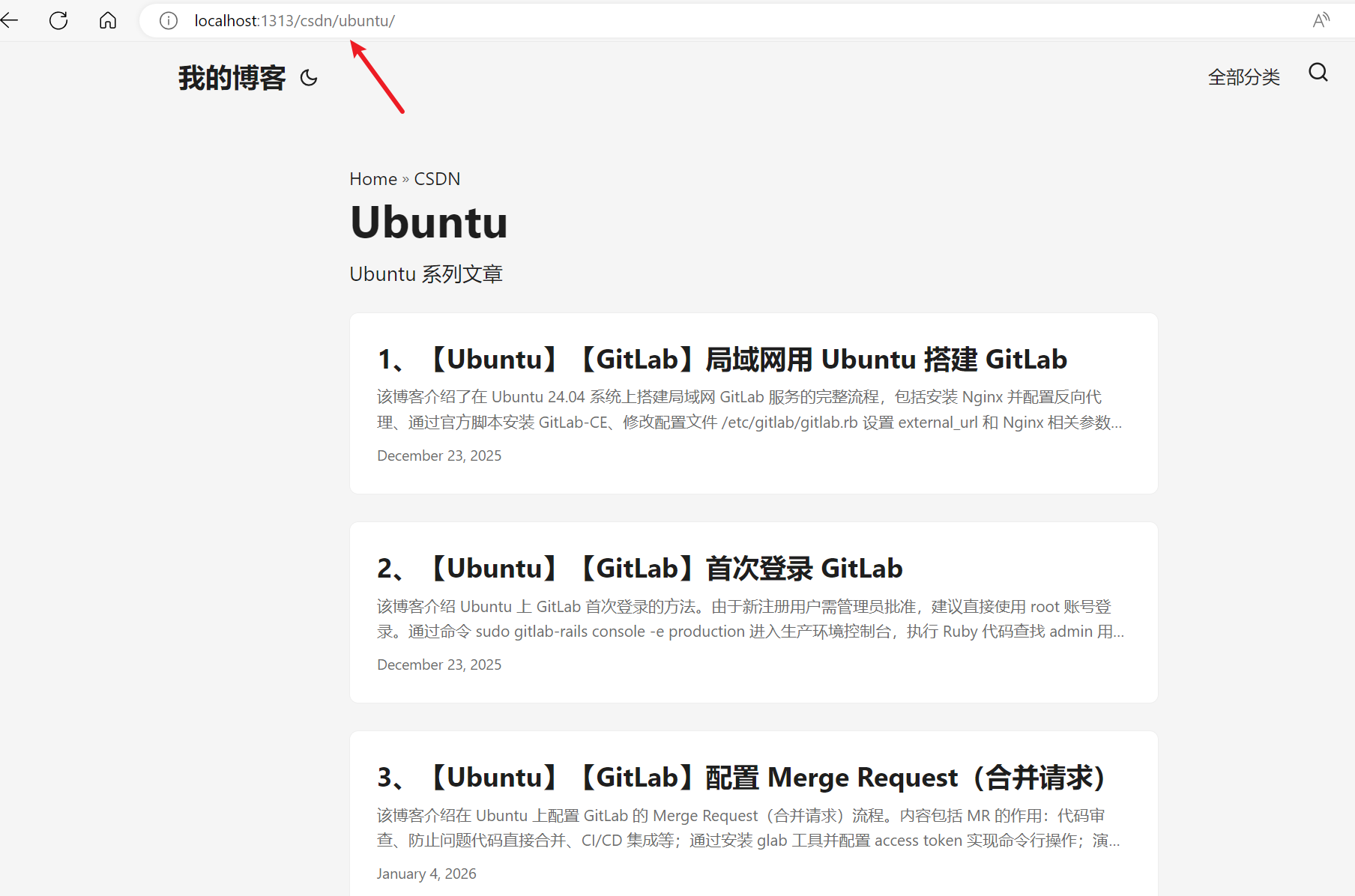
同样在后缀输入 https://example.com/csdn/ubuntu,能进一步看到里面板块的文章
OK,下面要解决的,就是 PaperMod 主题不能在首页添加 section 板块的问题,之前的系列 blog
【Ubuntu】【Hugo】首页板块配置:Template Lookup Order(.Kind)
【Ubuntu】【Hugo】首页板块配置:Template Lookup Order
【Ubuntu】【Hugo】首页板块配置:Template Lookup Order(示例)
分析了 Hugo 中模板的查找顺序,其中 PaperMod 的 _default/list.html 模板的优先级是最低的,要解决这个问题,直接在用户的 layout/ 层自定义一个 index.html 首页模板即可,Hugo 在查找首页模板时,会优先使用用户自定义的首页模板 index.html,考虑到与 PaperMod 主题的风格保持一致,下面直接给出首页模板如下
go
{{- define "main" }}

  {{/* ========== 欢迎信息 ========== */}}
  {{- $pages := where site.RegularPages "Type" "in" site.Params.mainSections }}
  {{- $pages = where $pages "Params.hiddenInHomeList" "!=" "true" }}
  {{- $paginator := .Paginate $pages }}
  {{- partial "home_info.html" . }}

  {{/* ========== 技术专栏(自动从 config 加载) ========== */}}
  {{- if gt (len site.Params.homeSpecialSections) 0 }}
      <h2 style = "margin-bottom: 1rem;">技术专栏</h2>
      {{- range site.Params.homeSpecialSections }}
        {{- $section := . }}
        {{- with site.GetPage $section }}
          <article class="post-entry" style = "margin-bottom: 1rem;">
            <header class="entry-header">
              <h2 class="entry-hint-parent">
                {{- .Title }}
              </h2>
            </header>
            {{ with .Description | plainify}}
              <div class="entry-content">
                <p>{{ . }}</p>
              </div>
            {{ end }}
            <a class="entry-link" aria-label="post link to {{ .Title | plainify }}" href="{{ .Permalink }}"></a>
          </article>
        {{- end }}
      {{- end }}
  {{- end }}

{{- end }}
可以看到其风格和 PaperMod 很类似,基本借鉴了很多 list.html 的元素
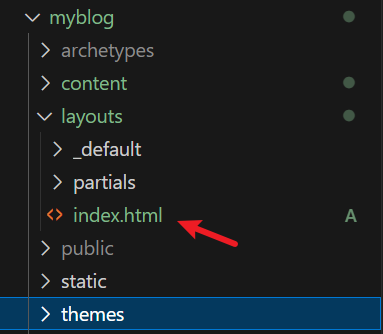
其路径 /layouts/index.html 如下
然后 hugo.toml 增加对应配置如下
yaml
[params]
  homeSpecialSections = ["csdn"]
OK,本篇先到这里,如有疑问,欢迎评论区留言讨论,祝各位功力大涨,技术更上一层楼!!!更多内容见下篇 blog
【Ubuntu】【Hugo】首页板块配置(二)