
在今天的文章里,我们来展示一下如何使用 MCP 来进行交易搜索。
安装
Elasticsearch 及 Kibana
如果你还没有安装好自己的 Elasticsearch 及 Kibana,那么请参考一下的文章来进行安装:
在安装的时候,请选择 Elastic Stack 8.x/9.x 进行安装。在安装的时候,我们可以看到如下的安装信息:
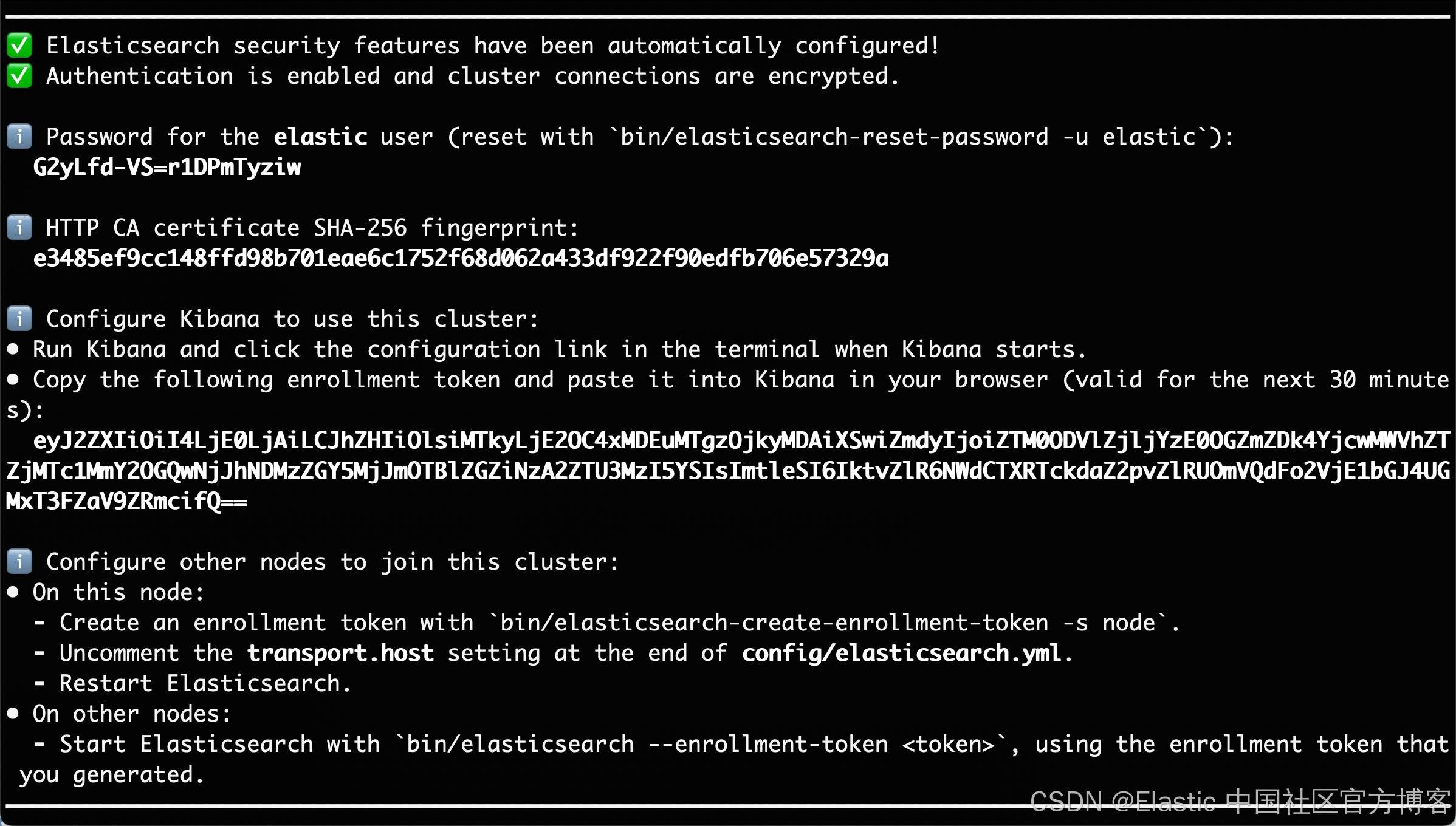
在本文中,我们使用 Elastic Stack 9.1.2 来进行展示。
启动白金试用
我们需要使用到内置的 ELSER 模型来向量化我们的数据。我们需要启动白金试用:
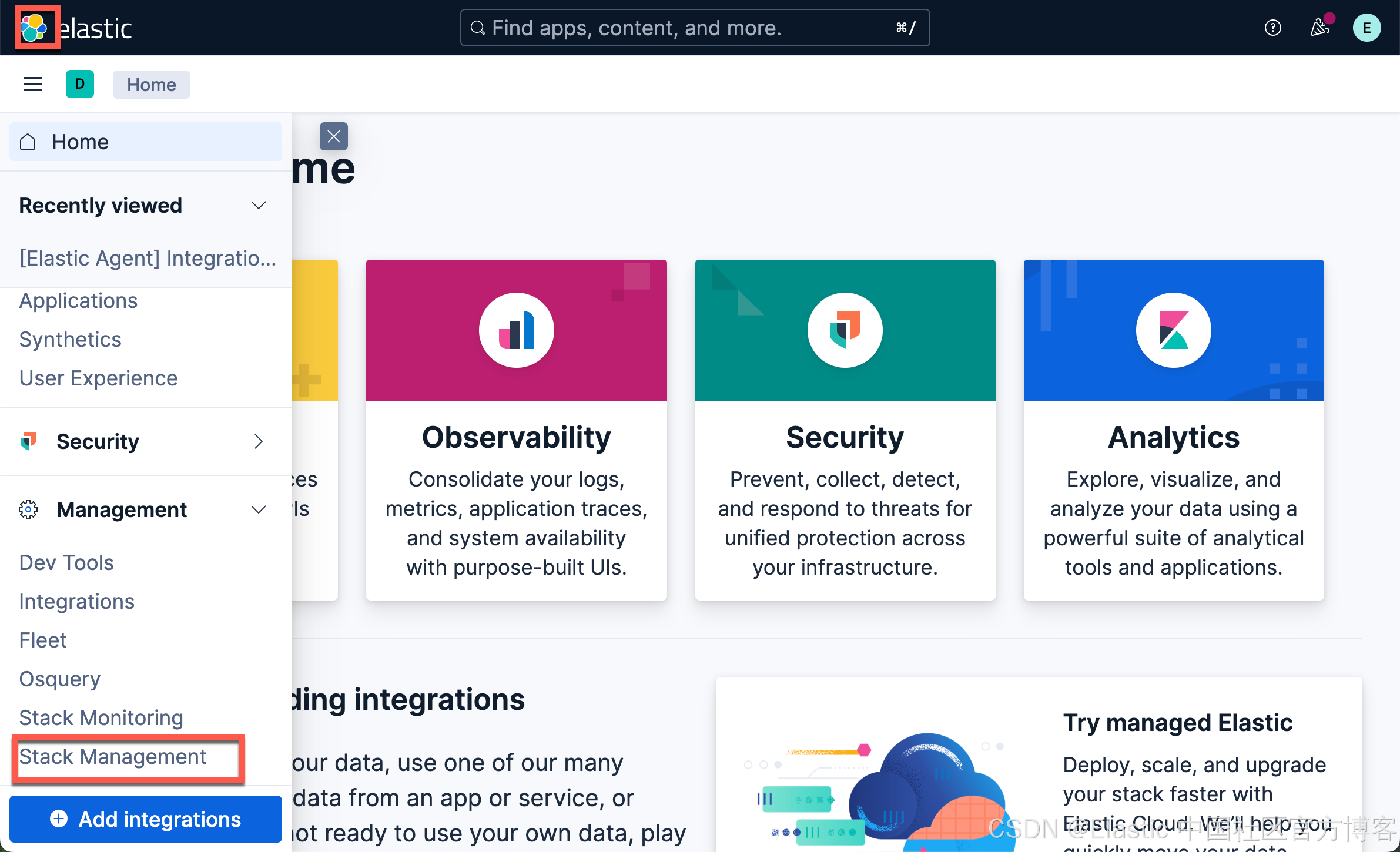
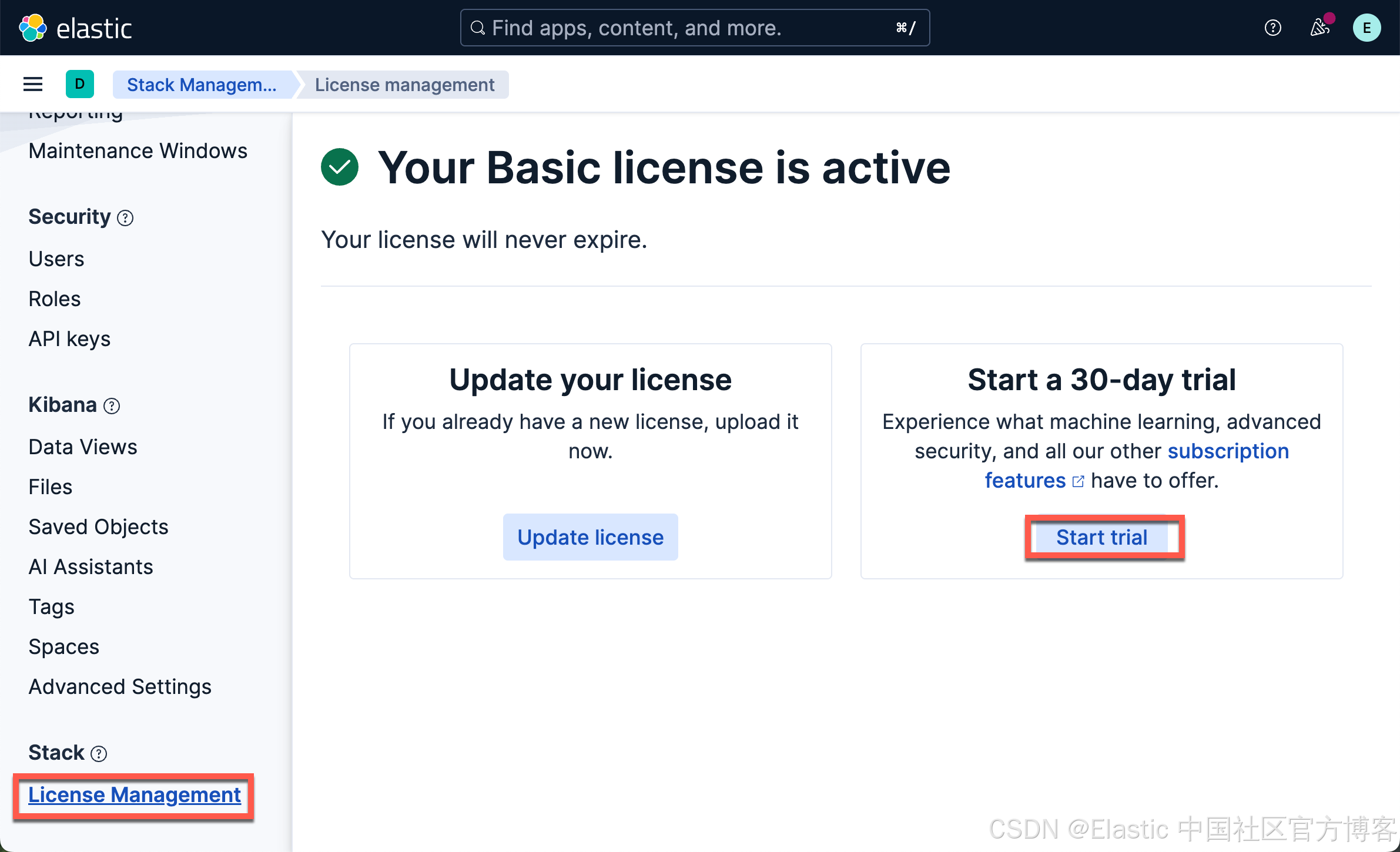
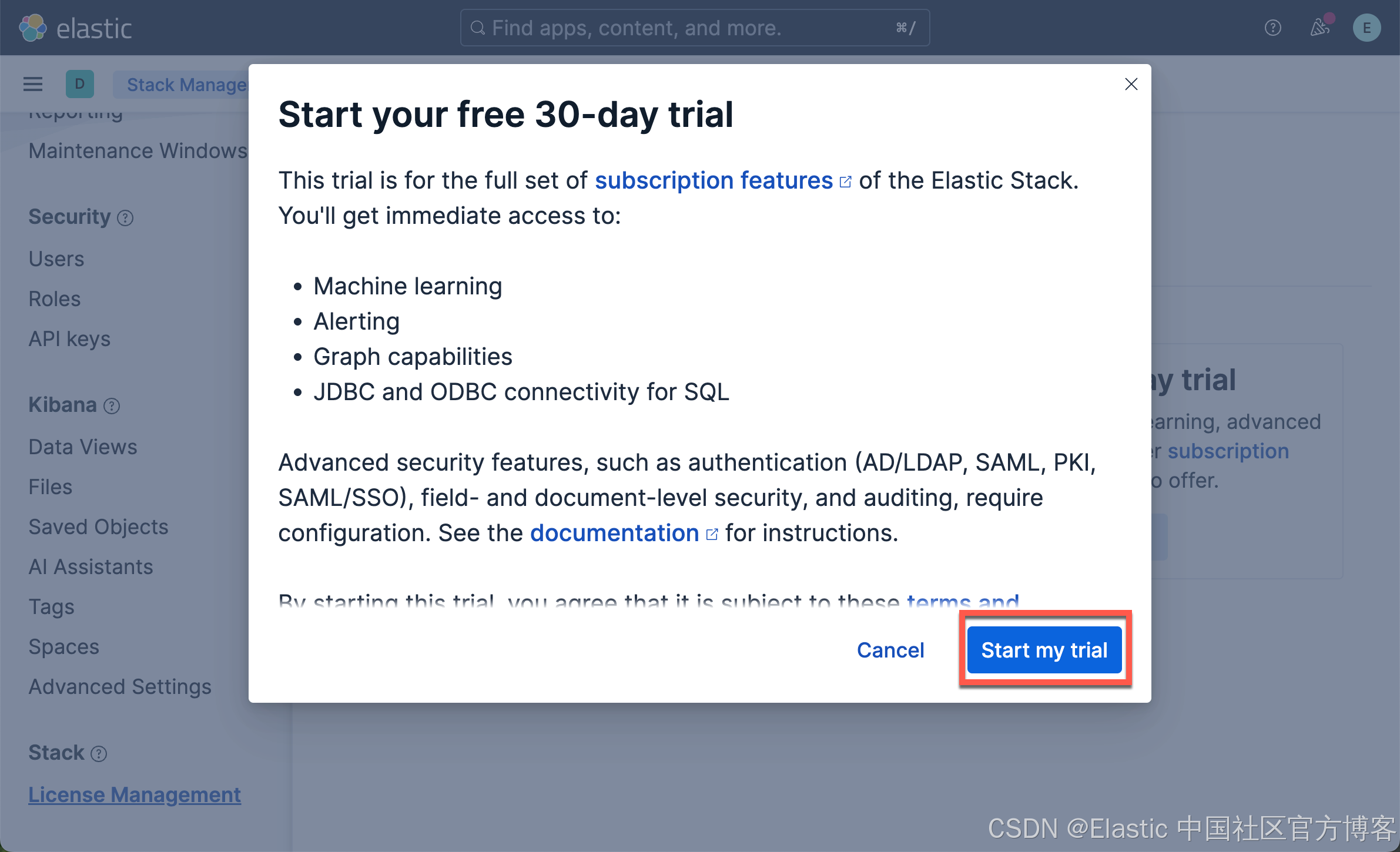
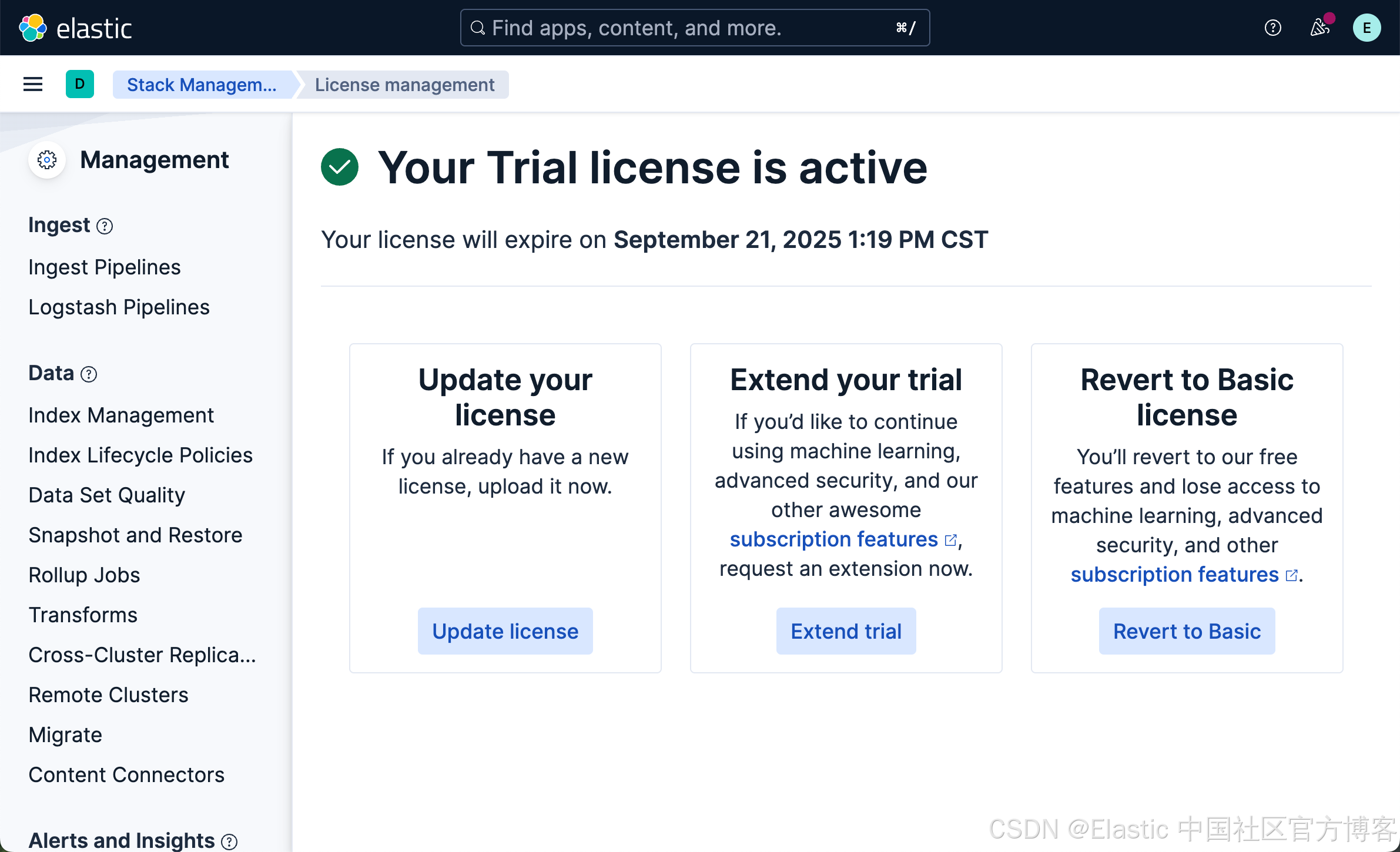
这样就启动了白金试用。
下载代码
我们按照如下的方式来下载代码:
git clone https://github.com/liu-xiao-guo/transaction_search_mcp我们可以看到如下的文件:
$ pwd
/Users/liuxg/python/transaction_search_mcp
$ ls -al
total 32
drwxr-xr-x  11 liuxg  staff   352 Feb 10 14:12 .
drwxr-xr-x@ 38 liuxg  staff  1216 Feb 10 14:12 ..
-rw-r--r--   1 liuxg  staff   838 Feb 10 14:12 .env.example
drwxr-xr-x  12 liuxg  staff   384 Feb 10 14:12 .git
-rw-r--r--   1 liuxg  staff  4050 Feb 10 14:12 .gitignore
-rw-r--r--   1 liuxg  staff  4501 Feb 10 14:12 README.md
drwxr-xr-x   4 liuxg  staff   128 Feb 10 14:12 docs
drwxr-xr-x   4 liuxg  staff   128 Feb 10 14:12 requirements
drwxr-xr-x   6 liuxg  staff   192 Feb 10 14:12 scripts
drwxr-xr-x   5 liuxg  staff   160 Feb 10 14:12 src
drwxr-xr-x   3 liuxg  staff    96 Feb 10 14:12 tests
我们把 .env.example 拷贝到 .env 文件中去:
# Copy environment template
cp .env.example .env

# Edit .env with your configuration
# - Elasticsearch URL and credentials
# - OpenAI API key (for LLM client)
.env
# Elasticsearch Configuration
ELASTICSEARCH_HOST=https://localhost:9200
ELASTICSEARCH_USERNAME=elastic
ELASTICSEARCH_PASSWORD=LYXAfNkSab8QwsbrriYN
ELASTICSEARCH_API_KEY=X3NZeFJwd0Itb1hyWHlSejg4c3c6bHdwWGhaVTRBRTA1WnF1TUlUd1c2dw==
ELASTICSEARCH_INDEX=banking_transactions

OPEN_AI_KEY=<YourOpenAIKey>

transaction_search_mcp/
├── src/                          # Source code
│   ├── server/                   # MCP server implementation
│   │   └── server.py            # Main MCP server with transaction search tools
│   └── clients/                 # Client applications
│       ├── chat_client.py       # Basic Streamlit chat interface
│       └── chat_client_llm.py   # Enhanced LLM-powered chat client
├── scripts/                     # Setup and utility scripts
│   ├── setup_elasticsearch.py   # Basic Elasticsearch setup with test data
│   ├── setup_elasticsearch_llm.py # Enhanced setup with realistic test data
│   ├── run_chat.py             # Launch basic chat client
│   └── run_llm_chat.py         # Launch LLM-powered chat client
├── tests/                       # Test files
│   └── test_server.py          # Comprehensive server tests
├── docs/                        # Documentation
│   ├── README.md               # Basic implementation docs
│   └── README_LLM.md           # LLM-enhanced version docs
├── requirements/                # Dependencies
│   ├── requirements.txt        # Server dependencies
│   └── client_requirements.txt # Client dependencies
├── .env                        # Environment variables (not in git)
├── .env.example               # Environment template
└── .gitignore                 # Git ignore rules
创建虚拟环境
我们使用如下的命令:
$ python -m venv .venv
$ source .venv/bin/activate
(.venv) $ # Server dependencies
pip install -r requirements/requirements.txt

# Client dependencies (for chat interfaces)
pip install -r requirements/client_requirements.txt
设置 Elasticsearch
我们运行如下的命令:
python scripts/setup_elasticsearch.py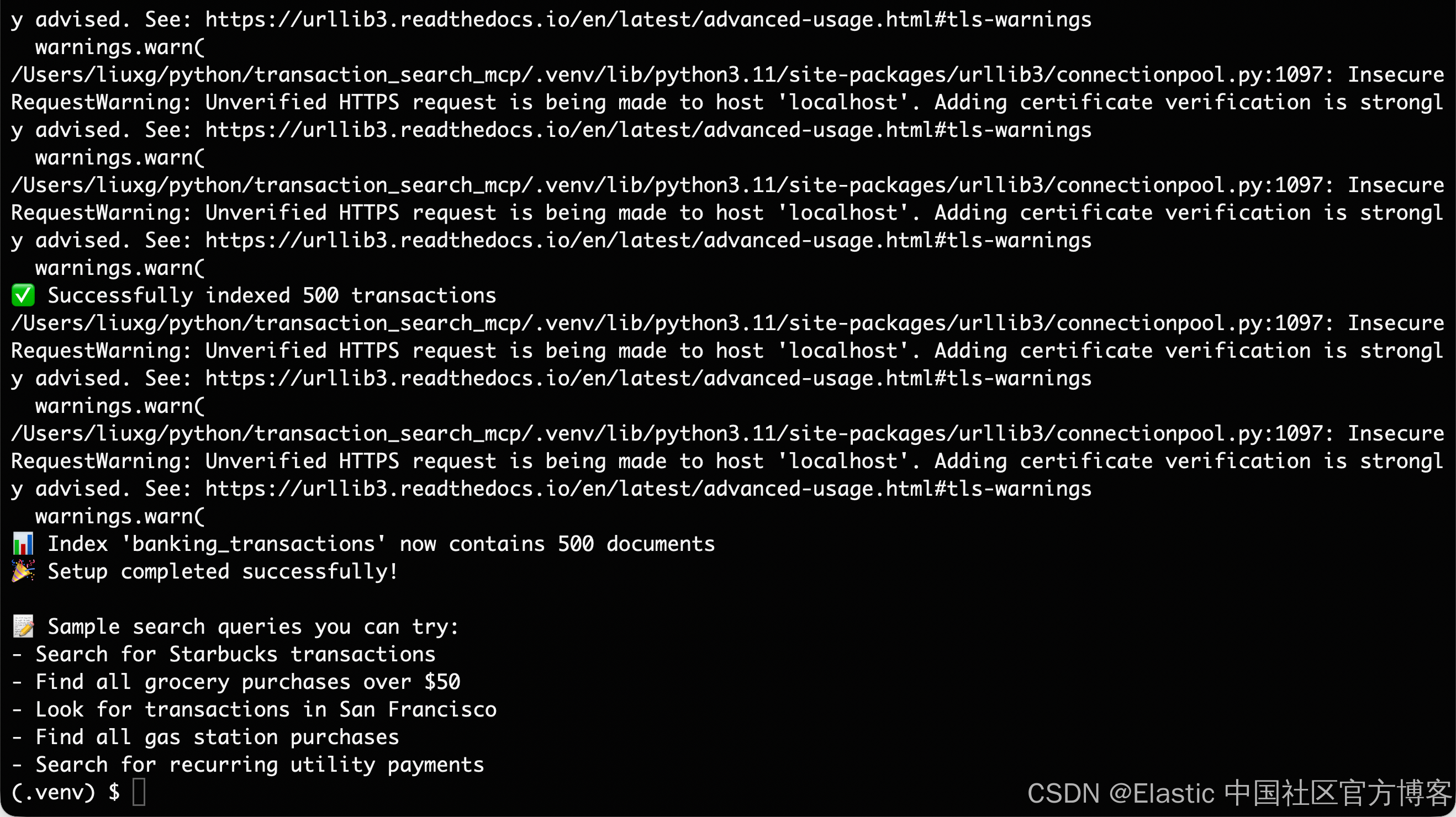
我们可以到 Kibana 中进行查看:
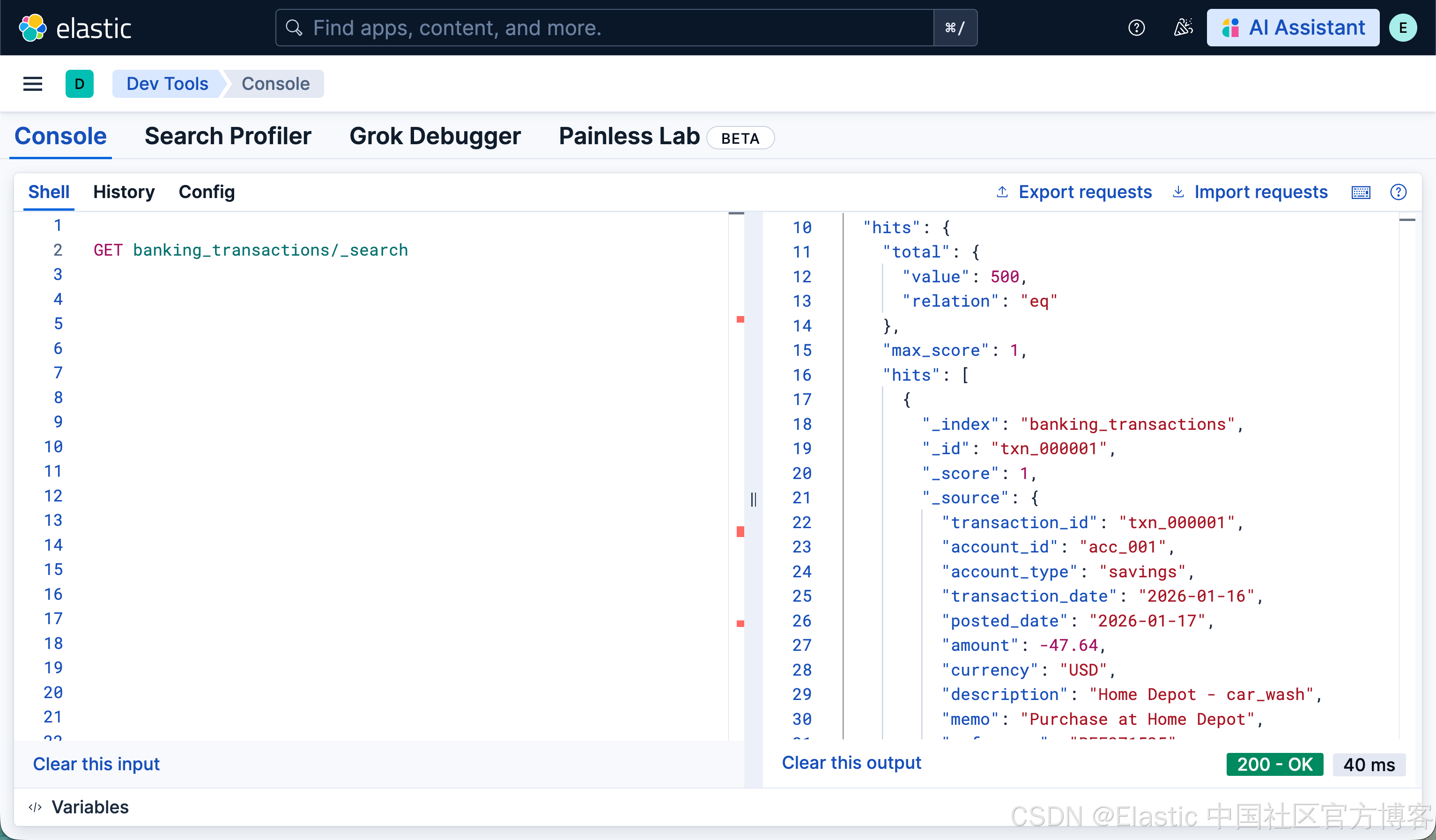
我们可以看到有 500 个交易记录。其中的一个交易记录如下:
GET banking_transactions/_doc/txn_000001

{
  "_index": "banking_transactions",
  "_id": "txn_000001",
  "_version": 1,
  "_seq_no": 0,
  "_primary_term": 1,
  "found": true,
  "_source": {
    "transaction_id": "txn_000001",
    "account_id": "acc_001",
    "account_type": "savings",
    "transaction_date": "2026-01-16",
    "posted_date": "2026-01-17",
    "amount": -47.64,
    "currency": "USD",
    "description": "Home Depot - car_wash",
    "memo": "Purchase at Home Depot",
    "reference": "REF271525",
    "merchant": "Home Depot",
    "category": "gas",
    "subcategory": "car_wash",
    "transaction_type": "fee",
    "location": {
      "city": "Austin",
      "state": "TX",
      "country": "US",
      "postal_code": "73301",
      "coordinates": {
        "lat": 33.40455,
        "lon": -96.542508
      }
    },
    "tags": [
      "transportation"
    ],
    "balance_after": 3929.25,
    "is_pending": false,
    "is_recurring": false,
    "created_at": "2026-02-10T14:34:40.767Z",
    "updated_at": "2026-02-10T14:34:40.767Z"
  }
}
如果我们希望使用 LLM 来帮我们生成相应的模拟数据,我们可以运行:
python scripts/setup_elasticsearch_llm.py这些数据将更符合现实的实际交易。
运行 MCP 服务器
我们使用如下的命令来运行服务器:
# Start MCP server
python src/server/server.py
运行客户端
我们运行如下的命令:
python scripts/run_chat.py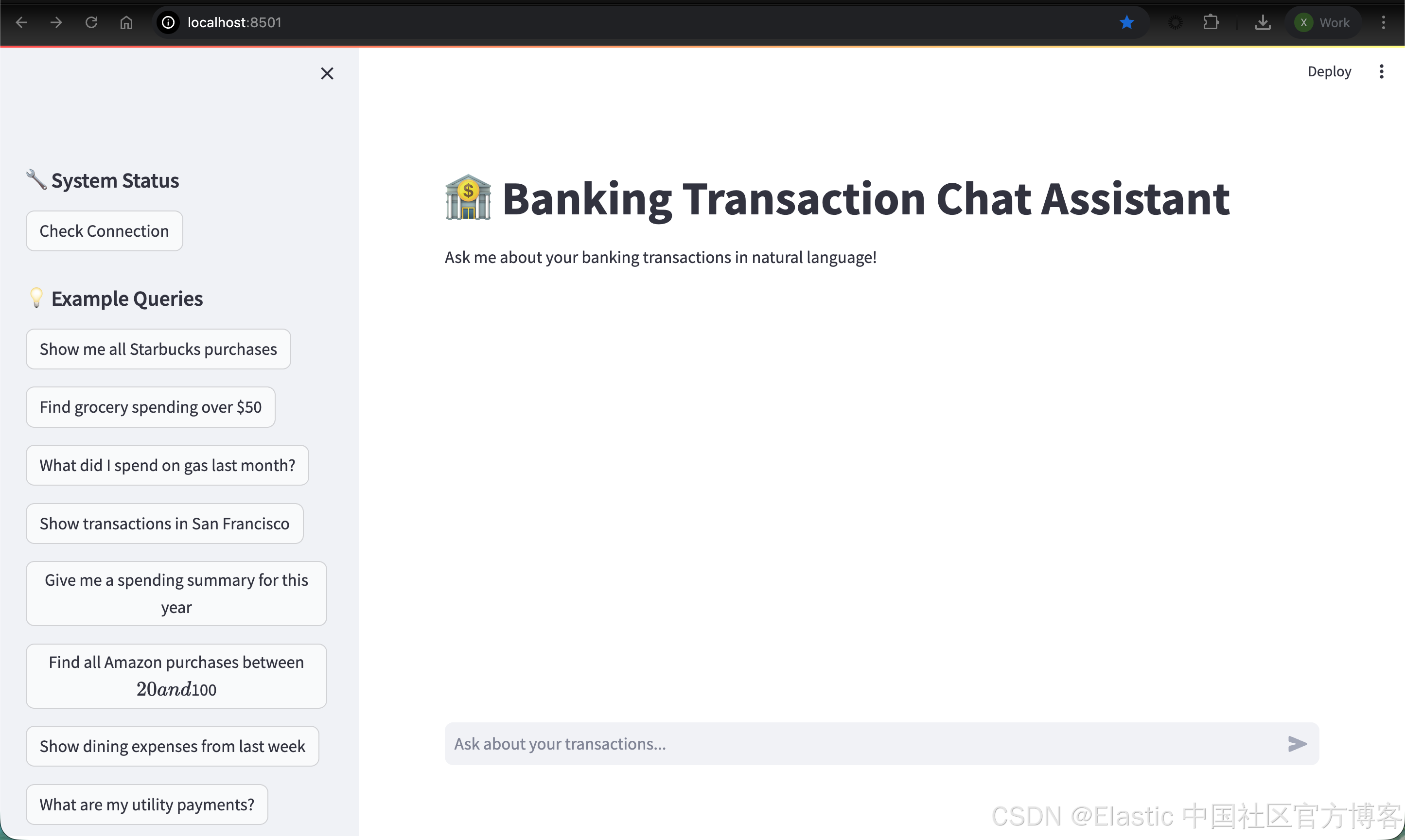
我们可以看到如上的界面。我们可以尝试如下的搜索:
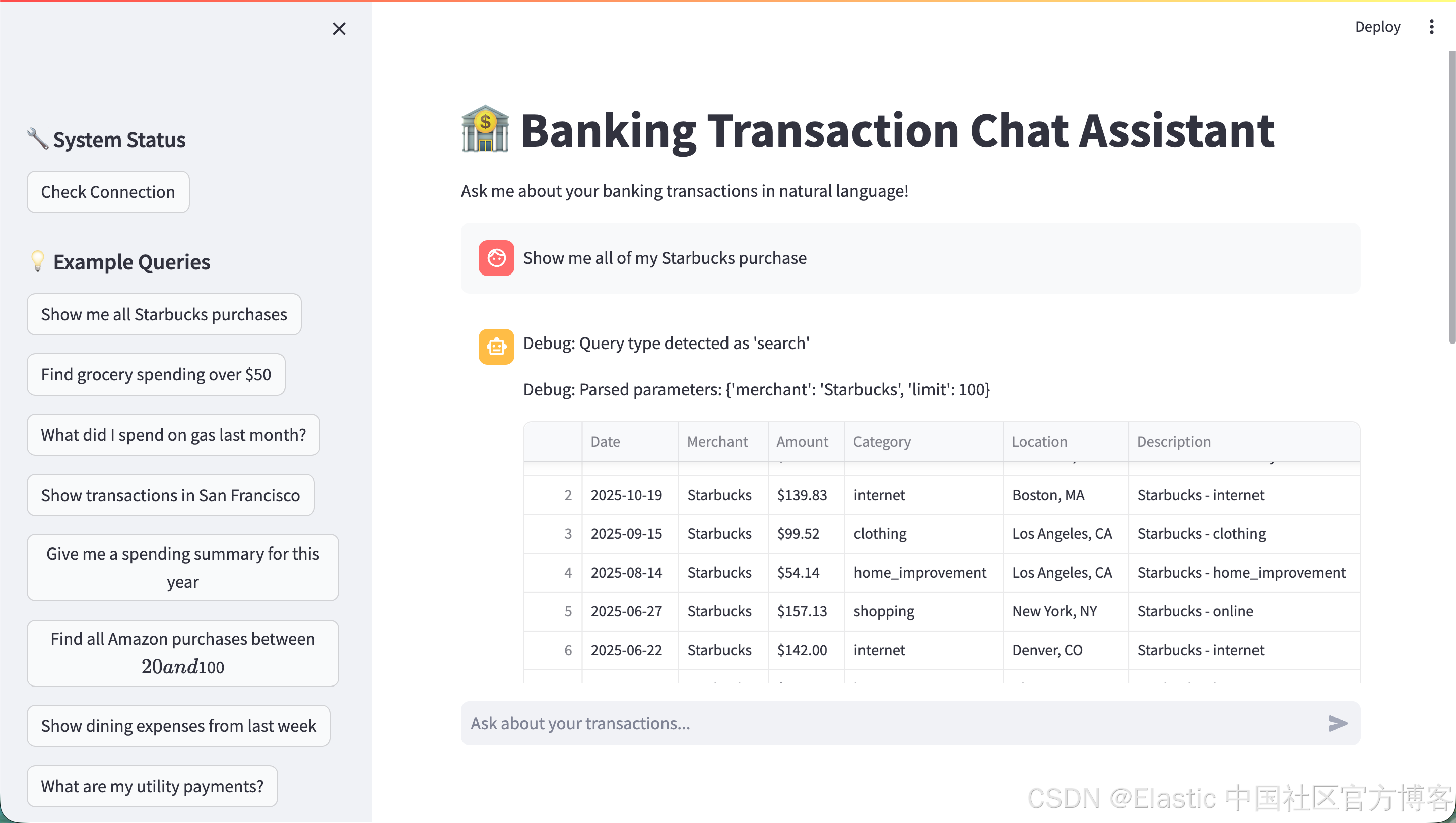
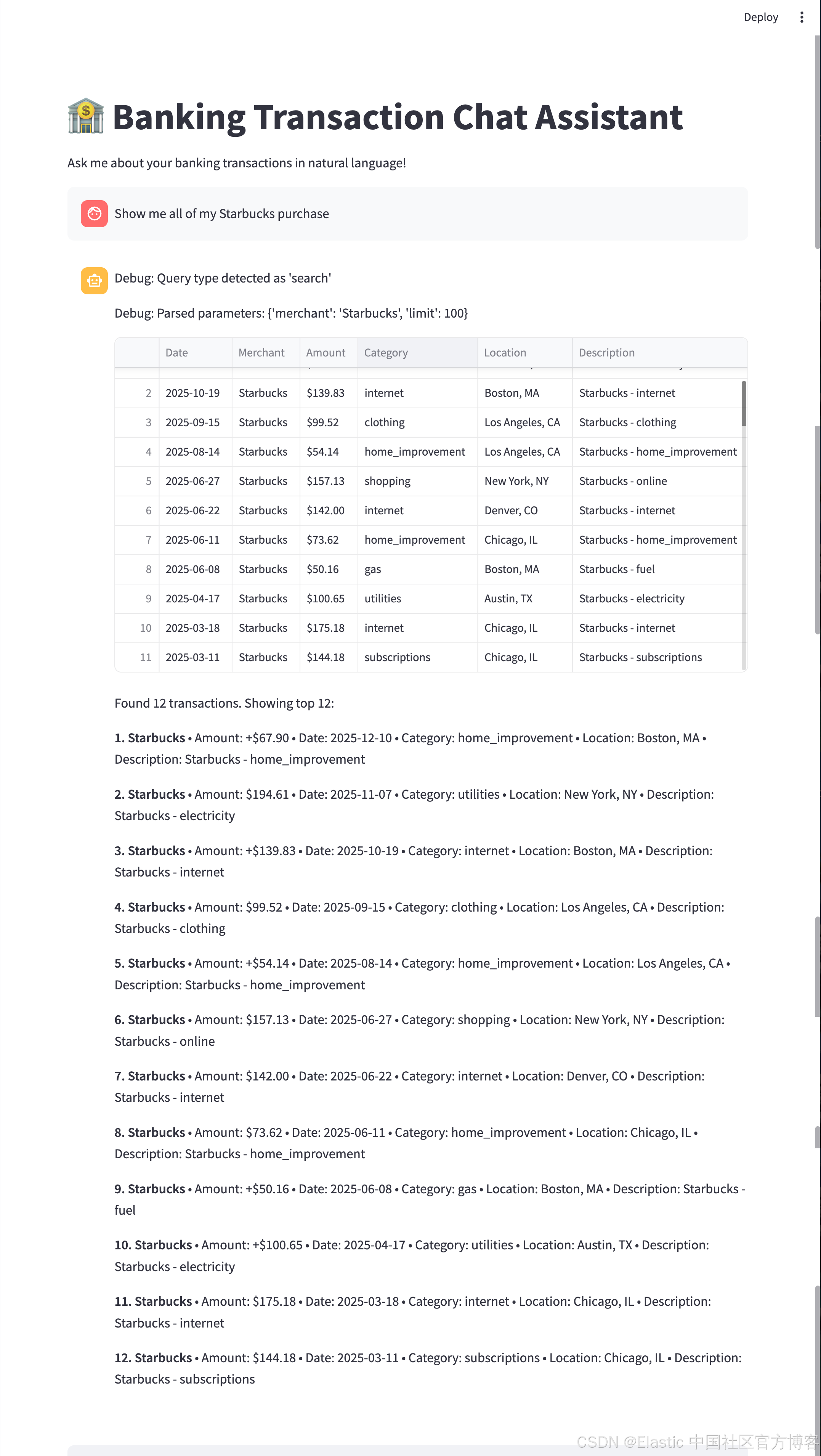
我们可以使用由 LLM 驱动的界面:
python scripts/run_llm_chat.py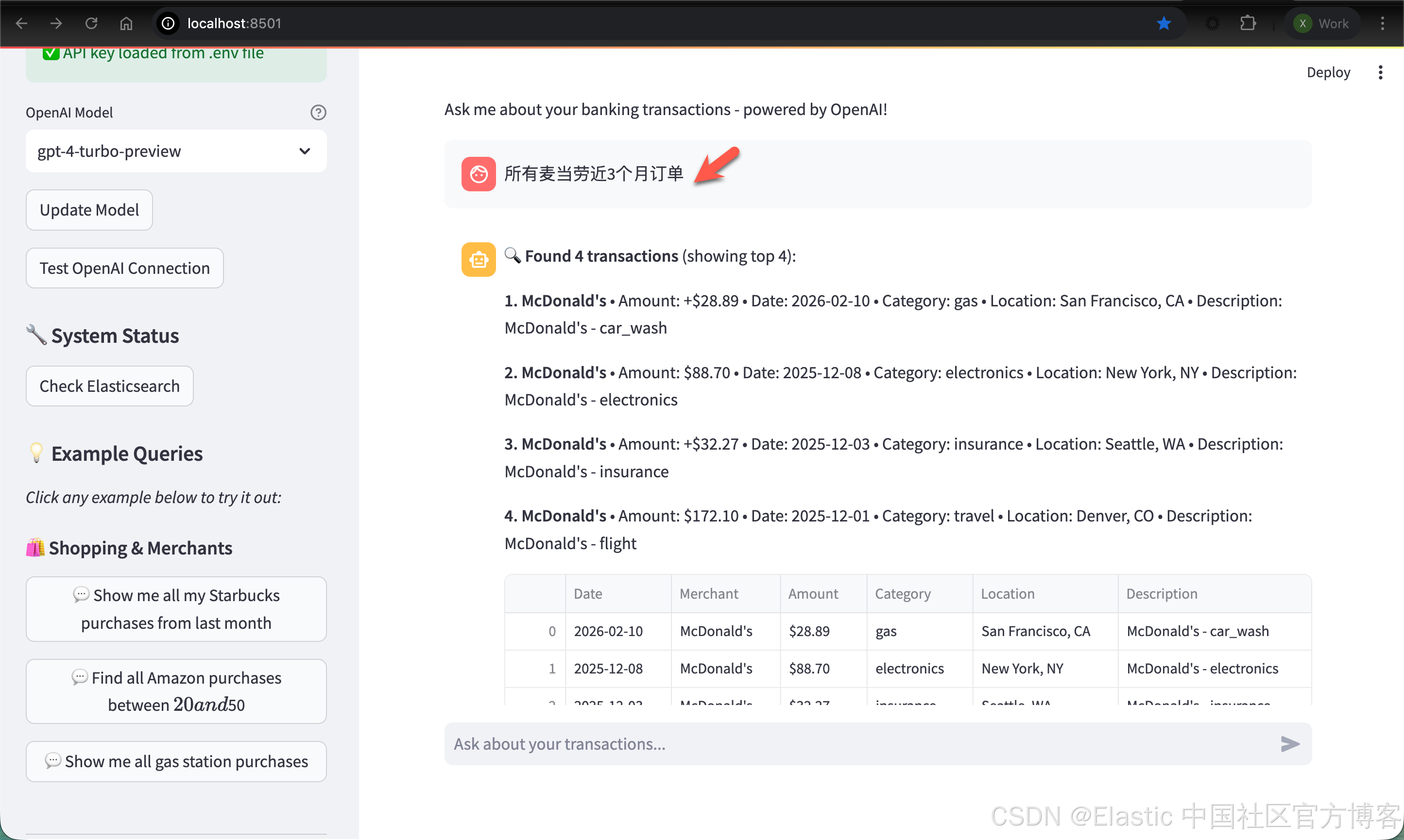
源码请在地址 https://github.com/liu-xiao-guo/transaction_search_mcp 下载。