安装 Node.js
下载并安装 nvm
curl -o- https://raw.githubusercontent.com/nvm-sh/nvm/v0.40.3/install.sh | bash
重新加载 nvm 配置(代替重启 shell)
\. "$HOME/.nvm/nvm.sh"
下载并安装 Node.js 24 版本
nvm install 24
验证 Node.js 版本
node -v # 应输出 v24.x.x 或更高版本(确保 ≥22)
验证 npm 版本
npm -v # 应输出相应版本号
root@rocky95temp \~# cat /etc/redhat-release
Rocky Linux release 9.5 (Blue Onyx)
root@rocky95temp \~#
root@rocky95temp \~# curl -o- https://raw.githubusercontent.com/nvm-sh/nvm/v0.40.3/install.sh | bash
root@rocky95temp software# cd openclaw/
root@rocky95temp openclaw# ls
root@rocky95temp openclaw# \. "$HOME/.nvm/nvm.sh"
root@rocky95temp openclaw# nvm install 24
Downloading and installing node v24.13.1...
Downloading https://nodejs.org/dist/v24.13.1/node-v24.13.1-linux-x64.tar.xz...
################################################################################################################################################################################### 100.0%
Computing checksum with sha256sum
Checksums matched!
Now using node v24.13.1 (npm v11.8.0)
Creating default alias: default -> 24 (-> v24.13.1)
root@rocky95temp openclaw# node -v
v24.13.1
root@rocky95temp openclaw# npm -v
11.8.0
root@rocky95temp openclaw#
安装Git、Cmake、GCC、C++ 和 Make
安装 Git、Cmake、GCC、C++ 和 Make
dnf install -y git cmake gcc-c++ make
root@rocky95temp openclaw# dnf install -y git cmake gcc-c++ make
Last metadata expiration check: 0:41:44 ago on Sat 14 Feb 2026 05:07:20 PM CST.
Dependencies resolved.
==========================================================================================================================================================================================
Package Architecture Version Repository Size
==========================================================================================================================================================================================
Installing:
cmake x86_64 3.26.5-3.el9_7 appstream 8.7 M
gcc-c++ x86_64 11.5.0-11.el9 appstream 13 M
git x86_64 2.47.3-1.el9_6 appstream 50 k
make x86_64 1:4.3-8.el9 baseos 529 k
Upgrading:
cpp x86_64 11.5.0-11.el9 appstream 11 M
glibc x86_64 2.34-231.el9_7.2 baseos 2.0 M
glibc-all-langpacks x86_64 2.34-231.el9_7.2 baseos 18 M
glibc-common x86_64 2.34-231.el9_7.2 baseos 298 k
glibc-gconv-extra x86_64 2.34-231.el9_7.2 baseos 1.5 M
glibc-langpack-en x86_64 2.34-231.el9_7.2 baseos 555 k
libgcc x86_64 11.5.0-11.el9 baseos 85 k
libgomp x86_64 11.5.0-11.el9 baseos 258 k
libstdc++ x86_64 11.5.0-11.el9 baseos 739 k
Installing dependencies:
cmake-data noarch 3.26.5-3.el9_7 appstream 1.7 M
cmake-filesystem x86_64 3.26.5-3.el9_7 appstream 11 k
gcc x86_64 11.5.0-11.el9 appstream 32 M
git-core x86_64 2.47.3-1.el9_6 appstream 4.6 M
git-core-doc noarch 2.47.3-1.el9_6 appstream 2.8 M
glibc-devel x86_64 2.34-231.el9_7.2 appstream 35 k
glibc-headers x86_64 2.34-231.el9_7.2 appstream 441 k
kernel-headers x86_64 5.14.0-611.27.1.el9_7 appstream 2.6 M
libstdc++-devel x86_64 11.5.0-11.el9 appstream 2.2 M
libxcrypt-devel x86_64 4.4.18-3.el9 appstream 28 k
perl-Error noarch 1:0.17029-7.el9.0.1 appstream 41 k
perl-Git noarch 2.47.3-1.el9_6 appstream 37 k
perl-TermReadKey x86_64 2.38-11.el9 appstream 36 k
perl-lib x86_64 0.65-481.1.el9_6 appstream 13 k
Transaction Summary
==========================================================================================================================================================================================
Install 18 Packages
Upgrade 9 Packages
Total download size: 103 M
Downloading Packages:
(1/27): make-4.3-8.el9.x86_64.rpm 1.0 MB/s | 529 kB 00:00
(2/27): cmake-filesystem-3.26.5-3.el9_7.x86_64.rpm 157 kB/s | 11 kB 00:00
(3/27): cmake-data-3.26.5-3.el9_7.noarch.rpm 1.3 MB/s | 1.7 MB 00:01
(4/27): cmake-3.26.5-3.el9_7.x86_64.rpm 928 kB/s | 8.7 MB 00:09
(5/27): git-2.47.3-1.el9_6.x86_64.rpm 294 kB/s | 50 kB 00:00
(6/27): git-core-2.47.3-1.el9_6.x86_64.rpm 820 kB/s | 4.6 MB 00:05
(7/27): gcc-c++-11.5.0-11.el9.x86_64.rpm 891 kB/s | 13 MB 00:14
(8/27): glibc-devel-2.34-231.el9_7.2.x86_64.rpm 350 kB/s | 35 kB 00:00
(9/27): glibc-headers-2.34-231.el9_7.2.x86_64.rpm 894 kB/s | 441 kB 00:00
(10/27): git-core-doc-2.47.3-1.el9_6.noarch.rpm 942 kB/s | 2.8 MB 00:03
(11/27): kernel-headers-5.14.0-611.27.1.el9_7.x86_64.rpm 950 kB/s | 2.6 MB 00:02
(12/27): libxcrypt-devel-4.4.18-3.el9.x86_64.rpm 297 kB/s | 28 kB 00:00
(13/27): perl-Error-0.17029-7.el9.0.1.noarch.rpm 256 kB/s | 41 kB 00:00
(14/27): perl-Git-2.47.3-1.el9_6.noarch.rpm 628 kB/s | 37 kB 00:00
(15/27): perl-TermReadKey-2.38-11.el9.x86_64.rpm 379 kB/s | 36 kB 00:00
(16/27): perl-lib-0.65-481.1.el9_6.x86_64.rpm 211 kB/s | 13 kB 00:00
(17/27): libstdc++-devel-11.5.0-11.el9.x86_64.rpm 814 kB/s | 2.2 MB 00:02
(18/27): glibc-2.34-231.el9_7.2.x86_64.rpm 908 kB/s | 2.0 MB 00:02
(19/27): glibc-common-2.34-231.el9_7.2.x86_64.rpm 713 kB/s | 298 kB 00:00
(20/27): glibc-gconv-extra-2.34-231.el9_7.2.x86_64.rpm 812 kB/s | 1.5 MB 00:01
(21/27): glibc-langpack-en-2.34-231.el9_7.2.x86_64.rpm 720 kB/s | 555 kB 00:00
(22/27): libgcc-11.5.0-11.el9.x86_64.rpm 350 kB/s | 85 kB 00:00
(23/27): libgomp-11.5.0-11.el9.x86_64.rpm 568 kB/s | 258 kB 00:00
(24/27): libstdc++-11.5.0-11.el9.x86_64.rpm 668 kB/s | 739 kB 00:01
(25/27): gcc-11.5.0-11.el9.x86_64.rpm 871 kB/s | 32 MB 00:38
(26/27): cpp-11.5.0-11.el9.x86_64.rpm 902 kB/s | 11 MB 00:12
(27/27): glibc-all-langpacks-2.34-231.el9_7.2.x86_64.rpm 925 kB/s | 18 MB 00:19
Total 2.4 MB/s | 103 MB 00:42
Rocky Linux 9 - BaseOS 1.7 MB/s | 1.7 kB 00:00
Importing GPG key 0x350D275D:
Userid : "Rocky Enterprise Software Foundation - Release key 2022 <releng@rockylinux.org>"
Fingerprint: 21CB 256A E16F C54C 6E65 2949 702D 426D 350D 275D
From : /etc/pki/rpm-gpg/RPM-GPG-KEY-Rocky-9
Key imported successfully
Running transaction check
Transaction check succeeded.
Running transaction test
Transaction test succeeded.
Running transaction
Preparing : 1/1
Upgrading : glibc-all-langpacks-2.34-231.el9_7.2.x86_64 1/36
Upgrading : glibc-common-2.34-231.el9_7.2.x86_64 2/36
Upgrading : glibc-gconv-extra-2.34-231.el9_7.2.x86_64 3/36
Running scriptlet: glibc-gconv-extra-2.34-231.el9_7.2.x86_64 3/36
Upgrading : glibc-langpack-en-2.34-231.el9_7.2.x86_64 4/36
Upgrading : libgcc-11.5.0-11.el9.x86_64 5/36
Running scriptlet: libgcc-11.5.0-11.el9.x86_64 5/36
Running scriptlet: glibc-2.34-231.el9_7.2.x86_64 6/36
Upgrading : glibc-2.34-231.el9_7.2.x86_64 6/36
Running scriptlet: glibc-2.34-231.el9_7.2.x86_64 6/36
Upgrading : libstdc++-11.5.0-11.el9.x86_64 7/36
Installing : make-1:4.3-8.el9.x86_64 8/36
Installing : git-core-2.47.3-1.el9_6.x86_64 9/36
Installing : cmake-filesystem-3.26.5-3.el9_7.x86_64 10/36
Installing : cmake-data-3.26.5-3.el9_7.noarch 11/36
Installing : cmake-3.26.5-3.el9_7.x86_64 12/36
Installing : git-core-doc-2.47.3-1.el9_6.noarch 13/36
Installing : libstdc++-devel-11.5.0-11.el9.x86_64 14/36
Installing : glibc-headers-2.34-231.el9_7.2.x86_64 15/36
Installing : perl-TermReadKey-2.38-11.el9.x86_64 16/36
Upgrading : libgomp-11.5.0-11.el9.x86_64 17/36
Upgrading : cpp-11.5.0-11.el9.x86_64 18/36
Installing : perl-lib-0.65-481.1.el9_6.x86_64 19/36
Installing : perl-Error-1:0.17029-7.el9.0.1.noarch 20/36
Installing : perl-Git-2.47.3-1.el9_6.noarch 21/36
Installing : git-2.47.3-1.el9_6.x86_64 22/36
Installing : kernel-headers-5.14.0-611.27.1.el9_7.x86_64 23/36
Installing : libxcrypt-devel-4.4.18-3.el9.x86_64 24/36
Installing : glibc-devel-2.34-231.el9_7.2.x86_64 25/36
Installing : gcc-11.5.0-11.el9.x86_64 26/36
Installing : gcc-c++-11.5.0-11.el9.x86_64 27/36
Cleanup : libstdc++-11.5.0-2.el9.x86_64 28/36
Cleanup : cpp-11.5.0-2.el9.x86_64 29/36
Cleanup : libgomp-11.5.0-2.el9.x86_64 30/36
Cleanup : glibc-all-langpacks-2.34-125.el9_5.1.x86_64 31/36
Cleanup : glibc-gconv-extra-2.34-125.el9_5.1.x86_64 32/36
Running scriptlet: glibc-gconv-extra-2.34-125.el9_5.1.x86_64 32/36
Cleanup : glibc-common-2.34-125.el9_5.1.x86_64 33/36
Cleanup : glibc-langpack-en-2.34-125.el9_5.1.x86_64 34/36
Cleanup : glibc-2.34-125.el9_5.1.x86_64 35/36
Cleanup : libgcc-11.5.0-2.el9.x86_64 36/36
Running scriptlet: libgcc-11.5.0-2.el9.x86_64 36/36
Running scriptlet: glibc-all-langpacks-2.34-231.el9_7.2.x86_64 36/36
Running scriptlet: libgcc-11.5.0-2.el9.x86_64 36/36
Verifying : make-1:4.3-8.el9.x86_64 1/36
Verifying : cmake-3.26.5-3.el9_7.x86_64 2/36
Verifying : cmake-data-3.26.5-3.el9_7.noarch 3/36
Verifying : cmake-filesystem-3.26.5-3.el9_7.x86_64 4/36
Verifying : gcc-11.5.0-11.el9.x86_64 5/36
Verifying : gcc-c++-11.5.0-11.el9.x86_64 6/36
Verifying : git-2.47.3-1.el9_6.x86_64 7/36
Verifying : git-core-2.47.3-1.el9_6.x86_64 8/36
Verifying : git-core-doc-2.47.3-1.el9_6.noarch 9/36
Verifying : glibc-devel-2.34-231.el9_7.2.x86_64 10/36
Verifying : glibc-headers-2.34-231.el9_7.2.x86_64 11/36
Verifying : kernel-headers-5.14.0-611.27.1.el9_7.x86_64 12/36
Verifying : libstdc++-devel-11.5.0-11.el9.x86_64 13/36
Verifying : libxcrypt-devel-4.4.18-3.el9.x86_64 14/36
Verifying : perl-Error-1:0.17029-7.el9.0.1.noarch 15/36
Verifying : perl-Git-2.47.3-1.el9_6.noarch 16/36
Verifying : perl-TermReadKey-2.38-11.el9.x86_64 17/36
Verifying : perl-lib-0.65-481.1.el9_6.x86_64 18/36
Verifying : glibc-2.34-231.el9_7.2.x86_64 19/36
Verifying : glibc-2.34-125.el9_5.1.x86_64 20/36
Verifying : glibc-all-langpacks-2.34-231.el9_7.2.x86_64 21/36
Verifying : glibc-all-langpacks-2.34-125.el9_5.1.x86_64 22/36
Verifying : glibc-common-2.34-231.el9_7.2.x86_64 23/36
Verifying : glibc-common-2.34-125.el9_5.1.x86_64 24/36
Verifying : glibc-gconv-extra-2.34-231.el9_7.2.x86_64 25/36
Verifying : glibc-gconv-extra-2.34-125.el9_5.1.x86_64 26/36
Verifying : glibc-langpack-en-2.34-231.el9_7.2.x86_64 27/36
Verifying : glibc-langpack-en-2.34-125.el9_5.1.x86_64 28/36
Verifying : libgcc-11.5.0-11.el9.x86_64 29/36
Verifying : libgcc-11.5.0-2.el9.x86_64 30/36
Verifying : libgomp-11.5.0-11.el9.x86_64 31/36
Verifying : libgomp-11.5.0-2.el9.x86_64 32/36
Verifying : libstdc++-11.5.0-11.el9.x86_64 33/36
Verifying : libstdc++-11.5.0-2.el9.x86_64 34/36
Verifying : cpp-11.5.0-11.el9.x86_64 35/36
Verifying : cpp-11.5.0-2.el9.x86_64 36/36
Upgraded:
cpp-11.5.0-11.el9.x86_64 glibc-2.34-231.el9_7.2.x86_64 glibc-all-langpacks-2.34-231.el9_7.2.x86_64 glibc-common-2.34-231.el9_7.2.x86_64
glibc-gconv-extra-2.34-231.el9_7.2.x86_64 glibc-langpack-en-2.34-231.el9_7.2.x86_64 libgcc-11.5.0-11.el9.x86_64 libgomp-11.5.0-11.el9.x86_64
libstdc++-11.5.0-11.el9.x86_64
Installed:
cmake-3.26.5-3.el9_7.x86_64 cmake-data-3.26.5-3.el9_7.noarch cmake-filesystem-3.26.5-3.el9_7.x86_64 gcc-11.5.0-11.el9.x86_64
gcc-c++-11.5.0-11.el9.x86_64 git-2.47.3-1.el9_6.x86_64 git-core-2.47.3-1.el9_6.x86_64 git-core-doc-2.47.3-1.el9_6.noarch
glibc-devel-2.34-231.el9_7.2.x86_64 glibc-headers-2.34-231.el9_7.2.x86_64 kernel-headers-5.14.0-611.27.1.el9_7.x86_64 libstdc++-devel-11.5.0-11.el9.x86_64
libxcrypt-devel-4.4.18-3.el9.x86_64 make-1:4.3-8.el9.x86_64 perl-Error-1:0.17029-7.el9.0.1.noarch perl-Git-2.47.3-1.el9_6.noarch
perl-TermReadKey-2.38-11.el9.x86_64 perl-lib-0.65-481.1.el9_6.x86_64
Complete!
root@rocky95temp openclaw#
安装 OpenClaw
curl -fsSL https://openclaw.ai/install.sh | bash
root@rocky95temp openclaw# curl -fsSL https://openclaw.ai/install.sh | bash
╭───────────────────────────────────────────────────────────────────────────────────────────────────────────────────╮
│ │
│ 🦞 OpenClaw Installer │
│ Valentine's Day: Roses are typed, violets are piped---I'll automate the chores so you can spend time with humans. │
│ modern installer mode │
│ │
╰───────────────────────────────────────────────────────────────────────────────────────────────────────────────────╯
✓ gum bootstrapped (temp, verified, v0.17.0)
✓ Detected: linux
Install plan
OS linux
Install method npm
Requested version latest
INFO Existing OpenClaw installation detected, upgrading
1/3 Preparing environment
✓ Node.js v24.13.1 found
2/3 Installing OpenClaw
✓ Git already installed
INFO Installing OpenClaw v2026.2.13
✓ OpenClaw npm package installed
✓ OpenClaw installed
3/3 Finalizing setup
INFO Running doctor to migrate settings
✓ Doctor complete
🦞 OpenClaw installed successfully (2026.2.13)!
New version, who dis? Oh right, still me but shinier.
INFO Upgrade complete
INFO Running openclaw doctor
🦞 OpenClaw 2026.2.13 (203b5bd) --- Automation with claws: minimal fuss, maximal pinch.
▄▄▄▄▄▄▄▄▄▄▄▄▄▄▄▄▄▄▄▄▄▄▄▄▄▄▄▄▄▄▄▄▄▄▄▄▄▄▄▄▄▄▄▄▄▄▄▄▄▄▄▄
██░▄▄▄░██░▄▄░██░▄▄▄██░▀██░██░▄▄▀██░████░▄▄▀██░███░██
██░███░██░▀▀░██░▄▄▄██░█░█░██░█████░████░▀▀░██░█░█░██
██░▀▀▀░██░█████░▀▀▀██░██▄░██░▀▀▄██░▀▀░█░██░██▄▀▄▀▄██
▀▀▀▀▀▀▀▀▀▀▀▀▀▀▀▀▀▀▀▀▀▀▀▀▀▀▀▀▀▀▀▀▀▀▀▀▀▀▀▀▀▀▀▀▀▀▀▀▀▀▀▀
🦞 OPENCLAW 🦞
┌ OpenClaw doctor
│
◇ Gateway ──────────────────────────────────────────────────────────╮
│ │
│ gateway.mode is unset; gateway start will be blocked. │
│ Fix: run openclaw configure and set Gateway mode (local/remote). │
│ Or set directly: openclaw config set gateway.mode local │
│ Missing config: run openclaw setup first. │
│ │
├────────────────────────────────────────────────────────────────────╯
│
◇ Gateway auth ──────────────────────────────────────────────────────────────────────╮
│ │
│ Gateway auth is off or missing a token. Token auth is now the recommended default │
│ (including loopback). │
│ │
├─────────────────────────────────────────────────────────────────────────────────────╯
│
◇ Generate and configure a gateway token now?
│ Yes
│
◇ Gateway auth ──────────────╮
│ │
│ Gateway token configured. │
│ │
├─────────────────────────────╯
│
◇ Tighten permissions on ~/.openclaw to 700?
│ Yes
│
◇ Create Session store dir at ~/.openclaw/agents/main/sessions?
│ Yes
│
◇ Create OAuth dir at ~/.openclaw/credentials?
│ Yes
│
◇ State integrity ────────────────────────────────────────────────────────────────╮
│ │
│ - State directory permissions are too open (~/.openclaw). Recommend chmod 700. │
│ - CRITICAL: Session store dir missing (~/.openclaw/agents/main/sessions). │
│ - CRITICAL: OAuth dir missing (~/.openclaw/credentials). │
│ │
├──────────────────────────────────────────────────────────────────────────────────╯
│
◇ Doctor changes ────────────────────────────────────────────────╮
│ │
│ - Tightened permissions on ~/.openclaw to 700 │
│ - Created Session store dir: ~/.openclaw/agents/main/sessions │
│ - Created OAuth dir: ~/.openclaw/credentials │
│ │
├─────────────────────────────────────────────────────────────────╯
│
◇ Security ─────────────────────────────────╮
│ │
│ - No channel security warnings detected. │
│ - Run: openclaw security audit --deep │
│ │
├────────────────────────────────────────────╯
│
◇ Skills status ────────────╮
│ │
│ Eligible: 3 │
│ Missing requirements: 45 │
│ Blocked by allowlist: 0 │
│ │
├────────────────────────────╯
│
◇ Plugins ──────╮
│ │
│ Loaded: 4 │
│ Disabled: 32 │
│ Errors: 0 │
│ │
├────────────────╯
│
◇ Enable bash shell completion for openclaw?
│ Yes
│
◇ Shell completion ────────────────────────────────────────────────────────╮
│ │
│ Shell completion installed. Restart your shell or run: source ~/.bashrc │
│ │
├───────────────────────────────────────────────────────────────────────────╯
│
◇
│
◇ Gateway ──────────────╮
│ │
│ Gateway not running. │
│ │
├────────────────────────╯
│
◇ Gateway connection ────────────────────╮
│ │
│ Gateway target: ws://127.0.0.1:18789 │
│ Source: local loopback │
│ Config: /root/.openclaw/openclaw.json │
│ Bind: loopback │
│ │
├─────────────────────────────────────────╯
│
◇ Gateway ────────────────────────╮
│ │
│ Gateway service not installed. │
│ │
├──────────────────────────────────╯
│
◇ Install gateway service now?
│ Yes
│
◇ Gateway service runtime
│ Node (recommended)
Installed systemd service: /root/.config/systemd/user/openclaw-gateway.service
Run "openclaw doctor --fix" to apply changes.
│
└ Doctor complete.
INFO Updating plugins
No npm-installed plugins to update.
INFO Gateway daemon detected; restarting
✓ Gateway restarted
🦞 OpenClaw 2026.2.13 (203b5bd) --- Chat automation for people who peaked at IRC.
Dashboard URL: http://127.0.0.1:18789/
Copy to clipboard unavailable.
No GUI detected. Open from your computer:
ssh -N -L 18789:127.0.0.1:18789 root@192.168.122.142
Then open:
Docs:
https://docs.openclaw.ai/gateway/remote
https://docs.openclaw.ai/web/control-ui
╭─────────────────────────────────────────╮
│ Need help? │
│ FAQ: https://docs.openclaw.ai/start/faq │
╰─────────────────────────────────────────╯
root@rocky95temp openclaw#
root@rocky95temp openclaw# openclaw --version
2026.2.13
root@rocky95temp openclaw#
初始化 OpenClaw 配置
https://blog.csdn.net/weixin_45110225/article/details/157649361
https://blog.csdn.net/xianyu120/article/details/158039760
安装完成后,运行以下命令进入配置向导:
openclaw onboard
root@rocky95temp openclaw# openclaw onboard
🦞 OpenClaw 2026.2.13 (203b5bd) --- WhatsApp automation without the "please accept our new privacy policy".
▄▄▄▄▄▄▄▄▄▄▄▄▄▄▄▄▄▄▄▄▄▄▄▄▄▄▄▄▄▄▄▄▄▄▄▄▄▄▄▄▄▄▄▄▄▄▄▄▄▄▄▄
██░▄▄▄░██░▄▄░██░▄▄▄██░▀██░██░▄▄▀██░████░▄▄▀██░███░██
██░███░██░▀▀░██░▄▄▄██░█░█░██░█████░████░▀▀░██░█░█░██
██░▀▀▀░██░█████░▀▀▀██░██▄░██░▀▀▄██░▀▀░█░██░██▄▀▄▀▄██
▀▀▀▀▀▀▀▀▀▀▀▀▀▀▀▀▀▀▀▀▀▀▀▀▀▀▀▀▀▀▀▀▀▀▀▀▀▀▀▀▀▀▀▀▀▀▀▀▀▀▀▀
🦞 OPENCLAW 🦞
┌ OpenClaw onboarding
│
◇ Security ──────────────────────────────────────────────────────────────────────────────╮
│ │
│ Security warning --- please read. │
│ │
│ OpenClaw is a hobby project and still in beta. Expect sharp edges. │
│ This bot can read files and run actions if tools are enabled. │
│ A bad prompt can trick it into doing unsafe things. │
│ │
│ If you're not comfortable with basic security and access control, don't run OpenClaw. │
│ Ask someone experienced to help before enabling tools or exposing it to the internet. │
│ │
│ Recommended baseline: │
│ - Pairing/allowlists + mention gating. │
│ - Sandbox + least-privilege tools. │
│ - Keep secrets out of the agent's reachable filesystem. │
│ - Use the strongest available model for any bot with tools or untrusted inboxes. │
│ │
│ Run regularly: │
│ openclaw security audit --deep │
│ openclaw security audit --fix │
│ │
│ Must read: https://docs.openclaw.ai/gateway/security │
│ │
├─────────────────────────────────────────────────────────────────────────────────────────╯
│
◇ I understand this is powerful and inherently risky. Continue?
│ Yes
│
◇ Onboarding mode
│ QuickStart
│
◇ QuickStart ─────────────────────────╮
│ │
│ Gateway port: 18789 │
│ Gateway bind: Loopback (127.0.0.1) │
│ Gateway auth: Token (default) │
│ Tailscale exposure: Off │
│ Direct to chat channels. │
│ │
├──────────────────────────────────────╯
│
◇ Model check ───────────────────────────────────────────────────────────────────────────╮
│ │
│ No auth configured for provider "anthropic". The agent may fail until credentials are │
│ added. │
│ │
├─────────────────────────────────────────────────────────────────────────────────────────╯
│
◇ Channel status ────────────────────────────╮
│ │
│ Telegram: not configured │
│ WhatsApp: not configured │
│ Discord: not configured │
│ IRC: not configured │
│ Google Chat: not configured │
│ Slack: not configured │
│ Signal: not configured │
│ iMessage: not configured │
│ Feishu: install plugin to enable │
│ Google Chat: install plugin to enable │
│ Nostr: install plugin to enable │
│ Microsoft Teams: install plugin to enable │
│ Mattermost: install plugin to enable │
│ Nextcloud Talk: install plugin to enable │
│ Matrix: install plugin to enable │
│ BlueBubbles: install plugin to enable │
│ LINE: install plugin to enable │
│ Zalo: install plugin to enable │
│ Zalo Personal: install plugin to enable │
│ Tlon: install plugin to enable │
│ │
├─────────────────────────────────────────────╯
│
◇ How channels work ─────────────────────────────────────────────────────────────────────╮
│ │
│ DM security: default is pairing; unknown DMs get a pairing code. │
│ Approve with: openclaw pairing approve <channel> <code> │
│ Public DMs require dmPolicy="open" + allowFrom="\*". │
│ Multi-user DMs: run: openclaw config set session.dmScope "per-channel-peer" (or │
│ "per-account-channel-peer" for multi-account channels) to isolate sessions. │
│ Docs: start/pairing │
│ │
│ Telegram: simplest way to get started --- register a bot with @BotFather and get going. │
│ WhatsApp: works with your own number; recommend a separate phone + eSIM. │
│ Discord: very well supported right now. │
│ IRC: classic IRC networks with DM/channel routing and pairing controls. │
│ Google Chat: Google Workspace Chat app with HTTP webhook. │
│ Slack: supported (Socket Mode). │
│ Signal: signal-cli linked device; more setup (David Reagans: "Hop on Discord."). │
│ iMessage: this is still a work in progress. │
│ Feishu: 飞书/Lark enterprise messaging with doc/wiki/drive tools. │
│ Nostr: Decentralized protocol; encrypted DMs via NIP-04. │
│ Microsoft Teams: Bot Framework; enterprise support. │
│ Mattermost: self-hosted Slack-style chat; install the plugin to enable. │
│ Nextcloud Talk: Self-hosted chat via Nextcloud Talk webhook bots. │
│ Matrix: open protocol; install the plugin to enable. │
│ BlueBubbles: iMessage via the BlueBubbles mac app + REST API. │
│ LINE: LINE Messaging API bot for Japan/Taiwan/Thailand markets. │
│ Zalo: Vietnam-focused messaging platform with Bot API. │
│ Zalo Personal: Zalo personal account via QR code login. │
│ Tlon: decentralized messaging on Urbit; install the plugin to enable. │
│ │
├─────────────────────────────────────────────────────────────────────────────────────────╯
│
◇ Select channel (QuickStart)
│ Skip for now
Updated ~/.openclaw/openclaw.json
Workspace OK: ~/.openclaw/workspace
Sessions OK: ~/.openclaw/agents/main/sessions
│
◇ Skills status ─────────────╮
│ │
│ Eligible: 3 │
│ Missing requirements: 38 │
│ Unsupported on this OS: 7 │
│ Blocked by allowlist: 0 │
│ │
├─────────────────────────────╯
│
◇ Configure skills now? (recommended)
│ No
│
◇ Hooks ──────────────────────────────────────────────────────────╮
│ │
│ Hooks let you automate actions when agent commands are issued. │
│ Example: Save session context to memory when you issue /new. │
│ │
│ Learn more: https://docs.openclaw.ai/hooks │
│ │
├──────────────────────────────────────────────────────────────────╯
│
◇ Enable hooks?
│ 🚀 boot-md, 📎 bootstrap-extra-files, 📝 command-logger, 💾 session-memory
│
◇ Hooks Configured ────────────────────────────────────────────────────────────────╮
│ │
│ Enabled 4 hooks: boot-md, bootstrap-extra-files, command-logger, session-memory│
│ │
│ You can manage hooks later with: │
│ openclaw hooks list │
│ openclaw hooks enable <name> │
│ openclaw hooks disable <name> │
│ │
├───────────────────────────────────────────────────────────────────────────────────╯
Config overwrite: /root/.openclaw/openclaw.json (sha256 d752c0aaa07a14a617b294b4af3a42064fb9ff1ab1ff16d87624f2f1b1e2c784 -> ee509a0e15991c75b08924ed38d6677db151b8a840f3b01fa4cfe752e76b2380, backup=/root/.openclaw/openclaw.json.bak)
│
◇ Systemd ────────────────────────────────────────────────────────────────────────────────╮
│ │
│ Linux installs use a systemd user service by default. Without lingering, systemd stops │
│ the user session on logout/idle and kills the Gateway. │
│ Enabling lingering now (may require sudo; writes /var/lib/systemd/linger). │
│ │
├──────────────────────────────────────────────────────────────────────────────────────────╯
│
◇ Systemd ─────────────────────────────╮
│ │
│ Enabled systemd lingering for root. │
│ │
├───────────────────────────────────────╯
│
◇ Gateway service runtime ────────────────────────────────────────────╮
│ │
│ QuickStart uses Node for the Gateway service (stable + supported). │
│ │
├──────────────────────────────────────────────────────────────────────╯
│
◇ Gateway service already installed
│ Restart
│
◒ Restarting Gateway service.....Restarted systemd service: openclaw-gateway.service
◇ Gateway service restarted.
│
◇
Agents: main (default)
Heartbeat interval: 30m (main)
Session store (main): /root/.openclaw/agents/main/sessions/sessions.json (0 entries)
│
◇ Optional apps ────────────────────────╮
│ │
│ Add nodes for extra features: │
│ - macOS app (system + notifications) │
│ - iOS app (camera/canvas) │
│ - Android app (camera/canvas) │
│ │
├────────────────────────────────────────╯
│
◇ Control UI ─────────────────────────────────────────────────────────────────────╮
│ │
│ Web UI: http://127.0.0.1:18789/ │
│ Web UI (with token): │
│ http://127.0.0.1:18789/#token=8ad739802afc87ed92eba4828a18d4b46cc3e75bc34eee6a │
│ Gateway WS: ws://127.0.0.1:18789 │
│ Gateway: reachable │
│ Docs: https://docs.openclaw.ai/web/control-ui │
│ │
├──────────────────────────────────────────────────────────────────────────────────╯
│
◇ Start TUI (best option!) ─────────────────────────────────╮
│ │
│ This is the defining action that makes your agent you. │
│ Please take your time. │
│ The more you tell it, the better the experience will be. │
│ We will send: "Wake up, my friend!" │
│ │
├────────────────────────────────────────────────────────────╯
│
◇ Token ─────────────────────────────────────────────────────────────────────────────────╮
│ │
│ Gateway token: shared auth for the Gateway + Control UI. │
│ Stored in: ~/.openclaw/openclaw.json (gateway.auth.token) or OPENCLAW_GATEWAY_TOKEN. │
│ View token: openclaw config get gateway.auth.token │
│ Generate token: openclaw doctor --generate-gateway-token │
│ Web UI stores a copy in this browser's localStorage (openclaw.control.settings.v1). │
│ Open the dashboard anytime: openclaw dashboard --no-open │
│ If prompted: paste the token into Control UI settings (or use the tokenized dashboard │
│ URL). │
│ │
├─────────────────────────────────────────────────────────────────────────────────────────╯
│
◇ How do you want to hatch your bot?
│ Hatch in TUI (recommended)
openclaw tui - ws://127.0.0.1:18789 - agent main - session main
session agent:main:main
Wake up, my friend!
hi,please open brower
exit
quit
Gateway status
Link channel: unknown
Heartbeat: 30m (main)
Session store: /root/.openclaw/agents/main/sessions/sessions.json
Default model: claude-opus-4-6 (200k ctx)
Active sessions: 1
Recent sessions:
- agent:main:main direct | just now | model claude-opus-4-6 | tokens ?/200k | flags: system, id:3e8328c9-3e73-49dc-ae7a-601583394814
connected | press ctrl+c again to exit
agent main | session main | unknown | think low | tokens ?/200k
──────────────────────────────────────────────────────────────────────────────────────────────────────────────────────────────────────────────────────────────────────────────────────────
──────────────────────────────────────────────────────────────────────────────────────────────────────────────────────────────────────────────────────────────────────────────────────────
root@rocky95temp openclaw#
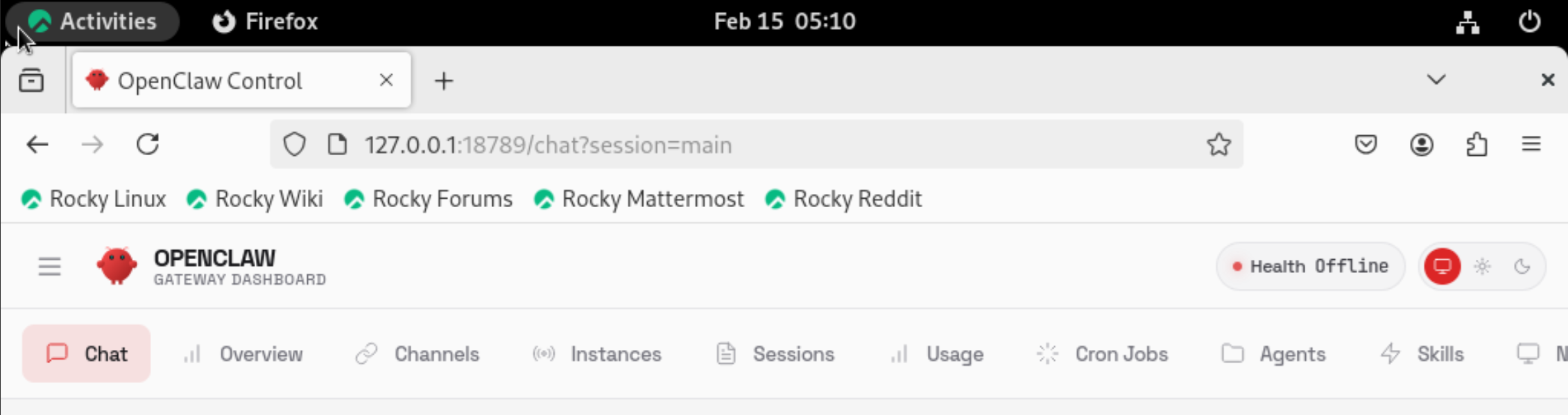
在本机访问web界面