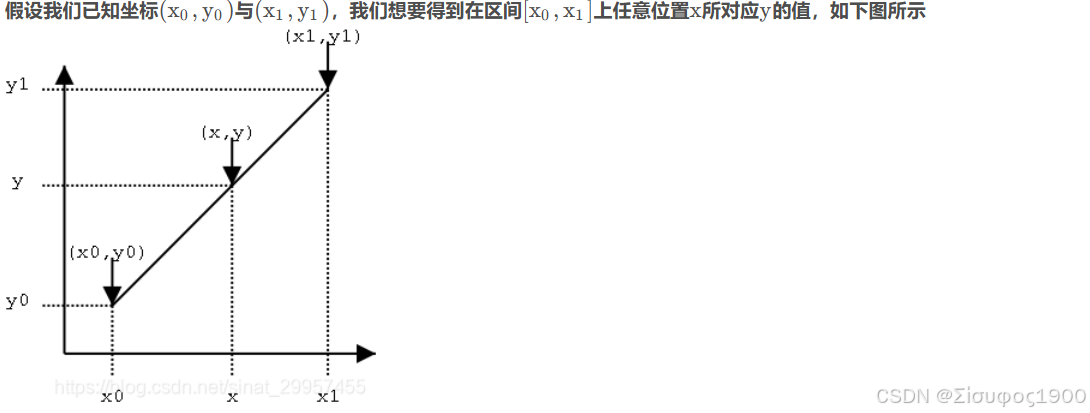
一、线性插值
https://blog.csdn.net/sinat_29957455/article/details/104584744
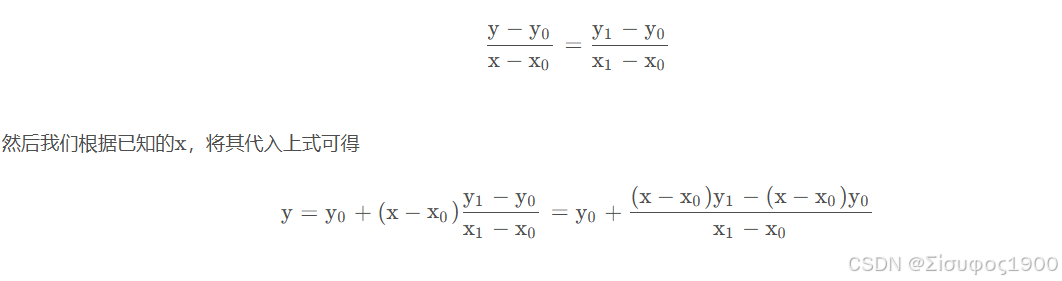
我们可以求出直线的方程,然后将x xx坐标代入到方程就可以求出对应的y yy值,通过直线方程的两点式可以得到
https://blog.csdn.net/sinat_29957455/article/details/104584744
二、双线性插值
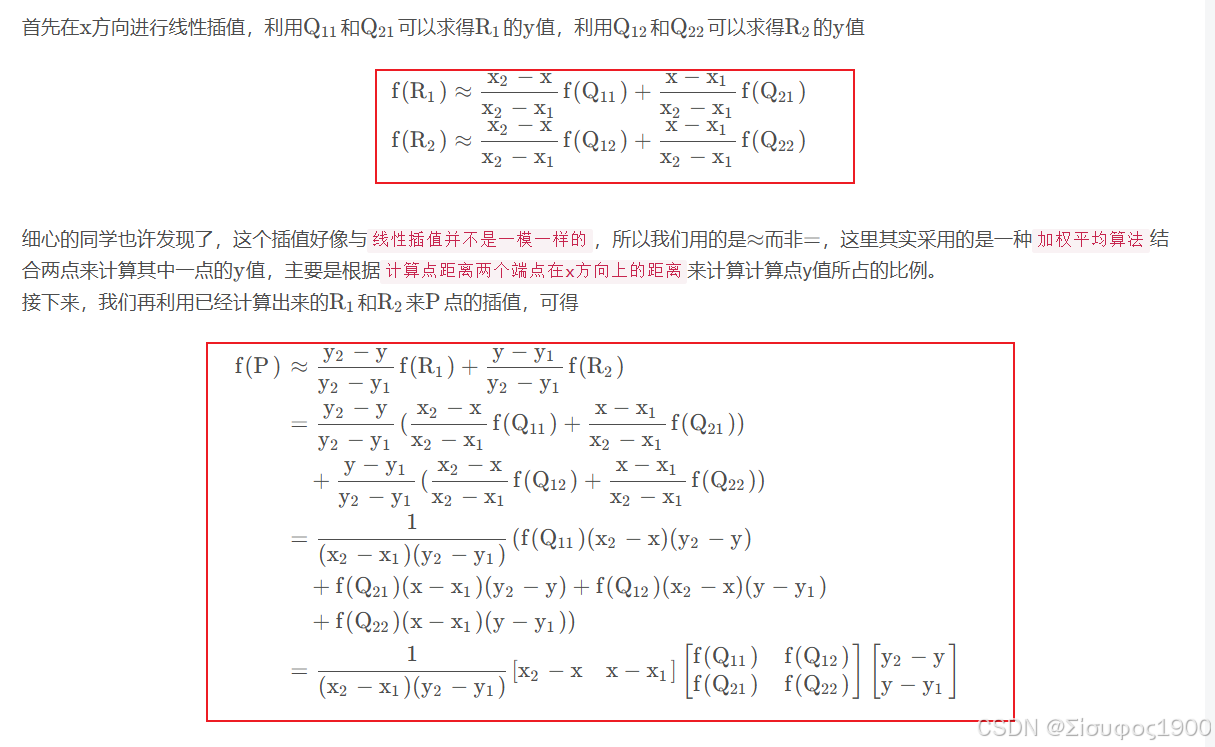
双线性插值是:
在 x 方向做一次线性插值 +
在 y 方向再做一次线性插值。

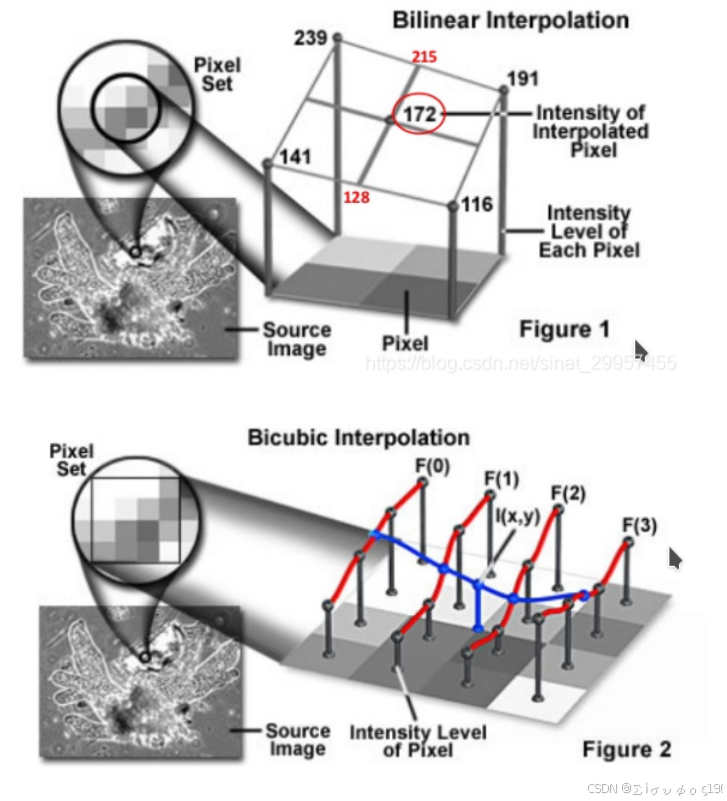
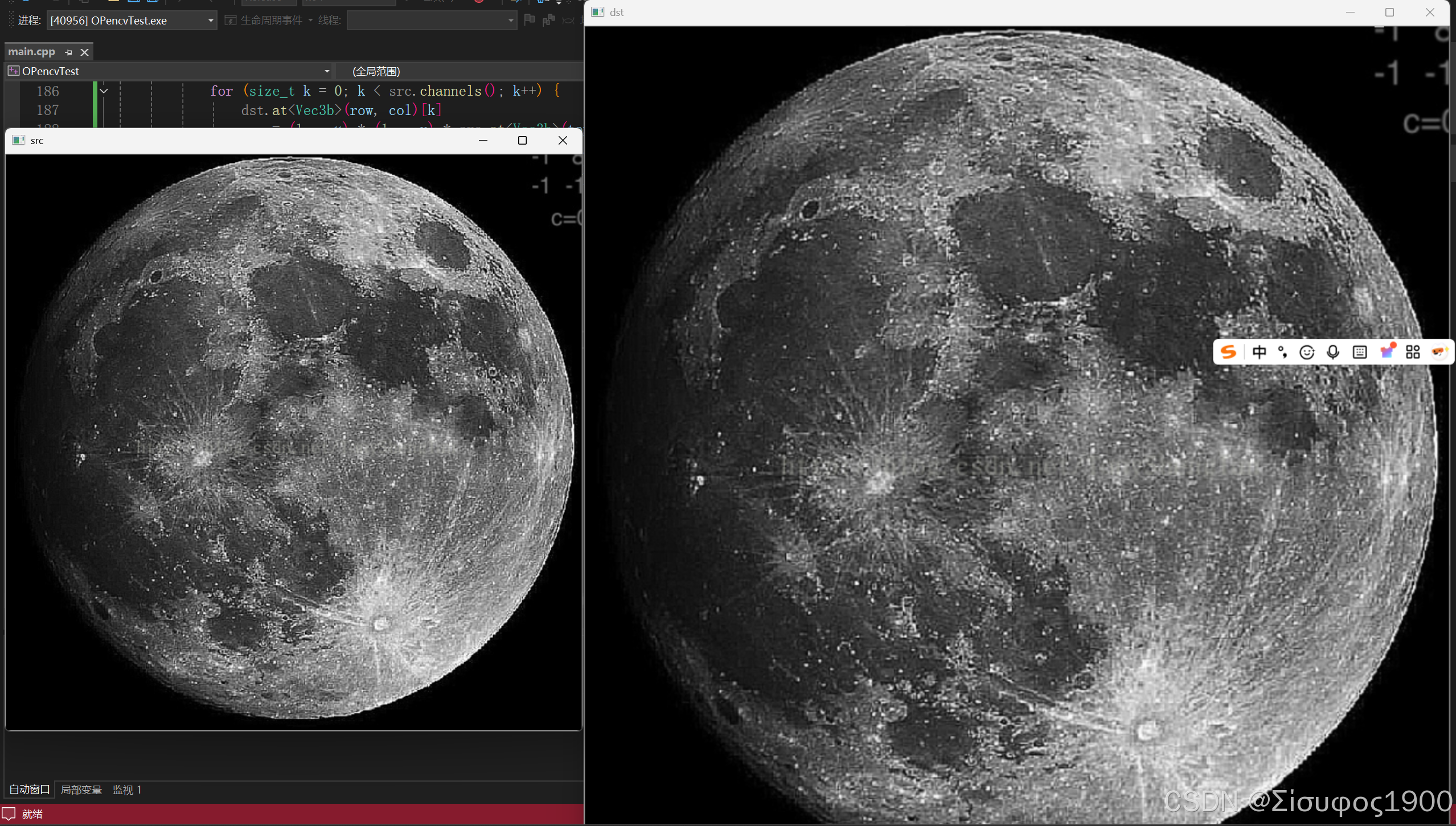
1)坐标反变换(scale / affine 等)

2)找到左上整数网格像素

3)计算小数部分(偏移)

4)计算四个像素的权重

5)四邻域加权求和(真正计算)

案例说明:

三、流程
流程总览(工程版)
给定目标图像坐标 (x′,y′),求其在原图像的对应采样点:
坐标缩放反变换
找到左上整数像素 (i, j)
计算小数部分 a, b
计算 4 个像素的权重
加权求和
四、Matlab 与Opencv
matlab:
cs
function I2 = bilinear_opencv(I, scale)

I = double(I);
[h, w] = size(I);

H = round(h * scale);
W = round(w * scale);

I2 = zeros(H, W);

for y2 = 1:H
    for x2 = 1:W

        % 1) 坐标反变换
        x = x2 / scale;
        y = y2 / scale;

        % 2) 找到整数网格
        i = floor(x);
        j = floor(y);

        % 边界处理
        if i < 1, i = 1; end
        if j < 1, j = 1; end
        if i > w-1, i = w-1; end
        if j > h-1, j = h-1; end

        % 3) 小数部分
        a = x - i;
        b = y - j;

        % 4) 权重
        w00 = (1-a)*(1-b);
        w10 = a*(1-b);
        w01 = (1-a)*b;
        w11 = a*b;

        % 5) 加权求和
        I2(y2,x2) = ...
            I(j,  i)   * w00 + ...
            I(j,  i+1) * w10 + ...
            I(j+1,i)   * w01 + ...
            I(j+1,i+1) * w11;
    end
end

I2 = uint8(I2);
end
cpp
clc; clear; close all;

I = imread('abc.bmp');   % 灰度图
scale = 2;

I2 = bilinear_opencv(I, scale);
I_matlab = imresize(I, scale, 'bilinear');

figure;
subplot(1,3,1); imshow(I); title('原图');
subplot(1,3,2); imshow(I2); title('自己实现(OpenCV 版)');
subplot(1,3,3); imshow(I_matlab); title('MATLAB bilinear');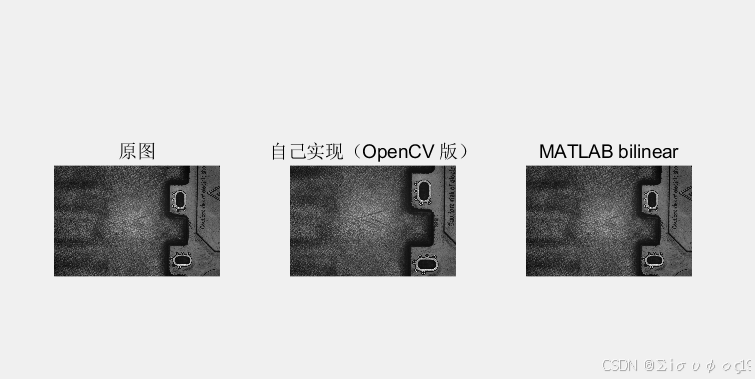
opencv
cpp
void bilinearInterpolation(Mat& src, Mat& dst, double sx, double sy) {
    int dst_rows = static_cast<int>(src.rows * sy);
    int dst_cols = static_cast<int>(src.cols * sx);
    dst = Mat::zeros(cv::Size(dst_cols, dst_rows), src.type());

    dst.forEach<Pixel>([&](Pixel& p, const int* position) -> void {

        int row = position[0];
        int col = position[1];

        // (col,row)为目标图像坐标
        // (before_x,before_y)原图坐标
        double before_x = double(col + 0.5) / sx - 0.5f;
        double before_y = double(row + 0.5) / sy - 0.5;
        // 原图像坐标四个相邻点
        // 获得变换前最近的四个顶点,取整
        int top_y = static_cast<int>(before_y);
        int bottom_y = top_y + 1;
        int left_x = static_cast<int>(before_x);
        int right_x = left_x + 1;

        //计算变换前坐标的小数部分
        double u = before_x - left_x;
        double v = before_y - top_y;

        // 如果计算的原始图像的像素大于真实原始图像尺寸
        if ((top_y >= src.rows - 1) && (left_x >= src.cols - 1)) {//右下角
            for (size_t k = 0; k < src.channels(); k++) {
                dst.at<Vec3b>(row, col)[k] = (1. - u) * (1. - v) * src.at<Vec3b>(top_y, left_x)[k];
            }
        }
        else if (top_y >= src.rows - 1) { //最后一行
            for (size_t k = 0; k < src.channels(); k++) {
                dst.at<Vec3b>(row, col)[k]
                    = (1. - u) * (1. - v) * src.at<Vec3b>(top_y, left_x)[k]
                    + (1. - v) * u * src.at<Vec3b>(top_y, right_x)[k];
            }
        }
        else if (left_x >= src.cols - 1) {//最后一列
            for (size_t k = 0; k < src.channels(); k++) {
                dst.at<Vec3b>(row, col)[k]
                    = (1. - u) * (1. - v) * src.at<Vec3b>(top_y, left_x)[k]
                    + (v) * (1. - u) * src.at<Vec3b>(bottom_y, left_x)[k];
            }
        }
        else {
            for (size_t k = 0; k < src.channels(); k++) {
                dst.at<Vec3b>(row, col)[k]
                    = (1. - u) * (1. - v) * src.at<Vec3b>(top_y, left_x)[k]
                    + (1. - v) * (u)*src.at<Vec3b>(top_y, right_x)[k]
                    + (v) * (1. - u) * src.at<Vec3b>(bottom_y, left_x)[k]
                    + (u) * (v)*src.at<Vec3b>(bottom_y, right_x)[k];
            }
        }
        });
}
cpp
		Mat img = imread("D:\\matlabplace\\abc.bmp");
		if (img.empty()) return -1;

		Mat out;
		double scale = 2.0;

		resize(img, out, Size(), scale, scale, INTER_LINEAR);

		imshow("original", img);
		imshow("bilinear resize", out);
		waitKey(0);
		return 0;