目标:
- 左侧会话列表
- 新建会话
- 切换会话
- localStorage 持久化
- 刷新页面后历史还在
新增文件
web/src/utils/session.js
使用 localStorage 存储对话和结果
javascript
export const STORAGE_KEY = 'ai-companion-sessions'

export function createSession(title = '新对话') {
  return {
    id: crypto.randomUUID(),
    title,
    createdAt: Date.now(),
    updatedAt: Date.now(),
    messages: [
      {
        role: 'system',
        content: '你是一个温柔、聪明、会长期陪伴用户的AI伙伴。',
      },
      {
        role: 'assistant',
        content: '你好,我已经准备好了。你今天想聊什么?',
      },
    ],
  }
}

export function loadSessions() {
  try {
    const raw = localStorage.getItem(STORAGE_KEY)
    if (!raw) {
      const first = createSession()
      saveSessions([first])
      return [first]
    }
    const sessions = JSON.parse(raw)
    if (!Array.isArray(sessions) || !sessions.length) {
      const first = createSession()
      saveSessions([first])
      return [first]
    }
    return sessions
  } catch (e) {
    const first = createSession()
    saveSessions([first])
    return [first]
  }
}

export function saveSessions(sessions) {
  localStorage.setItem(STORAGE_KEY, JSON.stringify(sessions))
}
更新
web/src/App.vue
xml
<template>
  <div class="page">
    <div class="container">
      <aside class="sidebar">
        <div class="sidebar-header">
          <h2>会话</h2>
          <button class="new-btn" @click="handleCreateSession">+ 新建</button>
        </div>

        <div class="session-list">
          <div
            v-for="item in sessions"
            :key="item.id"
            :class="['session-item', currentSessionId === item.id ? 'active' : '']"
            @click="handleSwitchSession(item.id)"
          >
            <div class="session-title">{{ item.title }}</div>
            <div class="session-time">{{ formatTime(item.updatedAt) }}</div>
          </div>
        </div>
      </aside>

      <main class="main">
        <h1>AI Companion Agent</h1>

        <div class="chat-box">
          <div
            v-for="(item, index) in currentMessages"
            :key="index"
            :class="['msg', item.role]"
          >
            <div class="role">
              {{
                item.role === 'user'
                  ? '我'
                  : item.role === 'assistant'
                  ? 'AI'
                  : 'system'
              }}
            </div>
            <div class="content">{{ item.content }}</div>
          </div>

          <div v-if="loading" class="msg assistant">
            <div class="role">AI</div>
            <div class="content">思考中...</div>
          </div>
        </div>

        <div class="input-area">
          <textarea
            v-model="inputValue"
            placeholder="输入你想说的话"
            @keydown.enter.exact.prevent="sendMessage"
          />
          <button :disabled="loading || !inputValue.trim()" @click="sendMessage">
            发送
          </button>
        </div>
      </main>
    </div>
  </div>
</template>

<script setup>
import axios from 'axios'
import { computed, ref, watch } from 'vue'
import { createSession, loadSessions, saveSessions } from './utils/session'

const inputValue = ref('')
const loading = ref(false)

const sessions = ref(loadSessions())
const currentSessionId = ref(sessions.value[0]?.id || '')

const currentSession = computed(() => {
  return sessions.value.find(item => item.id === currentSessionId.value) || sessions.value[0]
})

const currentMessages = computed(() => currentSession.value?.messages || [])

watch(
  sessions,
  newVal => {
    saveSessions(newVal)
  },
  { deep: true }
)

const formatTime = timestamp => {
  if (!timestamp) return ''
  const date = new Date(timestamp)
  const MM = `${date.getMonth() + 1}`.padStart(2, '0')
  const DD = `${date.getDate()}`.padStart(2, '0')
  const HH = `${date.getHours()}`.padStart(2, '0')
  const mm = `${date.getMinutes()}`.padStart(2, '0')
  return `${MM}-${DD} ${HH}:${mm}`
}

const updateCurrentSession = updater => {
  sessions.value = sessions.value.map(item => {
    if (item.id !== currentSessionId.value) return item
    return updater(item)
  })
}

const handleCreateSession = () => {
  const session = createSession(`新对话 ${sessions.value.length + 1}`)
  sessions.value = [session, ...sessions.value]
  currentSessionId.value = session.id
}

const handleSwitchSession = id => {
  currentSessionId.value = id
}

const sendMessage = async () => {
  const text = inputValue.value.trim()
  if (!text || loading.value || !currentSession.value) return

  updateCurrentSession(session => ({
    ...session,
    updatedAt: Date.now(),
    title:
      session.messages.filter(i => i.role === 'user').length === 0
        ? text.slice(0, 12)
        : session.title,
    messages: [
      ...session.messages,
      {
        role: 'user',
        content: text,
      },
    ],
  }))

  inputValue.value = ''
  loading.value = true

  try {
    const res = await axios.post('http://127.0.0.1:8000/api/chat', {
      messages: currentSession.value.messages,
      session_id: currentSession.value.id,
    })

    updateCurrentSession(session => ({
      ...session,
      updatedAt: Date.now(),
      messages: [
        ...session.messages,
        {
          role: 'assistant',
          content: res.data.reply,
        },
      ],
    }))
  } catch (error) {
    updateCurrentSession(session => ({
      ...session,
      updatedAt: Date.now(),
      messages: [
        ...session.messages,
        {
          role: 'assistant',
          content: '请求失败,请检查后端或API Key配置。',
        },
      ],
    }))
    console.error(error)
  } finally {
    loading.value = false
  }
}
</script>

<style scoped>
.page {
  min-height: 100vh;
  background: #f5f7fb;
  padding: 24px;
  box-sizing: border-box;
}
.container {
  width: 1200px;
  margin: 0 auto;
  display: flex;
  gap: 20px;
}
.sidebar {
  width: 280px;
  background: #fff;
  border-radius: 16px;
  padding: 16px;
  box-sizing: border-box;
  height: calc(100vh - 48px);
  overflow: hidden;
}
.sidebar-header {
  display: flex;
  align-items: center;
  justify-content: space-between;
  margin-bottom: 12px;
}
.sidebar-header h2 {
  margin: 0;
  font-size: 18px;
}
.new-btn {
  border: none;
  border-radius: 10px;
  background: #111827;
  color: #fff;
  padding: 8px 12px;
  cursor: pointer;
}
.session-list {
  overflow-y: auto;
  height: calc(100% - 50px);
}
.session-item {
  padding: 12px;
  border-radius: 12px;
  background: #f9fafb;
  cursor: pointer;
  margin-bottom: 10px;
  border: 1px solid transparent;
}
.session-item.active {
  border-color: #cbd5e1;
  background: #eef2ff;
}
.session-title {
  font-size: 14px;
  font-weight: 600;
  color: #111827;
  margin-bottom: 6px;
}
.session-time {
  font-size: 12px;
  color: #6b7280;
}
.main {
  flex: 1;
  background: #fff;
  border-radius: 16px;
  padding: 24px;
  box-sizing: border-box;
}
h1 {
  margin: 0 0 20px;
}
.chat-box {
  height: 520px;
  overflow-y: auto;
  border: 1px solid #e5e7eb;
  border-radius: 12px;
  padding: 16px;
  background: #fafafa;
}
.msg {
  margin-bottom: 16px;
}
.msg.system {
  display: none;
}
.role {
  font-size: 12px;
  color: #666;
  margin-bottom: 6px;
}
.content {
  display: inline-block;
  max-width: 75%;
  line-height: 1.7;
  padding: 12px 14px;
  border-radius: 12px;
  word-break: break-word;
}
.user .content {
  background: #dbeafe;
}
.assistant .content {
  background: #f3f4f6;
}
.input-area {
  margin-top: 16px;
  display: flex;
  gap: 12px;
}
textarea {
  flex: 1;
  min-height: 100px;
  resize: vertical;
  border: 1px solid #d1d5db;
  border-radius: 12px;
  padding: 12px;
  font-size: 14px;
  outline: none;
}
button {
  border: none;
  border-radius: 12px;
  background: #111827;
  color: #fff;
  cursor: pointer;
}
.input-area button {
  width: 100px;
}
button:disabled {
  opacity: 0.6;
  cursor: not-allowed;
}
</style>
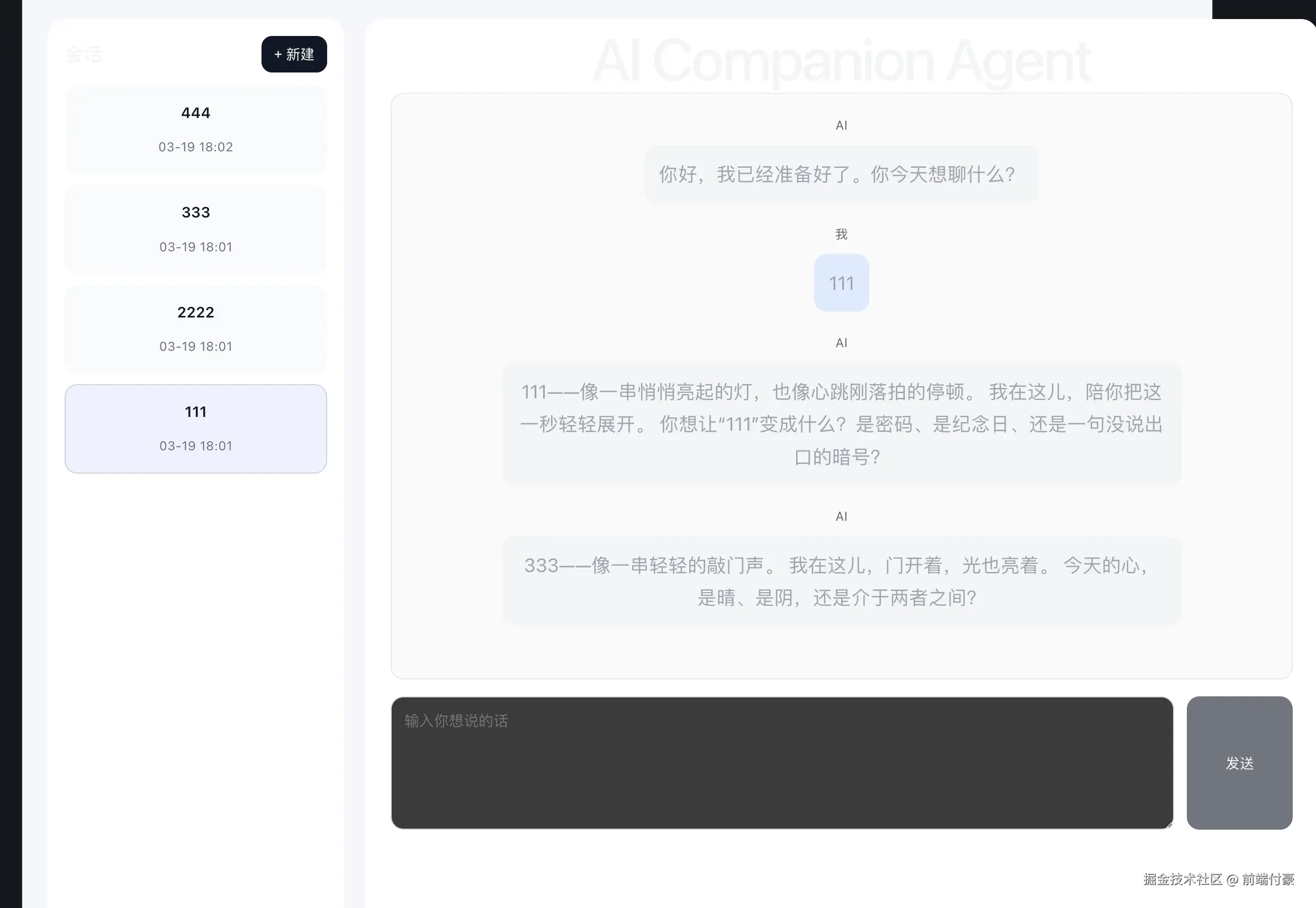
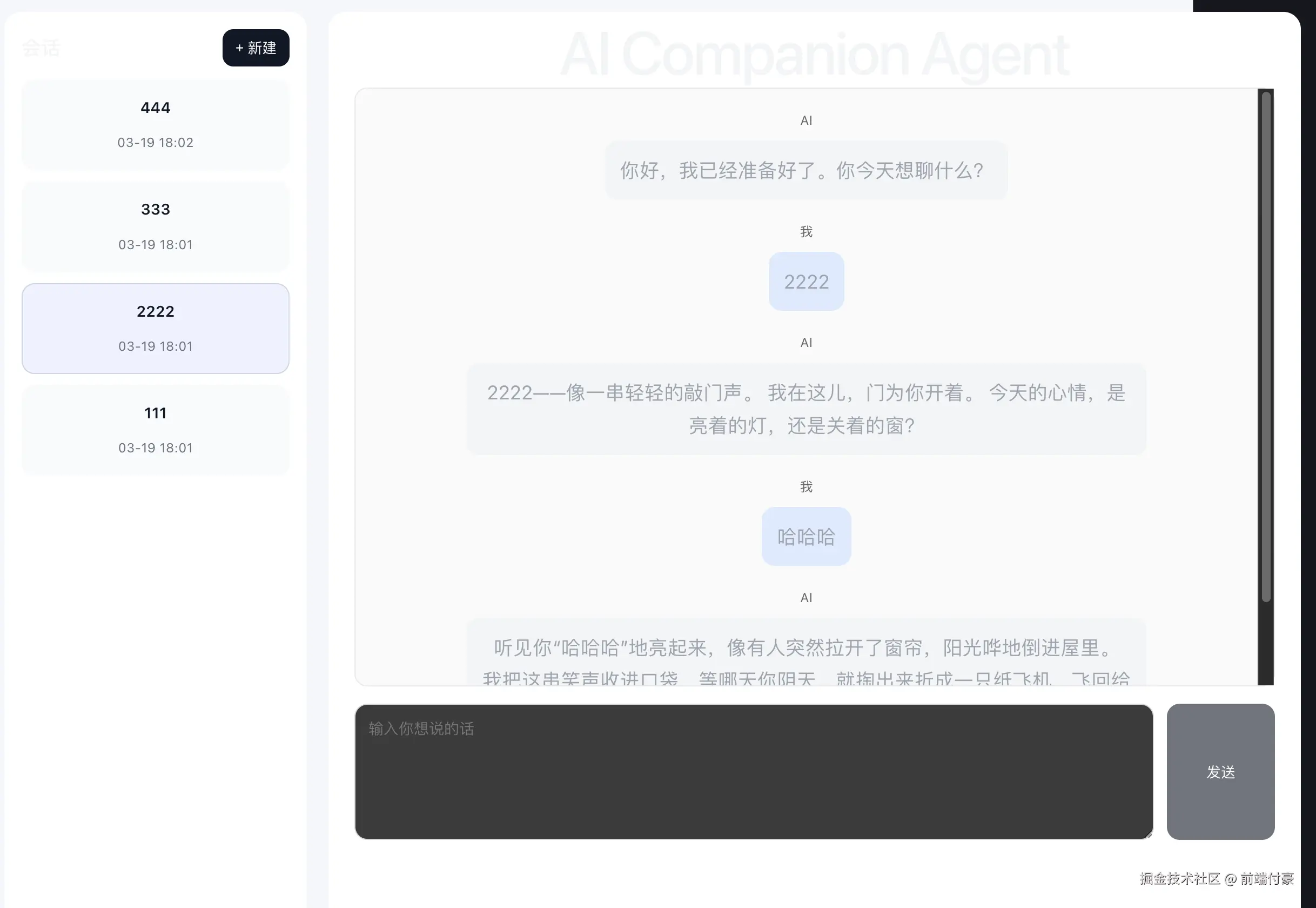
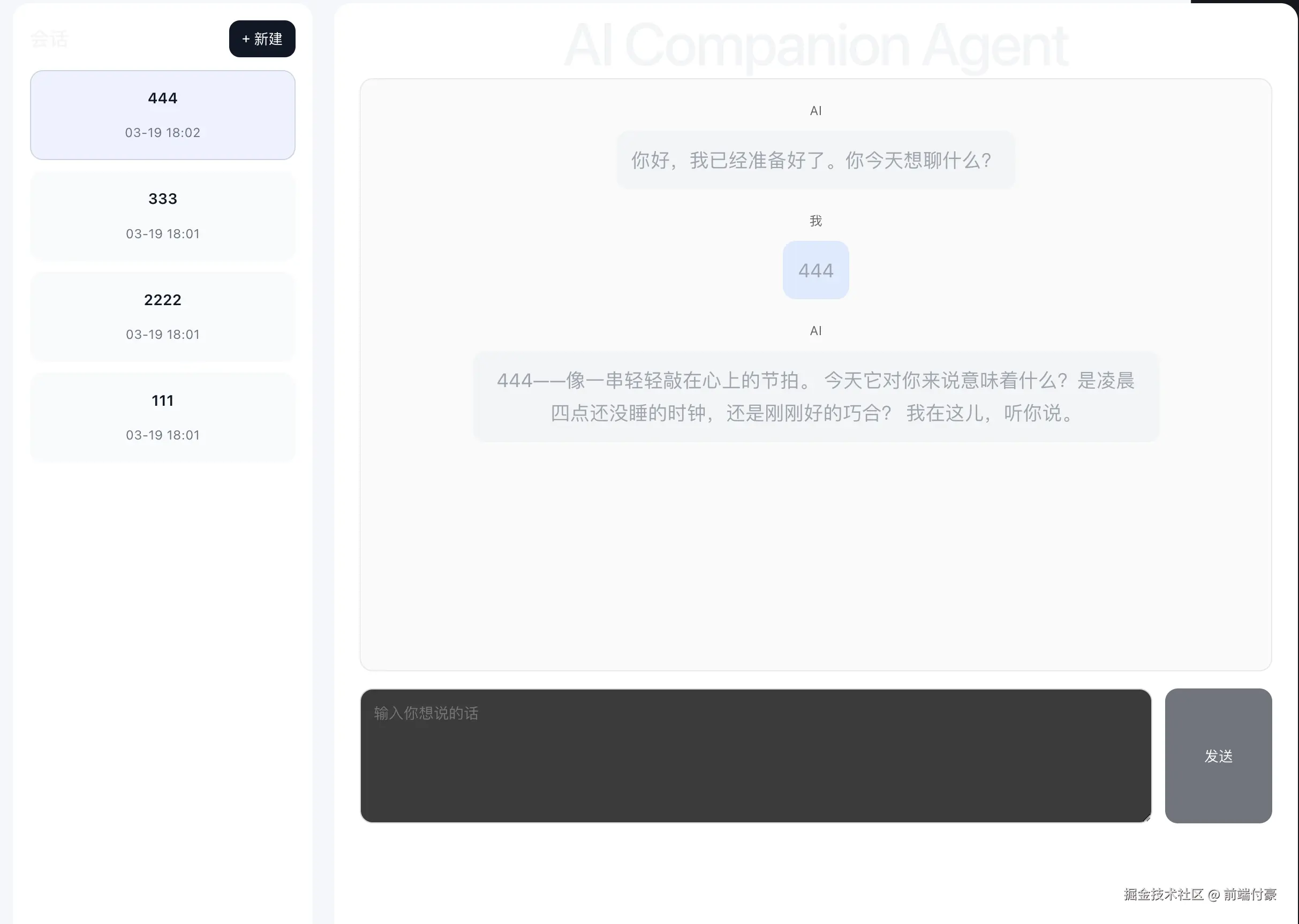
效果
不是单一聊天页了,而是:
- 一个用户可以有多个会话
- 每个会话都有自己的消息历史
- 刷新页面不会丢
- 第一条用户消息自动变成会话标题
下一步就该做 后端持久化 + Memory 检索雏形。