多网卡微服务注册 IP/host 问题
如果机器上有多张网卡或虚拟网卡,那微服务在注册到注册中心时的 IP 就不是确定了的,如果注册了错误的 IP,会导致其他服务在调用时访问不到,因为不在一个网段。
spring cloud 通用解决办法
spring.cloud.inetutils.ignored-interfaces 接受一个正则表达式数组,配置要忽略的网卡,比如本地回环网卡 lo、docker 网卡 docker0、虚拟网卡 veth.*。
spring.cloud.inetutils.preferred-networks 也接受一个数组,可以是网段的正则表达式,也可以是网段的前缀,配置优先选择的网段、IP,比如 ^192\.168 、172.17,或者 192.168.0.5。
use-only-site-local-interfaces: true 可以保证只注册私网 IP,不会注册公网 IP。私网 IP 指的是:
10.0.0.0-10.255.255.255(10.0.0.0/8)172.16.0.0-172.31.255.255(172.16.0.0/12)192.168.0.0-192.168.255.255(192.168.0.0/16)
yaml
# bootstrap.yaml
spring:
  cloud:
    inetutils:
      ignored-interfaces:
        - docker0
        - veth.*
        - lo
        - VM.*
      preferred-networks:
        - ^192\.168
        - 172.17
        - 192.168.0.5
      use-only-site-local-interfaces: true
nacos
若 IP 是固定的可以使用 spring.cloud.nacos.discovery.ip 直接指定 IP 地址:
yaml
# bootstrap.yaml
spring:
  cloud:
    nacos:
      discovery:
        server-addr: 127.0.0.1:8848
        enabled: true
        register-enabled: true
        # ip
        ip: 192.168.0.5
        port: 8080
若服务由固定的域名,也可使用 spring.cloud.nacos.discovery.ip 直接指定域名:
yaml
# bootstrap.yaml
spring:
  cloud:
    nacos:
      discovery:
        server-addr: 127.0.0.1:8848
        enabled: true
        register-enabled: true
        # 域名
        ip: a.service
        port: 80
若网卡名称是固定的,可使用 spring.cloud.nacos.discovery.network-interface 指定网卡名称:
yaml
# bootstrap.yaml
spring:
  application:
    name: nacos-test
  cloud:
    nacos:
      discovery:
        server-addr: 127.0.0.1:8848
        enabled: true
        register-enabled: true
		# 网卡
        network-interface: "eth0"
consul
spring.cloud.consul.discovery.prefer-ip-address 为 true 时使用 spring.cloud.consul.discovery.ip-address 注册,否则使用 spring.cloud.consul.discovery.hostname 注册:
yaml
# bootstrap.yaml
spring:
  cloud:
    consul:
      host: localhost
      port: 8500
      discovery:
        prefer-ip-address: true
        ip-address: 192.168.0.5
        hostname: a.service
eureka
与 consul 类似,eureka.instance.prefer-ip-address 为 true 时使用 eureka.instance.ip-address 注册,否则使用 eureka.instance.hostname 注册:
yaml
spring:
eureka:
  client:
    enabled: true
    register-with-eureka: true
    fetch-registry: true
  instance:
    prefer-ip-address: true
    hostname: a.service
    ip-address: 192.168.0.5
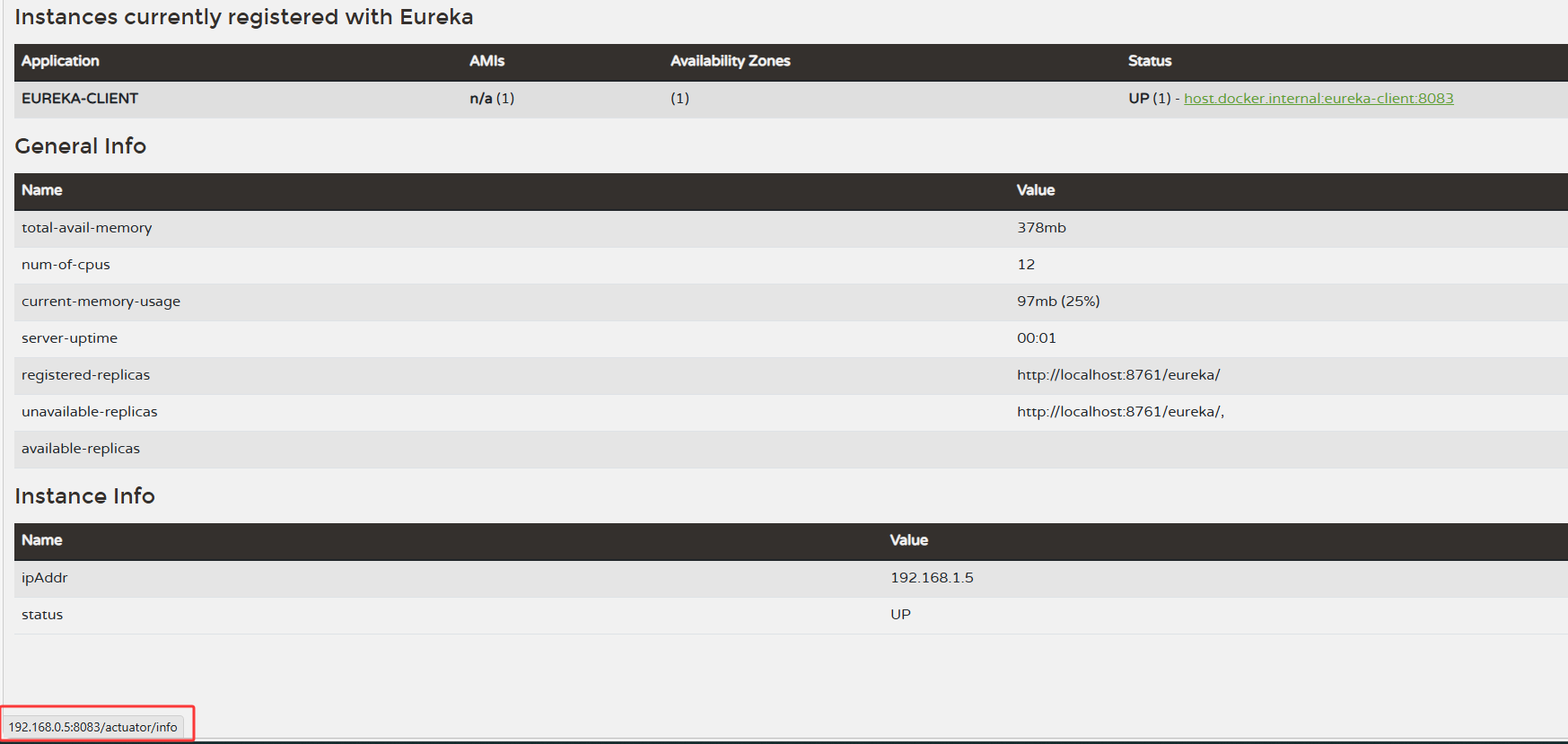
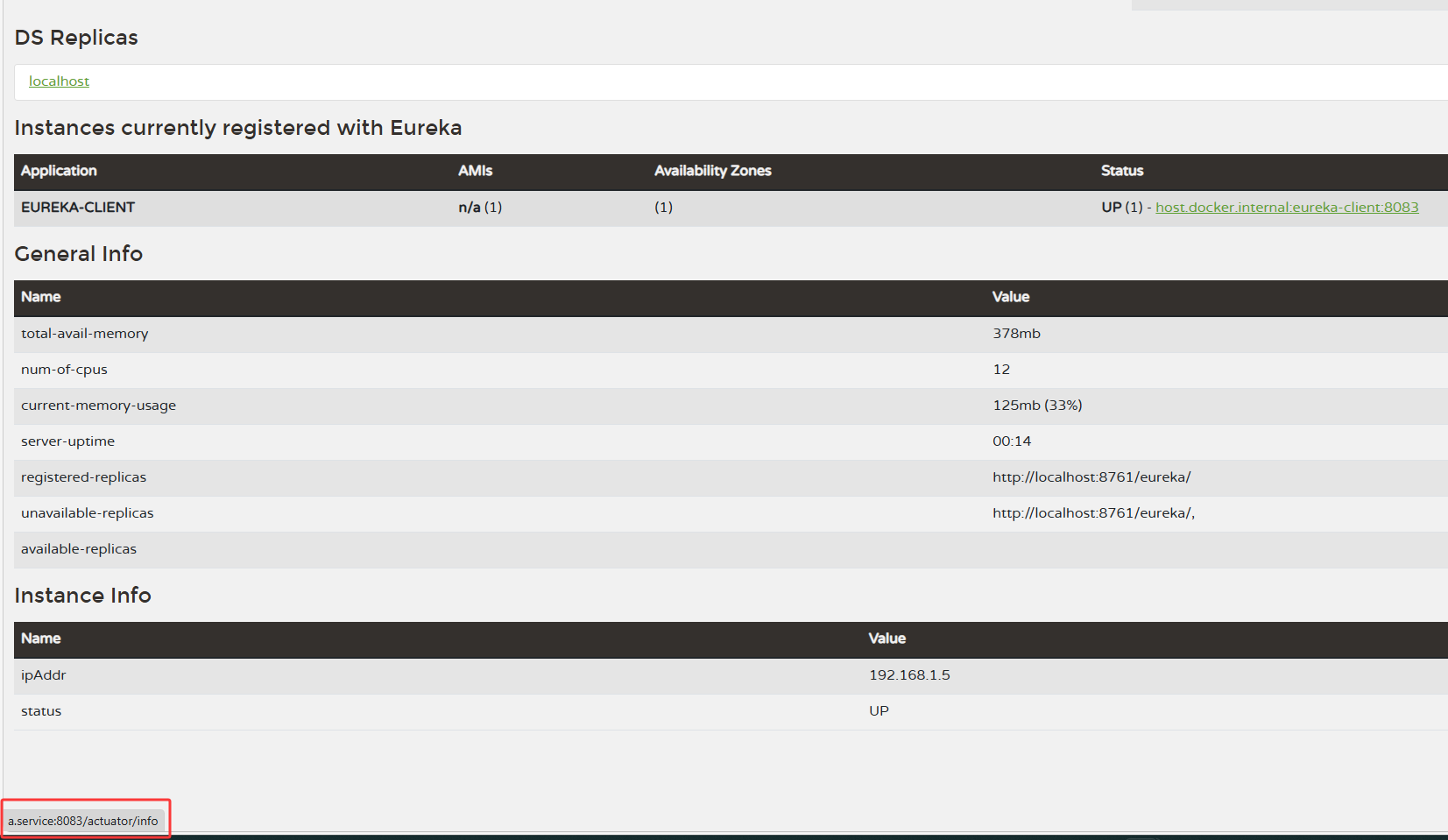
查看实际注册的是 ip 还是 hostname 需要将鼠标放在 Status 链接上,然后看左下角: