
| 🔍 开发者资源导航 🔍 |
|---|
| 🏷️ 博客主页 : 个人主页 |
| 📚 专栏订阅 : JavaEE全栈专栏 |
一、前言
工具调用 (也称为函数调用 )是 AI 应用中的常见模式,它允许模型与一组 API 或工具进行交互,从而增强其功能。
ToolCalling = 让 AI 模型能主动调用你写的 Java / 代码函数,去查数据、执行操作,再把结果返回给用户。
整理成流程就是:
- 你给 AI 注册几个工具(就是你的方法:查天气、查订单、查数据库...)
- 用户问:今天北京天气?
- AI 发现自己不知道,主动决定调用哪个工具
- AI 返回给你:我要调用 xxx 工具,参数是 xx
- Spring AI 自动执行你的方法
- 把结果再丢给 AI,AI 整理成人话回答用户
二、快速开始
1. 导包,这里使用的是Spring AI ablibaba
XML
  <dependencies>
        <dependency>
            <groupId>org.springframework.boot</groupId>
            <artifactId>spring-boot-starter-web</artifactId>
        </dependency>
        <dependency>
            <groupId>org.springframework.boot</groupId>
            <artifactId>spring-boot-starter-test</artifactId>
            <scope>test</scope>
        </dependency>
        <dependency>
            <groupId>com.alibaba.cloud.ai</groupId>
            <artifactId>spring-ai-alibaba-starter-dashscope</artifactId>
        </dependency>
        <dependency>
            <groupId>org.springframework</groupId>
            <artifactId>spring-webflux</artifactId>
        </dependency>
        <dependency>
            <groupId>com.github.victools</groupId>
            <artifactId>jsonschema-generator</artifactId>
            <!-- 可根据实际情况使用最新稳定版本 -->
            <version>4.37.0</version>
        </dependency>
    </dependencies>

    <dependencyManagement>
        <dependencies>
            <dependency>
                <groupId>com.alibaba.cloud.ai</groupId>
                <artifactId>spring-ai-alibaba-bom</artifactId>
                <version>1.0.0.2</version>
                <type>pom</type>
                <scope>import</scope>
            </dependency>
        </dependencies>
    </dependencyManagement>
2. 配置apikey
XML
spring:
  ai:
    dashscope:
api-key: 你的apikey申请百炼平台的apikey可参考此文档:https://help.aliyun.com/zh/model-studio/get-api-key
3. 创建工具方法
java
public class DateTimeTool {

    @Tool(description = "获取当前时间")
    String getCurrentTime() {
        LocalDateTime now = LocalDateTime.now();
        System.out.println(now.toString());
        return now.toString();
    }

}
4.创建controller层
java
@RequestMapping("/ali")
@RestController
public class TestController {

    private ChatClient chatClient;

    public TestController(DashScopeChatModel chatModel) {
        this.chatClient = ChatClient.builder(chatModel)
                //设置默认工具
                .defaultTools(new DateTimeTool())
                .build();
    }

    @RequestMapping(value = "/tool", produces = "text/html;charset=utf-8")
    private Flux<String> toolChat(String message) {
        return chatClient.prompt(message).stream().content();
    }
}
5.运行
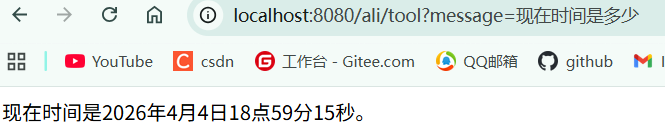

此时我们可以发现ai是已经调用过我们这个函数了,如果我们没写这个方法,ai因为是已经训练好的原因,是不能读取到外界的时间的。
三、原理
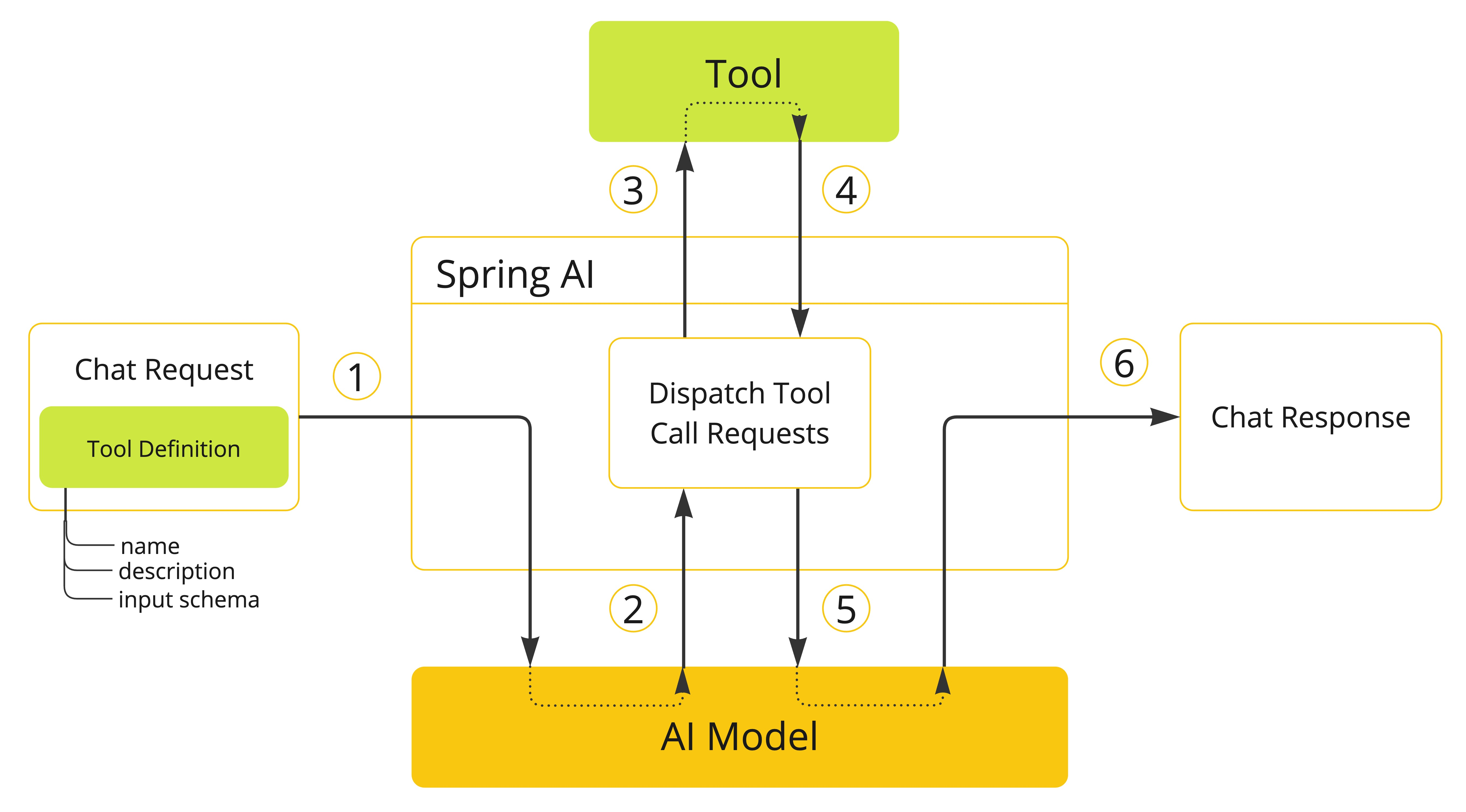
1.当我们想让模型可以使用某个工具时,我们会将其定义包含在聊天请求中。每个工具定义都包含名称、描述和输入参数的模式。
2.当模型决定调用 某个工具时,它会发送一个响应,其中包含工具名称和根据已定义模式建模的输入参数。
3.使用工具名称来识别和执行该工具,并根据提供的输入参数进行操作。
4.返回工具调用的结果
5.将工具调用结果发送回模型
6.将结果交给模型进行润色,最后返回结果。
四、声明式定义
4.1 参数讲解
声明式定义是指使用注解的方式来定义工具,可参考快速开始的代码。
该注解具有以下参数:
java
public @interface Tool {
    String name() default "";

    String description() default "";

    boolean returnDirect() default false;

    Class<? extends ToolCallResultConverter> resultConverter() default DefaultToolCallResultConverter.class;
}- name:name是一个工具的唯一字段,不设置的时候默认使用方法名称来定义,该字段不能重复,一旦重复调用的时候就会报错。
- description:是指这个工具方法的描述,模型会通过该参数判断是否要调用该方法,因此这个参数务必要清晰精准。
- returnDirect:默认为false,如果returnDirect为true,那么调用的结果就会直接返回,不会经过ai的润色。
下述代码将展示returnDirect为true的样例:
java
    @Tool(description = "获取当前时间", returnDirect = true)
    String getCurrentTime() {
        LocalDateTime now = LocalDateTime.now();
        System.out.println(now.toString());
        return now.toString();
    }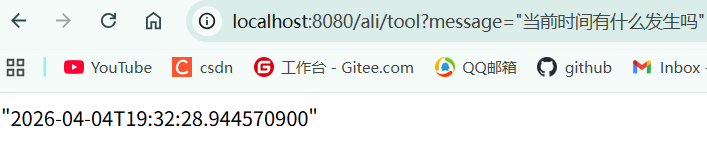
也就是说,即使你问的问题可能和它不相关,但是涉及到了这个工具的调用,它也会直接返回这个结果。
4.2 传参
使用@ToolParam对参数进行声明,声明后ai会自动根据场景进行传参,和@Tool一样它也需要写入一个描述的参数。
java
    @Tool(description = "设置闹钟")
    void alertTime(@ToolParam(description = "设置的时间,格式为ISO-8601") String time){
        System.out.println(time);
    }
(调用了时间工具,和闹钟工具⬇️)
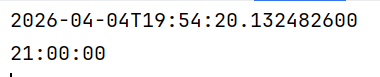
因为AI具有一定的随机性,因此每次回答都可能产生不同的结果。
五、编程式定义
编程式比声明式的定义写法要麻烦很多,但是相对会更灵活一些。
首先定义一个工具方法:
java
public class DateTimeTool {
    String getCurrentTime1() {
        LocalDateTime now = LocalDateTime.now();
        System.out.println(now.toString());
        return now.toString();
    }
}
再定义其配置类
java
public class ToolConfig {
    @Bean
    public ToolCallback toolCallback(){
        //通过反射获取方法
        Method method = ReflectionUtils.findMethod(DateTimeTool.class, "getCurrentTime1");

        //创建一个toolCallback
        ToolCallback dateTimeToolCallback = MethodToolCallback.builder()
                .toolDefinition(ToolDefinitions.builder(method)
                        //写描述
                        .description("获取当前的时间")
                        .build())
                .toolMethod(method)
                .toolObject(new DateTimeTool())
                .build();
        return dateTimeToolCallback;
    }
}
最后再配置到ChatClient里面
java
@RequestMapping("/ali")
@RestController
public class TestController {

    private ChatClient chatClient;
    //当前类的初始方法
    public TestController(DashScopeChatModel chatModel, ToolCallback toolCallback) {
        this.chatClient = ChatClient.builder(chatModel)
                .defaultToolCallbacks(toolCallback)
                .build();
    }

    @RequestMapping(value = "/tool1", produces = "text/html;charset=utf-8")
    private Flux<String> toolChat1(String message) {

        return chatClient
                .prompt(message)
                .stream()
                .content();
    }
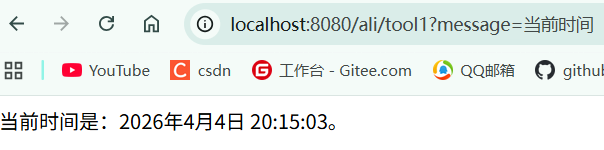
}
编程式定义的传参和声明式是一样的,也是使用@ToolParam来定义:
java
    void alertTime(@ToolParam(description = "设置的时间,格式为ISO-8601") String time){
        System.out.println(time);
    }
因为方式一样,这里就不多赘述。
更多内容可以参考Spring AI的官方文档
Spring AI官方文档 https://docs.spring.io/spring-ai/reference/api/tools.html#_tool_context