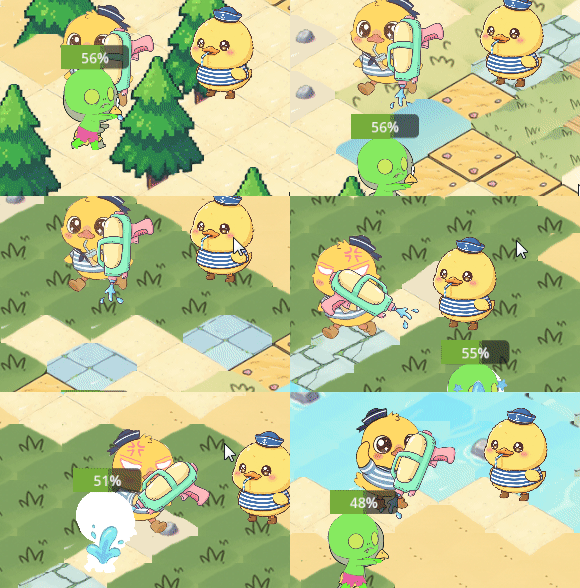
python
extends CharacterBody2D

@onready var animated_sprite = $AnimatedSprite2D  # 引用动画节点$AnimatedSprite2D
@onready var shoot_timer = $Timer  # 引用计时器
const SPEED = 300.0
const JUMP_VELOCITY = -400.0
var last_horizontal_direction = 1  # 1表示右,-1表示左,默认向右
var is_shooting = false              # 是否正在播放发射动画
var current_bullet_speed = 700   # 可动态修改
# 引用枪节点
@onready var gun = $Sprite2D6  # 假设枪的节点名为 Gun
@onready var muzzle = $Sprite2D6/Marker2D
func _ready():
	shoot_timer.timeout.connect(_on_shoot_timer_timeout)
	shoot_timer.one_shot = false  # 确保重复发射
	shoot_timer.wait_time = 0.2   # 设置发射间隔(秒)
func _physics_process(_delta):
	# 获取水平和垂直输入(WASD 或方向键)
	var input_dir = Input.get_vector("left", "right", "up", "down")
	velocity = input_dir * SPEED

	move_and_slide()
	# 更新动画


	# 检测射击输入(按住状态)
	if Input.is_action_pressed("shoot"):
		if not is_shooting:
			start_shoot()
	else:
		if is_shooting:
			stop_shoot()

	# 只有不在射击状态时才更新移动动画
	if not is_shooting:
		update_animation(input_dir)
	rotate_gun_to_enemy()   # 每帧更新枪的旋转
	# 诊断输出
	#print("Muzzle global: ", $Sprite2D6/Marker2D.global_position)
	#print("=== Gun Debug Info ===")


	#print("Global Position: ", gun.global_position)
	#print("Local Position (relative to Player): ", gun.position)
	#print("Rotation (radians): ", gun.rotation)
	#print("Rotation (degrees): ", rad_to_deg(gun.rotation))
	#print("Scale: ", gun.scale)
	#print("Flip H: ", gun.flip_h)
	#print("Flip V: ", gun.flip_v)
	#print("Offset: ", gun.offset)
	#print("Centered: ", gun.centered)
	#print("=== End ===")
func start_shoot():
	is_shooting = true
	# 根据最后一次水平方向选择射击动画
	if last_horizontal_direction == 1:
		animated_sprite.play("run_shoot_right")
	else:
		animated_sprite.play("run_shoot_left")
	# 如果 shoot 动画不是循环的,可以设置动画结束回调重新播放,但通常设为循环
	# 立即发射一颗子弹
	shoot_bullet()
	# 启动计时器,连续发射
	shoot_timer.start()

func stop_shoot():
	print("stop_shoot called")   # 调试
	is_shooting = false
	shoot_timer.stop()
	print("Timer stopped, is_active: ", shoot_timer.is_stopped())  # 应该输出 true
	var input_dir = Input.get_vector("left", "right", "up", "down")
	update_animation(input_dir)


# 新增函数:返回最近的敌人节点,如果没有敌人则返回 null
func get_nearest_enemy() -> Node2D:
	var enemies = get_tree().get_nodes_in_group("enemy")
	if enemies.is_empty():
		return null

	var nearest = null
	var nearest_dist = INF
	for enemy in enemies:
		var dist = global_position.distance_to(enemy.global_position)
		if dist < nearest_dist:
			nearest_dist = dist
			nearest = enemy
	return nearest


# 旋转枪口指向敌人
func rotate_gun_to_enemy():
	var nearest = get_nearest_enemy()


	if nearest == null: return
	var direction = (nearest.global_position - global_position).normalized()
	var angle = direction.angle()
	gun.rotation = angle
	if abs(angle) > PI / 2:
		gun.flip_v = true

	else:
		gun.flip_v = false
func shoot_bullet():
	# 加载子弹场景

	var bullet_scene = preload("res://zd.tscn")
	var bullet = bullet_scene.instantiate()

	# 自动瞄准方向(与之前一样)
	var target_enemy = get_nearest_enemy()
	if target_enemy != null:
		var direction_to_enemy = (target_enemy.global_position - global_position).normalized()
		bullet.direction = direction_to_enemy
	else:
		bullet.direction = Vector2.RIGHT if last_horizontal_direction == 1 else Vector2.LEFT

	# 🔥 计算枪口世界坐标
	var muzzle_offset = Vector2(30, 0)   # 枪口相对于握把的偏移(根据你的图片调整)
	# 应用枪的旋转
	var rotated_offset = muzzle_offset.rotated(gun.rotation)
	# 应用翻转(如果使用 scale 翻转,则不用额外处理;如果使用 flip_h/v,需要手动调整)
	# 假设你目前使用 scale 翻转,但之前覆盖了缩放导致枪变大,建议改用 flip_h/v 并手动处理偏移
	# 下面示例使用 flip_h/flip_v 方案:
	if gun.flip_h:
		rotated_offset.x = -rotated_offset.x
	if gun.flip_v:
		rotated_offset.y = -rotated_offset.y

	var muzzle_global = $Sprite2D6/Marker2D.global_position
	bullet.global_position = muzzle_global
	#print("子弹生成时设置的全局位置: ", muzzle_global)   # 新增
	#print("子弹实例的 global_position: ", bullet.global_position)  # 新增
	bullet.speed = current_bullet_speed

	get_parent().add_child(bullet)

# 连接 Timer 的信号
func _on_shoot_timer_timeout():
	if is_shooting:          # 添加这一行
		shoot_bullet()
	#shoot_bullet()
func update_animation(input_dir: Vector2):
	if input_dir.x > 0:
		animated_sprite.play("run_right")
		last_horizontal_direction = 1
	elif input_dir.x < 0:
		animated_sprite.play("run_left")
		last_horizontal_direction = -1
	elif input_dir.y != 0:
		# 只有垂直移动:根据上一次的水平方向播放对应动画
		if last_horizontal_direction == 1:
			animated_sprite.play("run_right")
		else:
			animated_sprite.play("run_left")
	else:
		# 无任何输入:停止动画或播放待机
		#animated_sprite.stop()  # 或 play("idle")
		animated_sprite.play("daiji")


func _on_timer_timeout() -> void:
	pass # Replace with function body.