目录
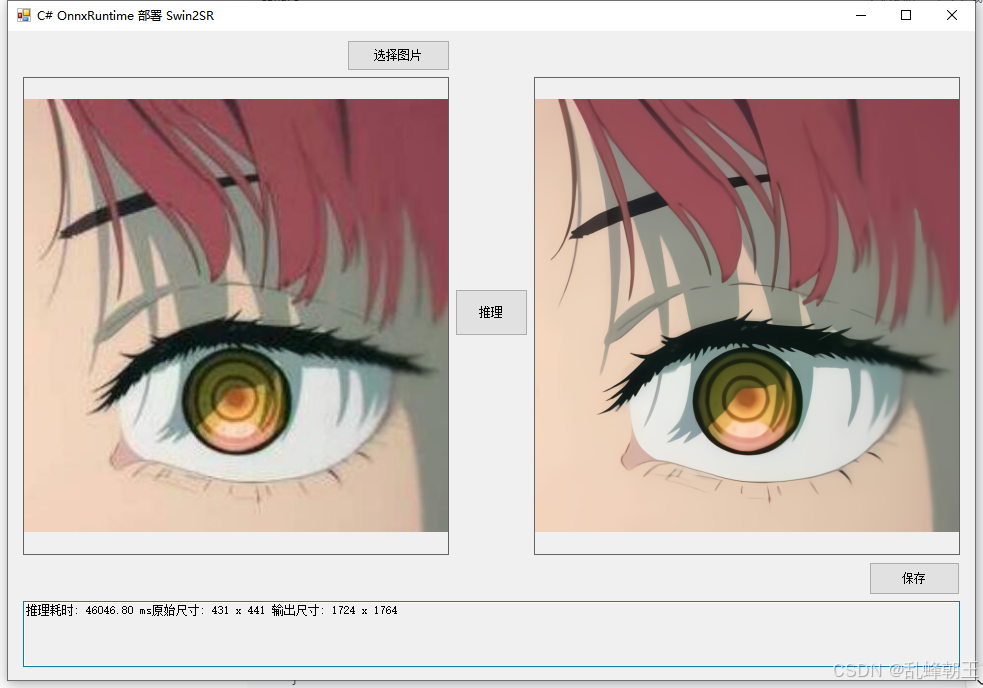
效果
模型信息
Model Properties
Inputs
name:pixel_values
tensor:Float-1, -1, -1, -1
Outputs
name:reconstruction
tensor:Float-1, 3, -1, -1
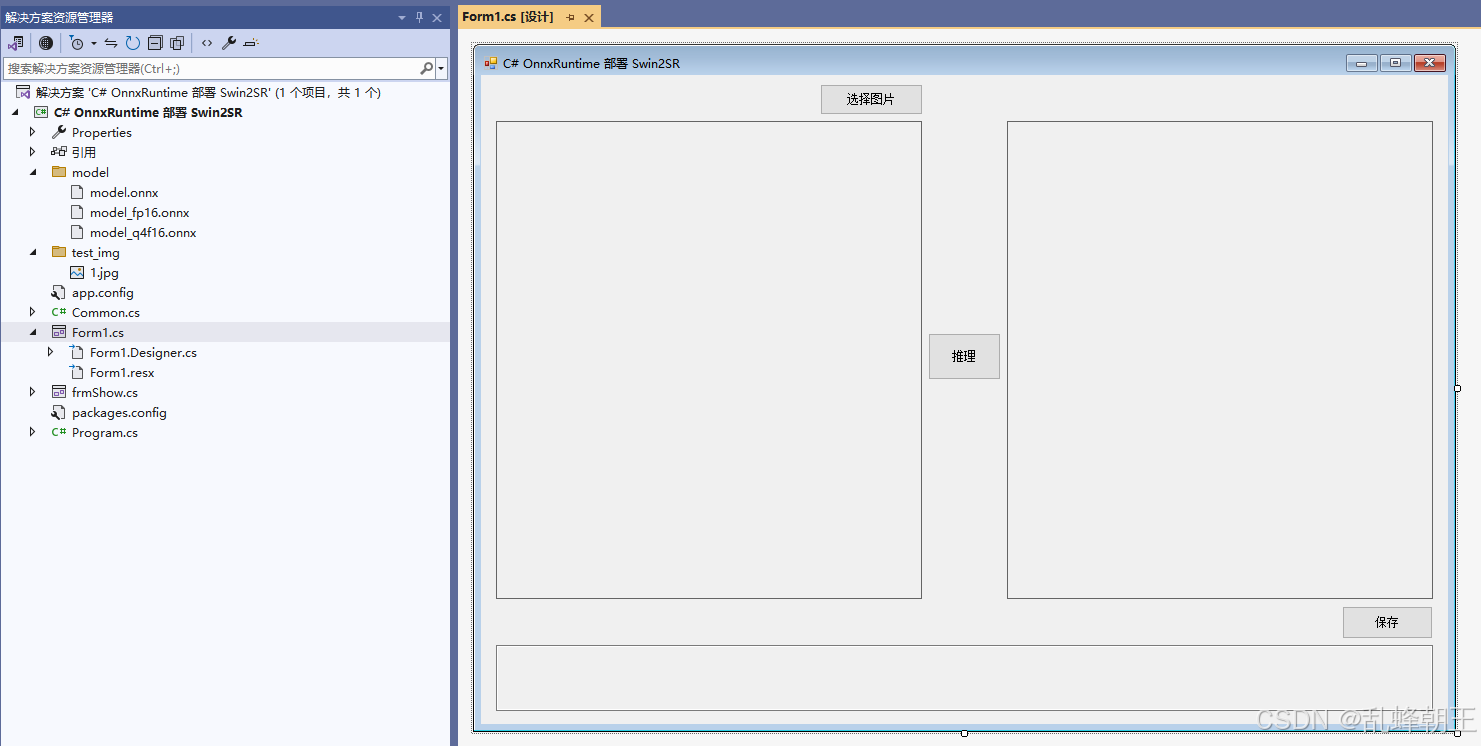
项目
代码
using Microsoft.ML.OnnxRuntime;
using Microsoft.ML.OnnxRuntime.Tensors;
using OpenCvSharp;
using System;
using System.Collections.Generic;
using System.Drawing;
using System.Drawing.Imaging;
using System.Linq;
using System.Windows.Forms;

namespace Onnx_Demo
{
    public partial class Form1 : Form
    {
        public Form1()
        {
            InitializeComponent();
        }

        private readonly string fileFilter = "图像文件|*.bmp;*.jpg;*.jpeg;*.tiff;*.png";
        private string imagePath = "";
        private string modelPath;
        private Mat originalImage;           // 原始图像 (BGR)
        private Mat resultImage;              // 超分结果 (BGR)
        private SessionOptions sessionOptions;
        private InferenceSession onnxSession;
        private Tensor<float> inputTensor;
        private List<NamedOnnxValue> inputContainer;
        private IDisposableReadOnlyCollection<DisposableNamedOnnxValue> inferenceResult;
        private DisposableNamedOnnxValue[] resultOnnxValues;
        private Tensor<float> outputTensor;

        // Swin2SR 参数
        private const int windowSize = 8;
        private const int scale = 4;

        private void Form1_Load(object sender, EventArgs e)
        {
            modelPath = "model/model.onnx";
            sessionOptions = new SessionOptions();
            sessionOptions.LogSeverityLevel = OrtLoggingLevel.ORT_LOGGING_LEVEL_INFO;
            sessionOptions.AppendExecutionProvider_CPU(0);
            // 如需 GPU:sessionOptions.AppendExecutionProvider_CUDA(0);
            onnxSession = new InferenceSession(modelPath, sessionOptions);
            inputContainer = new List<NamedOnnxValue>();

            string testImg = "test_img/1.jpg";
            if (System.IO.File.Exists(testImg))
            {
                imagePath = testImg;
                pictureBox1.Image = new Bitmap(imagePath);
                originalImage = new Mat(imagePath);
            }
        }

        private void button1_Click(object sender, EventArgs e)
        {
            OpenFileDialog ofd = new OpenFileDialog();
            ofd.Filter = fileFilter;
            if (ofd.ShowDialog() != DialogResult.OK) return;

            imagePath = ofd.FileName;
            pictureBox1.Image?.Dispose();
            pictureBox1.Image = new Bitmap(imagePath);
            originalImage = new Mat(imagePath);
            pictureBox2.Image = null;
            textBox1.Text = "";
        }

        private void button2_Click(object sender, EventArgs e)
        {
            if (string.IsNullOrEmpty(imagePath) || originalImage == null)
            {
                MessageBox.Show("请先选择图片!", "提示", MessageBoxButtons.OK, MessageBoxIcon.Warning);
                return;
            }

            button2.Enabled = false;
            pictureBox2.Image = null;
            textBox1.Text = "";
            Application.DoEvents();

            try
            {
                int origH = originalImage.Height;
                int origW = originalImage.Width;

                // ---------- 预处理 ----------
                // BGR -> RGB
                Mat rgb = new Mat();
                Cv2.CvtColor(originalImage, rgb, ColorConversionCodes.BGR2RGB);

                // 归一化到 [0,1] 并转为浮点 (保持 HWC)
                rgb.ConvertTo(rgb, MatType.CV_32FC3, 1.0 / 255.0);

                // 计算需要填充的高度和宽度,使图像尺寸为 window_size 的倍数
                int h = rgb.Height;
                int w = rgb.Width;
                int hPad = (windowSize - (h % windowSize)) % windowSize;
                int wPad = (windowSize - (w % windowSize)) % windowSize;

                // 镜像反射填充 (BORDER_REFLECT101 等价于 torch.flip 的拼接效果)
                Mat padded = new Mat();
                Cv2.CopyMakeBorder(rgb, padded, 0, hPad, 0, wPad, BorderTypes.Reflect101);

                int paddedH = padded.Height;
                int paddedW = padded.Width;

                // 转换为 CHW 格式
                Mat[] channels = Cv2.Split(padded);   // 顺序: R, G, B
                List<float> dataList = new List<float>();
                for (int c = 0; c < 3; c++)
                {
                    float[] channelData = new float[paddedH * paddedW];
                    System.Runtime.InteropServices.Marshal.Copy(channels[c].Data, channelData, 0, paddedH * paddedW);
                    dataList.AddRange(channelData);
                }
                float[] inputData = dataList.ToArray();
                inputTensor = new DenseTensor<float>(inputData, new[] { 1, 3, paddedH, paddedW });

                inputContainer.Clear();
                inputContainer.Add(NamedOnnxValue.CreateFromTensor("pixel_values", inputTensor));

                // ---------- 推理 ----------
                DateTime t1 = DateTime.Now;
                inferenceResult = onnxSession.Run(inputContainer);
                DateTime t2 = DateTime.Now;

                // ---------- 获取输出 ----------
                resultOnnxValues = inferenceResult.ToArray();
                outputTensor = resultOnnxValues.First(v => v.Name == "reconstruction").AsTensor<float>();

                int[] outShape = outputTensor.Dimensions.ToArray();
                int outChannels = outShape[1];   // 应为 3
                int outH = outShape[2];
                int outW = outShape[3];

                float[] predFloat = outputTensor.ToArray();

                // 裁剪到原始尺寸 * Scale
                int cropH = origH * scale;
                int cropW = origW * scale;
                // 确保裁剪区域不超出输出图像(理论上输出尺寸 >= cropH/cropW,因为输入填充后进行了超分)
                cropH = Math.Min(cropH, outH);
                cropW = Math.Min(cropW, outW);

                // 从 CHW 转换为 HWC 的 OpenCV Mat (RGB 浮点)
                Mat outputRgb = new Mat(outH, outW, MatType.CV_32FC3);
                int idx = 0;
                for (int y = 0; y < outH; y++)
                {
                    for (int x = 0; x < outW; x++)
                    {
                        Vec3f pixel;
                        pixel.Item0 = predFloat[idx];                         // R
                        pixel.Item1 = predFloat[idx + outH * outW];           // G
                        pixel.Item2 = predFloat[idx + 2 * outH * outW];       // B
                        outputRgb.Set(y, x, pixel);
                        idx++;
                    }
                }

                // 裁剪
                Rect roi = new Rect(0, 0, cropW, cropH);
                Mat croppedRgb = new Mat(outputRgb, roi);

                // 将像素值从 [0,1] 转到 [0,255] 并转为 8UC3
                croppedRgb.ConvertTo(croppedRgb, MatType.CV_8UC3, 255.0);

                // RGB -> BGR (OpenCV 显示/保存)
                Mat resultBgr = new Mat();
                Cv2.CvtColor(croppedRgb, resultBgr, ColorConversionCodes.RGB2BGR);
                resultImage = resultBgr.Clone();

                pictureBox2.Image = new Bitmap(resultImage.ToMemoryStream());
                textBox1.Text = $"推理耗时: {(t2 - t1).TotalMilliseconds:F2} ms\n原始尺寸: {origW} x {origH} \n输出尺寸: {cropW} x {cropH}";
            }
            catch (Exception ex)
            {
                MessageBox.Show($"推理失败: {ex.Message}", "错误", MessageBoxButtons.OK, MessageBoxIcon.Error);
                textBox1.Text = "推理出错";
            }
            finally
            {
                button2.Enabled = true;
            }
        }

        private void button3_Click(object sender, EventArgs e)
        {
            if (resultImage == null || resultImage.Empty())
            {
                MessageBox.Show("请先进行超分推理!", "提示", MessageBoxButtons.OK, MessageBoxIcon.Information);
                return;
            }

            SaveFileDialog sfd = new SaveFileDialog();
            sfd.Title = "保存超分图像";
            sfd.Filter = "PNG图片 (*.png)|*.png|JPEG图片 (*.jpg)|*.jpg|BMP图片 (*.bmp)|*.bmp";
            sfd.FilterIndex = 1;
            if (sfd.ShowDialog() == DialogResult.OK)
            {
                string ext = System.IO.Path.GetExtension(sfd.FileName).ToLower();
                ImageFormat format = ImageFormat.Png;
                if (ext == ".jpg" || ext == ".jpeg")
                    format = ImageFormat.Jpeg;
                else if (ext == ".bmp")
                    format = ImageFormat.Bmp;

                using (var stream = resultImage.ToMemoryStream())
                using (var bitmap = new Bitmap(stream))
                {
                    bitmap.Save(sfd.FileName, format);
                }
                MessageBox.Show($"保存成功!\n位置: {sfd.FileName}", "完成", MessageBoxButtons.OK, MessageBoxIcon.Information);
            }
        }

        private void pictureBox1_DoubleClick(object sender, EventArgs e)
        {
            ShowImageInNormalWindow(pictureBox1.Image);
        }

        private void pictureBox2_DoubleClick(object sender, EventArgs e)
        {
            ShowImageInNormalWindow(pictureBox2.Image);
        }

        private void ShowImageInNormalWindow(Image img)
        {
            if (img == null) return;
            Form frm = new Form
            {
                Width = img.Width + 20,
                Height = img.Height + 40,
                StartPosition = FormStartPosition.CenterScreen,
                Text = "查看大图"
            };
            PictureBox pb = new PictureBox
            {
                Image = img,
                Dock = DockStyle.Fill,
                SizeMode = PictureBoxSizeMode.Zoom
            };
            frm.Controls.Add(pb);
            frm.ShowDialog();
        }
    }
}